IPH-04432Extremity-Worn Digital Device
Garmin International Inc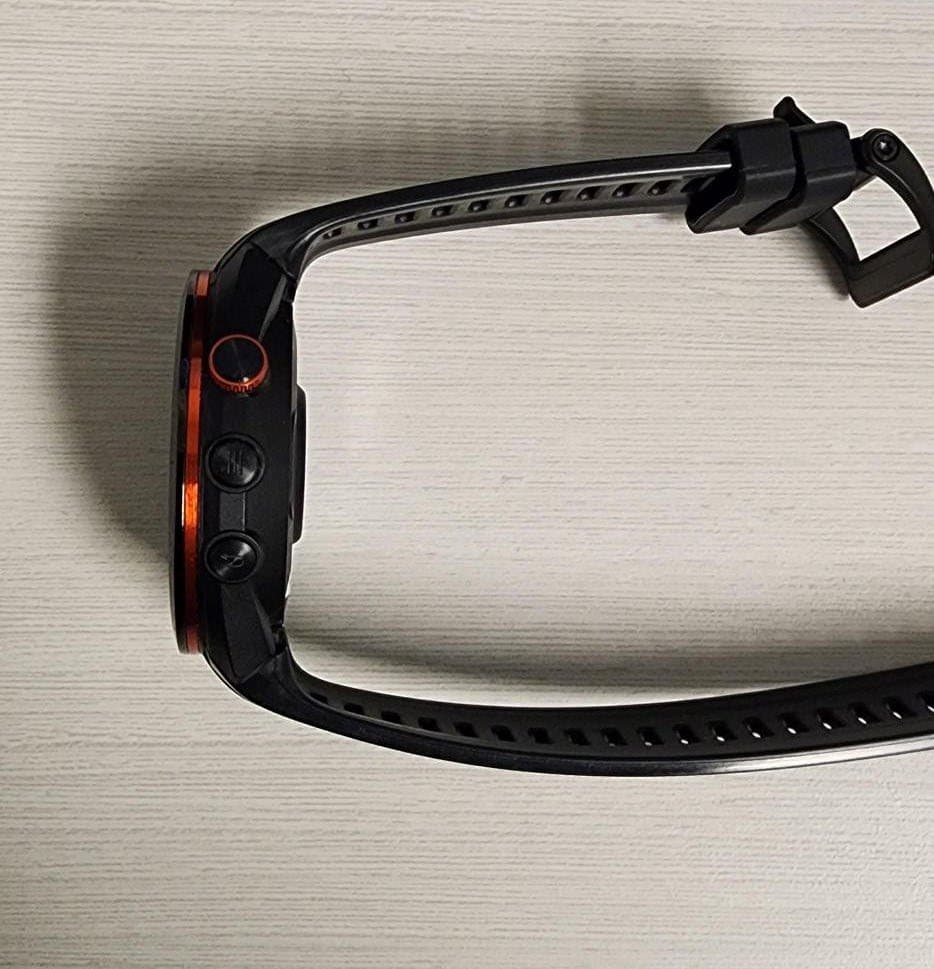
Click to zoom
Application Details
- Equipment Class
- DSS - Part 15 Spread Spectrum Transmitter
- Date of Grant
- May 22, 2023
- Application Purpose
- Original Equipment
- Date of Application
- Apr 26, 2023
- Equipment Note
- Extremity-Worn Digital Device
- Frequency Range
- 2402.00000000 - 2480.00000000
- Company
- Garmin International Inc
- Country
- United States
Documents & Files
Document Text
Text extracted from the exhibit documents filed with the FCC. Open a document above to read the original.
Users Manual
IMPORTANT SAFETY AND PRODUCT INFORMATION WARNING Failure to heed the following warnings could result in an accident or medical event resulting in death or serious injury. Battery Warnings If your device is rechargeable, it uses a lithium-ion battery. If your device is not rechargeable, it uses a coin cell battery. Coin cell batteries are used in the accessory. If these guidelines are not followed, batteries may experience a shortened life span or may present a risk of damage to the device, fire, chemical burn, electrolyte leak, and/or injury. • Do not expose the device or batteries to fire, explosion, or other hazard. •BATTERIES ARE HAZARDOUS AND MUST BE KEPT AWAY FROM CHILDREN. NEVER PUT NEW OR USED BATTERIES IN MOUTH OR IN ANY PART OF THE BODY. Severe or fatal injuries can occur within 2 hours if swallowed or placed inside the body. If this occurs or is suspected, seek medical attention immediately. • Do not disassemble, modify, remanufacture, puncture, or damage the device or batteries. • Do not remove or attempt to remove the non-user-replaceable battery. Device Warnings • To avoid possible device damage, do not leave the device exposed to a heat source or in a high-temperature location, such as in the sun in an unattended vehicle. • Do not operate or store the device for an extended time period outside of the applicable temperature range listed in the printed manual in the product packaging. • Do not use a power cable, data cable, and/or power adapter that is not supplied by Garmin ® or is not properly certified. Health Warnings • If you have a pacemaker or other internal electronic device, consult your physician before using a heart rate monitor. • The optical wrist heart rate monitor and pulse oximeter emit lights and flash occasionally. Consult your physician if you have epilepsy or are sensitive to bright or flashing lights. • Always consult your physician before beginning or modifying any exercise program. • The device, accessories, heart rate monitor, pulse oximeter, and related data are intended to be used only for recreational purposes, not medical purposes, and are not intended to diagnose, monitor, treat, cure, or prevent any disease or condition. • The heart rate and blood oxygen saturation readings are for reference only, and no responsibility is accepted for the consequences of any erroneous readings. • While the optical wrist heart rate monitor and pulse oximeter technologies typically provide accurate estimates of a user's heart rate and blood oxygen saturation respectively, there are inherent limitations with the technologies that may cause some of the readings to be inaccurate under certain circumstances, including the user's physical characteristics, device fit and position, and type and intensity of activity. • Activity trackers rely on sensors that track your movement and other metrics. The data provided by these devices is intended to be a close estimation of your activity and metrics tracked, but may not be completely accurate. Safety and Tracking Warning The assistance feature allows you to send your location to an emergency contact. This is a supplemental feature and should not be relied upon as a primary method to obtain emergency assistance. The Garmin Connect ™ app does not contact emergency services on your behalf. The incident detection feature is only available during certain outdoor activities. For more information, see the device owner's manual. Navigation Warnings If your Garmin device uses or accepts map data, follow these guidelines to ensure safe navigating. • Always carefully compare information displayed on the device to all available navigation sources, including weather conditions, maps, street/ trail signs and conditions, waterway restrictions, and other factors that may affect safety. Always resolve any discrepancies or questions before continuing navigation, and defer to posted signs and conditions. • Use this device only as a navigational aid. Do not attempt to use the device for any purpose requiring precise measurement of direction, distance, location, or topography. CAUTION Failure to heed the following cautions could result in minor or moderate injury, or property damage. Skin Irritation Some users may experience skin irritation after prolonged use of the watch, especially if the user has sensitive skin or allergies. If you notice any skin irritation, remove the watch and give your skin time to heal. To help prevent skin irritation, ensure the watch is clean and dry, and do not overtighten the watch on your wrist. For more information, go to garmin.com/fitandcare. NOTICE Failure to heed the following notices could result in personal or property damage, or negatively impact the device functionality. Battery Notices • Replaceable coin cell batteries may contain perchlorate material. Special handling may apply. See www.dtsc.ca.gov/hazardouswaste/perchlorate. • Contact your local waste disposal department to dispose of the device/ batteries in accordance with applicable local laws and regulations. GPS Notice The navigation device may experience degraded performance if you use it in proximity to any device that uses a terrestrial broadband network operating close to the frequencies used by any Global Navigation Satellite System (GNSS), such as the Global Positioning Service (GPS). Use of such devices may impair reception of GNSS signals. Product Environmental Programs Information about the Garmin product recycling program and WEEE, RoHS, REACH, and other compliance programs can be found at garmin.com /aboutGarmin/environment. Declaration of Conformity Hereby, Garmin declares that this product is in compliance with the Directive 2014/53/EU. The full text of the EU declaration of conformity is available at the following internet address: garmin.com/compliance. UK Declaration of Conformity Hereby, Garmin declares that this product is in compliance with the relevant statutory requirements. The full text of the declaration of conformity is avail…
Text truncated - open the document above for the full version.
Users Manual
Owner’s Manual © 2023 Garmin Ltd. or its subsidiaries All rights reserved. Under the copyright laws, this manual may not be copied, in whole or in part, without the written consent of Garmin. Garmin reserves the right to change or improve its products and to make changes in the content of this manual without obligation to notify any person or organization of such changes or improvements. Go to www.garmin.com for current updates and supplemental information concerning the use of this product. Garmin ® , the Garmin logo, ANT+ ® , Auto Lap ® , Auto Pause ® , Edge ® , and QuickFit ® are trademarks of Garmin Ltd. or its subsidiaries, registered in the USA and other countries. Body Battery ™ , Connect IQ ™ , Garmin AutoShot ™ , Garmin Connect ™ , Garmin Express ™ , Garmin Golf ™ , Garmin Pay ™ , and tempe ™ are trademarks of Garmin Ltd. or its subsidiaries. These trademarks may not be used without the express permission of Garmin. Android ™ is a trademark of Google Inc. The BLUETOOTH ® word mark and logos are owned by Bluetooth SIG, Inc. and any use of such marks by Garmin is under license. Advanced heartbeat analytics by Firstbeat. Handicap Index ® and Slope Rating ® are registered trademarks of the United States Golf Association. iOS ® is a registered trademark of Cisco Systems, Inc. used under license by Apple Inc. iPhone ® and Mac ® are trademarks of Apple Inc., registered in the U.S. and other countries. Windows ® is a registered trademark of Microsoft Corporation in the United States and other countries. Other trademarks and trade names are those of their respective owners. This product is ANT+ ® certified. Visit www.thisisant.com/directory for a list of compatible products and apps. M/N: A04431, A04432 Table of Contents Introduction......................................1 Device Overview......................................1 Getting Started........................................1 Using the Watch Features...................1 Pairing Your Smartphone........................2 Charging the Watch.................................2 Product Updates.....................................2 Setting Up Garmin Express.................3 Playing Golf......................................3 Hole View.................................................3 Big Numbers Mode.............................4 Golf Menu................................................5 Hazards and Layups...............................5 Viewing Hazards and Layups in Big Numbers Mode....................................5 Measuring Distance with Touch Targeting..............................................6 PlaysLike Distance Icons........................6 Viewing the Green...................................6 Virtual Caddie..........................................7 Changing the Club Recommendation................................7 Requesting a Club Recommendation Manually...............................................7 Changing Holes.......................................8 Keeping Score.........................................8 Enabling Statistics Tracking...............8 Recording Statistics........................8 Setting the Scoring Method................8 About Stableford Scoring................9 Enabling Handicap Scoring.................9 Viewing the Direction to the Pin.............9 Viewing the Wind Speed and Direction...................................................9 Viewing Round Information....................9 Measuring a Shot with Garmin AutoShot................................................10 Viewing Garmin AutoShot in Big Numbers Mode..................................10 Adding a Shot Manually....................10 Viewing Shot History.............................10 Viewing Club Statistics.........................11 Saving a Location..................................11 Ending a Round.....................................11 Swing Tempo.................................11 The Ideal Swing Tempo........................12 Analyzing Your Swing Tempo..............12 Viewing the Tip Sequence................13 Connectivity...................................13 Phone Connectivity Features...............13 Enabling Bluetooth Notifications..... 13 Managing Notifications.................13 Using Do Not Disturb Mode..............13 Turning Off the Bluetooth Smartphone Connection.........................................14 Turning On and Off Phone Connection Alerts..................................................14 Finding Your Phone...........................14 Wi‑Fi® Connectivity Features...............14 Connecting to a Wi‑Fi Network.........14 Phone Apps and Computer Applications...........................................14 Garmin Golf App................................15 Automatic Course Updates...........15 Garmin Connect.................................15 Using the Smartphone Apps.........15 Using Garmin Connect on Your Computer.......................................15 Connect IQ Features.........................16 Downloading Connect IQ Features.........................................16 Downloading Connect IQ Features Using Your Computer....................16 Garmin Pay™ ..................................16 Setting Up Your Garmin Pay Wallet......16 Paying for a Purchase Using Your Watch.....................................................17 Adding a Card to Your Garmin Pay Wallet.....................................................17 Managing Your Garmin Pay Cards...17 Changing Your Garmin Pay Passcode...............................................18 Glances..........................................18 Viewing the Glance Loop......................19 Customizing the Glance Loop.......... 19 Creating Glance Folders................19 Heart Rate Variability Status................20 Using the Stress Level Widget..........20 Table of Contentsi Body Battery..........................................21 Viewing the Body Battery Widget.....21 Tips for Improved Body Battery Data....................................................21 Training Sta…
Text truncated - open the document above for the full version.
Attestation Statements
Rev 1/26/2023 Federal Communications Commission Authorization and Evaluation Division 7435 Oakland Mills Road Columbia, MD 21046 USA Date: April 4, 2023 Ref: Attestation Statements Part 2.911(d)(5)(ii) Filing FCC ID: IPH- 04432 Garmin International, Inc., (“ the applicant”) certifies that, as of the date of t he filing of the application, the applicant i s not identified on the Cov ered List as an en tity producin g “covered ” equipment. Sincerely, Ben Karsak
Cover Letter(s)
Request for Confidentiality Date: April 4, 2023 Subject: Confidentiality Request for: FCC ID: IC: IPH-04432 1792A-04432 Pursuant to FCC 47 CFR 0.457(d) and 0.459 and IC RSP-100, Section 9.4, the applicant requests that a part of the subject FCC application be held confidential. Type of Confidentiality Requested ☐Short Term ☒ Permanent ☒ Short Term ☒ Short Term ☐ Permanent ☐Short Term ☒ Permanent ☐Short Term ☒ Permanent ☒ Short Term ☒ Short Term ☐ Permanent ☐No t Provided ☐Not Provided ☐Not Provided ☐Not Provided ☐Not Provided ☐Not Provided ☐Not Provided Exhibit Block Diagrams External Photos Internal Photos Operation Description/Theory of Operation Schematics Test Setup Photos User’s Manual The above-mentioned company has spent a substantial effort in developing this product and it is one of the first of its kind in industry. Having the subject information easily available to "competition" would negate the advantage they have achieved by developing this product. Not protecting the details of the design will result in financial hardship. Permanent Confidentiality: The applicant requests the exhibits listed above as permanently confidential be permanently withheld from public review due to materials that contain trade secrets and proprietary information not customarily released to the public. Short-Term Confidentiality (if applicable): The applicant requests the exhibits selected above as short term confidential be withheld from public view for a period of 180 days from the date of the Grant of Equipment Authorization and prior to marketing. This is to avoid premature release of sensitive information prior to marketing or release of the product to the public. Applicant is also aware that they are responsible to notify ACB in the event information regarding the product or the product is made available to the public before the requested period has expired. ACB will then release the documents listed above for public disclosure pursuant to FCC Public Notice DA 04- 1705. NOTE for Industry Canada Applications: IC currently only distinguishes Permanent Confidentiality exhibits as shown above. Short Term confidentiality is not considered Provided to IC applications Sincerely , Poojita Bhattu Compliance Engineer, Garmin International Inc.,
Cover Letter(s)
Innov ation, Science and Economic Development Canada Certification and Engineering Bureau 3701 Carling Avenue PO Box 11490, Station H Ottawa, Ontario, Canada K2H 8S2 January 11, 2023 Federal Communications Commission Authorization and Evaluation Division 1435 Oakland Mills Road Columbia, MD 21046 To Whom It May Concern: Pursuant to 47 CFR 2.911, Garmin International, Inc. (Garmin) has authorized the following Garmin International Associates to act on Garmin's behalf for the sole and express purpose of processing applications to the Federal Communication Commission (FCC) and Innovation, Science and Economic Development Canada (ISED) for equipment authorization or certification. Mr. Chris Strauss, Compliance Engineering Team Lead Mr. William Pertner, Compliance Engineering Team Lead Mr. Jay Everett, Compliance Engineering Team Lead Mr. Mike Moranha, Compliance Engineer Ms. Poojita Bhattu, Compliance Engineer Mr. Jeffrey Hailey, Compliance Engineer Mr. Dan Irish, Compliance Engineer Mr. Kiran Kumar, Compliance Engineer Mr. Tim Olson, Compliance Engineer Mr. Carlos Ortega, Compliance Engineer Mr. David Utt, Staff Compliance Engineer Mr. Jonathan Shafer, Design Certification Engineer Ms. Sara Jones, Design Certification Engineer As such, the Garmin Associates listed above are authorized to: 1) sign Form 731, 2) sign letters of application, 3) request confidentiality, and 4) exchange data and information with the FCC, IC and/or authorized TCBs on behalf of Garmin. In addition, these individuals shall be considered "authorized individuals" to act on Garmin's behalf where an "authorized individual's" attestation is necessary or preferred. This authorization remains in effect until notified to the contrary by Garmin. Sincerely, Ben Karsak Manager Compliance Engineering Garmin International, Inc.
Cover Letter(s)
Federal Communications Commission Authorization and Evaluation Division 1 435 Oakland Mills Road Colu mbia, MD 21046 Date: April 4, 2023 SUBJECT: FCC Application for FCC ID: IPH-04432 To Whom It May Concern: Garmin will continue to apply processes and procedures to ensure compliance with 47 CFR 2 requirements regarding products produced under Supplier’s Declaration of Conformity procedure for clas s B computer peripheral portion as applicable to this composite filing. Sincerely, Poojita Rao Bhattu Compliance Engineer
External Photos
A04432 External Pictures
ID Label/Location Info
A04432 E-Label Information 1) The following instructions are provided in the Quick Start Manual (QSM) that ships with the device. a. Label viewing instructions are found in the owner’s manual (outlined here for reference) and available online at www.garmin.com b. Viewing the Owner’s Manual i. The owner’s manual includes instructions for accessing device features and regulatory information. ii. Go to: www.garmin.com/manuals/A04432. 2) The following steps are the instructions provided in the owner’s manual which is available at www.garmin.com/manuals. 3) Scroll the “about” page to display the following information. M/N: A04432 IC: 1792A-04432 FCC ID: IPH-04432 4) The above information is programmed by Garmin in such a manner that third parties cannot modify it. a. “No special accessories or supplemental plug-ins (e.g., installation of a SIM/USIM card) are required to access the information. Access to the information is provided without special codes, accessories, or permissions beyond the normal security protection to unlock the screen, sign-in page, or overall product access.” 5) The above M/N, FCC ID, and IC numbers can be found printed on the product packaging.
Internal Photos
A04432 Internal Pictures
RF Exposure Info
1.78 0.50 4.00 45461854 R1.0 12 April 2023 Applicant: Garmin International Inc. Test Report Serial Number: Test Report Date: SAR Test Report - New Application 1627 Project Number: W/kg Extremity (wrist) Maximum Reported 10g SAR Wifi (DTS) BT/BLE (DSS) General Pop. Limit: FCC Registration: CA3874 © 2023 Celltech Labs Inc, This report shall not be reproduced in any form without the expressed written consent of Celltech Labs Inc. Product Model Number / HVINProduct Name / PMN Canada Test Lab Certificate: 2470.01 Approved By: Ben Hewson, President Celltech Labs Inc. IC Registration 3874A 21-364 Lougheed Rd. Kelowna, BC, V1X 7R8 FCC 47 CFR §2.1093 Radiofrequency Radiation Exposure Evaluation: Portable Devices Olathe, KS, 66062 IC Registration NumberFCC ID: A04432 In Accordance With: A04432 USA IPH-04432 Test Report S/N: 45461854 R1.0 Test Report Issue Date: 12 April 2023 ©2023 Celltech Labs Inc. This document is not to be reproduced in whole or in part without the expressed written permission of Celltech Labs Inc. Page 2 of 40 Table of Contents 1.0 DOCUMENT CONTROL ................................................................................................................................................... 4 2.0 CLIENT AND DEVICE INFORMATION ............................................................................................................................ 5 3.0 SCOPE OF EVALUATION ................................................................................................................................................ 6 4.0 NORMATIVE REFERENCES ........................................................................................................................................... 7 5.0 STATEMENT OF COMPLIANCE ..................................................................................................................................... 8 6.0 SAR MEASUREMENT SYSTEM ...................................................................................................................................... 9 7.0 RF CONDUCTED POWER MEASUREMENT ................................................................................................................ 10 TABLE 7.0 CONDUCTED POWER MEASUREMENTS – 2.4GHZ WIFI.................................................................................................................... 10 TABLE 7.1 CONDUCTED POWER MEASUREMENTS – BT ................................................................................................................................... 11 8.0 NUMBER OF TEST CHANNELS (N C ) / SAR TEST REDUCTION ................................................................................. 12 9.0 ACCESSORIES EVALUATED ........................................................................................................................................ 13 10.0 SAR MEASUREMENT SUMMARY .............................................................................................................................. 14 TABLE 10.0: MEASURED RESULTS ............................................................................................................................................................... 14 11.0 SCALING OF MAXIMUM MEASURE SAR ................................................................................................................... 15 TABLE 11.0 SAR SCALING – EXTREMITY ....................................................................................................................................................... 15 TABLE 11.1 SAR TEST EXCLUSION, TEST REDUCTION AND SIMULTANEOUS EVALUATION ....................................................................................... 17 12.0 SAR EXPOSURE LIMITS ............................................................................................................................................. 18 TABLE 12.0 EXPOSURE LIMITS .................................................................................................................................................................... 18 13.0 DETAILS OF SAR EVALUATION ................................................................................................................................. 19 13.0 DAY LOG ........................................................................................................................................................................................ 19 13.1 DUT SETUP AND CONFIGURATION ....................................................................................................................................................... 20 13.2 DUT POSITIONING ........................................................................................................................................................................... 20 13.3 GENERAL PROCEDURES AND REPORTING ............................................................................................................................................... 21 13.4 FLUID DIELECTRIC AND SYSTEMS PERFORMANCE CHECK ........................................................................................................................... 22 13.5 SCAN RESOLUTION 100MHZ TO 2GHZ ................................................................................................................................................ 22 13.6 SCAN RESOLUTION 2GHZ TO 3GHZ ..................................................................................................................................................... 23 13.7 SCAN RESOLUTION 5GHZ TO 6GHZ ..................................................................................................................................................... 23 14.0 MEASUREMENT UNCERTAINTIES ............................................................................................................................ 24 TABLE 14.0 MEASUREMENT UNCERTAINTY ...............................................…
Text truncated - open the document above for the full version.
RF Exposure Info
Test Report S/N: 45461854 R1.0 Test Report Issue Date: 12 April 2023 ©2023 Celltech Labs Inc. This document is not to be reproduced in whole or in part without the expressed written permission of Celltech Labs Inc. Page 38 of 40 APPENDIX D – PROBE CALIBRATION Test Report S/N: 45461854 R1.0 Test Report Issue Date: 12 April 2023 ©2023 Celltech Labs Inc. This document is not to be reproduced in whole or in part without the expressed written permission of Celltech Labs Inc. Page 39 of 40 APPENDIX E – DIPOLE CALIBRATION NCL CALIBRATION LABORATORIES Calibration File No: DC-1904 Project Number: 5921 Client.: Celltech Address: 21 – 364 Lougheed Road, Kelowna, BC V1X 7R8, Canada C E R T I F I C A T E OF C A L I B R A T I O N It is certified that the equipment identified below has been calibrated in the NCL CALIBRATION LABORATORIES by qualified personnel following recognized procedures and using transfer standards traceable to NRC/NIST. Validation Dipole (Head) Manufacturer: SPEAG Part number: D2450V2 Frequency: 2450 MHz Serial No: 825 Calibrated: 27/04/2021 Released on: 05/05/2021 This Calibration Certificate is incomplete unless accompanied by the Calibration Results Summary NCL Calibration Laboratories Division of APREL Laboratories DC-1904 Dipole SN: 825 Page 2 of 7 This page has been reviewed for content and attested to on Page 2 of this document. Conditions Dipole SN 825 was a re-calibration. Ambient Temperature of the Laboratory: 21 C +/- 0.5C Temperature of the Tissue: 21 C +/- 0.5C Primary Measurement Standards Instrument Serial Number Cal due date Signal Generator HP 83640B 3844A00689 Sept. 17, 2022 Network Analyzer Keysight E5063A MY54502902 Mar. 9, 2023 Spectrum Analyzer Keysight N9030B MY57140772 Apr. 20, 2023 Attestation The below named signatories have conducted the calibration and review of the data which is presented in this calibration report. NCL Calibration Laboratories Division of APREL Laboratories DC-1904 Dipole SN: 825 Page 3 of 7 This page has been reviewed for content and attested to on Page 2 of this document. Calibration Results Summary The following results relate the Calibrated Dipole and should be used as a quick reference for the user. Tissue Validation Tissue Frequency Dielectric constant, r Conductivity, [S/m] Head 2450 MHz 40.73 1.86 Electrical Specification Tissue Frequency Return LossImpedanceSWR: Head 2450 MHz -19.83 dB 43.26 1.23U System Validation Results Tissue Frequency 1-Gram SAR 10-Gram SAR Uncertainty Head 2450 MHz 52.719 W/kg 24.015 W/kg 19.8% Head NCL Calibration Laboratories Division of APREL Laboratories DC-1904 Dipole SN: 825 Page 4 of 7 This page has been reviewed for content and attested to on Page 2 of this document. Introduction This Calibration Report has been produced in line with the SSI Dipole Calibration Procedure SSI-TP-018-ALSAS. The results contained within this report are for Validation Dipole SN 825. The calibration routine consisted of a three-step process. Step 1 was a mechanical verification of the dipole to ensure that it meets the mechanical specifications. Step 2 was an Electrical Calibration for the Validation Dipole, where the SWR, Impedance, and the Return loss were assessed. Step 3 involved a System Validation using the ALSAS-10U, along with APREL E-020 30 MHz to 6 GHz E-Field Probe Serial Number 225. References o IEEE Standard 1528:2013 IEEE Recommended Practice for Determining the Peak Spatial-Average Specific Absorption Rate (SAR) in the Human Head from Wireless Communications Devices: Measurement Techniques o EN 62209-1:2016 Human Exposure to RF Fields from hand-held and body-mounted wireless communication devices - Human models. instrumentation, and procedures - Part 1: Procedure to measure the Specific Absorption Rate (SAR) for hand-held mobile wireless devices o IEC 62209-2:2019 Human exposure to RF fields from hand-held and body-mounted wireless devices - Human models, instrumentation, and procedures - Part 2: specific absorption rate (SAR) for wireless communication devices (30 MHz - 6 GHz) o D22-012-Tissue dielectric tissue calibration procedure o D28-002-Dipole procedure for validation of SAR system using a dipole o IEEE 1309 Standard for Calibration of Electromagnetic Field Sensors and Probes, Excluding Antennas, from 9 kHz to 40 GHz Conditions Ambient Temperature of the Laboratory: 21 C +/- 0.5C Temperature of the Tissue: 21 C +/- 0.5C Dipole Calibration uncertainty The calibration uncertainty for the dipole is made up of various parameters presented below. Tolerance, % Mechanical 2.00 Positioning Error 0.10 Electrical 0.37 Tissue Permittivity 3.88 Tissue Conductivity 3.56 Dipole Validation 1.70 Combined Uncertainty, k=2 4.81 NCL Calibration Laboratories Division of APREL Laboratories DC-1904 Dipole SN: 825 Page 5 of 7 This page has been reviewed for content and attested to on Page 2 of this document. The Following Graphs are the results as displayed on the Vector Network Analyzer. Electrical Calibration Test Head S11 R/L -19.83 dB Impedance 43.26 SWR 1.23 U S11 Parameter Return Loss Head Frequency Range 2326.59 MHz to 2450 MHz NCL Calibration Laboratories Division of APREL Laboratories DC-1904 Dipole SN: 825 Page 6 of 7 This page has been reviewed for content and attested to on Page 2 of this document. Smith Chart Dipole Impedance Head NCL Calibration Laboratories Division of APREL Laboratories DC-1904 Dipole SN: 825 Page 7 of 7 This page has been reviewed for content and attested to on Page 2 of this document. SWR Head Test Report S/N: 45461854 R1.0 Test Report Issue Date: 12 April 2023 ©2023 Celltech Labs Inc. This document is not to be reproduced in whole or in part without the expressed written perm…
Text truncated - open the document above for the full version.
Contact Information
Applicant
Ben Karsak(Manager, Compliance Engineering)
Test Firm
Garmin Compliance LabShruti Kohli
[email protected]913 475 2911
Technical Specifications
| # | Rule Parts | Frequency Range | Power Output |
|---|---|---|---|
| 1 | 15C | 2.40 GHz - 2.48 GHz | 12.02 mW |
Other Applications from Garmin International Inc
IPH-05126
Sep 09, 2026Portable Digital Transceiver
Equipment Class
NII - Unlicensed National Information Infrastructure TXIPH-A5126
Sep 09, 2026Portable Digital Transceiver
Equipment Class
NII - Unlicensed National Information Infrastructure TXIPH-04812
Sep 01, 2026Mobile Digital Transceiver
Equipment Class
DTS - Digital Transmission SystemIPH-A04825
Sep 01, 2026Marine Stereo
Equipment Class
DSS - Part 15 Spread Spectrum TransmitterIPH-B04825
Sep 01, 2026Marine Stereo
Equipment Class
DSS - Part 15 Spread Spectrum Transmitter