IPH-04475Digital Transmission System Transceiver
Garmin International Inc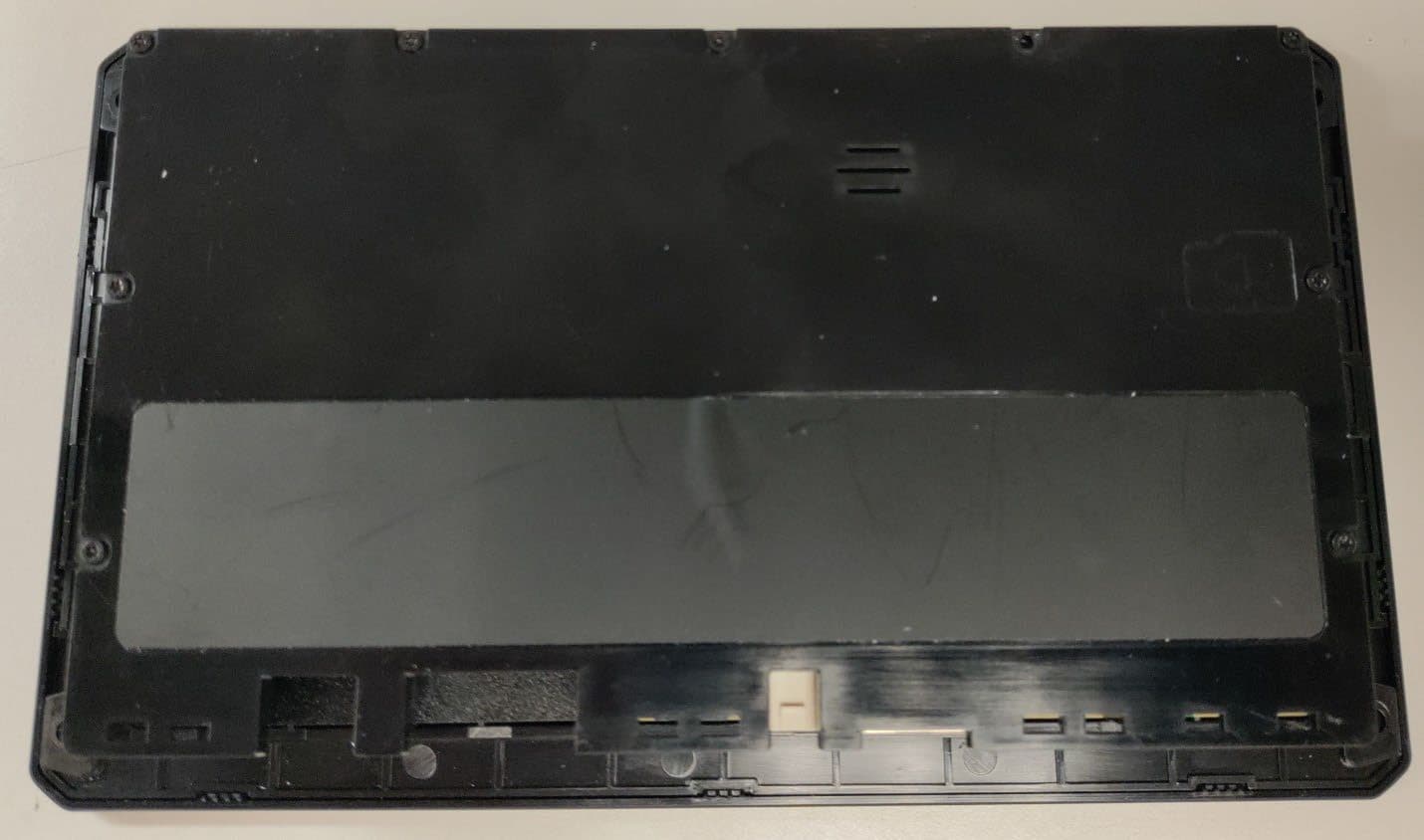
Click to zoom
Application Details
- Equipment Class
- DXX - Part 15 Low Power Communication Device Transmitter
- Date of Grant
- Jun 27, 2023
- Application Purpose
- Original Equipment
- Date of Application
- Jun 27, 2023
- Equipment Note
- Digital Transmission System Transceiver
- Frequency Range
- 2402.00000000 - 2480.00000000
- Company
- Garmin International Inc
- Country
- United States
Documents & Files
Document Text
Text extracted from the exhibit documents filed with the FCC. Open a document above to read the original.
Users Manual
GARMIN SERV ™ Owner’s Manual © 2023 Garmin Ltd. or its subsidiaries All rights reserved. Under the copyright laws, this manual may not be copied, in whole or in part, without the written consent of Garmin. Garmin reserves the right to change or improve its products and to make changes in the content of this manual without obligation to notify any person or organization of such changes or improvements. Go to www.garmin.com for current updates and supplemental information concerning the use of this product. Garmin ® , the Garmin logo, Garmin SERV ™ , and EmpirBus ™ are trademarks of Garmin Ltd. or its subsidiaries, registered in the USA and other countries. These trademarks may not be used without the express permission of Garmin. Table of Contents Getting Started.................................1 Digital Switching..............................1 Settings............................................2 Appendix..........................................3 Table of Contentsi Getting Started WARNING See the Important Safety and Product Information guide in the product box for product warnings and other important information. Using the Touchscreen •Tap the screen to select an item. •Drag or swipe your finger across the screen to pan or scroll. •Pinch two fingers together to zoom out. •Spread two fingers apart to zoom in. Turning Off the Display 1Select to turn off the display. 2Tap the screen to turn on the display. Opening an App The home screen contains shortcuts for frequently used apps. The app drawer contains all of the apps installed on your device. Select an option: •Select an app shortcut from the home screen. •Select , and select an app. Changing the Background Image 1From the home screen, select Settings > Display > Wallpaper. 2Select an album, and select an image. Adjusting the Screen Brightness You can adjust the brightness using either the notification panel or the settings menu. 1Select an option: •Swipe down twice from the top of the screen to expand the quick settings in the notification panel. •Select > Display > Brightness level. 2Use the slider bar to adjust the brightness. Digital Switching Your Garmin SERV switching display can be used to monitor and control circuits using an EmpirBus ™ digital switching system or another compatible digital switching system. For example, you may be able to control the interior lights in your RV. Opening the Digital Switching Controls You can access the digital switching controls from the home screen. Select RV Controls. Getting Started1 Settings Connecting to a Wireless Network 1Select Settings > Network & internet > Wi-Fi. 2If necessary, select the toggle switch to turn on wireless network technology. 3Select a wireless network. 4If necessary, enter the encryption key. The device connects to the wireless network. The device remembers the network information and connects automatically when you return to this location in the future. Display Settings Select Settings > Display. Brightness level: Sets the display brightness level on your device. Wallpaper: Sets the wallpaper background on your device. Sleep: Sets the amount of idle time before your device turns off the display. Stay Awake: Keeps the screen active. Font size: Increases or decreases the font size on your device. Setting the Text Language You can select the language for text in the device software. 1Select Settings > System > Language & Input > Languages. 2Select a language. Date and Time Settings Select Settings > System > Date & Time. Use network-provided time: Automatically sets the time zone based on information from the connected network. Use network-provided time zone: Sets the time zone on your device when Use network-provided time is disabled. Use locale default: Enables or disables the 24-hour time format. Restoring the Original Device Factory Settings Select Settings > System > Reset Options > Erase all data (factory reset). 2Settings Appendix Updating Software Using a Wi‑Fi ® Network NOTICE Software updates may require the device to download large files. Regular data limits or charges from your internet service provider apply. Contact your internet service provider for more information about data limits or charges. You can update the software by connecting your device to a Wi‑Fi network that provides access to the internet. 1Connect the device to a Wi‑Fi network (Connecting to a Wireless Network, page 2). While connected to a Wi‑Fi network, the device checks for available updates automatically and displays a notification when an update is available. 2Select > Software Updates. The device displays available software updates. When an update is available, Update Available appears. 3Select Download. 4If necessary, read the license agreements, and select Accept all to accept the agreements. NOTE: If you do not agree with the license terms, you can select Reject. This stops the update process. You cannot install updates until you accept the license agreements. 5Keep the device connected to external power and within range of the Wi‑Fi network until the update process is complete. Cleaning the Screen NOTICE Cleaners containing ammonia will harm the anti-reflective coating. The device is coated with a special anti-reflective coating which is very sensitive to waxes and abrasive cleaners. 1Apply an eyeglass lens cleaner specified as safe for anti-reflective coatings to the cloth. 2Gently wipe the screen with a soft, clean, lint-free cloth. Garmin ® Support Center Go to support.garmin.com for help and information, such as product manuals, frequently asked questions, videos, and customer support. Viewing E-label Regulatory and Compliance Information Select Settings > About device > Regulatory labels. Appendix3 Specifications All Models SpecificationMeasurement Temperature rangeFrom -10° to 60°C (from 14° to 140°F) Input voltageFrom 10 to 32 Vdc Fuse5 A Memory card (not included)1 microSD ® card slot; 2 TB max. card size Wireless frequency and transmit power2.4 GHz @ 14.3 dBm maximum Se…
Text truncated - open the document above for the full version.
Users Manual
IMPORTANT SAFETY AND PRODUCT INFORMATION WARNING Failure to heed the following warnings could result in an accident resulting in death or serious injury. Device Warnings • If these warnings are not followed, the device may experience a shortened life span or may present a risk of damage to the device, fire, chemical burn, electrolyte leak, and/or injury. • Do not immerse or expose the device or batteries to water or other liquids. • Do not disassemble, modify, remanufacture, puncture, or damage the device. • Do not operate or store the device for an extended time period outside of the applicable temperature range listed in the printed manual in the product packaging. NOTICE Failure to heed the following notice could result in personal or property damage, or negatively impact the device functionality. Device Disposal Notice Contact your local waste disposal department to dispose of the device in accordance with applicable local laws and regulations. Product Environmental Programs Information about the Garmin ® product recycling program and WEEE, RoHS, REACH, and other compliance programs can be found at garmin.com/aboutGarmin/environment. Declaration of Conformity Hereby, Garmin declares that this product is in compliance with the Directive 2014/53/EU. The full text of the EU declaration of conformity is available at the following internet address: garmin.com/compliance. UK Declaration of Conformity Hereby, Garmin declares that this product is in compliance with the relevant statutory requirements. The full text of the declaration of conformity is available at the following internet address: garmin.com/compliance. Innovation, Science and Economic Development Canada Compliance This device contains licence-exempt transmitter(s)/receiver(s) that comply with Innovation, Science and Economic Development Canada's licence-exempt RSS(s). Operation is subject to the following two conditions: (1) this device may not cause interference, and (2) this device must accept any interference, including interference that may cause undesired operation of the device. Operation in the band 5150-5250 MHz is only for indoor use. Radio Frequency Radiation Exposure This device is a mobile transmitter and receiver that uses an internal antenna to send and receive low levels of radio frequency (RF) energy for data communications. The device emits RF energy below the published limits when operating in its maximum output power mode and when used with Garmin authorized accessories. To comply with RF exposure compliance requirements, the device should be installed and operated with a minimum of 20 cm (7.87 in.) between the device and your body. The device should not be used in other configurations. This device must not be co-located or operated in conjunction with any other transmitter or antenna. FCC Compliance This device complies with part 15 of the FCC Rules. Operation is subject to the following two conditions: (1) this device may not cause harmful interference, and (2) this device must accept any interference received, including interference that may cause undesired operation. This equipment has been tested and found to comply with the limits for a Class B digital device, pursuant to part 15 of the FCC rules. These limits are designed to provide reasonable protection against harmful interference in a residential installation. This equipment generates, uses, and can radiate radio frequency energy and may cause harmful interference to radio communications if not installed and used in accordance with the instructions. However, there is no guarantee that interference will not occur in a particular installation. If this equipment does cause harmful interference to radio or television reception, which can be determined by turning the equipment off and on, the user is encouraged to try to correct the interference by one of the following measures: • Reorient or relocate the receiving antenna. • Increase the separation between the equipment and the receiver. • Connect the equipment into an outlet on a circuit different from that to which the receiver is connected. • Consult the dealer or an experienced radio/TV technician for help. This product does not contain any user-serviceable parts. Repairs should only be made by an authorized Garmin service center. Unauthorized repairs or modifications could result in permanent damage to the equipment, and void your warranty and your authority to operate this device under Part 15 regulations. Software License Agreement BY USING THE DEVICE, YOU AGREE TO BE BOUND BY THE TERMS AND CONDITIONS OF THE FOLLOWING SOFTWARE LICENSE AGREEMENT. PLEASE READ THIS AGREEMENT CAREFULLY. Garmin Ltd. and its subsidiaries (“Garmin”) grant you a limited license to use the software embedded in this device (the “Software”) in binary executable form in the normal operation of the product. Title, ownership rights, and intellectual property rights in and to the Software remain in Garmin and/or its third-party providers. You acknowledge that the Software is the property of Garmin and/or its third-party providers and is protected under the United States of America copyright laws and international copyright treaties. You further acknowledge that the structure, organization, and code of the Software, for which source code is not provided, are valuable trade secrets of Garmin and/or its third-party providers and that the Software in source code form remains a valuable trade secret of Garmin and/or its third-party providers. You agree not to decompile, disassemble, modify, reverse assemble, reverse engineer, or reduce to human readable form the Software or any part thereof or create any derivative works based on the Software. You agree not to export or re-export the Software to any country in violation of the export control laws of the United States of America or the export control laws of any other applicable country. Consumer Limited Warranty THIS LIMITED WARRANTY GIVES YOU SPECIFIC LEGAL RIGHTS, AND YOU MAY HAV…
Text truncated - open the document above for the full version.
Users Manual
GARMIN SERV ™ Quick Start Manual....................................... 2 Manuel de démarrage rapide........................... 3 Garmin SERV ™ Quick Start Manual Introduction WARNING See the Important Safety and Product Information guide in the product box for product warnings and other important information. Not all features are available on all models. Using the Touchscreen • Tap the screen to select an item. • Drag or swipe your finger across the screen to pan or scroll. • Pinch two fingers together to zoom out. • Spread two fingers apart to zoom in. Turning Off the Display 1Select to turn off the display. 2Tap the screen to turn on the display. Opening an App The home screen contains shortcuts for frequently used apps. The app drawer contains all of the apps installed on your device. Select an option: • Select an app shortcut from the home screen. • Select , and select an app. Connecting to a Wireless Network 1Select Settings > Network & internet > Wi-Fi. 2If necessary, select the toggle switch to turn on wireless network technology. 3Select a wireless network. 4If necessary, enter the encryption key. The device connects to the wireless network. The device remembers the network information and connects automatically when you return to this location in the future. Software Update You may need to update the device software when you install the device or add an accessory to the device. Updating Software Using a Wi‑Fi ® Network NOTICE Software updates may require the device to download large files. Regular data limits or charges from your internet service provider apply. Contact your internet service provider for more information about data limits or charges. You can update the software by connecting your device to a Wi‑Fi network that provides access to the internet. 1Connect the device to a Wi‑Fi network. While connected to a Wi‑Fi network, the device checks for available updates automatically and displays a notification when an update is available. 2Select > Software Updates. The device displays available software updates. When an update is available, Update Available appears. 3Select Download. 4Follow the on-screen instructions on your device to complete the update process. 5Keep the device connected to external power and within range of the Wi‑Fi network until the update process is complete. Getting the Owner's Manual The owner's manual includes instructions for using device features and accessing regulatory information. Go to garmin.com/manuals/serv. Garmin ® Support Center Go to support.garmin.com for help and information, such as product manuals, frequently asked questions, videos, and customer support. Basic Operation Digital Switching Your Garmin SERV ™ switching display can be used to monitor and control circuits using an EmpirBus ™ digital switching system or another compatible digital switching system. For example, you may be able to control the interior lights in your RV. Opening the Digital Switching Controls You can access the digital switching controls from the home screen. Select RV Controls. 2 Quick Start Manual EN Garmin SERV ™ Manuel de démarrage rapide Introduction AVERTISSEMENT Consultez le guide Informations importantes sur le produit et la sécurité inclus dans l'emballage du produit pour prendre connaissance des avertissements et autres informations importantes sur le produit. Certaines fonctions ne sont pas disponibles sur tous les modèles. Utilisation de l'écran tactile • Touchez l'écran pour sélectionner un élément. • Faites glisser votre doigt sur l'écran pour le faire défiler ou pour effectuer un panoramique. • Resserrez vos deux doigts pour effectuer un zoom arrière. • Ecartez vos deux doigts pour effectuer un zoom avant. Extinction de l'écran 1Appuyez sur pour éteindre l'écran. 2Appuyez sur l'écran pour l'activer. Ouverture d'une application L'écran d'accueil contient des raccourcis pour les applications fréquemment utilisées. Le tiroir des applications contient toutes les applications installées sur l'appareil. Sélectionner une option : • Sélectionnez un raccourci vers une application sur l'écran d'accueil. • Sélectionnez , puis sélectionnez une application. Connexion à un réseau sans fil 1Sélectionnez Paramèt res > Réseau et Internet > Wi-Fi. 2Si nécessaire, sélectionnez le commutateur pour activer la technologie de réseau sans fil. 3Sélectionnez un réseau sans fil. 4Si nécessaire, saisissez la clé de cryptage. L'appareil se connecte au réseau sans fil. L'appareil enregistre les informations de connexion au réseau et se connecte automatiquement lorsque vous retournez à cette position. Mise à jour du logiciel Vous devrez peut-être mettre à jour le logiciel de l'appareil lorsque vous l'installerez ou que vous ajouterez un accessoire. Mise à jour du logiciel à l'aide d'un réseau Wi‑Fi AVIS Il se peut que vous deviez télécharger des fichiers volumineux pour effectuer les mises à jour logicielles. Les limites et frais de données habituels imposés par votre fournisseur de services Internet s'appliquent. Contactez votre fournisseur de services Internet pour obtenir plus d'informations sur les limites et frais de données. Vous pouvez mettre à jour le logiciel en connectant votre appareil à un réseau Wi‑Fi qui fournit un accès à Internet. 1Connectez l'appareil à un réseau Wi‑Fi. Une fois connecté à un réseau Wi‑Fi, l'appareil recherche automatiquement les mises à jour disponibles et affiche une notification lorsqu'une mise à jour est dispon ble. 2Sélectionnez > Mises à jour logicielles. L'appareil affiche les mises à jour logicielles disponibles. Quand une mise à jour est disponible, Mise à jour disponible s'affiche. 3Sélectionnez Télécharger. 4Suivez les instructions qui s'affichent sur l'écran de votre appareil pour terminer la procédure de mise à jour. 5Veillez à ce que l'appareil reste connecté à l'alimentation externe et à portée du réseau Wi‑Fi jusqu'à la fin du processus de mise à jour. Téléchargement du manuel d'utilisation Le manuel d'utilisation compre…
Text truncated - open the document above for the full version.
Attestation Statements
Federal Communications Commission Authorization and Evaluation Division 7435 Oakland Mills Road Columbia, MD 21046 USA Date: February 27, 2023 Ref: Attestation Statements Part 2.911(d)(5)(i) Filing FCC ID: IPH-04475 FRN: 0005088588 Garmin International, Inc., (“the applicant”) certifies that the equipment for which authorization is sought is not “covered” equipment prohibited from receiving an equipment authorization pursuant to section 2.903 of the FCC rules. Sincerely, Ben Karsak
Attestation Statements
Federal Communications Commission Authorization and Evaluation Division 7435 Oakland Mills Road Columbia, MD 21046 USA Date: January 30, 2023 Ref: Attestation Statements Part 2.911(d)(7) Filing FCC ID: IPH-04475 Garmin International, Inc., Garmin certifies that, as of the date of t he filing of the application, Garmin International, Inc.. is our designated U.S. agent for service of process for the above referenced FCC ID. Garmin International, Inc., accepts to maintain an agent for no less than one year after the grantee has terminated all marketing and imp ortation or t he conclusion of any Commission-related proceeding involving the equipment. Garmin International, Inc. accepts, as of the date of t he filing of the application, the obligation of the designated U.S. agent for service of process for t he above referenced FCC ID. Designated U.S. Agent Information: FRN: 0005088588 Name: Garmin International, Inc. Address: 1200 East 151 st Street, Olathe, Kansas, 66062 Contact Person: Ben Karsak Tel.: 913-397-1946 Email: [email protected] Sincerely, Rev 1/26/2023 Garmin International, Inc. Ben Karsak
Attestation Statements
Federal Communications Commission Authorization and Evaluation Division 7435 Oakland Mills Road Columbia, MD 21046 USA Date: February 27, 2023 Ref: Attestation Statements Part 2.911(d)(5)(ii) Filing FCC ID: IPH-04475 FRN: 0005088588 Garmin International, Inc., (“the applicant”) certifies that, as of the date of t he filing of the application, the applicant is not identified on the Covered List as an entity producing “covered” equipment. Sincerely, Ben Karsak
Cover Letter(s)
June 21, 2023 Federal Communications Commission Authorization and Evaluation Division 1435 Oakland Mills Road Columbia, MD 21046 Innovation, Science and Economic Development Canada Certification and Engineering Bureau 3701 Carling Avenue PO Box 11490, Station H Ottawa, Ontario, Canada K2H 8S2 To Whom It May Concern: Pursuant to 47 CFR 2.911, Garmin International, Inc. (Garmin) has authorized the following Garmin International Associates to act on Garmin's behalf for the sole and express purpose of processing applications to the Federal Communication Commission (FCC) and Innovation, Science and Economic Development Canada (ISED) for equipment authorization or certification. Mr. Chris Strauss, Compliance Engineering Team Lead Mr. William Pertner, Compliance Engineering Team Lead Mr. Jay Everett, Compliance Engineering Team Lead Mr. Mike Moranha, Compliance Engineer Ms. Poojita Bhattu, Compliance Engineer Mr. Jeffrey Hailey, Compliance Engineer Mr. Dan Irish, Compliance Engineer Mr. Kiran Kumar, Compliance Engineer Mr. Tim Olson, Compliance Engineer Mr. Carlos Ortega, Compliance Engineer Mr. David Utt, Staff Compliance Engineer Mr. Jonathan Shafer, Design Certification Engineer Ms. Sara Jones, Design Certification Engineer Mr. Jacky Yeung, Compliance Engineer As such, the Garmin Associates listed above are authorized to: 1) sign Form 731, 2) sign letters of application, 3) request confidentiality, and 4) exchange data and information with the FCC, IC and/or authorized TCBs on behalf of Garmin. In addition, these individuals shall be considered "authorized individuals" to act on Garmin's behalf where an "authorized individual's" attestation is necessary or preferred. This authorization remains in effect until notified to the contrary by Garmin. Sincerely, Ben Karsak Manager Compliance Engineering Garmin International, Inc.
Cover Letter(s)
REQUEST FOR CONFIDENTIALITY Date: 20 June 2023 Applicant: Garmin Interna�onal Subject: Confiden�ality Request for FCC ID: IPH-04475 IC: 1792A-04475 Pursuant to FCC 47 CFR 0.457(d) and 0.459, and IC RSP-100 Sec�on 12.4, we request that a part of the subject fo FCC and ISED applica�on be held confiden�al. Type Of Confiden�ality Requested Exhibit ☐ Short Term ☒ Permanent ☐ Not Provided Block Diagrams ☐ Short Term ☒ Permanent ☐ Not Provided Schema�cs ☐ Short Term ☒ Permanent ☐ Not Provided Opera�onal Descrip�on/ Theory of Opera�on ☐ Short Term ☐ Permanent ☒ Not Provided Parts List & Placement/BOM ☐ Short Term ☐ Permanent ☒ Not Provided Tune-Up Procedure ☒ Short Term ☐ Permanent ☐ Not Provided Test Setup Photos ☒ Short Term ☐ Permanent ☐ Not Provided User’s Manual(s) ☒ Short Term ☐ Permanent ☐ Not Provided External Photos ☒ Short Term ☐ Permanent ☐ Not Provided Internal Photos Garmin Interna�onal has spent a substan�al effort in developing this product and it is one of the first of its kind in the industry. Having the subject informa�on easily available to "compe��on" would negate the advantage they have achieved by developing this product. Not protec�ng the details of the design will result in financial hardship. Permanent Confiden�ality: The applicant requests the exhibits listed above as permanently confiden�al be permanently withheld from public review due to materials that contain trade secrets and proprietary informa�on not customarily released to the public. Short-Term Confiden�ality (if applicable): The applicant requests the exhibits selected above as short term confiden�al be withheld from public view for a period of 180 days from the date of the Grant of Equipment Authoriza�on and prior to marke�ng. This is to avoid premature release of sensi�ve informa�on prior to marke�ng or release of the product to the public. Sincerely, Jeffrey Hailey Staff Compliance Engineer
Cover Letter(s)
Garmin International, Inc 1200 E. 151 st Street Olathe, KS 66062 United States Declaration of Identity Hereby, Name of Manufacturer: Garmin International, Inc. Address: 1200 E 151 st Street City, State, Zip: Olathe, KS 66062 Country: USA Declares that the following equipment is technically identical Product Description: Short Range Device Model(s): A04475 10”, A04475 7” Trademark: Garmin International Model(s) Similarity Differences A04475 10" - Main PCB - Microprocessor - RF ICs - Antennas - I/O Ports - HVIN: A04475 10” Display PMN: A04475 10” A04475 7" - Main PCB - Microprocessor - RF ICs - Antennas - I/O Ports - HVIN: A04475 7” Display PMN: A04475 7” Date: 26 June 2023 Company: Garmin International, Inc Name: Jeffrey Hailey Title: Staff Compliance Engineer Signature:
External Photos
A04475 External Photos A04475 10” – Front A04475 10” – Back Product Label Loca�on A04475 10” – Botom A04475 10” – To p A04475 10” – Side 1 A04475 10” – Side 2 A04475 7” – Front A04475 7” – Back Product Label Loca�on A04475 7” – Botom A04475 7” – To p A04475 7” – Side 1 A04475 7” – Side 2
ID Label/Location Info
A04475 E-Label Description The following specific instructions are provided in the user’s manual that is provided with the device: Getting the Owner’s Manual The owner’s manual includes instructions for using the device features and accessing regulatory information. Go to: garmin.com/manuals/ The following specific instructions are provided in the owner’s manual that is provided at www.garmin.com/manuals: Viewing E-label Regulatory and Compliance Information Select Settings > About device > Regulatory labels. The following information will appear on the display: FCC ID: IPH-04475 IC: 1792A-04475 M/N: A04475 The following information will be shown on the outside of the product: This device complies with part 15 of the FCC Rules. Operation is subject to the following two conditions: (1) This device may not cause harmful interference, and (2) this device must accept any interference received, including interference that may cause undesired operation. A04475 10” or A04475 7” (PMN) The following information will be shown on the outside of the package: FCC ID: IPH-04475 IC: 1792A-04475 M/N: A04475 A04475 10” or A04475 7” (PMN) Additional Information The Regulatory Information page is accessible directly from the device without needing any special accessories. The above information is programmed by Garmin in such a manner that third parties cannot modify it. The above information is provided in a manner that is clearly legible and viewable without the aid of magnification.
Internal Photos
A04475 Internal Photos A04475 10” Internal photo showing PCB loca�ons A04475 10” Digital Board – Top Side with cover A04475 10” Digital Board – Top Side without cover A04475 10” Digital Board – botom side with cover A04475 10” Digital Board – botom side without cover A04475 10” Op�onal I/O Board – top side A04475 10” Op�onal I/O Board – botom side A04475 7” Internal photo showing PCB loca�ons A04475 7” Digital Board – Top Side with cover A04475 7” Digital Board – Top Side without cover A04475 7” Digital Board – botom side with cover A04475 7” Digital Board – botom side without cover A04475 7” Op�onal I/O Board – top side A04475 7” Op�onal I/O Board – botom side
RF Exposure Info
Rogers Labs, Inc. Garmin International, Inc. SN’s: 3432028971 / 3442517201 4405 West 259 th Terrace PMN: A04475 – 10”, A04475 – 7” FCC ID: IPH-04475 Louisburg, KS 66053 Test: 230301 IC: 1792A-04475 Phone/Fax: (913) 837-3214 Test to: CFR47 15C, RSS-210, RSS-247 Date: June 28, 2023 Revision 2 File: A04475 RFExpr2 Page 1 of 1 Model: A04475 Test Number: 230301 MPE Calculator RF Exposure uses EIRP for calculation. EIRP is based on TX power added to the antenna gain in dBi. dBi = dB gain compared to an isotropic radiator. S = power density in mW/cm^2 Transmitter Output power (dBm) 9.28 Transmitter Output power (mW) 8.47 Output Power for % duty Cycle operation (Watts) 100 0.0085 Antenna Gain (dBi) 5 Output Power for 100% duty Cycle operation (Watts) 0.01 Antenna Gain (Numeric) 3.16 Tx Frequency (MHz) 2437 Calcualtion power (Watts) 0.01 dBd + 2.17 = dBi dBi to dBd 2.2 Antenna Gain (dBd) 2.83 Cable Loss (dB) 0.0 Adjusted Power (dBm) 9.28 Antenna minus cable (dBi) 5.00 Calculated ERP (mw) 16.255 EIRP = Po(dBM) + Gain (dB) Calculated EIRP (mw) 26.792 Radiated (EIRP) dBm 14.280 ERP = EIRP - 2.17 dB Radiated (ERP) dBm 12.110 Occupational Limit 5 mW/cm 2 Frequency (MHz) Occupational Limit (mW/cm 2 ) Public Limit (mW/cm 2 ) 50 W/m 2 30-300 1 0.2 General Public Limit 300-1,500 f/300 f/1500 1 mW/cm 2 1,500-10,000 5 1 10 W/m 2 Occupational Limit 0.6455ƒ 0.5 W/m 2 39.7 W/m 2 Frequency (MHz) Occupational Limit (W/m 2 ) Public Limit (W/m 2 ) General Public Limit 100-6,000 0.6455ƒ 0.5 0.02619ƒ 0.6834 W/m 2 6,000-15,000 50 5.4 W/m 2 48-300 1.291 300-6,000 0.02619ƒ 0.6834 6,000-15,000 50 10 f = Transmit Frequecny (MHz) f (MHz) = 2437 MHz P T = Power Input to Antenna (mW) P T (mW) = 8.4723 mW Duty cycle (percentage of operation) % = 100 % P A = Adjusted Power due to Duty cycle or Cable Loss (mW) P A (mW) = 8.47 mW G N = Numeric Gain of the Antenna GN (numeric) = 2.17 numeric S 20 = Power Density of device at 20cm (mW/m 2 ) S 20 =(P A G N )/(4πR 20 ) 2 S 20 (mW/m 2 ) = 0.00 mW/m 2 S 20 = Power Density of device at 20cm (W/m 2 ) S 20 =(P A G N )/(4πR 20 ) 2 S 20 (W/m 2 ) = 0.04 W/m 2 S L = Power Density Limit (W/m 2 ) S L (W/m 2 )= 5.404 W/m 2 R C = Minimum distance to the Radiating Element for Compliance (cm) R C =√ (P A G N /4π S L ) R C (cm) = 1.6 cm S C = Power Density of the device at the Compliance Distance R C (W/m 2 ) S C =(P A G N )/(4πR C ) 2 S C (W/m 2 ) = 5.40 W/m 2 R 20 = 20cm R20= 20 cm For Complaince with Canada General Population Limits, User Manual must indicate a minimum seperation distance of 1.6 cm Or in Meters for Complaince with Canada General Population Limits, a minimum seperation distance of 0.02 Meters Summary: Standalone MPE Calculations and Summary Band (MHZ) Tx Duty Cycle (%) Tx Frequeny (MHz) Power Total (mW) Antenna Gain (dBi) S L (W/m 2 ) S 20 (W/m 2 ) R C (cm) S C (W/m 2 ) 2402-2480 100 2437 8 5 5.404 0.04 1.6 5.40 FCC radio frequency radiation exposure limits per 1.1310 IC radio frequency radia…
Text truncated - open the document above for the full version.
Contact Information
Applicant
Ben Karsak(Manager, Compliance Engineering)
Test Firm
Rogers Labs, a division of The Compatibility CntrPatrick Powell
Technical Specifications
| # | Rule Parts | Frequency Range | Power Output |
|---|---|---|---|
| 1 | 15C | 2.40 GHz - 2.48 GHz | - |
Other Applications from Garmin International Inc
IPH-05126
Sep 09, 2026Portable Digital Transceiver
Equipment Class
NII - Unlicensed National Information Infrastructure TXIPH-A5126
Sep 09, 2026Portable Digital Transceiver
Equipment Class
NII - Unlicensed National Information Infrastructure TXIPH-04812
Sep 01, 2026Mobile Digital Transceiver
Equipment Class
DTS - Digital Transmission SystemIPH-A04825
Sep 01, 2026Marine Stereo
Equipment Class
DSS - Part 15 Spread Spectrum TransmitterIPH-B04825
Sep 01, 2026Marine Stereo
Equipment Class
DSS - Part 15 Spread Spectrum Transmitter