IPH-04659Portable Transceiver
Garmin International Inc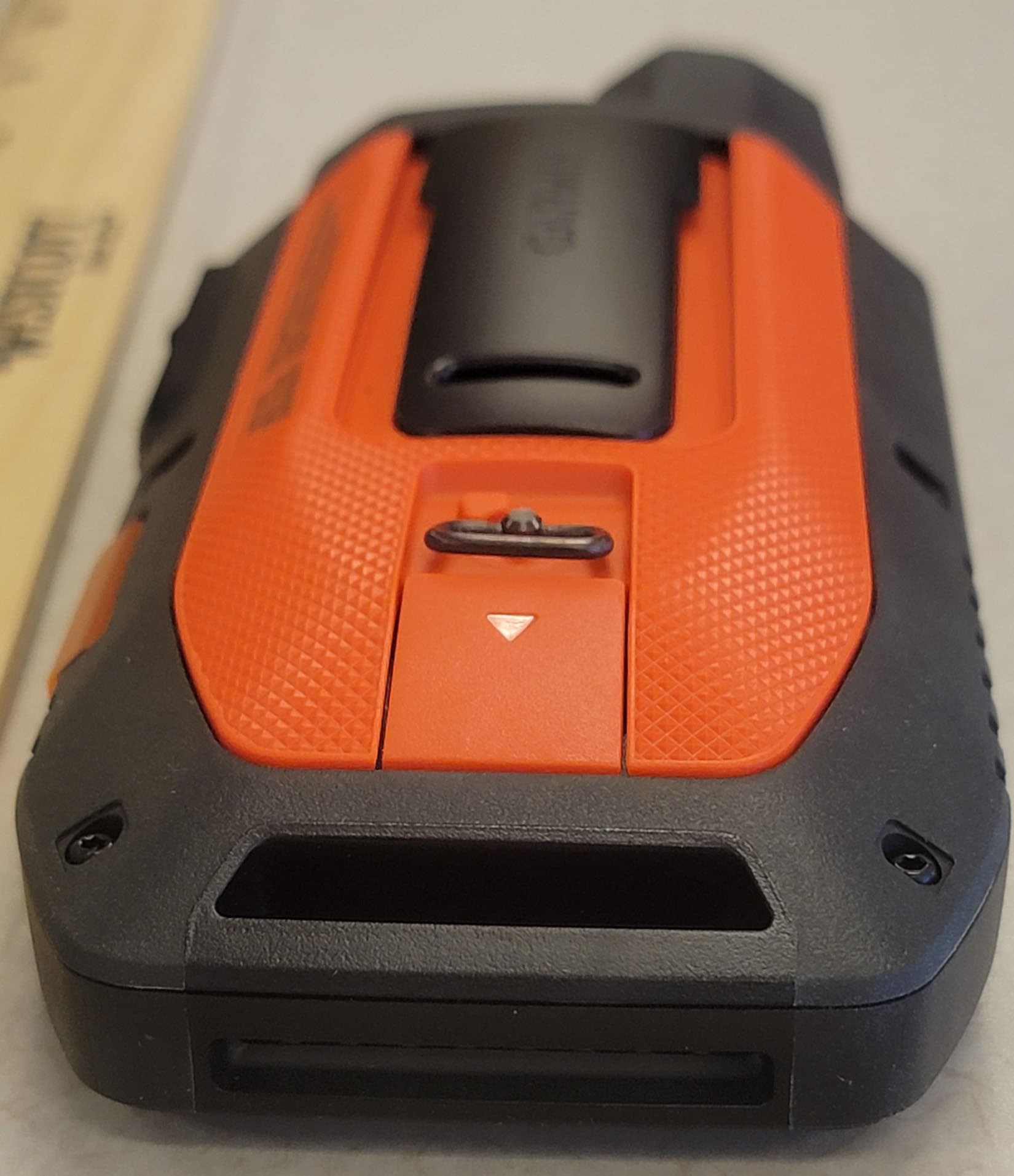
Click to zoom
Application Details
- Equipment Class
- DTS - Digital Transmission System
- Date of Grant
- May 10, 2023
- Application Purpose
- Original Equipment
- Date of Application
- Mar 30, 2023
- Equipment Note
- Portable Transceiver
- Frequency Range
- 2412.00000000 - 2462.00000000
- Company
- Garmin International Inc
- Country
- United States
Documents & Files
Document Text
Text extracted from the exhibit documents filed with the FCC. Open a document above to read the original.
Users Manual
A04659 with Training Owner’s Manual © 2022 Garmin Ltd. or its subsidiaries All rights reserved. Under the copyright laws, this manual may not be copied, in whole or in part, without the written consent of Garmin. Garmin reserves the right to change or improve its products and to make changes in the content of this manual without obligation to notify any person or organization of such changes or improvements. Go to www.garmin.com for current updates and supplemental information concerning the use of this product. Garmin ® , the Garmin logo, , ANT ® , ANT+ ® , City Navigator ® , inReach ® , and Xero ® are trademarks of Garmin Ltd. or its subsidiaries, registered in the USA and other countries. BaseCamp ™ , Garmin Explore ™ , Garmin Express ™ , Garmin HuntView ™ , MapShare ™ , tempe ™ , and TT ™ are trademarks of Garmin Ltd. or its subsidiaries. Powered by Garmin ® IERCC. These trademarks may not be used without the express permission of Garmin. Apple ® and Mac ® are trademarks of Apple Inc., registered in the U.S. and other countries. The BLUETOOTH ® word mark and logos are owned by the Bluetooth SIG, Inc. and any use of such marks by Garmin is under license. is a registered trademark of microSD ® and the microSDHC logo are trademarks of SD-3C, LLC. Wi‑Fi ® is a registered mark of Wi-Fi Alliance Corporation. Windows ® is a registered trademark of Microsoft Corporation in the United States and other countries. Other trademarks and trade names are those of their respective owners. Table of Contents Getting Started..................... 1 Setting Up the A04659 System..... 1 Device Overviews..................... 1 A04659 Handheld Device.......... 1 Dog Collar Device.................. 2 Installing the Battery Pack........ 2 Charging the Handheld Device..................................... 3 Charging the Dog Collar Device..................................... 3 Turning On the Device.............. 4 Turning Off the Device........... 4 Selecting a Language............... 4 Using the Touchscreen............. 4 Using the Status Page.............. 5 Acquiring Satellite Signals........ 5 Satellite Network....................... 5 Activating the Device............. 5 Dog Collar Device Setup......... 6 Methods to Add a Dog Collar Device to a Handheld Device.....6 Adding a Dog to the A04659 Handheld Using Wireless Pairing.................................. 7 Sharing a Dog Wirelessly........8 Adding a Dog Using the Track and Control Codes................. 8 VHF Radio Information...........9 Managing a Group....................9 Editing Dog Information............9 Resetting a Dog's Statistics and Track.................................... 9 Changing the Dog Name.......10 Changing the Color of the Dog's Track.................................. 10 Changing the Dog Type........ 10 Changing the Dog ID............ 10 Removing a Dog...................10 Fitting the Collar on Your Dog....................................... 11 Communication with the Collar.....................................12 Entering Sleep Mode...............12 Exiting Sleep Mode.............. 12 Dog Tracking...................... 13 Table of Contentsi Tracking Your Dog on the Map.......................................13 Dog Status Icons....................13 Dog Tracking Compass...........14 Navigating to Your Dog...........14 Changing the Length of the Dog's Track..................................... 14 Location Alerts.......................14 Setting Location Alerts.........15 Editing Location Alerts.........15 Disabling Dog Data Broadcast.............................. 15 Dog Training.......................15 Selecting and Installing the Contact Points....................... 16 Removing the Contact Points................................. 16 Training Methods................... 17 Linear and Traditional Stimulation..........................17 Choosing the Correct Intensity Level................................... 17 Customizing the Training Keys...................................... 18 Using the Hard Keys for Training Adjustments.......................... 18 Default Training Settings........ 19 Collar Training....................... 19 inReach Features.................20 Messages.............................. 20 Sending a Preset Message... 20 Sending a Text Message...... 21 Replying to a Message......... 21 Checking for Messages........21 Viewing Message Details..... 22 Navigating to a Message Location..............................22 Including Location Coordinates in a Message....................... 22 Deleting Messages.............. 22 Messages Settings.............. 22 Tracking................................ 22 Starting Tracking................. 23 Stopping Tracking................23 Sharing Your MapShare Web Page................................... 23 inReach Tracking Settings....23 SOS....................................... 23 Initiating an SOS Rescue...... 24 iiTable of Contents Sending a Custom SOS Message............................. 24 Canceling an SOS Request... 25 Weather................................. 25 Requesting an inReach Weather Forecast..............................25 Testing the Device...............26 Connected Features............. 27 Pairing a Smartphone with Your Device................................... 27 Connecting to a Wireless Network.................................27 Garmin Explore.......................28 Syncing inReach Data...........28 Contact Tracking.................28 Turning On and Off the Transmitter............................28 Methods to Add a Contact to a Handheld Device.................... 28 Adding a Contact Using Wireless Pairing...................................29 Adding a Contact Using a Contact ID.......................................... 30 Initiating an Emergency Alert.. 30 Sending a Message to Your Contacts................................30 Tracking a Contact................. 31 Finding Your Contact ID.......... 31 Changing Your Contact ID.......31 Updating a Contact ID.............31 Hunting w…
Text truncated - open the document above for the full version.
Users Manual
IMPORTANT SAFETY AND PRODUCT INFORMATION WARNING Failure to heed the following warnings could result in an accident or collision resulting in death or serious injury. Usage Requirements • Messaging, tracking, and SOS functions require an active satellite subscription. Always test your device before you use it outdoors. • Ensure that you have a clear view of the sky when using the messaging, tracking, and SOS functions of the device, as these features require satellite access to operate properly. Distraction Warning This device is intended to enhance the situational awareness when used properly. If used improperly, you could become distracted by the display, which could lead to an accident causing serious personal injury or death. Only access the information displayed on the device with a glance. Always maintain awareness of your surroundings and do not stare at the display or become distracted by the display. Focusing on the display could prevent you from avoiding obstacles or hazards. Battery Warnings A replaceable lithium-ion battery pack is used with the dog collar device and handheld device. If these guidelines are not followed, batteries may experience a shortened life span or may present a risk of damage to the device, fire, chemical burn, electrolyte leak, and/or injury. • Do not disassemble, modify, remanufacture, puncture or damage the device or batteries. • Do not expose the device or batteries to fire, explosion, or other hazard. • Do not use a sharp object to remove the removable batteries. • KEEP BATTERIES AWAY FROM CHILDREN. NEVER PUT BATTERIES IN MOUTH. Swallowing can lead to chemical burns, perforation of soft tissue, and death. Severe burns can occur within 2 hours of ingestion. Seek medical attention immediately. • If using an external battery charger, only use the Garmin ® accessory approved for your product. • Only replace batteries with correct replacement batteries. Using other batteries presents a risk of fire or explosion. To purchase replacement batteries, see your Garmin dealer or the Garmin website. • Only replace batteries with correct replacement batteries. Using other batteries presents a risk of fire or explosion. • Do not leave the dog device where a dog may attempt to chew on it. If the battery cell is punctured, electrolyte can be released that can be harmful to the dog and risk fire or explosion. Device Warnings • Do not immerse the device or batteries in water or other liquids. • Do not leave the device exposed to a heat source or in a high-temperature location, such as in the sun in an unattended vehicle. To prevent the possibility of damage, remove the device from the vehicle or store it out of direct sunlight, such as in the glove box. • Do not operate the device outside of the temperature ranges specified in the printed manual in the product packaging. • When storing the device for an extended time period, store within the temperature ranges specified in the printed manual in the product packaging. • Do not use a power cable, data cable and/or power adapter that is not approved or supplied by Garmin. Off-Road Navigation Warnings If your Garmin device is able to suggest off-road routes for various outdoor activities, such as biking, hiking, and all-terrain 1 vehicles, follow these guidelines to ensure safe off-road navigation. • Always use your best judgment and exercise common sense when making off-road navigational decisions. The Garmin device is designed to provide route suggestions only. It is not a replacement for attentiveness and proper preparation for outdoor activities. Do not follow the route suggestions if they suggest an illegal course or would put you in an unsafe situation. • Always carefully compare information displayed on the device to all available navigation sources, including trail signs, trail conditions, weather conditions, and other factors that may affect safety while navigating. For safety, always resolve any discrepancies before continuing navigation, and defer to posted signs and conditions. • Always be mindful of the effects of the environment and the inherent risks of the activity before embarking on off-road activities, especially the impact that weather and weather- related trail conditions can have on the safety of your activity. Ensure that you have the proper gear and supplies for your activity before navigating along unfamiliar paths and trails. Vehicle Installation Warnings • When installing the device in a vehicle, do not place the device where it obstructs the driver’s view of the road or interferes with vehicle operating controls, such as the steering wheel, foot pedals, or transmission levers. Do not place unsecured on the vehicle dashboard . Do not place the device in front of or above any airbag . Street Navigation Warnings If your Garmin device accepts street maps and suggests routes that follow roads, follow these guidelines to ensure safe on-road navigation. • Always use your best judgment, and operate the vehicle in a safe manner. Do not become distracted by the device while driving, and always be fully aware of all driving conditions. Minimize the amount of time spent viewing the device screen while driving. • Do not input destinations, change settings, or access any functions requiring prolonged use of the device controls while driving. Pull over in a safe and legal manner before attempting such operations. • When navigating, carefully compare information displayed on the device to all available navigation sources, including road signs, road closures, road conditions, traffic congestion, weather conditions, and other factors that may affect safety while driving. For safety, always resolve any discrepancies before continuing navigation, and defer to posted signs and conditions. • The device is designed to provide route suggestions. It is not a replacement for driver attentiveness and good judgement. Do not follow route suggestions if they suggest an illegal maneuver or would place the vehicle in an unsa…
Text truncated - open the document above for the full version.
Attestation Statements
Federal Communications Commission Authorization and Evaluation Division 7435 Oakland Mills Road Columbia, MD 21046 USA March 24, 2023 RE: FCC Application for Certification FCC ID: IPH-04659 with optional IPH-03302 module. Garmin attests that the USB cable intended for use with the equipment is provided with a ferrite core as described in the test reports, and that the cable is provided to the end user with the equipment. Sincerely, Dan Irish Lead Compliance Engineer
Attestation Statements
Module Integration Similarity Letter: A04659 from Garmin International contains the module with FCC ID IPH-03302 (Original Equipment certified on 03-26-2018). The manufacturer declares that the module integration in this host is identical to the module integration done to the host A03626 with FCC ID IPH-03626 (Original equipment certified on 09-23-2020). The reference trace on both the hosts A04659 and A03626 are identical. So, compliance is declared based on the similarity, no additional testing was needed.
Cover Letter(s)
Federal Communications CommissionDA 20-1071 Before the Federal Communications Commission Washington, D.C. 20554 In the Matter of GARMIN INTERNATIONAL, INC. Request for Declaratory Ruling, or in the alternative, Waiver of Section 95.2761(c) of the Commission’s Rules ) ) ) ) ) ) WT Docket No. 20-115 ORDER Adopted: September 21, 2020Released: September 21, 2020 By the Chief, Mobility Division, Wireless Telecommunications Bureau: 1. Introduction. This Order addresses a request filed by Garmin International, Inc. (Garmin) for Declaratory Ruling, or in the alternative, Waiver of section 95.2761(c) of the Commission’s Rules. 1 Garmin seeks relief from section 95.2761(c) in order to obtain authorization for a hand-held device that will combine a low-power, terrestrial Multi-Use Radio Service (MURS) 2 transmitter and an emergency satellite communications module in the same unit. 3 Section 95.2761(c) provides that “[a] grant of equipment certification will not be issued for MURS transmitters capable of operating under both this subpart (MURS) and under any other subparts of this chapter (except part 15).” 4 For the reasons stated below, we deny Garmin’s request for a declaratory ruling, but find that it is in the public interest to grant Garmin’s waiver request, subject to the conditions outlined in this Order. 2. Background. MURS is defined in part 95, subpart J, as “[a] two-way, short distance voice or data communication service for facilitating personal or business activities of the general public.” 5 The Commission established MURS in 2000 when reallocating the service from part 90 to part 95 to eliminate the individual licensing requirements for certain radio services. 6 Garmin intends to manufacture a single unit handheld device with two transmitters: a low-power, terrestrial part 95 MURS transmitter to be used for two-way, short distance data terrestrial communication services and a previously certified part 25 module that will allow SOS emergency communications via the Iridium satellite system under a blanket 1 See Request for Declaratory Ruling or, in the Alternative, Waiver of Section 95.2761(c) of the Commission’s Rules by Garmin International, Inc. (filed April 22, 2020) (https://ecfsapi.fcc.gov/file/1042456803042/Amended%20Garmin%20PDR%20or%20Waiver%20(4-24-20).pdf); Amended Request For Declaratory Ruling Or, In The Alternative, Waiver Of Section 95.2761(C) of the FCC’s Rules, Waiver – Expedited Action Requested by Garmin International, Inc. (filed April 24, 2020) (https://ecfsapi.fcc.gov/file/1042456803042/Amended%20Garmin%20PDR%20or%20Waiver%20(4-24-20).pdf) (Amended Waiver Request). 2 Part 95, subpart J. 3 Amended Waiver Request at 1. 4 47 CFR § 95.2761(c). 5 47 CFR § 95.2703. 6 1998 Biennial Regulatory Review − 47 C.F.R. Part 90 - Private Land Mobile Radio Services, WT Docket No. 91- 182, Report and Order and Further Notice of Proposed Rule Making, 15 FCC Rcd 16673 (2000). Federal Communications CommissionDA 20-1071 2 license held by Iridium, provided the end user subscribes to the Iridium service. 7 On April 24, 2020, Garmin requested that the Commission issue a declaratory ruling that section 95.2761(c) does not apply to its proposed, dual capacity handheld device, or in the alternative, that the Commission waive section 95.2761(c) of its Rules so that Garmin may obtain equipment certification for its device, despite its dual transmitting capability and the fact that it combines a licensed-by-rule service, i.e., MURS with a licensed satellite service. 3. Discussion. The purpose of a declaratory ruling is to terminate a controversy or remove uncertainty, and no such controversy or uncertainty exists here. 8 Garmin argues that section 95.2761(c) “is inapposite to its proposed product” because “it is not meant to prohibit combining into a single unit a certified part 25 module used for emergency satellite communications and a MURS transmitter.” 9 We disagree. As an initial matter, section 95.2761(c) governs Garmin’s proposed device. The provision is clear on its face and does not provide an exception for part 25 modules that do not require separate licensing. 10 It precludes the combination of transmitting equipment, i.e., MURS end products capable of operating under other licensed or licensed-by-rule radio services. The rule states that “[a] grant of equipment certification will not be issued for MURS transmitters capable of operating under both this subpart (MURS) and under any other subparts of this chapter (except part 15).” 11 Garmin’s proposed handheld device possesses the kind of dual capability broadly proscribed by section 95.2761(c). As such, we find that it would not be appropriate to issue a declaratory judgment exempting the device entirely, and we deny Garmin’s request for declaratory relief. 4. We find, however, that it is in the public interest to waive section 95.2761(c) so that Garmin may nevertheless obtain authorization to produce its proposed combination handheld device. Section 1.925 of the Commission's rules provides that we may grant a waiver if it is shown that: (a) the underlying purpose of the rule(s) would not be served or would be frustrated by application to the instant case, and grant of the requested waiver would be in the public interest; or (b) in light of unique or unusual circumstances, application of the rule(s) would be inequitable, unduly burdensome, or contrary to the public interest, or the applicant has no reasonable alternative. 12 5. We find here that Garmin’s proposed device contains an important public safety feature, which would not be brought to market if we were to strictly enforce the rule in this case. “The certified Part 25 module in the MURS unit would allow emergency communications to the outside world at the push of a button.” 13 Second, while Garmin’s device, in fact, combines MURS capability with satellite communications capability, therefore triggering section 95.2761(c), we do not expect it to produce the harm the rule was …
Text truncated - open the document above for the full version.
Cover Letter(s)
Federal Communications Commission Authorization and Evaluation Division 7435 Oakland Mills Road Columbia, MD 21046 USA March 22, 2023 RE: FCC Application for Certification FCC ID: IPH-04659 containing IPH-03302 module. Ref: Waiver DA-20-1071A1 Garmin International, Inc. attests that the referenced waiver is applicable to the subject application because of co-location of a Part 95J MURS transceiver with a Part 25 transceiver. Moreover, the three conditions of the waiver are met by the subject equipment as follows: (1) Garmin must ensure that the part 25 component of its combination part 95 MURS/part 25 satellite handheld device is a provisioned service that requires each end user to first obtain authorization before accessing the satellite service. Garmin attests: The satellite service is authorized via the Garmin web page explore.garmin.com . After purchasing a subscription, the satellite service is activated for the unique IMEI number and authorization code provided with the equipment. (2) Garmin must include a printed disclosure with its combination part 95 MURS/part 25 satellite handheld device indicating that the part 25 transmission capability of the device is provided by a third-party service provider and must be activated through affirmative action by the consumer. Garmin attests: In the Owner’s Manual, instructions for subscribing to the satellite service and activating the equipment are provided in the section Activating the Device. Additionally, in the two sections, inReach Features and SOS, the user is warned, “you must have an active satellite subscription.” (3) Notwithstanding today’s Order granting Garmin’s waiver request, Iridium must continue to comply with the conditions of its license, including any limitations on the number of end-user terminals or subscriber units. Garmin attests: To the best of our knowledge that Iridium Communications, Inc. will continue to comply with the conditions of its license, including any limitations on the number of end-user terminals or subscriber units. Sincerely, Dan Irish Lead Compliance Engineer
Cover Letter(s)
Page 1 of 1 Request for Confidentiality Date: March 22, 2023 Subject: Confidentiality Request for: FCC ID: IPH-04659 Pursuant to FCC 47 CFR 0.457(d) and 0.459, the applicant requests that a part of the subject FCC application be held confidential. Type of Confidentiality Requested Exhibit ☐ Short Term ☒ Permanent ☐ Not Provided Block Diagrams ☒ Short Term ☐ Not Provided External Photos ☒ Short Term ☐ Permanent ☐ Not Provided Internal Photos ☐ Short Term ☒ Permanent ☐ Not Provided Operation Description/Theory of Operation ☐ Short Term ☐ Permanent ☒ Not Provided Parts List & Placement/BOM ☐ Short Term ☒ Permanent ☐ Not Provided Tune-Up Procedure ☐ Short Term ☒ Permanent ☐ Not Provided Schematics ☒ Short Term ☐ Not Provided Test Setup Photos ☒ Short Term ☐ Permanent ☐ Not Provided User’s Manual The above-mentioned company has spent substantial effort in developing this product and it is one of the first of its kind in industry. Having the subject information easily available to "competition" would negate the advantage they have achieved by developing this product. Not protecting the details of the design will result in financial hardship. Permanent Confidentiality: The applicant requests the exhibits listed above as permanently confidential be permanently withheld from public review due to materials that contain trade secrets and proprietary information not customarily released to the public. Short-Term Confidentiality (if applicable): The applicant requests the exhibits selected above as short term confidential be withheld from public view for a period of 180 days from the date of the Grant of Equipment Authorization and prior to marketing. This is to avoid premature release of sensitive information prior to marketing or release of the product to the public. Applicant is also aware that they are responsible to notify ACB in the event information regarding the product or the product is made available to the public before the requested period has expired. ACB will then release the documents listed above for public disclosure pursuant to FCC Public Notice DA 04- 1705. NOTE for Industry Canada Applications: IC currently only distinguishes Permanent Confidentiality exhibits as shown above. Short Term confidentiality is not considered Provided to IC applications Sincerely, By: __________________________ Nic Johnson, Technical Manager, NCEE Labs
Cover Letter(s)
Rev 1/26/2023 Federal Communications Commission Authorization and Evaluation Division 7435 Oakland Mills Road Columbia, MD 21046 USA Date: February 28, 2023 Ref: Attestation Statements Part 2.911(d)(5)(ii) Filing FCC ID: IPH-04659 FRN: 0005088588 Garmin International, Inc., (“the applicant”) certifies that, as of the date of the filing of the application, the applicant is not identified on the Covered List as an entity producing “covered” equipment. Sincerely, Ben Karsak
Cover Letter(s)
Rev 1/26/2023 Federal Communications Commission Authorization and Evaluation Division 7435 Oakland Mills Road Columbia, MD 21046 USA February 28, 2023 Ref: Attestation Statements Part 2.911(d)(7) Filing FCC ID: IPH-04659 Garmin International, Inc., Garmin certifies that, as of the date of the filing of the application, Garmin International, Inc. is our designated U.S. agent for service of process for the above referenced FCC ID. Garmin International, Inc., accepts to maintain an agent for no less than one year after the grantee has terminated all marketing and importation or the conclusion of any Commission-related proceeding involving the equipment. Garmin International, Inc. accepts, as of the date of the filing of the application, the obligation of the designated U.S. agent for service of process for the above referenced FCC ID. Designated U.S. Agent Information: FRN: 0005088588 Name: Garmin International, Inc. Address: 1200 East 151 st Street, Olathe, Kansas, 66062 Contact Person: Ben Karsak Tel.: 913-440-1946 Email: [email protected] Sincerely, Garmin International, Inc. Ben Karsak
Cover Letter(s)
Rev 1/26/2023 Federal Communications Commission Authorization and Evaluation Division 7435 Oakland Mills Road Columbia, MD 21046 USA Date: February 28, 2023 Ref: Attestation Statements Part 2.911(d)(5)(i) Filing FCC ID: IPH-04659 FRN: 0005088588 Garmin International, Inc., (“the applicant”) certifies that the equipment for which authorization is sought is not “covered” equipment prohibited from receiving an equipment authorization pursuant to section 2.903 of the FCC rules. Sincerely, Ben Karsak
Cover Letter(s)
February 17, 2023 Federal Communications Commission Equip Approval Services Post Office Box 358315 Pittsburgh, Pennsylvania 15215-5315 To Whom It May Concern: Pursuant to 47 CFR 2.911, Garmin International, Inc. (Garmin) has authorized Nic Johnson of the Nebraska Center for Excellence in Electronics to act on Garmin’s behalf for the sole and express purpose of processing applications to the Federal Communication Commission (FCC) for equipment FCC authorization. This authorization is limited to FCC ID: IPH-04659. Consistent with the foregoing, Nic Johnson is authorized to: 1) Sign Form 731, 2) Sign letters of application, 3) Request confidentiality, and 4) Exchange data and information with the FCC, and authorized TCBs on behalf of Garmin. This authorization is not assignable to other beyond Nic Johnson. No party to this application is subject to a denial of benefits, including FCC benefits, pursuant to Section 5301 of the Anti-Drug Abuse Act of 1988, 21 U.S.C 862. We also declare that the information provided to the FCC is true and correct to the best of our knowledge (47 CFR 2.911(d)) and we have been informed of the grantee responsibilities (47 CFR 2.909) with regard to certified equipment. This authorization expires February 17, 2024. Sincerely, Dan Irish Lead Compliance Engineer -----------------------------------------------------nothing follows----------------------------------------------------
Cover Letter(s)
Innov ation, Science and Economic Development Canada Certification and Engineering Bureau 3701 Carling Avenue PO Box 11490, Station H Ottawa, Ontario, Canada K2H 8S2 January 11, 2023 Federal Communications Commission Authorization and Evaluation Division 1435 Oakland Mills Road Columbia, MD 21046 To Whom It May Concern: Pursuant to 47 CFR 2.911, Garmin International, Inc. (Garmin) has authorized the following Garmin International Associates to act on Garmin's behalf for the sole and express purpose of processing applications to the Federal Communication Commission (FCC) and Innovation, Science and Economic Development Canada (ISED) for equipment authorization or certification. Mr. Chris Strauss, Compliance Engineering Team Lead Mr. William Pertner, Compliance Engineering Team Lead Mr. Jay Everett, Compliance Engineering Team Lead Mr. Mike Moranha, Compliance Engineer Ms. Poojita Bhattu, Compliance Engineer Mr. Jeffrey Hailey, Compliance Engineer Mr. Dan Irish, Compliance Engineer Mr. Kiran Kumar, Compliance Engineer Mr. Tim Olson, Compliance Engineer Mr. Carlos Ortega, Compliance Engineer Mr. David Utt, Staff Compliance Engineer Mr. Jonathan Shafer, Design Certification Engineer Ms. Sara Jones, Design Certification Engineer As such, the Garmin Associates listed above are authorized to: 1) sign Form 731, 2) sign letters of application, 3) request confidentiality, and 4) exchange data and information with the FCC, IC and/or authorized TCBs on behalf of Garmin. In addition, these individuals shall be considered "authorized individuals" to act on Garmin's behalf where an "authorized individual's" attestation is necessary or preferred. This authorization remains in effect until notified to the contrary by Garmin. Sincerely, Ben Karsak Manager Compliance Engineering Garmin International, Inc.
External Photos
FCC ID: IPH-04659 External Photographs Contains FCC ID: IPH-03302 M/N: A04659, A03302
ID Label/Location Info
E-Label Information, IPH-04659 with IPH-03302. A. The following specific instructions are provided in the printed Owner’s Manual that is included with the device: B. The following image is displayed electronically: C. The above information is programmed by Garmin in such a manner that third-parties cannot modify it. a. “No special accessories or supplemental plug-ins (e.g., installation of a SIM/USIM card) are required to access the information. Access to the information is provided without special codes, accessories, or permissions beyond the normal security protection to unlock the screen, sign-in page, or overall product access.” D. The above M/Ns and FCC IDs are also printed on the product packaging:
Internal Photos
FCC ID: IPH-04659 Internal Photographs Contains FCC ID: IPH-03302 M/N: A04659, A03302
Operational Description
Antenna Gain Information: A04659 Equipment Description: This report contains the antenna gain information for four antennas of Garmin Model A04659. The operational frequency of these technologies is shown in the table below, and the maximum gain within the frequency band is reported. Please refer to the Operational Description for additional detail…
Text truncated - open the document above for the full version.
Contact Information
Applicant
Ben Karsak(Manager, Compliance Engineering)
Technical Contact
Garmin International, Inc.Dan Irish
[email protected]9134405471
1200 E 151st Street · Olathe · United States
Test Firm
Nebraska Center for Excellence in ElectronicsKarthik Vepuri
Technical Specifications
| # | Rule Parts | Frequency Range | Power Output |
|---|---|---|---|
| 2 | 15C | 2.41 GHz - 2.46 GHz | 81.50 mW |
Other Applications from Garmin International Inc
IPH-05126
Sep 09, 2026Portable Digital Transceiver
Equipment Class
NII - Unlicensed National Information Infrastructure TXIPH-A5126
Sep 09, 2026Portable Digital Transceiver
Equipment Class
NII - Unlicensed National Information Infrastructure TXIPH-04812
Sep 01, 2026Mobile Digital Transceiver
Equipment Class
DTS - Digital Transmission SystemIPH-A04825
Sep 01, 2026Marine Stereo
Equipment Class
DSS - Part 15 Spread Spectrum TransmitterIPH-B04825
Sep 01, 2026Marine Stereo
Equipment Class
DSS - Part 15 Spread Spectrum Transmitter