JYCTOWCellular PCS/ CDMA with Bluetooth Phone
Pantech Co Ltd
Click to zoom
Application Details
- Equipment Class
- PCE - PCS Licensed Transmitter held to ear
- Date of Grant
- Nov 03, 2010
- Application Purpose
- Original Equipment
- Date of Application
- Nov 03, 2010
- Equipment Note
- Cellular PCS/ CDMA with Bluetooth Phone
- Frequency Range
- 1851.25000000 - 1908.75000000
- Company
- Pantech Co Ltd
- Country
- South Korea
Documents & Files
Document Text
Text extracted from the exhibit documents filed with the FCC. Open a document above to read the original.
Users Manual
USER GUIDE GUÍA DEL USUARIO 5U000436C0A REV.00 OM8035PP UML290 TXT8035PP UML290 TXT8035PP UML290 TXT8035PP User Guide TXT8035PP 2 3 SPEAKERPHONE MODE .........................................................................................34 USING AUTO KEYPAD LOCK FUNCTION .................................................................34 AVAILABLE OPTIONS DURING A CALL .................................................................. 34 MAKING AN EMERGENCY CALL ........................................................................... 36 DIALING LETTERS ................................................................................................. 37 CHAPTER 3. MEMORY FUNCTION MEMORY FUNCTION .................................................................................... 39 STORING A PHONE NUMBER ................................................................................ 39 EDITING CONTACT ENTRIES .................................................................................. 42 DEFAULT NUMBERS .............................................................................................. 44 ENTERING LETTERS, NUMBERS & SYMBOLS ....................................................... 45 ONE, TWO, THREE - TOUCH DIALING .................................................................... 46 CHAPTER 4. MENU FUNCTION CONTACTS .................................................................................................... 49 NEW CONTACT ...................................................................................................... 49 CONTACT LIST ....................................................................................................... 49 BACKUP ASSISTANT ............................................................................................. 50 GROUPS ................................................................................................................ 50 SPEED DIALS ......................................................................................................... 54 IN CASE OF EMERGENCY ...................................................................................... 55 FAVORITES ............................................................................................................ 57 MY NAME CARD ................................................................................................... 59 RECENT CALLS ............................................................................................. 60 RECENT CALLS ...................................................................................................... 60 MISSED .................................................................................................................. 60 CHAPTER 1. BEFORE USING BEFORE USING .............................................................................................. 9 INSIDE THE PACKAGE ...............................................................................................9 HANDSET DESCRIPTIONS ......................................................................................10 DISPLAY INDICATORS ............................................................................................14 INSTALL BATTERY ..................................................................................................18 REMOVE BATTERY .................................................................................................19 CHARGING YOUR BATTERY ................................................................................... 19 BATTERY HANDLING INFORMATION .................................................................... 20 CHAPTER 2. BASIC OPERATION BASIC OPERATION ....................................................................................... 23 TURNING THE PHONE ON/OFF ..............................................................................23 ACCESSING THE MENU ..........................................................................................23 QUICK SWITCHING BETWEEN THE MAIN MENUS .................................................24 MENU SUMMARY..................................................................................................25 MAKING A CALL.....................................................................................................30 ANSWERING CALLS ...............................................................................................30 MISSED CALL NOTIFICATION .................................................................................31 PAUSE/WAIT FEATURE ..........................................................................................31 MAKING AN INTERNATIONAL CALL ......................................................................32 3-WAY CALLING ....................................................................................................32 CALL WAITING FUNCTION .....................................................................................33 CALLING A NUMBER FROM CONTACTS .................................................................33 ADJUSTING VOLUME .............................................................................................33 CALLER ID FUNCTION ........................................................................................... 34 VIBRATE MODE ......................................................................................................34 4 5 CHAPTER 5. MEDIA CENTER MEDIA CENTER .......................................................................................... 108 TUNES & TONES ................................................................................................. 108 PICTURE .............................................................................................................. 111 GAMES ................................................................................................................ 113 MOBILE WEB ...............................…
Text truncated - open the document above for the full version.
Users Manual
98 99 02 03 04 05 06 07 01 • Phone Only: Allows you to edit the lock code for Security. (The default lock code is the last 4 digits of your phone number.) • Calls & Services: Allows you to edit the lock code for Restrictions. (The default lock code is the last 4 digits of your phone number.) 5. If Phone Only is selected, enter the new four-digit code in the Enter New Code field. Enter the new four-digit code again in the Re-enter New Code field to confirm your input, then press the OK Key [ SET]. 6. If Calls & Services is selected, enter the current lock code in the Enter Current Code field. Enter the new four-digit code in the Enter New Code field. Enter the new four-digit code again in the Re-enter New Code field, then press the OK Key [ SET]. RESTRICTIONS Use the following procedure to configure Location Setting, Calls and Messages restrictions. 1. From idle mode, press the [MENU], then select 9. Settings & Tools, 7. Phone Settings, 7. Security. 2. Enter the four-digit lock code. The default lock code is the last 4 digits of your phone number. 3. Select 2. Restrictions. 4. Enter the four-digit lock code again. 5. Select one of the following settings: • Location Setting: Unlock Setting/Lock Setting. • Calls: Incoming Calls/Outgoing Calls. For Incoming Calls, set Allow All, Contacts Only or Block All. For Outgoing Calls, set Allow All, Contacts Only or Block All. • Messages: Incoming Messages/Outgoing Messages. For Incoming Messages, set Allow All or Block All. For Outgoing Messages, set Allow All or Block All. 6. Press the OK Key [SET]. PHONE LOCK SETTING This setting specifies whether the phone should be locked whenever it is turned on. Lock Mode prevents the unauthorized use of your phone. Once the phone is locked, it is in restricted mode until the lock code is entered. You can still make emergency calls. 1. From idle mode, press the [MENU], then select 9. Settings & Tools, 7. Phone Settings, 7. Security. 2. Enter the four-digit lock code. The default lock code is the last 4 digits of your phone number. 3. Select 3. Phone Lock Setting. 4. Select one of the following settings, then press the OK Key [ SET]. • Unlocked: Phone is unlocked. • On Power Up: Phone will lock when it is turned on. LOCK PHONE NOW Lock the phone now. 1. From idle mode, press the [MENU], then select 9. Settings & Tools, 7. Phone Settings, 7. Security. 2. Enter the four-digit lock code. The default lock code is the last 4 digits of your phone number. 3. Select 4. Lock Phone Now. 4. To unlock the phone from idle mode, then press the Right Soft Key [Unlock] and enter the four-digit lock code. RESTORE PHONE To delete all User Data and restore all settings to their initial defaults: 1. From idle mode, press the [MENU], then select 9. Settings & Tools, 7. Phone Settings, 7. Security. 2. Enter the four-digit lock code. 3. Select 5. Restore Phone. 100 101 02 03 04 05 06 07 01 4. A confirmation message appears in the display, select Yes, and then press the OK Key. 5. After reading the message that appears, press the OK Key. 6. Enter the four-digit lock code. The phone will turn off and then back on again automatically. SYSTEM SELECT You can set your phone to search or roam on another network when you are not in your home area. Leave this setting as default unless you want to alter the system selection as instructed by your service provider. 1. From idle mode, press the [MENU], then select 9. Settings & Tools, 7. Phone Settings, 8. System Select. 2. Select one of the following settings, then press the OK Key [ SET]. • Automatic: Scans radio channels based on the Automatic setting. • Home Only: Network is available only within your home area or home affiliated area. The automatic setting can be displayed as Automatic B and Automatic A depending on PRL. NAM SELECTION Enables Auto NAM (Number Assignment Modules) or manually selects a NAM. AUTO NAM Automatically switches the phone to proper NAM when you have multiple NAM registrations. 1. From idle mode, press the [MENU], then select 9. Settings & Tools, 7. Phone Settings, 9. NAM Selection. 2. Select 1. Auto NAM, then press the OK Key. 3. Select On or Off, then press the OK Key [SET]. CHANGE NAM 1. From idle mode, press the [MENU], then select 9. Settings & Tools, 7. Phone Settings, 9. NAM Selection. 2. Select 2. Change NAM, then press the OK Key. 3. Press one of the following settings to select: • NAM1: Set the phone to save the phone information that is set by default • NAM2: Set the phone to save phone information that is set for the other phone number This setting is available only when you register two cell phone numbers on your phone. CALL SETTINGS ANSWER OPTIONS To determine how to answer an incoming call: 1. From idle mode, press the [MENU], then select 9. Settings & Tools, 8. Call Settings, 1. Answer Options. 2. Select Any Key or Auto with Handsfree, then press the OK Key [MARK]. Any Key is the default setting for this device. 3. Press the Left Soft Key [Done]. • Auto with Handsfree will function after about five seconds. • Auto with Handsfree is available only when a headset or handsfree device is connected. • To answer all incoming calls, press the SEND Key . AUTO RETRY To set a period of time the phone waits before automatically redialing when an attempted call fails: 1. From idle mode, press the [MENU], then select 9. Settings & Tools, 8. Call Settings, 2. Auto Retry. 2. Select one of the following settings, then press the OK Key [ SET]. 10 Seconds / 30 Seconds / 60 Seconds / Off 102 103 02 03 04 05 06 07 01 TTY MODE You can attach a TTY device to your phone enabling you to communicate with parties also using a TTY device. A phone with TTY support is able to translate typed characters to voice. Voice can also be translated into characters and then displayed on the TTY. 1. From idle mode, press the [MENU], then select 9. Settings & Tools, 8. Call Settings, 3. TT Y Mode. 2. Select one of the following settings, then press the OK Key [ SET]. TTY Full / TTY + Talk / …
Text truncated - open the document above for the full version.
Cover Letter(s)
Pantech Co., Ltd. Date: Mar. 16, 2009 Federal Communications Commission 7435 Oakland Mills Road Columbia MD 21046 c.c. Compliance Certification Services Certification Division 47173 Benicia Street Fremont, CA 94538, USA To whom it may concern: I, the undersigned, hereby authorize Ms. SunHee Kim of HCT Co., Ltd and hereafter referred to as HCT, to act on our behalf in all manners relating to application for equipment authorization, including signing of all documents relating to these matters. Any and all acts carried out by Ms. SunHee Kim of HCT Co., Ltd. on our behalf shall have the same effect as acts of our own. I, the undersigned, hereby certify that we are not subject to a denial of federal benefits, that includes FCC benefits, pursuant to Section 5301 of the Anti-Drug Abuse Act of 1988, 21 U.S.C. 853(a). In authorizing HCT as our agent, we still recognize that we are responsible to: a) comply with the relevant provisions of the certification program; b) make all necessary arrangements for the conduct of the evaluation, including provision for examining documentation and access to all areas, records (including internal audit reports) and personnel for the purposes of evaluation (e.g. testing, inspection, assessment, surveillance, reassessment) and resolution of complaints; c) make claims regarding certification only in respect of the scope for which certification has been granted; d) do not use our product certification in such a manner as to bring the Certification Division into disrepute and not make any statement regarding our product certification which the Certification Division may consider misleading or unauthorized; e) upon suspension or cancellation of certification, discontinue use of all advertising matter that contains any reference thereto and return any certification documents as required by the Certification Division; f) use certification only to indicate the products are certified as being in conformity with specified standards; g) endeavor to ensure that no certificate or report nor any part thereof is used in a misleading manner; h) ensure that any reference to our product certification in communication media such as documents, brochures or advertising, complies with the requirements of the Certification Division; i) keep a record of all complaints made known to the us relating to the product’s compliance with requirements of the relevant standard and to make these records available to the Certification Division when requested; j) take appropriate action with respect to such complaints and any deficiencies found in products or services that affect compliance with the requirements for certification; k) document the actions taken. This authorization is valid until further written notice from the applicant. Sincerely Yours, Byung-Wan Kim / Senior Vice President Pantech Co., Ltd.
Cover Letter(s)
Pantech Co., Ltd. Pantech Building, I-2, DMC, Sangam-dong, Mapo-gu, Seoul, Korea Date: November 2, 2010 Federal Communications Commission Authorization and Evaluation Division 7435 Oakland Mills Road, Columbia, MD 21046 RE: Request of Confidentiality for FCC ID: JYCTOW To Whom It May Concern: Pursuant to Sections 0.457 and 0.459 of the Commission’s Rules (CFR 47), and Section 552 (b) (4) of the Freedom of Information Act, Pantech Co., Ltd. hereby requests confidentiality and treatment of certain information accompanying this application. The materials contain trade secrets and proprietary information not customarily released to the public. The public disclosure of these matters might be harmful to the Applicant and provide unjustified benefits to its competitors. We are also hereby request Short-Term Confidentiality for 180 days after the grant as outlined in Public Notice DA 04-1705. This provision will give Pantech Co., Ltd. temporary confidentiality of commercially sensitive information prior to product release. The requested Confidential and Temporary Confidential exhibits are listed as follows: CONFIDENTIAL AND SHORT-TERM CONFIDENTIAL LIST Exhibit Description 1 Block Diagram 2 Operational Descriptions 3 Parts Lists and Tune-Up Procedure CONFIDENTIAL 4 Schematics 5 External Photos 6 Internal Photos 7 Test-Setup Photos SHORT-TERM CONFIDENTIAL 8 User’s Manual The Applicant understands that pursuant to Rule 0.457, disclosure of this application and all accompanying documentations, where applicable, will not be made public before the date of the Grant for this application. Sincerely, Sun-Hee Kim-Engineer HCT Co., Ltd. cc. Pantech Co., Ltd.
External Photos
FCC ID: JYCTOW HCT CO., LTD SAN 136-1, AMI-RI , BUBAL-EUP, ICHEON-SI, KYOUNGKI-DO, 467-701, KOREA TEL : + 82 31 639 8518 FAX : + 82 31 639 8525 www.hct.co.kr Page 1 of 7 EXTERNAL PHOTOGRAPHS FCC ID: JYCTOW HCT CO., LTD SAN 136-1, AMI-RI , BUBAL-EUP, ICHEON-SI, KYOUNGKI-DO, 467-701, KOREA TEL : + 82 31 639 8518 FAX : + 82 31 639 8525 www.hct.co.kr Page 2 of 7 ■ EXTERNAL PHOTO FCC ID: JYCTOW HCT CO., LTD SAN 136-1, AMI-RI , BUBAL-EUP, ICHEON-SI, KYOUNGKI-DO, 467-701, KOREA TEL : + 82 31 639 8518 FAX : + 82 31 639 8525 www.hct.co.kr Page 3 of 7 ■ EXTERNAL PHOTO FCC ID: JYCTOW HCT CO., LTD SAN 136-1, AMI-RI , BUBAL-EUP, ICHEON-SI, KYOUNGKI-DO, 467-701, KOREA TEL : + 82 31 639 8518 FAX : + 82 31 639 8525 www.hct.co.kr Page 4 of 7 ■ EXTERNAL PHOTO FCC ID: JYCTOW HCT CO., LTD SAN 136-1, AMI-RI , BUBAL-EUP, ICHEON-SI, KYOUNGKI-DO, 467-701, KOREA TEL : + 82 31 639 8518 FAX : + 82 31 639 8525 www.hct.co.kr Page 5 of 7 ■ EXTERNAL PHOTO FCC ID: JYCTOW HCT CO., LTD SAN 136-1, AMI-RI , BUBAL-EUP, ICHEON-SI, KYOUNGKI-DO, 467-701, KOREA TEL : + 82 31 639 8518 FAX : + 82 31 639 8525 www.hct.co.kr Page 6 of 7 ■ EXTERNAL PHOTO FCC ID: JYCTOW HCT CO., LTD SAN 136-1, AMI-RI , BUBAL-EUP, ICHEON-SI, KYOUNGKI-DO, 467-701, KOREA TEL : + 82 31 639 8518 FAX : + 82 31 639 8525 www.hct.co.kr Page 7 of 7 ■ EXTERNAL PHOTO
Internal Photos
FCC ID: JYCTOW HCT CO., LTD SAN 136-1, AMI-RI , BUBAL-EUP, ICHEON-SI, KYOUNGKI-DO, 467-701, KOREA TEL : + 82 31 639 8518 FAX : + 82 31 639 8525 www.hct.co.kr Page 1 of 8 INTERNAL PHOTOGRAPHS FCC ID: JYCTOW HCT CO., LTD SAN 136-1, AMI-RI , BUBAL-EUP, ICHEON-SI, KYOUNGKI-DO, 467-701, KOREA TEL : + 82 31 639 8518 FAX : + 82 31 639 8525 www.hct.co.kr Page 2 of 8 ■ INTERNAL PHOTO FCC ID: JYCTOW HCT CO., LTD SAN 136-1, AMI-RI , BUBAL-EUP, ICHEON-SI, KYOUNGKI-DO, 467-701, KOREA TEL : + 82 31 639 8518 FAX : + 82 31 639 8525 www.hct.co.kr Page 3 of 8 ■ INTERNAL PHOTO FCC ID: JYCTOW HCT CO., LTD SAN 136-1, AMI-RI , BUBAL-EUP, ICHEON-SI, KYOUNGKI-DO, 467-701, KOREA TEL : + 82 31 639 8518 FAX : + 82 31 639 8525 www.hct.co.kr Page 4 of 8 ■ INTERNAL PHOTO FCC ID: JYCTOW HCT CO., LTD SAN 136-1, AMI-RI , BUBAL-EUP, ICHEON-SI, KYOUNGKI-DO, 467-701, KOREA TEL : + 82 31 639 8518 FAX : + 82 31 639 8525 www.hct.co.kr Page 5 of 8 ■ INTERNAL PHOTO FCC ID: JYCTOW HCT CO., LTD SAN 136-1, AMI-RI , BUBAL-EUP, ICHEON-SI, KYOUNGKI-DO, 467-701, KOREA TEL : + 82 31 639 8518 FAX : + 82 31 639 8525 www.hct.co.kr Page 6 of 8 ■ INTERNAL PHOTO FCC ID: JYCTOW HCT CO., LTD SAN 136-1, AMI-RI , BUBAL-EUP, ICHEON-SI, KYOUNGKI-DO, 467-701, KOREA TEL : + 82 31 639 8518 FAX : + 82 31 639 8525 www.hct.co.kr Page 7 of 8 ■ INTERNAL PHOTO FCC ID: JYCTOW HCT CO., LTD SAN 136-1, AMI-RI , BUBAL-EUP, ICHEON-SI, KYOUNGKI-DO, 467-701, KOREA TEL : + 82 31 639 8518 FAX : + 82 31 639 8525 www.hct.co.kr Page 8 of 8 ■ INTERNAL PHOTO
Internal Photos
BT AntennaBT Antenna Distance : 74.6mm Main Antenna
Parts List/Tune Up Info
GALTRONICS (GTK) LTD. Revision: P1 Part No: 02036075-04695 ANTENNA SPECIFICATION Project No: 04695 DESIGN SPECIFICATION CDMA / USPCS PANTECH TOW INTERNAL ANTENNA DISTRIBUTION LIST: 1. QC 2. SALES 3.Pantech APPROVED BY SIGNATURE DATE Engineering Department Manager Denis 2010-10-18 RF Manager James 2010-10-18 Mechanical Engineer Branden 2010-10-18 RF Engineer Duke 2010-10-18 Approved By Customer(As Required): Pantech 2010 © COPYRIGHT GALTRONICS LTD. This document is issued by Galtronics (GTK) Ltd. (hereinafter called Galtronics) in confidence, and is not to be reproduced in whole or in part without the prior written permission of Galtronics. The information contained herein is the property of Galtronics and is to be used only for the purpose for which it is submitted and is not to be released in whole or in part without the prior written permission of Galtronics. GALTRONICS (GTK) LTD. Revision: P1 Part No: 02036075-04695 ANTENNA SPECIFICATION Project No: 04695 CONTENTS * PURPOSE ---------------------------------------------------------------------------------------------------------------------- 5 -. PURPOSE AND SCOPE -. RELATED DOCUMENTS -. ABBREVIATIONS AND DEFINITIONS 1. PRODUCT REVISION ------------------------------------------------------------------------------------------------------ 6 1.1 The list of approval sheet revision 2. MATERIAL CERTIFICATION---------------------------------------------------------------------------------------------- 6 2.1 Description and part number 2.1.1 Description 2.1.2 Part number 2.1.3 Part List 3. ELECTRICAL SPECIFICATIONS ---------------------------------------------------------------------------------------- 7 3.1 Frequency Band 3.2 Impedance. 3.3 Matching Requirements 3.4 Input VSW R 3.4.1 Maximum Values of VSW R in Frequency Band 3.4.2 Test Method (Engineering) 3.4.3 Test Method (Production) 3.4.4 Test Method (Customer) 3.4.5 Test Method (Jig Data) 3.4.6 Phone VSWR Data 3.4.7 Maximum Values of VSWR in Frequency Band 3.5 Gain 3.5.1 Minimum Gain Values for average in Azimuth / Elevation Plane 3.5.2 Measured Gain Values for average in Azimuth / Elevation Plane 3.5.3 Test Method 4. MECHANICAL SPECIFICATIONS-------------------------------------------------------------------------------------- 12 4.1 Mechanical Configuration 4.2 Contact Force Test 4.2.1 Compression Test 4.2.2 Restitution Test 4.3 Drop Test 5. ENVIRONMENTAL SPECIFICATIONS ------------------------------------------------------------------------------- 13 5.1 Low Temperature Soaking Test 5.2 High Temperature Soaking Test 5.3 Thermal Shock Test 5.4 Static Humidity Test 5.5 Salt Spray (Corrosion) Test 6. QUALIFICATION ----------------------------------------------------------------------------------------------------------- 15 7. APPENDIX AND CERTIFICATION -------------------------------------------------------------------------------------16 7.1 Electrical data (VSW R and Jig data) 7.2 Product Drawing 7.3 Packaging (TBD) 7.4 LOT marking information GALTRONICS (GTK) LTD. Revision: P1 Part No: 02036075-04695 ANTENNA SPECIFICATION Project No: 04695 * PURPOSE AND SCOPE The purpose of this document is to establish a design specification for the antenna product that Galtronics is developing for Pantech. Any changes or additions to this specification can affect schedule and/or cost of the product and should be negotiated between Galtronics and Pantech before being incorporated into the specification. Upon agreement of this specification Galtronics will make no changes without written approval from Pantech. Any changes requested by Pantech will be given to Galtronics with sufficient time frame to evaluate the cost impact and react as required. The development of this product within Galtronics was conducted according to the Design Control Procedure SOP-006E. -. RELATED DOCUMENTS SOP006E Product Launch Procedure (Design Control) EN006E Reliability Guidelines EIA-STD-556 Outer Shipping Container Bar Code Label Standard -. ABBREVIATIONS AND DEFINITIONS Ohm ° Degree °C Celsius (degrees Centigrade) cm Centimetre g Grams GHz Gigahertz Hz Hertz kg Kilograms MHz Megahertz M Meter mm Millimetre N Newton PCB Printed Circuit Board RH Relative Humidity W Watt Design Specification: A preliminary target specification to guide the design process. Product Specification: A final specification for the qualified product. GALTRONICS (GTK) LTD. Revision: P1 Part No: 02036075-04695 ANTENNA SPECIFICATION Project No: 04695 1. PRODUCT REVISION 1.1 The list of approval sheet revision REV NO. PANTECH REV NO DATE DESCRIPTION P-1 P1 18. Oct, 10 RELEASED FOR CUSTOMER PERLIMINARY APPROVAL 2. MATERIAL CERTIFICATION 2.1 Description and part number 2.1.1 DESCRIPTION The antenna consists of two components – Element and Carrier. 2.1.2 PART NUMBER Galtronics Part number Frequency Band Pantech Part number 02036075-04695 CDMA/ USPCS 2.1.3 PART LIST PART NUMBER PART NAME MATERIAL & FINISH PROCESS SUPPLIER Q’TY Remark 02036075-04695 Internal Antenna Assembly ― Manual Assembly & Heat Stakes Machine - 28-5505-03 Carrier PC Lexan(141R) (Color : Black / Code:701) Mold Tooling & Injection Machine QDM TECH 1 QDM 06-5830-03 Pattern Phospher Bronze Sheet (Grade : C5210, Hardness : 1H Thickness : 0.15T) Stamping Tooling & Press Machine Electro pre overall Ni(1.0~6.0㎛) Plating and Chemical Passivation HYUN TECH 1 Hand made GALTRONICS (GTK) LTD. Revision: P1 Part No: 02036075-04695 ANTENNA SPECIFICATION Project No: 04695 3. ELECTRICAL SPECIFICATIONS; 3.1 FREQUENCY BAND BAND FREQUENCY CDMA TX(824-849MHz) RX(869-894MHz) USPCS TX(1850-1910MHz) RX(1930-1990MHz) 3.2 IMPEDANCE - Nominal impedance: 50 3.3 MATCHING REQUIREMENTS. In order to assure the best performance of the antenna, the matching shall be evaluated in free space with the antenna vertically positioned. Galtronics shall give design support to the customer to obtain the optimum matching circuit for the antenna system. The antenna shall comply with the Electrical Specification requirements,…
Text truncated - open the document above for the full version.
RF Exposure Info
SAR TEST REPORT HCT CO., LTD EUT Type: Cellular PCS/CDMA with Bluetooth Phone FCC ID: JYCTOW Model: TXT8035PP Trade Name PANTECH Date of Issue: Oct.29,2010 Test report No.: HCTA1010FS04 Test Laboratory: HCT CO., LTD. SAN 136-1, AMI-RI, BUBAL-EUP, ICHEON-SI, KYOUNGKI-DO, 467-701, KOREA TEL: +82 31 639 8565 FAX: +82 31 639 8525 Applicant : Pantech Co., Ltd. Pantech Building, I-2, DMC, Sangam-dong, Mapo-gu,Seoul, Korea(ZIP :121-792) Tel: 82-2-2030-1319 Fax: 82-2-2030-2500 Testing has been carried out in accordance with: 47CFR §2.1093 FCC OET Bulletin 65(Edition 97-01), Supplement C (Edition 01-01) ANSI/ IEEE C95.1 – 1992 IEEE 1528-2003 Test result: The tested device complies with the requirements in respect of all parameters subject to the test. The test results and statements relate only to the items tested. The test report shall not be reproduced except in full, without written approval of the laboratory. Signature Report prepared by Approved by : Young-Soo Jang : Jae-Sang So Test Engineer of SAR Part Manager of SAR Part Report No.: HCTA1010FS04 FCC ID: JYCTOW Date of Issue: Oct.29,2010 HCT CO., LTD. SAN 136-1, AMI-RI , BUBAL-EUP, ICHEON-SI, KYOUNGKI-DO, 467-701, KOREA TEL : +82 31 639 8565 FAX : +82 31 639 8525 www.hct.co.kr 2 of 87 Table of Contents 1. INTRODUCTION ..........................................................................................................................................3 2. DESCRIPTION OF DEVICE.........................................................................................................................3 3. DESCRIPTION OF TEST EQUIPMENT ......................................................................................................3 3.1 SAR MEASUREMENT SETUP ...........................................................................................................3 3.2 DASY E-FIELD PROBE SYSTEM ......................................................................................................3 3.3 PROBE CALIBRATION PROCESS ....................................................................................................3 3.4 SAM Phantom .....................................................................................................................................3 3.5 Device Holder for Transmitters............................................................................................................3 3.6 Brain & Muscle Simulating Mixture Characterization ..........................................................................3 3.7 SAR TEST EQUIPMENT ....................................................................................................................3 4. SAR MEASUREMENT PROCEDURE .........................................................................................................3 5. DESCRIPTION OF TEST POSITION...........................................................................................................3 5.1 HEAD POSITION ................................................................................................................................3 5.2 Body Holster/Belt Clip Configurations .................................................................................................3 6. MEASUREMENT UNCERTAINTY ...............................................................................................................3 7. ANSI/ IEEE C95.1 - 1992 RF EXPOSURE LIMITS ......................................................................................3 8. SYSTEM VERIFICATION .............................................................................................................................3 8.1 Tissue Verification ...............................................................................................................................3 8.2 System Validation................................................................................................................................3 9. 3G MEASUREMENT PROCEDURES .........................................................................................................3 9.1 Procedures Used To Establish Test Signal..........................................................................................3 9.2 SAR Measurement Conditions for 1x Ev-Do Devices ..........오류! 책갈피가 정의되어 있지 않습니다. 10. SAR Evaluation Considerations for Handsets with Multiple Transmitters and Antennas ...........................3 11. SAR TEST DATA SUMMARY .....................................................................................................................3 11.1 Measurement Results (CDMA835…
Text truncated - open the document above for the full version.
Contact Information
Applicant
Bum-Young Lee(Vice President)
Test Firm
HCT Co., Ltd.Lee Yoon-Jung
Technical Specifications
| # | Rule Parts | Frequency Range | Power Output | Emission | Tolerance |
|---|---|---|---|---|---|
| 2 | 24E | 1.85 GHz - 1.91 GHz | 740.00 mW | 1M28F9W | 2.5 ppm |
Other Applications from Pantech Co Ltd
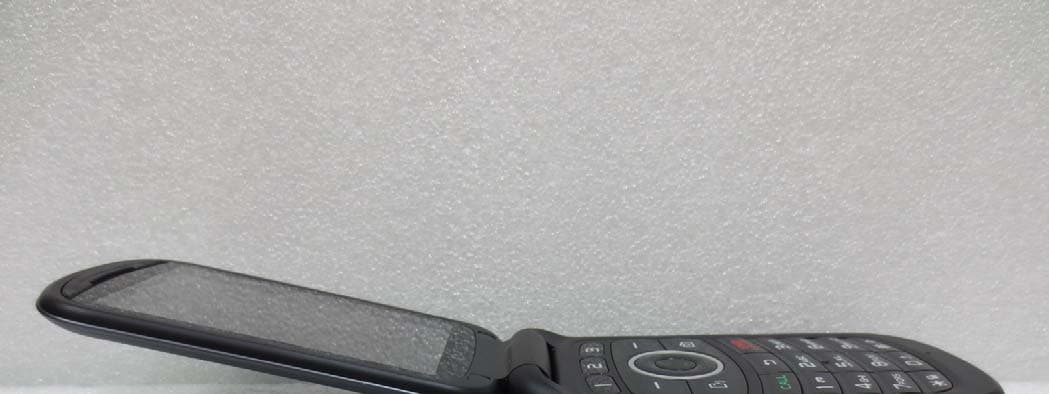
JYCP2050
Aug 04, 2013GSM/WCDMA Phone with Bluetooth
Equipment Class
PCE - PCS Licensed Transmitter held to ear
JYCORBIT
Feb 19, 2013CDMA/PCS,GSM,WCDMA,LTE Portable Router with WLAN
Equipment Class
PCB - PCS Licensed Transmitter
JYCPREMIAV
Sep 06, 2012CDMA/GSM/LTE Phone with BT/WLAN/NFC
Equipment Class
DTS - Digital Transmission System
JYCCDMAPTL21
Aug 29, 2012GSM/WCDMA/CDMA Phone with Bluetooth/WLAN/NFC
Equipment Class
DSS - Part 15 Spread Spectrum Transmitter
JYCSPARKLE
Aug 21, 2012CDMA/GSM/EDGE/WCDMA/LTE USB Data Dongle
Equipment Class
PCB - PCS Licensed Transmitter