LAK171TLCD Monitor With TV Tuner
BTC Korea Co LtdApplication Details
- Equipment Class
- JBP - Part 15 Class B Computing Device Peripheral
- Date of Grant
- Apr 30, 2003
- Application Purpose
- Original Equipment
- Date of Application
- Apr 30, 2003
- Equipment Note
- LCD Monitor With TV Tuner
- Company
- BTC Korea Co Ltd
- Country
- South Korea
Documents & Files
Document Text
Text extracted from the exhibit documents filed with the FCC. Open a document above to read the original.
Users Manual
This equipment has been designed for the normal use. It is certified to comply with Electron Wave Suitable Registration. The user this equipment in everywhere including residential areas. 171T USER GUIDE Notice This equipment is one of first class quality. The LCD Panel is composed of more than 2 Million pixels and may have some faulty pixels. LCD panels with a maximum of 10 faulty pixels are classified as products of good quality. This standard is accepted by other manufacturers of LCD panels. An LCD panel without any faulty pixels is too expensive for the average customer. Our ”A” class panels have the least 5 faulty pixels. We guarantee that our panels will provide the user with high quality performance. Therefore, no product exchanges or refunds will be made in regards to this matter. This equipment has been designed for normal use. It is certified to comply with Electron Wave Suitable. The user can use this equipment in all areas including residential areas. Before use of this equipment, the user should read and follow all safety precautions outlined in this manual. This manual also contains the Warranty information for this product. INFORMATION TO THE USER (Part 15.105(b)) INFORMATION TO THE USER This equipment has been tested and found to comply with the limits for a Class B digital device, pursuant to part 15 of the FCC Rules. These limits are designed to provide reasonable protection against harmful interference in a residential installation. This equipment generates, uses and can radiate radio frequency energy and, if not installed and used in accordance with the instructions, may cause harmful interference to radio communications. However, there is no guarantee that interference will not occur in a particular installation. If this equipment does cause harmful interference to radio or television reception, which can be determined by turning the equipment off and on, the user is encouraged to try to correct the interference by one more of the following measures: -Reorient or relocate the receiving antenna. -Increase the separation between the equipment and receiver. -Connect the equipment into an outlet on a circuit different from that to which the receiver is connected. -Consult the dealer or an experienced radio/TV technician for help. WARNING (Part 15.21) The manufacturer is not responsible for any Radio or TV interference caused by unauthorized modifications to this equipment. Such modifications could void the user’s authority to operate the equipment.” Please observe all following rules for installation, usage, and services so as to not defeat the safeguards incorporated into this monitor. Safety precautions are divided into Warning and Attention. Warning : Please ensure that no water leaks or gets onto or into the LCD monitor. Accidental exposure to water may cause fire or electrical damage. If case occurs, please turn off and unplug the monitor. If there is smoke or abnormal noises, please contact the store or customer service center. Attention ; Breaking the basic rules can cause injury can cause injury to yourself or damage to the equipment. Save the manual near to future users after you read it. Do not open the monitor. Contact your dealer if the monitor is not operating properly. Do not place the monitor in direct sunlight or close to any heat source. -Product malfunction or fire hazard may occur. Do not drop metal objects like coins or hairpins into the monitor. -Electrical shock or fire hazard may result. Provide a secure connection to the power supply and do not use damaged power cords or plugs. - Electrical shock or fire hazard may result. Do not place the monitor in exposed places or near water. Do not clean the monitor with water or touch it with wet hands. -Electrical shock or fire hazard may result. During lightening storms, unplug the monitor from the wall outlet and do not touch it. -Electrical shock or fire hazard may result Not using the monitor for hours, unplug the monitor from the wall outlet. - Dust may cause heat, fire, shock or short circuit If you use an outdoor antenna, be ensure that no water leaks through connectors and get onto the monitor. - Any liquid spill on the TV may cause fire or electric shock In case of any smoke or abnormal noise, immediately stop use of product and pull the power cord from the wall outlet. Then call your local dealer or service representative for assistance. -Any subsequent use may result in fire or electric shock. Install the monitor at the specified position from the wall to be well ventilated. - A rise in temperature of monitor may cause fire. Install the monitor in stable place. - An unstable monitor may crash or fall. Personal injury, damage, or malfunction may result. Do not block ventilation openings with any curtain or tablecloths. - The increase of inside temperature may cause fire DO not drop the unit or make any scratch on the panel when you move the product. -Any scratch on the panel or drop of the product may cause functional failure. When moving the monitor, turn it off and disconnect all cables and the plug. - Product damage, electric shock, or fire hazard may result. When disconnecting from the wall outlet, grab the plug. - Grabbing the cord may result in heat generation or fire hazard. Keep your eyes 20 inch away from the screen and 0~15° down in relation to the screen. - Viewing at too close a position and wrong posture can weaken your eyes. Do not press hard with your finger or scratch with sharp object on the surface of the LCD. -Any damage on the surface of the LCD may cause functional failure. When you clean the monitor and the surface of LCD, be sure to pull the plug from wall outlet. Use soft cloth instead of using damp duster. Do not use any chemicals such as industrial polisher, abrasive solution, wax, benzene, alcohol, or clearing detergents. - Chemical cleaners may fade, dissolve, or crack the monitor surface. If you install outdoor antenna, be sure to install it at the distance from power …
Text truncated - open the document above for the full version.
Block Diagram
Block Diagram (171T) NT68520 Flat Panel Interface RF Tuner (PAL/SECAM) Composite S-Video RGB CVBS SIF SIF PC L/ R AV L/ R L/ R Audio Out Multi Sound Processor MSP3440 Audio Amp TDA74 96L NT68F63 MCU & OSD TFT LCD Panel SXGA (1280x1024) MUX 4052 I2C Bus Debug port LVDS Tx Video Decoder VPX3226E TV Audio TV Audio Option
Test Setup Photos
Page 1 of 13 FCC ID. : LAK171T File No. : Error! Unknown document property name. ONETECH Testing & Evaluation Lab. Page 2 of 13 FCC ID. : LAK171T File No. : Error! Unknown document property name. ONETECH Testing & Evaluation Lab.
Contact Information
Applicant
Jong-Man Kim(General Manager, QA)
Test Firm
ONETECH Corp.Gea-Won Lee
Technical Specifications
| # | Rule Parts | Frequency Range | Power Output |
|---|---|---|---|
| 1 | 15B | - | - |
Other Applications from BTC Korea Co Ltd
LAK151P
Jul 10, 2003LCD Monitor With TV Tuner
Equipment Class
JBP - Part 15 Class B Computing Device Peripheral
LAK171P
Jul 10, 2003LCD Monitor With TV Tuner
Equipment Class
JBP - Part 15 Class B Computing Device Peripheral
LAK180P
Jul 10, 2003LCD Monitor With TV Tuner
Equipment Class
JBP - Part 15 Class B Computing Device Peripheral
LAK151T
Jun 29, 2003LCD Monitor With TV Tuner
Equipment Class
JBP - Part 15 Class B Computing Device Peripheral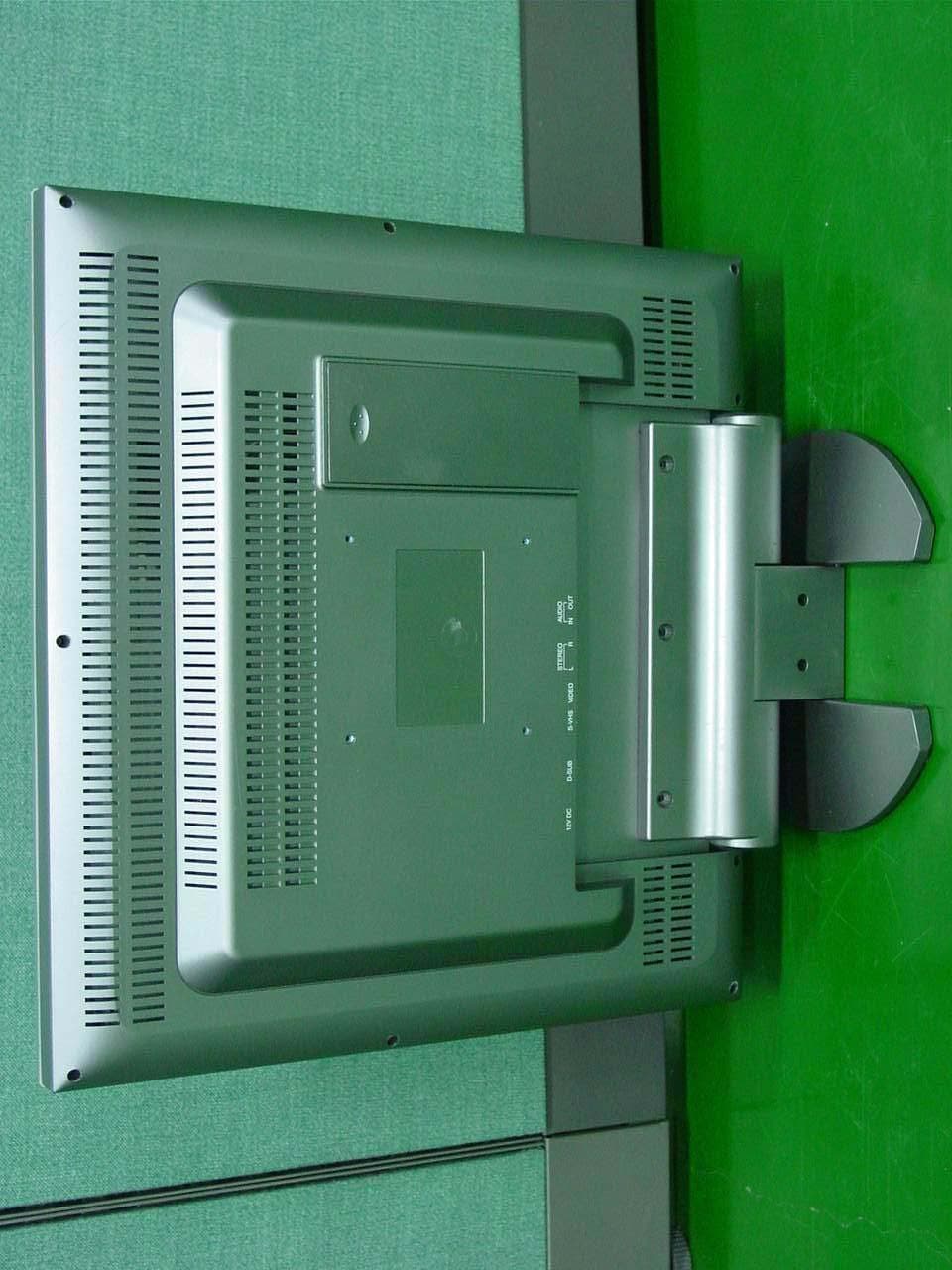
LAK180T
Jun 29, 2003LCD Monitor With TV Tuner
Equipment Class
JBP - Part 15 Class B Computing Device Peripheral