LDK-9160S2578Catalyst Wireless 9166I Wi-Fi 6E Series Access Point , Catalyst Wireless 9164I Wi-Fi 6E Series Access Point
Cisco Systems Inc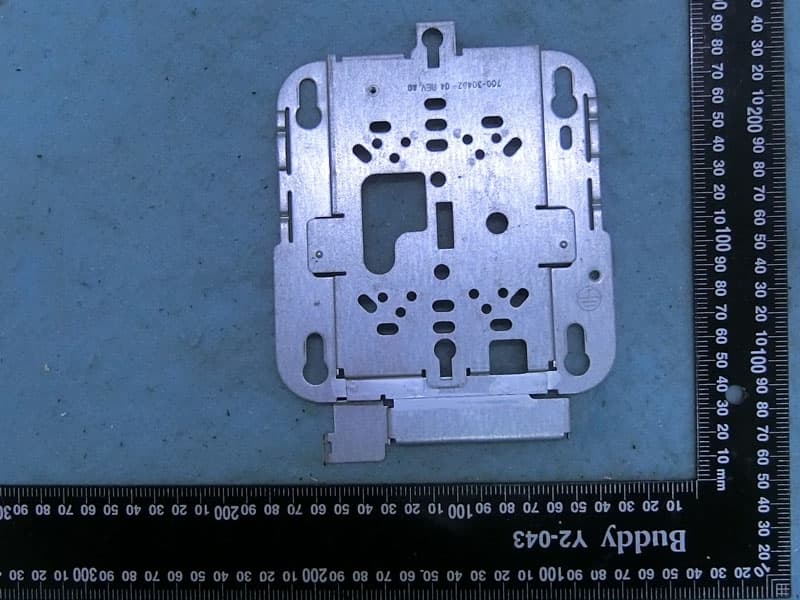
Click to zoom
Application Details
- Equipment Class
- 6ID - 15E 6 GHz Low Power Indoor Access Point
- Date of Grant
- Jul 17, 2022
- Application Purpose
- Original Equipment
- Date of Application
- May 25, 2022
- Equipment Note
- Catalyst Wireless 9166I Wi-Fi 6E Series Access Point , Catalyst Wireless 9164I Wi-Fi 6E Series Access Point
- Frequency Range
- 5955.00000000 - 7115.00000000
- Company
- Cisco Systems Inc
- Country
- United States
Documents & Files
Document Text
Text extracted from the exhibit documents filed with the FCC. Open a document above to read the original.
Users Manual
CiscoCatalystWireless9164IWi-Fi6E SeriesAccessPointsHardware InstallationGuide FirstPublished:2022-05-23 AmericasHeadquarters CiscoSystems,Inc. 170 West TasmanDrive SanJose,CA 95134-1706 USA http://www.cisco.com Tel: 408 526-4000 800 553-NETS(6387) Fax:408 527-0883 THE SPECIFICATIONSANDINFORMATIONREGARDINGTHE PRODUCTSIN THISMANUALARE SUBJECTTO CHANGEWITHOUTNOTICE.ALL STATEMENTS, INFORMATION,ANDRECOMMENDATIONSIN THISMANUALARE BELIEVEDTO BE ACCURATE BUT ARE PRESENTEDWITHOUTWARRANTYOF ANYKIND, EXPRESSOR IMPLIED.USERSMUSTTAKEFULLRESPONSIBILITYFOR THEIRAPPLICATIONOF ANYPRODUCTS. THE SOFTWARE LICENSEANDLIMITEDWARRANTYFOR THE ACCOMPANYINGPRODUCTARE SET FORTH IN THE INFORMATIONPACKETTHAT SHIPPEDWITH THE PRODUCTANDARE INCORPORATED HEREINBY THISREFERENCE.IF YOUARE UNABLETO LOCATE THE SOFTWARE LICENSEOR LIMITEDWARRANTY, CONTACT YOURCISCOREPRESENTATIVEFOR A COPY. The followinginformationis for FCC complianceof ClassA devices:This equipmenthas been testedand foundto complywith the limitsfor a ClassA digitaldevice,pursuantto part 15 of the FCC rules.Theselimitsare designedto providereasonableprotectionagainstharmfulinterferencewhenthe equipmentis operatedin a commercialenvironment.This equipment generates,uses, and can radiateradio-frequencyenergy and, if not installedand used in accordancewith the instructionmanual,may causeharmfulinterferenceto radiocommunications. Operationof this equipmentin a residentialarea is likelyto causeharmfulinterference,in whichcase userswill be requiredto correctthe interferenceat their own expense. The followinginformationis for FCC complianceof ClassB devices:This equipmenthas been testedand foundto complywith the limitsfor a ClassB digitaldevice,pursuantto part 15 of the FCC rules.Theselimitsare designedto providereasonableprotectionagainstharmfulinterferencein a residentialinstallation.This equipmentgenerates,uses and can radiateradio frequencyenergy and, if not installedand used in accordancewith the instructions,may causeharmfulinterferenceto radiocommunications.However, there is no guaranteethat interference will not occurin a particularinstallation.If the equipmentcausesinterferenceto radioor televisionreception,whichcan be determinedby turningthe equipmentoff and on, usersare encouragedto try to correctthe interferenceby usingone or moreof the followingmeasures: • Reorientor relocatethe receivingantenna. • Increasethe separationbetweenthe equipmentand receiver. • Connectthe equipmentinto an outleton a circuitdifferentfrom that to whichthe receiveris connected. • Consultthe dealeror an experiencedradio/TVtechnicianfor help. Modificationsto this productnot authorizedby Ciscocouldvoid the FCC approvaland negateyour authorityto operatethe product. The Ciscoimplementationof TCP headercompressionis an adaptationof a programdevelopedby the Universityof California,Berkeley(UCB)as part of UCB’s publicdomainversionof the UNIXoperatingsystem.All rightsreserved.Copyright © 1981,Regentsof the Universityof California. NOTWITHSTANDINGANYOTHERWARRANTYHEREIN,ALL DOCUMENTFILESANDSOFTWARE OF THESESUPPLIERSARE PROVIDED"AS IS" WITHALL FAULTS. CISCOANDTHE ABOVE-NAMEDSUPPLIERSDISCLAIMALL WARRANTIES,EXPRESSEDOR IMPLIED,INCLUDING,WITHOUTLIMITATION,THOSEOF MERCHANTABILITY, FITNESSFOR A PARTICULARPURPOSEANDNONINFRINGEMENTOR ARISINGFROMA COURSEOF DEALING,USAGE,OR TRADEPRACTICE. IN NO EVENTSHALLCISCOOR ITS SUPPLIERSBE LIABLEFOR ANYINDIRECT, SPECIAL,CONSEQUENTIAL,OR INCIDENTAL DAMAGES,INCLUDING,WITHOUT LIMITATION,LOSTPROFITSOR LOSSOR DAMAGETO DATA ARISINGOUTOF THE USE OR INABILITYTO USE THISMANUAL,EVENIF CISCOOR ITS SUPPLIERS HAVE BEENADVISEDOF THE POSSIBILITYOF SUCHDAMAGES. Any InternetProtocol(IP) addressesand phonenumbersused in this documentare not intendedto be actualaddressesand phonenumbers.Any examples,commanddisplayoutput,network topologydiagrams,and other figuresincludedin the documentare shownfor illustrativepurposesonly. Any use of actualIP addressesor phonenumbersin illustrativecontentis unintentional and coincidental. All printedcopiesand duplicatesoft copiesof this documentare considereduncontrolled.See the currentonlineversionfor the latestversion. Ciscohas morethan 200 offices worldwide.Addressesand phonenumbersare listedon the Ciscowebsiteat www.cisco.com/go/offices. Ciscoand the Ciscologo are trademarksor registeredtrademarksof Ciscoand/orits affiliatesin the U.S. and othercountries.To view a list of Ciscotrademarks,go to this URL: https://www.cisco.com/c/en/us/about/legal/trademarks.html. Third-partytrademarksmentionedare the propertyof their respectiveowners.The use of the wordpartnerdoes not implya partnershiprelationshipbetweenCiscoand any othercompany. (1721R) © 2022 CiscoSystems,Inc. All rightsreserved. CONTENTS Prefacevii PREFACE Aboutthis Guidevii Conventionsvii RelatedDocumentationviii Communications,Services,and AdditionalInformationviii CiscoBug SearchToolviii AboutCiscoCatalystWireless9164IWi-Fi 6E SeriesAccessPoints1 CHAPTER1 Introductionto CiscoCatalystWireless9164IWi-Fi 6E SeriesAccessPoints1 CiscoCatalystWireless9164IWi-Fi 6E SeriesAccessPointsFeatures1 AP ModelNumbersand RegulatoryDomains3 Antennasand Radios3 InternalAntennas3 CE OperatingFrequencyand MaximumOutputPower4 Hardware Features5 CHAPTER2 AccessPointViews,Ports,and Connectors5 Connectorsand Portson the AP5 CW9164I(InternalAntenna)RadiationPatterns5 UnpackingYour AccessPoint7 CHAPTER3 PackageContents7 Unpackingthe AccessPoint7 CiscoOrderableAccessories8 InstallationOverview9 CHAPTER4 CiscoCatalystWireless9164IWi-Fi6E SeriesAccessPointsHardwareInstallationGuide iii Performinga Pre-InstallationConfiguration(Optional)9 PreinstallationChecksand InstallationGuidelines11 Mountingthe AccessPoint12 Poweringthe AccessPoint13 Configuringand Deployingthe AccessPoint15 CHAPTER5 The ControllerDiscoveryProcess15 Deployingthe AccessPointon the WirelessNetwork16 Checkingthe AccessPointLEDs16 Troubleshooting19 CHAPTER6 Usingthe ModeButton19 Troubleshootingthe AccessPointto CiscoControllerJoin Process20 ImportantIn…
Text truncated - open the document above for the full version.
Users Manual
CiscoCatalystWireless9166IWi-Fi6E SeriesAccessPointsHardware InstallationGuide FirstPublished:2022-05-23 AmericasHeadquarters CiscoSystems,Inc. 170 West TasmanDrive SanJose,CA 95134-1706 USA http://www.cisco.com Tel: 408 526-4000 800 553-NETS(6387) Fax:408 527-0883 THE SPECIFICATIONSANDINFORMATIONREGARDINGTHE PRODUCTSIN THISMANUALARE SUBJECTTO CHANGEWITHOUTNOTICE.ALL STATEMENTS, INFORMATION,ANDRECOMMENDATIONSIN THISMANUALARE BELIEVEDTO BE ACCURATE BUT ARE PRESENTEDWITHOUTWARRANTYOF ANYKIND, EXPRESSOR IMPLIED.USERSMUSTTAKEFULLRESPONSIBILITYFOR THEIRAPPLICATIONOF ANYPRODUCTS. THE SOFTWARE LICENSEANDLIMITEDWARRANTYFOR THE ACCOMPANYINGPRODUCTARE SET FORTH IN THE INFORMATIONPACKETTHAT SHIPPEDWITH THE PRODUCTANDARE INCORPORATED HEREINBY THISREFERENCE.IF YOUARE UNABLETO LOCATE THE SOFTWARE LICENSEOR LIMITEDWARRANTY, CONTACT YOURCISCOREPRESENTATIVEFOR A COPY. The followinginformationis for FCC complianceof ClassA devices:This equipmenthas been testedand foundto complywith the limitsfor a ClassA digitaldevice,pursuantto part 15 of the FCC rules.Theselimitsare designedto providereasonableprotectionagainstharmfulinterferencewhenthe equipmentis operatedin a commercialenvironment.This equipment generates,uses, and can radiateradio-frequencyenergy and, if not installedand used in accordancewith the instructionmanual,may causeharmfulinterferenceto radiocommunications. Operationof this equipmentin a residentialarea is likelyto causeharmfulinterference,in whichcase userswill be requiredto correctthe interferenceat their own expense. The followinginformationis for FCC complianceof ClassB devices:This equipmenthas been testedand foundto complywith the limitsfor a ClassB digitaldevice,pursuantto part 15 of the FCC rules.Theselimitsare designedto providereasonableprotectionagainstharmfulinterferencein a residentialinstallation.This equipmentgenerates,uses and can radiateradio frequencyenergy and, if not installedand used in accordancewith the instructions,may causeharmfulinterferenceto radiocommunications.However, there is no guaranteethat interference will not occurin a particularinstallation.If the equipmentcausesinterferenceto radioor televisionreception,whichcan be determinedby turningthe equipmentoff and on, usersare encouragedto try to correctthe interferenceby usingone or moreof the followingmeasures: • Reorientor relocatethe receivingantenna. • Increasethe separationbetweenthe equipmentand receiver. • Connectthe equipmentinto an outleton a circuitdifferentfrom that to whichthe receiveris connected. • Consultthe dealeror an experiencedradio/TVtechnicianfor help. Modificationsto this productnot authorizedby Ciscocouldvoid the FCC approvaland negateyour authorityto operatethe product. The Ciscoimplementationof TCP headercompressionis an adaptationof a programdevelopedby the Universityof California,Berkeley(UCB)as part of UCB’s publicdomainversionof the UNIXoperatingsystem.All rightsreserved.Copyright © 1981,Regentsof the Universityof California. NOTWITHSTANDINGANYOTHERWARRANTYHEREIN,ALL DOCUMENTFILESANDSOFTWARE OF THESESUPPLIERSARE PROVIDED"AS IS" WITHALL FAULTS. CISCOANDTHE ABOVE-NAMEDSUPPLIERSDISCLAIMALL WARRANTIES,EXPRESSEDOR IMPLIED,INCLUDING,WITHOUTLIMITATION,THOSEOF MERCHANTABILITY, FITNESSFOR A PARTICULARPURPOSEANDNONINFRINGEMENTOR ARISINGFROMA COURSEOF DEALING,USAGE,OR TRADEPRACTICE. IN NO EVENTSHALLCISCOOR ITS SUPPLIERSBE LIABLEFOR ANYINDIRECT, SPECIAL,CONSEQUENTIAL,OR INCIDENTAL DAMAGES,INCLUDING,WITHOUT LIMITATION,LOSTPROFITSOR LOSSOR DAMAGETO DATA ARISINGOUTOF THE USE OR INABILITYTO USE THISMANUAL,EVENIF CISCOOR ITS SUPPLIERS HAVE BEENADVISEDOF THE POSSIBILITYOF SUCHDAMAGES. Any InternetProtocol(IP) addressesand phonenumbersused in this documentare not intendedto be actualaddressesand phonenumbers.Any examples,commanddisplayoutput,network topologydiagrams,and other figuresincludedin the documentare shownfor illustrativepurposesonly. Any use of actualIP addressesor phonenumbersin illustrativecontentis unintentional and coincidental. All printedcopiesand duplicatesoft copiesof this documentare considereduncontrolled.See the currentonlineversionfor the latestversion. Ciscohas morethan 200 offices worldwide.Addressesand phonenumbersare listedon the Ciscowebsiteat www.cisco.com/go/offices. Ciscoand the Ciscologo are trademarksor registeredtrademarksof Ciscoand/orits affiliatesin the U.S. and othercountries.To view a list of Ciscotrademarks,go to this URL: https://www.cisco.com/c/en/us/about/legal/trademarks.html. Third-partytrademarksmentionedare the propertyof their respectiveowners.The use of the wordpartnerdoes not implya partnershiprelationshipbetweenCiscoand any othercompany. (1721R) © 2022 CiscoSystems,Inc. All rightsreserved. CONTENTS Prefacevii PREFACE Aboutthis Guidevii Conventionsvii RelatedDocumentationviii Communications,Services,and AdditionalInformationviii CiscoBug SearchToolviii AboutCiscoCatalystWireless9166IWi-Fi 6E SeriesAccessPoints1 CHAPTER1 Introductionto CiscoCatalystWireless9166IWi-Fi 6E SeriesAccessPoints1 CiscoCatalystWireless9166IWi-Fi 6E SeriesAccessPointsFeatures1 AP ModelNumbersand RegulatoryDomains3 Antennasand Radios4 InternalAntennas4 CE OperatingFrequencyand MaximumOutputPower4 Hardware Features5 CHAPTER2 AccessPointViews,Ports,and Connectors5 Connectorsand Portson the AP5 CW9166I(InternalAntenna)RadiationPatterns5 UnpackingYour AccessPoint7 CHAPTER3 PackageContents7 Unpackingthe AccessPoint7 CiscoOrderableAccessories8 InstallationOverview9 CHAPTER4 CiscoCatalystWireless9166IWi-Fi6E SeriesAccessPointsHardwareInstallationGuide iii Performinga Pre-InstallationConfiguration(Optional)9 PreinstallationChecksand InstallationGuidelines11 Mountingthe AccessPoint12 Poweringthe AccessPoint13 Configuringand Deployingthe AccessPoint15 CHAPTER5 The ControllerDiscoveryProcess15 Deployingthe AccessPointon the WirelessNetwork16 Checkingthe AccessPointLEDs16 Troubleshooting19 CHAPTER6 Usingthe ModeButton19 Troubleshootingthe AccessPointto CiscoControllerJoin Process20 ImportantIn…
Text truncated - open the document above for the full version.
Users Manual
Meraki CW9166I‐MR, CW9164I‐MR Hardware Installation Guide Trademarks Meraki, Meraki CW9166I‐MR, CW9164I‐MR, Meraki Cloud Controller, and Meraki Mesh are trademarks of Cisco Systems, Inc. Other brand and product names are registered trademarks or trademarks of their respective holders. Statement of Conditions In the interest of improving internal design, operational function, and/or reliability, Cisco Systems reserves the right to make changes to the products described in this document without notice. Cisco Systems does not assume any liability that may occur due to the use or application of the product(s) or circuit layout(s) described herein. Warranty Meraki, Inc. provides a lifetime warranty on this product. Warranty details may be found at www.meraki.com/legal. 3 Table of Contents 1 Scope of Document and Related Publications 4 2 CW9166I‐MR, CW9164I‐MR Overview 5 2.1 Package Contents 5 2.2 Understanding the CW9166I‐MR, CW9164I‐MR 5 2.3 Security Features 7 2.4 Ethernet Ports 7 2.5 Power Source Options 7 2.6 Factory Reset Button 7 2.7 LED Indicators and Run Dark Mode 7 3 Pre‐Install Preparation 8 3.1 Configure Your Network in Dashboard 8 3.2 Check and Upgrade Firmware 8 3.3 Check and Configure Firewall Settings 8 3.4 Assigning IP Addresses to CW9166I‐MR, CW9164I‐MRs 9 3.4.1 Dynamic Assignment 9 3.4.2 Static Assignment 9 3.4.3 Static IP Assignment via DHCP Reservations 9 3.5 Collect Tools 10 3.6 Collect Additional Hardware for Installation 10 4 Installation Instructions 11 4.1 Choose Your Mounting Location 11 4.2 Install the CW9166I‐MR, CW9164I‐MR 11 4.2.1 Attach the Mount Plate 11 4.2.1.1 Wall or Solid Ceiling Mount Using Mount Plate 13 4.2.1.2 Drop Ceiling Mount Using Mount Plate 14 4.2.1.3 Electrical Junction Box Mount Using Mount Plate 18 4.2.2 Power the CW9166I‐MR, CW9164I‐MR 20 4.2.2.1 Powering the CW9166I‐MR, CW9164I‐MR with Meraki AC Adapter 21 4.2.2.2 Powering the CW9166I‐MR, CW9164I‐MR with Meraki 802.3at Power over Ethernet Injector 21 4.2.2.3 Powering the CW9166I‐MR, CW9164I‐MR with an 802.3at Power over Ethernet Switch 22 4.2.3 Mount the CW9166I‐MR, CW9164I‐MR 22 4.2.3.1 Assemble Security Hasp to the CW9166I‐MR, CW9164I‐MR 22 4.2.3.2 Assemble CW9166I‐MR, CW9164I‐MR to the Mount Plate 23 4.2.3.3 Desk or Shelf Mount 25 4.3 Secure the CW9166I‐MR, CW9164I‐MR 26 4.3.1 Security Screw 26 4.3.2 Kensington Lock 26 4.4 Verify Device Functionality and Test Network Coverage 27 5 Troubleshooting 27 4 1 Scope of Document and Related Publications The CW9166I‐MR, CW9164I‐MR Hardware Installation Guide describes the installation procedure for the CW9166I‐MR, CW9164I‐MR indoor access point. Additional reference documents are available online at www.meraki.com/library/product. 5 2 CW9166I‐MR, CW9164I‐MR Overview The Meraki CW9166I‐MR, CW9164I‐MR is an enterprise‐class, dual‐concurrent 4x4 MIMO 802.11ax indoor access point designed for high‐density deployments in offices, schools, hospitals and hotels. When connected to the Meraki Cloud Controller, the CW9166I‐MR, CW9164I‐MR enables the creation of ultra‐high speed, reliable indoor wireless networks quickly, easily and cost‐ effectively. 2.1 Package Contents The CW9166I‐MR, CW9164I‐MR package contains the following: CW9166I‐MR, CW9164I‐MR access point Mounting plate Drop ceiling mounting kit Wall screws Security screws Mounting Template 2.2 Understanding the CW9166I‐MR, CW9164I‐MR CW9166I‐MR, CW9164I‐MR Operation Temperature: 32 ° F to 122 ° F (0 ° C to 50 ° C) Your Meraki CW9166I‐MR, CW9164I‐MR has the following features: Kensington lock hard point Mount plate attachment slots (2x) Cable access bay Desk mount feet (4x) with M4*5mm pan‐head screws CW9166I‐MR, CW9164I‐MR cable access bay Factory Reset Button Ethernet port Power supplied by PoE: 42.5‐57Vdc, 0.847‐0.632A or 42.5‐57Vdc, 0.776‐0.579A AC Adapter plug (sold separately) Power supplied by adapter: 54Vdc, 0.92A 6 Your CW9166I‐MR, CW9164I‐MR mount plate has the following features: Access point mounting posts (2x) Various mounting holes 7 2.3 Security Features The CW9166I‐MR, CW9164I‐MR features multiple options for physically securing the access point after installation: 1. Security screw – The accessory kit includes screws that can be used to secure the access point to the mount plate. Engaging the security screw prevents accidental dislodging and theft. 2. Kensington lock – The access point contains a hard point that allows it to be secured to any nearby permanent structure using a standard Kensington lock. 2.4 Ethernet Ports The CW9166I‐MR, CW9164I‐MR features an Ethernet RJ45 port that accepts 802.3af power (labeled “PoE”). This port should be used for uplink to your WAN connection. 2.5 Power Source Options The CW9166I‐MR, CW9164I‐MR access point can be powered using either the Meraki AC Adapter or 802.3af PoE Injector (both sold separately) or a third‐party 802.3af PoE switch. 2.6 Factory Reset Button If the button is pressed and held for at least five seconds and then released, the CW9166I‐MR, CW9164I‐ MR will reboot and be restored to its original factory settings by deleting all configuration information stored on the unit. 8 3 Pre‐Install Preparation You should complete the following steps before going on‐site to perform an installation. 3.1 Configure Yo u r Network in Dashboard The following is a brief overview only of the steps required to add an CW9166I‐MR, CW9164I‐MR to your network. For detailed instructions about creating, configuring and managing Meraki wireless networks, refer to the Meraki Cloud Controller Manual (meraki.com/library/product). 1. Login to http://dashboard.meraki.com. If this is your first time, create a new account. 2. Find the network to which you plan to add your APs or create a new network. 3. Add your APs to your network. You will need your Meraki order number (found on your invoice if you ordered directly from Meraki) or the serial number of each AP, which looks like Qxxx‐xxxx‐xxxx, and is found on the bottom of the unit. You will also need your Enter…
Text truncated - open the document above for the full version.
Attestation Statements
Cisco Systems Inc 125 West Tasman Drive San Jose California United States 95134-1706 Letter of Declaration on Indoor Access Point Operation Date: 2022/5/23 Federal Communications Commission 7435 Oakland Mills Road Columbia MD 21046 FCC ID:LDK-9160S2578 To Whom It May Concern: We, Cisco Systems Inc, attest that this device under FCC ID LDK-9160S2578 complies with device protocol requirements and operational restrictions: 1. Protocol attestation statement: a. An 11ax IEEE device's Transmit Power Envelope element has information fields for power limits for connecting client/subordinate devices. The TPE information is contained in this device signals and used by connecting client/subordinate to ensure that it knows the regulatory TX powers it is allowed to transmit at. There is a regulatory info field in this device beacon and probe response frames which details this device type when the client/subordinate associates to this device. 2. Statement acknowledging device restrictions: a. This device is supplied power from a wired connection, has an integrated antenna, is not battery-powered, and does not have a weatherized enclosure. b. This device's operation will not be allowed on oil platforms, cars, trains, boats, and aircraft, except that operation of this device is permitted in large aircraft while flying above 10,000 feet. c. This device is prohibited for control of or communications with unmanned aircraft systems, including drones. Respectfully, Applicant’s company name : Cisco Systems Inc Applicant’s company address : 125 West Tasman Drive San Jose California United States 95134-1706 Signature : Name and Job Title : Samuel Kim / Leader, Hardware Engineering E-Mail : [email protected] Tel : 408-527-1446 Fax : 408-527-1446
Cover Letter(s)
Cisco Systems Inc 125 West Tasman Drive San Jose California United States 95134-1706 Confidential Letter Date: 2022/5/18 Federal Communications Commission 7435 Oakland Mills Road Columbia MD 21046 Subject: Request for Confidentiality FCC ID:LDK-9160S2578 To W h o m I t M ay C o n c e r n : Long Term Confidentiality Pursuant to Sections 0.457 and 0.459 of the Commission’s Rules, we hereby respectfully request confidential treatment of information accompanying this application as outlined below: ● Block Diagrams ● Schematics ● Operational Description The above materials contain trade secrets and proprietary information not customarily released to the public. The public disclosure of these matters might be harmful to the Applicant and provide unjustified benefits to its competitors. We understand that pursuant to Rule 0.457, disclosure of this Application and all accompanying documentation will not be made before the date of the Grant for this application. Short Term Confidentiality Pursuant to Sections 0.457 and 0.459 of the Commission’s Rules, we hereby respectfully request short-term confidential treatment of information accompanying this application as outlined below until 180 days after the Grant Date of Equipment Authorization in order to ensure sensitive business information remains confidential until the actual marketing of the device: ● External Photos ● Internal Photos ● Te s t S e t u p p h o t o s ● Users Manuals Respectfully, Applicant’s company name : Cisco Systems Inc Applicant’s company address : 125 West Ta s ma n D r i ve S a n J o s e C a l i fo r n i a U n i te d S tate s 9 5 1 3 4-1706 Signature : Name and Job Title : Samuel Kim / Leader, Hardware Engineering E-Mail : [email protected] Te l : +1 408 527-1446 Fax : +1 408 527-1446
Cover Letter(s)
Cisco Systems Inc 125 West Tasman Drive San Jose California United States 95134-1706 Professional Installation Declaration Date: 2022/5/18 FCC ID:LDK-9160S2578 To W h o m I t M ay C o n c e r n : Please be advised that due to the unique Market and function targeted by this product, this product will need special trained professional in configuring and installing the product. We hereby declare that the product will be distributed through controlled distribution channel which has special trained professional to install this product and will not be sold directly to the general public through retail store. Applicant’s company name : Cisco Systems Inc Applicant’s company address : 125 West Ta s ma n D r i ve S a n J o s e C a l i fo r n i a U n i te d S tate s 9 5 1 3 4-1706 Signature : Name and Job Title : Samuel Kim / Leader, Hardware Engineering E-Mail : [email protected] Te l : +1 408 527-1446 Fax : +1 408 527-1446
Cover Letter(s)
Cisco Systems Inc 125 West Tasman Drive San Jose California United States 95134-1706 Authority TO ACT AS AGENT - FCC Date: 2022/5/18 Dear Sir, I hereby have entrusted the following person to be an agent regarding application for Type Certification. Sporton International Inc. Hsinchu Laboratory Address : No.8, Lane 724, Bo-ai St., Jhubei City, HsinChu County 302, Taiwan, R.O.C. Name : Leo Huang Job Title : Manager e-mail : [email protected] I am therefore responsible for the contents of the application. FCC ID: LDK-9160S2578 Respectfully, Applicant’s company name : Cisco Systems Inc Applicant’s company address : 125 West Ta s ma n D r i ve S a n J o s e C a l i fo r n i a U n i te d S tate s 9 5 1 3 4-1706 Signature : Name and Job Title : Samuel Kim / Leader, Hardware Engineering E-Mail : [email protected] Te l : +1 408 527-1446 Fax : +1 408 527-1446
External Photos
PHOTOGRAPHS OF EUT Report No. : EP1D2822-01 Sporton International Inc. Hsinchu Laboratory Page Number : 1 of 5 TEL : 886-3-656-9065 Issued Date : May 24, 2022 FAX : 886-3-656-9085 EP Report Version : 01 Report Template No.: CB Ver1.1_EP Brand Name: CISCO Model Name: CW9166I-B, CW9164I-B, CW9166I-MR, CW9164I-MR PHOTOGRAPHS OF EUT Report No. : EP1D2822-01 Sporton International Inc. Hsinchu Laboratory Page Number : 2 of 5 TEL : 886-3-656-9065 Issued Date : May 24, 2022 FAX : 886-3-656-9085 EP Report Version : 01 Report Template No.: CB Ver1.1_EP PHOTOGRAPHS OF EUT Report No. : EP1D2822-01 Sporton International Inc. Hsinchu Laboratory Page Number : 3 of 5 TEL : 886-3-656-9065 Issued Date : May 24, 2022 FAX : 886-3-656-9085 EP Report Version : 01 Report Template No.: CB Ver1.1_EP PHOTOGRAPHS OF EUT Report No. : EP1D2822-01 Sporton International Inc. Hsinchu Laboratory Page Number : 4 of 5 TEL : 886-3-656-9065 Issued Date : May 24, 2022 FAX : 886-3-656-9085 EP Report Version : 01 Report Template No.: CB Ver1.1_EP PHOTOGRAPHS OF EUT Report No. : EP1D2822-01 Sporton International Inc. Hsinchu Laboratory Page Number : 5 of 5 TEL : 886-3-656-9065 Issued Date : May 24, 2022 FAX : 886-3-656-9085 EP Report Version : 01 Report Template No.: CB Ver1.1_EP Wall-mounted rack
ID Label/Location Info
Label location
Internal Photos
PHOTOGRAPHS OF EUT Report No. : EP1D2822-01 Sporton International Inc. Hsinchu Laboratory Page Number : 1 of 55 TEL : 886-3-656-9065 Issued Date : May 24, 2022 FAX : 886-3-656-9085 EP Report Version : 01 Report Template No.: CB Ver1.1_EP Brand Name: CISCO Model Name: CW9166I-B, CW9164I-B, CW9166I-MR, CW9164I-MR PHOTOGRAPHS OF EUT Report No. : EP1D2822-01 Sporton International Inc. Hsinchu Laboratory Page Number : 2 of 55 TEL : 886-3-656-9065 Issued Date : May 24, 2022 FAX : 886-3-656-9085 EP Report Version : 01 Report Template No.: CB Ver1.1_EP PHOTOGRAPHS OF EUT Report No. : EP1D2822-01 Sporton International Inc. Hsinchu Laboratory Page Number : 3 of 55 TEL : 886-3-656-9065 Issued Date : May 24, 2022 FAX : 886-3-656-9085 EP Report Version : 01 Report Template No.: CB Ver1.1_EP PHOTOGRAPHS OF EUT Report No. : EP1D2822-01 Sporton International Inc. Hsinchu Laboratory Page Number : 4 of 55 TEL : 886-3-656-9065 Issued Date : May 24, 2022 FAX : 886-3-656-9085 EP Report Version : 01 Report Template No.: CB Ver1.1_EP PHOTOGRAPHS OF EUT Report No. : EP1D2822-01 Sporton International Inc. Hsinchu Laboratory Page Number : 5 of 55 TEL : 886-3-656-9065 Issued Date : May 24, 2022 FAX : 886-3-656-9085 EP Report Version : 01 Report Template No.: CB Ver1.1_EP PHOTOGRAPHS OF EUT Report No. : EP1D2822-01 Sporton International Inc. Hsinchu Laboratory Page Number : 6 of 55 TEL : 886-3-656-9065 Issued Date : May 24, 2022 FAX : 886-3-656-9085 EP Report Version : 01 Report Template No.: CB Ver1.1_EP PHOTOGRAPHS OF EUT Report No. : EP1D2822-01 Sporton International Inc. Hsinchu Laboratory Page Number : 7 of 55 TEL : 886-3-656-9065 Issued Date : May 24, 2022 FAX : 886-3-656-9085 EP Report Version : 01 Report Template No.: CB Ver1.1_EP PHOTOGRAPHS OF EUT Report No. : EP1D2822-01 Sporton International Inc. Hsinchu Laboratory Page Number : 8 of 55 TEL : 886-3-656-9065 Issued Date : May 24, 2022 FAX : 886-3-656-9085 EP Report Version : 01 Report Template No.: CB Ver1.1_EP PHOTOGRAPHS OF EUT Report No. : EP1D2822-01 Sporton International Inc. Hsinchu Laboratory Page Number : 9 of 55 TEL : 886-3-656-9065 Issued Date : May 24, 2022 FAX : 886-3-656-9085 EP Report Version : 01 Report Template No.: CB Ver1.1_EP PHOTOGRAPHS OF EUT Report No. : EP1D2822-01 Sporton International Inc. Hsinchu Laboratory Page Number : 10 of 55 TEL : 886-3-656-9065 Issued Date : May 24, 2022 FAX : 886-3-656-9085 EP Report Version : 01 Report Template No.: CB Ver1.1_EP PHOTOGRAPHS OF EUT Report No. : EP1D2822-01 Sporton International Inc. Hsinchu Laboratory Page Number : 11 of 55 TEL : 886-3-656-9065 Issued Date : May 24, 2022 FAX : 886-3-656-9085 EP Report Version : 01 Report Template No.: CB Ver1.1_EP PHOTOGRAPHS OF EUT Report No. : EP1D2822-01 Sporton International Inc. Hsinchu Laboratory Page Number : 12 of 55 TEL : 886-3-656-9065 Issued Date : May 24, 2022 FAX : 886-3-656-9085 EP Report Version : 01 Report Template No.: CB Ver1.1_EP PHOTOGRAPHS OF EUT Report No. : EP1D2822-01 Sporton International Inc. Hsinchu Laboratory Page Number : 13 of 55 TEL : 886-3-656-9065 Issued Date : May 24, 2022 FAX : 886-3-656-9085 EP Report Version : 01 Report Template No.: CB Ver1.1_EP PHOTOGRAPHS OF EUT Report No. : EP1D2822-01 Sporton International Inc. Hsinchu Laboratory Page Number : 14 of 55 TEL : 886-3-656-9065 Issued Date : May 24, 2022 FAX : 886-3-656-9085 EP Report Version : 01 Report Template No.: CB Ver1.1_EP PHOTOGRAPHS OF EUT Report No. : EP1D2822-01 Sporton International Inc. Hsinchu Laboratory Page Number : 15 of 55 TEL : 886-3-656-9065 Issued Date : May 24, 2022 FAX : 886-3-656-9085 EP Report Version : 01 Report Template No.: CB Ver1.1_EP PHOTOGRAPHS OF EUT Report No. : EP1D2822-01 Sporton International Inc. Hsinchu Laboratory Page Number : 16 of 55 TEL : 886-3-656-9065 Issued Date : May 24, 2022 FAX : 886-3-656-9085 EP Report Version : 01 Report Template No.: CB Ver1.1_EP PHOTOGRAPHS OF EUT Report No. : EP1D2822-01 Sporton International Inc. Hsinchu Laboratory Page Number : 17 of 55 TEL : 886-3-656-9065 Issued Date : May 24, 2022 FAX : 886-3-656-9085 EP Report Version : 01 Report Template No.: CB Ver1.1_EP PHOTOGRAPHS OF EUT Report No. : EP1D2822-01 Sporton International Inc. Hsinchu Laboratory Page Number : 18 of 55 TEL : 886-3-656-9065 Issued Date : May 24, 2022 FAX : 886-3-656-9085 EP Report Version : 01 Report Template No.: CB Ver1.1_EP PHOTOGRAPHS OF EUT Report No. : EP1D2822-01 Sporton International Inc. Hsinchu Laboratory Page Number : 19 of 55 TEL : 886-3-656-9065 Issued Date : May 24, 2022 FAX : 886-3-656-9085 EP Report Version : 01 Report Template No.: CB Ver1.1_EP PHOTOGRAPHS OF EUT Report No. : EP1D2822-01 Sporton International Inc. Hsinchu Laboratory Page Number : 20 of 55 TEL : 886-3-656-9065 Issued Date : May 24, 2022 FAX : 886-3-656-9085 EP Report Version : 01 Report Template No.: CB Ver1.1_EP PHOTOGRAPHS OF EUT Report No. : EP1D2822-01 Sporton International Inc. Hsinchu Laboratory Page Number : 21 of 55 TEL : 886-3-656-9065 Issued Date : May 24, 2022 FAX : 886-3-656-9085 EP Report Version : 01 Report Template No.: CB Ver1.1_EP PHOTOGRAPHS OF EUT Report No. : EP1D2822-01 Sporton International Inc. Hsinchu Laboratory Page Number : 22 of 55 TEL : 886-3-656-9065 Issued Date : May 24, 2022 FAX : 886-3-656-9085 EP Report Version : 01 Report Template No.: CB Ver1.1_EP PHOTOGRAPHS OF EUT Report No. : EP1D2822-01 Sporton Internationa…
Text truncated - open the document above for the full version.
Contact Information
Applicant
Samuel Kim(Manager, Engineering)
Test Firm
Sporton International Inc. Hsinchu LaboratoryAlex Chen
Technical Specifications
| # | Rule Parts | Frequency Range | Power Output |
|---|---|---|---|
| 1 | 15E | 5.96 GHz - 7.12 GHz | 536.00 mW |
Other Applications from Cisco Systems Inc
LDKJ98213058
May 25, 2026Wireless Phone
Equipment Class
DSS - Part 15 Spread Spectrum TransmitterLDKIW9165E
Aug 20, 2024Wi-Fi 6E Outdoor Access Point
Equipment Class
6SD - 15E 6 GHz Standard Power Access PointLDKIW9165DH
Aug 05, 2024Wi-Fi 6E Outdoor Access Point
Equipment Class
6SD - 15E 6 GHz Standard Power Access PointLDKUSBC2857
Jul 22, 2024Cisco Headset USB-C Adapter
Equipment Class
DSS - Part 15 Spread Spectrum TransmitterLDKESPRD2922
May 09, 2024UC Phone
Equipment Class
NII - Unlicensed National Information Infrastructure TX