LDK102045AIR-RM20A-A-K9
Cisco Systems Inc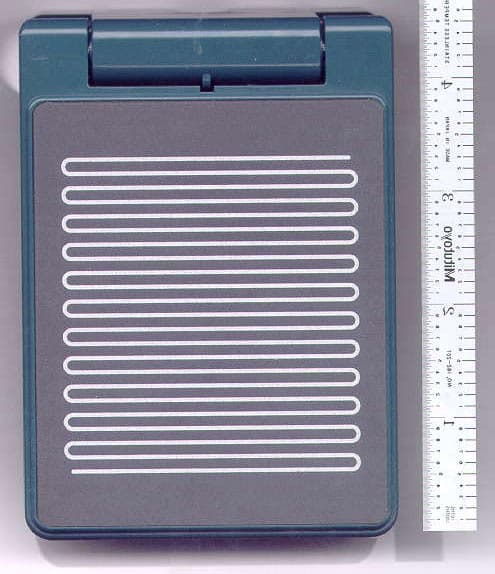
Click to zoom
Application Details
- Equipment Class
- NII - Unlicensed National Information Infrastructure TX
- Date of Grant
- Aug 12, 2002
- Application Purpose
- Original Equipment
- Date of Application
- May 23, 2002
- Equipment Note
- AIR-RM20A-A-K9
- Frequency Range
- 5250.00000000 - 5320.00000000
- Company
- Cisco Systems Inc
- Country
- United States
Documents & Files
Document Text
Text extracted from the exhibit documents filed with the FCC. Open a document above to read the original.
Users Manual
Draft Copy - CISCO CONFIDENTIAL Corporate Headquarters Cisco Systems, Inc. 170 West Tasman Drive San Jose, CA 95134-1706 USA http://www.cisco.com Tel: 408 526-4000 800 553-NETS (6387) Fax: 408 526-4100 Cisco Aironet 1200 Series Access Point Hardware Installation Guide Customer Order Number: Text Part Number: OL-2155-02 Draft Copy - CISCO CONFIDENTIAL THE SPECIFICATIONS AND INFORMATION REGARDING THE PRODUCTS IN THIS MANUAL ARE SUBJECT TO CHANGE WITHOUT NOTICE. ALL STATEMENTS, INFORMATION, AND RECOMMENDATIONS IN THIS MANUAL ARE BELIEVED TO BE ACCURATE BUT ARE PRESENTED WITHOUT WARRANTY OF ANY KIND, EXPRESS OR IMPLIED. USERS MUST TAKE FULL RESPONSIBILITY FOR THEIR APPLICATION OF ANY PRODUCTS. THE SOFTWARE LICENSE AND LIMITED WARRANTY FOR THE ACCOMPANYING PRODUCT ARE SET FORTH IN THE INFORMATION PACKET THAT SHIPPED WITH THE PRODUCT AND ARE INCORPORATED HEREIN BY THIS REFERENCE. IF YOU ARE UNABLE TO LOCATE THE SOFTWARE LICENSE OR LIMITED WARRANTY, CONTACT YOUR CISCO REPRESENTATIVE FOR A COPY. The following information is for FCC compliance of Class A devices: This equipment has been tested and found to comply with the limits for a Class A digital device, pursuant to part 15 of the FCC rules. These limits are designed to provide reasonable protection against harmful interference when the equipment is operated in a commercial environment. This equipment generates, uses, and can radiate radio-frequency energy and, if not installed and used in accordance with the instruction manual, may cause harmful interference to radio communications. Operation of this equipment in a residential area is likely to cause harmful interference, in which case users will be required to correct the interference at their own expense. The following information is for FCC compliance of Class B devices: The equipment described in this manual generates and may radiate radio-frequency energy. If it is not installed in accordance with Cisco’s installation instructions, it may cause interference with radio and television reception. This equipment has been tested and found to comply with the limits for a Class B digital device in accordance with the specifications in part 15 of the FCC rules. These specifications are designed to provide reasonable protection against such interference in a residential installation. However, there is no guarantee that interference will not occur in a particular installation. Modifying the equipment without Cisco’s written authorization may result in the equipment no longer complying with FCC requirements for Class A or Class B digital devices. In that event, your right to use the equipment may be limited by FCC regulations, and you may be required to correct any interference to radio or television communications at your own expense. You can determine whether your equipment is causing interference by turning it off. If the interference stops, it was probably caused by the Cisco equipment or one of its peripheral devices. If the equipment causes interference to radio or television reception, try to correct the interference by using one or more of the following measures: • Turn the television or radio antenna until the interference stops. • Move the equipment to one side or the other of the television or radio. • Move the equipment farther away from the television or radio. • Plug the equipment into an outlet that is on a different circuit from the television or radio. (That is, make certain the equipment and the television or radio are on circuits controlled by different circuit breakers or fuses.) Modifications to this product not authorized by Cisco Systems, Inc. could void the FCC approval and negate your authority to operate the product. The Cisco implementation of TCP header compression is an adaptation of a program developed by the University of California, Berkeley (UCB) as part of UCB’s public domain version of the UNIX operating system. All rights reserved. Copyright © 1981, Regents of the University of California. NOTWITHSTANDING ANY OTHER WARRANTY HEREIN, ALL DOCUMENT FILES AND SOFTWARE OF THESE SUPPLIERS ARE PROVIDED “AS IS” WITH ALL FAULTS. CISCO AND THE ABOVE-NAMED SUPPLIERS DISCLAIM ALL WARRANTIES, EXPRESSED OR IMPLIED, INCLUDING, WITHOUT LIMITATION, THOSE OF MERCHANTABILITY, FITNESS FOR A PARTICULAR PURPOSE AND NONINFRINGEMENT OR ARISING FROM A COURSE OF DEALING, USAGE, OR TRADE PRACTICE. IN NO EVENT SHALL CISCO OR ITS SUPPLIERS BE LIABLE FOR ANY INDIRECT, SPECIAL, CONSEQUENTIAL, OR INCIDENTAL DAMAGES, INCLUDING, WITHOUT LIMITATION, LOST PROFITS OR LOSS OR DAMAGE TO DATA ARISING OUT OF THE USE OR INABILITY TO USE THIS MANUAL, EVEN IF CISCO OR ITS SUPPLIERS HAVE BEEN ADVISED OF THE POSSIBILITY OF SUCH DAMAGES. Cisco Aironet 1200 Series Access Point Hardware Installation Guide Copyright ©2002, Cisco Systems, Inc. All rights reserved. CCIP, the Cisco Powered Network mark, the Cisco Systems Verified logo, Cisco Unity, Follow Me Browsing, FormShare, Internet Quotient, iQ Breakthrough, iQ Expertise, iQ FastTrack, the iQ Logo, iQ Net Readiness Scorecard, Networking Academy, ScriptShare, SMARTnet, TransPath, and Voice LAN are trademarks of Cisco Systems, Inc.; Changing the Way We Work, Live, Play, and Learn, Discover All That’s Possible, The Fastest Way to Increase Your Internet Quotient, and iQuick Study are service marks of Cisco Systems, Inc.; and Aironet, ASIST, BPX, Catalyst, CCDA, CCDP, CCIE, CCNA, CCNP, Cisco, the Cisco Certified Internetwork Expert logo, Cisco IOS, the Cisco IOS logo, Cisco Press, Cisco Systems, Cisco Systems Capital, the Cisco Systems logo, Empowering the Internet Generation, Enterprise/Solver, EtherChannel, EtherSwitch, Fast Step, GigaStack, IOS, IP/TV, LightStream, MGX, MICA, the Networkers logo, Network Registrar, Pa cke t, PIX, Post-Routing, Pre-Routing, RateMUX, Registrar, SlideCast, StrataView Plus, Stratm, SwitchProbe, TeleRouter, and VCO are registered trademarks of Cisco Systems, Inc. and/or its affiliates in the U.S. and certain other countries. All oth…
Text truncated - open the document above for the full version.
Users Manual
FINAL DRAFT - CISCO CONFIDENTIAL Cisco One-Year Limited Hardware Warranty Terms1 Preface5 Introduction to the Access Point6 Unpacking the Access Point7 Installing the Access Point8 Additional Requirements9 Attaching and Adjusting the Antennas10 2.4-GHz Dipole Antennas10 5-GHz Integrated Antenna11 Connecting to an Ethernet Network with an Inline Power Source12 Connecting to an Ethernet Network with Local Power13 Powering Up the Access Point14 Obtaining and Assigning an IP Address14 Determining a DHCP Assigned IP Address15 Using IPSU16 Using a Terminal Emulator16 12KDBQSG.bk Page 1 Friday, June 21, 2002 9:53 AM FINAL DRAFT - CISCO CONFIDENTIAL Configuring the Access Point17 In Case of Difficulty22 Mounting Instructions23 Mounting on a Horizontal or Vertical Surface26 Mounting on a Suspended Ceiling27 Attaching the Access Point to the Mounting Bracket29 Securing the Access Point to the Mounting Bracket30 Safety Information31 Compliance Information32 12KDBQSG.bk Page 2 Friday, June 21, 2002 9:53 AM FINAL DRAFT - CISCO CONFIDENTIAL 1 Cisco One-Year Limited Hardware Warranty Terms There are special terms applicable to your hardware warranty as well as services you may use during the warranty period. Your formal Warranty Statement, including the warranty applicable to Cisco software, appears in the CD which accompanies your Cisco Product. Follow these steps to access and download the Cisco Information Packet and your warranty document from the CD or from Cisco.com. 1.Launch your browser and go to the following URL: http://www.cisco.com/univercd/cc/td/doc/es_inpck/cetrans.htm The Warranties and License Agreement page appears. 2.To view the Cisco Information Packet, perform these steps: a.Click the Information Packet Number field and make sure that the part number 78-5235-02E0 is highlighted. b.Select the language to view the document. c.Click Go. The Information Packet page appears. d.From this page you can review the document online or click the PDF icon to download and print the document in Adobe Portable Document Format (PDF). 12KDBQSG.bk Page 1 Friday, June 21, 2002 9:53 AM FINAL DRAFT - CISCO CONFIDENTIAL 2 NoteYou must have Adobe Acrobat Reader in order to view and print a PDF file. If you do not have the viewer, click the Get Acrobat Reader icon at the bottom of the page to go to the Adobe.com website and download the reader. 3.To view translated and/or localized warranty information about your product, follow these steps: a.Enter the following part number in the Warranty Document Number field: 78-10747-01C0 b.Select the language to view the document. c.Click Go. The Cisco Warranty page appears. From this page you can review the document online or click the PDF icon to download and print the document in Adobe Portable Document Format (PDF). You may also contact our Service and Support website for assistance at: http://www.cisco.com/public/Support_root.shtml. Duration of Hardware Warranty One (1) Year 12KDBQSG.bk Page 2 Friday, June 21, 2002 9:53 AM FINAL DRAFT - CISCO CONFIDENTIAL 3 Replacement, Repair or Refund Procedure for Hardware Cisco or its service center will use commercially reasonable efforts to ship a replacement part within ten (10) working days after receipt of the RMA request. Actual delivery times may vary depending on Customer location. Cisco reserves the right to refund the purchase price as its exclusive warranty remedy. To Receive a Return Materials Authorization (RMA) Number Please contact the party from whom you purchased the product. If you purchased the product directly from Cisco, contact your Cisco Sales and Service Representative. Complete the information below and keep for ready reference. Product purchased from: Their telephone number: Product Model and Serial number: Maintenance Contract number: 12KDBQSG.bk Page 3 Friday, June 21, 2002 9:53 AM FINAL DRAFT - CISCO CONFIDENTIAL 4 NoteDepending on the 1200 series configuration purchased, your product may consist of multiple product model numbers. Please record all product and serial numbers received so you can refer to them if you need to obtain an RMA number. 12KDBQSG.bk Page 4 Friday, June 21, 2002 9:53 AM FINAL DRAFT - CISCO CONFIDENTIAL 5 Preface This guide is designed to help you install and minimally configure your Cisco Aironet 1200 Series Access Point in a wireless Local Area Network (LAN). Detailed installation and configuration information can be found in the Cisco Aironet 1200 Series Access Point Hardware Installation Guide and Cisco Aironet 1200 Series Access Point Software Configuration Guide, which are on Cisco.com. Another document, Radio Upgrade Instructions: Cisco Aironet 1200 Series Access Points, is shipped with radio upgrade kits for 2.4- and 5-GHz radios. Follow these steps to access these documents: 1.Browse to http://www.cisco.com. 2.In the Service & Support section, click Technical Documents. The Cisco Documentation page appears. 3.Click Wireless. The Documentation page appears. 4.Click Aironet 1200 Series Wireless LAN Products. The Aironet 1200 Series Wireless LAN Products page appears. 5.Click Cisco Aironet 1200 Series Access Points. The Cisco Aironet 1200 Series Access Points page appears. 6.Click on the document you wish to open. 12KDBQSG.bk Page 5 Friday, June 21, 2002 9:53 AM FINAL DRAFT - CISCO CONFIDENTIAL 6 Introduction to the Access Point The Cisco Aironet 1200 Series Access Point delivers a cost-effective, reliable, secure, and easily-managed wireless LAN solution for enterprise customers and for small and medium sized businesses. The access point is designed to incorporate new technology enhancements as they become available. The access point can contain one or two wireless LAN transceivers (radios). Each transceiver serves as the center point of a stand-alone wireless network or as the connection point between wireless and wired networks. In large installations, wireless users within radio range of an access point can roam throughout a facility while maintaining uninterrupted …
Text truncated - open the document above for the full version.
Users Manual
Draft Copy - CISCO CONFIDENTIAL Corporate Headquarters Cisco Systems, Inc. 170 West Tasman Drive San Jose, CA 95134-1706 USA http://www.cisco.com Tel: 408 526-4000 800 553-NETS (6387) Fax: 408 526-4100 Cisco Aironet 1200 Series Access Point Hardware Installation Guide Customer Order Number: Text Part Number: OL-2155-02 Draft Copy - CISCO CONFIDENTIAL THE SPECIFICATIONS AND INFORMATION REGARDING THE PRODUCTS IN THIS MANUAL ARE SUBJECT TO CHANGE WITHOUT NOTICE. ALL STATEMENTS, INFORMATION, AND RECOMMENDATIONS IN THIS MANUAL ARE BELIEVED TO BE ACCURATE BUT ARE PRESENTED WITHOUT WARRANTY OF ANY KIND, EXPRESS OR IMPLIED. USERS MUST TAKE FULL RESPONSIBILITY FOR THEIR APPLICATION OF ANY PRODUCTS. THE SOFTWARE LICENSE AND LIMITED WARRANTY FOR THE ACCOMPANYING PRODUCT ARE SET FORTH IN THE INFORMATION PACKET THAT SHIPPED WITH THE PRODUCT AND ARE INCORPORATED HEREIN BY THIS REFERENCE. IF YOU ARE UNABLE TO LOCATE THE SOFTWARE LICENSE OR LIMITED WARRANTY, CONTACT YOUR CISCO REPRESENTATIVE FOR A COPY. The following information is for FCC compliance of Class A devices: This equipment has been tested and found to comply with the limits for a Class A digital device, pursuant to part 15 of the FCC rules. These limits are designed to provide reasonable protection against harmful interference when the equipment is operated in a commercial environment. This equipment generates, uses, and can radiate radio-frequency energy and, if not installed and used in accordance with the instruction manual, may cause harmful interference to radio communications. Operation of this equipment in a residential area is likely to cause harmful interference, in which case users will be required to correct the interference at their own expense. The following information is for FCC compliance of Class B devices: The equipment described in this manual generates and may radiate radio-frequency energy. If it is not installed in accordance with Cisco’s installation instructions, it may cause interference with radio and television reception. This equipment has been tested and found to comply with the limits for a Class B digital device in accordance with the specifications in part 15 of the FCC rules. These specifications are designed to provide reasonable protection against such interference in a residential installation. However, there is no guarantee that interference will not occur in a particular installation. Modifying the equipment without Cisco’s written authorization may result in the equipment no longer complying with FCC requirements for Class A or Class B digital devices. In that event, your right to use the equipment may be limited by FCC regulations, and you may be required to correct any interference to radio or television communications at your own expense. You can determine whether your equipment is causing interference by turning it off. If the interference stops, it was probably caused by the Cisco equipment or one of its peripheral devices. If the equipment causes interference to radio or television reception, try to correct the interference by using one or more of the following measures: • Turn the television or radio antenna until the interference stops. • Move the equipment to one side or the other of the television or radio. • Move the equipment farther away from the television or radio. • Plug the equipment into an outlet that is on a different circuit from the television or radio. (That is, make certain the equipment and the television or radio are on circuits controlled by different circuit breakers or fuses.) Modifications to this product not authorized by Cisco Systems, Inc. could void the FCC approval and negate your authority to operate the product. The Cisco implementation of TCP header compression is an adaptation of a program developed by the University of California, Berkeley (UCB) as part of UCB’s public domain version of the UNIX operating system. All rights reserved. Copyright © 1981, Regents of the University of California. NOTWITHSTANDING ANY OTHER WARRANTY HEREIN, ALL DOCUMENT FILES AND SOFTWARE OF THESE SUPPLIERS ARE PROVIDED “AS IS” WITH ALL FAULTS. CISCO AND THE ABOVE-NAMED SUPPLIERS DISCLAIM ALL WARRANTIES, EXPRESSED OR IMPLIED, INCLUDING, WITHOUT LIMITATION, THOSE OF MERCHANTABILITY, FITNESS FOR A PARTICULAR PURPOSE AND NONINFRINGEMENT OR ARISING FROM A COURSE OF DEALING, USAGE, OR TRADE PRACTICE. IN NO EVENT SHALL CISCO OR ITS SUPPLIERS BE LIABLE FOR ANY INDIRECT, SPECIAL, CONSEQUENTIAL, OR INCIDENTAL DAMAGES, INCLUDING, WITHOUT LIMITATION, LOST PROFITS OR LOSS OR DAMAGE TO DATA ARISING OUT OF THE USE OR INABILITY TO USE THIS MANUAL, EVEN IF CISCO OR ITS SUPPLIERS HAVE BEEN ADVISED OF THE POSSIBILITY OF SUCH DAMAGES. Cisco Aironet 1200 Series Access Point Hardware Installation Guide Copyright ©2002, Cisco Systems, Inc. All rights reserved. CCIP, the Cisco Powered Network mark, the Cisco Systems Verified logo, Cisco Unity, Follow Me Browsing, FormShare, Internet Quotient, iQ Breakthrough, iQ Expertise, iQ FastTrack, the iQ Logo, iQ Net Readiness Scorecard, Networking Academy, ScriptShare, SMARTnet, TransPath, and Voice LAN are trademarks of Cisco Systems, Inc.; Changing the Way We Work, Live, Play, and Learn, Discover All That’s Possible, The Fastest Way to Increase Your Internet Quotient, and iQuick Study are service marks of Cisco Systems, Inc.; and Aironet, ASIST, BPX, Catalyst, CCDA, CCDP, CCIE, CCNA, CCNP, Cisco, the Cisco Certified Internetwork Expert logo, Cisco IOS, the Cisco IOS logo, Cisco Press, Cisco Systems, Cisco Systems Capital, the Cisco Systems logo, Empowering the Internet Generation, Enterprise/Solver, EtherChannel, EtherSwitch, Fast Step, GigaStack, IOS, IP/TV, LightStream, MGX, MICA, the Networkers logo, Network Registrar, Pa cke t, PIX, Post-Routing, Pre-Routing, RateMUX, Registrar, SlideCast, StrataView Plus, Stratm, SwitchProbe, TeleRouter, and VCO are registered trademarks of Cisco Systems, Inc. and/or its affiliates in the U.S. and certain other countries. All oth…
Text truncated - open the document above for the full version.
Attestation Statements
Cisco Systems, Inc. 320 Springside Drive Akron, Ohio 44333 Phone: 330 664-7900 Fax: 330-664-7922 http://www.cisco.com May 21, 2002 Federal Communications Commission Equipment Authorization Division, Application Processing Branch 7435 Oakland Mills Road Columbia, MD 21046 RE: FCC ID: LDK102045 To Whom It May Concern:: Cisco Systems, Inc. hereby attests that the AIR-RM20A radio (LDK102045) will be used only for wireless LAN access point or similar applications. As such, AIR-RM20A qualifies for “mobile” designation in terms of RF exposure as defined by the FCC. Best Regards, Jim Nicholson EMC Compliance Engineer
Cover Letter(s)
To: Desmond Fraser, Rhein Tech Laboratories From: Jaunice Green [email protected] FCC Application Processing Branch Re: FCC ID LDK102045 Applicant: Cisco Systems Inc Correspondence Reference Number: 23025 731 Confirmation Number: EA567973 Submit a drawing or photograph of the identification label. Reference Section 2.925(a). If a drawing is submitted, it must be accompanied by a sketch showing where it will be placed on the equipment. Jaunice: A photograph of the identification label has been uploaded. Thank you very much. Kathy Grzovic Rhein Tech Laboratories The items indicated above must be submitted before processing can continue on the above referenced application. Failure to provide the requested information within 60 days of the original e-mail date may result in application dismissal pursuant to Section 2.917 (c) and forfeiture of the filing fee pursuant to section 1.1108. DO NOT reply to this e-mail by using the Reply button. In order for your response to be processed expeditiously, you must upload your response via the Internet at www.fcc.gov, Electronic Filing, OET Equipment Authorization Electronic Filing. If the response is submitted through Add Attachments, a message which informs the processing staff that a new exhibit has been submitted must also be submitted via Submit Correspondence. Also, please note that partial responses increase processing time and should not be submitted. Any questions about the content of this correspondence should be directed to the e-mail address listed below the name of the sender.
Cover Letter(s)
Rhein Tech Laboratories Report Number 2002109 360 Herndon ParkwaySuite 1400 FCC Part 15.407 Herndon, VA 20170 Industry Canada RSS-210 http://www.rheintech.com FCC ID LDK102045 M/N AIR-RM20A-A-K9 Page 65 of 91 © Rhein Tech Laboratories, Inc. APPENDIX B: AGENCY AUTHORIZATION LETTER Please see the following page.
Cover Letter(s)
Cisco Systems, Inc. 320 Springside Drive Akron, Ohio 44333 Phone: 330 664-7900 Fax: 330-664-7922 http://www.cisco.com Phone: (330) 664-7362 Fax: (330) 664-7301 E-Mail: [email protected] May 30, 2002 Federal Communications Commission 7435 Oakland Mills Road Columbia, MD 21046 RE: FCC ID: LDK102045 To Whom It May Concern: Regarding the above listed FCC ID submittal, the following information is to be held confidential pursuant of 47 CFR Part 0 §0.457 and Section 552(b)(4) of the Freedom of Information Act, because the information provided is proprietary and contains trade secrets. If made public, the information might be used to the disadvantage of the applicant in the market place. Schematics Block Diagram Bills of Material Technical Description Hardware Functional Specification Best Regards, Jim Nicholson EMC Compliance Engineer
Cover Letter(s)
Cisco Systems, Inc. 320 Springside Drive Akron, Ohio 44333 Phone: 330 664-7900 Fax: 330-664-7922 http://www.cisco.com Phone: (330) 664-7362 Fax: (330) 664-7301 E-Mail: [email protected] May 30, 2002 Federal Communications Commission 7435 Oakland Mills Road Columbia, MD 21046 RE: FCC ID: LDK102045 Attestation Statement To Whom It May Concern: Pursuant to Part 15.407(c) of the FCC rules addressing Unlicensed National Information Infrastructure radios, the Cisco Systems U-NII radio, FCC ID: 102044, will, via MAC layer software, automatically discontinue transmission in case of absence of information to transmit. The radio will also automatically discontinue transmission upon operational failure of the device via transmitter hardware control in instances of hardware or MAC layer software failures. Best Regards, Jim Nicholson EMC Compliance Engineer
Cover Letter(s)
To: Desmond Fraser, Rhein Tech Laboratories From: Joe Dichoso [email protected] FCC Application Processing Branch Re: FCC ID LDK102045 Applicant: Cisco Systems Inc Correspondence Reference Number: 23260 731 Confirmation Number: EA567973 Please address the following EMC and RF safety questions. EMC questions ... 1)The EUT will be restricted to indoor operation since it operates in the 5.15 5.25 GHz band. Based on the technical description, user's manual, and any advertising literature provided, how will you ensure that the use of the device will be restricted to indoor use per Section 15.15.407(e)? Provide the user's manual. Verify that technical descriptions and advertising will be for indoor use only. Response : Draft version of user’s manual uploaded today. This statement is intended to confirm that technical descriptions and advertising will be for indoor use only. RF safety questions .. RT: 1) The device is a portable device. Please evaluate RF safety compliance with respect to portable exposure conditions. Response : Please refer to “Test Report for Evaluation of MPE from Access Point Model AP1200”, uploaded today. Exposure statements in the manual can be found on page 90 of the Adobe Acrobat file uploaded. The items indicated above must be submitted before processing can continue on the above referenced application. Failure to provide the requested information within 60 days of the original e-mail date may result in application dismissal pursuant to Section 2.917 (c) and forfeiture of the filing fee pursuant to section 1.1108. DO NOT reply to this e-mail by using the Reply button. In order for your response to be processed expeditiously, you must upload your response via the Internet at www.fcc.gov, Electronic Filing, OET Equipment Authorization Electronic Filing. If the response is submitted through Add Attachments, in order to expedite processing, a message which informs the processing staff that a new exhibit has been submitted must also be submitted via Submit Correspondence. Also, please note that partial responses increase processing time and should not be submitted. Any questions about the content of this correspondence should be directed to the e-mail address listed below the name of the sender.
Cover Letter(s)
Electro Magnetic Interference Testing and Engineering Wireless Testing, Electrical Safety Testing, PCB Designs, and Hardware Design Engineering 360 Herndon Parkway, Suite 1400, Herndon, VA 20170 Tel: 703-689-0368, Fax: 703-689-2056 August 8, 2002 Joe Dichoso Federal Communication Commission Reference: LDK102045 Correspondence number: 23502 Applicant: Cisco Systems Inc. 1) Users manual pg 6 5 for example shows access point configuration. EMC test setup photos do not seem to match access point and/or device external photos. Please clarify/correct/re test as necessary. RESPONSE: The EUT sent as a separate application was tested as a standalone device in a laptop. This configuration will typically be used in laptop PCMCIA configurations. In order to demonstrate co-location, the only configuration in which the Osprey 5 GHz Transmitter and the Venus 2.4 GHz antenna will be used is in the access point configuration displayed on page 6-5 of the user manual. In conclusion, we must have two configuration pictures, the 5.5 GHz Osprey EUT in a laptop and the second in the access point. Please see the EMC radiated test data with both the 2.4 GHz and 5.5 GHz in simultaneous active mode uploaded with this correspondence. 2) Antenna options are flipup=dipole, flipdown=patch. Sister filing EA465289 has radiated EMC tests in actual final config. access point, while here radiated is done in laptop with extender card. Need 5 GHz band radiated tests with device in access point. RESPONSE: Please see the 5 GHz band radiated test data, uploaded with this correspondence. 3) FCC ID is wrong in op desc exhibit RESPONSE: It appears that this number is correct, please verify once again. 4) EMC radiated test needed with both 2.4 and 5 GHz active, or was that done already? RESPONSE: The data for the 2.4 GHz and 5 GHz was initially done individually. Attached is the test result for both devices in the active mode. 5) Please explain the user installed compliance label scheme in users manual pg 6 6. RESPONSE: The AP1200 is designed to be modular in nature. If the customer orders the access point and 5 GHz radio at the same time, the unit will be properly labeled with the information for the 5 GHz radio. If the customer has previously purchased a 2.4 GHz version of the access point, and at a later date orders the 5 GHz radio module, labeling will be provided with the radio module to be placed by the end user on the exterior of the access point following installation of the module. This section explains this labeling procedure. Electro Magnetic Interference Testing and Engineering Wireless Testing, Electrical Safety Testing, PCB Designs, and Hardware Design Engineering 360 Herndon Parkway, Suite 1400, Herndon, VA 20170 Tel: 703-689-0368, Fax: 703-689-2056 6) Please confirm that antenna orientations for "wall mounted" MPE test is correct. Users manual and op desc do not seem to clearly describe antenna orientations for each mounting configuration. RESPONSE: The photograph 3.2.2 correctly depicts the antenna orientations for wall-mounted equipment. See the Quick Start Guide uploaded with this correspondence response for the mounting instructions. 7) grant condition should state that RF exposure was evaluated for colocation with LDK102042 RESPONSE: Test Report includes statement "RF exposure was evaluated for co-location with 2.4 GHz, model # 8) users manual mentions quick start guide with antenna connection instructions. please submit. include diagrams or photos of recommended antenna installations. RESPONSE: Quick Start Guide with antenna connection instructions uploaded with the correspondence response. 9) MPE Fig 3.1.1 matches Photo 3.2.1, but Fig 3.1.2 does not match Photo 3.2.2, and Fig 3.1.3 does not match Photo 3.2.3. Please explain, including description of normal installation conditions. RESPONSE: Fig 3.1.2 and Fig. 3.1.3 do not exactly match the pictures. The purpose of these diagrams was to represent different possible configurations. The normal operation/installation configurations are: 1) Wall Mount; Flip Up/Flip Down 5 GHz antenna, Flip Up/Flip Down 2.4 GHz dipole antenna 2) Ceiling Mount 3) Desktop An evaluation was performed with respect to field strength and height. It was determined that the field strength values determined above the EUT were the same as those below the ceiling mounted position at the same distance from the EUT. Therefore, it was concluded that the desktop and ceiling mounted position would yield the same results, data for the ceiling mount antenna was not provided. 10) MPE equipment list shows two probes. was same probe (TYPE 9) used for all stand alone and simultaneous tests? if no, why not? if not, do tests with only TYPE 8 give correct comparison for simultaneous tests? RESPONSE: We apologize for any misrepresentation. Only the Type 9 probe was used for the stand alone and simultaneous tests. 11) MPE please submit probe calibration certificates including 2.4 and 5.25 GHz factors. RESPONSE: Rhein Tech Laboratories has calibration certificate and calibration factors for the probe at these frequencies. These were uploaded with this correspondence. Electro Magnetic Interference Testing and Engineering Wireless Testing, Electrical Safety Testing, PCB Designs, and Hardware Design Engineering 360 Herndon Parkway, Suite 1400, Herndon, VA 20170 Tel: 703-689-0368, Fax: 703-689-2056 12) MPE what are units for data tables in section 5? Note low range from W&G Type 9 datasheet is 1.2 V/m or 3.2 mW/m^2. Two types of units for MPE data in section 5 were used; power density measured in mW/c…
Text truncated - open the document above for the full version.
Contact Information
Applicant
Samuel Kim(Manager, Engineering)
Technical Contact
Rhein Tech LaboratoriesDesmond A Fraser
[email protected]703-689-0368
360 Herndon Parkway · Herndon, Virginia · United States
Test Firm
Rhein Tech Laboratories, Inc.Rick McMurray
Technical Specifications
| # | Rule Parts | Frequency Range | Power Output |
|---|---|---|---|
| 2 | 15E | 5.25 GHz - 5.32 GHz | 37.00 mW |
Other Applications from Cisco Systems Inc
LDKJ98213058
May 25, 2026Wireless Phone
Equipment Class
DSS - Part 15 Spread Spectrum TransmitterLDKIW9165E
Aug 20, 2024Wi-Fi 6E Outdoor Access Point
Equipment Class
6SD - 15E 6 GHz Standard Power Access PointLDKIW9165DH
Aug 05, 2024Wi-Fi 6E Outdoor Access Point
Equipment Class
6SD - 15E 6 GHz Standard Power Access PointLDKUSBC2857
Jul 22, 2024Cisco Headset USB-C Adapter
Equipment Class
DSS - Part 15 Spread Spectrum TransmitterLDKESPRD2922
May 09, 2024UC Phone
Equipment Class
NII - Unlicensed National Information Infrastructure TX