M7CM15QF6Tablet PC
Hena Digital Technology (Shenzhen) Co., Ltd.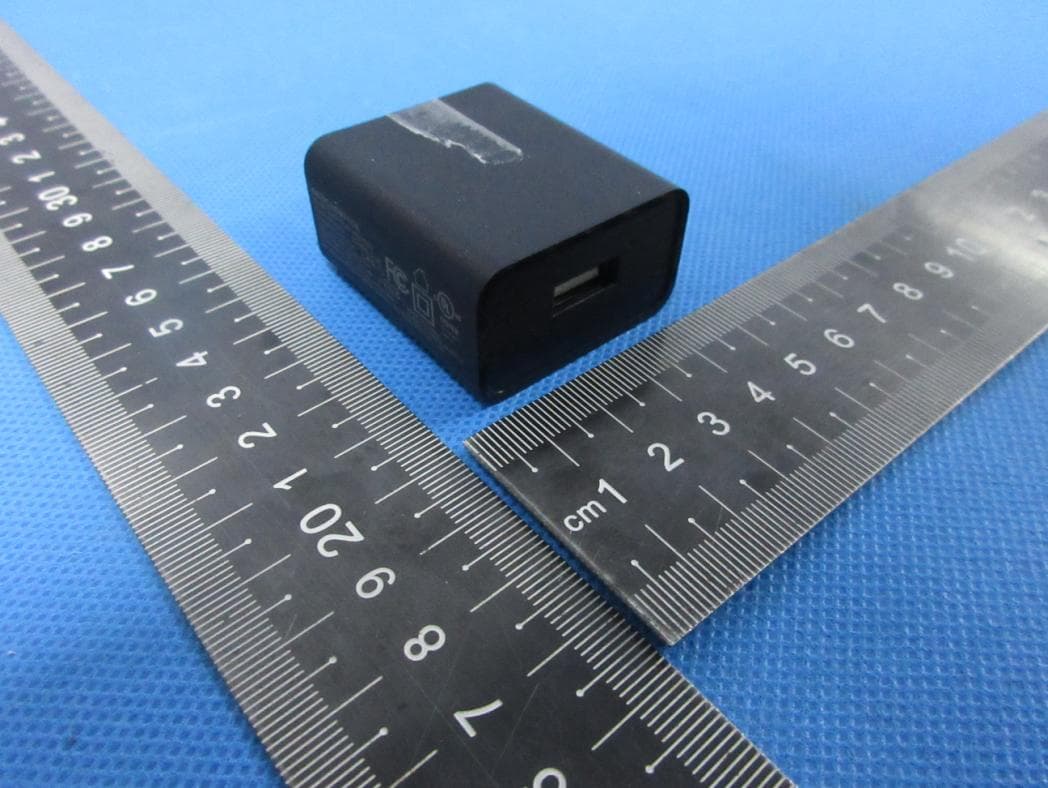
Click to zoom
Application Details
- Equipment Class
- DSS - Part 15 Spread Spectrum Transmitter
- Date of Grant
- Apr 11, 2022
- Application Purpose
- Original Equipment
- Date of Application
- Apr 11, 2022
- Equipment Note
- Tablet PC
- Frequency Range
- 2402.00000000 - 2480.00000000
- Country
- China
Documents & Files
Document Text
Text extracted from the exhibit documents filed with the FCC. Open a document above to read the original.
Users Manual
TABLET NID-1070 User Manual HENA PC 1 Enjoy your media library anywhere Portable powerhouse plays popular music, video,and photo formats microSD memory card reader Increase your storage capacity (up to 64 GB supported) Built-in camera Convenient front-facing camera 0.3MP, Rear camera 2MP Automatic orientation detection Read any way you want; the display adjusts automatically! Features Browse the Web. Visit your favorite websites Check your e-mail Keep in touch with friends and family Watch YouTube™ videos Browse the world’s most popular video-sharing community Read your favorite books Download thousands of books . Discover thousands of apps for Android™ Games, applications, and more with play store(need for customer installed). Connect to the Internet wirelessly High-speed Wi-Fi 802.11 b/g/n networking Enjoy in the comfort of your living room 2 Unit at a Glance 12 4 5 6 7 3 1. Power 2. VOL+/VOL- 3. Re s e t 4. Front camera 5. Headphone 6. MicroSD card 7. Type-C 8. Rear camera 9. Speaker 9 8 2. Touch ok the screen to turn off the tablet. Turning the Screen On or off (Standby) When the tablet is on, you can turn off the screen to conserve battery power. Simply press the Power key once to turn the screen off. Press the Power key again to turn the screen back on. Getting Started Turning the Tablet on or off To turn the tablet on: Press and hold the Power key until the LCD screen turns on. Wait until the Home screen appears; the tablet is now ready for use. To turn the tablet off: 1.Press and hold the Power key until the Device Options menu appears. 1 minute and 30 minutes). This Screen timeout option can be found in the Display menu. To conserve battery power, the screen can be set to turn off automatically when the tablet is not in use (between 3 Getting Started 4 Unlocking the Screen About Applications To open an application, touch the application icon on the home screen or in the Launcher where you can tap the icon right up on the home screen to get in.. Launcher screen: The screen shown above is for illustrative purposes only. We reserve the right to modify and improve the final list of applications available on the tablet. When the screen turns off, you will have to unlock the screen when you turn it back on. To unlock the screen, swipe up the lock icon. 5 About Applications Pre-installed Applications Some applications have been install ed on your tablet for your convenience. These applications include: Browse the web. Perform simple mathematical operations. Take pictures or videos with the camera. Check your e-mail. Play music. Access the Settings menu to adjust the tablet’s options. Preinstalled Applications Installing Applications The tablet must be set to allow installation of applications from non-Market sources. The Unknown sources option can be set in the Application settings menu. You can also download an install additional applications from the device’s applications marketplac e, the web browser, or other sources. 6 Connect to a Wi-Fi network The Notification bar displays icons that indicate your tablet’s Wi-Fi status. Notification that an open Wi-Fi network is in range. Connected to a Wi-Fi network (waves indicate connection strength). When Wi-Fi is on, the tablet will look for and display a list of available Wi-Fi networks. [no icon] There are no Wi-Fi networks in range, or the Wi-Fi radio is off. b.Open the Settings menu: tap the icon right up on the home screen to get into the launcher, then touch Settings icon. 1. Turn on the Wi-Fi radio if it is not already on. To turn on Wi-Fi: a.Go to the Home screen: Press the Home key. c.Open the Wireless & networks menu: Slide the icon to ON status. If a network that you have connected to previously is found, the tablet will connect to it.If you don’t see your network in the list, you can force the tab let to re-scan. To scan for networks, tap the Menu key, and then touch Scan. 7 Connect to a Wi-Fi network To learn about how to add a Wi-Fi network when it is not in range or when the router is set to obscure the network name (SSID); or to configure advanced Wi-Fi options, please refer to the manual. When you have successfully connected to a Wi-Fi network, the Notifications bar at the upper right of the screen will show a Wi-Fi signal indicator. 2. Select an available Wi-Fi network to connect to: If the network is open,the tablet will prompt you to confirm connection to the network. Touch Connect to confirm. If the network is secured (as indicated by a Lock icon),the tablet will prompt you to enter a password or other credentials.Touch the Wireless password box to show the on-screen keyboard and then use it to enter the password. Touch Connect to confirm. In the same Wi-Fi settings menu above,touch a network in the list. 1)Turn on Bluetooth. Go to Settings > Bluetooth. 2)Tap the device in the Devices list, then follow the onscreen instructions to connect to it. The tablet must be within about 30 feet (10 meters) of the Bluetooth device Connect to a Bluetooth device. 8 3.Mount the storage. Touch button Transfer files(MTP) to mount the tablet’s built-in storage. When it is mounted, you can copy files to or from your tablet. With the included USB cable: Plug the small end of the cable into the USB 2.0 high speed connector of the tablet. Plug the large end of the cable into an available USB 2.0 high speed port on the computer. Optional Connections Connecting to a Computer Connect the tablet to a computer to transfer files. 1.Connect your tablet to the computer. 2.When your tablet is connected, slide down the USB icon then touch icon USB connected. 9 Specifications Google, Android, Google Play and other marks are trademarks of Google LLC yalpsiD 10.1” IPS LCD (800X1280), Capacitive touch screen Wi-Fi gnikrowteN IEEE 802.11 b/g/n enohpdaeh mm5.3 tuptuO oiduA deeps hgih 0.2 BSU ecafretnI CP Built-in microphone Front facing camera(0.3MP) , Rear camera (2MP) 1x1W speaker Android 11 (Go edition) Rechargeable Li-poly battery rossecorP RK3566 RAM …
Text truncated - open the document above for the full version.
Cover Letter(s)
Hena Digital Technology (Shenzhen) Co., Ltd. Family models difference declaration Product Name: Tablet PC Trade Name: Hena Model Name: M15QF6, NID-1070, NID-1070 BLACK, NID-1070 SILVER, 15QF6, MW15QF6, MID15QF6 Difference declaration: All the model are the same circuit and RF module, except the model name. Regards, Signature Name: Yang tunbo Date: 2022-03-25
Cover Letter(s)
Hena Digital Technology (Shenzhen) Co., Ltd. Agent Authorization Company: Hena Digital Technology (Shenzhen) Co., Ltd. Address: 13F, Block B, Tairan Building, Futian District, Shenzhen, China Product Name:Tablet PC Model Number(s):M15QF6, NID-1070, NID-1070 BLACK, NID-1070 SILVER, 15QF6, MW15QF6, MID15QF6 Product Description:Tablet PC We authorize MiCOM Labs Inc., 575 Boulder Court, Pleasanton, California 94566, USA, to act on our behalf on all matters concerning the certification of above named equipment. We declare that MiCOM Labs Inc. is allowed to forward all information related to the approval and certification of equipment to the regulatory agencies as required and to discuss any issues concerning the approval application. Any and all acts carried out by MiCOM Labs on our behalf shall have the same effect as acts of our own. Signature: Date: 2022.03.26 Name: Yang tunbo Title: Manager Company: Hena Digital Technology (Shenzhen) Co., Ltd.
Cover Letter(s)
Hena Digital Technology (Shenzhen) Co., Ltd. Office of Engineering Technology Federal Communications Commission 7435 Oakland Mills Road Columbia, MD 21046 USA Date: 03/25/2022 Subject; Request for Confidentiality FCC ID:M7CM15QF6 To Whom It May Concern, Pursuant to the provisions of the Commission’s rules Title 47 Sections §0.457 and §0.459, we are requesting the Commission to withhold the following attachment(s) as confidential documents from public disclosure indefinitely. These documents contain detailed system and equipment descriptions and are considered as proprietary information in operation of the equipment. The public disclosure of these documents might be harmful to our company and would give competitors an unfair advantage in the market. Schematic Diagram Block Diagram Operational Description In additional to above mentioned documents, in order to comply with the marketing regulations in Title 47 CFR §2.803 and the importation rules in Title 47 CFR §2.1204, while ensuring that business sensitive information remains confidential until the actual marketing of newly authorized devices, we request Short Term Confidentiality of the following attachment(s); External Photos Test Setup Photos Internal Photos User Manual For 45 days, pursuant to Public Notice DA 04-1705. OR For 180 days pursuantto KDB 726920 D01. It is our understanding that all measurement test reports, FCC ID label format and correspondence during the certification review process cannot be granted as confidential documents and this information will be available for public review once the grant of equipment authorization is issued. Sincerely, Signature: Name:Yangtunbo Title:Manager
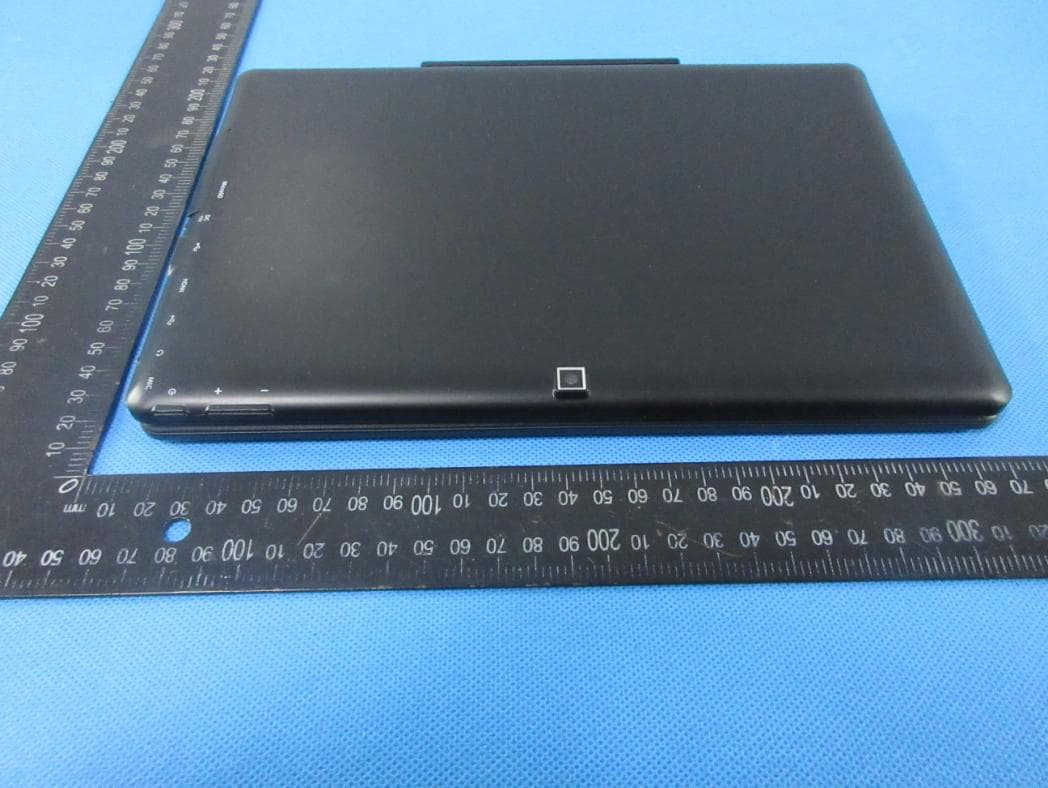
External Photos
ATTACHMENT PHOTOGRAPHS OF EUT Photo 1 Photo 2 Photo 3 Photo 4 Photo 5 Photo 6 Photo 7 Photo 8 Photo 9 Photo 10
Internal Photos
ATTACHMENT PHOTOGRAPHS OF EUT Photo 1 Photo 2 Photo 3 Photo 4 Photo 5 Photo 6 Photo 7 Photo 8 Photo 9 Photo 10 Photo 11 WIFI/BT ANT
RF Exposure Info
FCC ID:M7CM15QF6 Portable device According to §15.247(e)(i) and §1.1307(b)(1), systems operating under the provisions of this section shall be operated in a manner that ensures that the public is not exposed to radio frequency energy level in excess of the Commission’s guidelines. According to KDB447498 D01 General RF Exposure Guidance V06 The 1-g SAR and 10-g SAR test exclusion thresholds for 100 MHz to 6 GHz at test separation distances ≤ 50 mm are determined by: [(max. power of channel, including tune-up tolerance, mW)/(min. test separation distance, mm)]·[√f(GHZ)] ≤ 3.0 for 1-g SAR and ≤ 7.5 for 10-g extremity SAR, where: • f(GHZ) is the RF channel transmit frequency in GHz • Power and distance are rounded to the nearest mW and mm before calculation • The result is rounded to one decimal place for comparison When the minimum test separation distance is < 5 mm, a distance of 5 mm is applied to determine SAR test exclusion. BT: Modulation Channel Freq. (GHz) Conduct ed power (dBm) Conducte d power (mW) Tune-up power (dBm) Max tune-up power (dBm) Max tune-up power (mW) Distance (mm) Result calculatio n SAR Exclusion threshold SAR test exclusion 2.4024.729 2.975.5±16.54.47<51.384583.00YES 2.441 5.483 3.535.5±16.54.47<51.395773.00YES 2.480 6.004 3.985.5±16.54.47<51.406883.00YES 2.4024.512 2.835±163.98<51.234003.00YES 2.441 5.128 3.265±163.98<51.243983.00YES 2.480 5.599 3.635±163.98<51.253883.00YES 2.402 4.492 2.815±163.98<51.234003.00YES 2.441 5.351 3.435±163.98<51.243983.00YES 2.480 5.868 3.865±163.98<51.253883.00YES 2.402 3.22 2.104±153.16<50.980203.00YES 2.441 3.884 2.454±153.16<50.988133.00YES 2.480 4.329 2.714±153.16<50.995993.00YES GFSK π/4- DQPSK 8-DQPSK BLE WIFI2.4G Modulation Channel Freq. (GHz) Conduct ed power (dBm) Conducte d power (mW) Tune-up power (dBm) Max tune-up power (dBm) Max tune-up power (mW) Distance (mm) Result calculatio n SAR Exclusion threshold SAR test exclusion 2.4129.45 8.818.5±19.58.91<52.768343.00YES 2.437 9.36 8.638.5±19.58.91<52.782643.00YES 2.462 9.35 8.618.5±19.58.91<52.796883.00YES 2.4129.19 8.308.5±19.58.91<52.768343.00YES 2.437 9.25 8.418.5±19.58.91<52.782643.00YES 2.462 9.33 8.578.5±19.58.91<52.796883.00YES 2.412 9.31 8.538.5±19.58.91<52.768343.00YES 2.437 9.18 8.288.5±19.58.91<52.782643.00YES 2.462 9.16 8.248.5±19.58.91<52.796883.00YES 2.422 9.22 8.368.5±19.58.91<52.774073.00YES 2.437 9.23 8.388.5±19.58.91<52.782643.00YES 2.452 9.17 8.268.5±19.58.91<52.791203.00YES 802.11b 802.11g 802.11n2 0 802.11n4 0 Conclusion: For the max result : 2.79688 ≤ 3.0 for 1g SAR, SAR is not required. Signature: Date: 2022-04-07 NAME AND TITLE (Please print or type): Alex li /Manager COMPANY (Please print or type): Shenzhen NTEK Testing Technology Co., Ltd./ 1/F, Building E, Fenda Science Park, Sanwei Community, Xixiang Street Bao’an District, Shenzhen P.R. China.
Test Report
Report No.: S22021703202001 Version.1.3 Page 1 of 83 RADIO TEST REPORT FCC ID: M7CM15QF6 Product: Tablet PC Trade Mark: Hena Model No.: M15QF6 Family Model: NID-1070, NID-1070 BLACK, NID-1070 SILVER, 15QF6, MW15QF6, MID15QF6 Report No.: S22021703202001 Issue Date: Mar 15. 2022 Prepared for Hena Digital Technology (Shenzhen) Co., Ltd. 13F, Block B, Tairan Building, Futian District, Shenzhen, China Prepared by Shenzhen NTEK Testing Technology Co., Ltd. 1/F, Building E, Fenda Science Park, Sanwei Community, Xixiang Street Bao’an District, Shenzhen 518126 P.R. China Tel. 400-800-6106, 0755-2320 0050, 0755-2320 0090 Website: http://www.ntek.org.cn Report No.: S22021703202001 Version.1.3 Page 2 of 83 TABLE OF CONTENTS 1 TEST RESULT CERTIFICATION ...................................................................................................................... 3 2 SUMMARY OF TEST RESULTS ......................................................................................................................... 4 3 FACILITIES AND ACCREDITATIONS ............................................................................................................. 5 3.1 FACILITIES..................................................................................................................................................... 5 3.2 LABORATORY ACCREDITATIONS AND LISTINGS ................................................................................. 5 3.3 MEASUREMENT UNCERTAINTY ............................................................................................................... 5 4 GENERAL DESCRIPTION OF EUT .................................................................................................................. 6 5 DESCRIPTION OF TEST MODES ..................................................................................................................... 8 6 SETUP OF EQUIPMENT UNDER TEST ........................................................................................................... 9 6.1 BLOCK DIAGRAM CONFIGURATION OF TEST SYSTEM ....................................................................... 9 6.2 SUPPORT EQUIPMENT ............................................................................................................................... 10 6.3 EQUIPMENTS LIST FOR ALL TEST ITEMS .............................................................................................. 11 7 TEST REQUIREMENTS .................................................................................................................................... 13 7.1 CONDUCTED EMISSIONS TEST ............................................................................................................... 13 7.2 RADIATED SPURIOUS EMISSION ............................................................................................................ 16 7.3 NUMBER OF HOPPING CHANNEL ........................................................................................................... 25 7.4 HOPPING CHANNEL SEPARATION MEASUREMENT ........................................................................... 26 7.5 AVERAGE TIME OF OCCUPANCY (DWELL TIME) ................................................................................ 27 7.6 20DB BANDWIDTH TEST .......................................................................................................................... 29 7.7 PEAK OUTPUT POWER .............................................................................................................................. 30 7.8 CONDUCTED BAND EDGE MEASUREMENT......................................................................................... 31 7.9 SPURIOUS RF CONDUCTED EMISSION .................................................................................................. 32 7.10 ANTENNA APPLICATION .......................................................................................................................... 33 7.11 FREQUENCY HOPPING SYSTEM (FHSS) EQUIPMENT REQUIREMENTS ......................................... 34 8 TEST RESULTS ................................................................................................................................................... 35 8.1 DWELL TIME ............................................................................................................................................... 35 8.2 MAXIMUM CONDUCTED OUTPUT POWER ........................................................................................... 40 8.3 OCCUPIED CHANNEL BANDWIDTH ....................................................................................................... 45 8.4 CARRIER FREQUENCIES SEPARATION .................................................................................................. 55 8.5 NUMBER OF HOPPING CHANNEL ........................................................................................................... 60 8.6 BAND EDGE ................................................................................................................................................. 61 8.7 CONDUCTED RF SPURIOUS EMISSION .................................................................................................. 74 Report No.: S22021703202001 Version.1.3 Page 3 of 83 1 TEST RESULT CERTIFICATION Applicant’s name ........................ : Hena Digital Technology (Shenzhen) Co., Ltd. Address ....................................... : 13F, Block B, Tairan Building, Futian District, Shenzhen, China Manufacturer's Name ................. : Hena Digital Technology (Shenzhen) Co., Ltd. Address ....................................... : 13F, Block B, Tairan Building, Futian District, Shenzhen, China Product description Product name ............................. : Tablet PC Model and/or type reference ..... : M15QF6 Family Model .............................. : NID-1070, NID-1070 BLACK, NID-1070 SILVER, 15QF6, MW15QF6, MID15QF6 Measurem…
Text truncated - open the document above for the full version.
Test Setup Photos
Radiated Measurement Photos Conducted Measurement Photos
Contact Information
Applicant
Yang tunbo(Compliance engineer)
Technical Contact
Test Firm
Shenzhen NTEK Testing Technology Co., Ltd.Alex Li
[email protected]+86-755-6115-9384
Technical Specifications
| # | Rule Parts | Frequency Range | Power Output |
|---|---|---|---|
| 1 | 15C | 2.40 GHz - 2.48 GHz | 3.98 mW |
Other Applications from Hena Digital Technology (Shenzhen) Co., Ltd.
M7CMG10Q16
Apr 11, 2022Notebook
Equipment Class
DSS - Part 15 Spread Spectrum Transmitter
M7C-PAD842IW
Dec 30, 2015MID
Equipment Class
DTS - Digital Transmission System
M7C-PAD941IW
Nov 16, 2015MID
Equipment Class
DTS - Digital Transmission System
M7C-MID121
Sep 01, 2015MID
Equipment Class
DSS - Part 15 Spread Spectrum Transmitter
M7C-MID118
Feb 18, 2014MID
Equipment Class
DTS - Digital Transmission System