MK8CPX-04-WPE54G802.11b/g Wireless Access Point
Compex Inc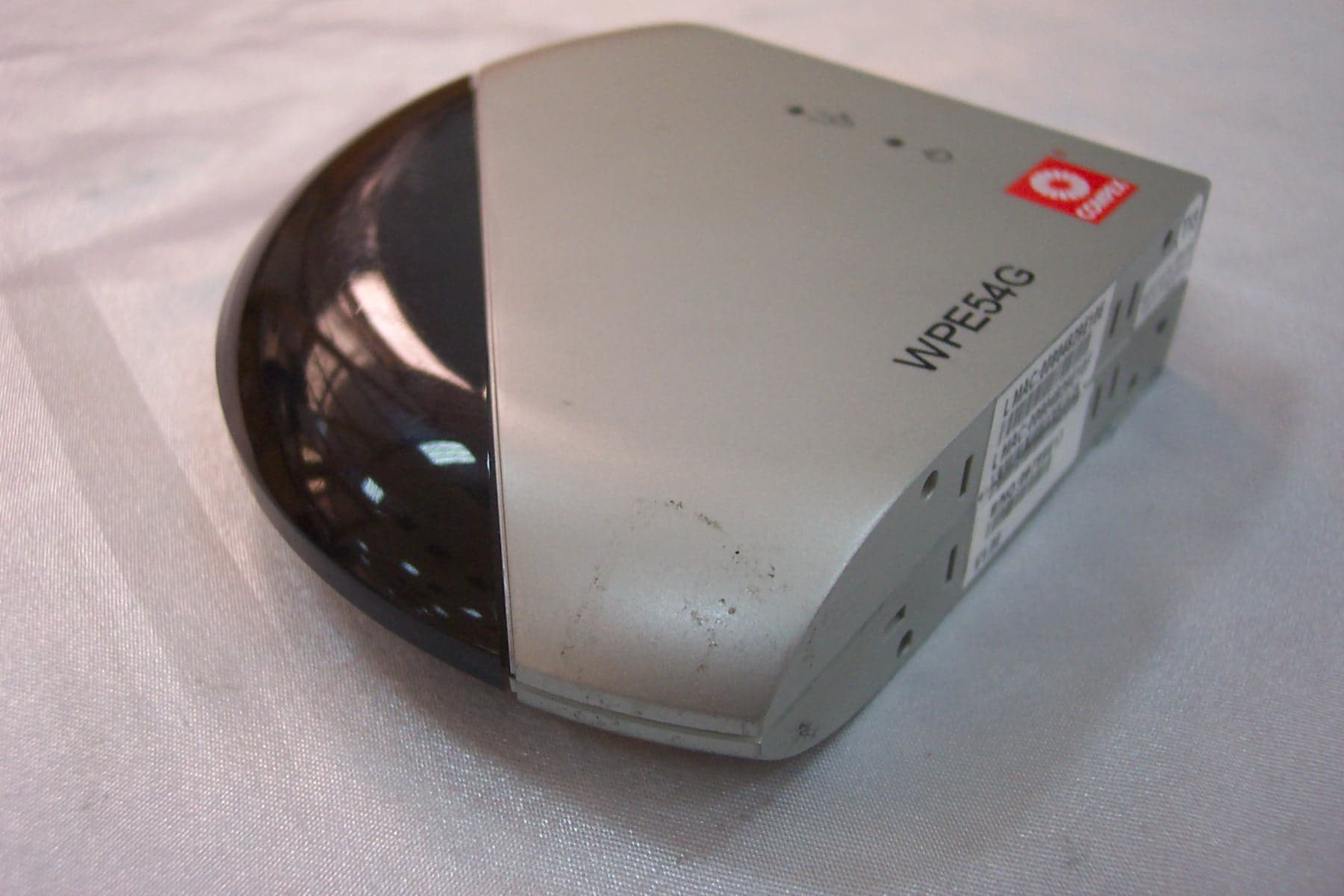
Click to zoom
Application Details
- Equipment Class
- DTS - Digital Transmission System
- Date of Grant
- Apr 06, 2004
- Application Purpose
- Original Equipment
- Date of Application
- Apr 06, 2004
- Equipment Note
- 802.11b/g Wireless Access Point
- Frequency Range
- 2412.00000000 - 2472.00000000
- Company
- Compex Inc
- Country
- United States
Documents & Files
Document Text
Text extracted from the exhibit documents filed with the FCC. Open a document above to read the original.
Users Manual
i © 2003 Compex Systems Pte Ltd All Rights Reserved This document contains information, which is protected by copyright. Reproduction, adaptation or translation without prior permission is prohibited, except as allowed under the copyright laws. Trademark Information Compex ® , ReadyLINK ® and MicroHub ® are registered trademarks of Compex, Inc. Microsoft Windows and the Windows logo are the trademarks of Microsoft Corp. NetWare is the registered trademark of Novell Inc. All other brand and product names are trademarks or registered trademarks of their respective owners. Notice: Copyrights © 2003 by Compex, Inc. All rights reserved. Reproduction, adaptation, or translation without prior permission of Compex, Inc. is prohibited, except as allowed under the copyright laws. Manual Revision by Kee Manual Number: U-0397-V1.1C Version 1.1, October 2003 Disclaimer Compex, Inc. provides this manual without warranty of any kind, either expressed or implied, including but not limited to the implied warranties of merchantability and fitness for a particular purpose. Compex, Inc. may make improvements and/or changes to the product and/or specifications of the product described in this manual, without prior notice. Compex, Inc will not be liable for any technical inaccuracies or typographical errors found in this guide. Changes are periodically made to the information contained herein and will be incorporated into later versions of the manual. The information contained is subject to change without prior notice. Your Feedback We value your feedback. If you find any errors in this user’s manual, or if you have suggestions or comments, we would like to hear from you. Please contact us at: Fax: (65) 62809947 Email: [email protected] Firmware Please note that this User’s Manual is written based on NetPassage WPE54G Firmware Release 1.00. FCC NOTICE This device has been tested and found to comply with the limits for a Class B digital device, pursuant to Part 15 of the FCC Rules. These limits are designed to provide reasonable protection against harmful interference in a residential installation. This device generates, uses and can radiate radio frequency energy and, if not installed and used in accordance with the instructions, may cause harmful interference to radio communications. However, there is no guarantee that interference will not occur in a particular installation. If this device does cause harmful interference to radio or television ii reception, the user is encouraged to try to correct the interference by one or more of the following measures: Reorient or relocate the receiving antenna. Connect the computer into an outlet on a circuit different from that to which the receiver is connected. Increase the separation between the computer and receiver. Consult the dealer or an experienced radio/TV technician for help. Caution: Any changes or modifications not expressly approved by the grantee of this device could void the user's authority to operate the equipment. FCC Compliance Statement: This device complies with Part 15 of the FCC Rules. Operation is subject to the following two conditions: This device may not cause harmful interference, and This device must accept any interference received, including interference that may cause undesired operation. Declaration of Conformity Compex, Inc. declares the following: Product Name: Compex NetPassage WPE54G 54Mbps Wireless-G Access Point Model No.: NetPassage WPE54G conforms to the following Product Standards: This device complies with the Electromagnetic Compatibility Directive (89/336/EEC) issued by the Commission of the European Community. Compliance with this directive implies conformity to the following European Norms (in brackets are the equivalent international standards.) Electromagnetic Interference (Conduction and Radiation): EN 55022 (CISPR 22) Electromagnetic Immunity: EN 55024 (IEC61000-4-2,3,4,5,6,8,11) Power Line Harmonics: EN 61000-3-2 (IEC610000-3-2) Power Line Flicker: EN 61000-3-3 (IEC610000-3-3) Therefore, this product is in conformity with the following regional standards: FCC Class B ⎯ following the provisions of FCC Part 15 directive; CE Mark ⎯ following the provisions of the EC directive. This Class B digital apparatus complies with Canadian ICES-003. iii About This Document The product described in this document, Compex 54Mbps Wireless-G Access Point series, NetPassage WPE54G, is a licensed product of Compex Systems Pte Ltd. Information provided: This document provides an overview of the key features and applications of the WPE54G. It also contains instructions for installing, configuring and using the Compex NetPassage WPE54G. Audience: This manual is intended for both Network Administrators and end-users who possess a basic knowledge of networking structures and protocols. Assumptions: Procedures listed in the document are intended for Microsoft Windows users. If you are running a different operating system, you may need to refer to your operating system’s documentation for networking instructions. How to use this document: If you want to get started without having to read everything Skip to Chapter 3 for the hardware setup procedure Follow Chapter 4 for logging onto the configuration interface Tag on with Chapter 5 for basic configurations Advanced users can pursue further configuration with Chapter 6 The Table of Contents will guide you to specific topics. Conventions: The Compex 54Mbps Wireless-G Access Point NetPassage WPE54G is often referred to as WPE54G. Here is a list of icons used throughout the manual: This symbol alerts the user of an important notice to be heeded. The user is advised to read instructions carefully before proceeding further. This symbol characterises sections meant for advanced users or specific features meant for exceptional non-standard applications. The user is assumed to have sufficient relevant network knowledge to carry out the necessary configuration or understand the…
Text truncated - open the document above for the full version.
Users Manual
Chapter 6 WDS Setup 45 4 The WDS Status page will be updated as shown above left. If you want to modify the status entry for a WDS link: 1. Select the radio button on the left of that particula r link as illustrated below left. 2. Click on the Edit button. The 3 rd screen left will show. 3. Click on the Apply button for the change you made to take effect. 3 1. Click on the Add button to expand your WDS. On the Add WDS Link screen that shows: 2. Fill up the Partner Address field with the MAC address of the device to include in your WDS, using the format xx-xx-xx-xx-xx- xx or xx:xx:xx:xx:xx:xx or a mix of : and -, and where x can take any hexadecimal value 0-9 or a-f. 3. Use the Status option to control whether you want to Enable this particular WDS link or to Disable it. To illustrate, we chose to add a WDS link with partner address 56:aa- 0d:e4-f5:12 and to enable it. 4. Click on the Apply button. Chapter 6 WDS Setup 46 If you want to delete a WDS link: 1. Select the radio button on the left of that particular lin k as illustrated on the right. 2. Click on the Remove button. An updated WDS Status page will be displayed. 5 6 To view WDS Statistics Info: Click on the Show Statistics Info button. The WDS Statistics table shown on the left will de displayed. Click on the Refresh button to refresh the page. Alternatively: Click on the Back button to return to WDS Status page. ``` NOTE: If the WDS-enabled access points are required to support too many operational wireless clients, you may find end-to-end throughput to be lo w (depending on the applications). End-to-end latency may become an issue in a long WDS chain configuration. In the WDS Setup: o If WDS Global Control is Disabled, every WDS link will be closed regardless of its status. o When WDS Global Control is set to Enabled, the status of every WDS link that you want to include still needs to be individually Enabled. ! Chapter 6 WDS Setup NOTE: Although they may belong to different SSIDs, all the WDS links have to be configured in the same channel and use the same encryption key, if the encryption feature is enabled, to be able to communicate with one another. In the WDS Statistics table: Each entry corresponds to a particular WDS link and for each link, the parameters listed are: o WDS Link: identifier assigned to the link o rxTotal: total number of packets received (inclusive of rxUni & rxMulti) o rxUni: number of unicast packets received orxMulti: number of multicast or broadcast ``` ! Parallel Broadband exclusive! The NetPassage WPE54G is equipped with Compex’s exclusive Parallel Broadband technology which not only implies scalable Internet bandwidth but also highlights Load Balancing and Fail-Over Redundancy features. Load balancing A network built around multiple WPE54G’s arranged in cascade and running under Parallel Broadband enables you to maintain a balance on the Internet traffic generated by your private network over multiple broadband connections, thus achieving the effect of aggregated bandwidth! Fail-Over Redundancy In case one of your broadband connections should fail, the WPE54G in cascade will automatically switch over to the operational broadband channels so that your network is not disrupted. Ease of implementation The Parallel Broadband implementation allows each WPE54G unit in the network to connect to its individual broadband Internet service account. There is no restriction to 47 Chapter 6 Parallel Broadband 48 the type of broadband Internet account that a WPE54G can connect to (whether Cable or ADSL). Indeed, your network may run with one WPE54G on Cable Internet, while the other WPE54Gs connect to ADSL. The diagram below illustrates an application of Parallel Broadband in a network. INTERNET 3 x Cable/ADSL modems 3 x Compex NetPassage WPE54G Parallel Broadband Load Balancing & Fail- Over Redundancy To learn more about Parallel Broadband, please read the whitepaper at www.cpx.com or www.compex.com.sg. The next steps will show you how to enable Parallel Broadband in your network: To begin with, for every WPE54G in your network, ensure that: It is properly configured to connect to its specific broadband Internet account. It is connected to an unused Ethernet port in the network. It is running Compex’s Wireless Distribution System (WDS) feature, which can be enabled via the web-based configuration as illustrated in the previous section. It is correctly configured with the Parallel Broadband option as shown below. Chapter 6 Parallel Broadband 49 Parallel Broadband Click on Parallel Broadband from the Configuration menu. 1 2 The Parallel Broadband feature is Disabled by default. 1. Select to Enable the Parallel Broadband Status radio button. 2. Click on the Apply button for your selection to take effect. 3. Repeat this for the othe r WPE54Gs in your network to enable them to communicate with each other and assign new users to the gateway with the smallest load, so that there is approximately the same number of users on each gateway. NOTE: The Parallel Broadband function for broadband Internet sharing can only be implemented if: - There is more than one WPE54G unit in your network - Each WPE54G unit in the network is running the Wireless Distributed System (WDS) feature. ! Chapter 6 Wireless Pseudo VLAN 50 Wireless Setup – The Wireless Pseudo VLAN Wireless Pseudo VLAN featured on the WPE54G acts by segregating a single wireless LAN into multiple virtual LANs so that communication is possible only among wireless clients within the same VLAN. The WPE54G enables you to create virtual LANs containing either a single user, and referred to as Wireless Pseudo VLAN Per Node, or a group of users, termed as Wireless Pseudo VLAN Per Group Wireless Pseudo VLAN Per Node When implemented, this mode isolates each wireless client into its own pseudo VLAN. Wireless clients can therefore access resources on the wired network but are unable to see each other or access each other’s data. This is illustrated in the fol…
Text truncated - open the document above for the full version.
Cover Letter(s)
Federal Communications Commission 7435 Oakland Mills Road Columbia, MD 21046 Gentlemen: This letter is to comply with Section 0.457(d)(2)(i) pertaining to confidential material. Compex Inc. would like the following documents regarding this submission for FCC ID: MK8CPX-04-WPE54G to be kept confidential. 1. Block Diagram 2. Operational Description 3. Schematics 4. Schematics RF Part The above material contains trade secrets or technical data, which would customarily be guarded from competitors. We do not want these documents to be accessible to the general public. Sincerely, {Signed by Company Counsel or Company Officer}
ID Label/Location Info
FCC ID Location FCC ID Label Sample FCC ID: MK8CPX-04-WPE54G This device complies with Part 15 of the FCC Rules. Operation is subject to the following two conditions: (1) this device may not cause harmful interference, and (2) this device must accept any interference received, including interference that may cause undesired operation.
Test Report
Report No.: 04.01.0020EF Page: 1 of 36 FCC ID: MK8CPX-04-WPE54G Authorized Signature: Kent Hsu Laboratory Manager SGS-CSTC Co.,Ltd. This report refers to the General Conditions for Inspection and Testing Services, printed overleaf This report details the results of the testing carried out on one sample. The results contained in this test report do not relate to other samples of the same product and does not permit the use of the SGS PRODUCT CERTIFICATION MARK.. The manufacturer should ensure that all products in series production are in conformity with the product sample detailed in this report. This report may only be reproduced and distributed in full. If the product in this report is used in any configuration other than that detailed in the report, the manufacturer must ensure the new system complies with all relevant standards. Any mention of SGS International Electrical Approvals or testing done by SGS International Electrical Approvals in connection with, distribution or use of the product described in this report must be approved by SGS International Electrical Approvals in writing. Member of the SGS Group (Société Générale de Surveillance) SGS-CSTC Standards Technical Services Ltd. 1/F., Building No. 1 Building, Agriculture Machinery Materials Co. Wushan Road, Shipai, Tianhe District,Guangzhou, China Telephone: +86 (0) 20 3848 1001 Fax: +86 (0) 20 3848 1006 [email protected] FEDERAL COMMUNICATIONS COMMISSION Registration number: 282399 FCC TEST REPORT Application No. : 04.01.0020EF Applicant : COMPEX INC. FCC ID : MK8CPX-04-WPE54G Fundamental Frequency : 2.412GHz to 2.472GHz Equipment under Test (EUT): Name : 2.4GHz Compex 54Mbps Wireless-G Access Point Model : NetPassage WPE54G Standards : FCC PART 15, SUBPART C : 2002 Date of Receipt : 26 February 2004 Date of Test : 28 February to 28 March 2004 Date of Issue : 05 April 2004 Test Result : PASS * * In the configuration tested, the EUT complied with the standards specified above. FCC ID No.: MK8CPX-04-WPE54G Report No.: 04.01.0020EF Page: 2 of 36 SGS-CSTC Standards Technical Services Ltd. 2 Test Summary Test Test Requirement Stanadard Paragraph Result Radiated Emission (30MHz to 25GHz) FCC PART 15 :2002 Section 15.107 PASS Conducted Emission (150KHz to 30MHz) FCC PART 15 :2002 Section 15.109 PASS Occupied Bandwidth FCC PART 15 :2002 Section 15.247 (a2) PASS Maximum Peak Output Power FCC PART 15 :2002 Section 15.247 (b) PASS Band Edges Measurement FCC PART 15 :2002 Section 15.247 (c) PASS Power Spectral Density Measurement FCC PART 15 :2002 Section 15.247 (d) PASS FCC ID No.: MK8CPX-04-WPE54G Report No.: 04.01.0020EF Page: 3 of 36 SGS-CSTC Standards Technical Services Ltd. 3 Contents Page 1 COVER PAGE.........................................................................................................................................................1 2 TEST SUMMARY.................................................................................................................................................... 2 3 CONTENTS .............................................................................................................................................................. 3 4 GENERAL INFORMATION.................................................................................................................................. 4 4.1 CLIENT INFORMATION....................................................................................................................................... 4 4.2 DETAILS OF E.U.T. ............................................................................................................................................ 4 4.3 DESCRIPTION OF SUPPORT UNITS....................................................................................................................... 4 4.4 TEST LOCATION................................................................................................................................................. 6 4.5 OTHER INFORMATION REQUESTED BY THE CUSTOMER...................................................................................... 6 4.6 TEST FACILITY................................................................................................................................................... 6 5 TEST RESULTS....................................................................................................................................................... 7 5.1 TEST INSTRUMENTS........................................................................................................................................... 7 5.2 E.U.T. OPERATION............................................................................................................................................ 7 5.3 TEST PROCEDURE & MEASUREMENT DATA....................................................................................................... 8 5.3.1 Conducted Emissions ................................................................................................................................... 8 5.3.2 Radiated Emissions .................................................................................................................................... 12 5.3.3 Occupied Bandwidth .................................................................................................................................. 19 5.3.4 Maximum Peak Output Power: .................................................................................................................. 22 5.3.5 Band Edges Measurement .......................................................................................................................... 23 5.3.6 Power Spectral Density Measurement ....................................................................................................... 28 6 PHOTOGRAPHS - TEST SETUP..........................................................................................................…
Text truncated - open the document above for the full version.
Test Setup Photos
Radiated Emission Conducted Emission
Contact Information
Applicant
Yaw Thiam Teng(R&D Manager)
Test Firm
SGS-CSTC Standards Technical StandardsKent Hsu
Technical Specifications
| # | Rule Parts | Frequency Range | Power Output |
|---|---|---|---|
| 1 | 15C | 2.41 GHz - 2.47 GHz | 11.00 mW |
Other Applications from Compex Inc
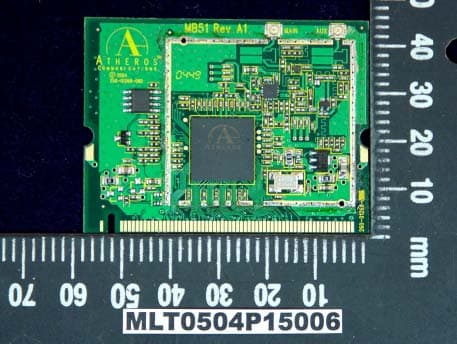
MK8CPX-05-WLM54G
Oct 27, 2005COMPEX WIRELESS-G NETWORK MINI-PCI ADAPTER
Equipment Class
DSS - Part 15 Spread Spectrum TransmitterMK8CPX-96-0000005
Mar 04, 1997JBP - Part 15 Class B Computing Device Peripheral
Equipment Class
JBP - Part 15 Class B Computing Device PeripheralMK8CPX-96-0000004
Dec 01, 1996JBP - Part 15 Class B Computing Device Peripheral
Equipment Class
JBP - Part 15 Class B Computing Device PeripheralMK8CPX-95-000001
Oct 23, 1995Ethernet LAN Card
Equipment Class
JBP - Part 15 Class B Computing Device PeripheralMK8CPX-95-000002
Oct 23, 1995Ethernet LAN Card
Equipment Class
JBP - Part 15 Class B Computing Device Peripheral