MKYTXPT4GTransmitter
Mytek Korea Co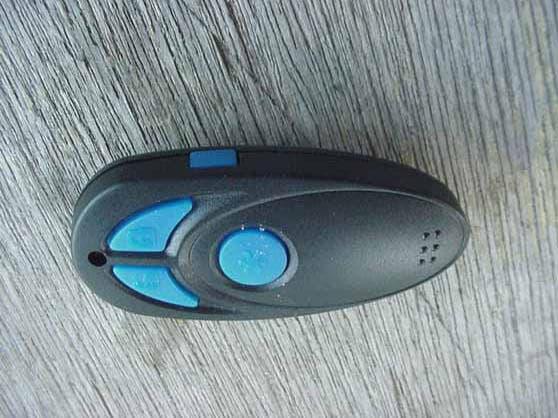
Click to zoom
Application Details
- Equipment Class
- DSC - Part 15 Security/Remote Control Transmitter
- Date of Grant
- May 29, 2003
- Application Purpose
- Original Equipment
- Date of Application
- May 29, 2003
- Equipment Note
- Transmitter
- Frequency Range
- 433.92000000 - 433.92000000
- Company
- Mytek Korea Co
- Country
- South Korea
Documents & Files
Document Text
Text extracted from the exhibit documents filed with the FCC. Open a document above to read the original.
Users Manual
WWW.ULTRASTARTERS.COM 430 430 OWNER’S GUIDE Advanced Vehicle Security System With programmable Car Jack Mode Feature FCC/ID Notice This device complies with Part 15 of the FCC rules. Operation is subject to the following conditions: (1) This device may not cause harmful interference, and (2) This device must accept any interference received, including interference that may cause undesired operation. CAUTION: Changes or modifications not expressly approved by the party responsible for compliance void the user’s authority to operate this devise. Owners Guide Owner’s Guide 1. The system must be disarmed and the ignition is turned OFF. 2.Press and release the lock and unlock buttons at the same time, then press and hold the lock button for five seconds. 3.The system will respond with five chirps and park light flashes to confirm that the system is in Valet mode. 4. The LED will stay ON steady to confirm Valet Mode. 1.Press and release the lock and unlock buttons at the same time, then press and hold the lock button for five seconds. 2.The system will respond with two chirps and park light flashes to confirm that the system has exited Valet mode. 3. The LED will turn OFF. Note: If the LED does not turn off, check that all the door’s are closed. The LED stays on solid when a door is left opened. 1.Press and hold the UNLOCK button for three seconds. 2.The doors will unlock, continue holding the unlock button three seconds. the Trunk release will then activate. The trunk release will be confirmed by one park light flash. 3.For safety reasons, the trunk release output will not activate when ignition key is in the “On” position. 1.Press & release the LOCK button on the remote transmitter. 2.The park lights will flash and the siren will chirp once. 3.The doors will lock. 4.The LED will start flashing within five seconds. 1.Press & release the UNLOCK button on the remote transmitter. 2.The park lights will flash and the siren will chirp twice. 3.The doors will unlock. 4.The LED will stop flashing. 1.Press & hold the LOCK button for three seconds. 2.The park lights will flash and the siren will activate. PANIC MODE DISABLE 1. Press LOCK button to disable the panic mode and to lock the doors. 2. Press UNLOCK button to disable the panic mode and unlock the doors. 3. Panic Mode will stay activated until disabled by the remote transmitter. 1.Press & release the button three, then press & release the lock or unlock button. 2.If the doors are locked this will unlock the doors without siren chirps, the park lights will flash two times to confirm the doors have unlocked. 3.If the doors are unlocked this will lock the doors without siren chirps, the park lights will flash one time to confirm they have locked. Lock Doors & Arm The Alarm Service Mode Exit Service Mode Emergency Service Mode Ignition Controlled Door Locks Unlock Doors & Disarm The Alarm Silent Arm And Disarm Trunk Release Car Finder Mode Panic Mode BASIC ALARM OPERATIONS REMOTE STARTER FEATURES 2 3 Optional Programmable Feature - This feature will automatically lock the doors two seconds after the ignition key is turned to the “On” position. - The doors will unlock when the ignition key is turned to the “off” position. Ignition On/Off Emergency Service Mode temporarily disables the alarm system. This feature can be used if the remote is lost or if the system malfunctions. ENTERING VALET MODE 1.While the ignition is “On” press and hold the Service button for five seconds. The siren will chirps five times. 2.Alarm functions will be disabled and the LED will be ON steady. The door-locks and trunk release are still operational. EXITING VALET MODE 1.While the ignition is “On” press and hold the Service button for five seconds. The siren will chirps two times. 2. The system returns to normal operation. Ignition “ON” Press for 5 seconds 1. Press and hold the button for two seconds. 2. The system will flash the park lights and chirp the siren five times. **This feature can help find your vehicle in a crowded parking lot. * Car Jack Mode Optional Programmable Feature If Car Jack Mode is programmed, the alarm will activate if the door is opened while the ignition key is turned to the “Off” position. Car Jack Mode can also be activated by pressing button #3 (The Star Button) on the remote while the key is in the “On” position. When Car Jack Mode is activated the siren will begin a 10 second count down, chirping once every second. After the countdown has expired the alarm will fully activate. Once activated the remote transmitter will no longer disable the Alarm System. To disable the alarm during the countdown period - Turn the ignition key to the “On” position then press the program button 1 time. To disable the alarm after full alarm - Turn the ignition key to the “On” position then press the program button 5 times. Owners Guide Owner’s Guide 1. The system must be disarmed and the ignition is turned OFF. 2.Press and release the lock and unlock buttons at the same time, then press and hold the lock button for five seconds. 3.The system will respond with five chirps and park light flashes to confirm that the system is in Valet mode. 4. The LED will stay ON steady to confirm Valet Mode. 1.Press and release the lock and unlock buttons at the same time, then press and hold the lock button for five seconds. 2.The system will respond with two chirps and park light flashes to confirm that the system has exited Valet mode. 3. The LED will turn OFF. Note: If the LED does not turn off, check that all the door’s are closed. The LED stays on solid when a door is left opened. 1.Press and hold the UNLOCK button for three seconds. 2.The doors will unlock, continue holding the unlock button three seconds. the Trunk release will then activate. The trunk release will be confirmed by one park light flash. 3.For safety reasons, the trunk release output will not activate when ignition key is in the “On” position. 1.Press & release the LOCK button on the remote transmitter. 2.…
Text truncated - open the document above for the full version.
Contact Information
Applicant
Timothy Choi(Company Director)
Technical Contact
Compatible ElectronicsKyle Fujimoto
[email protected]714-579-0500
114 Olinda Drive · Brea, California · United States
Test Firm
Compatible ElectronicsScott McCutchan
714-579-0500Fax: 714-579-1850
Technical Specifications
| # | Rule Parts | Frequency Range | Power Output |
|---|---|---|---|
| 1 | 15.231 | 433.92 MHz - 433.92 MHz | - |
Other Applications from Mytek Korea Co
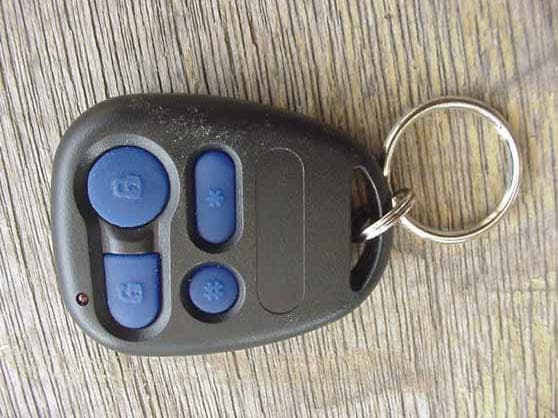
MKYTXPT911
May 29, 2003Transmitter
Equipment Class
DSC - Part 15 Security/Remote Control Transmitter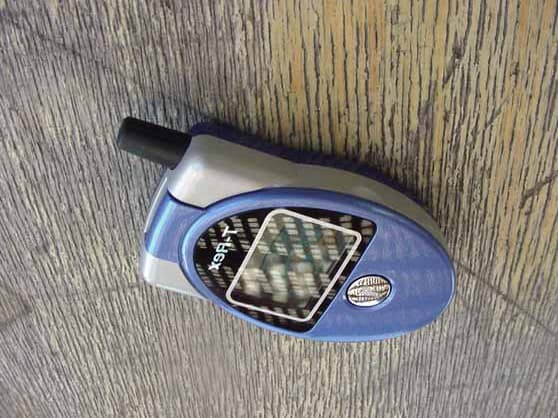
MKYTR1350TX
Jul 29, 20022-Way FM Transceiver
Equipment Class
DSR - Part 15 Remote Control/Security Device TransceiverMKYMT9207RX
Aug 20, 1996CRR - Superregenerative Receiver
Equipment Class
CRR - Superregenerative ReceiverMKYSSLRA2RX
Aug 19, 1996Automotive Security System Receiver
Equipment Class
CRR - Superregenerative ReceiverMKYSS850TX
Aug 04, 1996Car Alarm System Transmitter
Equipment Class
DSC - Part 15 Security/Remote Control Transmitter