MNJ-MO180TXSmart Baby Monitor
Dorel Juvenile Group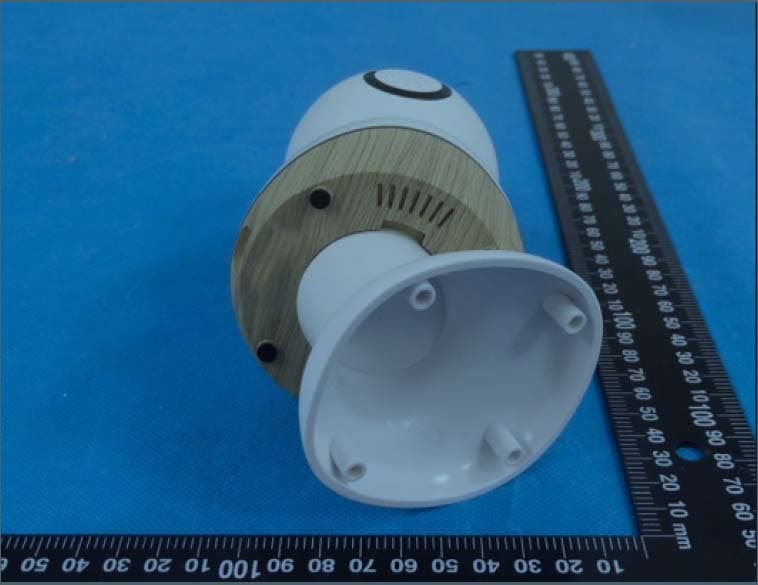
Click to zoom
Application Details
- Equipment Class
- DTS - Digital Transmission System
- Date of Grant
- Mar 29, 2023
- Application Purpose
- Original Equipment
- Date of Application
- Mar 29, 2023
- Equipment Note
- Smart Baby Monitor
- Frequency Range
- 2412.00000000 - 2462.00000000
- Company
- Dorel Juvenile Group
- Country
- United States
Documents & Files
Document Text
Text extracted from the exhibit documents filed with the FCC. Open a document above to read the original.
Users Manual
Smart Baby Monitor Moniteur bébé intelligent Camarita para bebé inteligente Getting Started Pour Commencer Comencemos Download Safety 1st Connected App Télécharger l’appli Safety 1st Connected Descargar la app de Safety 1st Connected Keep these instructions for future reference. Conservez ces instructions pour référence future. Guarde estas instrucciones para referencia futura. Login or create an account, then tap to setup your baby monitor. Connectez-vous ou créez un compte, touchez pour configurer votre moniteur bébé. Inicie sesión o cree una cuenta, pulse para con- figurar su camarita para bebé. ©2023 Dorel Juvenile Group, Inc. Safety 1st™ and the Safety 1st logo and design are trademarks of Dorel Juvenile Group, Inc. (800) 544-1108 www.safety1st.com. Styles and colors may vary. Les styles et les couleurs peuvent varier. Los modelos y los colores pueden variar. Made in China. Fabriqué en Chine. Hecho en China. Distributed by (distribué par/ distribuido por) Dorel Juvenile Group, Inc., 2525 State St., Columbus, IN 47201-7494. Dorel Juvenile Canada, 2233 Argentia Road, 110, Mississauga, ON L5N 2X7. Importado y Distribuido en Chile por: Comercial e Industrial Silfa S.A. - San Ignacio 0201 / Parque Industrial Portezuelo Quilicura, Santiago Chile. Fono (562) 2339 9000. En Perú por: Comexa S.A. - Los Libertadores 455 – San Isidro, Lima – Perú. Fono (511) 4469014. En Centro América, Caribe y Ecuador por: Best Brands Group S.A. – Av. Balboa, Bay Mall Plaza, Planta Baja, local 9, Panamá. - Fono: (507) 300 2884. En Colombia por: Baby Universe S.A.S. - Vía 40 No. 77-29, Barranquilla, Colombia - Fono: (575) 353 1110 Importador: DJGM, S.A. DE C.V. Gabriel Mancera No. 1041 Col. Del Valle, Benito Juárez C.P. 03100 México, Ciudad de México R.F.C. DJG140305GN9 Tel. (55) 67199202 02/27/23 4358-8388A 1-812-203-4747 safety1st.com/connected-support (US and Canada only, carrier fees may apply) (Uniquement pour les États-Unis et le Canada, des frais peuvent s’appliquer) (Sólo para EE.UU. y Canadá, pueden aplicarse tarifas de operador) 1-800-544-1108 [email protected] MO180 TO INSTALL APP Setup 1. Ensure that your smartphone is connected to your home’s 2.4 GHz Wi-Fi network. 2. Connect USB cable to the power adapter, then plug adapter into a wall outlet. Plug small end of USB cable into back of baby monitor. 3. The status LED will be solid red and the head will rotate to calibrate itself. When the status LED is blinking red, the device is in pairing mode. 4. In the app, tap , then select 360° Smart Baby Monitor to begin pairing your device. 5. On your mobile device, follow step by step instructions to complete pairing. 6. Once successfully paired, the status LED will turn solid blue. 7. Tap in the Safety 1st Connected App to learn about sharing access, configuring notifications or other settings, wall mounting your product, and more. Wi-Fi Connectivity This device requires a 2.4 GHz wireless connection with network speeds of 2 Mbps or greater at the location the device will be installed. Your internet service provider can verify the quality of your internet connection. If your network equipment supports both 2.4 GHz and 5.0 GHz bands, we recommend that the bands are separated so each have their own Network Name (SSID) and Password (Network Key). Refer to your internet service provider or equipment provider for assistance with this. Inclus: 1x moniteur, 1x fixation murale, 1x cale de réglage d’angle, 1x câble USB, 1x adaptateur secteur, 5x clips de gestion des câbles, 7x vis, 7x ancrages, 1x manuel d’instruction et 1x outil de remise à zéro. Installation 1. Assurez-vous que votre téléphone intelligent est connecté au réseau WiFi 2,4 GHz de votre domicile. 2. Connectez le câble USB à l’adaptateur secteur, puis branchez l’adaptateur dans une prise murale. Branchez la petite extrémité du câble USB à l’arrière du moniteur pour bébé. 3. La LED d’état sera rouge fixe et la tête tournera pour se calibrer. Lorsque le voyant d’état clignote en rouge, l’appareil est en mode d’appairage. 4. Dans l’application, touchez puis sélectionnez Moniteur bébé intelligent 360° pour commencer à jumeler votre appareil. 5. Sur votre appareil mobile, suivez les instructions étape par étape pour terminer le jumelage. 6. Une fois le jumelage réussi, le voyant d’état deviendra bleu fixe. 7. Appuyez sur dans l’application connectée Safety 1st pour en savoir plus sur le partage de l’accès, la configuration des notifications ou d’autres paramètres, le montage mural de votre produit, et plus encore. Connectivité Wi-Fi Cet appareil nécessite une connexion sans fil de 2,4 GHz avec des vitesses de réseau de 2 Mbps ou plus à l’endroit où l’appareil sera installé. Votre fournisseur d’accès Internet peut vérifier la qualité de votre connexion Internet. Si votre équipement réseau prend en charge les bandes 2,4 GHz et 5,0 GHz, nous vous recommandons de séparer les bandes afin que chacune ait son propre nom de réseau (SSID) et mot de passe (clé réseau). Consultez votre fournisseur de services Internet ou votre fournisseur d’équipement pour obtenir de l’aide à ce sujet. Incluye: 1x camarita, 1x montaje para pared, 1x cuña de ajuste de ángulo, 1x cable USB, 1x adaptador de corriente, 5x clips de gestión de cables, 7x tornillos, 7x anclajes de pared, 1x manual de usuario y 1x herramienta para reiniciar. Configuración 1. Asegúrese de que su teléfono inteligente está conectado a la red de Wi-Fi 2.4 GHz de su hogar. 2. Conecte el cable USB al adaptador de corriente, luego enchufe el adaptador a un tomacorriente de pared. Enchufe el extremo pequeño del cable USB en la parte posterior del monitor para bebés. 3. El voyant de estado estará rojo fijo y el cabezal girará para calibrarse. Cuando el LED de estado parpadea en rojo, el dispositivo está en mode jumelage. 4. En la aplicación, toque y luego seleccione Camarita para bebé inteligente 360° para comenzar a emparejar su dispositivo. 5. En su dispositivo móvil, siga las instrucciones paso a paso hasta …
Text truncated - open the document above for the full version.
Users Manual
STRANGULATION HAZARD – Children have STRANGLED in cords. Keep this cord out of reach of children (more than 3 feet (0.9 m) away). Do not remove this tag. Use wall clips provided to secure cord away from baby’s reach. Only use the AC adapter provided by the manufacturer. NEVER use an extension cord with the AC adapter. For indoor use only. To reduce the risk of fire or electrical shock, DO NOT expose this product to water or moisture. DO NOT use monitor near water (such as bath tub, sink, etc.) or submerge in water. • This monitor is not intended to be used as a medical monitor and its use should not replace proper adult/parental supervision. You should check your child’s activity at regular intervals as this monitor will not alert parents to the silent activities of a child. • NEVER attempt to disassemble the product. This is dangerous and will void the warranty. • Test monitor periodically when in use and changing locations. • Use only the adapter supplied with this product. Incorrect adapter polarity or voltage can seriously damage the product. • To prevent entanglement and overheating, DO NOT use extension cords. • The adapter may become slightly warm to the touch during operation. This is normal. • ALWAYS unplug the AC adapter from the wall during extended periods of non-use. • Check to make sure wall outlet plates are not unusually hot to the touch. If they are, immediately unplug cords from these outlets. Check that all outlet connections are in good condition so that adapter is not loose or that no wiring is exposed. Have a qualified, licensed electrician check the wiring as soon as possible.• This baby monitor allows internet users to hear or view activity. Use the security feature included with this device to restrict internet viewership.• DO NOT place adapter/wall plug under a window where a child might use it to step on and/or to reach something that might be dangerous. • Adult assembly is required. Keep small parts away from children when assembling. Exercise care when unpacking the product. • This product is not a toy. DO NOT allow children to play with it. WARNING: WARNING: MO180 02/01/23 4358-8389 THE USER SHOULD NOT ATTEMPT TO SERVICE OR REPAIR THE MONITOR. ALL SERVICING SHOULD BE REFERRED TO CONSUMER CARE. It is essential to check reception regularly. Monitor uses encrypted transmission over FCC managed frequencies. Always remember to secure your Wi-Fi router with a password. IMPORTANT SAFETY INSTRUCTIONS • VENTILATION: DO NOT block ventilation openings. DO NOT place on a bed, sofa, rug or similar surface. DO NOT place in a book case or cabinet that may restrict air flow. • HEAT: The monitor should be situated away from heat sources such as radiators, heat registers, stoves, or other appliances that produce heat. Also keep these components out of direct sunlight. • POWER CORD PROTECTION: The power supply cord should be routed so that it is not likely to be walked on or pinched by items placed upon or against it. Pay particular attention to the cord at the plug, convenience receptacle, and at the point it exits from the monitor. Cleaning Clean product with a slightly damp cloth or with an anti-static cloth. ALWAYS unplug from electrical outlet before cleaning. NEVER USE cleaning agents or abrasive solvents. DO NOT clean any part of the product with thinners or other solvents and chemicals - this may cause permanent damage to the product which is not covered by the warranty. Keep product away from hot, humid areas or strong sunlight, and do not let it get wet. Every effort has been made to ensure high standards of reliability of your product. However, if something does go wrong, please do not try to repair it yourself - contact Consumer Care for assistance. Disposal At the end of the product life cycle, you should not dispose of this product with normal household waste. Take this product to a collection point for the recycling of electronic equipment in accordance with your local laws. Some of the product materials can be re-used if you take them to a recycling point. By reusing some parts or raw materials from used products you make an important contribution to the protection of the environment. Please contact your recycling center in case you need more information on the collection points in your area. FCC Compliance Statement This device complies with part 15 of the FCC Rules. Operation is subject to the following two conditions: (1) This device may not cause harmful interference, and (2) this device must accept any interference received, including interference that may cause undesired operation. Note: This equipment has been tested and found to comply with the limits for a Class B digital device, pursuant to part 15 of the FCC Rules. These limits are designed to provide reasonable protection against RISQUE D’ÉTRANGLEMENT – Des enfants se sont ÉTRANGLÉS avec des cordons. Garder ce cordon hors de portée des enfants (plus de 0,9 m (3 pi). Ne pas retirer cette étiquette. Utiliser les attaches murale pour sécuriser le cordon loin de la portée du bébé. Utiliser seulement l’adaptateur AC fournis par le fabriquant. NE JAMAIS utiliser une rallonge avec l’adaptateur AC. Seulement pour l’utilisation intérieur. Pour réduire le risque de feu ou de choque électrique, NE PAS exposer ce produit à l’eau ou l’humidité. NE PAS utiliser le moniteur près de l’eau (tel que le bain, l’évier, etc.) ou le submerger dans l’eau. • Ce moniteur n’est pas destiné à être utilisé comme moniteur médical et son utilisation ne devrait pas remplacer une supervision adulte/parental adéquate. Vous devriez vérifier les activités de votre enfant à intervalles régulier comme ce moniteur n’alertera pas les parents des activités silencieuses d’un enfant. • NE JAMAIS essayer de désassembler le produit. Ceci est dangereux et annulera la garantie. • Tester le moniteur périodiquement lorsqu’en utilisation ou en le changeant d’endroit. • Utiliser seulement l’adaptateur fournis avec ce produit. La polarité ou le volt…
Text truncated - open the document above for the full version.
Attestation Statements
QA-FR-170-B Dorel Juvenile Group Add: 2525 State Street Columbus Indiana United States Tel: 508-216-1843 Email: [email protected] Attestation Letter Date: 2023-0 3-13 Federal Communications Commission Authorization and Evaluation Division FCC ID: MNJ-MO180TX We , Dorel Juvenile Group, declare that the device does not support channel 12-13 in 2.4 GHz band and any non-US channels in all the operational mode(s) for the following Product. Product description: Smart Baby Monitor Model name: MO180 FCC ID: MNJ-MO180TX If you should have any question(s) regarding this declaration, please don’t hesitate to contace us. Thank you! Sincerely Yours, Signature: Printed Name: Dan Desimone Title: Director R & A, Project Management
External Photos
EXHIBIT B - EUT EXTERNAL PHOTOGRAPHS
ID Label/Location Info
EUT Label: Label location:
Internal Photos
EXHIBIT C - EUT INTERNAL PHOTOGRAPHS Antenna chip
RF Exposure Info
China Certification ICT Co., Ltd (Dongguan) Report No.: CR230205203-00BM1 Page 60 of 60 5. RF EXPOSURE EVALUATION 5.1 Applicable Standard FCC §15.247 (i) and subpart §1.1307 Systems operating under the provisions of this section shall be operated in a manner that ensures that the public is not exposed to radio frequency energy level in excess of the Commission’s guidelines. 5. 2 Procedure According to §1.1307(b)(3)(i) (C) Or using Table 1 and the minimum separation distance (R in meters) from the body of a nearby person for the frequency (f in MHz) at which the source operates, the ERP (watts) is no more than the calculated value prescribed for that frequency. For the exemption in Table 1 to apply, R must be at least λ/2π, where λ is the free-space operating wavelength in meters. If the ERP of a single RF source is not easily obtained, then the available maximum time-averaged power may be used in lieu of ERP if the physical dimensions of the radiating structure(s) do not exceed the electrical length of λ/4 or if the antenna gain is less than that of a half-wave dipole (1.64 linear value). Table 1 to § 1.1307(b)(3)(i)(C) - Single RF Sources Subject to Routine Environmental Evaluation RF Source frequency (MHz) Threshold ERP (watts) 0.3-1.34 1,920 R 2 . 1.34-30 3,450 R 2 /f 2 . 30-300 3.83 R 2 . 300-1,500 0.0128 R 2 f. 1,500-100,000 19.2R 2 . 5.3 Measurement Result Frequency (MHz) λ/2Π (mm) Distance (mm) Exemption ERPMaximum Conducted Power including Tune-up Tolerance (dBm) Antenna Gain (dBi) ERP (dBm) MPE- Based Exemption (mW)(dBm) 2412-2462 19.80 200 768 28.85 14 1.90 13.75 Compliant Note: The Value of Maximum Conducted Power including Tune-up Tolerance(dBm) was declared by client. Result: The device compliant the MPE-Based Exemption at 20cm distances. ===== END OF REPORT ====
Test Report
SPECIFICATIONFORAPPROVAL CUSTOMERNAME:baby1S PRODUCTNAME:2.4GHzFPCAntennaL=65 CUSTOMERP/N: UBP/N:UB01C65F3D1890AREV:B MANUFACTURER SIGNATURE CUSTOMER SIGNATURE CHECKEDBY: APPROVEDBY: DATE: 2023-3-10 Contents ItemDescription 1.------------------------------- Overallperformance 2.------------------------------- ProductDrawing 3.-------------------------------ProductCharacteristics 4.----------------------------AntennaInstallationDiagram 1.Overallperformance Mainproducttechnicalparameters Maintechnicalspecifications FrequencyRange (MHZ) 2400~2500 Impedance(Ω)50 AVGGain(dBi) 1.44 VSWR ≤1.92 AdmittedPower1W PolarizationLine ConnectorTypeTerminal PhysicalProperties AntennaBase FPC OperatingTemp-20 °C ~+70 °C StorageTemp-20 °C ~+70 °C 2.ProductDrawing 3.ProductCharacteristics 3.1 :Networkanalyzertestreport: 3.2.Antennaradiationefficiency Frequency/MHzEfficiency/%Gain/dB 240055.31.59 241055.361.3 242056.171.2 243056.871.12 244059.691.79 245058.641.26 246051.361.9 247048.481.27 248048.51.34 249047.51.43 250046.361.64 DarkroomCoordinates 3.3:Darkroom2D、3DRaditationPattern 2400MHz2450MHz 2500MHzPhi0 Phi90Theta90 3.4OTATest MeasurementBandChannelFrequencyMaxMinTotal TRPWIFI_B(11M)1241222.61-1.9218.62 TRPWIFI_B(11M)6243721.35-13.7717.42 TRPWIFI_B(11M)11246221.96-3.2817.92 TIS(EIRP)WIFI_B(11M)1241287.8360.1683.51 TIS(EIRP)WIFI_B(11M)6243788.7657.9184.71 TIS(EIRP)WIFI_B(11M)11246289.7662.0285.57 4.AntennaInstallationDiagram Convert0.81Cable
Test Report
TEST REPORT Applicant: Dorel Juvenile Group Address: 2525 State Street Columbus Indiana United States FCC ID: MNJ-MO180TX Product Name: Smart Baby Monitor Standard(s): 47 CFR Part 15, Subpart C(15.247) ANSI C63.10-2013 KDB 558074 D01 15.247 Meas Guidance v05r02 The above equipment has been tested and found compliant with the requirement of the relative standards by China Certification ICT Co., Ltd (Dongguan) Report Number: CR230205203-00BM1 Date Of Issue: 2023/3/23 Reviewed By: Sun Zhong Title: Manager Test Laboratory: China Certification ICT Co., Ltd (Dongguan) No. 113, Pingkang Road, Dalang Town, Dongguan, Guangdong, China Tel: +86-769-82016888 China Certification ICT Co., Ltd (Dongguan) Report No.: CR230205203-00BM1 Page 2 of 60 Test Facility The Test site used by China Certification ICT Co., Ltd (Dongguan) to collect test data is located on the No. 113, Pingkang Road, Dalang Town, Dongguan, Guangdong, China. The lab has been recognized as the FCC accredited lab under the KDB 974614 D01 and is listed in the FCC Public Access Link (PAL) database, FCC Registration No. : 442868, the FCC Designation No. : CN1314. The lab has been recognized by Innovation, Science and Economic Development Canada to test to Canadian radio equipment requirements, the CAB identifier: CN0123. Declarations China Certification ICT Co., Ltd (Dongguan) is not responsible for the authenticity of any test data provided by the applicant. Data included from the applicant that may affect test results are marked with a triangle symbol “▲”. Customer model name, addresses, names, trademarks etc. are not considered data. Unless otherwise stated the results shown in this test report refer only to the sample(s) tested. This report cannot be reproduced except in full, without prior written approval of the Company. This report is valid only with a valid digital signature. The digital signature may be available only under the Adobe software above version 7.0. This report may contain data that are not covered by the accreditation scope and shall be marked with an asterisk “★”. China Certification ICT Co., Ltd (Dongguan) Report No.: CR230205203-00BM1 Page 3 of 60 CONTENTS T EST FACILITY .......................................................................................................................................... 2 DECLARATIONS .......................................................................................................................................... 2 DOCUMENT REVISION HISTORY .......................................................................................... 5 1. GENERAL INFORMATION .................................................................................................... 6 1.1 PRODUCT DESCRIPTION FOR EQUIPMENT UNDER TEST (EUT) ....................................................... 6 1.2 DESCRIPTION OF TEST CONFIGURATION ........................................................................................... 8 1.2.1 EUT Operation Condition: ............................................................................................................................. 8 1.2.2 Support Equipment List and Details .............................................................................................................. 8 1.2.3 Support Cable List and Details ...................................................................................................................... 8 1.2.4 Block Diagram of Test Setup ......................................................................................................................... 9 1.3 MEASUREMENT UNCERTAINTY ........................................................................................................ 10 2. SUMMARY OF TEST RESULTS .......................................................................................... 11 3. REQUIREMENTS AND TEST PROCEDURES .................................................................. 12 3.1 AC LINE CONDUCTED EMISSIONS .................................................................................................... 12 3.1.1 Applicable Standard ..................................................................................................................................... 12 3.1.2 EUT Setup.................................................................................................................................................... 13 3.1.3 EMI Test Receiver Setup ............................................................................................................................. 13 3.1.4 Test Procedure ............................................................................................................................................. 14 3.1.5 Corrected Amplitude & Margin Calculation ................................................................................................ 14 3.2 RADIATION SPURIOUS EMISSIONS .................................................................................................... 15 3.2.1 Applicable Standard ..................................................................................................................................... 15 3.2.2 EUT Setup.................................................................................................................................................... 15 3.2.3 EMI Test Receiver & Spectrum Analyzer Setup ......................................................................................... 16 3.2.4 Test Procedure ............................................................................................................................................. 16 3.2.5 Corrected Amplitude & Margin Calculation ................................................................................................ 16 3.3 6 DB EMISSION BANDWIDTH: ............................................................................................................ 17 3.3.1 Applicable Standard ............…
Text truncated - open the document above for the full version.
Test Setup Photos
EXHIBIT D - TEST SETUP PHOTOGRAPHS Conducted Emissions Front View Conducted Emissions Side View Radiated Emission Below 1GHz View Radiated Emission Above 1GHz View
Contact Information
Applicant
Dan Desimone(Director R & A, Project Management)
Test Firm
CHINA CERTIFICATION ICT CO., LTD (DONGGUAN)Tanie Ou
[email protected]0086 0769 86858888
Technical Specifications
| # | Rule Parts | Frequency Range | Power Output |
|---|---|---|---|
| 1 | 15C | 2.41 GHz - 2.46 GHz | 25.00 mW |
Other Applications from Dorel Juvenile Group
MNJ-MO191
Apr 09, 2024CryAssist Audio Monitor
Equipment Class
DSS - Part 15 Spread Spectrum Transmitter
MNJ-MO183TX
Dec 05, 2023See Pro 360 Baby Monitor
Equipment Class
NII - Unlicensed National Information Infrastructure TX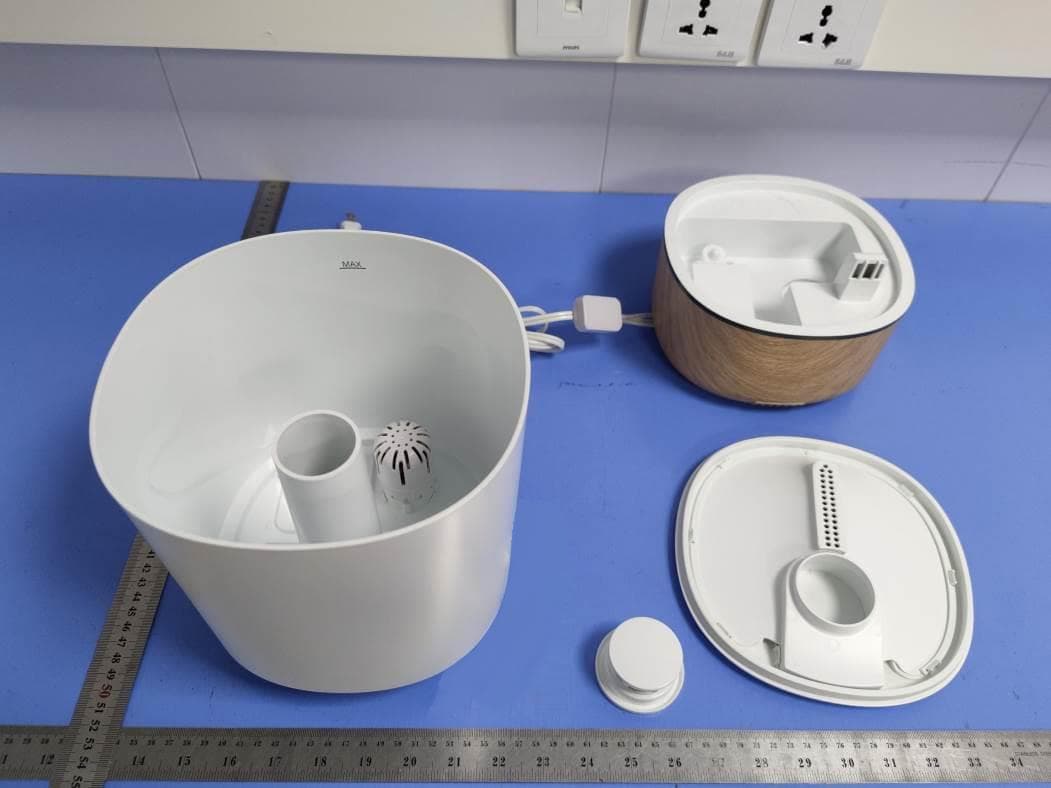
MNJ-IH555
Aug 11, 2021Humidifier
Equipment Class
DTS - Digital Transmission System
MNJ-MO173TX
Jun 06, 2021Baby Monitor
Equipment Class
DTS - Digital Transmission System
MNJ-MO140RX
Feb 20, 2014TechTouch Digital Color Video Monitor
Equipment Class
DSS - Part 15 Spread Spectrum Transmitter