N2U99881216022698RC Toy Transmitter
A.E. YAYINCILIK, FILM, REK. BILGI.VE ORG. HIZ.LTD.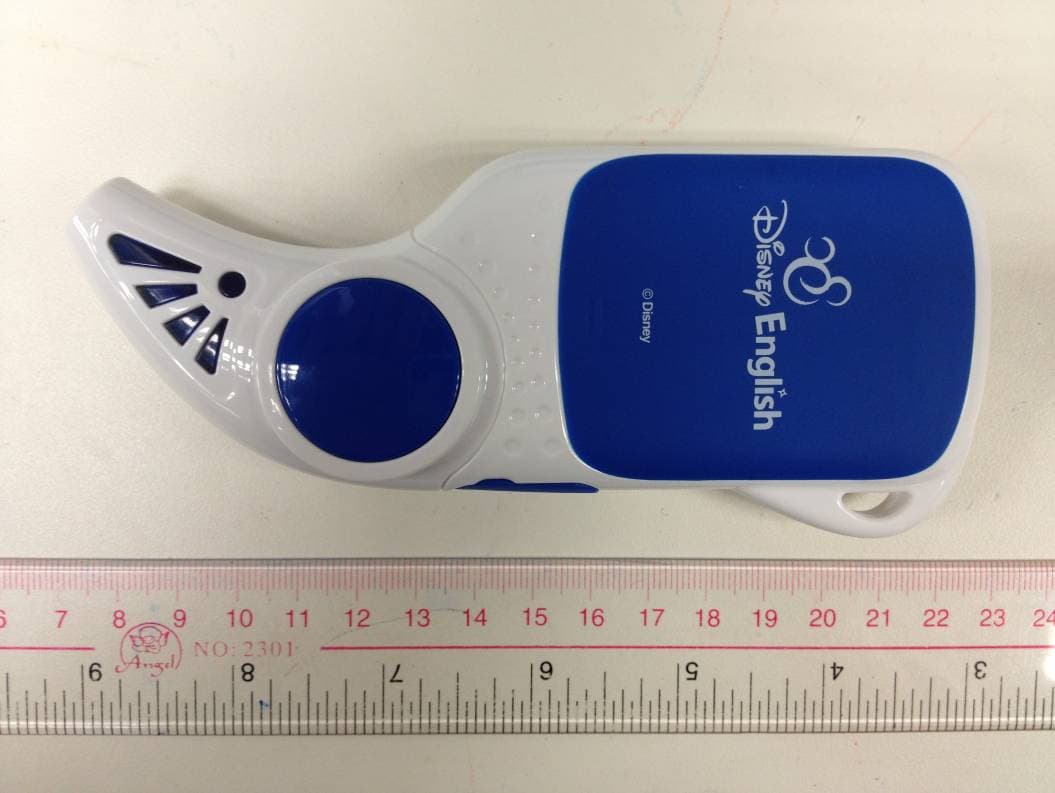
Click to zoom
Application Details
- Equipment Class
- DXX - Part 15 Low Power Communication Device Transmitter
- Date of Grant
- May 01, 2012
- Application Purpose
- Original Equipment
- Date of Application
- May 01, 2012
- Equipment Note
- RC Toy Transmitter
- Frequency Range
- 2405.00000000 - 2480.00000000
- Country
- Turkey
Documents & Files
Document Text
Text extracted from the exhibit documents filed with the FCC. Open a document above to read the original.
Users Manual
Magic Pen KULLANIM KILAVUZU DE9988 ™ SAFETY PRECAUTIONS WARNING! Operation of this device must always be supervised by an adult. Do not allow children access to the interior of this device and do not permit them to handle any cables. • Do not use this device in wet or dusty environments, under direct sunlight, or in extremely hot or cold conditions. Keep away from sources of heat. • To prevent electric shock, keep this device away from water. Do not attempt to disassemble the device. Do not remove the battery. • Do not place heavy objects on the device. Do not drop the device. Do not apply pressure or excessive force to it. • Do not touch the screen with any sharp or pointed objects such as knives, scissors, needles, or pencils. • For your own safety, do not attempt to open the device case or to make alterations. Do not paint the device or put stickers on it. • Prevent data loss! When connecting the device to a personal computer via a USB port to charge it, do not remove or modify the files stored inside the device. Any attempt to do so could damage the contents of the device or its system folders and prevent its proper functioning. The manufacturer may not be held liable for damage and/or data loss caused by improper use of this device. • Use only the accessories supplied with your device. Use only with the recommended transformer. Power adapters, transformers and other accessories are not toys! • When using ports on the device, connect cables and sockets according to the usage information. Never force a connector into a port. If you need to force a connector into a port, that generally means they do not match. • Connect the device to a power outlet using a USB cable and a USB power adapter (not supplied) to charge it. Alternatively, connect the device directly to a USB port on Optical Reader Status Light Navigation Arrows Power Button Recorder Icon Tools & Settings Icon Headphone Slot OK / Enter Button Volume Control USB Port Contents Icon Microphone Touch Sensitive Color Screen Speaker your computer (not an external keyboard) using a USB cable. • The battery may warm up while charging. This is normal. Do not cover the device while charging and allow good ventilation to the charger. • Before cleaning the device, turn it off and disconnect from the battery charger. Clean the outside of your device with a soft cloth. Exercise caution not to scratch the screen. Do not spray glass cleaner (or other liquid) directly onto the screen. • Actual device may differ from the picture(s) in the User’s Manual. The properties offered may differ depending on the software version and the contents. Device properties may be subject to change at any time. BATTERY NOTICE • Install batteries correctly observing the polarity (+, ) signs. • Rechargeable batteries are only to be charged by adults. • Always remove exhausted batteries from the device. • The supply terminals are not to be short-circuited. • Regularly examine the transformer or the battery charger for any damage to their cord, plug, enclosure and other parts. In case of damage to any part of the device, do not use until the damage has been repaired. GETTING STARTED Before first use, remove the protective film covering the screen. If left on the screen, touch screen response sensitivity will decrease. • To Turn On: Hold the Power button down for 1–2 seconds until the Contents screen appears. • To Turn Off: Hold the Power button down for 1–2 seconds until the Goodbye screen appears. • To Go Back to the Contents Screen: Press the Power button once until the Contents screen appears. • Navigation Arrows: Use the left and right arrow buttons to navigate through selected features. For example, BATTERY INSTALLATION 1. Make sure the device is turned off. 2. Locate the battery cover on the back of the device and open it. 3. Install the battery. 4. Replace the cover. BATTERY REMOVAL 1. Make sure the device is turned off. 2. Locate the battery cover on the back of the device and open it. 3. Remove the battery. 4. Replace the cover. arrows may be used to browse up and down through menu options, or to move right and left while playing certain games. • Touch Screen: When you touch a menu item on the screen, it becomes active. When you touch the same menu item again, your selection is confirmed. • OK Button: Use this button to confirm your menu selection and move on to the next step. Alternatively, you may confirm your selection using the touch screen. • Status Light: When the device is turned on and ready, the status light flashes. • Optical Reader: When placed on an image or text in the printed book, the Optical Reader plays the corresponding video, audio, games, or images. • USB Port: Use this port to connect your device to a personal computer using a USB cable, or to a wall-mounted socket using a USB power adapter to charge it. USB port connection may be used for data transfer. PRODUCT FEATURES There are 3 icons on the blue border of the touch screen. Use the icons to access Contents, Tools & Settings, and Recorder functions directly. Alternatively, you may access these functions by using the keypad. Contents: Select to view existing content stored in the device. • Optical Reader Function: Select any content (book) from the Contents screen. Once you confirm your selection, the cover of the selected book will appear on the screen. At this stage, the device is ready. Place the optical reader close to any text or image area in the printed book. Hold it in position for about half a second. During normal function, the status light will flash. Tools & Settings: Select this option to access Tools, Settings and Wireless functions. • Tools: Calculator: Select to access different functions. The Calculator can be accessed from the touch screen. Press the Power button to quit. Digital Dice: Use the dice to play some of the games that can be accessed through your device. Touch the screen to roll the dice. • Settings: Use this to change the settings for the Touch Screen, Ba…
Text truncated - open the document above for the full version.
Cover Letter(s)
漀攀⸀ 䌀椀琀礀㨀 挀漀甀渀琀爀礀㨀 愀甀琀栀漀爀椀稀攀猀Ⰰ 䨀漀攀礀 䰀攀甀渀最Ⰰ 吀攀猀琀椀渀最 最渀最椀渀攀攀爀 愀琀 吀Ü嘀 刀栀攀ı渀氀愀渀搀 䠀漀渀最 䬀漀渀最 䰀琀搀⸀ 琀漀 愀挀琀 漀渀 漀甀爀 戀攀栀愀氀ı 甀渀琀椀氀 漀琀栀攀爀眀ı猀攀 渀漀琀椀昀椀攀搀Ⰰ 昀漀爀 愀瀀瀀氀椀挀愀琀樀漀渀猀 猀甀戀洀樀琀琀攀搀 琀漀 愀 吀攀氀攀挀漀洀洀甀渀椀挀愀琀樀漀渀 挀攀爀琀椀昀椀挀愀琀椀漀渀 䈀漀搀嘀 ⠀吀挀䈀⤀ 爀攀挀漀最渀椀稀攀搀 戀嘀 琀栀攀 䘀挀挀⸀ 圀攀 挀攀爀琀椀昀礀 琀栀愀琀 眀攀 愀爀攀 渀漀琀 猀甀戀樀攀挀琀 琀漀 搀攀渀樀愀氀 漀昀昀攀搀攀爀愀氀 戀攀渀攀昀椀琀猀Ⰰ 琀栀愀琀 椀渀挀氀甀搀攀猀 䘀挀挀 戀攀渀攀昀ı琀猀Ⰰ 瀀甀爀猀甀愀渀琀 琀漀 猀攀挀琀椀漀渀 㔀㌀ 漀昀 琀栀攀 䄀渀琀椀 䐀爀甀最 䄀戀甀猀攀 䄀挀吀 漀昀 㤀㠀㠀Ⰰ 唀⸀猀⸀挀Ⰰ㠀㔀(ᄀ)⸀ 䘀甀爀琀栀攀爀Ⰰ 渀漀 瀀愀爀琀礀Ⰰ 愀猀 搀攀昀椀渀攀搀 椀渀 㐀㜀 挀䘀刀 ⸀(ᄀ) (ᄀ) ⠀戀⤀Ⰰ 琀漀 琀栀攀 愀瀀瀀氀椀挀愀琀椀漀渀 椀猀 猀甀戀樀攀挀琀 琀漀 搀攀渀椀愀氀 漀昀 昀攀搀攀爀愀氀 戀攀渀攀昀椀琀猀Ⰰ 琀栀愀琀 椀渀挀氀甀搀攀㔀 䘀挀挀 戀攀渀攀昀椀琀猀⸀ 吀栀愀渀欀 礀漀甀 氀漀爀 礀漀甀爀 愀琀琀攀氀爀椀漀渀 爀漀 琀栀椀猀 洀愀琀琀攀爀Ⰰ 猀椀猀渀愀琀甀爀攀㨀 昀昀椀氀 䘀 䰀ğ一琀 吀漀 眀栀漀洀 氀琀 䴀愀礀 挀漀渀挀攀爀渀㨀 䄀瀀瀀 椀挀愀渀琀 一愀洀攀㨀 䄀Ⰰ䔀⸀ 夀䄀夀ı一挀氀䰀氀䬀Ⰰ 䘀椀䰀䴀⸀ 刀琀䬀⸀ 㠀椀䰀䜀椀Ⰰ 嘀䔀 漀刀䜀⸀ 䠀椀娀⸀ 䰀䤀䐀⸀ 䄀瀀瀀 椀挀愀渀琀 一愀洀攀㨀 䴀䔀一䔀䬀猀䔀䰀氀猀䬀⸀一漀㨀(ᄀ)(ᄀ) 䰀䔀嘀䔀一吀Ⰰ 氀猀琀愀渀戀甀Ⰰ㌀㐀㌀㌀ 吀甀爀䤀攀嘀 吀椀琀ı攀簀 䴀䄀琀䨀䄀 㘀琀ı嘀 㘀 甀琀愀挀挀爀漀愀ⴀ 一愀洀攀㨀 䠀䄀瀀渀渀ı 䄀⸀€⸀ 夀䄀夀ı一挀氀䰀琀䬀Ⰰ 䘀氀䰀䴀 䰀吀䐀⸀ 䴀⸀渀攀欀爀⸀氀椀 猀漀欀ıİ 一漀㨀 (ᄀ)(ᄀ) 氀€瘀€渀琀 ㌀㐀㌀㌀ 欀琀ı渀戀a/cı ⸀ 吀攀氀㬀 爀㤀漀 ⠀(ᄀ)(ᄀ)⤀ ㌀(ᄀ)Ⰰ愀 㤀(ᄀ)㤀(ᄀ) ⸀ 氀ı欀 㨀 ⸀㤀漀 氀稀(ᄀ)✀ (ᄀ)㠀(ᄀ) 㜀㘀㘀(ᄀ) 夀夀眀眀Ⰰ琀愀昀椀ı漀⸀⠀漀洀
External Photos
www.tuv.com Test Report No.: 14029718 001 Appendix 3 page 2 of 7 1.1 External view 1.1.1 Front view 1.1.2 Rear view www.tuv.com Test Report No.: 14029718 001 Appendix 3 page 3 of 7 1.1.3 Side view 1 1.1.4 Side view 2
ID Label/Location Info
www.tuv.com Test Report No.: 14029718 001 Appendix 4 page 2 of 2 1.1 FCCID Label Artwork The red oval shows the location of the Rating Label.
Internal Photos
www.tuv.com Test Report No.: 14029718 001 Appendix 3 page 4 of 7 Internal view 1.1.5 Front view 1.1.6 Front view 2 www.tuv.com Test Report No.: 14029718 001 Appendix 3 page 5 of 7 1.1.7 Front view 3 1.1.8 Front view 4 www.tuv.com Test Report No.: 14029718 001 Appendix 3 page 6 of 7 1.1.9 Front view 5 1.1.10 Front view 6 www.tuv.com Test Report No.: 14029718 001 Appendix 3 page 7 of 7 1.1.11 Front view 6
Test Report
www.tuv.com Test Report No.: 14029718 001 Date: 29.03.2011 page 2 of 9 Table of Content Page Cover Page .................................................................................1 Table of Content ..........................................................................2 Product information.......................................................................................................3 Manufacturers declarations ....................................................................................................................... 3 Submitted documents................................................................................................................................. 3 List of Test and Measurement Instruments.................................................................4 Results FCC Part 15 – Subpart C .................................................................................5 Subclause 15.207 – Disturbance Voltage on AC Mains................................................. Pass................. 5 Subclause 15.205 – Band edge compliance of radiated emissions ............................ Pass................. 5 Subclause 15.215 (c) – 20 dB Bandwidth........................................................................ Pass................. 6 Subclause 15.249 (a) – Radiated Emission (Fundamental and Harmonics)................ Pass................. 7 Subclause 15.249 (d) – Spurious Radiated Emissions.................................................. Pass................. 8 Appendix 1 – Test Results 5 pages Appendix 2 – Test Setup Photos 2 pages Appendix 3 – Photo documentation 7 pages Appendix 4 – Product documentation 13 pages www.tuv.com Test Report No.: 14029718 001 Date: 29.03.2011 page 3 of 9 Product information Manufacturers declarations Transmitter Operating frequency range 2400 - 2483 MHz Type of modulation GFSK Number of channels 125 Type of antenna Integral Power level fix Connection to public utility power line No Nominal voltage V nor : 3.7 V Submitted documents Circuit Diagram Block Diagram Bill of material User manual Rating Label Remark NOTE: The EUT is also considered as a kind of computer peripheral, because the connection to computer is necessary for typical use. It has been verified to comply with the requirements of FCC Part 15, Subpart B, Class B (DoC). The test report has been issued separately. www.tuv.com Test Report No.: 14029718 001 Date: 29.03.2011 page 4 of 9 List of Test and Measurement Instruments Shenzhen EMTEK Co., Ltd. (Registration number: 709623) Equipment Manufacturer Type S/N Due Date EMI Test Receiver Rohde & Schwarz ESU26 LR114196 May 29, 2012 Pre-Amplifier HP 8447D 2944A07999 May 29, 2012 Bilog Antenna Schwarzbeck VULB9163 142 May 29, 2012 Loop Antenna ARA PLA-1030/B 1029 May 29, 2012 Horn Antenna Schwarzbeck BBHA 9170 BBHA9170399 May 29, 2012 Horn Antenna Schwarzbeck BBHA 9120 D143 May 29, 2012 Cable Schwarzbeck AK9513 ACRX1 May 29, 2012 Cable Rosenberger N/A FP2RX2 May 29, 2012 Cable Schwarzbeck AK9513 CRPX1 May 29, 2012 Cable Schwarzbeck AK9513 CRRX2 May 29, 2012 Hong Kong Productivity Council (Registration number: 90656) Equipment used Manufacturer Model No. S/N Due Date Test Receiver Rohde & Schwarz ESCS30 100201 13 Feb 13 LISN Rohde & Schwarz ESH3-Z5 100230 13 Feb 13 www.tuv.com Test Report No.: 14029718 001 Date: 29.03.2011 page 5 of 9 Results FCC Part 15 – Subpart C Subclause 15.207 – Disturbance Voltage on AC Mains Pass Mode of operation: Charging Mode Live measurement Frequency range (MHz) Frequency (MHz) Quasi-peak (dBμV) Average (dBμV) Limit QP (dBμV) Limit AV (dBμV) Verdict 0.150 61.7 41.9 66 - 56 56 - 46 Pass 0,15 – 0,5 0.198 55.1 33.8 66 - 56 56 - 46 Pass > 0,5 - 5 --- --- --- 56 46 Pass > 5 - 30 14.406 31.9 26.9 60 50 Pass Neutral measurement Frequency range (MHz) Frequency (MHz) Quasi-peak (dBμV) Average (dBμV) Limit QP (dBμV) Limit AV (dBμV) Verdict 0,15 – 0,5 0.150 55.1 35.1 66 - 56 56 - 46 Pass > 0,5 - 5 0.540 31.4 30.2 56 46 Pass > 5 - 30 7.596 36.4 35.4 60 50 Pass Subclause 15.205 – Band edge compliance of radiated emissions Pass Test Specification : ANSI C63.4 – 2003 Mode of operation : Tx mode Port of testing : Enclosure Detector : Peak RBW/VBW : 100 kHz / 300 kHz for f < 1 GHz 1 MHz / 3 MHz for f > 1 GHz Supply voltage : Internal batteries has been activated Temperature : 23ºC Humidity : 50% Requirement: Radiated emissions which fall in the restricted bans, as defined in 15.205 (a), must also comply with the radiated emission limits specified in 15.209(a). Results: There is no peak found in the restricted bands. For test protocols refer to Appendix 1, page 4-7. www.tuv.com Test Report No.: 14029718 001 Date: 29.03.2011 page 6 of 9 Subclause 15.215 (c) – 20 dB Bandwidth Pass Requirement: The intentional radiators must be designed to ensure that the 20dB bandwidth of the emission, is contained within the frequency band designated in the rule section under which the equipment is operated. Test Specification : ANSI C63.4 – 2003 Mode of operation : Tx mode Port of testing : Enclosure RBW/VBW : 100 kHz / 300 kHz for f < 1 GHz 1 MHz / 3 MHz for f > 1 GHz Supply voltage : Internal batteries has been activated Temperature : 23ºC Humidity : 50% Results: For test protocols refer to Appendix 1, page 1-3. Frequency (MHz) 20 dB left (MHz) Limit (MHz) 20 dB right (MHz) Limit (MHz) 2405 2404.34 > 2400 2405.61 < 2483.5 2440 2438.92 > 2400 2438.90 < 2483.5 2480 2481.67 > 2400 2479.36 < 2483.5 www.tuv.com Test Report No.: 14029718 001 Date: 29.03.2011 page 7 of 9 Subclause 15.249 (a) – Radiated Emission (Fundamental and Harmonics) Pass Test Specification : ANSI C63.4 – 2003 Mode of operation : Tx mode Port of testing : Enclosure RBW/VBW : 100 kHz / 300 kHz for f < 1 GHz 1 MHz / 3 MHz for f > 1 GHz Supply voltage : Internal batteries has been activated Temperature : 23ºC Humidity : 50% Requirement: The field strength of emissions from intentional radiators operated within these frequency bands shall comply w…
Text truncated - open the document above for the full version.
Test Report
www.tuv.com Test Report No.: 14029718 001 Appendix 1 page 1 of 5 Appendix 1 Test Results www.tuv.com Test Report No.: 14029718 001 Appendix 1 page 2 of 5 20dB Bandwidth Tx frequency: 2405MHz Ref 0 dBm 2.40523 GHz Att 10 dB 2.40523 GHz 1 PK 2.40523 GHz MAXH 2.40523 GHz A 2.40523 GHz * 2.40523 GHz 500 kHz/ 2.40523 GHz Center 2.405 GHz 2.40523 GHz Span 5 MHz 2.40523 GHz * 2.40523 GHz RBW 100 kHz 2.40523 GHzVBW 300 kHz 2.40523 GHz SWT 2.5 ms 2.40523 GHz 2.40523 GHz 2.40523 GHz 2.40523 GHz 2.40523 GHz 2.40523 GHz 2.40523 GHz 2.40523 GHz 2.40523 GHz 2.40523 GHz -100 -90 -80 -70 -60 -50 -40 -30 -20 -10 0 2.40523 GHz 1 Marker 1 [T1 ] -17.03 dBm 2.405230000 GHz 2 Delta 2 [T1 ] -20.32 dB -890.000000000 kHz 3 Delta 3 [T1 ] -20.39 dB 380.000000000 kHz MARKER 1 2.40523 GHz Date: 19.APR.2012 19:03:33 Tx frequency: 2440MHz Ref 0 dBm 2.43999 GHz Att 10 dB 2.43999 GHz 1 PK 2.43999 GHz MAXH 2.43999 GHz A 2.43999 GHz * 2.43999 GHz 500 kHz/ 2.43999 GHz Center 2.44 GHz 2.43999 GHz Span 5 MHz 2.43999 GHz * 2.43999 GHz RBW 100 kHz 2.43999 GHzVBW 300 kHz 2.43999 GHz SWT 2.5 ms 2.43999 GHz 2.43999 GHz 2.43999 GHz 2.43999 GHz 2.43999 GHz 2.43999 GHz 2.43999 GHz 2.43999 GHz 2.43999 GHz 2.43999 GHz -100 -90 -80 -70 -60 -50 -40 -30 -20 -10 0 2.43999 GHz 1 Marker 1 [T1 ] -16.10 dBm 2.439990000 GHz 2 Delta 2 [T1 ] -20.26 dB -1.070000000 MHz 3 Delta 3 [T1 ] -20.39 dB 1.090000000 MHz MARKER 1 2.43999 GHz Date: 19.APR.2012 19:04:42 www.tuv.com Test Report No.: 14029718 001 Appendix 1 page 3 of 5 Tx frequency: 2480MHz Ref 0 dBm 2.48026 GHz Att 10 dB 2.48026 GHz 1 PK 2.48026 GHz MAXH 2.48026 GHz A 2.48026 GHz * 2.48026 GHz 500 kHz/ 2.48026 GHz Center 2.48 GHz 2.48026 GHz Span 5 MHz 2.48026 GHz * 2.48026 GHz RBW 100 kHz 2.48026 GHzVBW 300 kHz 2.48026 GHz SWT 2.5 ms 2.48026 GHz 2.48026 GHz 2.48026 GHz 2.48026 GHz 2.48026 GHz 2.48026 GHz 2.48026 GHz 2.48026 GHz 2.48026 GHz 2.48026 GHz -100 -90 -80 -70 -60 -50 -40 -30 -20 -10 0 2.48026 GHz 1 Marker 1 [T1 ] -14.82 dBm 2.480260000 GHz 2 Delta 2 [T1 ] -20.84 dB -1.410000000 MHz 3 Delta 3 [T1 ] -21.90 dB 900.000000000 kHz MARKER 1 2.48026 GHz Date: 19.APR.2012 19:06:04 www.tuv.com Test Report No.: 14029718 001 Appendix 1 page 4 of 5 Band Edge Compliance Tx frequency: 2405MHz (radiated measurement) Vertical polarization Horizontal polarization www.tuv.com Test Report No.: 14029718 001 Appendix 1 page 5 of 5 Tx frequency: 2480MHz (radiated measurement) Vertical polarization Horizontal polarization
Test Setup Photos
www.tuv.com Test Report No.: 14029718 001 Appendix 2 page 2 of 2 Set-up for Radiated Emission Set-up for Disturbance Voltage on AC Mains
Contact Information
Applicant
HAKAN KENI(MANAGING DIRECTOR)
Test Firm
Hong Kong Productivity CouncilIr Angel Wong Yuen-yee
Technical Specifications
| # | Rule Parts | Frequency Range | Power Output |
|---|---|---|---|
| 1 | 15C | 2.40 GHz - 2.48 GHz | - |
Other Applications from A.E. YAYINCILIK, FILM, REK. BILGI.VE ORG. HIZ.LTD.
N2UDE9989
Jul 04, 2013blu boo Magic Box
Equipment Class
DSS - Part 15 Spread Spectrum Transmitter