Text extracted from the exhibit documents filed with the FCC. Open a document above to read the original.
Bluetooth Headset Brand Name: KOV Model Name: SBT223 FCC ID: N2VSBT223 SBT-S223 Bluetooth stereo Headset User Manual Basic Operations Charging Your Headset Prior to using the headset for the first time, the battery needs to be fully charged. Approximately 2 hours are required to fully charge the headset. The indicator light turns red while being charged, and will turn blue automatically after being fully charged. When the headset is running out of battery, the indicator light will flash red and beeps(the headset will switch off automatically when the battery is drained). Please charge the headset as above steps in time to prolong the battery's useful life (Charging indication will be delayed for a few minutes if the headset has not been used for a long time or the battery is drained). Turning on the Headset In OFF MODE, press and hold MFB for about 3 seconds until you hear a short beep and the indicator light flashes blue for 3 times, then the headset will enter into STANDBY MODE. Select Voice Prompt Language In paring mode, press and hold the MFB until the voice prompt, you will hear three chimes, the languages changed, the system will rotate the available languages through voice prompt, select the desired language when heard by pressing the MFB to confirm. Turning off the Headset In ON MODE, press and hold MFB for about 3 seconds until you hear a short beep and the indicator light flashes red for 2 times, then the headset will enter into OFF MODE. Pairing Your Headset with a Bluetooth Mobile Phone 1. Ensure the headset is off, and the distance between your headset and phone is within 1 meter. 2. Press and hold MFB for about 5 seconds until the indicator light flashes blue and red alternately as PAIRING MODE. 3. Activate the Bluetooth function on the phone; search for Bluetooth devices (See the user guide of your phone for instructions). 4. Select headset “SBT-S223” from the found devices list of the phone. 5. Enter the passkey “0000” if requested; confirm to pair the headset with your phone. If successfully paired, the headset will beep, and the indicator light will circle blue. The headset enters into the STANDBY MODE, the indicator light circles blue. 6. Ensure the distance between your headset and phone is within 20 meters, and without any obstacles.You can use the headset freely. 7. If the headset had paired with your phone but disconnected, it will paired automatically again when turns on within operation range. Multi-points connection: Follow the above pairing procedure to pair with the first phone, power off the headset after successful pairing, repeat pairing procedure to pair the second phone, then power off the headset. Power on the headset into standby mode, the headset will automatically recognize and connect to both phones with voice prompt accordingly. Answering/Ending a Call Press MFB once Rejecting a Call Press and hold MFB for 2 seconds until prompt. Voice Dialing In STANDBY MODE, press and hold MFB and say the voice tag as soon as you hear prompt . Last Number Redialing Double Press the MFB under standby mode. Adjusting Volume (Slide Touch Control) Press or to adjust the volume through Slide & Touch Control Function to meet your need. Power Save: The headset will enter into sleeping mode automatically if no action taken within few minutes Remote-control Functions Play/Pause Press MFB button once for music playing and press again to pause Forward Backward Long press - to backward or return back to the last song Note: Ensure your paired devices support AVRCP Bluetooth Profile for remote-control functions. Structure Sketch Long press + button to drop out or forward to the next song Disconnecting To disconnect the paired headset from your phone, please turn off the headset or disconnect the headset from the Bluetooth menu of your phone. Care and Maintenance Do not use abrasive cleaning solvents to clean the headset. Do not allow the headset to come into contact with sharp objects and this will cause scratching and damage. Be sure to store the headset in a dry place, free from extreme temperatures, humidity and dust. Additional Statements The headset is compliant with the specified Bluetooth version. It does not guarantee compatibility of all functions on every Bluetooth enabled device. Please check your device's user manual for compatibility and functionality. Charge the headset under any status to a reset. The above operations may vary due to different devices. Manufacturer reserves the right to final explanation of all the above statements. 1 3 4 5 6 7 2 1 2 3 4 5 6 7 Speaker Charging port Forward Key LED Indicator Backward key MFB/ON/OFF Button Mic Specifications Bluetooth Profiles Supported Transmission Power Operation Range Frequency Range Battery Charging Voltage Charging Time Music Playing Time* Talking Time* Standby Time* Headset , Handsfree , multi-points, A2DP,AVRCP Class 2 Up to Meters Built-in Rechargeable Li-polymer Battery 2.402~2.480GHz DC4.75-5.25V About 2 hours Up to 4 hours Up to 6 hours Up to 300 hours V3.0+HS Bluetooth Specification *May vary due to user's operation mode and device settings. Important Regulatory Information This device complies with part 15 of the FCC rules. Operation is subject to the following two conditions: (1) this device may not cause harmful interference, and (2) this device must accept any interference received, including interference that may cause undesired operation. Changes or modifications to this unit not expressly approved by the party responsible for compliance could void the user’s authority to operate the equipment.
Jul. 06, 2013 Federal Communication Commission Authorization and Evaluation Division FCC ID: N2VSBT223 Re: Confidentiality Request Pursuant to Sections 0.457 and 0.459 of the Commission’s Rules, the applicant hereby requests confidential treatment of information applied this application as outlined below: 1: Block Diagram 2: Circuit Diagram 3: Operational Description 4: Parts List The above materials contain trade secrets and proprietary information not customarily released to the public. The public disclosure of these matters might be harmful to the applicant and provide unjustified benefits to its competitors. The Applicant understands that pursuant to Rules 0.457, disclosure of this Application and all accompanying documentation will not be made before the date of the Grant for this application. Sincerely, GUANGZHOU SUNKING ETECH LIMITED Contact person: Wong Albert Title: Manager
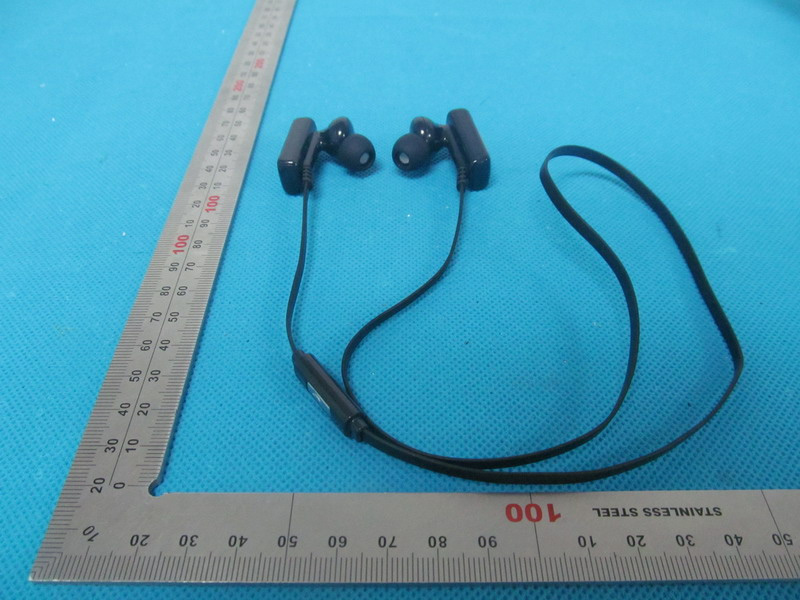
External Photos TOP VIEW OF EUT BOTTOM VIEW OF EUT FRONT VIEW OF EUT BACK VIEW OF EUT LEFT VIEW OF EUT RIGHT VIEW OF EUT
FCC ID Label Location FCC ID: N2VSBT223 Note: The Label is printed on the belt by silk-screen.
Internal Photos INTERNAL VIEW OF EUT-1 INTERNAL VIEW OF EUT-2 BT Antenna INTERNAL VIEW OF EUT-3
Report No.: AGC00696130601EF02 Page 1 of 53 FCC Test Report Report No.: AGC00696130601EF02 FCC ID : N2VSBT223 APPLICATION PURPOSE : Original Equipment PRODUCT DESIGNATION : Bluetooth Headset BRAND NAME : KOV MODEL NAME : SBT223, SBT225 CLIENT : GUANGZHOU SUNKING ETECH LIMITED DATE OF ISSUE : Jul.04,2013 STANDARD(S) : FCC Part 15 Rules REPORT VERSION : V1.0 Attestation of Global Compliance (Shenzhen) Co., Ltd CAUTION: This report shall not be reproduced except in full without the written permission of the test laboratory and shall not be quoted out of context. Report No.: AGC00696130601EF02 Page 2 of 53 Report Revise Record Report Version Revise Time Issued Date Valid Version Notes V1.0 / Jul.04,2013 Valid Original Report Report No.: AGC00696130601EF02 Page 3 of 53 TABLE OF CONTENTS 1. VERIFICATION OF CONFORMITY ............................................................................................................ 5 2. GENERAL INFORMATION ........................................................................................................................ 6 2.1. PRODUCT DESCRIPTION ................................................................................................................. 6 2.2. TABLE OF CARRIER FREQUENCYS ................................................................................................ 6 2.3. RECEIVER INPUT BANDWIDTH ....................................................................................................... 7 2.4. EXAMPLE OF A HOPPING SEQUENCY IN DATA MODE .................................................................. 7 2.5. EQUALLY AVERAGE USE OF FREQUENCIES AND BEHAVIOUR ................................................... 7 2.6. RELATED SUBMITTAL(S) / GRANT (S) ............................................................................................. 8 2.7. TEST METHODOLOGY ...................................................................................................................... 8 2.8. SPECIAL ACCESSORIES .................................................................................................................. 8 2.9. EQUIPMENT MODIFICATIONS .......................................................................................................... 8 3. MEASUREMENT UNCERTAINTY ............................................................................................................. 9 4. DESCRIPTION OF TEST MODES ............................................................................................................. 9 5. SYSTEM TEST CONFIGURATION .......................................................................................................... 10 5.1. CONFIGURATION OF EUT SYSTEM ............................................................................................... 10 5.2. EQUIPMENT USED IN EUT SYSTEM .............................................................................................. 10 5.3. SUMMARY OF TEST RESULTS ....................................................................................................... 10 6. TEST FACILITY ........................................................................................................................................ 11 7. PEAK OUTPUT POWER .......................................................................................................................... 12 7.1. MEASUREMENT PROCEDURE ...................................................................................................... 12 7.2. TEST SET-UP (BLOCK DIAGRAM OF CONFIGURATION) ............................................................. 12 7.3. LIMITS AND MEASUREMENT RESULT ........................................................................................... 13 8. 20DB BANDWIDTH .................................................................................................................................. 14 8.1. MEASUREMENT PROCEDURE ...................................................................................................... 14 8.2. TEST SET-UP (BLOCK DIAGRAM OF CONFIGURATION) ............................................................. 14 8.3. LIMITS AND MEASUREMENT RESULTS ........................................................................................ 14 9. CONDUCTED SPURIOUS EMISSION ..................................................................................................... 22 9.1. MEASUREMENT PROCEDURE ...................................................................................................... 22 9.2. TEST SET-UP (BLOCK DIAGRAM OF CONFIGURATION) ............................................................. 22 9.3. MEASUREMENT EQUIPMENT USED ............................................................................................. 22 9.4. LIMITS AND MEASUREMENT RESULT ........................................................................................... 22 10. RADIATED EMISSION ........................................................................................................................... 26 10.1. MEASUREMENT PROCEDURE .................................................................................................... 26 10.2. TEST SETUP .................................................................................................................................. 28 Report No.: AGC00696130601EF02 Page 4 of 53 10.3. TEST RESULT ................................................................................................................................ 29 11. BAND EDGE EMISSION ........................................................................................................................ 33 11.1. MEASUREMENT PROCEDURE ..................................................................................................... 33 11.2. TEST SET-UP ................................................................................................................................. 33 …
Text truncated - open the document above for the full version.
Test Setup Photos FCC LINE CONDUCTED EMISSION TEST SETUP FCC RADIATED EMISSION TEST SETUP
| # | Rule Parts | Frequency Range | Power Output |
|---|---|---|---|
| 1 | 15C | 2.40 GHz - 2.48 GHz | 3.00 mW |

Bluetooth Headset
Equipment Class
DSS - Part 15 Spread Spectrum Transmitter