N7KB3DBluetooth Speaker
KINGTA TECHNOLOGY CO., LTD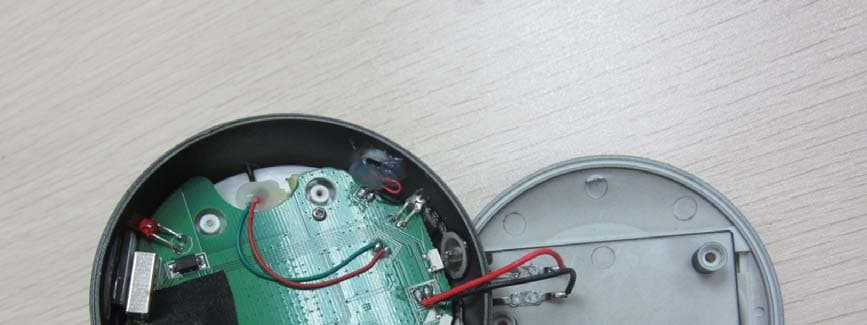
Click to zoom
Application Details
- Equipment Class
- DSS - Part 15 Spread Spectrum Transmitter
- Date of Grant
- May 06, 2012
- Application Purpose
- Original Equipment
- Date of Application
- May 06, 2012
- Equipment Note
- Bluetooth Speaker
- Frequency Range
- 2402.00000000 - 2480.00000000
- Company
- KINGTA TECHNOLOGY CO., LTD
- Country
- China
Documents & Files
Document Text
Text extracted from the exhibit documents filed with the FCC. Open a document above to read the original.
Users Manual
Page 1 of 5 Kingta Bluetooth Speaker Instruction Manual Bluetooth Speaker Instruction Guide Page 2 of 5 Kingta Bluetooth Speaker Instruction Manual Know your speaker A. Mic B. Bluetooth indicator light (Blue) C. Pause/ Play/ Hands free answer/ Hands free hang up D. Volumn+ E. Volumn- F. Prev G. Next H. USB DC I. AUX in/ Aux in indicator light (Green) J. On/ Off button (Bluetooth/ AUX/ OFF) K. Charging indicator light (Red) L. Rechargeable battery cover The Reasons why you love it ¾ 2.0 Hifi portable Bluetooth speaker, stereo sound effect ¾ Compatible with the Iphone, Ipad or any cell phone has Bluetooth, enjoy your loved song anytime, anywhere. ¾ Can control the play mode through the speaker, makes everything convenient. ¾ Wireless Bluetooth connection, effective range can reach to 10m, enjoys music boundless. ¾ Automatically snooze mode, smart energy conversation. ¾ USB charge support, easy for operation. ¾ AUX-in also bring good performance in our-sourcing music device connection. ¾ Hands free phone call mode, support voice dial. Product Specifications z Dimension & Weight Dimension: 62.5mm (W)*76mm (D)*77mm (H) Weight: 200 g Page 3 of 5 Kingta Bluetooth Speaker Instruction Manual z Battery life: 850-1050 mah, BL-5C Nokia rechargeable Li battery z Music playtime: Max 6-8 hrs z Charge condition: Charge time: 3-4 hours Power input:100v~240v/50-60Hz Power output: 5v/300~500M. (Remark: Please don’t use the mismatching adaptor to charge the product, or it will get damage to the speaker and battery) Speaker Specifications z Diameter: 2 inch z Impedance: 4Ω z Power output: 3.5 W z Sensitivity: 85 ± 1db Wireless function z Frequency: 2.402-2.480 GHZ z Max transmission power rate: 2 grade, 4dBm z Receiving sensitivity: 85dBm z Transmission distance: 10 m z Data transmission rate: 115200bps z Operation power consumption: <55 MA z Snooze mode power consumption: <10 MA Package & accessories z Bluetooth speaker z USB cable z Rechargeable battery z AV cable z Instruction manual z Guarantee card Operation Instructions 1. Turn on ON/OFF switch to AUX-in, the green indicator light on, and the speaker is in the AUX-in function. Turn the switch to BT (Bluetooth) position, and speaker will have a response ring, the blue indicator light on, Bluetooth function works. 2. When connect to the USB DC in or adaptor, red indicator light on, charge mode works. The speaker can be charged when it‘s in ON or OFF status. 3. The Bluetooth speaker will turn into snooze mode after 300s unused, and speaker will have a continuous warning tone. Turn on the ON/OFF switch again, and the speaker will turn into the normal working mode. Page 4 of 5 Kingta Bluetooth Speaker Instruction Manual 4. Short press “+“, volumn up; Short press ”-“,volumn down. 5. Short press “ ” for previous song; Short press “” for next song. 6. In the play mode, short press “” is pause/play function; When phone call comes, press “” to answer phone with hands free; In the phone mode, press “” to hang up the phone conversation. When long press the “”, it will dial the last number in the cell phone automatically, support the voice dial function. 7. When blue indicator flashes fast, Bluetooth is searching signal, after successful matched, the blue indicator light will be bright and flash slowly. 8. The Bluetooth speaker can only match to one signal per time, the connection can not be deleted when matching. It can only be deleted in disconnection model. 9. It‘s not allow to show the same equipment name in the Bluetooth connection list, or it will make the one in same name can not be connected. 10. The Bluetooth speaker user name is: kingta-b3, the default password is: “0000“. Points to keep your Bluetooth energetic z The hands free function can only be worked in the Bluetooth mode. z The Bluetooth speaekr has a anti signal disturb design, but it will still be interrupted by the high frequency device or electromagnetic field. Avoid to put it in such kind of environment. z Different user port will make difference on the transmission distance. Please use the qualify Bluetooth port. z Some cell phone music player device does not have smooth cache, and it will be a slightly “POP“ tone when pause, it‘s a normal sound. z The disconnection of Bluetooth is not a real time operation, and it will be a few seconds delay from the cell phone operation. z When Bluetooth match is failed, delete other Bluetooth device in the connection list, restart the Bluetooth speaker and search the signal again. z If speaker makes a loud electronic noise, or when charging by USB port, the red, green, blue indicator light flashes in turn, please check for the battery shrapnel, or if any damage in the battery. z It must install a Bluetooth media player in the computer when PC using the Bluetooth speaker z Please pull out the AUX-in cable before connect to the Bluetooth, to make sure the connection is correct. z The speaker sound effect is affected by battery capacity, cell phone performance and input media source quality. If noise, user can download some ““0db” music for test in AUX-in mode, in the distance Page 5 of 5 Kingta Bluetooth Speaker Instruction Manual of 1m. z If speaker will not be used for a long time, please keep charge once per month, to avoid the over consumption of the battery to damage the speaker. z Do not put the speaker in a extreme cold, hot, wet or dusty environment, or it will be damage to the function and device. z Do not use the speaker in a extreme dry environment, to avoid the static damage. z Do not put the speaker in water or fire z Do not scratch the speaker to protect the interface and battery. Thanks for using Kingta Bluetooth speaker Enjoy music, enjoy life! FCC Statement This device complies with part 15 of the FCC rules. Operation is subject to the following two conditions: (1) this device may not cause harmful interference, and (2) this device must accept any interference received, including interference that may cause undesired operation. NOTE: The man…
Text truncated - open the document above for the full version.
External Photos
Dongguan Dongdian Testing Service Co., Ltd Report No: DDT-F12018 Page 81 of 83 13. Photos of the EUT Dongguan Dongdian Testing Service Co., Ltd Report No: DDT-F12018 Page 82 of 83
ID Label/Location Info
Label Location KINGTA TECHNOLOGY CO., LTD BLUETOOTH SPEAKER M/N: B3D FCC ID: N7KB3D This device complies with Part 15 of the FCC Rules. Operation is subject to the following two conditions: (1) this device may not cause harmful interference, and (2) this device must accept any interference received, including interference that may cause undesired operation.
Internal Photos
Dongguan Dongdian Testing Service Co., Ltd Report No: DDT-F12018 Page 83 of 83 END OF REPORT
Test Report
FCC CERTIFICATION TEST REPORT FOR Issued By: Dongguan Dongdian Testing Service Co., Ltd. Add: No. 17, Zongbu Road 2, Songshan Lake Sci&Tech, Industry Park, Dongguan City, Guangdong Province, China, 523808 Tel: +86-0769-22891499 Report No: DDT-F12018 Issued Date: 2012/05/03 Applicant : KINGTA TECHNOLOGY CO.,LTD Address : 4F, Building 2, HaoJingDa Science Park, Shangmugu, Pinghu Town, Longgang District, Shenzhen, Guangdong Province, China Equipment under Test : BLUETOOTH SPEAKER Model No : B3D FCC ID : N7KB3D Manufacturer : KINGTA TECHNOLOGY CO.,LTD Address : 4F, Building 2, HaoJingDa Science Park, Shangmugu, Pinghu Town, Longgang District, Shenzhen, Guangdong Province, China Dongguan Dongdian Testing Service Co., Ltd Report No:DDT-F12018 Page 2 of 83 TABLE OF CONTENTS Test report declares......................................................................................................3 1. Summary of test results ................................................................................................5 2. General test information ...............................................................................................6 2.1. Description of EUT........................................................................................................6 2.2. Accessories of EUT ......................................................................................................6 2.3. Assistant equipment used for test.................................................................................6 2.4. Block diagram of EUT configuration for test.................................................................6 2.5. Test environment conditions .........................................................................................7 2.6. Test laboratory..............................................................................................................7 2.7. Measurement uncertainty .............................................................................................7 3. Maximum Peak Output Power ......................................................................................8 3.1. Test equipment .............................................................................................................8 3.2. Block diagram of test setup ..........................................................................................8 3.3. Limits ............................................................................................................................8 3.4. Test Procedure .............................................................................................................8 3.5. Test Result ...................................................................................................................8 4. 20dB Bandwidth..........................................................................................................10 4.1. Test equipment...........................................................................................................10 4.2. Block diagram of test setup ........................................................................................10 4.3. Limits ..........................................................................................................................10 4.4. Test Procedure ...........................................................................................................10 4.5. Test Result .................................................................................................................11 4.6. Original test data.........................................................................................................11 5. Carrier Frequency Separation.....................................................................................15 5.1. Test equipment...........................................................................................................15 5.2. Block diagram of test setup ........................................................................................15 5.3. Limits ..........................................................................................................................15 5.4. Test Procedure ...........................................................................................................15 5.5. Test Result .................................................................................................................15 5.6. Original test data.........................................................................................................16 6. Number Of Hopping Channel......................................................................................17 6.1. Test equipment...........................................................................................................17 6.2. Block diagram of test setup ........................................................................................17 6.3. Limits ..........................................................................................................................17 6.4. Test Procedure ...........................................................................................................17 6.5. Test Result .................................................................................................................17 Dongguan Dongdian Testing Service Co., Ltd Report No:DDT-F12018 Page 3 of 83 6.6. Original test data.........................................................................................................18 7. Dwell Time ..................................................................................................................20 7.1. Test equipment...........................................................................................................20 7.2. Block diagram of test setup ........................................................................................20 7.3. Limits ............…
Text truncated - open the document above for the full version.
Test Setup Photos
Dongguan Dongdian Testing Service Co., Ltd Report No: DDT-F12018 Page 79 of 83 12. Test setup photograph Dongguan Dongdian Testing Service Co., Ltd Report No: DDT-F12018 Page 80 of 83
Contact Information
Applicant
Marco Pan
Test Firm
Dongguan Dongdian Testing Service Co.,LtdJamy Yu
[email protected]086-0769-22891499
Technical Specifications
| # | Rule Parts | Frequency Range | Power Output |
|---|---|---|---|
| 1 | 15C | 2.40 GHz - 2.48 GHz | 1.80 mW |
Other Applications from KINGTA TECHNOLOGY CO., LTD
N7KB18L
Dec 23, 2025Bluetooth Speaker
Equipment Class
DSS - Part 15 Spread Spectrum Transmitter
N7K-S08G
Oct 08, 2024Portable Speaker
Equipment Class
DSS - Part 15 Spread Spectrum Transmitter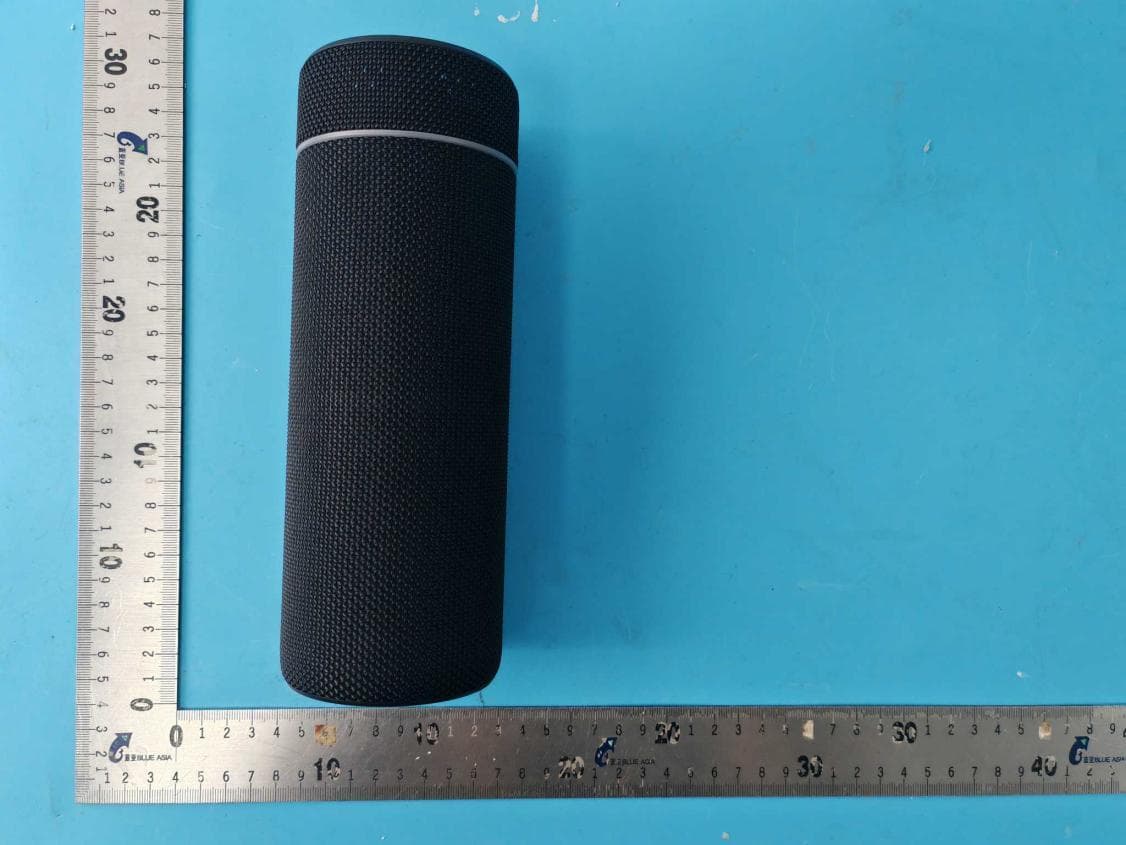
N7KI2
Oct 08, 2024Portable Speaker
Equipment Class
DSS - Part 15 Spread Spectrum TransmitterN7KYOYO03
Jan 16, 2024Wireless Speaker
Equipment Class
DSS - Part 15 Spread Spectrum Transmitter
N7K-KR167
Jul 29, 2023Wireless Headphone
Equipment Class
DSS - Part 15 Spread Spectrum Transmitter