O4GSNINTPControl panel
Dayton Industrial Co., Ltd.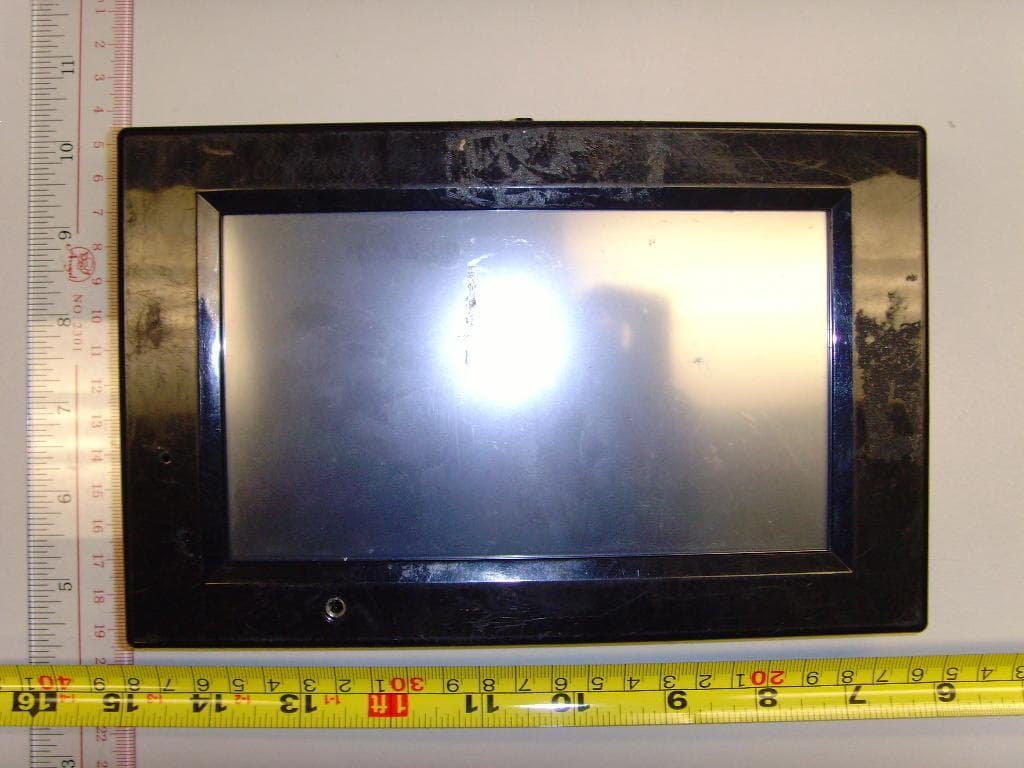
Click to zoom
Application Details
- Equipment Class
- DXT - Part 15 Low Power Transceiver, Rx Verified
- Date of Grant
- Jul 31, 2011
- Application Purpose
- Original Equipment
- Date of Application
- Jul 31, 2011
- Equipment Note
- Control panel
- Frequency Range
- 2457.00000000 - 2457.00000000
- Company
- Dayton Industrial Co., Ltd.
- Country
- Hong Kong
Documents & Files
Document Text
Text extracted from the exhibit documents filed with the FCC. Open a document above to read the original.
Users Manual
mPulse TM Series User Manual This is the inserting manual for “Control Panel”. The control panel is part of the whole final product “mPulse”. The key functions of the “Control Panel” as follows: 1. Memorize the user personal particulars and heater settings. 2. User pre‐set schedule for the Saunas operation. 3. Send commands to the he ater controller through the RS232 connector. 4. Get error message from the RS232 connector and display it on the LCD. 5. It consist a 2.4G Transceiver module that capable of receiving user’s heart rate data if he/she is wearing a heart‐rate belt. The heart rate data will be broadcast to his/her watch. These data will be saved in the watch. 15 LCD Control Panel 1. Turn on Control Panel Simply touch the screen to start. Follow the on-screen instructions to complete the initial set-up. You will not have to go through the same process each time you use the control panel - additional information is needed for the first use only. 2. Set-Up On the first set up of your sauna, or if your sauna has been unplugged, you will go through the Set-Up screens. Make sure to enter in your serial number correctly - the heater programs and customization depend on the model of sauna you are using. If you enter information incorrectly, or need to change your Set-Up information, you can do so through the Options tab. Write down your serial number in case it is needed for future use. The serial number is located on the sauna boxes and on the back panel. 16 3. Home Screen When set-up is complete, you will see the home screen. This will give the critical information you need when inside your sauna: the temperature, set time, clock, program selected, and a single piece of biometric information. You can also control the interior lights, or utilize “QUICK START,” which runs a session at whatever settings the previous session ended. 1 2 3 45 6 7 8 9 10 11 1 . Q u i c k S t a r t B u t t o n Press this button to repeat the last sauna session run. 2 . S a u n a T i m e r Counts down the amount of time remaining in the current sauna session. 3 . Te m p e r a t u re S e t t i n g / R e a d i n g Shows the current temperature within the cabin. When temp is being adjusted, it displays the set temperature for a moment, then goes back to current temperature. 4 . B i o m e t r i c s Ta b Press for access to biometric information and user settings. 5 . P ro g r a m s Ta b Press to access the six pre-programmed sauna sessions - each targeting specific health needs. 6. Options Tab Press to access the Schedule, Heater Customization, Audio/Video, and more. 7 . C l o c k Displays the current time. 8 . L i g h t i n g C o n t ro l Use the up and down arrows to control the interior lights. 9 . U s e r N a m e & P ro g r a m Displays the current user and program running. 1 0 . B i o m e t r i c D i s p l a y Displays a selected piece of biometric information. 1 1 . P o w e r B u t t o n Press to turn off the LCD display and your sauna. 17 4. Biometrics Menu Pressing the Biometrics Tab give you access to the Biometrics drop-down menu. From this menu, you have several options: View Data: The “view data” screen allows you to view any pieces of biometric information that your accessories support (note: without Sunlighten biofeedback-accessories, you will not be able to see any data. Some data will be unlocked on later software/hardware upgrades). Create New User: The set-up process gave you the opportunity to create a user. You can also create additional users. Having multiple users will allow you to utilize multiple biofeedback accessories simultaneously, and keep custom settings for each user. 18 Select User: The “select user” screen allows you to select from any user you have stored, or select “Guest” if you would prefer to be without a user. Edit User: If you have already created a user and wish to make changes, you can user the “edit user” option. This lets you go back through the information you entered when you created the user and edit it. Delete User: If you have already selected a user, you can use the “Delete User” option to remove it from your system. 19 5. Programs Screen Pressing the Programs Tab give you access to the program selection screen. There are six programs to choose from - each targeting a specific health benefit. Cardio: As the body tries to cool itself, you should notice an increase in heart rate, cardiac output and metabolic rate. Detoxification: Detox can be used as a tool to help relieve symptoms AND as a preventive tool to increase overall health. Pain Relief: Heat activates neurological, vascular and metabolic mechanisms to mediate the transmission of pain. Relaxation: Relax in comfort with an invigorating deep tissue sweat. Weight Loss: It has been estimated that a 30 minute infrared sauna session can burn over 200 calories. Skin Health: Infrared heat easily penetrates human tissue to help with acne, eczema, psoriasis, burns, cuts and more. 20 To run a program, first press the program you would like. A brief description is shown and the button is highlighted. Then press the “start” button to begin the program. The active program will display on your Home screen and the temperature and timer will adjust. 6. Options Menu Pressing the Options Tab gives you access to the Options drop-down menu. From this menu, you have several choices: Schedule: The “schedule” button will open a second drop down, allowing you to choose between either a “daily” session, or “one time” session - or you can “view sessions”. A “one time” session will simply schedule a single sauna session for anytime within the next 7 days. 21 You begin by selecting the day you want your session scheduled for. You then select the time, followed by the program, and then your program is set. It can be confirmed with the “view session” button. The “daily” session will involve the same steps - but instead of selecting a specific day of the week, it automatically schedules the session for every day of the week. Just like the…
Text truncated - open the document above for the full version.
Internal Photos
RF part Antenna
Test Report
Report Number: 60/760.10.205.01Page 1 of 43 TÜVSÜD HONG KONG LTD., 3/F, W est W ing, Lakeside 2, 10 Science Park West Avenue, Science Park, Shatin, HK. Tel: +852-2776 1323 Fax: +852-2776 1206 Rev. no.: 2.0 FCC – Test report Report Number: 60/760.10.205.01 Date of Issue: 28 June 2011 Model: CONTROL PANEL Product Type:SAUNAS CONTROL PANEL Applicant:Dayton Industrial Co., Ltd. Address:2-12 Kwai Fat Road, 11-A Kwai Chung, : New Territories, Hong Kong Production Facility:Kendy Enterprise Ltd. Address:2-12 Kwai Fat Road, 11-A Kwai Chung, : New Territories, Hong Kong Test Result: PositiveNegative Total pages including Appendices: 43 TÜV SÜD Hong Kong Ltd. is a subcontractor to TÜV Product Service, GmbH according to the principles outlined in ISO 17025. TÜV SÜD Hong Kong Ltd. reports apply only to the specific samples tested under stated test conditions. Construction of the actual test samples has been documented. It is the manufacturer's responsibility to assure that additional production units of this model are manufactured with identical electrical and mechanical components. The manufacturer/importer is responsible to the Competent Authorities in Europe for any modifications made to the production units which result in non-compliance to the relevant regulations. TÜV SÜD Hong Kong Ltd. shall have no liability for any deductions, inferences or generalizations drawn by the client or others from TÜV SÜD Hong Kong Ltd. issued reports. This report is the confidential property of the client. As a mutual protection to our clients, the public and ourselves, extracts from the test report shall not be reproduced except in full without our written approval. Report Number: 60/760.10.205.01Page 2 of 43 TÜVSÜD HONG KONG LTD., 3/F, W est W ing, Lakeside 2, 10 Science Park West Avenue, Science Park, Shatin, HK. Tel: +852-2776 1323 Fax: +852-2776 1206 Rev. no.: 2.0 1 Table of Contents 1 Table of Contents.............................................................................................. 2 2 Details about the Test Laboratory......................................................................... 3 3 Description of the Equipment Under Test................................................................ 4 4 Summary of Test Standards/ Results..................................................................... 5 5 General Remarks.............................................................................................. 6 6 Emission Test Results........................................................................................ 7 6.1 Radiated Emission Test.............................................................................. 7 6.2 20dB Bandwidth measurement.................................................................... 22 6.3 Duty cycle measurement .......................................................................... 23 6.4 Band edge measurement........................................................................... 25 6.5 Conduct Emission Test............................................................................... 27 7 Appendix A....................................................................................................... 34 Photographs of EUT 8 Appendix B....................................................................................................... 41 Photographs of Test Set Up 9 Appendix C....................................................................................................... 43 Product Information Report Number: 60/760.10.205.01Page 3 of 43 TÜVSÜD HONG KONG LTD., 3/F, W est W ing, Lakeside 2, 10 Science Park West Avenue, Science Park, Shatin, HK. Tel: +852-2776 1323 Fax: +852-2776 1206 Rev. no.: 2.0 2 Details about the TestLaboratory Details about the Test Laboratory Company name: TÜV SÜD HONG KONG LTD. 3/F, West Wing, Lakeside 2, 10 Science Park West Avenue, Science Park, Shatin HK. Telephone:852 2776 1323 Fax:852 2776 1372 Test site Company name: Neutron Engineering Inc. 3,Jinshagang 1st Road, ShiXia, Dalang Town, DongGuan, China FCC Registered Test Site Number 319330 Report Number: 60/760.10.205.01Page 4 of 43 TÜVSÜD HONG KONG LTD., 3/F, W est W ing, Lakeside 2, 10 Science Park West Avenue, Science Park, Shatin, HK. Tel: +852-2776 1323 Fax: +852-2776 1206 Rev. no.: 2.0 3 Description of the Equipment Under Test Description of the Equipment Under Test Product:SAUNAS CONTROL PANEL Model no.:CONTROL PANEL Serial number:NIL Options and accessories: NIL Rated Voltage:5 VDC, 3.3VDC Rated Current:NIL Rated Power:NIL Frequency:NIL Description of the EUT:EUT Main unit size:21cm x 13 cm x 4 cm Control szie:11.5 cm x 6.5 cm x 6.5 cm Supply by power supply (Provided by client) Report Number: 60/760.10.205.01Page 5 of 43 TÜVSÜD HONG KONG LTD., 3/F, W est W ing, Lakeside 2, 10 Science Park West Avenue, Science Park, Shatin, HK. Tel: +852-2776 1323 Fax: +852-2776 1206 Rev. no.: 2.0 4 Summary of Test Standards and Results Emission Tests Test Condition Test Requirement Test MethodPagesTest Result PassFailN/A Radiated Emission (Fundamental & Spurious Emission) FCC Part 15 Section 15.249 & 15.209 ANSI C63.4:2003 7-26 Conducted Emission on AC 150kHz to 30MHz FCC Part 15 Section 15.207 ANSI C63.4:2003 27-33 Report Number: 60/760.10.205.01Page 7 of 43 TÜVSÜD HONG KONG LTD., 3/F, W est W ing, Lakeside 2, 10 Science Park West Avenue, Science Park, Shatin, HK. Tel: +852-2776 1323 Fax: +852-2776 1206 Rev. no.: 2.0 6 Emission Test Results 6.1 RadiatedEmission Test (Fundamental) Date of test: 26 October 2010Test Result Passed Test requirement : FCC Part 15 Section 15.249 Not Passed Test method: ANSI C63.4:2003 Operating mode : On mode Antenna polarity : Horizontal Remarks: NIL Freq.Ant.Pol.Ant./CF Average factorPeakAVPeakAV (M Hz)H/VCF(dB)(dB)(dBuV/m) (dBuV/m) (dBuV/m) (dBuV/m) 2456.90H-31.5451.0578.6527.60114.0094.00 47.11 ReadingAct.Limit Peak (dBuV/m) Remark:The EUT was placed on the top of the turntable in test site area. The resolution bandwidth setting…
Text truncated - open the document above for the full version.
Contact Information
Applicant
Wong Lap Fai(Project Manager)
Test Firm
BTL Inc.Daisy Dai
Technical Specifications
| # | Rule Parts | Frequency Range | Power Output |
|---|---|---|---|
| 1 | 15C | 2.46 GHz - 2.46 GHz | - |
Other Applications from Dayton Industrial Co., Ltd.
O4G387
May 19, 2026RS HMI Control
Equipment Class
DTS - Digital Transmission System
O4GHRM25
Feb 10, 2026LINK2CARE
Equipment Class
DTS - Digital Transmission System
O4GT3
Dec 16, 2023E-Bike HMI with BLE and ANT+
Equipment Class
DTS - Digital Transmission System
O4GTPMS
Jul 18, 2022SMART BIKE SENSOR with Bluetooth and ANT+ function.
Equipment Class
DTS - Digital Transmission System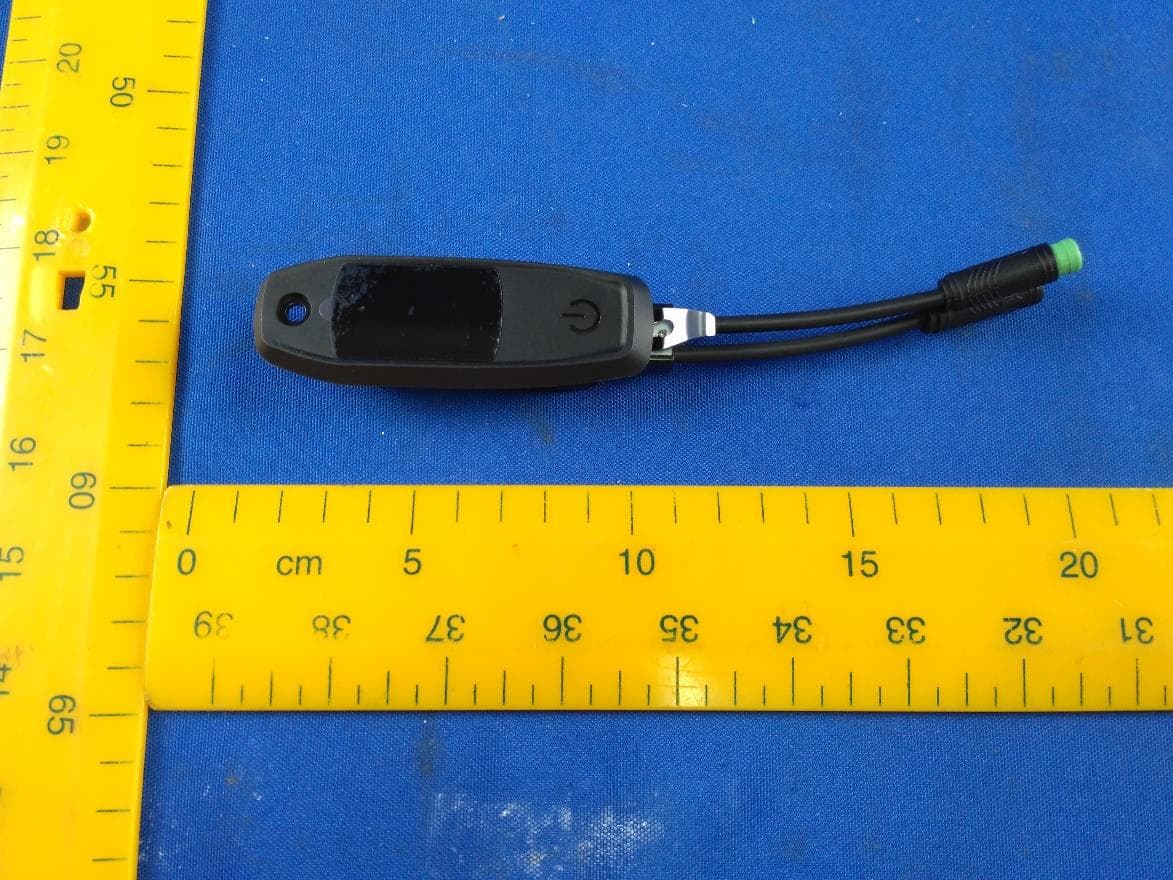
O4GTCU2
Dec 28, 2020E-Bike controller with BLE and ANT+ function
Equipment Class
DXX - Part 15 Low Power Communication Device Transmitter