O725346UTouchStrip Professional Reader
UPEK, Inc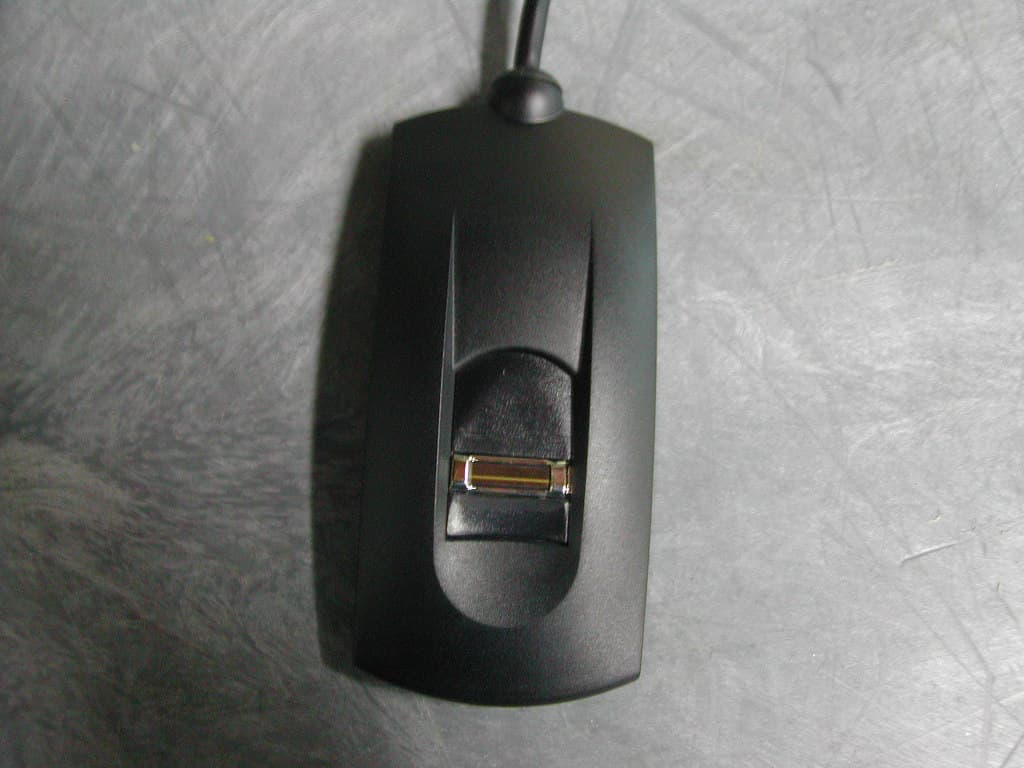
Click to zoom
Application Details
- Equipment Class
- JBP - Part 15 Class B Computing Device Peripheral
- Date of Grant
- Jul 26, 2004
- Application Purpose
- Original Equipment
- Date of Application
- Jul 26, 2004
- Equipment Note
- TouchStrip Professional Reader
- Company
- UPEK, Inc
- Country
- United States
Documents & Files
Document Text
Text extracted from the exhibit documents filed with the FCC. Open a document above to read the original.
Users Manual
Application Notes ESS Evaluator ESS Evaluator Quick Guide Release: <2.1.0> August 2003 1/8 Quick Guide ESS Evaluator Table of Contents 1 Introduction...........................................................................................3 2 Quick start..............................................................................................3 3 Application structure and control...........................................................4 4 Application walkthrough.........................................................................5 2/8 Quick Guide ESS Evaluator 1 Introduction ESS (Embedded Strip Sensor) Evaluator application is designed to provide overview of the ESS functionality. It guides user through simplified categorized functional pages with possibility to switch to an advanced option. Following text will describe particular pages and its purpose. For more information please refer to ESS API documentation. 2 Quick start After the ESS SDK installation attach your ESS development module to your PC. In case of USB connected device you will need to install a driver (can be found under “Program Files\STMicroelectronics\ TouchStrip Evaluation Tools\Drivers\ESS” directory). Start the ESS Evaluator application. In case the application doesn’t successfully connect the module you will need to adjust the connection settings. Go to advanced page by clicking the navigation button in the middle. Please refer to the further text for the Open Advanced page details. 3/8 Quick Guide ESS Evaluator 3 Application structure and control Open Biometric Memory Grab Navigation Advanced Advanced Advanced Start Mouse Settings Address book Sensor Orientation End The application functional pages are structured as shown on the scheme. On start the application opens on the page Open. Using the Previous and Next buttons (described below) you can shift between the pages back and forth. Pages Open, Biometric and Navigation have additional Advanced page, where you can get by clicking the middle navigation button at each respective page. It’s necessary to return from the Advanced page (by clicking the middle navigation button again) before shifting between the functional pages again. The meaning of each button is dynamically shown above it on the display. Start Previous Middle Next End button button navigation button button button 4/8 Quick Guide ESS Evaluator 4 Application walkthrough Open page Page open appears after the application start. It shows the module connection status and the API and module information. Additional information about the module firmware is reachable by clicking “get info” link. Exact description of the API and module information can be found in ESS API documentation. If the module connection fails with the default settings, go to the advanced Open page and adjust the connection parameters to fit your currently attached module. Select the type of connection (USB or Serial) and in case of Serial connection select the right COM port, communication speed and timeout. Then click Open. Opened connection can also be closed from this page. In case your module is a new one, which hasn’t been used before, it may need to be calibrated. In such case select “MANUFACTURING CALIBRATION“ and calibrate the module. Other calibrating options are intended for special usage – please refer to the ESS API documentation for more information. Biometric page This page provides three basic biometric functions: • Enroll • Identify • Verify Enroll: Enrolls a user’s finger to the first empty slot in the ESS memory. The enroll is consolidated, that means it requires three swipes of the finger which are consolidated to one template. In case the consolidation succeeds, application checks if the newly enrolled finger is not yet stored in the ESS memory. If the finger is found, duplicate storage is refused. Each template can have two types of data attached and stored along with it in the ESS memory. Public data can be freely read when listing the memory contents. They can be also changed later as needed. Private data can only be entered during the enrollment and can’t be changed later. Reading of the private data is possible only in case of successful match of the template they are attached to. 5/8 Quick Guide ESS Evaluator Enter either of the data boxes or both prior to clicking Enroll button to store desired data along with the enrolled fingerprint. Identify: Compares a live fingerprint scan with all templates stored in the ESS memory – identifies the user by the fingerprint. In case of match, public and private data attached to the matching template are retrieved and displayed in appropriate text boxes. Verify: Compares the template stored in the selected slot in ESS memory with a live finger scan – verifies user. In case of match, public and private data attached to the matching template are retrieved and displayed in appropriate text boxes. Switching to Advanced Biometric page will offer Capture function as well as Enroll with possibility to select the purpose. For more information about the particular purpose selection options please refer to ESS API documentation. For both function you can specify timeout in milliseconds. Enroll function can also attach public and/or private data to the template if the appropriate text box is filled. Additionally, with Enroll it’s possible to save the template to a selected file. Memory page Memory page lists all slots from the ESS memory where a template has been enrolled and displays attached public data. You can Delete the selected slot contents or modify the attached public data. Memory page has no advanced options. Grab page At this page a scanned fingerprint can be displayed. Select one of the possible grab formats in the drop-down menu and swipe your finger. For more information about the particular grab format selection options please refer to ESS API documentation. When the picture appears you can save it in PGM format on the disk – click on the folder icon in the bot…
Text truncated - open the document above for the full version.
Block Diagram
Quick Guide ESS Evaluator 3 Application structure and control Open Biometric Memory Grab Navigation Advanced Advanced Advanced Start Mouse Settings Address book Sensor Orientation End The application functional pages are structured as shown on the scheme. On start the application opens on the page Open. Using the Previous and Next buttons (described below) you can shift between the pages back and forth. Pages Open, Biometric and Navigation have additional Advanced page, where you can get by clicking the middle navigation button at each respective page. It’s necessary to return from the Advanced page (by clicking the middle navigation button again) before shifting between the functional pages again. The meaning of each button is dynamically shown above it on the display. Start Previous Middle Next End button button navigation button button button 4/8
External Photos
PULVER LABORATORIES INC. ELECTROMAGNETIC SHIELDS Celebrating 25 th year www.PulverLabs.com Fax 408.399.7001 Los Gatos, California 95030-7243 Voice 408.399.7000 S TITLE: PLI Evaluation Report (RFI) FCC ID: O725346U Page 30 of 49 DRAWING: Q534611We.DWG.doc Issued: 02 Jun 2004 BY: Laura Bramschreiber and Clyde Pineda Approved: Lee Pulver FIGURE 3: PLI Photograph Number 5346C1034SJ-11 illustrates the top view of the EUT. PULVER LABORATORIES INC. ELECTROMAGNETIC SHIELDS Celebrating 25 th year www.PulverLabs.com Fax 408.399.7001 Los Gatos, California 95030-7243 Voice 408.399.7000 S TITLE: PLI Evaluation Report (RFI) FCC ID: O725346U Page 31 of 49 DRAWING: Q534611We.DWG.doc Issued: 02 Jun 2004 BY: Laura Bramschreiber and Clyde Pineda Approved: Lee Pulver FIGURE 4: PLI Photograph Number 5346C1034SJ-12 illustrates the component side of the Input/Output Printed Circuit Assembly and the bottom cover of the EUT.
ID Label/Location Info
PULVER LABORATORIES INC. ELECTROMAGNETIC SHIELDS Celebrating 25 th year www.PulverLabs.com Fax 408.399.7001 Los Gatos, California 95030-7243 Voice 408.399.7000 S TITLE: PLI Evaluation Report (RFI) FCC ID: O725346U Page 20 of 49 DRAWING: Q534611We.DWG.doc Issued: 02 Jun 2004 BY: Laura Bramschreiber and Clyde Pineda Approved: Lee Pulver Label Illustration - Alternative Label {three times the size of actual Label} 5VDC 160mA FCC ID: O725346U TouchStrip Professional Reader Model TCRZ Patent Applied For ||||||||||||||||||||||||||||||||||||||||| 035000106 Made in Taiwan PULVER LABORATORIES INC. ELECTROMAGNETIC SHIELDS Celebrating 25 th year www.PulverLabs.com Fax 408.399.7001 Los Gatos, California 95030-7243 Voice 408.399.7000 S TITLE: PLI Evaluation Report (RFI) FCC ID: O725346U Page 21 of 49 DRAWING: Q534611We.DWG.doc Issued: 02 Jun 2004 BY: Laura Bramschreiber and Clyde Pineda Approved: Lee Pulver 2.2 Operators' Manual Information 2.2.1 The following information is inserted directly into the equipment user instruction manual to meet the requirements of product safety and Radio Frequency Interference (RFI) rules and regulations. WARNING - For reduced unwanted RF emissions, use a shielded power cord to connect AC power to the host computer. 2.3 FCC User Information - Place the following statements in the front of the operators’ manual so that the user of the EUT is aware of its interference potential. If available, provide additional information to the user about corrective measures.
Internal Photos
PULVER LABORATORIES INC. ELECTROMAGNETIC SHIELDS Celebrating 25 th year www.PulverLabs.com Fax 408.399.7001 Los Gatos, California 95030-7243 Voice 408.399.7000 S TITLE: PLI Evaluation Report (RFI) FCC ID: O725346U Page 32 of 49 DRAWING: Q534611We.DWG.doc Issued: 02 Jun 2004 BY: Laura Bramschreiber and Clyde Pineda Approved: Lee Pulver FIGURE 5: PLI Photograph Number 5346C1034SJ-14 illustrates the circuit side of the Input/Output Printed Circuit Assembly.
Test Report
PULVER LABORATORIES INC. ELECTROMAGNETIC SHIELDS Celebrating 25 th year www.PulverLabs.com Fax 408.399.7001 Los Gatos, California 95030-7243 Voice 408.399.7000 S TITLE: PLI Evaluation Report (RFI) FCC ID: O725346U Page 1 of 49 DRAWING: Q534611We.DWG.doc Issued: 02 Jun 2004 BY: Laura Bramschreiber and Clyde Pineda Approved: Lee Pulver This drawing consists of pages issued or re-issued on dates shown in the following list. Italic underlined words indicate content changes or additions on revised pages. PAGE ISSUED 1 - 49 02 June 2004 COMPANY CONFIDENTIAL This report is the property of Pulver Laboratories Inc. The information contained in this report can only be divulged to persons authorized by Pulver Laboratories Inc. Portions of this report contain information proprietary to UPEK, Inc.; other portions of this report contain information proprietary to Pulver Laboratories and the RFI Controls Company. Except for agencies like the Federal Communications Commission, companies must sign Non-Use and Non-Disclosure Agreements before authorized to read this report. All rights reserved. No part of this report may be reproduced or transmitted in any form or by any means without permission in writing from Pulver Laboratories Inc. Copyright 1983 - 2004 Pulver Laboratories Inc. PLI223F11W.FRMx16 Q534611We.DWG PULVER LABORATORIES INC. ELECTROMAGNETIC SHIELDS Celebrating 25 th year www.PulverLabs.com Fax 408.399.7001 Los Gatos, California 95030-7243 Voice 408.399.7000 S TITLE: PLI Evaluation Report (RFI) FCC ID: O725346U Page 2 of 49 DRAWING: Q534611We.DWG.doc Issued: 02 Jun 2004 BY: Laura Bramschreiber and Clyde Pineda Approved: Lee Pulver Disclaimer Statement THIS REPORT IS PROVIDED "AS IS" WITH NO WARRANTIES WHATSOEVER, INCLUDING ANY WARRANTY OF MERCHANTABILITY, FITNESS FOR ANY PARTICULAR PURPOSE, OR ANY WARRANTY OTHERWISE ARISING OUT OF ANY PROPOSAL, SPECIFICATION OR SAMPLE. “COMPANIES” shall refer to Pulver Laboratories Inc. and RFI Controls Company. Information in this document may be provided in connection with Pulver Laboratories Inc. and RFI Controls Company products. No license, express or implied, by estoppel or otherwise, to any intellectual property rights is granted by this document or by the sale of COMPANIES’ products. Except as provided in COMPANIES’ Terms and Conditions of Sale for such products, the COMPANIES assume no liability whatsoever and the COMPANIES disclaim any express or implied warranty, relating to sale and/or use of COMPANIES’ products including liability or warranties relating to fitness for a particular purpose, merchantability, or infringement of any patent, copyright or other intellectual property right. COMPANIES’ products are not intended for use in medical, life saving, or life sustaining applications. COMPANIES retain the right to make changes to their test procedures and design specifications at any time, without notice. The Applicant designated in this report remains solely responsible for the design, sale, and functionality of its product, including any liability arising from product design, product infringement, or product warranty. Trademarks All trademarks and registered trademarks mentioned in this Pulver Laboratories Inc. Product Evaluation Report belong to their respective holders. Other product and corporate names may be trademarks of other companies and are used only for explanation and to the owners' benefit, without intent to infringe. PULVER LABORATORIES INC. ELECTROMAGNETIC SHIELDS Celebrating 25 th year www.PulverLabs.com Fax 408.399.7001 Los Gatos, California 95030-7243 Voice 408.399.7000 S TITLE: PLI Evaluation Report (RFI) FCC ID: O725346U Page 3 of 49 DRAWING: Q534611We.DWG.doc Issued: 02 Jun 2004 BY: Laura Bramschreiber and Clyde Pineda Approved: Lee Pulver TABLE OF CONTENTS Page Section Description 1 0.0 Drawing; Client; Product; Standards 7 1.0 Engineering Considerations 1.1 General Engineering Considerations 1.1.1 08 December 2003 FCC Conformance Statement 8 1.2 Specific Engineering Considerations 1.3 Product Description and Intended Use 11 1.4 Abbreviated List of Photographs 11 1.5 Equipment Used During Measurements 19 2.0 Mandatory Labeling, Manual Information, and Shipping Documents 2.1 FCC Label 20 Label Illustration 21 2.2 Operators’ Manual Information 21 2.3 FCC User Information 24 2.4 Industry Canada 25 2.5 RegTP Declaration 28 Photographs 33 Oscillator Frequencies 34 EUT Orientation 35 3.0 Radiated Electromagnetic Interference - Test Configuration 38 4.0 Radiated EMI – Results 44 5.0 Conducted EMI -Test Configuration 44 6.0 Conducted EMI - Results 48 FCC/EN Conducted Graphs 49 Last Page of Report Certificate of Conformance PULVER LABORATORIES INC. ELECTROMAGNETIC SHIELDS Celebrating 25 th year www.PulverLabs.com Fax 408.399.7001 Los Gatos, California 95030-7243 Voice 408.399.7000 S TITLE: PLI Evaluation Report (RFI) FCC ID: O725346U Page 4 of 49 DRAWING: Q534611We.DWG.doc Issued: 02 Jun 2004 BY: Laura Bramschreiber and Clyde Pineda Approved: Lee Pulver Pulver Laboratories Inc. (PLI) File Number: 5346 Pulver Laboratories Inc. (PLI) Project Number: C1034 Product Names: (1) TouchStrip Professional Reader (EUT) (EUT = Equipment Under Test) Model Numbers: (1) TCRZ Serial Numbers: (1) 035000106 Pulver Laboratories Sample ID: (1) 5346C1034-01 Applicant: UPEK, Inc. 2001 Center Street, Suite 500 Berkeley, California 94704-1204 Telephone: 510.903.3226 Facsimile: 510.665.9730 www.upek.com Location Certified: UPEK, Inc. 2001 Center Street, Suite 500 Berkeley, California 94704-1204 Telephone: 510.903.3226 Facsimile: 510.665.9730 www.upek.com Manufacturing Location: Min Aik Technology Co, LTD 12F-1, #492-1, Sec 1 Wan Shou Rd. Kuai Shan Shiang, Tao Yaun, Hsian, Taiwan ROC Telephone: 886-9-3381-0937 Contact: Johnson Lu Pulver Laboratories Inc. (PLI) Control Number: 5346X Equipment Category • Information Technology Equipment including Electrical Business Equipment PULVER LABORATORIES INC. ELECTROMAGNETIC SHIELDS Celebrating 25 th year www.PulverLabs…
Text truncated - open the document above for the full version.
Test Setup Photos
PULVER LABORATORIES INC. ELECTROMAGNETIC SHIELDS Celebrating 25 th year www.PulverLabs.com Fax 408.399.7001 Los Gatos, California 95030-7243 Voice 408.399.7000 S TITLE: PLI Evaluation Report (RFI) FCC ID: O725346U Page 28 of 49 DRAWING: Q534611We.DWG.doc Issued: 02 Jun 2004 BY: Laura Bramschreiber and Clyde Pineda Approved: Lee Pulver FIGURE 1: PLI Photograph Number 5346C1034SJ-08 illustrates the rear view of the Equipment Under Test with all peripherals attached in radiated Electromagnetic Interference Test Configurations #1 and #2. PULVER LABORATORIES INC. ELECTROMAGNETIC SHIELDS Celebrating 25 th year www.PulverLabs.com Fax 408.399.7001 Los Gatos, California 95030-7243 Voice 408.399.7000 S TITLE: PLI Evaluation Report (RFI) FCC ID: O725346U Page 29 of 49 DRAWING: Q534611We.DWG.doc Issued: 02 Jun 2004 BY: Laura Bramschreiber and Clyde Pineda Approved: Lee Pulver FIGURE 2: PLI Photograph Number 5346C1034SJ-07 illustrates the rear view of the Equipment Under Test with all peripherals attached in conducted Electromagnetic Interference Test Configuration #1. (Second LISN for peripherals not show).
Contact Information
Applicant
Dave Adolf(Director)
Test Firm
Pulver Laboratories Inc.Lee Pulver
Technical Specifications
| # | Rule Parts | Frequency Range | Power Output |
|---|---|---|---|
| 1 | 15B | - | - |
Other Applications from UPEK, Inc

O725346V
Aug 14, 2002Smart Card Reader
Equipment Class
JBP - Part 15 Class B Computing Device Peripheral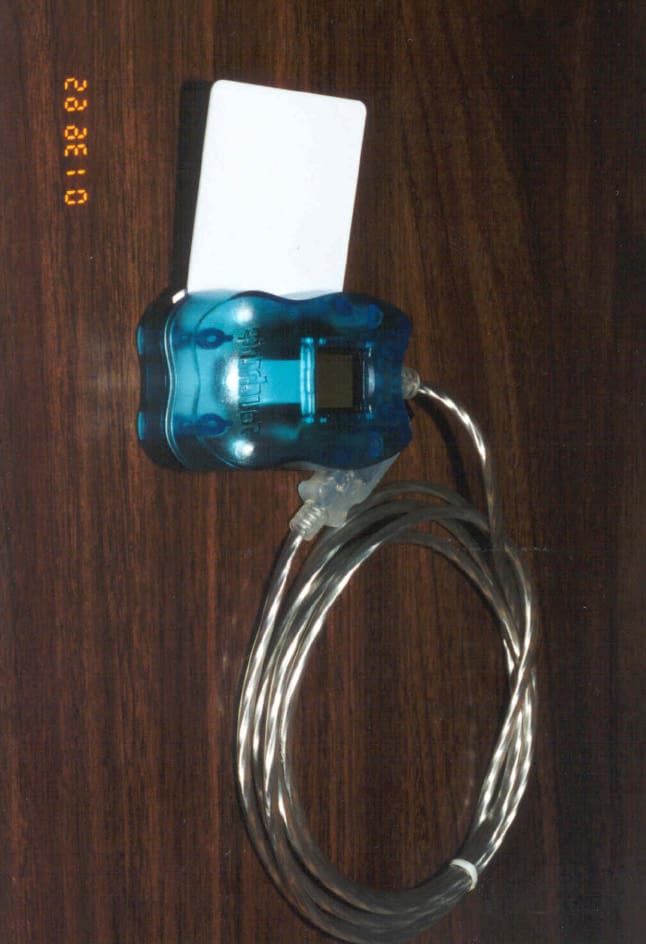
O725346W
Sep 26, 2001Smart Card Reader
Equipment Class
JBP - Part 15 Class B Computing Device PeripheralO725346X
Oct 02, 2000TouchChip � Silicon Fingerprint Reader
Equipment Class
JBP - Part 15 Class B Computing Device Peripheral