O8FHVP-1Hwireless module
Palm Inc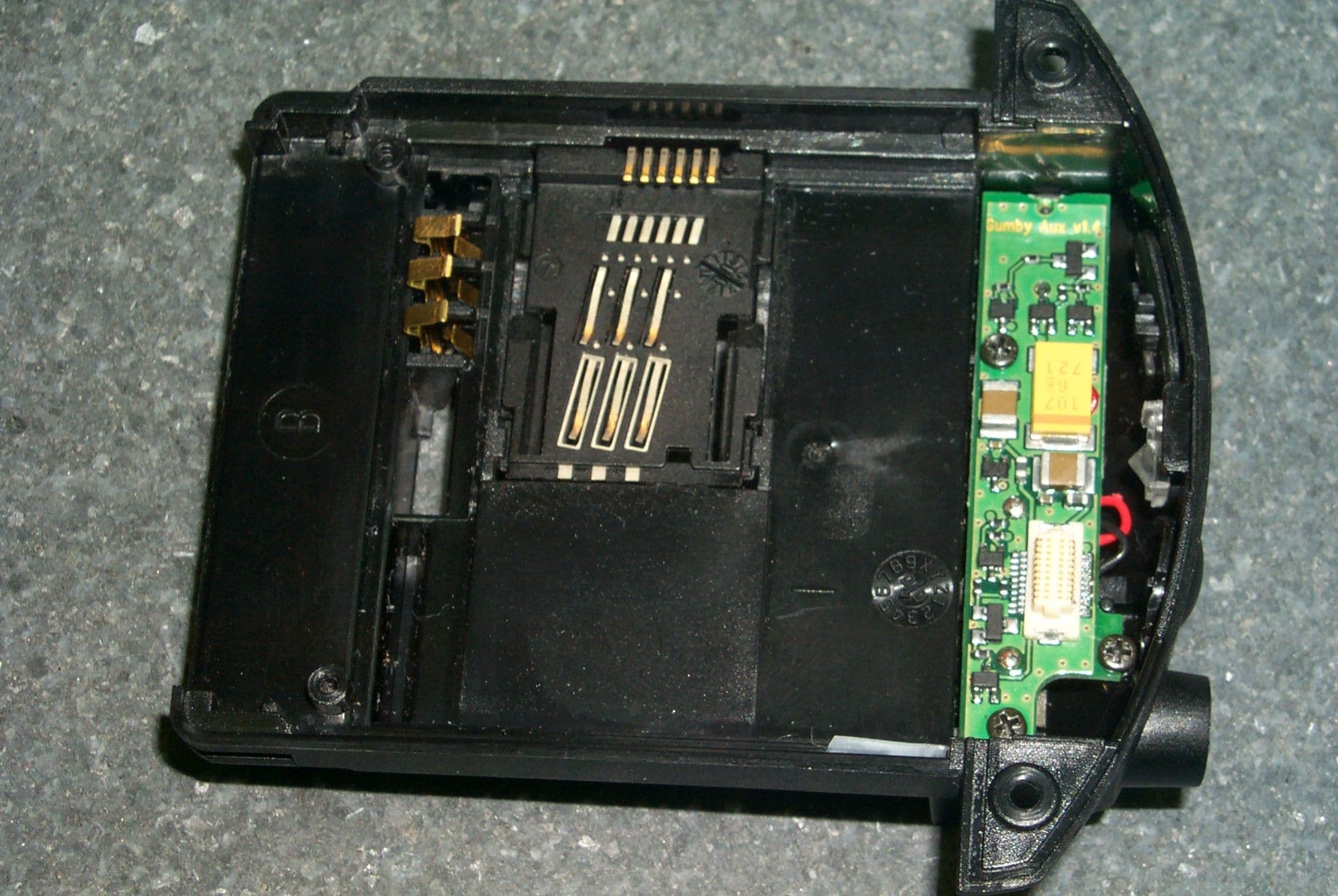
Click to zoom
Application Details
- Equipment Class
- PCF - PCS Licensed Transmitter held to face
- Date of Grant
- Dec 12, 2000
- Application Purpose
- Original Equipment
- Date of Application
- Sep 21, 2000
- Equipment Note
- wireless module
- Frequency Range
- 1850.28000000 - 1909.72000000
- Company
- Palm Inc
- Country
- United States
Documents & Files
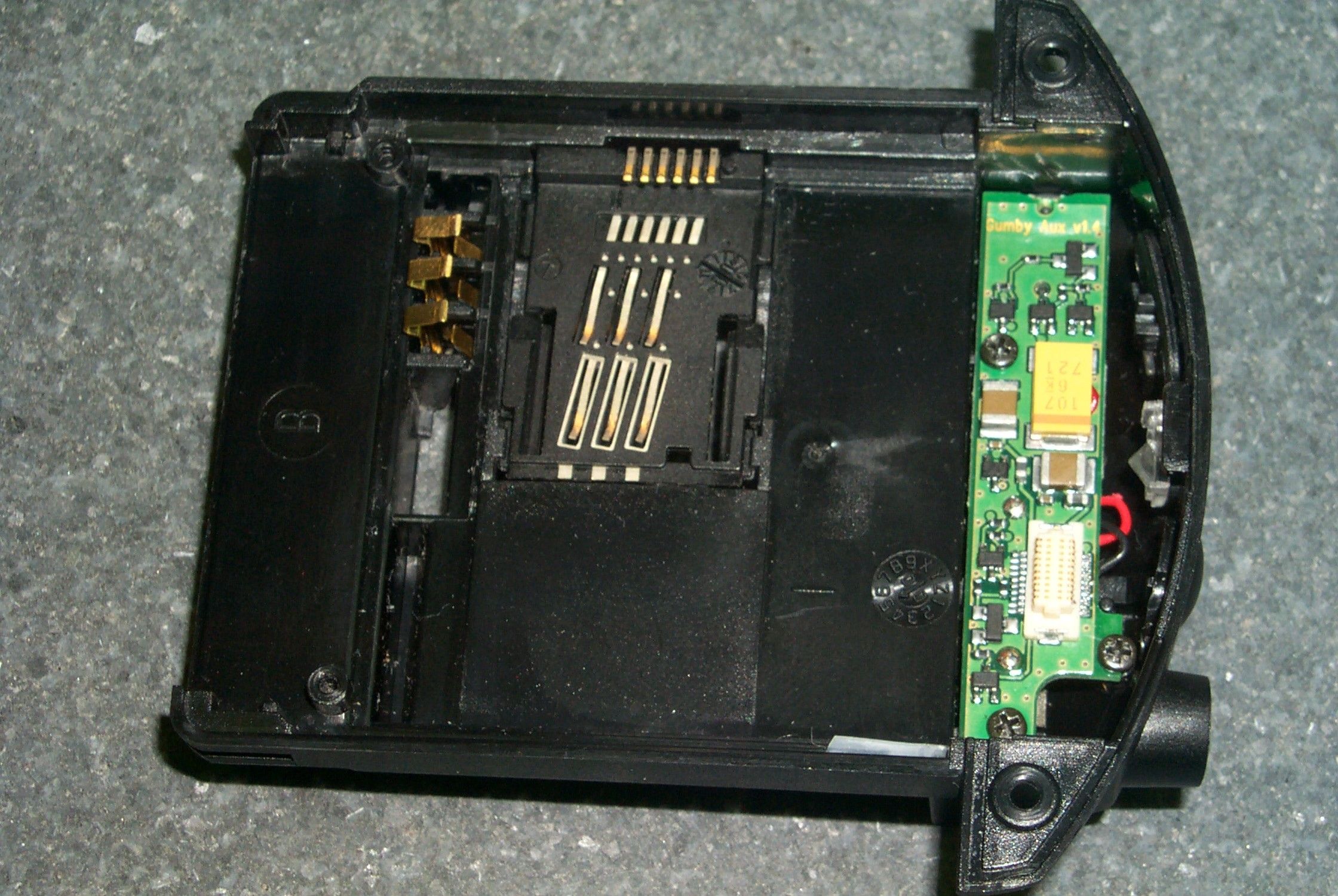
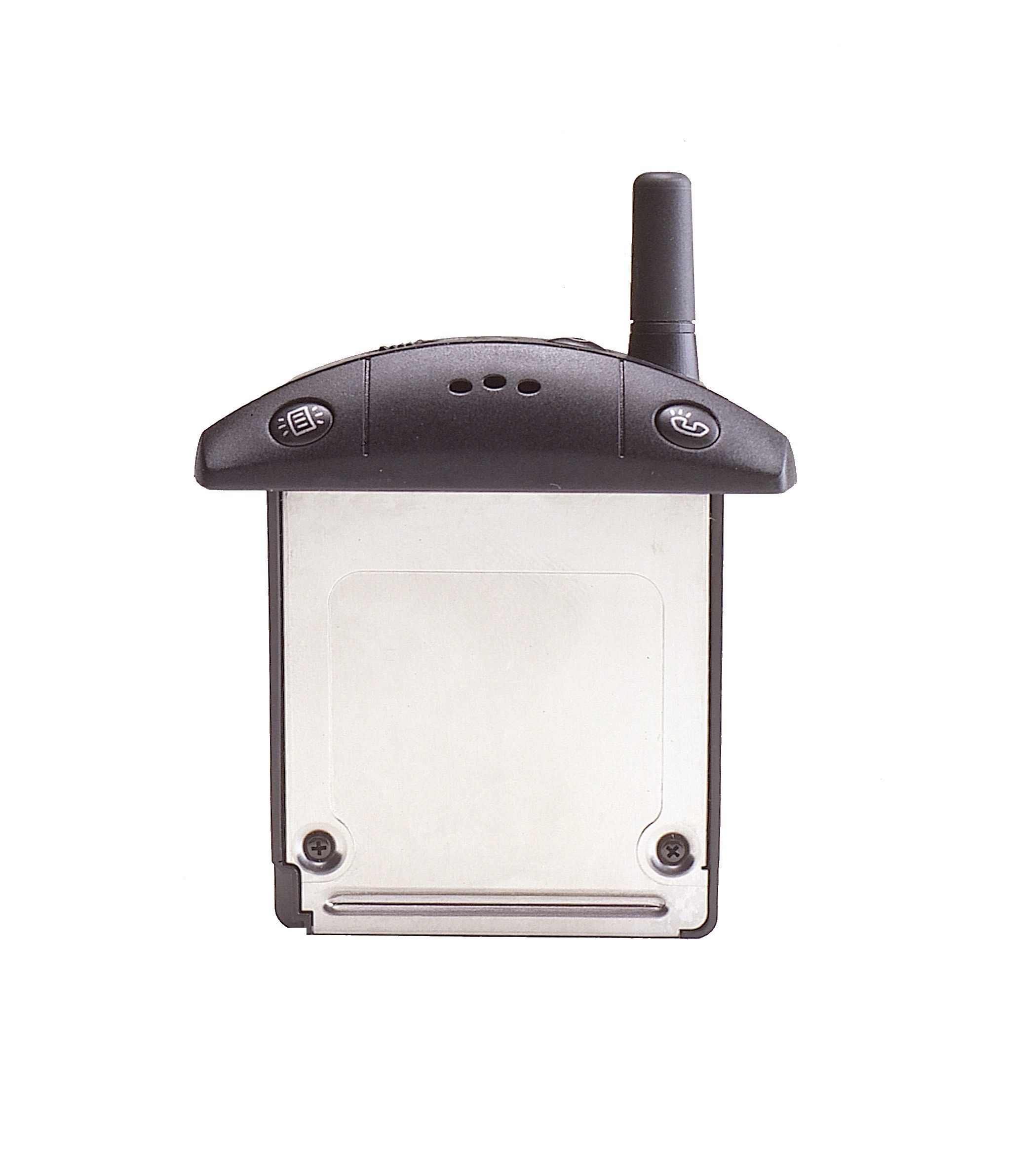
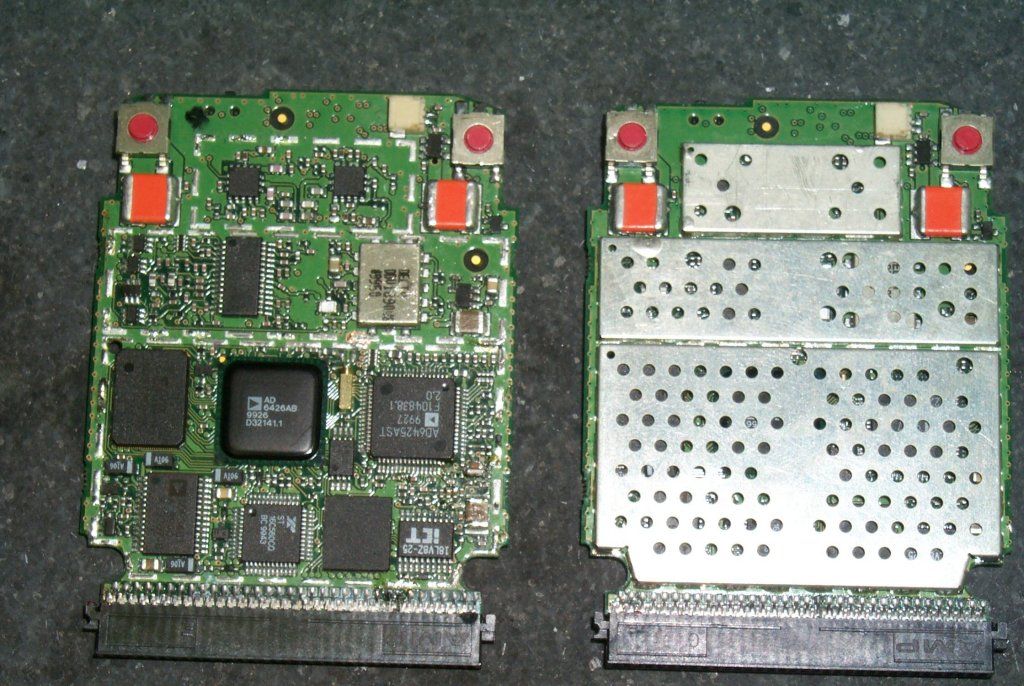
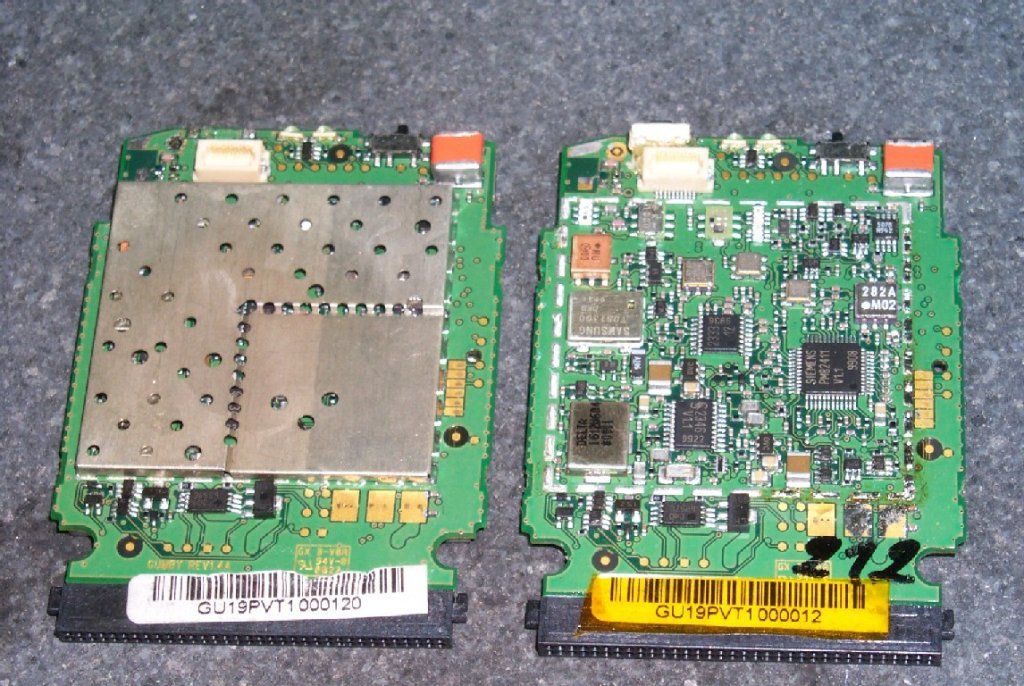
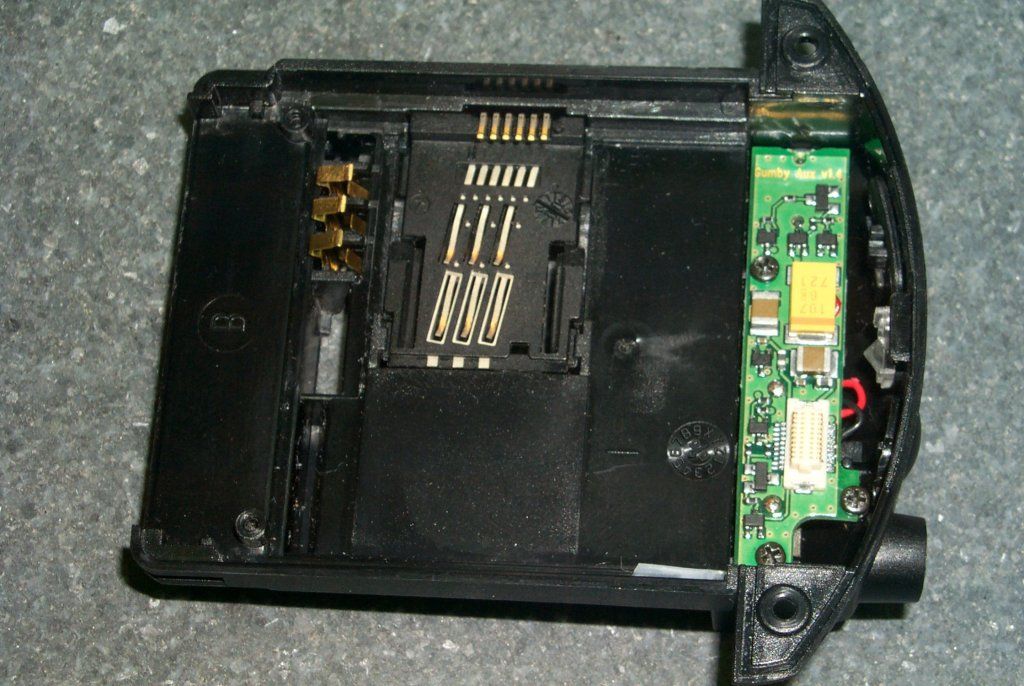
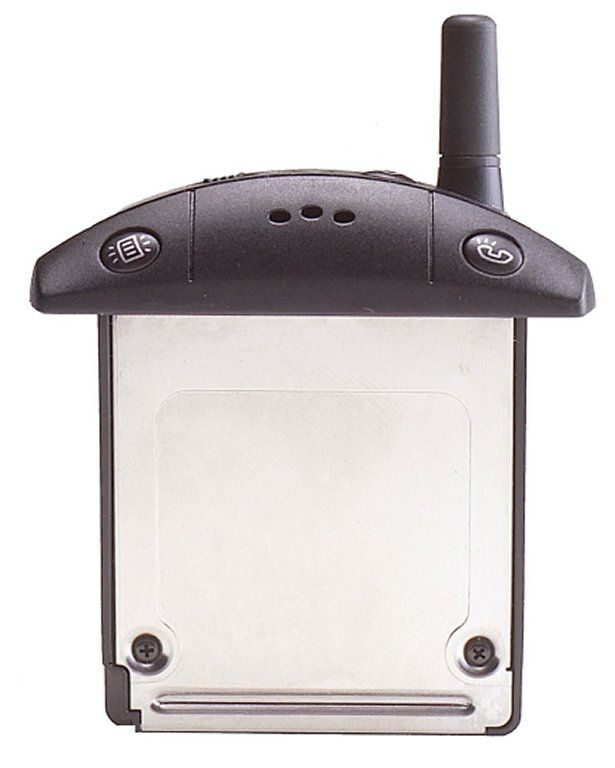
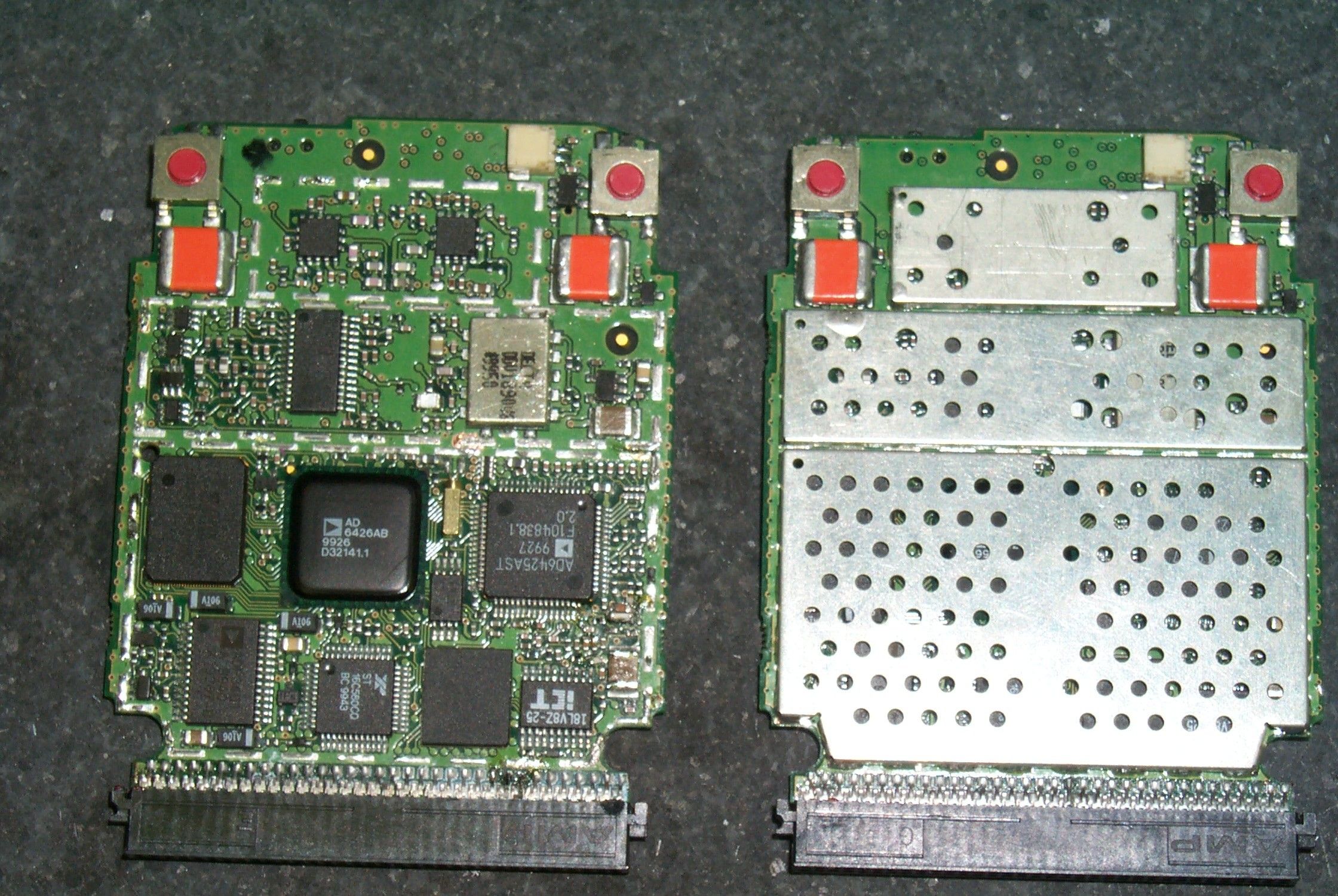
Document Text
Text extracted from the exhibit documents filed with the FCC. Open a document above to read the original.
Users Manual
VisorPhone™ Module User Guide ii Copyright Copyright © 2000 Handspring, Inc. All rights reserved. Handspring, Springboard, Visor, VisorPhone, the Handspring logo, and the Springboard logo are trademarks of Handspring, Inc., and may be registered in some jurisdictions. Graffiti, HotSync, and Palm OS are registered trademarks of Palm, Inc. or its subsidiaries. All other trademarks are the property of their re- spective owners. Disclaimer and limitation of liability Handspring, Inc. and its suppliers assume no responsibility for any damage or loss resulting from the use of this guide. Handspring, Inc. and its suppliers assume no responsibility for any loss or claims by third parties which may arise through the use of this software and hardware. Handspring, Inc. and its suppli- ers assume no responsibility for any damage or loss caused by deletion of data as a result of mal- function, dead battery, or repairs. Be sure to make backup copies of all important data on other media to protect against data loss. Important: Please read the Handspring End User Software License Agreement in the back of this guide before using the accompanying software program(s). Using any part of the software indicates that you accept the terms of the Handspring End User Software License Agreement. Part #: 50-0227-00 Contentsiii Contents Getting Started................................................................................. 1 Step 1: Set up your handheld computer.............................................2 Step 2: Get to know your phone ........................................................3 Step 3: Insert your SIM card ..............................................................5 Step 4: Connect the phone to your handheld....................................6 Step 5: Charge the battery..................................................................7 Step 6: Turn on your phone...............................................................8 Step 7: Activate your account .............................................................9 Congratulations ................................................................................10 Making Calls.................................................................................. 11 Calling a speed dial number .............................................................12 Dialing a number with the Dialpad .................................................13 Redialing the last number ................................................................14 Redialing previous numbers .............................................................14 Calling a number in your Address Book ..........................................15 Dialing a number from other applications.......................................16 Returning a missed call.....................................................................17 Calling an emergency number .........................................................18 Receiving Calls ............................................................................... 19 Answering the phone ........................................................................20 Responding to call waiting ...............................................................21 Forwarding calls ...............................................................................22 iv Contents Handling Multiple Calls...................................................................23 Placing a call on hold ....................................................................... 24 Dialing another number while a call is on hold ..............................25 Switching between two calls ............................................................26 Using 3-way calling ..........................................................................27 Checking Messages ........................................................................29 Reviewing missed calls .....................................................................30 Checking voicemail ..........................................................................31 Checking text messages ....................................................................32 Displaying call history......................................................................33 Purging call history ..........................................................................34 Managing Your Speed Dial List .......................................................35 Defining speed dial buttons .............................................................36 Adding an Address Book entry to your speed dial list.....................37 Changing a speed dial entry .............................................................38 Deleting speed dial entries ...............................................................39 Arranging the speed dial list.............................................................40 Working With SMS Text Messages ..................................................41 Viewing messages .............................................................................42 Replying to messages ....................................................................... 43 Creating messages ............................................................................ 44 Creating message greetings and signatures .....................................47 Setting message options ................................................................... 48 Saving incoming messages ...............................................................48 Modifying messages .........................................................................49 Contentsv Copying message text .......................................................................49 Forwarding incoming messages .......................................................50 Sorting messages...............................................................................51 Deleting messages ..............................…
Text truncated - open the document above for the full version.
Users Manual
Development Kit for Handsprin g™ Handheld Computers Release 1.0 9/13/99Version 0.9 ii Cop yright © 1999 by Handspring, Inc. All rights reserved. Information herein is preliminary and subject to change without notice. Cop yright © 1999 by Handspring, Inc. All rights reserved. TRADEMARK ACKNOWLEDGMENT Handsprin g, Visor, and Springboard are trademarks of Handspring, Inc. All other trademarks are the properties of their respective owners. Document number: 80-0004-00 Handspring, Inc. 189 Bernardo Ave. Mountain View, CA 94043-5203 TEL: (650) 230-5000 FAX: (650) 230-2100 www.handsprin g.com Version 1.09/13/99 1 Cop yright © 1999 by Handspring, Inc. All rights reserved. Table of contents Section IIntroduction Chapter 1 Application Development for a Handspring Handheld Computer I-3 Chapter 2 Application development for a Handspring Springboard module I-4 2.1Sprin gboard memory-based module software development I-4 2.2Specialized Sprin gboard module hardware and software design I-5 Section IISpringboard expansion slot Chapter 1 Application development to support plug & play II-2 1.1Generic Applications II-3 1.2Special-Purpose Applications II-3 Chapter 2 Module design details II-5 2.1Memor y Space II-5 2.2Module access time and wait state II-6 2.3Interrupts II-6 2.4Interrupt Latenc y II-7 2.5Reset II-7 2.6Power Mana gement II-7 2.7Power Mana gement Options for Interrupt Handlers II-8 2.8Module Insertion Notification II-9 2.9Catchin g Module Removals II-10 Chapter 3 Springboard Software Integration II-12 3.1Module setup application II-12 3.2Overridin g Module Software II-15 3.3Module welcome application II-16 3.4Interrupt Handler Interaction II-16 Chapter 4 Software API Extension II-18 4.1Checkin g Presence and Version of Handspring Extensions II-18 4.2Utilit y Calls II-19 4.3Generic Module Support in PalmOS II-19 4.4Cop y Protecting Module Applications II-20 4.5API Calls II-21 4.5.1HsAppEventHandlerSet II-22 4.5.2HsAppEventPost II-23 4.5.3HsCardAttrGet II-24 4.5.4HsCardAttrSet II-26 4.5.5HsCardErrTr y/HsCardErrCatch II-27 4.5.6HsCardEventPost II-29 4.5.7HsCardPatchInstall II-30 4.5.8HsCardPatchPrevProc II-32 4.5.9HsCardPatchRemove II-33 4.5.10 HsDatabaseCop y II-34 4.5.11 HsEvtResetAutoOffTimer II-36 9/13/99Version 1.0 2 Cop yright © 1999 by Handspring, Inc. All rights reserved. Chapter 5 External Interface II-37 5.1Pinout II-39 5.2Si gnal Descriptions II-40 Chapter 6 Electrical and mechanical specifications II-43 6.1Absolute electrical maximum ratin gs II-43 6.2DC electrical characteristics II-43 6.3AC Characteristics II-44 6.4Sprin gboard connector insertion/extraction force ratings II-45 6.5Sprin gboard module base color II-46 Chapter 7 HsExt.h Header File II-47 Section IIICradle connector Chapter 1 Functional Description III-2 Chapter 2 Signal Descriptions III-4 Chapter 3 Keyboard Support via Remote UI III-6 3.1Remote UI Packet Description III-6 3.2Remote UI Packet Header III-7 3.3Remote UI Packet Bod y III-9 3.4CRC Computation III-9 3.5Remote UI Packet Example III-11 Section IVDevelopment Tools Section VMechanical Information Chapter 1 Visor handheld V-2 Chapter 2 Springboard module with battery V-3 Chapter 3 Springboard standard module V-4 Chapter 4 Cradle base V-5 Chapter 5 Cable connectors V-6 Section VICompatibility Testing Chapter 1 PalmOS Software Applications VI-2 Chapter 2 Springboard-Specific Software Applications VI-3 Chapter 3 Springboard-Specific Hardware/Software Applications VI-4 Section VII Handspring Licensing Section VIII Approved Vendor List Section IXTrademarks and Logos Chapter 1 Overview IX-1 Chapter 2 Logos IX-4 Version 1.0 Section I - 1 Cop yright © 1999 by Handspring, Inc. All rights reserved. Section IIntroduction The Visor™ handheld computer is Handspring™’s first generation of PalmOS-compatible products. It is 100% compatible with existin g software applications currently available for PalmOS 3.1-compatible platforms. In addition, it has a ke y enhancement that provides unparalleled flexibilit y for application and peripheral developers: the Springboard™ expansion slot. The Sprin gboard expansion slot supports true hot plug & play capability of removable plug-in modules for the Visor handheld. This developer’s kit contains all the necessar y information re quired by developers to manufacture Springboard-compatible modules. This document includes the followin g information on the Springboard expansion slot: •Electrical desi gn specifications •Software desi gn integration information •Handsprin g’s PalmOS API extension definition •Mechanical desi gn •Licensin g information For developers desi gning products that communicate with the Visor handheld via the Handspring cradle connector, this kit also contains the cradle connector’s electrical and mechanical desi gn specifications, as well as information on applicable Handsprin g’s API extensions. Section I: IntroductionVersion 1.0 Section I - 2 Copyright © 1999 by Handspring, Inc. All rights reserved. Mechanical information included in this kit is in DXF, IGES, and Pro-E formats. Design files for a standard Springboard module, the Visor cradle assembly and the exterior dimensions of the Visor handheld are included. How to Contact Handspring Handspring’s on-line developer support web site is currently under construction, therefore we are currently offering support to our developers via e-mail. If you have any technical questions regarding the contents of this package, or if you require further technical support, please contact [email protected] . If you have any business questions regarding this package, please go to the Developer Program section of Handspring’s web site. Version 1.0Application Development for a Handspring Handheld Computer Section I - 3 Copyright © 1999 by Handspring, Inc. All rights reserved. Chapter 1Application Development for a Handspring Handheld Computer As previously mentioned, the Visor handheld is Handspring’s first implementation of a handheld computer. It has been certified as 100% com…
Text truncated - open the document above for the full version.
Users Manual
Exposure To Radio Frequency Energy Your VisorPhone Radio Product is designed to comply with the following national and international standards and guidelines regarding exposure of human beings to radio frequency electromagnetic energy: • United States Federal Communications Commission, Code of Federal Regulations; 47 CFR part 2 sub-part J • American National Standards Institute (ANSI) IEEE. C95. 1-1992 • National Council on Radiation Protection and Measurements (NCRP). Report 86 • International Commission on Non-Ionizing Radiation Protection (ICNIRP) 1998 • National Radiological Protection Board of the United Kingdom, GS 11, 1988 • Verband Deutscher Elektrotechniker (VDE) DIN-0848 • Department of Health and Welfare Canada. Safety Code 6 • To comply with the above FCC Regulations governing human exposure to radio frequency energy, users MUST adhere to the following procedures: • For body-worn operation, the antenna should be kept at least one inch from the body when transmitting. A carry holder with a belt clip is available from handspring.com for body-worn use. • When using any data feature of the radio, with or without an accessory headset cable, position the radio product at least one inch (2.5 cm) away from the body. To assure optimal radio performance, always adhere to the following procedures: • When placing or receiving a phone call hold the radio as you would a telephone. • Speak directly into the microphone and position the antenna up over your shoulder. • DO NOT hold the antenna when the radio is “IN USE.” Holding the antenna affects call quality and may cause the radio to operate at a higher power level than needed. Interference to Medical and Personal Electronic Devices Most electronic equipment is shielded from RF energy. However, certain equipment may not be shielded against the RF signals from your wireless phone.
Users Manual
1 Applicant: Handspring, Inc. Correspondence Reference Number: 17208 731 Confirmation Number: EA98852 Answer to question #4 This is the RF Exposure warning that will appear in the VisorPhone manual. Exposure To Radio Frequency Energy Your VisorPhone Radio Product is designed to comply with the following national and international standards and guidelines regarding exposure of human beings to radio frequency electromagnetic energy: • United States Federal Communications Commission, Code of Federal Regulations; 47 CFR part 2 sub-part J • American National Standards Institute (ANSI) IEEE. C95. 1-1992 • National Council on Radiation Protection and Measurements (NCRP). Report 86 • International Commission on Non-Ionizing Radiation Protection (ICNIRP) 1998 • National Radiological Protection Board of the United Kingdom, GS 11, 1988 • Verband Deutscher Elektrotechniker (VDE) DIN-0848 • Department of Health and Welfare Canada. Safety Code 6 To comply with the above FCC Regulations governing human exposure to radio frequency energy, users MUST adhere to the following procedure: • To comply with FCC RF exposure guidelines during body-worn operation, use the Handspring Belt Clip or the Handspring Holster. Use of other body worn accessories that have not been tested with the VisorPhone for RF exposure compliance may not comply.
Cover Letter(s)
189 Bernardo Ave Mt. View, CA 94043 24 October 2000 To whom it may concern, This is to inform you that the technical and non-technical contact for the application FCC ID O8FHVP-1H, EA98852 should be changed form Larry Lang, Dir of product Quality to David Waitt, Lead HW Quality Engineer. Thank You Larry Lang 650 230 5265
Cover Letter(s)
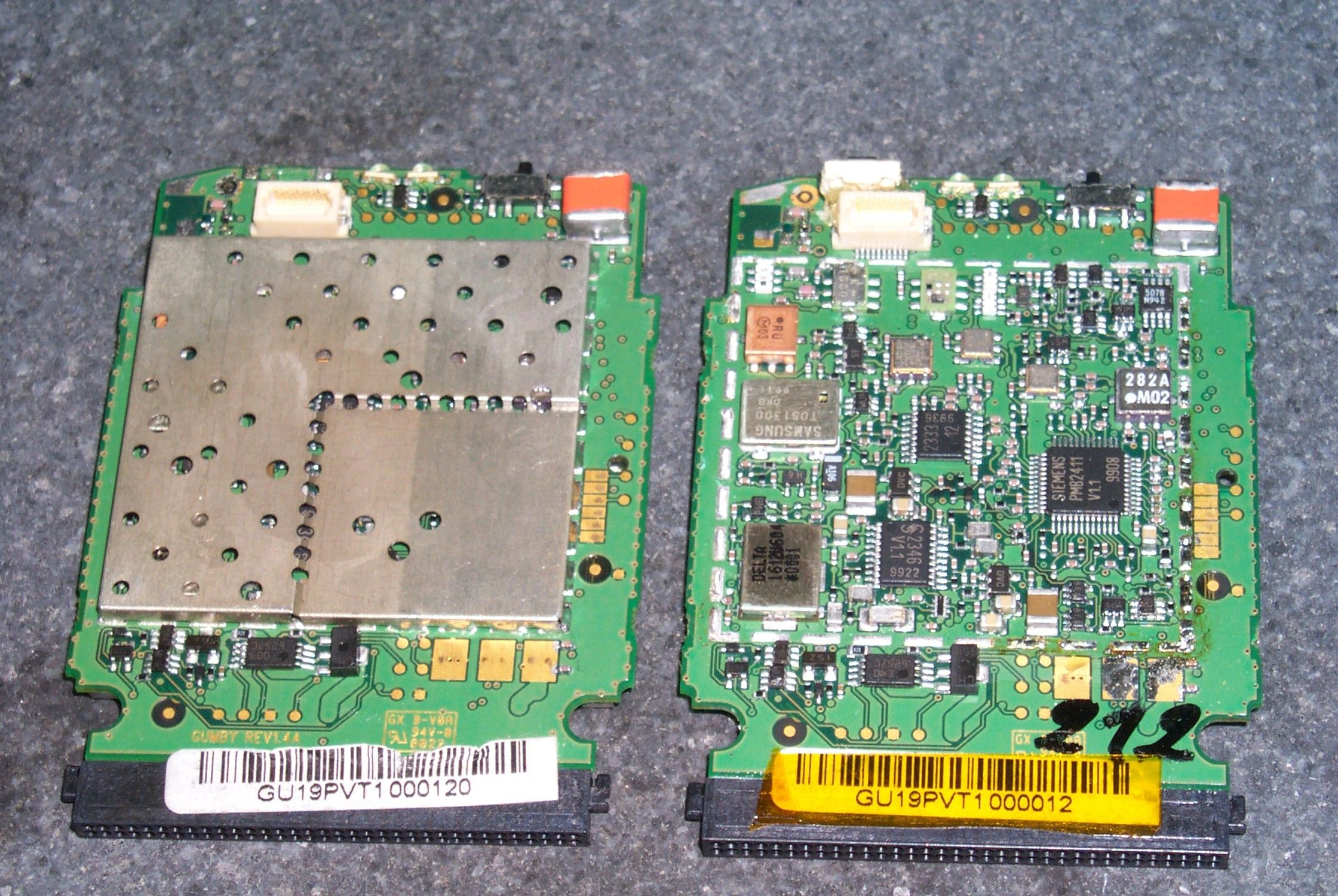
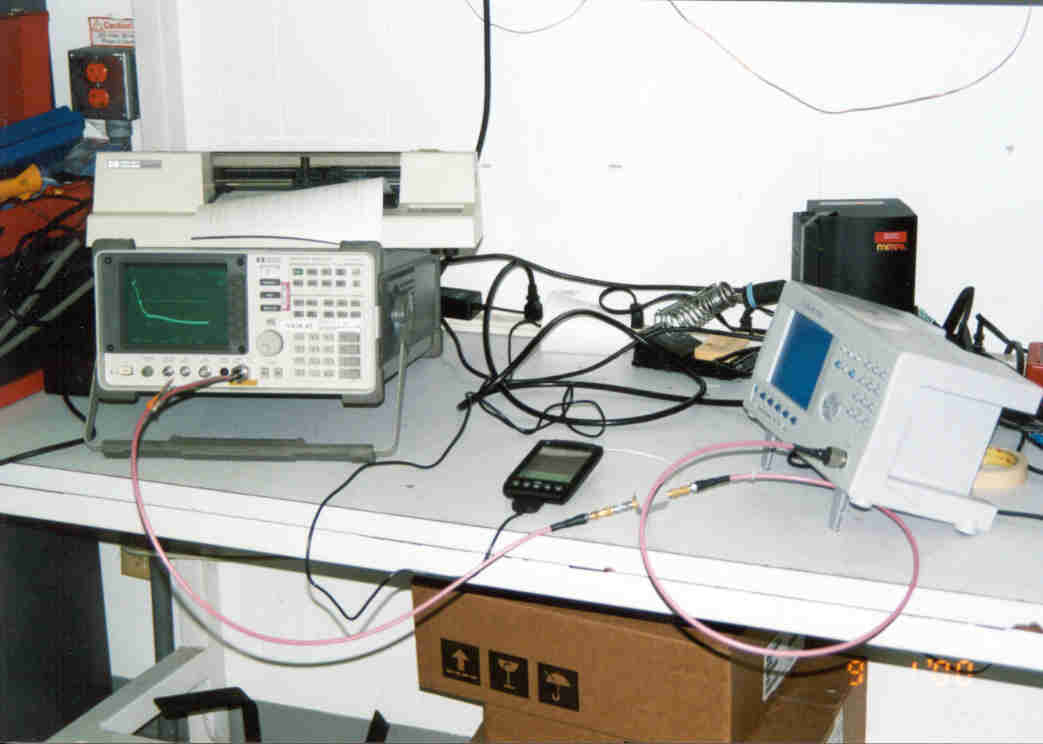
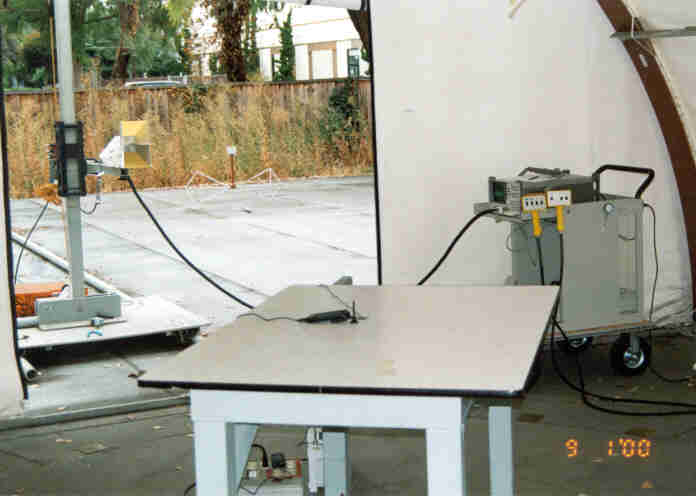
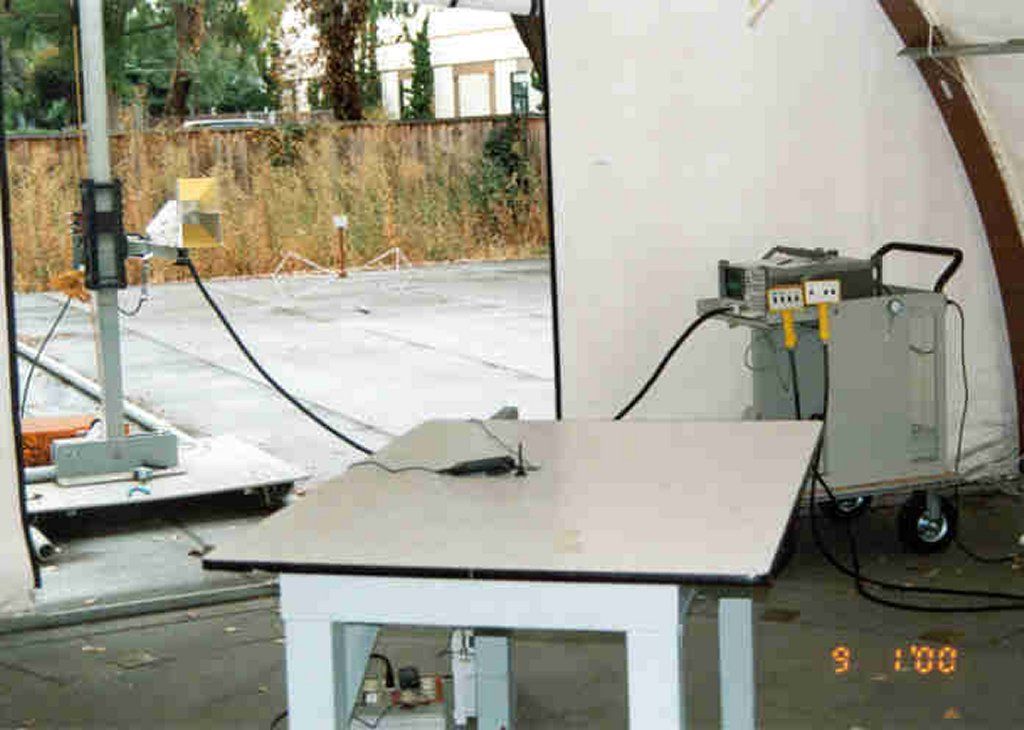
answer_fcc_ques_1.doc (dw8) Page 1 of 4 Frank, Below are Handspring’s answers to your questions regarding our Part 24 VisorPhone Certification application. I have included the original email text as well. Please let me know if you have additional questions or concerns. Thanks, David Waitt Handspring, Inc. FCC 1. Filing has requested for 2.0 W EIRP. The output test data on page 4 and 5 of the Elliott Labs report indicated 29.98 dBm EIRP, which is incorrect. The indicated field strength should compute to 0.5 W EIRP. It is unclear why a gain of 0.5 has been included in the calculation for EIRP. The SAR report indicated the device has been tested at 30 dBm. Please clarify these discrepancies and also provided the output measurements (typically conducted) done before and after the SAR tests to support the SAR data. Handspring The calculation in the Elliott test data is correct. Elliott was told that the VisorPhone had a typical antenna gain of –3 dBi. Therefore using a numeric antenna gain of .5 (This was used as a typical gain) in the calculations on page 5 is correct. The information that was provided on the 731 form is in error. The maximum RF power output for the VisorPhone that will be sold in the United States is 1 Watt. The test house that conducted the SAR testing did not measure the RF transmit power at the beginning and end of the test. An email from them stating what they did do is attached. FCC 2. Please provide new external and internal photos of the device. The jpg - paint files sent are not viewable or printable on a normal screen size. Handspring New photos that fit within 1024 x 768 pixels when viewed at 100% are provided. -----Original Message----- From: [email protected] [mailto: [email protected]] Sent: Monday, October 30, 2000 7:30 AM To: [email protected] Subject: To: David Waitt, HANDSPRING, INC. From: Frank Coperich [email protected] FCC Application Processing Branch Re: FCC ID O8FHVP-1H Applicant: Handspring, Inc. Correspondence Reference Number: 16830 731 Confirmation Number: EA98852 David Waitt 189 Bernardo Ave Mt View, CA 94043 [email protected] (650) 230-5384 answer_fcc_ques_1.doc (dw8) Page 2 of 4 FCC 3. Please identify the operating configurations of for this device. The info submitted indicates it has a built-in speaker, headset accessories, a leather carry-case and a plastic belt-clip. The SAR test results indicated this device has been tested for body-worn SAR compliance, and also on the left and right side of a head phantom. Other info in the filing describes this device is intended for use with a specific Sparky handheld computer only. The head test position described in the SAR report that references the ear-piece of a typical wireless handset does not appear to be applicable for this device. Please clarify all of the above and provide applicable test setup photos. Handspring In this description, “phone” refers to the VisorPhone module plugged into the Visor handheld PDA. A picture of the VisorPhone plugged in the Visor PDA is shown at the right. There are basically 2 usage configurations: Handheld: Holding the phone up to your ear. (Left or right) Body Worn: Clipping the phone to a belt and using a headset In these respects the phone is similar to a typical cell phone in that if it used while clipped to a belt, it would be used with a “headset” that would include a microphone and an earphone. If the phone is held up to the ear, then the internal speaker and the internal microphone are used. Therefore, the usage positions described in the SAR report are accurate in that when the phone is held to the ear or clipped to a belt, it is very similar to a typical cell phone Speaker, internal to the VisorPhone module Micorphone, internal to the Visor PDA Approx 3 inches Approx 5 1/2 Inches Typical Handheld Use answer_fcc_ques_1.doc (dw8) Page 3 of 4 FCC 4. Device manual describes this transmitter may operate in both GSM 900 and PCS 1900 bands. Please confirm all production units will have identical hardware included for both bands; even though, only the PCS band is applicable for this filing for use in U.S. territories. As differences in hardware may result in different SAR, this will be clarified on the grant of equipment authorization. Handspring In the United States the phone will operate as a typical 1.9 GHz PCS phone. Overseas, the phone will operate as a dual band GSM phone in the “900 MHz” and the “1800 MHz” bands. The version of the phone is determined by “stuffing options” on the PC card. Other than this, the hardware of the two types of phones is the same. Since the only difference between the two types of phones is component placement and component values, it is unlikely that the SAR results would vary from one type to another. All of the phones sold in the U.S. will use the same hardware. FCC: 5. Please identify the peak SAR locations, with respect to the device, on the SAR contour plot; for the configurations tested - head (if applicable) and the two body-worn conditions. Handspring A New SAR report that overlays the outline of the phone on the SAR contour plot is included. FCC: 6. The RF exposure language proposed n the manual is for a typical wireless handset, which may not be applicable for this device. It suggests 1-inch separation for body-worn use, which may not be supported by the existing test data if third party belt-clips with metallic components in the assembly are used. It also recommends 1-inch separation between the antenna and persons, which would only apply if the peak SAR location is related to the antenna and can be supported by the test data. The manual information should indicate to users the specific operating requirements for all operating configurations that are applicable for this device, and also alert users that these are required for FCC RF exposure compliance. Please clarify and revise manual accordingly. The relevant pages of the revised manual should be uploaded. Handspring: Indeed, the revised SAR rep…
Text truncated - open the document above for the full version.
Cover Letter(s)
189 Bernardo Ave. Mountain View, CA 94043 FCC 1.) The power output (EIRP) to be listed on this Grant of Certification will be .5 W - base on calculation of the field strength level provided. In the future please use the substitution method. HANDSPRING Certification at .5 W is acceptable. FCC 2.) An Exhibit identified as "Block Diagram" was marked as Confidential when it was uploaded but it is not covered by the Confidentiality request letter. A revised Confidentiality request letter is needed to cover this item - Confidentiality status is desired. HANDSPRING A revised confidentiality letter to include “block_diagram.pdf” has been added as an attachment If there are any further issues, Please contact me at 650 230 5384 or email [email protected]. Thank you. Best Regards, David Waitt -----Original Message----- From: [email protected] [mailto:[email protected]] Sent: Wednesday, December 13, 2000 6:34 AM To: [email protected] Subject: To: David Waitt, HANDSPRING, INC. From: Frank Coperich [email protected] FCC Application Processing Branch Re: FCC ID O8FHVP-1H Applicant: Handspring, Inc. Correspondence Reference Number: 17373 731 Confirmation Number: EA98852
Operational Description
The add-on module will enable the handheld palm computer to be used as a 1928 to 1949 MHz PCS phone. The communication protocol is GSMK modulation with a maximum output power of 1 watt. No special tune-up procedure is required. The user will only need to plug-in the module, so as to start using it as a phone. The VisorPhone includes all of the most popular features such as speed dial and call screening. Plus, it handles multiple calls, sends and receives text messages, and fully integrates with the handheld to take advantage of the existing Address Book. To use the VisorPhone, an account must first establish with a mobile phone service provider. The account information is located on the SIM (Subscriber Identity Module) card. The SIM card must be inserted into the VisorPhone before it can use. For more information on how to program the device, please refer to the User’s manual.
RF Exposure Info
TTI-P-G 158 DASY Test-Report, Cetecom_6575_099 Page 1 of 17 Report Dosimetric Assessment of the Mobile Telephone Unit Option International n.v./s.a. Sparky 900/1900 According to the American FCC Requirements July 21, 2000 IMST GmbH Carl-Friedrich-Gauß-Str. 2 D-47475 Kamp-Lintfort customer CETECOM GmbH Im Teelbruch 122 D-45219 Essen The test results only relate to the items tested. This report shall not be reproduced except in full without the written approval of the testing laboratory. dasy_report_us_2.1.doc/26.01.2000/AB DASY Test-Report, Cetecom_6575_099 Page 2 of 17 dasy_report_us_2.1.doc/26.01.2000/AB Executive Summary The device Sparky 900/1900 (IMEI: 004999010460140) from Option International n.v./s.a. is a new mobile phone unit for a handheld computer (Model Visor Deluxe from Handspring) operating in the 900 MHz and 1900 MHz frequency range. The device has a helix antenna. The system concepts used are the GSM 900 and the PCS 1900 standards. The objective of the measurements done by IMST was the dosimetric assessment of one device in the PCS 1900 standard. The examinations have been carried out with the dosimetric assessment system „DASY“. The measurements were made according to the Federal Communications Commission (FCC) Guidelines [FCC 1997] for evaluating compliance of mobile phones with the American Standard ANSI C95.1 [ANSI 1992]. In [ANSI 1992] limits are defined to prevent harmful effects in human beings exposed to electromagnetic fields. The Option International n.v./s.a. Sparky 900/1900 mobile phone unit used in the PCS 1900 standard in connection with the handheld computer (Model Visor Deluxe from Handspring) is in compliance with the American Standard ANSI C95.1 [ANSI 1992]. prepared by: ........................................... reviewed by: .............................................. Dipl.-Ing. Christoph Hennes Dr.-Ing. Frank Gustrau test engineer quality assurance engineer IMST GmbH Carl-Friedrich-Gauß-Straße 2 D-47475 Kamp-Lintfort Tel. +49- 2842-981 372 Fax +49- 2842-981 398 email: [email protected] DASY Test-Report, Cetecom_6575_099 Page 3 of 17 dasy_report_us_2.1.doc/26.01.2000/AB Table of Contents 1 SUBJECT OF INVESTIGATION.............................................................................................................. 4 2 THE AMERICAN STANDARD ANSI C95.1............................................................................................ 6 2.1 DISTINCTION BETWEEN EXPOSED POPULATION, DURATION OF EXPOSURE AND FREQUENCIES..................... 6 2.2 DISTINCTION BETWEEN MAXIMUM PERMISSIBLE EXPOSURE AND SAR LIMITS.............................................. 6 2.3 SAR LIMIT............................................................................................................................................ 7 3 THE AMERICAN MEASUREMENT PROCEDURE............................................................................... 7 3.1 TEST CONDITIONS.................................................................................................................................. 7 3.2 TEST POSITION...................................................................................................................................... 7 4 THE MEASUREMENT SYSTEM............................................................................................................. 8 4.1 TECHNICAL PARAMETERS OF THE MEASUREMENT SYSTEM....................................................................... 10 5 SAR RESULTS......................................................................................................................................... 11 6 EVALUATION ......................................................................................................................................... 12 7 APPENDIX............................................................................................................................................... 15 7.1 ADMINISTRATIVE DATA......................................................................................................................... 15 7.2 DEVICE UNDER TEST AND TEST CONDITIONS.......................................................................................... 15 7.3 DASY OPTIONS................................................................................................................................... 15 7.4 TEST POSITION.................................................................................................................................... 15 7.5 MATERIAL MEASUREMENT SYSTEM........................................................................................................ 16 7.6 ENVIRONMENT.................................................................................................................................... 16 8 REFERENCES ......................................................................................................................................... 17 DASY Test-Report, Cetecom_6575_099 Page 4 of 17 dasy_report_us_2.1.doc/26.01.2000/AB 1 Subject of Investigation The device Sparky 900/1900 (IMEI: 004999010460140) from Option International n.v./s.a. is a new mobile phone unit for a handheld computer (Model Visor Deluxe from Handspring) operating in the 900 MHz and 1900 MHz frequency range. The device has a helix antenna. The system concepts used are the GSM 900 and the PCS 1900 standards. (a) (b) (c) DASY Test-Report, Cetecom_6575_099 Page 5 of 17 dasy_report_us_2.1.doc/26.01.2000/AB (d) (e) Fig. 1: Pictures of the device under test. (a) Sparky 900/1900, (b) Sparky 900/1900 with leather belt pouch to be used in hip position, (c) Sparky 900/1900 with leather belt pouch and hands free kit in hip position, (d) Sparky 900/1900 with belt holster to be used in hip position, (e) Sparky 900/1900 with belt holster and hands free kit in hip position. The objective of the measurements done by IMST was the dosimetric assessment of one device in the PCS 1900 st…
Text truncated - open the document above for the full version.
RF Exposure Info
Email from test lab in Germany explaining that RF output power was not measured before and after the SAR test. From: Lorenz Christian, Essen [Christian.XXXXX@XXXXXXX] Sent: Thursday, November 02, 2000 1:33 AM To: '[email protected]' Subject: Information SAR-Report Hello David, herewith I forward you the original answer from the laboratory which did the measurements. Should we make the new append…
Text truncated - open the document above for the full version.
Contact Information
Applicant
Helen Zhao(Sr. Regulatory Compliance Engineer)
Technical Contact
ELLIOTT LABORATORIES, INC.DAVID W BARE
[email protected]408-245-7800
Kolonel Begaultlaan 45 · B - 3012 Leuven · Belgium
Non-Technical Contact
Option International NVJohan De Bisschop
32 16 317 411
Test Firm
Elliott Laboratories LLCDavid Bare
Technical Specifications
| # | Rule Parts | Frequency Range | Power Output | Emission | Tolerance |
|---|---|---|---|---|---|
| 1 | 24E | 1.85 GHz - 1.91 GHz | 500.00 mW | 283KGXW | 50.0000000000 ppm |
Other Applications from Palm Inc

O8F-BROY
Feb 21, 2011Phone
Equipment Class
PCE - PCS Licensed Transmitter held to ear
O8F-BROU
Feb 10, 2011Phone
Equipment Class
DXX - Part 15 Low Power Communication Device Transmitter
O8F-ROAE
Oct 18, 2010CDMA/1x EVDO phone with 802.11 b/g and Bluetooth
Equipment Class
DTS - Digital Transmission System
O8F-ROAU
Oct 18, 2010UMTS Phone with 802.11b/g and Bluetooth
Equipment Class
PCE - PCS Licensed Transmitter held to ear
O8F-ROAY
Oct 05, 2010GSM phone with 802.11a/b/g and Bluetooth
Equipment Class
DTS - Digital Transmission System