O9UA206Access Control System
Brivo Systems LLC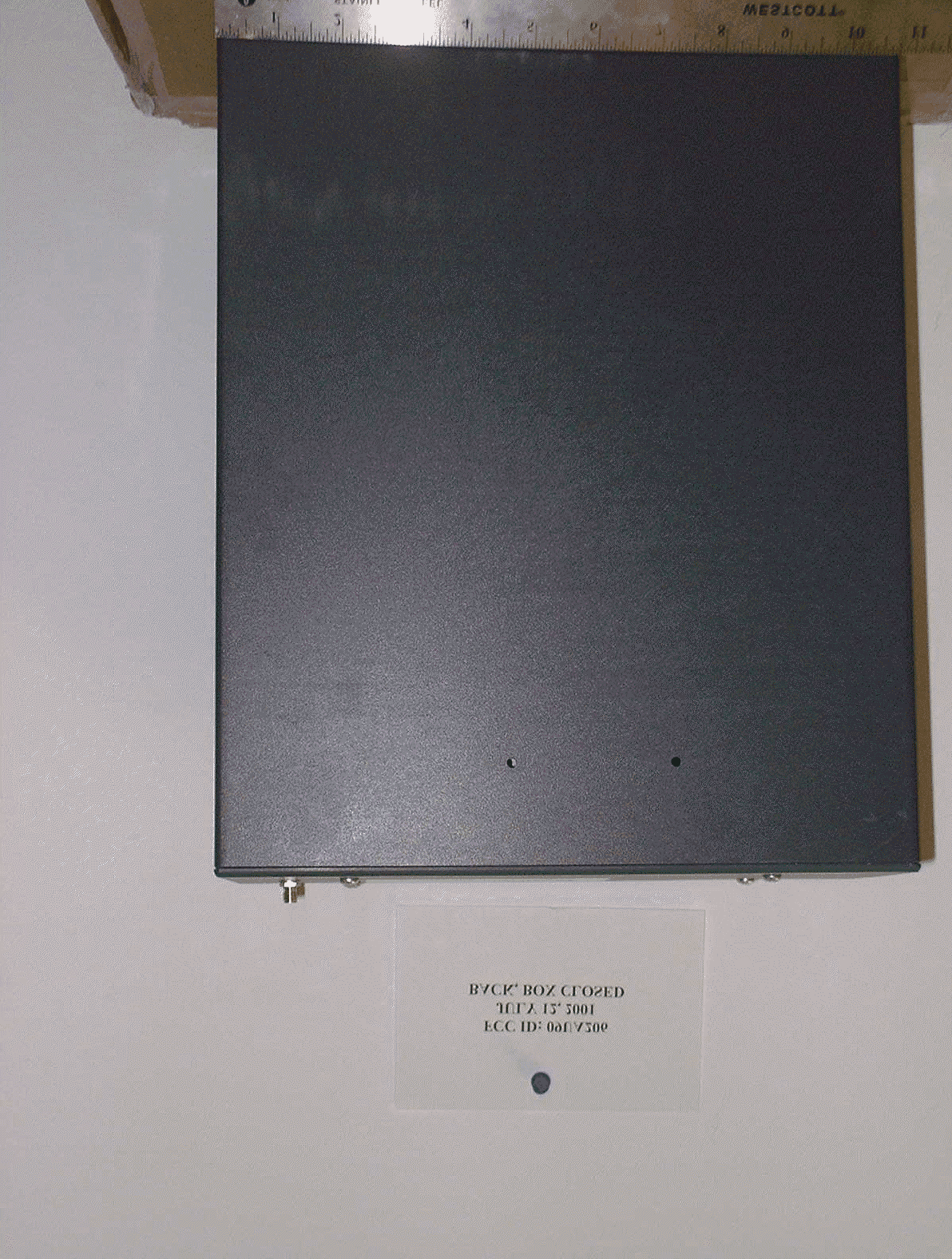
Click to zoom
Application Details
- Equipment Class
- TNB - Licensed Non-Broadcast Station Transmitter
- Date of Grant
- Oct 11, 2001
- Application Purpose
- Original Equipment
- Date of Application
- Aug 09, 2001
- Equipment Note
- Access Control System
- Frequency Range
- 896.00000000 - 901.00000000
- Company
- Brivo Systems LLC
- Country
- United States
Documents & Files
Document Text
Text extracted from the exhibit documents filed with the FCC. Open a document above to read the original.
Users Manual
Brivo ACS Installation Manual Version 1.01 © Brivo Systems, Inc. 2001. All rights reserved. Page 1 DRAFT Brivo ACS Installation Guide August 2001 NOTICE: This equipment has been tested and found to comply with the limits for a Class B digital device, pursuant to part 15 of the FCC Rules. These limits are designed to provide reasonable protection against harmful interference in a residential installation or when the equipment is operated in a commercial environment. This equipment generates, uses and can radiate radio frequency energy and, if not installed and used in accordance with the instruction manual, may cause harmful interference to radio communications. However, there is no guarantee that interference will not occur in a particular installation. If this equipment does cause harmful interference to radio or television reception, wich can be determined by turning the equipment off and on, the user is encouraged to try to correct the interference by one or more of the following measures: - Reorient or relocate the receiving antennae. - Increase the separation between the equipment and receiver. - Connect the equipment into an outlet on a circuit different from that to which the receiver is connected. - Consult the dealer or an experienced radio/TV technician for help. Information in this document is subject to change without notice and does not represent a commitment on the part of Brivo Systems, Inc.. For the most up-to-date information, visit www.brivo.com and click Help. 2001 Brivo Systems Inc. All rights reserved. Brivo™ is a trademark of Brivo Systems, Inc. Brivo Systems, Inc. 1925 North Lynn St.• Suite 500 Arlington VA, 22209 Brivo ACS Installation Manual Version 1.01 © Brivo Systems, Inc. 2001. All rights reserved. Page 2 Brivo™ ACS Installation Guide Introduction Access Control is the control through electronic methods over entry to any area that can be secured with a lock and key. Only individuals who are authorized will be granted entry at authorized times. Control of who is allowed to come and go is easily maintained through a central administration panel. The common key is the weakness of the lock and key system. The key is a readily duplicated piece of metal that gives anyone who holds it access to area. With the Brivo™ Access Control System (ACS), the weakness of the lock and key system is overcome through the use of five-digit PIN codes, called “keycodes.” The keycodes are entered by authorized individuals at the Brivo keypad and the individuals are then granted access to the secure area. If a keycode is compromised, the account administrator can disable it immediately and assign a new code to the individual. An additional benefit of access control is access data archiving capability. The Brivo ACS provides real-time visibility of keycode activity and maintains a record of all entries to an area. This record is provided to the account holder quarterly and accessible to authorized personnel at the Brivo ACS website until archived. The Brivo ACS Installation Guide provides all information necessary for installation of the Brivo ACS-2000 and ACS-2100 keypad and control panel. ™ Brivo ACS Installation Manual Version 1.01 © Brivo Systems, Inc. 2001. All rights reserved. Page 3 Parts List Box 1 • ACS Control Panel • Magnetic Door Sensor Box 2 • Keypad • Cutout template for flush mounting • Snap-on keypad faceplate • Antenna kit (boxed separately within this box) • Power Supply (boxed separately within this box) • Installation Worksheet Supplied by Installer • Five CAT 5 cables, maximum length of 20 feet • Ten CAT 5 connector plugs to terminate onto cables • Necessary conduit and conduit fittings if desired, maximum size ¾” • Ten mounting screws (#6 wood screws or Molly bolts) Brivo ACS Installation Manual Version 1.01 © Brivo Systems, Inc. 2001. All rights reserved. Page 4 Diagram: Components List Brivo ACS Installation Manual Version 1.01 © Brivo Systems, Inc. 2001. All rights reserved. Page 5 SAFTEY WARNINGS Fire Safety Notice: Never connect the Brivo keypad or locks to doors without first consulting the applicable fire code. You must consult with and get approval of, local fire officials before installing locks or devices on any doors that may be fire exits. Use of egress push buttons may not be legal. Single action exit may be required. Always obtain proper permits and approvals in writing before installing equipment. FCC RF Exposure Notice: To meet the FCC RF exposure requirement for mobile transmitter end products using the Austin 200160 500C, 0 dBd antenna, ensure that the antenna is at least 20cm (8”) away from the user or nearby persons when transmitting. Notice: Contents of this document are subject to change without notice. Notice: This document and the data herein shall not be duplicated, used or disclosed to others for procurement or manufacturing, except as authorized with the written permission of Brivo Systems, Inc. The information contained within this document or within the product itself is considered the exclusive property and trade secrets of Brivo Systems, Inc. All information in this document or within the hardware and software product themselves is protected by the copyright and/or other intellectual property laws of the United States. Notice: Any use of this product is subject to the Brivo Systems Services Agreement. Please request a copy from Brivo Systems, Inc. and review this agreement carefully. Brivo ACS Installation Manual Version 1.01 © Brivo Systems, Inc. 2001. All rights reserved. Page 6 Installation Steps General Site Survey The Brivo Access Control System has two major components to be installed -- the keypad and the ACS Control Panel. Both components work in concert with one another and require cabling between them. A general site survey should occur before any installation work to identify suitable mounting essentials and potential hazards. Ideal conditions to look for include: 1) A stud near the keypad location on the wall. Ideally, …
Text truncated - open the document above for the full version.
Users Manual
BRIVO™ACS USER GUIDE VERSION 1.0 © 2001 Brivo Systems, Inc. All Rights Reserved Page 1 DRAFT Brivo ACS User Guide June 2001 NOTICE: This equipment has been tested and found to comply with the limits for a Class B digital device, pursuant to part 15 of the FCC Rules. These limits are designed to provide reasonable protection against harmful interference in a residential installation or when the equipment is operated in a commercial environment. This equipment generates, uses and can radiate radio frequency energy and, if not installed and used in accordance with the instruction manual, may cause harmful interference to radio communications. However, there is no guarantee that interference will not occur in a particular installation. If this equipment does cause harmful interference to radio or television reception, which can be determined by turning the equipment off and on, the user is encouraged to try to correct the interference by one or more of the following measures: --Reorient or relocate the receiving antennae. --Increase the separation between the equipment and receiver. --Connect the equipment into an outlet on a circuit different from that to which the receiver is connected. --Consult the dealer or an experienced radio/TV technician for help. Information in this document is subject to change without notice. For the most up-to-date information, log into your account at www.brivo.com and click Help. 2001 Brivo Systems Inc. All rights reserved. Brivo™ is a trademark of Brivo Systems, Inc. Brivo Systems, Inc. 1925 North Lynn St.• Suite 500 Arlington VA, 22209 www.brivo.com ™ ™ BRIVO™ACS USER GUIDE VERSION 1.0 © 2001 Brivo Systems, Inc. All Rights Reserved Page 2 Brivo User Guide Introduction About This Document The Brivo™ User Guide covers what you need to know to use the Brivo™ Access Control System (ACS) and service. It describes how to use the components of the ACS: ß The web site to monitor activity and manage access to your facilities, ß The Brivo-enabled keypad, and ß The ACS service provided by Brivo. Before you begin to use the system, you will need to create an Account on the Brivo system and ensure that all the hardware for the ACS has been installed and tested by an installation specialist. Document Conventions This document uses the following typographic conventions: Example Meaning View Submit Names of menus, tabs, buttons, or other items in the web site user interface appear in boldface. Press ENTER to make a selection. Names of keys on the Brivo keypad appear in all uppercase. View >Toolbars An arrow separates the name of a menu from an item on the menu. www.brivo.com Internet addresses appear without the http:// or https:// prefix and are underlined. Visitors, Employees, Account Administrator Roles within the Brivo ACS will be capitalized throughout this document BRIVO™ACS USER GUIDE VERSION 1.0 © 2001 Brivo Systems, Inc. All Rights Reserved Page 3 Glossary Access Code: An Access Code is a 5-digit code created by the Account Administrator for a User. The User (either an Employee or a Visitor) uses the Access Code to gain entry to an ACS-enabled door. Account: Your Account is the place on Brivo’s ACS web site where the Account Administrator manages user privileges and monitors user access events. Account Administrator: Individual who manages access for the company using Brivo’s online interface. The Account Administrator uses a user ID and password to log into the Brivo ACS web site. Door: A door with a Brivo-enabled keypad that is connected to the Brivo ACS service. A “Door” belongs to a “Site.” Email Notification: Email Notifications are automatic messages (e.g. “Visitor Access Event”) sent by Brivo to the email addresses specified in your Account. Employee: An “Employee” is an individual in your company who requires limited or unlimited access to one or more doors during working hours. Group: A “Group” is a group of Users whose permissions (doors, schedules, etc.) are all the same. A Group can streamline administration of the Account and ensure consistency of access permissions for user with similar profiles. Keycode: “Keycode” is another term for Access Code. Master Keycode: A keycode known only by the Account Administrator that will open all ACS-enabled doors within the Account. The Master Keycode is for diagnostic purposes only and should not be used by the Account Administrator as a personal keycode. Site: A “Site” corresponds to one of the facilities or premises equipped with the Brivo ACS service. A site contains one or more “Doors” and consists of a name (e.g. “Washington HQ” or “Maple St. Office”) and an address. Schedule: A Time Schedule specifies the hours in which a particular Access Code is valid. Schedules are applied to Groups; a schedule that is applied to “Group A” would apply to all Users in Group A. (Schedules are not available at this time). User: A “User” is an individual who has been assigned an Access Code by the Account Administrator. A User is designated as either an Employee or Visitor. Visitor: A “Visitor” is an individual who is granted temporary access privileges. BRIVO™ACS USER GUIDE VERSION 1.0 © 2001 Brivo Systems, Inc. All Rights Reserved Page 4 Brivo Basics The Brivo™ Access Control System (ACS) is an access control management system using advanced wireless and Internet technologies to provide near real- time secure and controlled access to multiple, dispersed facilities. The Brivo ACS system can be accessed with any browser from any computer or device connected to the Internet. This chapter introduces the components of the Brivo system and explains how they work. Brivo ACS Components Brivo ACS is more than just hardware, it’s a complete access control service. With the ACS service, door-side keypads work together with Brivo’s Internet application to make managing access to facilities simple and effective. Your installer will also provide a locking mechanism that works with your particular door configuration. It is connected with…
Text truncated - open the document above for the full version.
Cover Letter(s)
Request for Confidential Treatment – Brivo Systems, Inc. FCC ID No.: 09UA206 Brivo Systems, Inc. requests that the materials in Exhibits __ through ___ be withheld from public disclosure in accordance with the Commissions Rules, following grant of the application. This material includes circuit diagrams and other technical details that Brivo Systems, Inc. treats as confidential business information and does not disclose to third parties except pursuant to a nondisclosure agreement. Disclosure of this material would cause competitive harm to Brivo Systems, Inc. because it would, in effect, give away information that was obtained at great expense in the development of the equipment for which this application is being filed. Respectfully Submitted, Bobby D. Melvin V.P. and General Counsel Brivo Systems, Inc.
Cover Letter(s)
TUNE-UP PROCEDURE SECTION 2.1033 (c) (9) Tune-up procedure over the power range, or at specific operating power levels. RESPONSE: There are no specific user tune-up procedures for the power levels or frequency range. The device is software co ntrolled.
ID Label/Location Info
DESCRIPTION OF PRODUCT: The Brivo Access Control System (FCC ID: 09UA206) is a web-based, wireless wide- area network (WWAN) access control solution that offers both local and remote facility access control. The Control Panel (Part # A206-0601) contains the communication device and is installed in fixed mode at the access location. Access/entry authorization information is entered by the end user via a user website and transmitted to the control panel over the Mobitex wireless network, using the RIM 902M modem. The entry authorization information is stored locally in the control panel. Selected activity at the access site (entry of authorized code, multiple invalid code entry, etc.) is transmitted to the end user’s website via the same modem. Part Number: Transformer and Cable - A201-0601 Antenna Kit - A202-0601 Input Device (Keypad) - A203-0601 “T” Bezel - A204-0601 Round Bezel - A205-0601 Control Panel - A206-0601 (The numbering system will use the same prefix (i.e. A206 for control panel) with the suffix changing for different models/versions, as appropriate (i.e. –060X). FCC Label: The FCC label will be placed conspicuously on the outside top of the Control Panel. The label is shown below (actual size): FCC ID: 09UA206 CANADA: XXXXXX This device complies with Part 15 of the FCC Rules. Operation is subject to the following two conditions: (1) This device may not cause harmful interference, and (2) This device must accept any interference received, including any interference that may cause undesired operation.
Operational Description
DESCRIPTION OF PRODUCT: The Brivo Access Control System (FCC ID: 09UA206) is a web-based, wireless wide- area network (WWAN) access control solution that offers both local and remote facility access control. The Control Panel (Part # A206-0601) contains the communication device and is installed in fixed mode at the access location. Access/entry authorization information is entered by the end user via a user website and transmitted to the control panel over the Mobitex wireless network, using the RIM 902M modem. The entry authorization information is stored locally in the control panel. Selected activity at the access site (entry of authorized code, multiple invalid code entry, etc.) is transmitted to the end user’s website via the same modem. Part Number: Transformer and Cable - A201-0601 Antenna Kit - A202-0601 Input Device (Keypad) - A203-0601 “T” Bezel - A204-0601 Round Bezel - A205-0601 Control Panel - A206-0601 (The numbering system will use the same prefix (i.e. A206 for control panel) with the suffix changing for different models/versions, as appropriate (i.e. –060X). FCC Label: The FCC label will be placed conspicuously on the outside top of the Control Panel. The label is shown below (actual size): FCC ID: 09UA206 CANADA: XXXXXX This device complies with Part 15 of the FCC Rules. Operation is subject to the following two conditions: (1) This device may not cause harmful interference, and (2) This device must accept any interference received, including any interference that may cause undesired operation.
RF Exposure Info
Compliance with FCC Guidelines For Human Exposure to Radio Frequency Electromagnetic Fields This equipment integrates the RIM 902M OEM Radio Modem (FCC ID: L6AR902M-2-O). In accordance with the integrators guide, Brivo will be supplying the Austin 200160 500C with 0dBd gain antenna. RIM 902M OEM Radio Modem integrators using the listed antennas in mobile configurations would not require separate FCC approval for RF exposure compliance with respect to MPE limits. The user’s manual includes the following instructions for mounting the antenna to satisfy RF exposure concerns. FCC RF Exposure Notice: To meet the FCC RF exposure requirement for mobile transmitter end products using the Austin 200160 500C, 0 dBd antenna, ensure that the antenna is at least 20cm (8”) away from the user or nearby persons when transmitting.
Contact Information
Applicant
Steven Bryant(Embeded Product Manager)
Technical Contact
Brivo Systems, Inc.Eric Templeton
[email protected]1 630 758-3436
720 Larch Avenue · Elmhurst, Illinois · United States
Test Firm
Elite Electronic Engineering Co.Daniel Crowder
Technical Specifications
| # | Rule Parts | Frequency Range | Power Output | Emission | Tolerance |
|---|---|---|---|---|---|
| 1 | 90 | 896 MHz - 901 MHz | 2 W | 12K8F1D | 1.5000000000 ppm |
Other Applications from Brivo Systems LLC

O9U-B-DS-PRO
Mar 05, 2026Door access system
Equipment Class
DTS - Digital Transmission SystemO9U-BGATEWAYV5M2
Apr 02, 2024Brivo Gateway
Equipment Class
DTS - Digital Transmission System
O9U-ACS6000-02
May 25, 2021Access Control System
Equipment Class
DTS - Digital Transmission System