OMC415321Tablet
iFIT Health and Fitness, Inc.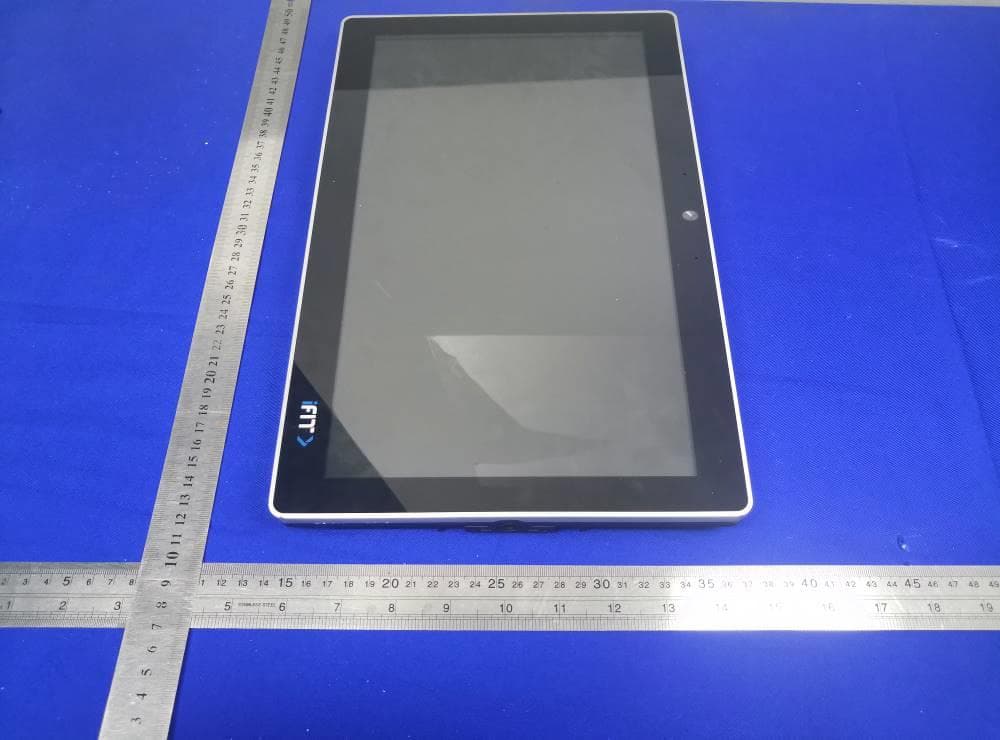
Click to zoom
Application Details
- Equipment Class
- JBP - Part 15 Class B Computing Device Peripheral
- Date of Grant
- Apr 28, 2020
- Application Purpose
- Original Equipment
- Date of Application
- Apr 28, 2020
- Equipment Note
- Tablet
- Country
- United States
Documents & Files
Document Text
Text extracted from the exhibit documents filed with the FCC. Open a document above to read the original.
Users Manual
1 ICON Tablet Model: MP14-Argon2 Directions Meanings of icons: 2 Forbidding: forbid improper operations to avoid damaging the tablet. Caution: cautions for operators to avoid potential damages. Please note and remember. Importance: important information, common notes, definitions, general knowledge and references, etc. Other trademarks and trade name may be used in this manual to refer to either the entities claiming the marks and names or their products. The manufacture disclaims any proprietary interest in trademarks and trade names other than its own. Information in this manual is subject to change without notice. Reproduction in any manner whatsoever without the written permission from the manufacture is strictly forbidden. Product images in this manual are for your reference only. Contents 3 Directions ......................................................................... 1 Safety Precautions .......................................................... 4 1 Know Your Tablet......................................................... 7 2 Get to Know Your System ........................................... 7 2-1 Add screen shortcuts ............................................... 8 2-2 Delete screen shortcuts/widgets ........................... 10 2-3 On-screen Keyboard .............................................. 11 3 System Settings ......................................................... 12 3-1 Wireless & networks ............................................... 12 3-2 Device ...................................................................... 15 3-3 Personal .................................................................. 16 3-4 System ..................................................................... 16 4 Browser ....................................................................... 17 5 Camera ........................................................................ 18 4 6 Specifications ............................................................. 20 7 CE Mark ....................................................................... 21 8 Shell ......................................................................... 24 Safety Precautions 1. DO NOT expose the tablet to dirty or dusty environment. Keep the environment clean and dry. 5 2. DO NOT place or drop objects on the top of the tablet. DO NOT shove any foreign objects into the tablet. DO NOT cover the LCD Screen strongly. 3. DO NOT expose the tablet to strong magnetic or electrical fields; DO NOT place the floppy disk near or on the tablet, which may loss the data of the floppy disk. 4. DO NOT leave the tablet facing the sun as it can damage the LCD Screen, especially in the car. 5. DO NOT expose the tablet to or use near liquids, rain, or moisture. 6. DO NOT throw the tablet in municipal waste. Check local regulations for disposal of electronic products. 8. DO NOT insert anything into the tablet that may result in short circuit or damage the circuit. 9. Power off the tablet, if you want to install or remove some external devices which are not support hot-plug. 10. DO NOT disassemble the tablet, only a certified service technician should perform repairs on your computer. Otherwise, problems may result and the manufacturer should not hold responsibility for the damage. 11. Direct current To indicate on the rating plate that the equipment is suitable for direct current only; to identify relevant terminals. 6 12. Meaning of crossed –out wheeled dustbin。Do not dispose of electrical appliances as unsorted municipal waste, use separate collection facilities. Contact you local government for information regarding the collection systems available. If electrical appliances are disposed of in landfills or dumps, hazardous substances can leak into the groundwater and get into the food chain, damaging your health and well-being. When replacing old appliances with new ones, the retailer is legally obligated to take back your old appliance for disposals at least free of charge. 13. the product complies with the essential requirements of the relevant European health, safety and environmental protection legislation. 14. For AC/DC Adapter, the socket-outlet shall be installed near the equipment and shall be easily accessible. 15. Any changes or modifications not expressly approved by the party responsible for compliance could void the user’s authority to operate the equipment. 7 1 Know Your Tablet KEYS: connect to the console through a cable, so that the host can control the volume or reset AUDIO JACK: connect to the console through a cable to provide audio signal output. Picture1-1 8 2 Get to Know Your System Connect to the power supply and then it will display the home screen as below picture . Click on the screen for ten times, pause for 5 seconds and then do it again for ten times’ clicks to enter the Setting priviledged mode as below. Picture 2-1 9 Quick settings 10 : tap to return to the previous page. : tap to enter Home screen. : tap to open recent APPs list menu. : tap to enter APPs Menu. If it’s your first time to use the tablet, the system will enter the guide menu. Please finish the initial setting following the instructions. 2-1 Add screen shortcuts On the home page, touch and hold the blank area to popup menu to change wallpaper; Touch to access APPS menu as shown in picture 2-3; touch and hold an APPS icon to add it to the home screen. Notification Bar Picture 2-2 11 2-2 Delete screen shortcuts/widgets On the home screen, touch and hold the shortcut or widget to be deleted until the icon “×” appears at the top middle of the home screen. Drag the shortcuts to the remove icon to delete. 2-3 On-screen Keyboard Just touch a text field to open the on-screen keyboard; Touch on the tool bar to close it. Toggle letters & numbers Space Caps lock button Backspace Go Picture 2-3 Picture 2-4 Expression 12 3 System Settings 3-1 Wireless & networks 3-1-1 Wi-Fi Touch the Wi-Fi swtich behind of the Wi-Fi item to turn on the Wi-Fi function…
Text truncated - open the document above for the full version.
Users Manual
1 ICON Tablet Model: MP14-Argon2 Directions Meanings of icons: 2 Forbidding: forbid improper operations to avoid damaging the tablet. Caution: cautions for operators to avoid potential damages. Please note and remember. Importance: important information, common notes, definitions, general knowledge and references, etc. Other trademarks and trade name may be used in this manual to refer to either the entities claiming the marks and names or their products. The manufacture disclaims any proprietary interest in trademarks and trade names other than its own. Information in this manual is subject to change without notice. Reproduction in any manner whatsoever without the written permission from the manufacture is strictly forbidden. Product images in this manual are for your reference only. Contents 3 Directions ......................................................................... 1 Safety Precautions .......................................................... 4 1 Know Your Tablet......................................................... 7 2 Get to Know Your System ........................................... 7 2-1 Add screen shortcuts ............................................... 8 2-2 Delete screen shortcuts/widgets ........................... 10 2-3 On-screen Keyboard .............................................. 11 3 System Settings ......................................................... 12 3-1 Wireless & networks ............................................... 12 3-2 Device ...................................................................... 15 3-3 Personal .................................................................. 16 3-4 System ..................................................................... 16 4 Browser ....................................................................... 17 5 Camera ........................................................................ 18 4 6 Specifications ............................................................. 20 7 CE Mark ....................................................................... 21 8 Shell ......................................................................... 24 Safety Precautions 1. DO NOT expose the tablet to dirty or dusty environment. Keep the environment clean and dry. 5 2. DO NOT place or drop objects on the top of the tablet. DO NOT shove any foreign objects into the tablet. DO NOT cover the LCD Screen strongly. 3. DO NOT expose the tablet to strong magnetic or electrical fields; DO NOT place the floppy disk near or on the tablet, which may loss the data of the floppy disk. 4. DO NOT leave the tablet facing the sun as it can damage the LCD Screen, especially in the car. 5. DO NOT expose the tablet to or use near liquids, rain, or moisture. 6. DO NOT throw the tablet in municipal waste. Check local regulations for disposal of electronic products. 8. DO NOT insert anything into the tablet that may result in short circuit or damage the circuit. 9. Power off the tablet, if you want to install or remove some external devices which are not support hot-plug. 10. DO NOT disassemble the tablet, only a certified service technician should perform repairs on your computer. Otherwise, problems may result and the manufacturer should not hold responsibility for the damage. 11. Direct current To indicate on the rating plate that the equipment is suitable for direct current only; to identify relevant terminals. 6 12. Meaning of crossed –out wheeled dustbin。Do not dispose of electrical appliances as unsorted municipal waste, use separate collection facilities. Contact you local government for information regarding the collection systems available. If electrical appliances are disposed of in landfills or dumps, hazardous substances can leak into the groundwater and get into the food chain, damaging your health and well-being. When replacing old appliances with new ones, the retailer is legally obligated to take back your old appliance for disposals at least free of charge. 13. the product complies with the essential requirements of the relevant European health, safety and environmental protection legislation. 14. For AC/DC Adapter, the socket-outlet shall be installed near the equipment and shall be easily accessible. 15. Any changes or modifications not expressly approved by the party responsible for compliance could void the user’s authority to operate the equipment. 7 1 Know Your Tablet KEYS: connect to the console through a cable, so that the host can control the volume or reset AUDIO JACK: connect to the console through a cable to provide audio signal output. Picture1-1 8 2 Get to Know Your System Connect to the power supply and then it will display the home screen as below picture . Click on the screen for ten times, pause for 5 seconds and then do it again for ten times’ clicks to enter the Setting priviledged mode as below. Picture 2-1 9 Quick settings 10 : tap to return to the previous page. : tap to enter Home screen. : tap to open recent APPs list menu. : tap to enter APPs Menu. If it’s your first time to use the tablet, the system will enter the guide menu. Please finish the initial setting following the instructions. 2-1 Add screen shortcuts On the home page, touch and hold the blank area to popup menu to change wallpaper; Touch to access APPS menu as shown in picture 2-3; touch and hold an APPS icon to add it to the home screen. Notification Bar Picture 2-2 11 2-2 Delete screen shortcuts/widgets On the home screen, touch and hold the shortcut or widget to be deleted until the icon “×” appears at the top middle of the home screen. Drag the shortcuts to the remove icon to delete. 2-3 On-screen Keyboard Just touch a text field to open the on-screen keyboard; Touch on the tool bar to close it. Toggle letters & numbers Space Caps lock button Backspace Go Picture 2-3 Picture 2-4 Expression 12 3 System Settings 3-1 Wireless & networks 3-1-1 Wi-Fi Touch the Wi-Fi swtich behind of the Wi-Fi item to turn on the Wi-Fi function…
Text truncated - open the document above for the full version.
Cover Letter(s)
SCS-F18: Project and Product Certification Representative Authorization Letter Page 1 of 2 Rev 6.0 775 Montague Expressway Milpitas, CA 95035 Tel: 408-526-1188 Fax: 408-526-1088 Email: [email protected] Project and Product Certification Representative Authorization Letter Reason for Amendment (current / obsolete) Revision History Approved Date From To Initial Release (obsolete) 1.0 1.0 Nov-14-2006 Revised wording (obsolete) 1.0 2.0 Sept–25-2007 Updated company template (obsolete) 2.0 3.0 Jan-31-2012 Updated letter information (obsolete) 3.0 4.0 May-23-2014 Added FCC ID field (obsolete) 4.0 5.0 Sep-16-2014 Updated company name & logo (current) 5.0 6.0 Jun-27-2018 SCS-F18: Project and Product Certification Representative Authorization Letter Page 2 of 2 Rev 6.0 March 26, 2020 To: BVCPS, INC. 775 Montague Expressway, Milpitas, CA 95035 USA Dear Sir/Madam, Re: Product Certification Representative Authorization Letter We, Icon Health and Fitness, Inc. hereby authorize Bureau Veritas Consumer Product Services, Inc. to act as a Certification Body for certifying for the following project(s): FCC ID: OMC415321 Product Description: Tablet Model: MP14-ARGON2 Sincerely, _____________________ Craig Jensen/ Compliance Engineer Icon Health and Fitness, Inc. Tel.: 435-786-5915 Fax: 435-750-7739 E-mail: [email protected]
External Photos
BV 7Layers Communications Technology (Shenzhen) Co. Ltd No.B102, Dazu Chuangxin Mansion, North of Beihuan Avenue, North Area, Hi-Tech Industrial Park, Nanshan District, Shenzhen, Guangdong, China Tel: +86 755 8869 6566 Fax: +86 755 8869 6577 Email: [email protected] Page 1 of 2 Report Version 1 Reference No.: 191128W001 FCC ID.: OMC415321 PHOTOGRAPHS OF THE EUT BV 7Layers Communications Technology (Shenzhen) Co. Ltd No.B102, Dazu Chuangxin Mansion, North of Beihuan Avenue, North Area, Hi-Tech Industrial Park, Nanshan District, Shenzhen, Guangdong, China Tel: +86 755 8869 6566 Fax: +86 755 8869 6577 Email: [email protected] Page 2 of 2 Report Version 1 Reference No.: 191128W001 FCC ID.: OMC415321
ID Label/Location Info
NFCUSB HOSTAUDIO OUTRESET POWER ICON Part No.: 415321 ICON Name: MP14-Argon2-Back Model No.: MP14-ARGON2 POWER SOURCE: DC 12V 2A POWER CONSUMPTION 24W FCC ID: OMC415321 IC: 3673A-415321 ICON Health & Fitness Inc Made in China
Internal Photos
BV 7Layers Communications Technology (Shenzhen) Co. Ltd No.B102, Dazu Chuangxin Mansion, North of Beihuan Avenue, North Area, Hi-Tech Industrial Park, Nanshan District, Shenzhen, Guangdong, China Tel: +86 755 8869 6566 Fax: +86 755 8869 6577 Email: [email protected] Page 1 of 8 Report Version 1 Reference No.: 191128W001 FCC ID.: OMC415321 PHOTOGRAPHS OF THE EUT BV 7Layers Communications Technology (Shenzhen) Co. Ltd No.B102, Dazu Chuangxin Mansion, North of Beihuan Avenue, North Area, Hi-Tech Industrial Park, Nanshan District, Shenzhen, Guangdong, China Tel: +86 755 8869 6566 Fax: +86 755 8869 6577 Email: [email protected] Page 2 of 8 Report Version 1 Reference No.: 191128W001 FCC ID.: OMC415321 BT/WIFI Antenna BV 7Layers Communications Technology (Shenzhen) Co. Ltd No.B102, Dazu Chuangxin Mansion, North of Beihuan Avenue, North Area, Hi-Tech Industrial Park, Nanshan District, Shenzhen, Guangdong, China Tel: +86 755 8869 6566 Fax: +86 755 8869 6577 Email: [email protected] Page 3 of 8 Report Version 1 Reference No.: 191128W001 FCC ID.: OMC415321 BV 7Layers Communications Technology (Shenzhen) Co. Ltd No.B102, Dazu Chuangxin Mansion, North of Beihuan Avenue, North Area, Hi-Tech Industrial Park, Nanshan District, Shenzhen, Guangdong, China Tel: +86 755 8869 6566 Fax: +86 755 8869 6577 Email: [email protected] Page 4 of 8 Report Version 1 Reference No.: 191128W001 FCC ID.: OMC415321 BV 7Layers Communications Technology (Shenzhen) Co. Ltd No.B102, Dazu Chuangxin Mansion, North of Beihuan Avenue, North Area, Hi-Tech Industrial Park, Nanshan District, Shenzhen, Guangdong, China Tel: +86 755 8869 6566 Fax: +86 755 8869 6577 Email: [email protected] Page 5 of 8 Report Version 1 Reference No.: 191128W001 FCC ID.: OMC415321 BV 7Layers Communications Technology (Shenzhen) Co. Ltd No.B102, Dazu Chuangxin Mansion, North of Beihuan Avenue, North Area, Hi-Tech Industrial Park, Nanshan District, Shenzhen, Guangdong, China Tel: +86 755 8869 6566 Fax: +86 755 8869 6577 Email: [email protected] Page 6 of 8 Report Version 1 Reference No.: 191128W001 FCC ID.: OMC415321 BV 7Layers Communications Technology (Shenzhen) Co. Ltd No.B102, Dazu Chuangxin Mansion, North of Beihuan Avenue, North Area, Hi-Tech Industrial Park, Nanshan District, Shenzhen, Guangdong, China Tel: +86 755 8869 6566 Fax: +86 755 8869 6577 Email: [email protected] Page 7 of 8 Report Version 1 Reference No.: 191128W001 FCC ID.: OMC415321 BV 7Layers Communications Technology (Shenzhen) Co. Ltd No.B102, Dazu Chuangxin Mansion, North of Beihuan Avenue, North Area, Hi-Tech Industrial Park, Nanshan District, Shenzhen, Guangdong, China Tel: +86 755 8869 6566 Fax: +86 755 8869 6577 Email: [email protected] Page 8 of 8 Report Version 1 Reference No.: 191128W001 FCC ID.: OMC415321
Test Report
BV 7Layers Communications Technology (Shenzhen) Co. Ltd No.B102, Dazu Chuangxin Mansion, North of Beihuan Avenue, North Area, Hi-Tech Industrial Park, Nanshan District, Shenzhen51800, China Tel: +86 755 8869 6566 Fax: +86 755 8869 6577 Email: [email protected] Page 1 of 22 Report Version 1 Test Report No.: FV191128W001 EMC TEST REPORT Applicant: ICON Health & Fitness Inc. Address: 1500 South 1000 West,Logan, UT 84321, USA Manufacturer or Supplier: ICON Health & Fitness Inc. Address: 1500 South 1000 West,Logan, UT 84321, USA Product: Tablet Brand Name: N/A Model Name: MP14-ARGON2 FCC ID: OMC415321 Date of tests: Nov. 29, 2019 ~ Mar. 03, 2020 The submitted sample of the above equipment has been tested for according to the requirements of the following standards: FCC Part 15, Subpart B, Class A FCC Part 15, Subpart B, Class B ANSI C63.4:2014 CONCLUSION: The submitted sample was found to COMPLY with the test requirement Prepared by Alex Chen Engineer / Mobile Department Approved by Luke Lu Manager / Mobile Department Date: Mar. 04, 2020 Date: Mar. 04, 2020 This report is governed by, and incorporates by reference, CPS Conditions of Service as posted at the date of issuance of this report at http://www.bureauveritas.com/home/about-us/our-business/cps/about-us/terms-conditions/and is intended for your exclusive use. Any copying or replication of this report to or for any other person or entity, or use of our name or trademark, is permitted only with our prior written permission. This report sets forth our findings solely with respect to the test samples identified herein. The results set forth in this report are not indicative or representative of the quality or characteristics of the lot from which a test sample was taken or any similar or identical product unless specifically and expressly noted. Our report includes all of the tests requested by you and the results thereof based upon the information that you provided to us. Measurement uncertainty is only provided upon request for accredited tests. You have 60 days from date of issuance of this report to notify us of any material error or omission caused by our negligence or if you require measurement uncertainty; provided, however, that such notice shall be in writing and shall specifically address the issue you wish to raise. A failure to raise such issue within the prescribed time shall constitute you unqualified acceptance of the completeness of this report, the tests conducted and the correctness of the report contents. BV 7Layers Communications Technology (Shenzhen) Co. Ltd No.B102, Dazu Chuangxin Mansion, North of Beihuan Avenue, North Area, Hi-Tech Industrial Park, Nanshan District, Shenzhen51800, China Tel: +86 755 8869 6566 Fax: +86 755 8869 6577 Email: [email protected] Page 2 of 22 Report Version 1 Test Report No.: FV191128W001 TABLE OF CONTENTS RELEASE CONTROL RECORD ............................................................................................................... 3 1 GENERAL INFORMATION ................................................................................................................ 4 1.1 GENERAL DESCRIPTION OF EUT ............................................................................................. 4 1.2 SUMMARY OF TEST RESULTS .................................................................................................. 5 1.3 MEASUREMENT UNCERTAINTY ............................................................................................... 5 1.4 DESCRIPTION OF TEST MODES ............................................................................................... 6 1.5 DESCRIPTION OF SUPPORT UNITS ......................................................................................... 7 2 EMISSION TEST ................................................................................................................................ 8 2.1 CONDUCTED EMISSION MEASUREMENT ................................................................................. 8 2.1.1 LIMITS OF CONDUCTED EMISSION MEASUREMENT ....................................................... 8 2.1.2 TEST INSTRUMENTS .......................................................................................................... 8 2.1.3 TEST PROCEDURES .......................................................................................................... 9 2.1.4 DEVIATION FROM TEST STANDARD ................................................................................ 9 2.1.5 TEST SETUP ...................................................................................................................... 10 2.1.6 EUT OPERATING CONDITIONS ....................................................................................... 10 2.1.7 TEST RESULTS .................................................................................................................. 11 2.2 RADIATED EMISSION MEASUREMENT .................................................................................. 13 2.2.1 LIMITS OF RADIATED EMISSION MEASUREMENT ....................................................... 13 2.2.2 TEST INSTRUMENTS ........................................................................................................ 14 2.2.3 TEST PROCEDURE ........................................................................................................... 15 2.2.4 DEVIATION FROM TEST STANDARD .............................................................................. 16 2.2.5 TEST SETUP ...................................................................................................................... 17 2.2.6 EUT OPERATING CONDITIONS ....................................................................................... 17 2.2.7 TEST RESULTS ................................................................................................................. 18 3 APPENDIX A – MODIFICATIONS RECORDERS F…
Text truncated - open the document above for the full version.
Test Setup Photos
BV 7Layers Communications Technology (Shenzhen) Co. Ltd No.B102, Dazu Chuangxin Mansion, North of Beihuan Avenue, North Area, Hi-Tech Industrial Park, Nanshan District, Shenzhen51800, China Tel: +86 755 8869 6566 Fax: +86 755 8869 6577 Email: [email protected] Page 1 of 3 Report Version 1 Reference No.: 191128W001 FCC ID.: OMC415321 SET-UP FOR CONDUCTED EMISSION TEST BV 7Layers Communications Technology (Shenzhen) Co. Ltd No.B102, Dazu Chuangxin Mansion, North of Beihuan Avenue, North Area, Hi-Tech Industrial Park, Nanshan District, Shenzhen51800, China Tel: +86 755 8869 6566 Fax: +86 755 8869 6577 Email: [email protected] Page 2 of 3 Report Version 1 Reference No.: 191128W001 FCC ID.: OMC415321 SET-UP FOR RADIATED EMISSION TEST Frequency Range< 30MHz ~1GHz > BV 7Layers Communications Technology (Shenzhen) Co. Ltd No.B102, Dazu Chuangxin Mansion, North of Beihuan Avenue, North Area, Hi-Tech Industrial Park, Nanshan District, Shenzhen51800, China Tel: +86 755 8869 6566 Fax: +86 755 8869 6577 Email: [email protected] Page 3 of 3 Report Version 1 Reference No.: 191128W001 FCC ID.: OMC415321 Frequency Range< Above 1GHz >
Contact Information
Applicant
Kris Luthy(Regulatory Compliance Engineer)
Test Firm
BV 7Layers Communications Technology (Shenzhen) CoEdwin Ye
[email protected]86-20-8714 8549
Technical Specifications
| # | Rule Parts | Frequency Range | Power Output |
|---|---|---|---|
| 1 | 15B | - | - |
Other Applications from iFIT Health and Fitness, Inc.
OMC-CESIUM1
Sep 07, 2026Tablet
Equipment Class
DSS - Part 15 Spread Spectrum TransmitterOMC453584C
Aug 21, 2024Tablet
Equipment Class
DSS - Part 15 Spread Spectrum TransmitterOMC453084
Jul 15, 2024Tablet
Equipment Class
NII - Unlicensed National Information Infrastructure TXOMC453584V
May 10, 2024Tablet
Equipment Class
DSS - Part 15 Spread Spectrum Transmitter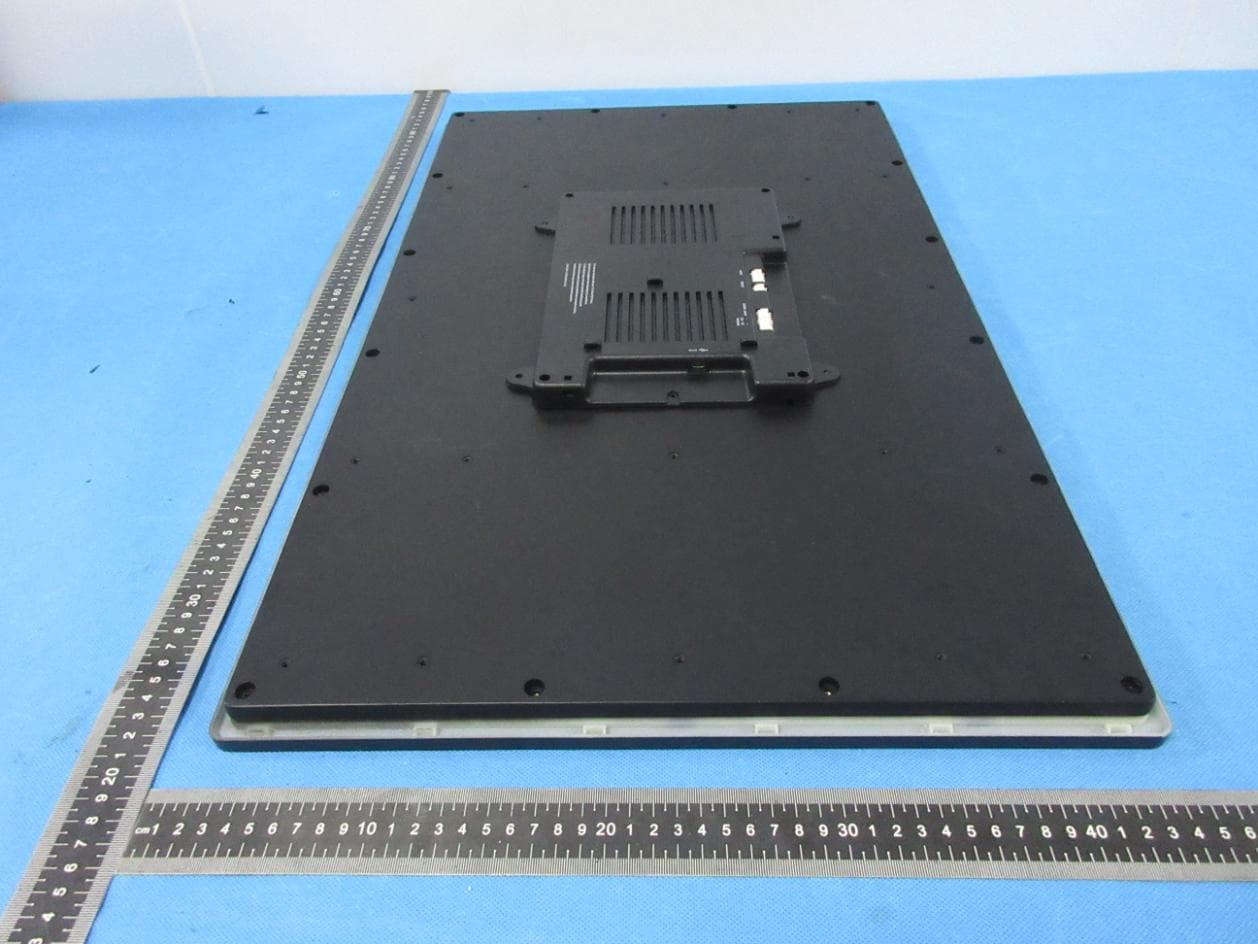
OMC436392E
Sep 26, 2022Tablet
Equipment Class
DSS - Part 15 Spread Spectrum Transmitter