OQLGS3MTAAdmin MT Reader GS3 OneProx
PAC International Limited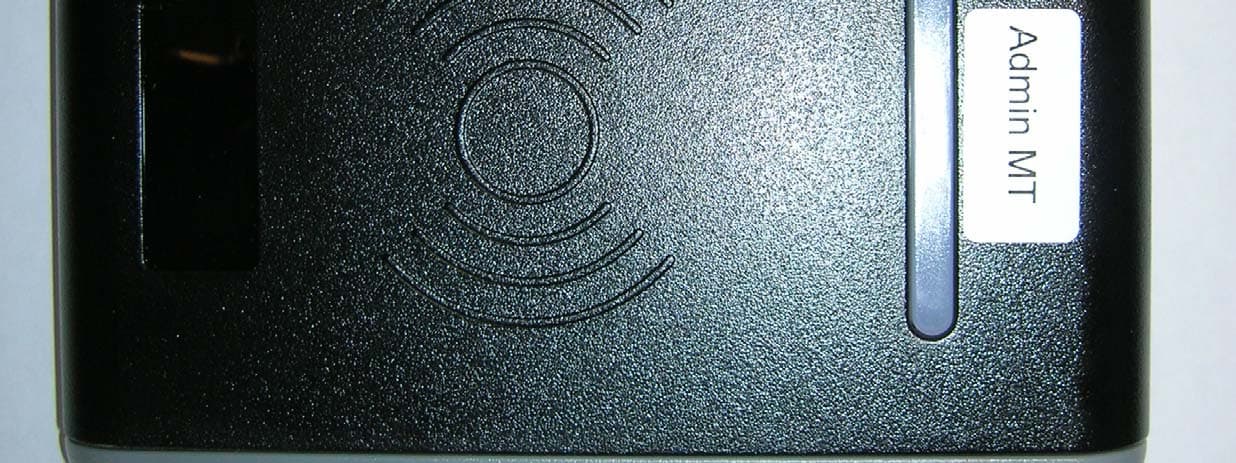
Click to zoom
Application Details
- Equipment Class
- DXX - Part 15 Low Power Communication Device Transmitter
- Date of Grant
- Jul 31, 2013
- Application Purpose
- Original Equipment
- Date of Application
- Jul 31, 2013
- Equipment Note
- Admin MT Reader GS3 OneProx
- Frequency Range
- 13.56000000 - 13.56000000
- Company
- PAC International Limited
- Country
- United Kingdom
Documents & Files
Document Text
Text extracted from the exhibit documents filed with the FCC. Open a document above to read the original.
Users Manual
GS3-MT Admin Reader Installation Guide 171004v1.02DRAFT137 Jul 2013 2 GS3-MTAdminReader InstallationGuide GS3-MTTischleser Installationsanleitung GS3-MTLecteurde bureau Guided’installation GS3-MTLectorde escritorio Guíade instalación GS3-MTBordsläsare Installationsanvisninar GS3-MTDesktoplezer Installatiehandleiding GS3-MTBordleser Installasjonsguide GS3-MTLettoredi amministrazione Guidaall’installazione GS3-MTAdminReader Guiade Instalação GS3-MTHallintolukija Asennusopas 3 Parts· Teile · Pièces· Piezas· Delar · Delen· Deler · Componenti· Componentes· Osat AdminReaderKit · Tischleser-Kit· Kit de lecteurde bureau· Kit de lectorde escritorio· Bordsläsarsats· Desktoplezerset· Bordleserutstyr· Kit lettoredi amministrazione· AdminReaderKit · Hallintolukijapakkaus P/N 909020115 ×1×1×1×1×4×1 AdminReaderKit with Line Driver· Tischleser-Kitmit Leitungstreiber· Kit de lecteur de bureauet amplificateurde ligne · Kit de lectorde escritorioe impulsorde línea · Bordsläsarsatsmed linjedrivare· Desktoplezersetmet lijnbekrachtiger· Bordleser utstyrmed ledningsfører· Kit lettoredi amministrazionecon driverdi linea · Admin ReaderKit com controladorde linha · Hallintolukijapakkauslinja-ajurilla ×1×1×1×1×4 ×1 ×1 4 SystemPlan · Systemplanung· Plan du système· Planificacióndel sistema· Systemplan· Systeemschema· Systemplan· Pianodel sistema· Planodo sistema· Järjestelmäkaavio Line driverand externalreadernot for UL installations Desktopreader· Tischleser· Lecteurde bureau· Lectorde escritorio· Stationär läsare· Desktoplezer · Bordleser· Lettoreper desktop· Leitorde desktop· Pöytälukija USB cable · USB kabel · Câblede USB · Cabledel USB · USB-kabel · KabelUSB · USB kabel · Cavo USB · Cabo USB · USB-johto Line driver· Leitungstreiber· Amplificateurde ligne · Impulsorde línea · Drivsteget· Drivsteget· Ledningsfører· Driverdi linea · Controladorde linha · Linja-ajuri PAC 512 Externalreader(not provided)· ExternesLesegerät(nichtmitgeliefert)· Lecteur externe(non fourni)· Lectorexterno(no se suministra)· Externläsare(medföljer ej) · Externesensor(niet bijgeleverd)· Eksternleser (medfølgerikke) · Lettoreesterno (non fornito)· Leitorexterno(não fornecido)· Ulkoinenlukija (ei toimitettu) 5 Connections· Anschlüsse· Connexions· Conexiones· Anslutningar· Aansluitingen· Tilkoplingar· Connessioni· Ligações· Liitännät 6 ExternalReader· ExternesLesegerät· Lecteurexterne· Lectorexterno· Externläsare· Externesensor· Eksternleser · Lettoreesterno· Leitorexterno· Ulkoinenlukija Not for UL installations Line Driver· Leitungstreiber· Amplificateurde ligne · Impulsorde línea · Linjedrivare· Lijnbekrachtiger· Ledningsfører· Driverdi linea · Controladorde linha · Linja-ajuri Not for UL installations 7 OutputFormat·Ausgabeformat·FormatdeSortie·FormatodeSalida· Utdataformat·Uitvoerformaat·Utdataformat·Formatouscita·Formato de saída · Lähtömuoto OutputFormat Ausgabeformat Formatde sortie Formatode Salida Utdataformat Uitvoerformaat Utdataformat Formatouscita Formatode saída Lähtömuoto Card / Token Karten/ Token Carte/ Fiche Tarjeta/ Ficha Kort / Nyckel Kaart/ Penning Kort / Nøkkel Scheda/ Contrassegno Cartão/ Token Kortti/ Rahake DIP PAC ON 12345 PAC / KeyPAC OneProxSmartLite WiegandProx PAC 64 ON 12345 PAC / KeyPAC OneProxSmart WiegandProx 8 Symbols· Symbole· Symboles· Símbolos· Symboler· Symbolen· Symboler· Simboli· Símbolos· Symbolit Data from card · Datenvon Karte· Les donnéesde la carte · Los datosde tarjeta· Data från kortet· Gegevensvan de kaart · Data fra kortet· Dati dalla scheda· Os dadosdo cartão· Tiedotkortti Paddedor truncateddata · Datenaufgefülltoder abgeschnitten· Les donnéessont complétéesou tronquées· Los datosse rellenano se truncan· Data utfyllseller trunkeras· Gegevenswordenopgevuldof afgekapt· Data polstreseller avkortes· Dati sono imbottitio troncati· Os dadossão preenchidosou truncados· Tiedoton pehmustettutai katkaistu Processeddata · Datenverarbeitet· Les donnéessont traitées· Los datosse procesan· Data bearbetas· Gegevenswordenverwerkt· Data behandles· Dati sono trattati· Os dadossão processados· Tiedotkäsitellään OPS processeddata · Datenverarbeitetals OPS · Les donnéessont traitéescomme OPS · Los datosse procesancomo OPS · Data bearbetassom OPS · Gegevens wordenals OPS verwerkt· Data behandlessom OPS · Dati sono trattaticome OPS · Os dadossão processadoscomo OPS · Tiedotkäsitelläänja salauspuretaan 9 English Introduction The GS3-MTAdminReaderuses OneProxtechnologyto allow PAC / KeyPACtokensand cards to be read by a PC. If required,an externalreadercan be wiredin to the screwterminalsof the desktopreader when the base cover is removed— see page 7. The GS3-MTAdminReadermay also be suppliedwith a non-isolatedRS-485interfaceand line driverfor connectionto a PAC 512 accesscontroller.The line driveris pluggedin to the RS-232 port of the PAC 512. OtherPAC 512s can be connectedto the first PAC 512 via RS-485 terminalsto providea directchannel— see page 7. For applicationsthat requirean isolated RS-485interface,the GS3-MTAdminReadercan be wiredinto an isolatedRS-485hub. Notes • Connectingto a client PC requiresthe USB devicedriver andthe standaloneOneProx Admintool, PAC SecureNetversion3.1 or higheror the iPAC web interface. • Whenthe USB devicedriveris installedit createsa new virtualCOM port on the PC. The client PC uses this port to connectto the AdminReader. • The +5V outputis derivedfrom the USB powerline and is providedfor reference. No more than 50mAshouldbe drawnfrom this or the USB powerlimit will come into operationand the computerwill shut downthe USB port. This may requirea rebootof the PC beforethe readerwill operateagain. • Externalreadersrequiretheir own powersupplyand must be poweredup before the USB connection. 10 English Installation 1. Ensureyour productcomeswith the items indicatedon page 4; if not pleasecontact your dealer. 2. Installthe driver— see page 12. 3. If required,installthe OneProxAdmintool — see page 13. 4. Set outputformat— see page 8. 5. If required,connectthe externalreader— see page…
Text truncated - open the document above for the full version.
Users Manual
GS3-MT Admin Reader Installation Guide 171004v1.03DRAFT139 Jul 2013 2 GS3-MTAdminReader InstallationGuide GS3-MTLecteurde bureau Guided’installation GS3-MTLectorde escritorio Guíadeinstalación 3 Parts· Pièces· Piezas AdminReaderKit · Kit de lecteurde bureau· Kit de lectorde escritorio P/N 909070115 ×1×1×1×1×4×1 4 SystemPlan · Plan du système· Planificacióndel sistema Line driverand externalreadernot for UL installations Desktopreader· Lecteurde bureau· Lectorde escritorio USB cable · Câblede USB · Cabledel USB 5 Connections· Connexions· Conexiones 6 OutputFormat· Formatde Sortie· Formatode Salida OutputFormat Formatde sortie Formatode Salida Card / Token Carte/ Fiche Tarjeta/ Ficha DIP PAC ON 12345 PAC / KeyPAC OneProxSmartLite WiegandProx PAC 64 ON 12345 PAC / KeyPAC OneProxSmart WiegandProx Symbols· Symboles· Símbolos Data from card · Les donnéesde la carte · Los datosde tarjeta Paddedor truncateddata · Les donnéessont complétéesou tronquées· Los datos se rellenano se truncan Processeddata · Les donnéessont traitées· Los datosse procesan OPS processeddata · Les donnéessont traitéescommeOPS · Los datos se procesan como OPS 7 English Introduction The GS3-MTAdminReaderuses OneProxtechnologyto allow PAC / KeyPACtokensand cards to be read by a PC. Notes • Connectingto a client PC requiresthe USB devicedriver andthe standaloneOneProx Admintool. • Whenthe USB devicedriveris installedit createsa new virtualCOM port on the PC. The client PC uses this port to connectto the AdminReader. • The +5V outputis derivedfrom the USB powerline and is providedfor reference. No more than 50mAshouldbe drawnfrom this or the USB powerlimit will come into operationand the computerwill shut downthe USB port. This may requirea rebootof the PC beforethe readerwill operateagain. 8 English Installation 1. Ensureyour productcomeswith the items indicatedon page 4; if not pleasecontact your dealer. 2. Installthe driver— see page 10. 3. Installthe OneProxAdmintool — see page 11. 4. Set outputformat— see page 7. 5. Connectthe readerto the PC — see page 6. Tips • For more informationon using the OneProxAdmintool, see the OneProxAdminhelp file. • Outputformatand readerconfigurationcan be changedwithoutdisconnectingthe powersupply.The readerautomaticallyrestartswith the new configuration. 9 English Installingthe Driver 1. Beforeconnectingthe desktopreaderto the PC for the first time, insertthe Desktop ReaderCD. 2. On the DesktopReaderCD, double-clickon the fileSetup.bat. If you are using WindowsVista or later and the User AccountControldialogbox appears, choosetheYesbutton. The DeviceDriverInstallationWizarddialogbox is displayed. 3. ChoosetheNextbutton. 10 English 4. If you are using WindowsXP, the SoftwareInstallationwindowis displayed.Choosethe ContinueAnywaybutton. If you are using WindowsVista or later, the WindowsSecuritydialogbox is displayed. ChoosetheInstallbutton. 5. The driveris installed.If the installationprocessrequestsany files, locatethem on the CD drive (e.g.D:) and choosetheRetrybutton. 6. Wait while the softwareis installed. 7. ChoosetheFinishbutton. 8. Plug the desktopreaderinto a spare USB port. InstallingOneProxAdmin 1. Insertthe AdminReaderCD. 2. Browseto root of the AdminReaderCD. 3. Copy theOneProxAdminfolderand all its contentsto a suitablelocationon your PC. 11 English Specification CurrentPowerReaderRange 250mA5V DCUp to 4.0′′ / 100mm Temperature StorageOperating -40°C— +66°C/ -40°F— +151°F-40°C— +66°C/ -40°F— +151°F Humidity Operatingfor 24 hours Testedat 93% for ULC S319.10-85%RH @ 30±2°C/ 85±4°F IngressProtection IP65 after installation— evaluatedby lab separatefrom UL. Installermust adequatelyseal any connectionsmade. Dimensions 130mm× 88mm× 29mm Weight 230g 12 English Français Introduction Le lecteurde bureauGS3-MTutilisela technologieOneProxpour permettrela lecturedes cartes et des jetonsPAC et KeyPACsur un PC. Remarques • Connexionà un PC client nécessitele pilote de périphériqueUSB et l’outil autonome OneProxAdmin. • Lorsquele pilotede périphériqueUSB est installé,il crée un nouveauport COM virtuelsur le PC. Le PC client utilisece port pour connecterau lecteur d’administration. • La sortie+5V est dérivéede la ligne de transmissionUSB et est fournieen tant que référence.Pas plus de 50 mA ne devraiten être tiré sinon la limite de puissance de l’USBva entréeen actionet l’ordinateurfermerale port USB. Cela pourra nécessiterun redémarragedu PC avantque le lecteurne puissefonctionnerà nouveau. 13 Français Installation 1. Vérifierque votre produitcontienttoutesles articlesindiquésà la page 4. En cas de pièce manquante,contactervotre distributeur. 2. Installezle pilotede périphérique— voir page 15. 3. Installezl’outilOneProxAdmin— voir page 15. 4. Sélectionnerle formatde sortie— voir page 7. 5. Branchezle lecteurau PC — voir page 6. Conseils • Pour plus d’informationssur l’outil OneProxAdmin,voir le fichierd’aidede OneProx Admin. • Le formatde sortieet la programmationdu lecteurpeuventêtre modifiéssans couperl’alimentation.Le lecteurredémarreautomatiquementavec la nouvelle programmation. 14 Français Installationdu pilotede périphérique 1. Avantle branchementdu lecteurde bureauau PC, insérezle CD Lecteurde bureau. 2. Sur le CD Lecteurde bureau,double-cliquezsur le fichierSetup.bat. Dans WindowsVista ou versionplus, si la fenêtreContrôlede compted’utilisateurapparaît, sélectionnezOui. Le boîte de dialogueDeviceDriverInstallationWizards’affiche. 3. Sélectionnezle boutonNext. 4. Si vous utilisezWindowsXP, la fenêtreInstallationde logiciels’affiche.Sélectionnezle boutonContinuerdans tous les cas. Si vous utilisezWindowsVista ou versionplus, la fenêtreSécuritéde Windowss’affiche. Sélectionnezle boutonInstaller. 5. Le pilote est installé.Tous les fichiersdemandéspeuventêtre trouvéssur l’unitéde disque CD (par ex.D:) et le boutonEssayerà nouveaupeut être sélectionné. 6. Attendezla fin de l’installationdu logiciel. 7. Sélectionnezle boutonFinish. 8. Branchezle lecteurde bureaudans un port USB libre. Insta…
Text truncated - open the document above for the full version.
Users Manual
GS3-MT Admin Reader Installation Guide 171004v1.01DRAFT138 Jul 2013 2 GS3-MTAdminReader InstallationGuide GS3-MTTischleser Installationsanleitung GS3-MTLecteurde bureau Guided’installation GS3-MTLectorde escritorio Guíade instalación GS3-MTBordsläsare Installationsanvisninar GS3-MTDesktoplezer Installatiehandleiding GS3-MTBordleser Installasjonsguide GS3-MTLettoredi amministrazione Guidaall’installazione GS3-MTAdminReader Guiade Instalação GS3-MTHallintolukija Asennusopas 3 Parts· Teile · Pièces· Piezas· Delar · Delen· Deler · Componenti· Componentes· Osat AdminReaderKit · Tischleser-Kit· Kit de lecteurde bureau· Kit de lectorde escritorio· Bordsläsarsats· Desktoplezerset· Bordleserutstyr· Kit lettoredi amministrazione· AdminReaderKit · Hallintolukijapakkaus P/N 909028115 ×1×1×1×1×4×1 AdminReaderKit with Line Driver· Tischleser-Kitmit Leitungstreiber· Kit de lecteur de bureauet amplificateurde ligne · Kit de lectorde escritorioe impulsorde línea · Bordsläsarsatsmed linjedrivare· Desktoplezersetmet lijnbekrachtiger· Bordleser utstyrmed ledningsfører· Kit lettoredi amministrazionecon driverdi linea · Admin ReaderKit com controladorde linha · Hallintolukijapakkauslinja-ajurilla ×1×1×1×1×4 ×1 ×1 4 SystemPlan · Systemplanung· Plan du système· Planificacióndel sistema· Systemplan· Systeemschema· Systemplan· Pianodel sistema· Planodo sistema· Järjestelmäkaavio Line driverand externalreadernot for UL installations Desktopreader· Tischleser· Lecteurde bureau· Lectorde escritorio· Stationär läsare· Desktoplezer · Bordleser· Lettoreper desktop· Leitorde desktop· Pöytälukija USB cable · USB kabel · Câblede USB · Cabledel USB · USB-kabel · KabelUSB · USB kabel · Cavo USB · Cabo USB · USB-johto Line driver· Leitungstreiber· Amplificateurde ligne · Impulsorde línea · Drivsteget· Drivsteget· Ledningsfører· Driverdi linea · Controladorde linha · Linja-ajuri AC 512 Externalreader(not provided)· ExternesLesegerät(nichtmitgeliefert)· Lecteur externe(non fourni)· Lectorexterno(no se suministra)· Externläsare(medföljer ej) · Externesensor(niet bijgeleverd)· Eksternleser (medfølgerikke) · Lettoreesterno (non fornito)· Leitorexterno(não fornecido)· Ulkoinenlukija (ei toimitettu) 5 Connections· Anschlüsse· Connexions· Conexiones· Anslutningar· Aansluitingen· Tilkoplingar· Connessioni· Ligações· Liitännät 6 ExternalReader· ExternesLesegerät· Lecteurexterne· Lectorexterno· Externläsare· Externesensor· Eksternleser · Lettoreesterno· Leitorexterno· Ulkoinenlukija Not for UL installations Line Driver· Leitungstreiber· Amplificateurde ligne · Impulsorde línea · Linjedrivare· Lijnbekrachtiger· Ledningsfører· Driverdi linea · Controladorde linha · Linja-ajuri Not for UL installations 7 OutputFormat·Ausgabeformat·FormatdeSortie·FormatodeSalida· Utdataformat·Uitvoerformaat·Utdataformat·Formatouscita·Formato de saída · Lähtömuoto OutputFormat Ausgabeformat Formatde sortie Formatode Salida Utdataformat Uitvoerformaat Utdataformat Formatouscita Formatode saída Lähtömuoto Card / Token Karten/ Token Carte/ Fiche Tarjeta/ Ficha Kort / Nyckel Kaart/ Penning Kort / Nøkkel Scheda/ Contrassegno Cartão/ Token Kortti/ Rahake DIP PAC ON 12345 PAC / KeyPAC OneProxSmartLite WiegandProx PAC 64 ON 12345 PAC / KeyPAC OneProxSmart WiegandProx 8 Symbols· Symbole· Symboles· Símbolos· Symboler· Symbolen· Symboler· Simboli· Símbolos· Symbolit Data from card · Datenvon Karte· Les donnéesde la carte · Los datosde tarjeta· Data från kortet· Gegevensvan de kaart · Data fra kortet· Dati dalla scheda· Os dadosdo cartão· Tiedotkortti Paddedor truncateddata · Datenaufgefülltoder abgeschnitten· Les donnéessont complétéesou tronquées· Los datosse rellenano se truncan· Data utfyllseller trunkeras· Gegevenswordenopgevuldof afgekapt· Data polstreseller avkortes· Dati sono imbottitio troncati· Os dadossão preenchidosou truncados· Tiedoton pehmustettutai katkaistu Processeddata · Datenverarbeitet· Les donnéessont traitées· Los datosse procesan· Data bearbetas· Gegevenswordenverwerkt· Data behandles· Dati sono trattati· Os dadossão processados· Tiedotkäsitellään OPS processeddata · Datenverarbeitetals OPS · Les donnéessont traitéescomme OPS · Los datosse procesancomo OPS · Data bearbetassom OPS · Gegevens wordenals OPS verwerkt· Data behandlessom OPS · Dati sono trattaticome OPS · Os dadossão processadoscomo OPS · Tiedotkäsitelläänja salauspuretaan 9 English Introduction The GS3-MTAdminReaderuses OneProxtechnologyto allow PAC / KeyPACtokensand cards to be read by a PC. If required,an externalreadercan be wiredin to the screwterminalsof the desktopreader when the base cover is removed— see page 7. The GS3-MTAdminReadermay also be suppliedwith a non-isolatedRS-485interfaceand line driverfor connectionto an AC 512 accesscontroller.The line driveris pluggedin to the RS-232 port of the AC 512. OtherAC 512s can be connectedto the first AC 512 via RS-485terminals to providea directchannel— see page 7. For applicationsthat requirean isolatedRS-485 interface,the GS3-MTAdminReadercan be wiredinto an isolatedRS-485hub. Notes • Connectingto a client PC requiresthe USB devicedriver andthe standaloneOneProx Admintool, NT500version3.1 or higheror the iPAC web interface. • Whenthe USB devicedriveris installedit createsa new virtualCOM port on the PC. The client PC uses this port to connectto the AdminReader. • The +5V outputis derivedfrom the USB powerline and is providedfor reference. No more than 50mAshouldbe drawnfrom this or the USB powerlimit will come into operationand the computerwill shut downthe USB port. This may requirea rebootof the PC beforethe readerwill operateagain. • Externalreadersrequiretheir own powersupplyand must be poweredup before the USB connection. 10 English Installation 1. Ensureyour productcomeswith the items indicatedon page 4; if not pleasecontact your branch. 2. Installthe driver— see page 12. 3. If required,installthe OneProxAdmintool — see page 13. 4. Set outputformat— see page 8. 5. If required,connectthe externalreader— see page 7. 6. If re…
Text truncated - open the document above for the full version.
Cover Letter(s)
Christopher Harris Security Compliance Officer Stanley Convergent Security Solutions, Inc. 1707 Orlando Central Parkway, Ste. 500 Orlando, FL 32809 tel +1-407-438-4445x4010 www.stanleycss.com June 12, 2013 Intertek 1365 Adams Ct. Menlo Park, CA 94025 To Whom It May Concern: Intertek is authorized to act on our behalf for the submission of Oneprox GS3-MT Admin, until otherwise notified, for application to Intertek. We certify that we are not subject to denial of federal benefits, that includes FCC benefits, pursuant to Section 5301 of the Anti-Drug Abuse Act of 1988, U.S.C. 862. Further, no party, as defined in 47 CFR 1.2002 (b) to the application is subject to denial of federal benefits, that includes FCC benefits. Sincerely, Christopher Harris Security Compliance Officer
Cover Letter(s)
Christopher Harris Security Compliance Officer Stanley Convergent Security Solutions, Inc. 1707 Orlando Central Parkway, Ste. 500 Orlando, FL 32809 tel +1-407-438-4445x4010 www.stanleycss.com June 12, 2013 FCC ID: OQLGS3MTA Request for Confidentiality In accordance with 47 C.F.R. Section .0459, we, Stanley Security Solutions, hereby request confidentiality for the following items: Electrical Schematic Block Diagram Theory of Operation/Technical Description Internal Photographs Bill of Materials/Parts List Enclosed within this application is technical information which we deem to be trade secrets and proprietary. If made public, the information might be used to our disadvantage. To assist in assuring that we receive the full value of our product and protect its competitive posture, we respectfully request this grant of confidentiality. Christopher Harris Stanley Convergent Security Solutions, Inc. Security Compliance Officer
ID Label/Location Info
SGR Labels in Place Desktop Reader
Test Report
TEST REPORT Report Number: 100687320MIN-001G Project Number: G100687320 Testing performed on the Oneprox GS3-MT Admin FCC ID: OQLGS3MTA Industry Canada ID: 7309A- OQLGS3MTA to 47 CFR Part 15.209; Part 15.215:2010 47 CFR Part 15. 225:2010 RSS- 210, Issue 8, 2010 RSS-Gen, Issue 3, 2010 For Stanley Convergent Security Solutions, Inc. Test Performed by: Test Authorized by: Intertek Testing Services NA, Inc. 7250 Hudson Blvd., Suite 100 Oakdale, MN 55128 Stanley Convergent Security Solutions, Inc. 1707 Orlando Central Parkway, Suite 500 Orlando, FL 32809, USA Prepared by: Date: July 8, 2013 Uri Spector Reviewed by: Date: July 8, 2013 Simon Khazon This report is for the exclusive use of Intertek's Client and is provided pursuant to the agreement between Intertek and its Client. Intertek's responsibility and liability are limited to the terms and conditions of the agreement. Intertek assumes no liability to any party, other than to the Client in accordance with the agreement, for any loss, expense or damage occasioned by the use of this report. Only the Client is authorized to permit copying or distribution of this report and then only in its entirety. Any use of the Intertek name or one of its marks for the sale or advertisement of the tested material, product or service must first be approved in writing by Intertek. The observations and test results in this report are relevant only to the sample tested. This report by itself does not imply that the material, product, or service is or has ever been under an Intertek certification program. EMC Report No: 100687320MIN-001G FCC ID: OQLGS3MTA IC ID: 7309A-OQLGS3MTA Page 2 of 29 TABLE OF CONTENTS 1.0 GENERAL DESCRIPTION.......................................................................................................... 3 1.1 Product Description; Test Facility ....................................................................................... 4 1.3 Environmental conditions.................................................................................................... 5 1.4 Measurement uncertainty ................................................................................................... 6 1.5 Field Strength Calculation................................................................................................... 6 2.0 TEST SUMMARY.......................................................................................................................... 7 3.0 TEST CONDITIONS AND RESULTS........................................................................................ 8 3.1 Field Strength of Fundamental and Spurious Emissions ................................................... 8 3.2 Field strength within the band of operation....................................................................... 12 3.3 Field strength outside of the band of operation ................................................................ 14 3.4 Frequency Tolerance ........................................................................................................ 18 3.5 Bandwidth of Emissions.................................................................................................... 19 3.6 Transmitter power line conducted emissions ................................................................... 24 4.0 TEST EQUIPMENT..................................................................................................................... 29 EMC Report No: 100687320MIN-001G FCC ID: OQLGS3MTA IC ID: 7309A-OQLGS3MTA Page 3 of 29 1.0 GENERAL DESCRIPTION Model: Oneprox GS3-MT Admin Type of EUT: Admin MT Card Reader Serial Number: MIN1306131420-006 FCC ID: OQLGS3MTA Industry Canada ID: 7309A-OQLGS3MTA Related Submittal(s) Grants: None Company: Stanley Convergent Security Solutions, Inc. Customer: Mr. Christopher Harris Address: 1707 Orlando Central Parkway, Suite 500 Orlando, FL 32809 Phone: (407) 206-7415 Fax: (866) 716-9006 Test Standards: 47 CFR, Part 15:2010, §15.225 RSS–210, Issue 8, 2010 RSS-Gen, Issue 3, 2010 47 CFR, Part 15:2010, §15.209, §15.215 47 CFR, Part 15:2008, §15.107 and §15.109, Class Other Type of radio: Stand -alone Module Hybrid Date Sample Submitted: June 10, 2013 Test Work Started: June 10, 2013 Test Work Completed: July 3, 2013 Test Sample Conditions: Damaged Poor (Usable) Good EMC Report No: 100687320MIN-001G FCC ID: OQLGS3MTA IC ID: 7309A-OQLGS3MTA Page 4 of 29 1.1 Product Description; Test Facility Product Description: SGR Admin MT Reader Operating Frequency 124.63kHz and 13.56MHz Modulation: ASK (124kHz) and FSK (13.56MHz) Emission Designator: 2K7A1D (ASK) 2K6FXD (FSK) Antenna(s) Info: Integral antenna Antenna Installation: User Professional Factory Transmitter Power Configuration: Internal battery External power source 120VAC 230VAC 400VAC VDC Other: Amp. 60Hz Special Test Arrangement: The transmitter was tested while connected to the Laptop PC via USB cable and was powered via Laptop PC. Conducted Emissions testing was performed at the Laptop PC AC port. Test Facility Accreditation: A2LA (Certificate No. 1427.01) Test Methodology: Measurements performed according to the procedures in ANSI C63.10- 2009 EMC Report No: 100687320MIN-001G FCC ID: OQLGS3MTA IC ID: 7309A-OQLGS3MTA Page 5 of 29 1.2 EUT Configuration The equipment under test was operated during the measurement under the following conditions: - Standby - Continuous - Test program (customer specific) - Operating modes of the EUT: No. Description 1 The transmitter was set to transmit continuously. Cables: No. Type Length Designation Note 1 USB Communication cable 2m Reader cable, shielded Support equipment/Services: No. Item Description 1 Laptop PC Computer General notes: Admin MT card reader is transmitter only, and has no receiver portion. 1.3 Environmental conditions During the measurement the environmental conditions were within the listed ranges: Normal Temperature: 15-35°C Humidity: 30-60% Atmospheric pressure: 86-106kPa Extreme Temperature: -20 to +50°C…
Text truncated - open the document above for the full version.
Contact Information
Applicant
Shaun C Byrne(Controller Team Leader)
Technical Contact
Stanley Security Solutions, Ltd.Paul Lucas
[email protected]44 161 406 3429
1 Park Gate Close. Bredbury Parkway · Stockport · United Kingdom
Non-Technical Contact
Stanley Security Solutions, Ltd.Christopher L. Harris
[email protected]407-206-7415
Test Firm
Intertek Testing Services NA, Inc.Andrew Waytulonis
Technical Specifications
| # | Rule Parts | Frequency Range | Power Output |
|---|---|---|---|
| 2 | 15C | 13.56 MHz - 13.56 MHz | - |
Other Applications from PAC International Limited
OQLGS3LFP
Aug 01, 2013Panel LF Reader GS3 OneProx
Equipment Class
DCD - Part 15 Low Power Transmitter Below 1705 kHz
OQLGS3LFS
Aug 01, 2013Standard LF Reader GS3 OneProx
Equipment Class
DCD - Part 15 Low Power Transmitter Below 1705 kHz
OQLGS3LFV
Aug 01, 2013Vandal LF Reader GS3 OneProx
Equipment Class
DCD - Part 15 Low Power Transmitter Below 1705 kHz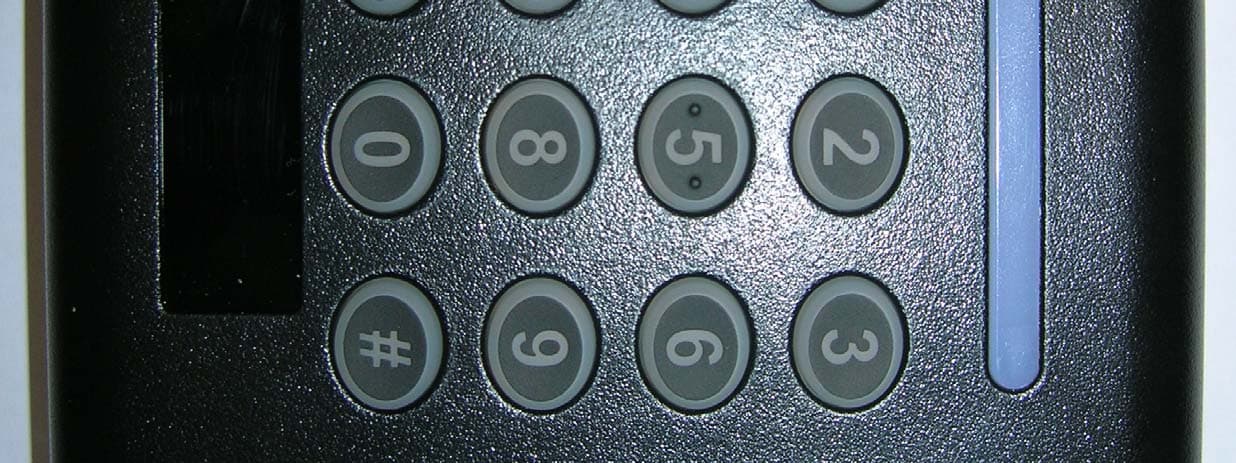
OQLGS3PIN
Jul 30, 2013PIN MT Reader GS3 OneProx
Equipment Class
DXX - Part 15 Low Power Communication Device Transmitter
OQLGS3MTS
Jul 30, 2013Standard MT Reader GS3 OneProx
Equipment Class
DXX - Part 15 Low Power Communication Device Transmitter