OT9SPBT2100511235Bluetooth Mini Touch Boom Box
FORE SHOT Industrial corporation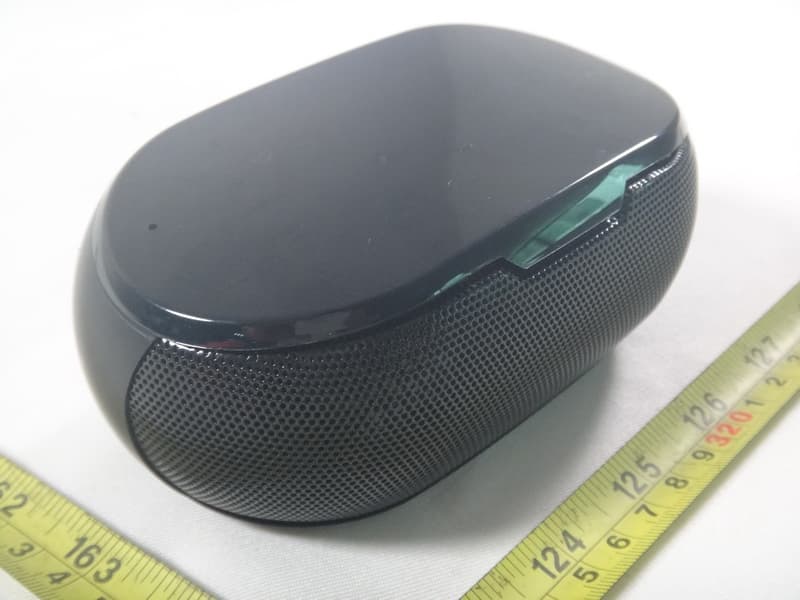
Click to zoom
Application Details
- Equipment Class
- DSS - Part 15 Spread Spectrum Transmitter
- Date of Grant
- Sep 04, 2012
- Application Purpose
- Original Equipment
- Date of Application
- Sep 04, 2012
- Equipment Note
- Bluetooth Mini Touch Boom Box
- Frequency Range
- 2402.00000000 - 2480.00000000
- Country
- Taiwan
Documents & Files
Document Text
Text extracted from the exhibit documents filed with the FCC. Open a document above to read the original.
Users Manual
1 9 3 6 2 10 4 7 11 5 8 Step 1 Step 1 Step 2 Step 2 Step 3 Step 3 Manual of Bluetooth Mini Touch Boom Box SP-BT21005 Package Contents Setup Feature Charging Trouble shooting SP-BT21005 To play audio from a Bluetooth device, you need to pair the device with the speaker. You can pair up to eight devices. On your Bluetooth device, turn on Bluetooth and scan for devices in its Bluetooth menu. Turn on the speaker. When powering up for the first time, the speaker is discoverable for 2 minutes and is ready for pairing. The Status indicator blinks red and blue. When “SP-BT21005” appears on the device list of your Bluetooth device, select the “SP-BT21005”. (If a pass code is requested, enter 0000.) The Bluetooth status light turns solid blue after pairing is established. The speaker is ready to play music. Note: If pairing times out (the Bluetooth status light stops blinking red and blue), press and hold the Pair or Phone button to turn off SP-BT21005. Then, repeat step 2. Pairing additional Bluetooth devices Press and hold the Pair or Phone button until the Bluetooth status light blinks red and blue. Repeat steps 1 and 3 above. 1. Status indicator (Power On/Off, Battery and Pairing) 2. Mircophone 3. Previous track 4. Play/Pause 5. Next track 6. Volume down 7. Pair or phone button 8. Volume up 9. Power On/Off 10. Mini-USB Charging port 11. Auxiliary-in jack About once a month, fully charge the speaker (about 4 hours). Plug the charging cable into the speaker’s charging port and the other end into computer USB port(with the power on) for charging. Status indicator: Blinking blue = Charging Solid blue = Fully charged Solid red = Low battery Blinking red = Very low battery Battery saving The speaker enters power saving mode if no audio is played for 30 minutes. Slide the power switch off and then on to wake the speaker. The speaker doesn’t work or it won’t pair • Try moving your devic e closer. • Is the speaker turned on and charged? • Turn the speaker off and then on to wake it. • Is Bluetooth enabled on your device or computer? • Try repeating the setup procedure in this guide or pair with a different Bluetooth device. • The speaker plays music from one device at a time. Unpair the device not being used. (Refer to your device documentation for help.) Pair a new device using the setup procedure. • If pairing with a computer, specify the Mini Touch Boombox as the audio out device on the computer. USB cableManual www.foreshot.com FCC Statement This equipment has been tested and found to comply with the limits for a Class B digital device, pursuant to part 15 of the FCC Rules. These limits are designed to provide reasonable protection against harmful interference in a residential installation. This equipment generates uses and can radiate radio frequency energy and, if not installed and used in accordance with the instructions, may cause harmful interference to radio communications. However, there is no guarantee that interference will not occur in a particular installation. If this equipment does cause harmful interference to radio or television reception, which can be determined by turning the equipment off and on, the user is encouraged to try to correct the interference by one or more of the following measures: • Reorient or relocate the receiving antenna. • Increase the separation between the equipment and receiver. • Connect the equipment into an outlet on a circuit different from that to which the receiver is connected. • Consult the dealer or an experienced radio/TV technician for help. FCC Radiation Exposure Statement This device complies with FCC radiation exposure limits set forth for an uncontrolled environment and it also complies with Part 15 of the FCC RF Rules. This transmitter must not be co-located or operating in conjunction with any other antenna or transmitter. Operation is subject to the following two conditions: (1) this device may not cause harmful interference, and (2) this device must accept any interference received, including interference that may cause undesired operation. Caution ! The manufacturer is not responsible for any radio or TV interference caused by unauthorized modifications to this equipment. Such modifications could void the user authority to operate the equipment.
External Photos
Neutron Engineering Inc. Project No.: 1208C073 Page 2 of 10 1208C073 1208C073 Neutron Engineering Inc. Project No.: 1208C073 Page 3 of 10 1208C073 1208C073
Internal Photos
Neutron Engineering Inc. Project No.: 1208C073 Page 4 of 10 1208C073 1208C073 Neutron Engineering Inc. Project No.: 1208C073 Page 5 of 10 1208C073 1208C073 Neutron Engineering Inc. Project No.: 1208C073 Page 6 of 10 1208C073 1208C073 Neutron Engineering Inc. Project No.: 1208C073 Page 7 of 10 1208C073 1208C073 Neutron Engineering Inc. Project No.: 1208C073 Page 8 of 10 1208C073 1208C073 Neutron Engineering Inc. Project No.: 1208C073 Page 9 of 10 1208C073 1208C073 1208C073 1208C073 Neutron Engineering Inc. Project No.: 1208C073 Page 10 of 10 1208C073 1208C073 1208C073 1208C073
Test Report
Neutron Engineering Inc. Report No.: NEI-FCCP-1-1208C073 Page 1 of 109 FCC Radio Test Report FCC ID: OT9SPBT2100511235 This report concerns (check one) : Original Grant Class II Change Issued Date : Aug. 24, 2012 Project No. : 1208C073 Equipment : Bluetooth Mini Touch Boom Box Model Name : SP-BT21005 Applicant : FORE SHOT Industrial corporation Address : No.7-1,Mincyuan Rd,Dayuan Shiang,Taoyuan County 337,Taiwan(R.O.C) Manufacturer FORE TECH Optical(ZHONG SHAN)CO.,LTD. Address No.8,Zhiye Road Torch Development Zone, Zhong Shan City,Guangdong China Tested by: Neutron Engineering Inc. EMC Laboratory Date of Receipt: Aug. 13, 2012 Date of Test: Aug. 13, 2012 ~ Aug. 23, 2012 Testing Engineer : (David Mao) Technical Manager : (Leo Hung) Authorized Signatory : (Steven Lu) Neutron Engineering Inc. No.3,Jinshagang 1st Road, ShiXia, Dalang Town, Dong Guan, China. TEL : (0769) 8318-3000 FAX : (0769) 8319-6000 Neutron Engineering Inc. Report No.: NEI-FCCP-1-1208C073 Page 2 of 109 Declaration Neutron represents to the client that testing is done in accordance with standard procedures as applicable and that test instruments used has been calibrated with the standards traceable to National Measurement Laboratory (NML) of CHINA, or National Institute of Standards and Technology (NIST) of U.S.A. Neutron's reports apply only to the specific samples tested under conditions. It is manufacture’s responsibility to ensure that additional production units of this model are manufactured with the identical electrical and mechanical components. Neutron shall have no liability for any declarations, inferences o r generalizations drawn by the client or others from Neutron issued reports. Neutron’s reports must not be used by the client to claim product endorsement by the authorities or any agency of the Government. This report is the confidential property of the client. As a mutual protection to the clients, the public and Neutron-self, extracts from the test report shall not be reproduced except in full with Neutron’s authorized written approval. Neutron’s laboratory quality assurance procedures are in compliance with the ISO Guide 17025 requirements, and accredited by the conformity assessment authorities listed in this test report. Limitation For the use of the authority's logo is limited unless the Test Standard(s)/Scope(s)/Item(s) mentioned in this test report is (are) included in the conformity assessment authorities acceptance respective. Neutron Engineering Inc. Report No.: NEI-FCCP-1-1208C073 Page 3 of 109 Table of Contents Page 1 . CERTIFICATION 6 2 . SUMMARY OF TEST RESULTS 7 2.1 TEST FACILITY 8 2.2 MEASUREMENT UNCERTAINTY 8 3 . GENERAL INFORMATION 9 3.1 GENERAL DESCRIPTION OF EUT 9 3.2 DESCRIPTION OF TEST MODES 11 3.3 TABLE OF PARAMETERS OF TEXT SOFTWARE SETTING 11 3.4 BLOCK DIAGRAM SHOWING THE CONFIGURATION OF SYSTEM TESTED 12 3.5 DESCRIPTION OF SUPPORT UNITS 13 4 . EMC EMISSION TEST 14 4.1 CONDUCTED EMISSION MEASUREMENT 14 4.1.1 POWER LINE CONDUCTED EMISSION LIMITS 14 4.1.2 MEASUREMENT INSTRUMENTS LIST AND SETTING 14 4.1.3 TEST PROCEDURE 15 4.1.4 DEVIATION FROM TEST STANDARD 15 4.1.5 TEST SETUP 15 4.1.6 EUT OPERATING CONDITIONS 15 4.1.7 TEST RESULTS 16 4.2 RADIATED EMISSION MEASUREMENT 18 4.2.1 RADIATED EMISSION LIMITS 18 4.2.2 MEASUREMENT INSTRUMENTS LIST ANS SETTING 19 4.2.3 TEST PROCEDURE 20 4.2.4 DEVIATION FROM TEST STANDARD 20 4.2.5 TEST SETUP 21 4.2.6 EUT OPERATING CONDITIONS 22 4.2.7 TEST RESULTS (BELOW 30MHZ) 23 4.2.8 TEST RESULTS (BETWEEN30 – 1000 MHZ) 24 4.2.9 TEST RESULTS (ABOVE 1000 MHZ) 36 5 . NUMBER OF HOPPING CHANNEL 60 5.1 APPLIED PROCEDURES / LIMIT 60 5.1.1 MEASUREMENT INSTRUMENTS LIST AND SETTING 60 5.1.2 TEST PROCEDURE 60 5.1.3 DEVIATION FROM STANDARD 60 5.1.4 TEST SETUP 60 5.1.5 EUT OPERATION CONDITIONS 60 5.1.6 TEST RESULTS 61 Neutron Engineering Inc. Report No.: NEI-FCCP-1-1208C073 Page 4 of 109 Table of Contents Page 6 . AVERAGE TIME OF OCCUPANCY 63 6.1 APPLIED PROCEDURES / LIMIT 63 6.1.1 MEASUREMENT INSTRUMENTS LIST 63 6.1.2 TEST PROCEDURE 63 6.1.3 DEVIATION FROM STANDARD 63 6.1.4 TEST SETUP 64 6.1.5 EUT OPERATION CONDITIONS 64 6.1.6 TEST RESULTS 65 7 . HOPPING CHANNEL SEPARATION MEASUREMENT 78 7.1 APPLIED PROCEDURES / LIMIT 78 7.1.1 MEASUREMENT INSTRUMENTS LIST AND SETTING 78 7.1.2 TEST PROCEDURE 78 7.1.3 DEVIATION FROM STANDARD 78 7.1.4 TEST SETUP 78 7.1.5 EUT OPERATION CONDITIONS 78 7.1.6 TEST RESULTS 79 8 . BANDWIDTH TEST 83 8.1 APPLIED PROCEDURES / LIMIT 83 8.1.1 MEASUREMENT INSTRUMENTS LIST AND SETTING 83 8.1.2 TEST PROCEDURE 83 8.1.3 DEVIATION FROM STANDARD 83 8.1.4 TEST SETUP 83 8.1.5 EUT OPERATION CONDITIONS 83 8.1.6 TEST RESULTS 84 9 . PEAK OUTPUT POWER TEST 88 9.1 APPLIED PROCEDURES / LIMIT 88 9.1.1 MEASUREMENT INSTRUMENTS LIST AND SETTING 88 9.1.2 TEST PROCEDURE 88 9.1.3 DEVIATION FROM STANDARD 88 9.1.4 TEST SETUP 88 9.1.5 EUT OPERATION CONDITIONS 88 9.1.6 TEST RESULTS 89 10 . ANTENNA CONDUCTED SPURIOUS EMISSION 93 10.1 APPLIED PROCEDURES / LIMIT 93 10.1.1 MEASUREMENT INSTRUMENTS LIST AND SETTING 93 10.1.2 TEST PROCEDURE 93 10.1.3 DEVIATION FROM STANDARD 93 10.1.4 TEST SETUP 93 10.1.5 EUT OPERATION CONDITIONS 93 Neutron Engineering Inc. Report No.: NEI-FCCP-1-1208C073 Page 5 of 109 Table of Contents Page 10.1.6 TEST RESULTS 94 11 . EUT TEST PHOTO 106 Neutron Engineering Inc. Report No.: NEI-FCCP-1-1208C073 Page 6 of 109 1. CERTIFICATION Equipment : Bluetooth Mini Touch Boom Box Brand Name : FORE SHOT Model Name : SP-BT21005 Applicant : FORE SHOT Industrial corporation Date of Test : Aug. 13, 2012 ~ Aug. 23, 2012 Test Item : ENGINEERING SAMPLE Standards : FCC Part15, Subpart C(15.247) / ANSI C63.4 : 2009 FCC Public Notice DA 00-705, March 30, 2000. The above equipment has been tested and found compliance with the requirement of the relative standards by Neutron Engineering Inc. EMC Laboratory. The test data, data evaluation, and equipment configuration contained in our test report (Ref No. NEI-FCCP-1-1208C073) were obtained utilizing the test procedures, test instrum…
Text truncated - open the document above for the full version.
Test Setup Photos
Neutron Engineering Inc. Report No.: NEI-FCCP-1-1208C073 Page 106 of 109 11. EUT TEST PHOTO Conducted Measurement Photos Neutron Engineering Inc. Report No.: NEI-FCCP-1-1208C073 Page 107 of 109 Radiated Measurement Photos 9K~30MHz Neutron Engineering Inc. Report No.: NEI-FCCP-1-1208C073 Page 108 of 109 Radiated Measurement Photos 30~1000MHz Neutron Engineering Inc. Report No.: NEI-FCCP-1-1208C073 Page 109 of 109 Radiated Measurement Photos Above 1000MHz
Contact Information
Applicant
Yung Lin(Manager)
Test Firm
BTL Inc.Daisy Dai
Technical Specifications
| # | Rule Parts | Frequency Range | Power Output |
|---|---|---|---|
| 1 | 15C | 2.40 GHz - 2.48 GHz | 370.00 µW |
Other Applications from FORE SHOT Industrial corporation
OT9BT02140001
Feb 18, 2014Bluetooth Speaker
Equipment Class
DSS - Part 15 Spread Spectrum Transmitter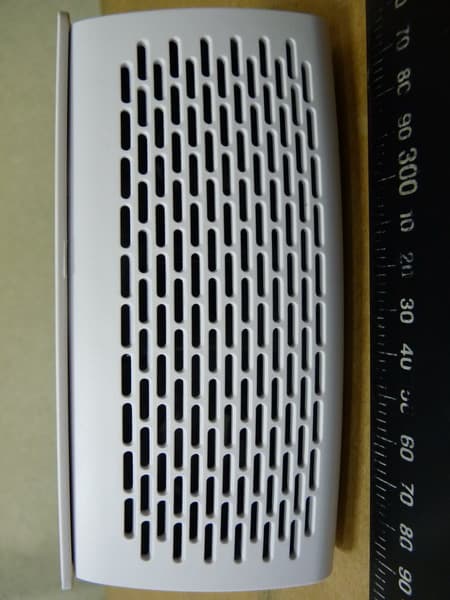
OT9BT-01
Nov 27, 2013Stereo BT Speaker
Equipment Class
DSS - Part 15 Spread Spectrum Transmitter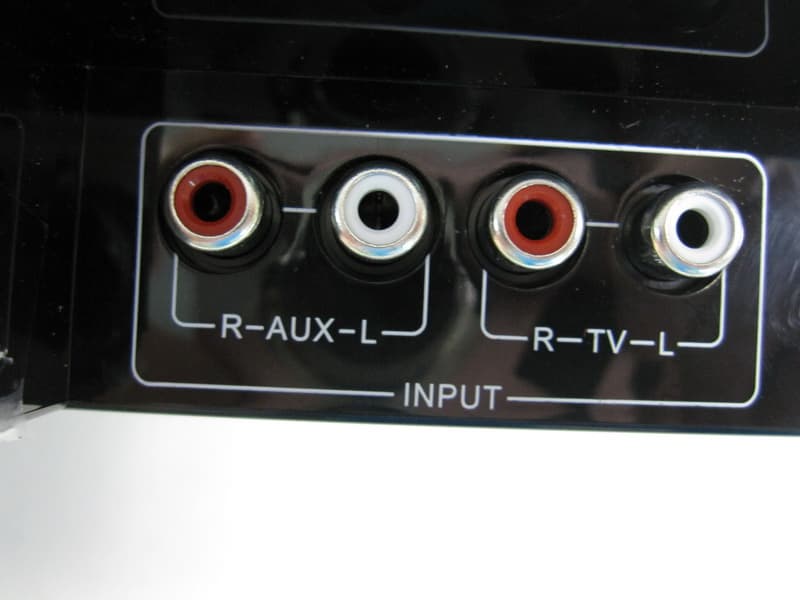
OT9SB250123601
Sep 26, 2012Sound Bar Speaker (2.1CH)
Equipment Class
DSS - Part 15 Spread Spectrum Transmitter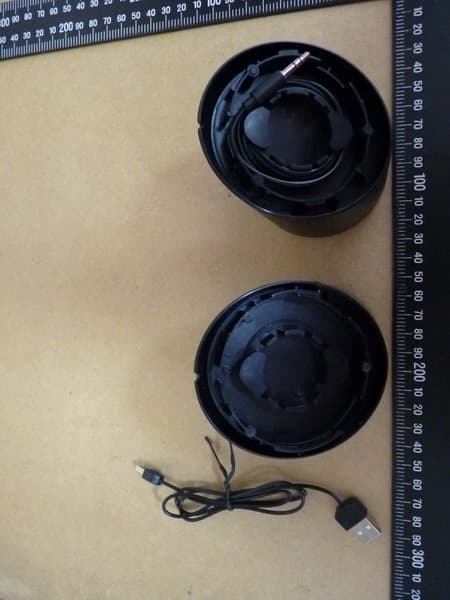
OT9UP002BT0011234
Aug 24, 2012Bluetooth Portable Stereo Speaker
Equipment Class
DSS - Part 15 Spread Spectrum Transmitter