OU8-SP1Antec Mobile Products
Antec lnc.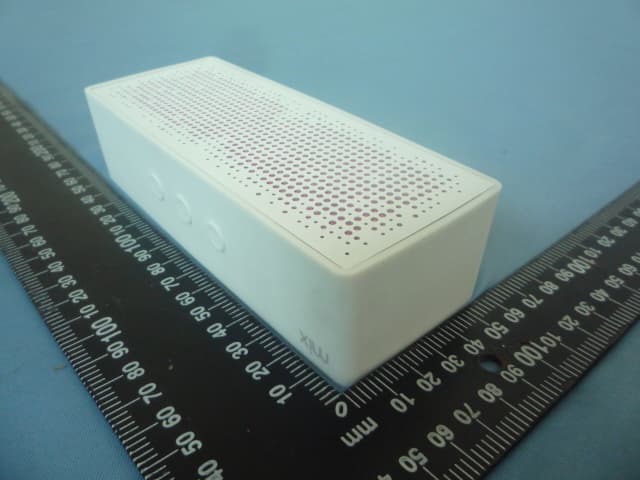
Click to zoom
Application Details
- Equipment Class
- DSS - Part 15 Spread Spectrum Transmitter
- Date of Grant
- Aug 06, 2012
- Application Purpose
- Original Equipment
- Date of Application
- Aug 06, 2012
- Equipment Note
- Antec Mobile Products
- Frequency Range
- 2402.00000000 - 2480.00000000
- Company
- Antec lnc.
- Country
- Taiwan
Documents & Files
Document Text
Text extracted from the exhibit documents filed with the FCC. Open a document above to read the original.
Users Manual
User Manual Manuel d’ utilisation Getting Started Charging the battery before use is recommended but not required. The SP1 ships pre-charged however initial charge will vary. Connect the included Micro-USB cable to your SP1 and a USB slot of any PC or Mac to charge. The LED will alternate between red and white while charging and will turn off when fully charged. Push and hold the center button for 6-8 seconds until the LED constantly flashes white. You are now in Pairing Mode. See your phone/music device manual for pairing instructions. Pairing Mode EN Volume down Volume up Center Button Connections Socializing Start Listening LED Indicator You may connect to your device wirelessly via Bluetooth or use a 3.5 mm stereo input cable. The SP1 can be used as a wireless speakerphone. The built-in microphone will only function under wireless connectivity via Bluetooth. For optimal sound, please make sure that the SP1 is sitting flat on its base (with the a.m.p. label on the bottom) and facing forward (with the SP1 label being read right-side up when you look at it). When connected via Bluetooth, it’s best to have the phone volume turned fully up and use the “+” and “-“ buttons that are located on the top of your SP1. If you decide to use the 3.5 mm function, please make sure that the SP1’s volume is turned down before operation. This will reduce the tendency to overdrive the speaker’s units causing distortion to the audio. EN LED ColorDescription Flashing RedLow Battery Alternating Red and White Charging Solid WhiteFully Charged Flashing WhitePairing Mode Troubleshooting The device is malfunctioning • Always check for proper charge and make sure that the device is On The device is creating distortion or the sound quality is poor • Lower the volume on the SP1 and increase the volume on your phone or device • Connect the SP1 directly to your device using the 3.5 mm cable • Check the charge of the SP1 and your mobile audio device and recharge if necessary • Re-pair the devices using the instructions listed under the “Pairing Mode” section The SP1 fails to pair with Bluetooth enabled device • Confirm that your device is Bluetooth compatible and that the Bluetooth setting is enabled • Re-pair the devices following the instructions listed under the “Pairing Mode” section Answer/End Calls Press the center button to answer and end calls. To Make a Call Use your phone to dial. Your SP1 will then function as a speakerphone. Call Waiting To answer another incoming call, just press the center button. The original call will then be placed on hold. EN EN The signal drops or connection fails in Bluetooth mode • Move the SP1 closer to your mobile device • Ensure the SP1 is fully charged • Turn off the SP1, wait one minute, power it back on and reconnect to the Bluetooth-enabled device using the instructions listed under the “Pairing Mode” section Primeros pasos Se recomienda cargar la batería antes de su uso pero no es obligatorio. El SP1 se envía pre cargado, sin embargo la carga inicial puede variar. Conecte el Micro-USB del cable a su SP1 y al USB de cualquier PC o Mac para cargar. El LED se alternará entre el rojo y blanco mientras se está cargando y se apagará cuando esté completamente cargado. Mantenga pulsado el botón central durante 6-8 segundos hasta que el LED parpadee constantemente de color blanco. Ahora se encuentra en modo dúo. Ver el manual del teléfono o del dispositivo de música para las instrucciones de conexión. Modo dúo ES Volume down Volume up Botón central Conexiones Socializar Empieza a escuchar LED Indicador Usted puede conectarse a su dispositivo de forma inalámbrica a través de Bluetooth o utilizando un cable de entrada de 3,5 mm. El SP1 se puede utilizar como un altavoz inalámbrico. El micrófono incorporado se activa únicamente inalámbricamente vía Bluetooth. Para obtener un sonido óptimo, por favor asegúrese de que el SP1 esté bien asentado en su base (con la etiqueta a.m.p. en la parte inferior) y mirando hacia adelante (con la etiqueta de SP1 que se lea del lado derecho cuando se mire). Cuando se conecta a través de Bluetooth, lo mejor es tener el volumen del teléfono al máximo y utilizar los botones con el signo “+” y “-” que se encuentran en la parte superior de su SP1. Si usted decide usar la función de cable de 3,5 mm, por favor asegúrese de que el volumen del SP1 este bajo al conectar. Esto reducirá la tendencia a sobrecargar las unidades del altavoz causando distorsión en el audio. ES LED ColorDescripción Parpadeo rojoBatería baja Alternado rojo y blanco Cargando Permanente blancoCarga completa Parpadeo blancoModo de asociación Solución de problemas El dispositivo está funcionando mal • Compruebe si hay nivel de carga adecuada y asegúrese de que el dispositivo está encendido. El dispositivo está creando distorsión o la calidad del sonido es pobre • Baje el volumen en el SP1 y aumente el volumen de su teléfono o dispositivo de transmisión. • Conecte el SP1 directamente a su dispositivo mediante el cable de 3,5 mm. • Compruebe la batería del SP1 y del dispositivo móvil de audio y recargue si es necesario. • Vuelva a vincular los dispositivos siguiendo las instrucciones que figuran en el “Modo dúo”. El SP1 no asocia a un dispositivo compatible con Bluetooth • Confirme que su dispositivo es compatible con Bluetooth y que el Bluetooth está activado. Responder / colgar llamadas Pulse el botón central para responder y colgar llamadas. Para hacer una llamada Usa tu teléfono para marcar. En ese momento tu SP1 funcionará como un teléfono con altavoz. Llamada en espera Para responder a otra llamada entrante, basta con pulsar el botón central. ES ES • Vuelva a vincular los dispositivos siguiendo las instrucciones que figuran en el “Modo dúo”. Se cae la señal o la conexión falla en el modo Bluetooth • Mueva el SP1 más cerca de tu dispositivo móvil. • Asegúrese de que el SP1 está completamente cargado. • Apague el SP1, espere un minuto, vuelva a encenderlo y a conectar el Bluetooth siguie…
Text truncated - open the document above for the full version.
Cover Letter(s)
We, (the approval holder) Company name Antec Inc. Address9F., No. 179, Sec. 2, Tiding Blvd., Neihu District, Taipei City 114, Taiwan CityTaipei CountryTaiwan declare that the following representative (agent): Name (person)Jackie Company nameAsia Institute Technology limited AddressNo.6, Bin-He Roan Tian-Xin Village, Huang-jiang CityDongGuan, GuangDong CountryChina is hereby authorized to apply the following equipment for certification on our behalf: Product DescriptionIt’s a Antec Mobile Products. Type or Model(s)SP1 Tradename or Brand(s)Antec We also authorize Teleconformity (Mr. M. Koop, Manager Certification, Address: Rietven 31, 7534NH Enschede, the Netherlands) to apply and sign this application for certification, registration or filing on our behalf (as representative agent or certifier). Attestation: City and Country:Date:Name: (this must be a person) Function:Signature: (or official company stamp) Taipei City 114, Taiwan07/17/2012 Robert Su Vice President
Cover Letter(s)
To: Federal Communications Commission Equipment Authorization Branch 7435 Oakland Mills Road Columbia, MD 21046 Pursuant to 47 CFR Section 0.459(a) & (b), we, (the applicant / grantee) Company name Antec Inc. Address9F., No. 179, Sec. 2, Tiding Blvd., Neihu District, Taipei City 114, Taiwan CityTaipei CountryTaiwan request for this certification filing under: Grantee CodeProduct Number FCC ID:OU8-SP1 to maintain permanent confidentiality for the following documents submitted within this application: (please cross what is applicable, or add other documents, provide the file name and description) ExhibitFile NameDescription xOperational Description xBlock Diagrams xSchematics Diagrams Above materials contain secrets, proprietary and technical information, which would customarily be guarded from competitors under 47 CFR, section 0.457(d)(2). Disclosure or publication or any portion of this company confidential material to other parties could cause substantial competitive harm and provide unjustified benefits for competitors. We understand that pursuant to 47 CFR section 0.457(d)(1)(ii) disclosure of the applicant and all accompanying documentation will not be made before the date of the grant. The documents indicated as confidential above, are not publicly available elsewhere. Attestation: City and Country:Date:Name: (this must be a person) Function:Signature: (or official company stamp) Taipei City 114, Taiwan07/17/2012 Robert Su Vice President
External Photos
Report No.: E-R1207003 Page 1 of 2 Rev: None External View of EUT Model: SP1 Photo 1 Model:SP1 Photo 2 Asia Institute Technology (Dongguan) Limited No,6.Binhe Road, Tianxin Village, Huangjiang, Dongguan, Guangdong, China. Report No.: E-R1207003 Page 2 of 2 Rev: None Model: SP1 Photo 3 Asia Institute Technology (Dongguan) Limited No,6.Binhe Road, Tianxin Village, Huangjiang, Dongguan, Guangdong, China.
ID Label/Location Info
Label and Location This device complies with Part 15 of the FCC Rules. Operation is subject to the following two conditions: 1. This device may not cause harmful interference, and 2. This device must accept any interference received, including interference that may cause undesired operation. CMIIT ID: XXXXXXXXXX FCC ID: OU8-SP1 Model No.: SP1 Power Source: DC 5V 0.5A Made in China
Internal Photos
Report No.: E-R1207003 Page 1 of 4 Rev: None Internal View of EUT Model: SP1 Photo 1 Model: SP1 Photo 2 Asia Institute Technology (Dongguan) Limited No,6.Binhe Road, Tianxin Village, Huangjiang, Dongguan, Guangdong, China. Report No.: E-R1207003 Page 2 of 4 Rev: None Model: SP1 Photo 3 Model: SP1 Photo 4 Asia Institute Technology (Dongguan) Limited No,6.Binhe Road, Tianxin Village, Huangjiang, Dongguan, Guangdong, China. Report No.: E-R1207003 Page 3 of 4 Rev: None Model: SP1 Photo 5 Model: SP1 Photo6 Asia Institute Technology (Dongguan) Limited No,6.Binhe Road, Tianxin Village, Huangjiang, Dongguan, Guangdong, China. Report No.: E-R1207003 Page 4 of 4 Rev: None Model: SP1 Photo 7 Model: SP1 Photo 8 Asia Institute Technology (Dongguan) Limited No,6.Binhe Road, Tianxin Village, Huangjiang, Dongguan, Guangdong, China.
RF Exposure Info
FCC RF Exposure FCC ID: OU8-SP1 Frequency: 2402-2480 MHz (79 channels) Modulation: FHSS (GFSK, π/4 DQPSK) Mid-Channel: 2.441 GHz (channel 39) Mid-Channel Peak Power, Conducted: 4.93 dBm == 3.11 mW Antenna Gain: G = 0.457 dBi Calculation: Limit = 60/2.441 = 24.58 mW P radiated, max = P conducted, dBm + G dBi = 4.93 dBm + 0.457 dBi == 5.387 dBm = 3.46 mW Conclusion: The emitted power appears to be (far) below the required limit, so PASS. Note 1: f shall be the mid-band frequency expressed in GHz; the limit calculated with this mid-band frequency applies to all channels. For PTT with body-worn or face-held modes, d is the distance from the device case to a parson’s body; for modules with antennas inside laptops, d is the distance from the antenna to the person’s body. Note 2: Average Power levels are always equal or below the measured Peak Power levels, which means that calculating the EIRP using the Peak power can be considered as worst case.)
Test Report
Report No.: E-R1207003 Page 1 of 55 Rev: None Asia Institute Technology (Dongguan) Limited No,6.Binhe Road, Tianxin Village, Huangjiang, Dongguan, Guangdong, China. FCC Test Report Part 15 subpart C Client Information: Applicant : Antec Inc. Applicant add.: 9F., No. 179, Sec. 2, Tiding Blvd., Neihu District, Taipei City 114, Taiwan EUT Information: EUT Name : Antec Mobile Products Model No. : SP1 Brand Name : Antec FCC ID : OU8-SP1 Prepared By: Asia Institute Technology (Dongguan) Limited Add. : No.6 Binhe Road, Tianxin Village, Huangjiang, Dongguan, Guangdong, China. Date of Receipt: Jul. 05, 2012 Date of Test: Jul. 06~Jul. 18, 2012 Date of Issue: Jul. 18, 2012 Te s t R e s u l t : Pass Test procedure used: ANSI C63.4-2009 This device described above has been tested by Asia Institute Technology (Dongguan) Limited, and the test results show that the equipment under test (EUT) is in compliance with the FCC requirements. And it is applicable only to the tested sample identified in the report. *This test report must not be used by the client to claim product endorsement by any agency of the U.S. government. Reviewed by: Approved by: Seal.Chen Jason.Zhu Report No.: E-R1207003 Page 2 of 55 Rev: None Asia Institute Technology (Dongguan) Limited No,6.Binhe Road, Tianxin Village, Huangjiang, Dongguan, Guangdong, China. 1 Contents Page COVER PAGE 1 CONTENTS.............................................................................................................................................................2 2 TEST SUMMARY....................................................................................................................................................4 2.1 COMPLIANCE WITH FCC PART 15 SUBPART C ......................................................................................................4 2.2 MEASUREMENT UNCERTAINTY.............................................................................................................................4 3 TEST FACILITY ......................................................................................................................................................5 3.1 DEVIATION FROM STANDARD................................................................................................................................ 5 3.2 ABNORMALITIES FROM STANDARD CONDITIONS.....................................................................................................5 4 GENERAL INFORMATION ....................................................................................................................................6 4.1 GENERAL DESCRIPTION OF EUT ..........................................................................................................................6 4.2 DESCRIPTION OF TEST CONDITIONS.....................................................................................................................8 4.3 EUT PERIPHERAL LIST........................................................................................................................................9 4.4 TEST PERIPHERAL LIST.......................................................................................................................................9 5 EQUIPMENTS LIST FOR ALL TEST ITEMS .......................................................................................................10 6 TEST RESULT ......................................................................................................................................................11 6.1 ANTENNA REQUIREMENT...................................................................................................................................11 6.1.1 Standard requirement..............................................................................................................................11 6.1.2 EUT Antenna ...........................................................................................................................................11 6.2 CONDUCTION EMISSIONS MEASUREMENT...........................................................................................................12 6.2.1 Applied procedures / Limit.......................................................................................................................12 6.2.2 Test procedure ........................................................................................................................................12 6.2.3 Test results ..............................................................................................................................................13 6.3 RADIATED EMISSIONS MEASUREMENT................................................................................................................15 6.3.1 Applied procedures / Limit.......................................................................................................................15 6.3.2 Test procedure ........................................................................................................................................15 6.3.3 Test Result ..............................................................................................................................................16 6.3.4 TEST RESULTS (Restricted Bands Requirements) ...............................................................................23 6.4 BANDWIDTH TEST ........................................................................................................................................24 6.4.1 Applied procedures / Limit.......................................................................................................................24 6.4.2 Test procedure ........................................................................................................................................24 6.4.3 Deviation from standard ...................................................................................…
Text truncated - open the document above for the full version.
Test Setup Photos
Report No.: E-R1207003 Page 1 of 3 Rev: None Test Setup Photograph Conducted Measurement Photos Asia Institute Technology (Dongguan) Limited No,6.Binhe Road, Tianxin Village, Huangjiang, Dongguan, Guangdong, China. Report No.: E-R1207003 Page 2 of 3 Rev: None Radiated Measurement Photos 30MHz-1GHz Asia Institute Technology (Dongguan) Limited No,6.Binhe Road, Tianxin Village, Huangjiang, Dongguan, Guangdong, China. Report No.: E-R1207003 Page 3 of 3 Rev: None 1GHz-18GHz Asia Institute Technology (Dongguan) Limited No,6.Binhe Road, Tianxin Village, Huangjiang, Dongguan, Guangdong, China.
Contact Information
Applicant
Circle Hsieh
Technical Contact
Test Firm
Dongguan Yaxu (AiT) Technology LimitedJackie Deng
Technical Specifications
| # | Rule Parts | Frequency Range | Power Output |
|---|---|---|---|
| 1 | 15C | 2.40 GHz - 2.48 GHz | 3.10 mW |
Other Applications from Antec lnc.
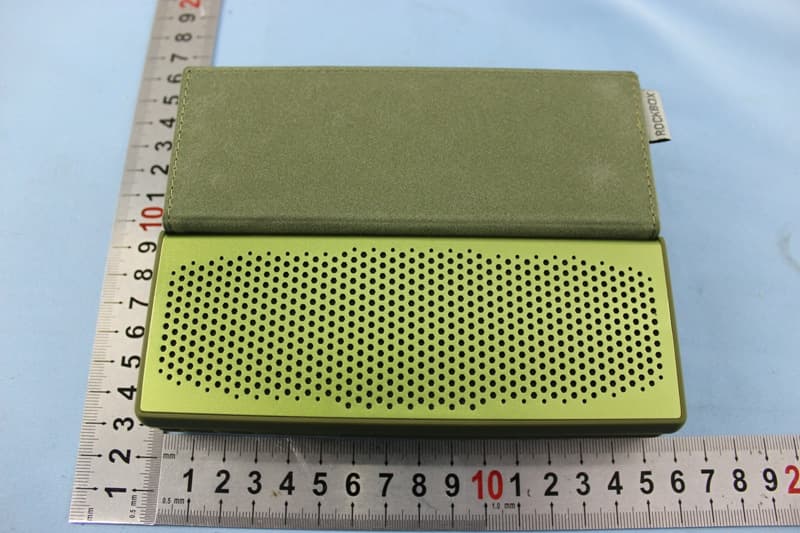
OU8NOTE
Dec 16, 2014Bluetooth Speaker
Equipment Class
DSS - Part 15 Spread Spectrum Transmitter
OU8-SP1PLUS
Jul 21, 2014Bluetooth Stereo Speaker
Equipment Class
DSS - Part 15 Spread Spectrum Transmitter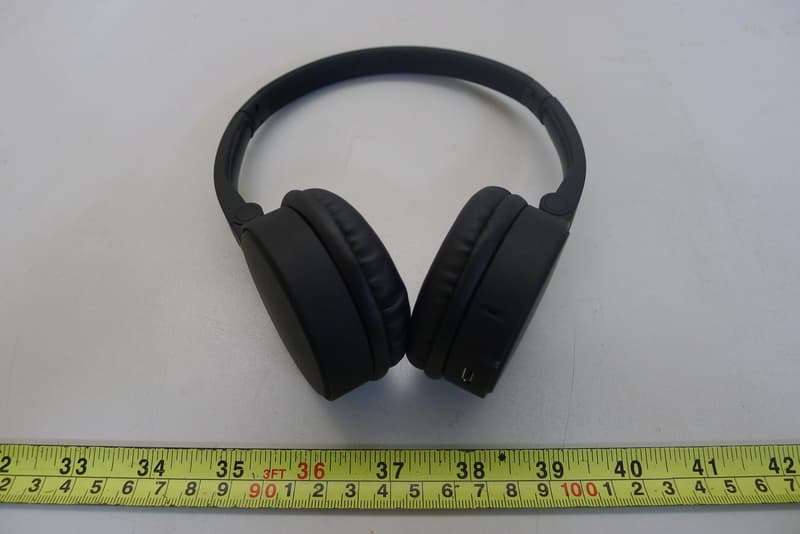
OU8-BXH-400
Mar 06, 2014Bluetooth Headset
Equipment Class
DSS - Part 15 Spread Spectrum Transmitter