P25D232266A3713CGameSmart C.T.R.L.R
Mad Catz, Inc.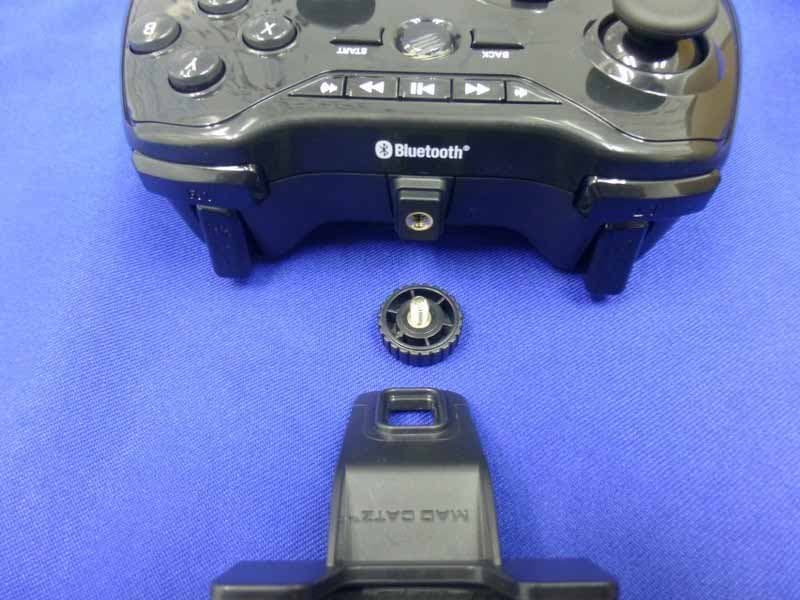
Click to zoom
Application Details
- Equipment Class
- DSS - Part 15 Spread Spectrum Transmitter
- Date of Grant
- Aug 09, 2014
- Application Purpose
- Original Equipment
- Date of Application
- Aug 09, 2014
- Equipment Note
- GameSmart C.T.R.L.R
- Frequency Range
- 2402.00000000 - 2480.00000000
- Company
- Mad Catz, Inc.
- Country
- United States
Documents & Files
Document Text
Text extracted from the exhibit documents filed with the FCC. Open a document above to read the original.
Users Manual
ENGLISH TECHNICAL SUPPORT Can’t get started? Don’t worry; we’re here to help you! Nearly all the products that are returned to us as faulty are not faulty at all - they have just not been installed properly. If you experience any difficulty with this product, please first visit our website http://support.madcatz.com. The technical support area will provide you with all the information you need to get the most out of your product and should solve any problems you might have. If you do not have access to the Internet, or if the website cannot answer your question, please contact your local Mad Catz Technical Support Team. We aim to offer quick, comprehensive, and thorough technical support to all our users so, before you call, please make sure you have all the relevant information at hand. IMPORTANT! Before using this product read all accompanying information and your game system’s instruction manual for safety, health, and other information. 2-YEAR LIMITED WARRANTY Mad Catz warrants this product to be free from defects in materials and workmanship for the warranty period. This non-transferable, two- (2) year limited warranty is only to you, the first end-user purchaser. If a defect covered by this warranty occurs AND you provide proof of purchase, Mad Catz, at its option, will repair or replace the product at no charge. The Mad Catz two- (2) year limited warranty is available to North American and European customers. Your sole and exclusive remedy is repair or replacement of your Mad Catz product. In no event shall Mad Catz liability exceed the original purchase price of the product. This warranty does not apply to: (a) normal wear and tear or abusive use; (b) industrial, professional or commercial use; (c) if the product has been tampered with or modified. NORTH AMERICA AND EUROPE To receive warranty service, you must: Obtain a Return Authorization Number from Mad Catz Technical Support via ONE of the following methods: a. Submit a Ticket at http://support.madcatz.com b. Call the Mad Catz Tech Support Center nearest you: North America: 1-800-659-2287 (USA) or 1-619-683-2815 (outside USA) United Kingdom: 08450 508418 Europe (outside UK): +44(0) 1633 883110 France: 01 82 88 01 80 Germany: 089-2109481 Spain: 93 181 63 94 Once you have your unique Return Authorization Number, do the following: 1. Ship the product to Mad Catz at your expense for service. 2. Enclose a copy of the original sales receipt showing a purchase date. 3. Enclose a full return address with daytime and evening phone numbers. Technical Support Online Support: http://support.madcatz.com North American telephone, available Monday through Friday (excluding holidays): 1-800-659-2287 (USA only) or 1-619-683-2815 (outside USA). United Kingdom telephone, available Monday through Friday (excluding bank holidays): 08450 508418. European telephone (outside UK), available Monday through Friday (excluding bank holidays): +44(0) 1633 883110. CAUTION - Use this unit only as intended. - To prevent fire or shock hazard, do not expose this unit to rain or moisture. Do not use within 30’ of any water such as swim ools, bathtubs, or sinks. - To avoid electrical shock, do not disassemble. Refer servicing to qualified personnel only. - Never insert objects of any kind, other than authorized items, into the product as they may touch dangerous voltage points or short out parts that could result in fire or electrical shock. - Stop using this unit immediately if you begin to feel tired or if you experience discomfort or pain in your hands and/or arms while operating the unit. If the condition persists, consult a doctor. - Do not attempt to operate the unit in any way except with your hands. Do not bring the unit in contact with your head, face, or near the bones of any other part of your body. - Avoid prolonged use of this unit. Take breaks every 30 minutes. - Route all cords so that they are not likely to be walked on or tripped over. Make sure that cords are not placed in a position or areas where they may become pinched or damaged. - Do not wrap cords around any part of anyone’s body. - Do not allow children to play with cords. - Misuse of batteries within this unit may cause batteries to leak and/or explode and lead to personal injury. - This product contains small parts that may cause choking if swallowed. Not intended for use by children under 3 years of age. SEIZURES Some individuals may have seizures or black outs triggered by the flashing lights on television or in video/PC games, even if they have never before had a seizure. Anyone who has had a seizure, loss of awareness, or other symptom linked to an epileptic condition should consult a doctor before playing a video/PC game. Parents should be aware when their children play video/PC games and observe them regularly. Stop playing and consult a doctor if you or your child have any of the following symptoms: Convulsions, Loss of awareness, Involuntary movements, Eye or muscle twitching, Altered vision, Disorientation. When playing video/PC games: 1. Sit or stand as far from the screen as possible. 2. Play video games on the smallest available screen. 3. Do not play if you are tired or need rest. 4. Play in a well-lighted room. 5. Take a 15-minute break every hour. REPETITIVE MOTION INJURIES Playing video/PC games (and the repetitive motion involved) can make your muscles, joints or skin hurt. Playing video/PC games in moderation can help avoid such damage. Also: Take a 10- to 15-minute break every hour, even if you don’t think you need it. If your hands, wrists or arms begin to hurt or feel sore or tired, stop playing and rest them for several hours before playing again. If pain and soreness continues, stop playing and consult a doctor. FCC & IC WARNING This device complies with part 15 of the FCC Rules and Industry Canada license-exempt RSS stan¬dard (s). Operation is subject to the following two conditions: (1) This device may not cause harmful interference, and (2) this device must ac…
Text truncated - open the document above for the full version.
Users Manual
:: MOBILE GAMEPAD :: MOBILE GAMEPAD :: MOBILE GAMEPAD :: FOR PO UR F ÜR multiplatform :: multi-plateforme Windows ® Mac OS X [10.7+] Smart DevicesAndroid 3.0+ .2 PACKAGE INCLUDES A B C Game Controller 2 x AAA Batteries Travel Clip Controller di gioco 2 batterie ministilo Clip da viaggio A B C Mando de juego 2 baterías AAA Clip para viajes A B C Spelkontroll 2 st. AAA-batterier Resefäste A B C Spil-controller 2 x AAA-batterier Rejseklip A B C Comando de Jogo 2 pilhas AAA Clip de viagem A B C ENGLISH ITALIANO ESPAÑOL SVENSK DANSK PORTUGUÊS .B 321321 .A .C Manette de jeu 2 piles AAA Support de voyage A B C FRANÇAIS Spiele-Controller 2 Mikrobatterien Clip für die Reise A B C DEUTSCH .3 123 Press and hold for 3 seconds Halten Sie die Taste für3 Sekunden gedrückt Appuyez pendant 3 secondes Premere e tenere premuto per 3 secondi Mantén presionado durante 3 segundos Tryk og hold nede i 3 sekunder Tryck och håll in i 3 sekunder Prima e mantenha premido durante 3 segundos EN DE FR IT ES DA SV PT Select the gamepad from the list Wählen Sie das Gamepad aus der Liste aus Sélectionnez la manette dans la liste Selezionare il gamepad dall’elenco Seleccione el dispositivo de control en la lista Vælg gamepad fra listen Välj gamepad från listan Seleccione o comando de consola na lista EN DE FR IT ES DA SV PT Turn Bluetooth on and search for devices Aktivieren Sie Bluetooth und suchen Sie nach Geräten Activez la fonction Bluetooth et recherchez les appareils Attivare Bluetooth e cercare dispositivi Enciende el Bluetooth y busca dispositivos Aktivér Bluetooth, og søg efter enheder Aktivera Bluetooth och sök efter enheter Ligue o Bluetooth para procurar dispositivos EN DE FR IT ES DA SV PT My Laptop Mad Catz C.T.R.L. My Laptop Mad Catz C.T.R.L. R 3 My Laptop Mad Catz C.T.R.L. R .4 Piles à insérer Application Mad Catz Information produit Instructions de configuration Témoins lumineux (LED) Mises à jour du firmware Einsetzen der Batterien Mad Catz-App Produktinformationen Installationsanleitung LED-Anzeigen Firmware-Aktualisierung CONTENTS ENGLISH Insert Batteries Mad Catz App Product Information Setup Instructions LED Indicators Firmware Updates 5 5 6 7-10 8 11 5 5 12 13-16 14 17 DEUTSCH Inserire le batterie App Mad Catz Informazioni sul prodotto Istruzioni di configurazione Spie LED di indicazione Aggiornamenti firmware 5 5 24 25-28 26 29 ITALIANO Colocar las baterías App Mad Catz Información del producto Instrucciones de configuración Indicadores LED Actualizaciones de firmware 5 5 30 31-34 32 35 ESPAÑOL Sæt batterierne i Mad Catz-app Produktinformation Opsætningsvejledning Lysdioder Uppdateringar av inbyggd programvara 5 5 36 37-40 38 41 SVENSK Sätt i batterierna Mad Catz-app Produktinformation Installationsanvisningar LED-indikatorer Firmwareopdateringer 5 5 42 43-46 44 47 DANSK Inserir Pilhas Aplicação Mad Catz Informações do produto Instruções de configuração Indicadores LED Actualizações de firmware 5 5 48 49-52 50 53 PORTUGUÊS 5 5 18 19-22 20 23 FRANÇAIS .5 INSERT BATTERIESMAD CATZ A.P.P. + + Download the Mad Catz App Laden Sie die MadCatz-App Téléchargez l’application Mad Catz Scarica l’app Mad Catz Descargue la aplicación Mad Catz Download Mad Catz-app Hämta Mad Catz-appen Transferir a aplicação Mad Catz EN DE FR IT ES DA SV PT Insert 2x AAA batteries Setzen Sie die beiden Mikrobatterien ein Insérez les deux piles AAA Inserire 2 batterie ministilo Coloque las 2 baterías AAA Sæt 2 x AAA-batterier i Sätt i 2 st. AAA-batterier Inserir 2 pilhas AAA EN DE FR IT ES DA SV PT .6 PRODUCT INFORMATION + - + - ACTION ANALOG STICK ANALOG STICK 2 X AAA BATTERIES D-PAD TRIGGERS HOME MICRO USB GAMESMART MODE MOUSE MODE PC MODE START SHOULDER BUTTONS MEDIA BACK USB NOT for charging! For firmware updates only ! .7 SETUP INSTRUCTIONS ATTACHING THE TRAVEL CLIPCLIP SETUP 1. Unscrew bolt and remove from the pad 2. Place clamp into position 3. Screw bolt into pad to secure clamp Minimum Device Width = 58.6 mm Maximum Device Width = 80.5 mm
Users Manual
.8 LED INDICATORS INITIAL SETUP 1. Insert fresh batteries into the battery compartment 2. Ensure the controller is OFF (no LED lights) 3. Set Mode Switch to one of below modes: • When connecting to Windows PC or Mac OS X, set Mode Switch to: • When connecting to Android OS/M.O.J.O. console, set Mode Switch to: Product is connected to a device but battery is low Product is connecting to a device Pairing Info is removed Product is connected to a device BLINKING RED SOLID PURPLE SOLID RED BLINKING BLUE Product is ON and not connected to a device BLINKING BLUE TO RED CONNECTING VIA BLUETOOTH 1. Press and hold the “Home” button on the controller until its LED blinks blue and red 2. Ensure Bluetooth is enabled on your phone, M.O.J.O. console, tablet or computer 3. Select ‘search for devices’ on your device 4. Choose ‘Mad Catz C.T.R.L. R’ under the Device List to connect 5. Once connected, the LED indicator will blink blue. The controller is ready to use .9 SETUP INSTRUCTIONS MOUSE MODE R1 L1 R2 R1 L2 L1 R2L2 MOUSE Y AXIS HOME ESC ENTER MIDDLE CLICK SPACE BAR RIGHT CLICK LEFT CLICK SCROLL UP SCROLL DOWN MOUSE X AXIS 1. When the controller is connected via Bluetooth, it can also be used as a mouse control for your connected device 2. Set the Mode Switch to and use the left analog stick and shoulder buttons to navigate the device R2 R1 L2 L1 L2 SHOULDER BUTTONS Left Click Shift Backspace / Internet browser back R1 L1 R2 R1 L2 L1 R2L2 R1 L1 R2 R1 L2 L1 R2L2 R1 L1 R2 R1 L2 L1 R2L2 R1 L1 R2 R1 L2 L1 R2L2 Right Click Shift & Spacebar / Internet browser page up R1 L1 R2 R1 L2 L1 R2L2 R1 L1 R2 R1 L2 L1 R2L2 R1 L1 R2 R1 L2 L1 R2L2 R1 L1 R2 R1 L2 L1 R2L2 Shift & Backspace / Internet browser forward Spacebar / Internet browser page down .10 SETUP INSTRUCTIONS UNPAIRING THE DEVICE TURNING THE DEVICE ON/OFF 1. Press and hold the “Start” button for five seconds until the LED shines red. The LED will then blink blue and red indicating paired info is removed and the controller is back in discovery mode 2. Go into Bluetooth Settings, select ‘Mad Catz C.T.R.L.R’ and choose to ‘Forget the Device’ Press and hold the “Home” button on the controller for 3 seconds. MAD CATZ A.P.P. PROGRAMMING SOFTWARE 1. Follow the above instructions for connecting to a Windows PC, or Mac OS X 2. Download and install the desktop software from www.madcatz.com/downloads This software enables controller programming. .11 FIRMWARE UPDATES The C.T.R.L. R is firmware upgradeable and future-proofed against upcoming developments in Bluetooth/mobile gaming. As Bluetooth Smart becomes more widely implemented on mobile devices, Mad Catz will release an update that will enable your C.T.R.L. R to intelligently determine connectivity to your devices. With the addition of Bluetooth Smart, the C.T.R.L. R gains reduced latency and increased battery life. When Android 5.0 and/or Bluetooth 4.1 are enabled on your device, check www.madcatz.com for announcements on our firmware update software, and how you can get more out of your GameSmart C.T.R.L. R. *Cable not included EN FCC & IC WARNING This device complies with part 15 of the FCC Rules and Industry Canada license-exempt RSS stan¬dard (s). Operation is subject to the following two condi- tions: (1) This device may not cause harmful interference, and (2) this device must accept any interference received, including interference that may cause undesired operation. Any changes or modifications not expressly approved by the party responsible for compliance could void the user’s authority to operate the equipment. FCC RADIATION EXPOSURE STATEMENT: This equipment complies with FCC radiation exposure limits set forth for an uncontrolled environment. This transmitter must not be co-located or operating in conjunction with any other antenna or trans¬mitter. IC RF EXPOSURE STATEMENT: The device meets the exemption from the routine evaluation limits in section 2.5 of RSS 102 and compliance with RSS-102 RF exposure, users can obtain Canadian information on RF exposure and compliance. Under Industry Canada regulations, this radio transmitter may only operate using an antenna of a type and maximum (or lesser) gain approved for the transmitter by Industry Canada. To reduce potential radio interference to other users, the antenna type and its gain should be so chosen that, the equivalent isotropically radiated power (e.i.r.p.) is not more than that necessary for successful communication. EU DECLARATION OF CONFORMITY: As required, certain of these products have been tested and conform to the requirements of the European Union Directives 2002/95/EC, 2002/96/EC, and 2004/108/EC. Authorized signatory of the manufacturer is Mad Catz, Inc., 7480 Mission Valley Road, Suite 101, San Diego, CA 92108. FR AVERTISSEMENT DE LA FCC & IC (INDUSTRY CANADA) Cet appareil répond aux exigences de la section 15 de la réglementation FCC et aux normes RSS sans licence d’Industry Canada. Son fonctionnement est soumis aux deux conditions suivantes : (1) Ce périphérique ne doit pas provoquer d’interférences nuisibles et (2) il doit accepter toute inter¬férence reçue, y compris les interférences susceptibles de causer un dysfonctionnement. Tout changement ou toute modification n’ayant pas été expressément approuvé(e) par l’entité responsable de la conformité peut annuler le droit de l’utilisateur à se servir de cet équipement. DÉCLARATION DE LA FCC RELATIVE À L’EXPOSITION AU RAYONNEMENT ÉLECTROMAGNÉTIQUE : Ce matériel est conforme aux exigences de la FCC relatives aux limites d’exposition au rayonnement établies dans le cadre d’un environnement non contrôlé. Cet émetteur ne doit pas être combiné à ou fonctionner simultanément avec une autre antenne ou un autre émetteur. DÉCLARATION D’IC RELATIVEMENT AUX RADIOFRÉQUENCES : Cet appareil répond aux exigences lui permettant d’être exempté des limites de l’évaluation de routine exposées à la section 2.5 de la norme RSS 102 et est conforme aux limites d’exposition aux RF établies par la norme RSS-102…
Text truncated - open the document above for the full version.
External Photos
R AUDIX Technology (Shenzhen) Co., Ltd. FCC ID:P25D232266A3713C page Audix Technology (Shenzhen) Co., Ltd. Report No. ACS-F13260 14-1 14. PHOTOS OF THE EUT Figure 1 General Appearance of the EUT Figure 2 General Appearance of the EUT R AUDIX Technology (Shenzhen) Co., Ltd. FCC ID:P25D232266A3713C page Audix Technology (Shenzhen) Co., Ltd. Report No. ACS-F13260 14-2 Figure 3 General Appearance of the EUT Figure 4 General Appearance of the EUT R AUDIX Technology (Shenzhen) Co., Ltd. FCC ID:P25D232266A3713C page Audix Technology (Shenzhen) Co., Ltd. Report No. ACS-F13260 14-3 Figure 5 General Appearance of the EUT Figure 6 General Appearance of the EUT R AUDIX Technology (Shenzhen) Co., Ltd. FCC ID:P25D232266A3713C page Audix Technology (Shenzhen) Co., Ltd. Report No. ACS-F13260 14-4 Figure 7 General Appearance of the EUT Figure 8 General Appearance of the EUT R AUDIX Technology (Shenzhen) Co., Ltd. FCC ID:P25D232266A3713C page Audix Technology (Shenzhen) Co., Ltd. Report No. ACS-F13260 14-5 Figure 9 General Appearance of the EUT Figure 10 General Appearance of the EUT R AUDIX Technology (Shenzhen) Co., Ltd. FCC ID:P25D232266A3713C page Audix Technology (Shenzhen) Co., Ltd. Report No. ACS-F13260 14-6 Figure 11 General Appearance of the EUT Figure 12 General Appearance of the EUT R AUDIX Technology (Shenzhen) Co., Ltd. FCC ID:P25D232266A3713C page Audix Technology (Shenzhen) Co., Ltd. Report No. ACS-F13260 14-7 Figure 13 General Appearance of the EUT Figure 14 Inside of the EUT
Internal Photos
R AUDIX Technology (Shenzhen) Co., Ltd. FCC ID:P25D232266A3713C page Audix Technology (Shenzhen) Co., Ltd. Report No. ACS-F13260 14-8 Figure 15 Inside of the EUT Figure 16 Inside of the EUT R AUDIX Technology (Shenzhen) Co., Ltd. FCC ID:P25D232266A3713C page Audix Technology (Shenzhen) Co., Ltd. Report No. ACS-F13260 14-9 Figure 17 Inside of the EUT Figure 18 Components Side of the PCB R AUDIX Technology (Shenzhen) Co., Ltd. FCC ID:P25D232266A3713C page Audix Technology (Shenzhen) Co., Ltd. Report No. ACS-F13260 14-10 Figure 19 Inside of the EUT Figure 20 Components Side of the PCB R AUDIX Technology (Shenzhen) Co., Ltd. FCC ID:P25D232266A3713C page Audix Technology (Shenzhen) Co., Ltd. Report No. ACS-F13260 14-11 Figure 21 Components Side of the PCB Figure 22 Components Side of the PCB R AUDIX Technology (Shenzhen) Co., Ltd. FCC ID:P25D232266A3713C page Audix Technology (Shenzhen) Co., Ltd. Report No. ACS-F13260 14-12 Figure 23 Components Side of the PCB Figure 24 Components Side of the PCB R AUDIX Technology (Shenzhen) Co., Ltd. FCC ID:P25D232266A3713C page Audix Technology (Shenzhen) Co., Ltd. Report No. ACS-F13260 14-13 Figure 25 Components Side of the PCB
RF Exposure Info
RF Exposure evaluation Product Description: GameSmart C.T.R.L.R Model Number: 32266 FCC ID: P25D232266A3713C According to 447498 D01 General RF Exposure Guidance v05 The 1-g and 10-g SAR test exclusion thresholds for 100 MHz to 6 GHz at test separation distances ≤ 50 mm are determined by: [(max. power of channel, including tune-up tolerance, mW)/(min. test separation distance, mm)] ·[√f(GHz)] ≤ 3.0 for 1-g SAR and ≤ 7.5 for 10-g extremity SAR, where f(GHz) is the RF channel transmit frequency in GHz Power and distance are rounded to the nearest mW and mm before calculation The result is rounded to one decimal place for comparison Worse case is as below: [2.48MHz 6.80 dBm( 4.786 mW) output power] (4.786mW /5mm) ·[√2.48(GHz)]= 1.507 <3.0 for 1-g SAR Then SAR evaluation is not required
Test Report
R AUDIX Technology (Shenzhen) Co., Ltd. FCC ID:P25D232266A3713C Audix Technology (Shenzhen) Co., Ltd. Report No. ACS-F13260 FCC PART 15C TEST REPORT FOR CERTIFICATION On Behalf of Mad Catz Inc. GameSmart C.T.R.L.R Model Number: 32266 FCC ID: P25D232266A3713C Prepared for : Mad Catz Inc. 7480 Mission Valley Road, Suite 101, San Diego, California, 92108, USA Prepared By : Audix Technology (Shenzhen) Co., Ltd. No. 6, Ke Feng Rd., 52 Block, Shenzhen Science & Industrial Park, Nantou, Shenzhen, Guangdong, China Tel: (0755) 26639496 Report Number : ACS-F13260 Date of Test : Aug.03~Sep.04, 2013 Date of Report : Dec.04, 2013 R AUDIX Technology (Shenzhen) Co., Ltd. FCC ID:P25D232266A3713C Audix Technology (Shenzhen) Co., Ltd. Report No. ACS-F13260 TABLE OF CONTENTS Description Page 1. SUMMARY OF STANDARDS AND RESULTS ......................................................... 1-1 1.1. Description of Standards and Results................................................................................... 1-1 2. GENERAL INFORMATION ......................................................................................... 2-1 2.1. Description of Device (EUT) ............................................................................................... 2-1 2.2. Test information ................................................................................................................... 2-2 2.3. Block Diagram of Test Setup ............................................................................................... 2-2 2.4. Test Facility.......................................................................................................................... 2-3 2.5. Measurement Uncertainty (95% confidence levels, k=2) .................................................... 2-3 3. POWER LINE CONDUCTED EMISSION TEST....................................................... 3-1 4. RADIATED EMISSION MEASUREMENT ................................................................ 4-1 4.1. Test Equipment .................................................................................................................... 4-1 4.2. Block Diagram of Test Setup ............................................................................................... 4-1 4.3. Radiated Emission Limit Standard: FCC 15.209 ................................................................. 4-2 4.4. EUT Configuration on Test.................................................................................................. 4-2 4.5. Operating Condition of EUT................................................................................................ 4-3 4.6. Test Procedure...................................................................................................................... 4-3 4.7. Radiated Emission Test Results ........................................................................................... 4-3 5. CONDUCTED SPURIOUS EMISSIONS ..................................................................... 5-1 5.1. Test Equipment .................................................................................................................... 5-1 5.2. Limit ..................................................................................................................................... 5-1 5.3. Test Procedure...................................................................................................................... 5-1 5.4. Test result ............................................................................................................................. 5-1 6. CARRIER FREQUENCY SEPARATION TEST ........................................................ 6-1 6.1. Test Equipment .................................................................................................................... 6-1 6.2. Limit ..................................................................................................................................... 6-1 6.3. Test Results. ......................................................................................................................... 6-1 7. 20 DB BANDWIDTH TEST ........................................................................................... 7-1 7.1. Test Equipment .................................................................................................................... 7-1 7.2. Limit ..................................................................................................................................... 7-1 7.3. Test Results .......................................................................................................................... 7-1 8. NUMBER OF HOPPING FREQUENCY TEST .......................................................... 8-1 8.1. Test Equipment .................................................................................................................... 8-1 8.2. Limit ..................................................................................................................................... 8-1 8.3. Test Results .......................................................................................................................... 8-1 9. DWELL TIME ................................................................................................................. 9-1 9.1. Test Equipment .................................................................................................................... 9-1 9.2. Limit ..................................................................................................................................... 9-1 9.3. Test Results .......................................................................................................................... 9-1 10. MAXIMUM PEAK OUTPUT POWER TEST........................................................... 10-1 10.1. Test Equipment ..............................................................................…
Text truncated - open the document above for the full version.
Test Setup Photos
R AUDIX Technology (Shenzhen) Co., Ltd. FCC ID:P25D232266A3713C page Audix Technology (Shenzhen) Co., Ltd. Report No. ACS-F13260 13-1 13. PHOTOGRAPH OF TEST 13.1. Photos of Radiated Emission Test R AUDIX Technology (Shenzhen) Co., Ltd. FCC ID:P25D232266A3713C page Audix Technology (Shenzhen) Co., Ltd. Report No. ACS-F13260 13-2 (Above 1000MHz)
Contact Information
Applicant
Parco Liu(Quality Manager)
Test Firm
Audix Technology (Shenzhen) Co., Ltd.Smart Tsai
Technical Specifications
| # | Rule Parts | Frequency Range | Power Output |
|---|---|---|---|
| 1 | 15C | 2.40 GHz - 2.48 GHz | 4.79 mW |
Other Applications from Mad Catz, Inc.
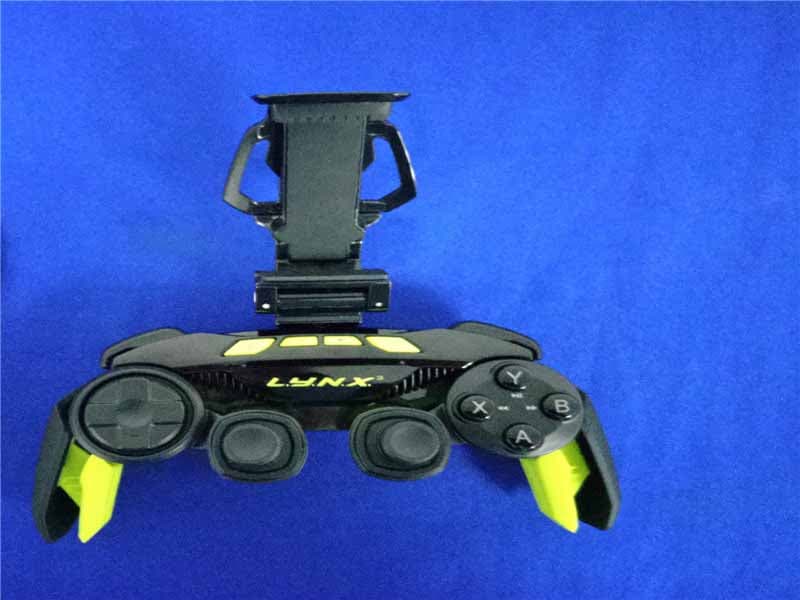
P25SS32269A
Aug 31, 2015Mad Catz L.Y.N.X.3 Mobile Wireless Controller
Equipment Class
DSS - Part 15 Spread Spectrum Transmitter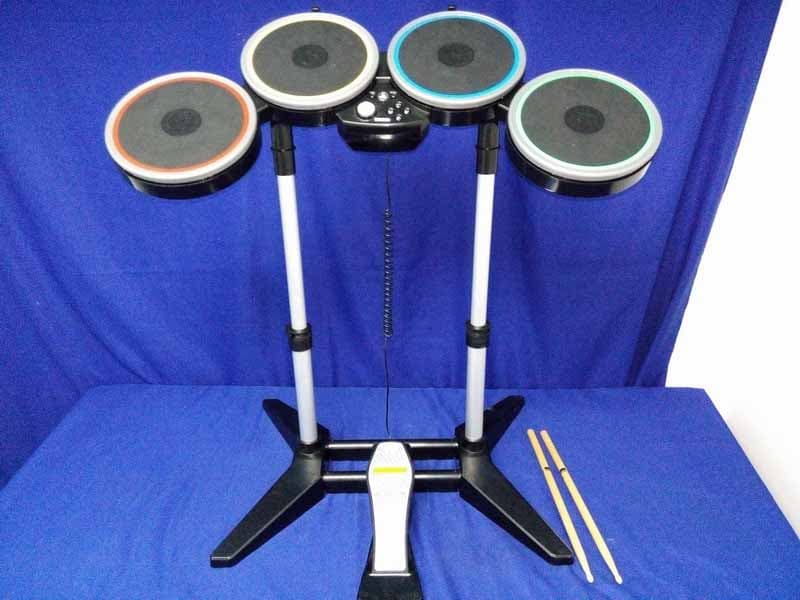
P25M991262A
Jun 24, 2015Rock Band 4 Wireless Drum Set for PlayStation 4
Equipment Class
DSS - Part 15 Spread Spectrum Transmitter
P25M991261A
Jun 02, 2015Rock Band 4 Wireless Fender Stratocasterfor PlayStation 4
Equipment Class
DSS - Part 15 Spread Spectrum Transmitter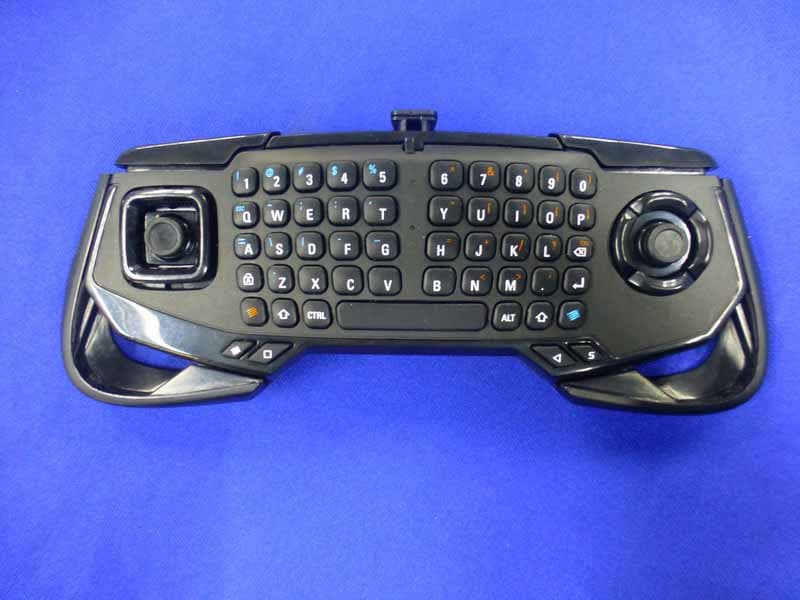
P25SS32272A
Apr 25, 2015Mad Catz S.U.R.F.R
Equipment Class
DSS - Part 15 Spread Spectrum Transmitter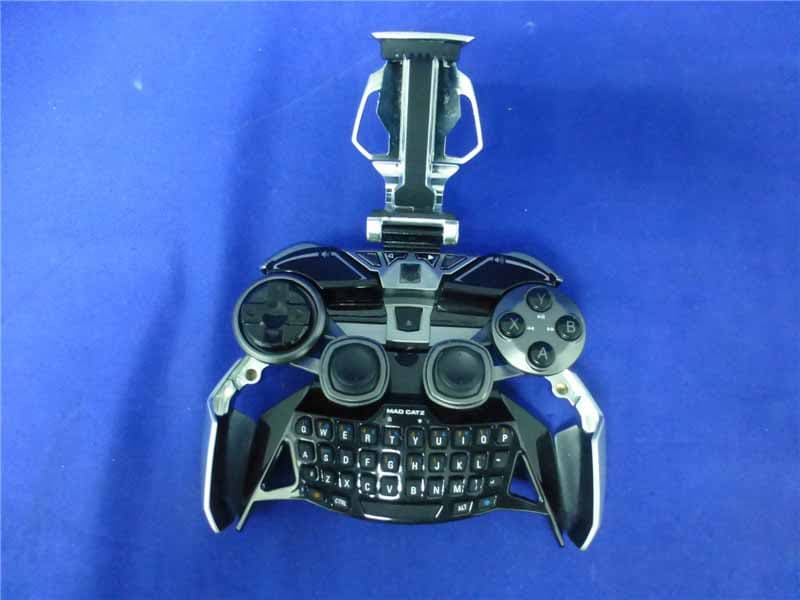
P25R232267A
Mar 03, 2015L.Y.N.X.9 Mobile Hybrid Controller
Equipment Class
DSS - Part 15 Spread Spectrum Transmitter