P25GOMC4586B3005RMICROSOFT6 XBOX 2.4GHz RF HOST CONTROLLER
Mad Catz, Inc.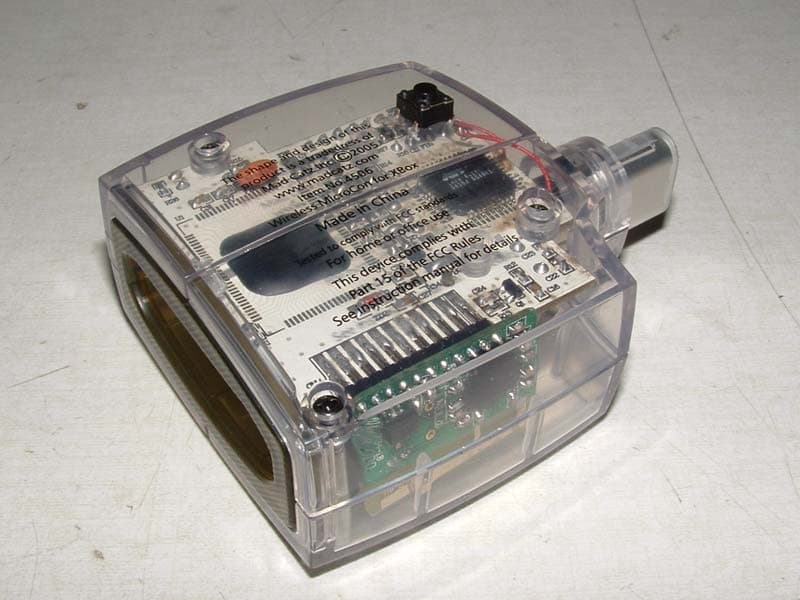
Click to zoom
Application Details
- Equipment Class
- DXT - Part 15 Low Power Transceiver, Rx Verified
- Date of Grant
- Oct 02, 2006
- Application Purpose
- Original Equipment
- Date of Application
- Oct 02, 2006
- Equipment Note
- MICROSOFT6 XBOX 2.4GHz RF HOST CONTROLLER
- Frequency Range
- 2402.00000000 - 2480.00000000
- Company
- Mad Catz, Inc.
- Country
- United States
Documents & Files
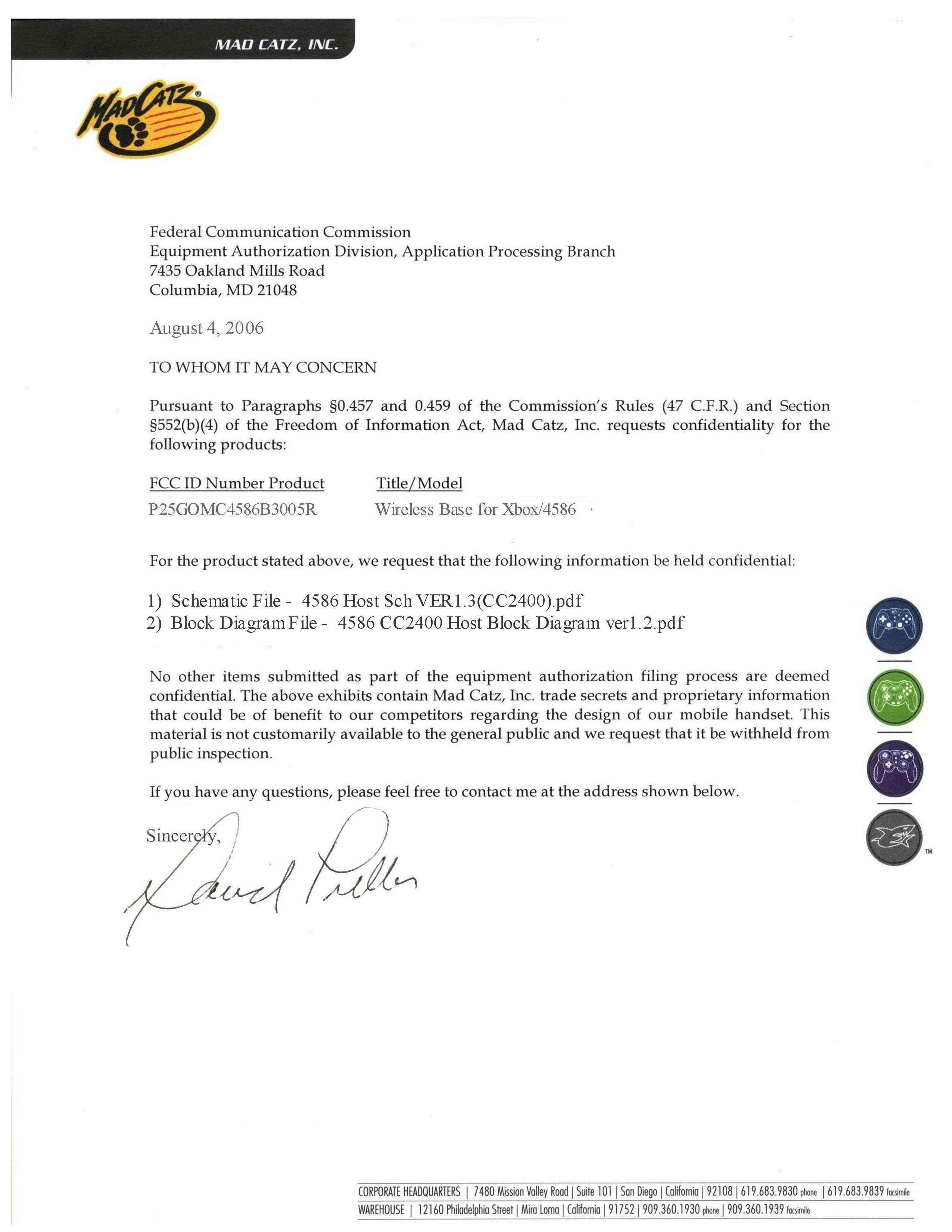
Document Text
Text extracted from the exhibit documents filed with the FCC. Open a document above to read the original.
Users Manual
FRONTSIZE: 132 X 190MM SIZE: 132 X 190MM Back 4586-MUG-R3 MICROCON WIRELESS 2-PAK™ (ENGLISH)5-year LIMITED WARRANTYMad Catz warrants this product to be free from defects in materials and workmanship for the warranty period. This non-transferable, five(5) year limited warranty is only to you, the first end-user purchaser. If a defect covered by this warranty occurs AND you have registered your product with Mad Catz AND you provide proof of purchase, Mad Catz, at its option, will repair or replace the product at no charge.The Mad Catz five(5) year limited warranty is available to North American and European customers. Your sole and exclusive remedy is repair or replacement of your Mad Catz product. In no event shall Mad Catz liability exceed the original purchase price of the product. This warranty does not apply to: (a) normal wear and tear or abusive use; (b) industrial, professional or commercial use; (c) if the product has been tampered with or modified.To receive warranty service you must:- North America: call Mad Catz Technical Support at 1.800.659.2287 or 1.619.683.2815- Europe: call Mad Catz Technical Support at 011-44-(0)1908-336530 - Obtain a Return Authorization Number from Mad Catz Technical Support- Ship the product to Mad Catz at your expense for service- Enclose a copy of the original sales receipt showing a purchase date- Enclose a full return address with daytime and evening phone numbersTECHNICAL SUPPORTOnline Support and User Guides: www.madcatz.comE-mail: [email protected] American telephone: Available 8 A.M. to 4 P.M. Pacific Standard Time, Monday through Friday (excluding holidays) at 1.800.659.2287 (US only) or 1.619.683.2815 (outside US).European telephone: Available 9 A.M. to 5 P.M. Grenwich Mean Time, Monday through Friday (excluding bank holidays) at 011-44-(0)1908-336530 CAUTIONS - Use this unit only as intended- To prevent fire or shock hazard, do not expose this unit to rain or moisture. Do not use within 30’ of any water such as swimming pools, bathtubs, or sinks. - To avoid electrical shock, do not disassemble. Refer servicing to qualified personnel only.- This unit should be operated only from the power source indicated on the unit. If you are not sure of the type of electrical power supplied to your home, contact your local power company. - Never push objects of any kind, other than authorized items, into the product as they may touch dangerous voltage points or short out parts that could result in fire or electrical shock. - Stop using this unit immediately if you begin to feel tired or if you experience discomfort or pain in your hands and/or arms while operating the unit. If the condition persists, consult a doctor. - Do not attempt to operate the unit in any way except with your hands. Do not bring the unit in contact with your head, face, or near the bones of any other part of your body. - Avoid prolonged use of this unit. Take breaks every 30 minutes.- Use this unit only as intended.- This product contains small parts that may cause choking if swallowed. Not intended for use by children under 3 years of age. - Do not overload wall outlets or extension cords beyond their capacity, since doing so can cause fire or electric shock. - Do not mix with used or other battery types, misuse of batteries ithin this unit may cause batteries to leak and/or explode and lead to personal injury SEIZURESSome indivduals may have seizures or black outs triggred by the flashing lights on television or in video games, even if they have never before had a seizure.Anyone who has had a seizure, loss of awareness, or other symptom linked to an epileptic condition should consult a doctor before playing a video game.Parents should be aware when their children play video games and observe them regularly. Stop playing and consult a doctor if you or your child have any of the following symptoms:ConvulsionsLoss of awarenessInvoluntary movementsEye or muscle twitchingAltered visionDisorientationWhen playing video games:1. Sit or stand as far from the screen as possible.2. Play video games on the smallest available screen.3. Do not play if you are tired or need rest.4. Play in a well-lighted room.5. Take a 15 minute break every hour.REPETITIVE MOTION INJURIESPlaying video games (and the repeditive motion involved) can make your muscles, joints or skin hurt. Playing video games in moderation can help avoid such damage. Also:Take a 10 to 15 minute break every hour, even if you don’t think you need it.If your hands, wrists or arms begin to hurt or feel sore or tired, stop playing and rest them for several hours before playing again.If pain and soreness continues, stop playing and consult a doctor.LAYOUTReceiver: Used to transmit and receive data from the controller to the game console up to 40’ away.Directional Pad: The D-pad controls the direction in which the character moves with digital input.Analog Sticks: The two analog sticks each control two axes (X-and Y-axis). Certain software titles will allow you to modify the way that the analog sticks are used and react in the games. L-trigger, R-trigger: These are action buttons and their specific functions depend on the software being used.Action Buttons (A, B, X, Y, White, Black): These buttons are used to perform various actions, depending on the software. For more details, see the software instruction manual.Start Button: This button is generally used for pausing the game and making selections in the menus. For more details, see the software instruction manual.Power On/Off: This switch controls whether the controllers power is turned on or off. The controller comes packaged in the off position.Low Battery Indicator: The Low Battery Indicator blinks when the battery level is low. Replace your batteries.Link Indicator: The Link Indicator on the receiver indicates whether the unit is connected (Lights on) or not connected (blinks).POWER SAVE MODEThe controller has an automatic “Sleep” mode -- when the controller is not in use …
Text truncated - open the document above for the full version.
External Photos
4586 Base External Pictures 1
ID Label/Location Info
4586 Dongle FCC ID 1
Internal Photos
4586 Base Internal Pictures 1 2 3
Operational Description
RF 2.4GHz XBox Wireless Gamepad_ Host Working Principle Description 1. It is a 2.4G RF product. It works at the frequency of ISM Band (2.4GHZ). There are up to 80 channels, and the frequency interval between each channel is 1M Hz 2. Evenly Randomized Frequency Hopping Sequence method is implemented in the RF technology. 3. It works in “Master” Mode. We call it “Host.” The working procedures are: a) When power on, the Host will do the frequency hopping according to a certain sequence, and then send the connection command. b) If there is a Device response, the Host will judge whether it can be permitted to connect. c) If it can be permitted to connect, then send the connection command to build up the connection. d) The Host sends the request command to the Device to get the Axes and Buttons value. e) The Device sends the Axes and Buttons value to the Host. f) The Host will identify the data received and then do the data detection and data correction. g) The Host will save the data received if there is no error. h) The Host judges whether it is required to send Axes and Buttons value to XBox console. i) If it is required, then send the saved data to XBox console. j) The Host judges whether there is any Motor command and/or Motor value sent from PC console. k) If there is, then the Host will save the received Motor data. l) The Host send Motor commands to the Device, and send the Motor value to the Device. m) Repeat Step e) to Step l)
Test Report
0540MDC4586ccr_subc Page 1 of 33 Atlas Compliance & Engineering, Inc. 1792 Little Orchard St. San Jose, CA 95125 Phone 408.971.9743 Fax 408.971.9783 .......... Atlas Compliance & Engineering, Inc. FCC & RSS 210 Test Report FCC CFR 47 Part 15.207, 15.209, and 15.249 COMPLIANCE Mad Catz Interactive Inc. 7480 Mission Valley Rd. Suite 101 San Diego, CA 92108 USA Product: XBox 2.4 GHz RF Controller Base Model: 4586 MicroCon Wireless Series FCC ID:P25G0MC4586B3005R IC ID:4633A-G0B3005R Test Report Number:0540MDC4586r_subc Date of Report:March 10, 2006 This report contains 33 pages and may be reproduced in full only. Partial reproduction may only be done with the written consent of Atlas Compliance & Engineering, Inc. 0540MDC4586ccr_subc Page 2 of 33 Atlas Compliance & Engineering, Inc. 1792 Little Orchard St. San Jose, CA 95125 Phone 408.971.9743 Fax 408.971.9783 Table of Contents Table of Contents ...................................................................................................................................................2 General Information ...............................................................................................................................................3 Test Equipment.......................................................................................................................................................4 Block Diagram ...................................................................................................................................................5 Test Configuration..................................................................................................................................................6 EUT Description / Note:.....................................................................................................................................6 EUT Support Program ........................................................................................................................................6 EUT Modifications for Compliance ...................................................................................................................6 EUT Support Devices.........................................................................................................................................7 I/O Ports and Cables ...........................................................................................................................................7 Equipment Under Test............................................................................................................................................8 Equipment Block Diagram ...................................................................................................................................15 Test Setup (Radiated Emissions) ..........................................................................................................................16 Test Setup (Conducted Emissions).......................................................................................................................22 Test Methods for Emissions .............................................................................................................................24 Conducted Emission Testing ............................................................................................................................24 Temperature and Humidity...............................................................................................................................25 Sample Calculations .........................................................................................................................................25 FCC Part 15 Subpart C 15.207 and 15.209 Limits ...............................................................................................26 Report of Measurements 15.249 Radiated Data ...............................................................................................28 Frequency Hopping System..............................................................................................................................29 Report of Measurements 15.209 Radiated Data ...............................................................................................30 Conducted Data for FCC Class B Line.............................................................................................................31 Conducted Data for FCC Class B Neutral ........................................................................................................32 COMPLIANCE VERIFICATION REPORT .......................................................................................................33 Table 1 - Support Equipment Used For Test ..........................................................................................................7 Table 2 - EUT Port Terminationís..........................................................................................................................7 Table 3 - Host Port Termination's...........................................................................................................................7 Table 4 - Radiated Emission Limits, General Requirements................................................................................26 Table 5 - Radiated Emission Limits, Operation within the bands 902 ñ 928 MHz, 2400 ñ 2483.5 MHz, 5725 ñ 5875 MHz, and 24.0 ñ 24.25 GHz................................................................................................................27 Table 6 - Conducted Limits ..................................................................................................................................27 Table 7 - Radiated Emission Level.......................................................................................................................28 Table 8 - Radiated Emission Level Below 30 MHz ..................…
Text truncated - open the document above for the full version.
Test Setup Photos
4586 Base Setup Pictures 1 2
Contact Information
Applicant
Parco Liu(Quality Manager)
Test Firm
ATLAS Compliance & Engineering, Inc.Bruce Smith
Technical Specifications
| # | Rule Parts | Frequency Range | Power Output |
|---|---|---|---|
| 1 | 15C | 2.40 GHz - 2.48 GHz | - |
Other Applications from Mad Catz, Inc.
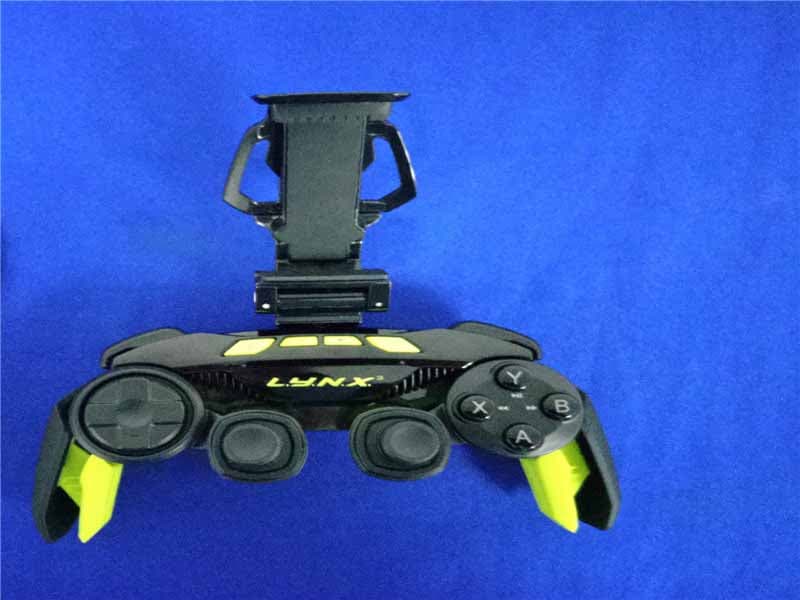
P25SS32269A
Aug 31, 2015Mad Catz L.Y.N.X.3 Mobile Wireless Controller
Equipment Class
DSS - Part 15 Spread Spectrum Transmitter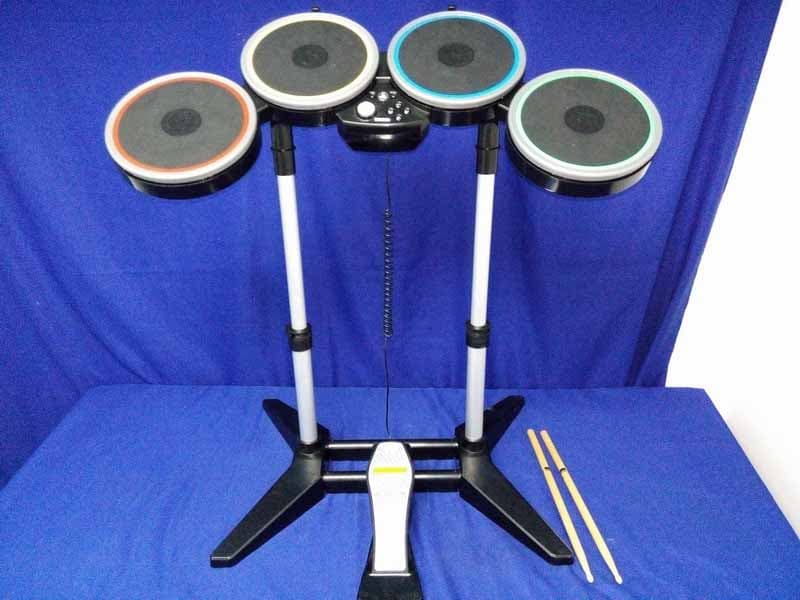
P25M991262A
Jun 24, 2015Rock Band 4 Wireless Drum Set for PlayStation 4
Equipment Class
DSS - Part 15 Spread Spectrum Transmitter
P25M991261A
Jun 02, 2015Rock Band 4 Wireless Fender Stratocasterfor PlayStation 4
Equipment Class
DSS - Part 15 Spread Spectrum Transmitter
P25SS32272A
Apr 25, 2015Mad Catz S.U.R.F.R
Equipment Class
DSS - Part 15 Spread Spectrum Transmitter
P25R232267A
Mar 03, 2015L.Y.N.X.9 Mobile Hybrid Controller
Equipment Class
DSS - Part 15 Spread Spectrum Transmitter