P25SS31263A2014CMad Catz C.T.R.L.i Mobile Gamepad
Mad Catz, Inc.
Click to zoom
Application Details
- Equipment Class
- DSS - Part 15 Spread Spectrum Transmitter
- Date of Grant
- Jul 06, 2014
- Application Purpose
- Original Equipment
- Date of Application
- Jul 06, 2014
- Equipment Note
- Mad Catz C.T.R.L.i Mobile Gamepad
- Frequency Range
- 2402.00000000 - 2480.00000000
- Company
- Mad Catz, Inc.
- Country
- United States
Documents & Files
Document Text
Text extracted from the exhibit documents filed with the FCC. Open a document above to read the original.
Users Manual
:: MOBILE GAMEPAD :: MANETTE NOMADE :: GAMEPAD FÜR MOBILGERÄTE :: *Compatible devices are listed on back of box *Liste des appareils compatibles au dos de la boîte *Kompatible Geräte siehe Rückseite der Verpackung multiplatform :: multi-plateforme :: multi-plattform REQUIRES :: REQUIERT :: VORAUSSETZUNGEN * 7. MULTIPLAYER GAMING // JEUX MULTIJOUEURS // MULTIPLAYER GAMING8. TRAVEL CLIP // PINCE DE VOYAGE // REISECLIP9. PAIRING C.T.R.L. i TO ANOTHER iOS DEVICE // COUPLAGE AVEC UN AUTRE APPAREIL iOS // KOPPLUNG AN EIN ANDERES IOS-GERÄT 10. ADDITIONAL INFORMATION // INFORMATIONS COMPLÉMENTAIRES // ZUSÄTZLICHE INFORMATIONEN Connect up to 4 gamepads for multiplayer gaming Connectez jusqu’à 4 manettes pour jouer à plusieurs Schließen Sie bis zu 4 Gamepads an für Multiplayer Gaming Connetti fino a 4 gamepad per il gioco multigiocatore Conecta hasta 4 gamepads para multijugador Forbind op til 4 gamepads til multiplayer-spil Anslut upp till 4 gamepads för spel med flera spelare Ligue até 4 comandos para jogos multijogador Подключите до 4 игровых консолей для многопользовательской игры EN FR DE IT ES DA SV PT RU ©2014 Mad Catz, Inc. 7480 Mission Valley Road, Suite 101, San Diego, CA 92108 U.S.A. Mad Catz, C.T.R.L. i , GameSmart, and the Mad Catz and GameSmart logos are trademarks or registered trademarks of Mad Catz Interactive, Inc., its subsidiaries and affiliates. The shape and design of this product is a trade dress of Mad Catz Interactive, Inc., its subsidiaries and affiliates. All other product names and images are trademarks or registered trademarks of their respective owners. Made in China. All rights reserved. Product features, appearance and specifications may be subject to change without notice. Please retain this information for future reference. The pad will remember one paired device. To connect to a new iOS device: 1. Forget the C.T.R.L. i from the current paired iOS device. 2. Hold down the Bluetooth button for 5 seconds to clear pairing information on the C.T.R.L. i and enter pairing mode. 3. Enable Bluetooth on the new device and tap the gamepad entry to pair. La manette garde en mémoire un appareil couplé. Pour se connecter à un nouvel appareil iOS : 1. Déconnectez la manette hôte de l’appareil iOS auquel elle est actuellement connectée. 2. Maintenez le bouton Bluetooth enfoncé pendant 5 secondes pour effacer les informations de couplage et passer au mode de couplage. 3. Activez la fonction Bluetooth sur le nouvel hôte et sélectionnez l’appareil pour le coupler. Das Pad kann nur ein gekoppeltes Gerät speichern. So schließen Sie ein neues iOS-Gerät an: 1. Das Gamepad vom aktuell gekoppelten iOS-Gerät löschen. 2. Halten Sie die Bluetooth-Taste für 5 Sekunden gedrückt, um die Kopplungsinformationen zu löschen und in den Kopplungsmodus zu wechseln. 3. Aktivieren Sie Bluetooth auf dem neuen Gerät und tippen Sie zum Koppeln auf den Geräteeintrag. Il pad ricorderà un solo dispositivo accoppiato. Per collegare un nuovo dispositivo iOS: 1. Disassocia il gamepad dall’attuale host iOS accoppiato. 2. Premi e mantieni premuto il pulsante Bluetooth per 5 secondi per cancellare le informazioni di accoppiamento ed entrare in modalità di accoppiamento. 3. Abilita il Bluetooth sul nuovo host e seleziona la voce relativa al dispositivo per accoppiare. El pad recordará un dispositivo emparejado. Para conectarse a un nuevo dispositivo iOS: 1. Olvida el gamepad del sistema iOS actualmente emparejado. 2. Pulsa el botón Bluetooth durante 5 segundos para borrar la información de emparejamiento y entrar en modo de emparejamiento. 3. Habilita Bluetooth en el nuevo sistema y toca el dispositivo que quieres emparejar. Paden vil huske én parret enhed. For at forbinde til en ny iOS-enhed: 1. Glem gamepaden fra den aktuelt parrede iOS-host. 2. Tryk på Bluetooth-knappen i 5 sekunder for at rydde parringsoplysningerne og nå parringstilstand. 3. Aktiver Bluetooth på den nye host, og tryk på enhedsoptegnelsen for at parre. Paden kommer att minnas en parad enhet. Koppling till en ny iOS-enhet: 1. Glöm gamepaden från den nuvarande parade iOS-värden. 2. Tryck och håll ned Bluetooth-knappen i 5 sekunder för att rensa parningsinformationen och gå till parningsläge. 3. Aktivera Bluetooth på den nya värden och knacka på enheten för att para. O comando memoriza um dispositivo emparelhado. Para ligar a um novo dispositivo iOS: 1. Apague o comando do anfitrião iOS actualmente emparelhado. 2. Prima o botão Bluetooth durante 5 segundos para apagar as informações de emparelhamento e entrar em modo de emparelhamento. 3. Active o Bluetooth no novo anfitrião e toque na entrada do dispositivo para emparelhar. Консоль запоминает одно сопряженное устройство. Подключение к новому устройству iOS. 1. Удалите информацию об игровой консоли с текущего сопряженного узла iOS. 2. Удерживайте нажатой кнопку Bluetooth в течение 5 секунд для удаления информации о сопряжении и входа в режим сопряжения. 3. Включите Bluetooth на новом узле и коснитесь имени устройства для сопряжения. EN FR DE IT ES DA SV PT RU Note: The pause button is for games only, it will not work with music or video playback. For more product information and support visit http://support.madcatz.com, or download the Mad Catz APP from the Appstore. Remarque: le bouton Pause est uniquement destiné aux jeux, il ne fonctionnera pas lors de la lecture de musique ou de vidéos. Pour plus d’informations sur le produit et une assistance, visitez ce lien http://support.madcatz.com, ou téléchargez le logiciel Mad Catz APP depuis l’App Store. Hinweis: Die Pause-Taste ist nur für Spiele, sie funktioniert nicht bei Musik oder Video-Wiedergabe. Weitere Produktinformationen und Support finden Sie unter diesem Link http://support.madcatz.com, oder laden Sie sich die Mad Catz APP aus dem Appstore herunter. Nota: Il pulsante pausa funziona soltanto nei giochi; non ha alcuna funzione durante la riproduzione di musica o video. Per maggiori informazioni sul prodotto e per supporto, visita questo col…
Text truncated - open the document above for the full version.
Users Manual
+ - + - 31 1. BOX CONTENTS // CONTENU DE LA BOÎTE // VERPACKUNGSINHALT2. INSERT BATTERIES // INSÉREZ LES PILES // EINLEGEN DER BATTERIEN Inserisci le batterie Colocar las pilas Sæt batterierne i Sätt i batterierna Inserir pilhas Вставьте батарейки IT ES DA SV PT RU 3 1 3. POWER ON/OFF // MARCHE/ARRÊT // EIN/AUSSCHALTEN Press the pause button for 3 seconds to power ON. All LEDs flash once per second Maintenez le bouton Pause enfoncé pendant 3 secondes pour allumer l’appareil. Toutes les LED clignotent une fois en rouge pendant une seconde Halten Sie 3 Sekunden die Pause-Taste gedrückt, um es einzuschalten. Alle LEDs blinken ein Mal pro Sekunde rot auf Premi e mantieni premuto il pulsante pausa per 3 secondi per accendere il dispositivo. Tutti i LED lampeggiano di rosso una volta al secondo Pulsa el botón de pausa durante 3 segundos para encenderlo. Todos los LEDs parpadean de color rojo una vez por segundo Tryk på pauseknappen i 3 sekunder for at tænde. Alle LED’er blinker rødt en gang i sekundet Tryck in pausknappen i 3 sekunder för att slå på. Alla LED blinkar rött en gång i sekunden Prima o botão de pausa durante 3 segundos para ligar. Todos os LED ficam vermelhos intermitentes segundo a segundo Для включения удерживайте нажатой кнопку паузы в течение 3 секунд. все светодиоды мигают красным один раз в секунду EN FR DE IT ES DA SV PT RU 3 1 4. PAIRING MODE // MODE DE COUPLAGE // KOPPLUNGSMODUS Press the Bluetooth button for 3 seconds to enter pairing mode. All LEDs flash twice per second Maintenez le bouton Bluetooth enfoncé pendant 3 secondes pour passer en mode de couplage. Toutes les LED clignotent deux fois pendant une seconde Halten Sie 3 Sekunden die Bluetooth-Taste gedrückt, um in den Kopplungsmodus zu wechseln. Alle LEDs blinken zwei Mal pro Sekunde auf Premi e mantieni premuto il pulsante Bluetooth per 3 secondi per entrare in modalità di accoppiamento. Tutti i LED lampeggiano due volte al secondo Pulsa el botón Bluetooth durante 3 segundos para entrar en modo de sincronizado. Todos los LED parpadean dos veces por segundo Tryk på Bluetooth-knappen i 3 sekunder for at nå parringstilstand. Alle LED’er blinker to gange i sekundet. Tryck och håll ned Bluetooth-knappen i 3 sekunder för att gå till parningsläge. Alla LED blinkar två gånger i sekunden Prima o botão Bluetooth durante 3 segundos para entrar no modo de emparelhamento. Todos os LED ficam intermitentes duas vezes por segundo Для входа в режим сопряжения удерживайте нажатой кнопку Bluetooth в течение 3 секунд. все светодиоды мигают два раза в секунду EN FR DE IT ES DA SV PT RU 5. iOS SETUP // CONFIGURATION iOS // iOS-SETUP Enable Bluetooth and tap the device entry to pair Activez la fonction Bluetooth et sélectionnez votre appareil pour le coupler Aktivieren Sie Bluetooth und tippen Sie zum Koppeln auf den Geräteeintrag Abilita il Bluetooth e seleziona la voce relativa al dispositivo per accoppiarlo Habilita Bluetooth y toca el dispositivo que quieras ligar Aktiver Bluetooth, og tryk på enhedsoptegnelsen for at parre Aktivera Bluetooth och knacka på enheten för att para Active o Bluetooth e toque na entrada do dispositivo para emparelhar Включите Bluetooth и коснитесь имени устройства для сопряжения EN FR DE IT ES DA SV PT RU 6. PAIRING COMPLETE // COUPLAGE EFFECTUÉ // KOPPLUNG ABGESCHLOSSEN 1 2 3 ENGLISH C.T.R.L. i Mobile Gamepad Travel Clip & Knob 2x AAA Batteries 1 2 3 DEUTSCH C.T.R.L. i Mobile Gamepad Reiseclip & Knopf 2 Mikrobatterien 1 2 3 ITALIANO Gamepad portatile C.T.R.L. i Clip e manopola da viaggio 2 batterie ministilo 1 2 3 ESPAÑOL Mando para juegos para móvil C.T.R.L. i Rueda y clip de viaje 2x baterías AAA 1 2 3 SVENSK C.T.R.L. i Mobil Gamepad Resefäste och vred 2 st. AAA-batterier 1 2 3 DANSK C.T.R.L.i Mobil Gamepad Rejseklips og greb 2 x AAA-batterier 1 2 3 PORTUGUÊS Comando móvel C.T.R.L. i Clip de viagem e botão 2x pilhas AAA 1 2 3 РУССКИЙ Мобильный джойстик C.T.R.L. i Дорожный фиксатор и ручка Батареи 2x AAA 1 3 2 Once paired, the iOS device will assign a player LED Une fois couplé, l’appareil iOS attribuera une LED de joueur Nachdem es gekoppelt wurde, weist das iOS-Gerät eine Spieler-LED zu Una volta accoppiato, il dispositivo iOS assegnerà un LED giocatore Una vez emparejados, el dispositivo iOS asignará un LED de jugador Når de er parret, vil iOS-enheden tildele en afspiller-LED När enheten parats kommer iOS-enheten att tilldela en spelar-LED Depois de emparelhado, o dispositivo iOS atribuirá um LED de leitor После сопряжения с устройством iOS отобразится светодиод проигрывателя EN FR DE IT ES DA SV PT RU 1 2 3 FRANÇAIS Manette de jeu mobile C.T.R.L. i Pince de voyage et poignée 2 piles AAA * medföljer ej * não incluído * не входит в комплект SV PT RU * non incluso * no incluido * Medfølger ikke IT ES DA * Not included * Nicht im Lieferumfang enthalten * non fourni * EN DE FR * medföljer ej * não incluído * не входит в комплект SV PT RU * non incluso * no incluido * Medfølger ikke IT ES DA * Not included * Nicht im Lieferumfang enthalten * non fourni * EN DE FR
Users Manual
ENGLISH TECHNICAL SUPPORT Can’t get started? Don’t worry; we’re here to help you! Nearly all the products that are returned to us as faulty are not faulty at all - they have just not been installed properly. If you experience any difficulty with this product, please first visit our website http://support.madcatz.com. The technical support area will provide you with all the information you need to get the most out of your product and should solve any problems you might have. If you do not have access to the Internet, or if the website cannot answer your question, please contact your local Mad Catz Technical Support Team. We aim to offer quick, comprehensive, and thorough technical support to all our users so, before you call, please make sure you have all the relevant information at hand. IMPORTANT! Before using this product read all accompanying information and your game system’s instruction manual for safety, health, and other information. 2-YEAR LIMITED WARRANTY Mad Catz warrants this product to be free from defects in materials and workmanship for the warranty period. This non-transferable, two- (2) year limited warranty is only to you, the first end-user purchaser. If a defect covered by this warranty occurs AND you provide proof of purchase, Mad Catz, at its option, will repair or replace the product at no charge. The Mad Catz two- (2) year limited warranty is available to North American and European customers. Your sole and exclusive remedy is repair or replacement of your Mad Catz product. In no event shall Mad Catz liability exceed the original purchase price of the product. This warranty does not apply to: (a) normal wear and tear or abusive use; (b) industrial, professional or commercial use; (c) if the product has been tampered with or modified. NORTH AMERICA AND EUROPE To receive warranty service, you must: Obtain a Return Authorization Number from Mad Catz Technical Support via ONE of the following method: a. Submit a Ticket at http://support.madcatz.com b. Call the Mad Catz Tech Support Center nearest you: North America: 1-800-659-2287 (USA) or 1-619-683-2815 (outside USA) United Kingdom: 08450 508418 Europe (outside UK): +44(0) 1633 883110 France: 01 82 88 01 80 Germany: 089-2109481 Spain: 93 181 63 94 Once you have your unique Return Authorization Number, do the following: 1. Ship the product to Mad Catz at your expense for service. 2. Enclose a copy of the original sales receipt showing a purchase date. 3. Enclose a full return address with daytime and evening phone numbers. Technical Support Online Support: http://support.madcatz.com North American telephone, available Monday through Friday (excluding holidays): 1-800-659-2287 (USA only) or 1-619-683-2815 (outside USA). United Kingdom telephone, available Monday through Friday (excluding bank holidays): 08450 508418. European telephone (outside UK), available Monday through Friday (excluding bank holidays): +44(0) 1633 883110. CAUTION - Use this unit only as intended. - To prevent fire or shock hazard, do not expose this unit to rain or moisture. Do not use within 30’ of any water such as swim ools, bathtubs, or sinks. - To avoid electrical shock, do not disassemble. Refer servicing to qualified personnel only. - Never insert objects of any kind, other than authorized items, into the product as they may touch dangerous voltage points or short out parts that could result in fire or electrical shock. - Stop using this unit immediately if you begin to feel tired or if you experience discomfort or pain in your hands and/or arms while operating the unit. If the condition persists, consult a doctor. - Do not attempt to operate the unit in any way except with your hands. Do not bring the unit in contact with your head, face, or near the bones of any other part of your body. - Avoid prolonged use of this unit. Take breaks every 30 minutes. - Misuse of batteries within this unit may cause batteries to leak and/or explode and lead to personal injury. - This product contains small parts that may cause choking if swallowed. Not intended for use by children under 3 years of age. SEIZURES Some individuals may have seizures or black outs triggered by the flashing lights on television or in video/PC games, even if they have never before had a seizure. Anyone who has had a seizure, loss of awareness, or other symptom linked to an epileptic condition should consult a doctor before playing a video/PC game. Parents should be aware when their children play video/PC games and observe them regularly. Stop playing and consult a doctor if you or your child have any of the following symptoms: Convulsions, Loss of awareness, Involuntary movements, Eye or muscle twitching, Altered vision, Disorientation. When playing video/PC games: 1. Sit or stand as far from the screen as possible. 2. Play video games on the smallest available screen. 3. Do not play if you are tired or need rest. 4. Play in a well-lighted room. 5. Take a 15-minute break every hour. REPETITIVE MOTION INJURIES Playing video/PC games (and the repetitive motion involved) can make your muscles, joints or skin hurt. Playing video/PC games in moderation can help avoid such damage. Also: Take a 10- to 15-minute break every hour, even if you don’t think you need it. If your hands, wrists or arms begin to hurt or feel sore or tired, stop playing and rest them for several hours before playing again. If pain and soreness continues, stop playing and consult a doctor. FCC & IC WARNING This device complies with part 15 of the FCC Rules and Industry Canada license-exempt RSS stan¬dard (s). Operation is subject to the following two conditions: (1) This device may not cause harmful interference, and (2) this device must accept any interference received, including interference that may cause undesired operation. Any changes or modifications not expressly approved by the party responsible for compliance could void the user’s authority to operate the equipment. FCC Radiation Exposure Statement: This…
Text truncated - open the document above for the full version.
External Photos
R AUDIX Technology (Shenzhen) Co., Ltd. FCC ID: P25SS31263A2014C page Audix Technology (Shenzhen) Co., Ltd. Report No. ACS-F14157 14-1 14. PHOTOS OF THE EUT Figure 1 General Appearance of the EUT Figure 2 General Appearance of the EUT R AUDIX Technology (Shenzhen) Co., Ltd. FCC ID: P25SS31263A2014C page Audix Technology (Shenzhen) Co., Ltd. Report No. ACS-F14157 14-2 Figure 3 General Appearance of the EUT Figure 4 General Appearance of the EUT R AUDIX Technology (Shenzhen) Co., Ltd. FCC ID: P25SS31263A2014C page Audix Technology (Shenzhen) Co., Ltd. Report No. ACS-F14157 14-3 Figure 5 General Appearance of the EUT Figure 6 General Appearance of the EUT R AUDIX Technology (Shenzhen) Co., Ltd. FCC ID: P25SS31263A2014C page Audix Technology (Shenzhen) Co., Ltd. Report No. ACS-F14157 14-4 Figure 7 General Appearance of the EUT Figure 8 General Appearance of the EUT R AUDIX Technology (Shenzhen) Co., Ltd. FCC ID: P25SS31263A2014C page Audix Technology (Shenzhen) Co., Ltd. Report No. ACS-F14157 14-5 Figure 9 General Appearance of the EUT Figure 10 General Appearance of the EUT R AUDIX Technology (Shenzhen) Co., Ltd. FCC ID: P25SS31263A2014C page Audix Technology (Shenzhen) Co., Ltd. Report No. ACS-F14157 14-6 Figure 11 General Appearance of the EUT Figure 12 General Appearance of the EUT R AUDIX Technology (Shenzhen) Co., Ltd. FCC ID: P25SS31263A2014C page Audix Technology (Shenzhen) Co., Ltd. Report No. ACS-F14157 14-7 Figure 13 General Appearance of the EUT Figure 14 General Appearance of the EUT
Internal Photos
R AUDIX Technology (Shenzhen) Co., Ltd. FCC ID: P25SS31263A2014C page Audix Technology (Shenzhen) Co., Ltd. Report No. ACS-F14157 14-8 Figure 15 Inside of the EUT Figure 16 Inside of the EUT R AUDIX Technology (Shenzhen) Co., Ltd. FCC ID: P25SS31263A2014C page Audix Technology (Shenzhen) Co., Ltd. Report No. ACS-F14157 14-9 Figure 17 Inside of the EUT Figure 18 Inside of the EUT R AUDIX Technology (Shenzhen) Co., Ltd. FCC ID: P25SS31263A2014C page Audix Technology (Shenzhen) Co., Ltd. Report No. ACS-F14157 14-10 Figure 19 Inside of the EUT Figure 20 Inside of the EUT R AUDIX Technology (Shenzhen) Co., Ltd. FCC ID: P25SS31263A2014C page Audix Technology (Shenzhen) Co., Ltd. Report No. ACS-F14157 14-11 Figure 21 Inside of the EUT Figure 22 Inside of the EUT R AUDIX Technology (Shenzhen) Co., Ltd. FCC ID: P25SS31263A2014C page Audix Technology (Shenzhen) Co., Ltd. Report No. ACS-F14157 14-12 Figure 23 Inside of the EUT Figure 24 Inside of the EUT R AUDIX Technology (Shenzhen) Co., Ltd. FCC ID: P25SS31263A2014C page Audix Technology (Shenzhen) Co., Ltd. Report No. ACS-F14157 14-13 Figure 25 Inside of the EUT Figure 26 Components Side of the PCB R AUDIX Technology (Shenzhen) Co., Ltd. FCC ID: P25SS31263A2014C page Audix Technology (Shenzhen) Co., Ltd. Report No. ACS-F14157 14-14 Figure 27 Components Side of the PCB Figure 28 Components Side of the PCB R AUDIX Technology (Shenzhen) Co., Ltd. FCC ID: P25SS31263A2014C page Audix Technology (Shenzhen) Co., Ltd. Report No. ACS-F14157 14-15 Figure 29 Components Side of the PCB Figure 30 Components Side of the PCB R AUDIX Technology (Shenzhen) Co., Ltd. FCC ID: P25SS31263A2014C page Audix Technology (Shenzhen) Co., Ltd. Report No. ACS-F14157 14-16 Figure 31 Components Side of the PCB Figure 32 Components Side of the PCB R AUDIX Technology (Shenzhen) Co., Ltd. FCC ID: P25SS31263A2014C page Audix Technology (Shenzhen) Co., Ltd. Report No. ACS-F14157 14-17 Figure 33 Components Side of the PCB Figure 34 Components Side of the PCB R AUDIX Technology (Shenzhen) Co., Ltd. FCC ID: P25SS31263A2014C page Audix Technology (Shenzhen) Co., Ltd. Report No. ACS-F14157 14-18 Figure 35 Components Side of the PCB Figure 36 Components Side of the PCB R AUDIX Technology (Shenzhen) Co., Ltd. FCC ID: P25SS31263A2014C page Audix Technology (Shenzhen) Co., Ltd. Report No. ACS-F14157 14-19 Figure 37 Components Side of the PCB
RF Exposure Info
RF Exposure evaluation According to 447498 D01 General RF Exposure Guidance v05 The 1-g and 10-g SAR test exclusion thresholds for 100 MHz to 6 GHz at test separation distances ≤ 50 mm are determined by: [(max. power of channel, including tune-up tolerance, mW)/(min. test separation distance, mm)] ·[√f(GHz)] ≤ 3.0 for 1-g SAR and ≤ 7.5 for 10-g extremity SAR, where f(GHz) is the RF channel transmit frequency in GHz Power and distance are rounded to the nearest mW and mm before calculation The result is rounded to one decimal place for comparison Worse case is as below: [2.441MHz -0.549 dBm(0.8813 mW) output power] (0.8813mW /5mm) ·[√2.441(GHz)]= 0.2754 <3.0 for 1-g SAR Then SAR evaluation is not required
Test Report
R AUDIX Technology (Shenzhen) Co., Ltd. FCC ID:P25SS31263A2014C Audix Technology (Shenzhen) Co., Ltd. Report No. ACS-F14157 FCC PART 15C TEST REPORT FOR CERTIFICATION On Behalf of Mad Catz, Inc. Mad Catz C.T.R.L.i Mobile Gamepad Model Number: 31263 FCC ID: P25SS31263A2014C Prepared for : Mad Catz, Inc. 7480 Mission Valley Road, Suite 101, San Diego, California, 92108, USA Prepared By : Audix Technology (Shenzhen) Co., Ltd. No. 6, Ke Feng Rd., 52 Block, Shenzhen Science & Industrial Park, Nantou, Shenzhen, Guangdong, China Tel: (0755) 26639496 Report Number ACS-F14157 Date of Test May.01~07, 2014 Date of Report May.27, 2014 R AUDIX Technology (Shenzhen) Co., Ltd. FCC ID:P25SS31263A2014C Audix Technology (Shenzhen) Co., Ltd. Report No. ACS-F14157 TABLE OF CONTENTS Description Page 1. SUMMARY OF STANDARDS AND RESULTS ......................................................... 1-1 1.1. Description of Standards and Results................................................................................... 1-1 2. GENERAL INFORMATION ......................................................................................... 2-1 2.1. Description of Device (EUT) ............................................................................................... 2-1 2.2.Tested Supporting System Details ............................................................................................2-1 2.3.Block Diagram of Test Setup .................................................................................................... 2-2 2.4.Test information ........................................................................................................................ 2-2 2.5.Test Facility............................................................................................................................... 2-3 2.6.Measurement Uncertainty (95% confidence levels, k=2) ......................................................... 2-3 3. POWER LINE CONDUCTED EMISSION TEST....................................................... 3-1 4. RADIATED EMISSION MEASUREMENT ................................................................ 4-1 4.1. Test Equipment .................................................................................................................... 4-1 4.2. Block Diagram of Test Setup ............................................................................................... 4-1 4.3. Radiated Emission Limit Standard: FCC 15.209 ................................................................. 4-2 4.4. EUT Configuration on Test.................................................................................................. 4-2 4.5. Operating Condition of EUT................................................................................................ 4-3 4.6. Test Procedure...................................................................................................................... 4-3 4.7. Radiated Emission Test Results ........................................................................................... 4-3 5. CONDUCTED SPURIOUS EMISSIONS ..................................................................... 5-1 5.1. Test Equipment .................................................................................................................... 5-1 5.2. Limit ..................................................................................................................................... 5-1 5.3. Test Procedure...................................................................................................................... 5-1 5.4. Test result ............................................................................................................................. 5-1 6. CARRIER FREQUENCY SEPARATION TEST ........................................................ 6-1 6.1. Test Equipment .................................................................................................................... 6-1 6.2. Limit ..................................................................................................................................... 6-1 6.3. Test Results. ......................................................................................................................... 6-1 7. 20 DB BANDWIDTH TEST ........................................................................................... 7-1 7.1. Test Equipment .................................................................................................................... 7-1 7.2. Limit ..................................................................................................................................... 7-1 7.3. Test Results .......................................................................................................................... 7-1 8. NUMBER OF HOPPING FREQUENCY TEST .......................................................... 8-1 8.1. Test Equipment .................................................................................................................... 8-1 8.2. Limit ..................................................................................................................................... 8-1 8.3. Test Results .......................................................................................................................... 8-1 9. DWELL TIME ................................................................................................................. 9-1 9.1. Test Equipment .................................................................................................................... 9-1 9.2. Limit ..................................................................................................................................... 9-1 9.3. Test Results .......................................................................................................................... 9-1 10. MAXIMUM PEAK OUTPUT POWER TEST.........…
Text truncated - open the document above for the full version.
Test Setup Photos
R AUDIX Technology (Shenzhen) Co., Ltd. FCC ID: P25SS31263A2014C page Audix Technology (Shenzhen) Co., Ltd. Report No. ACS-F14157 13-1 13. PHOTOGRAPH OF TEST 13.1. Photos of Radiated Emission Test R AUDIX Technology (Shenzhen) Co., Ltd. FCC ID: P25SS31263A2014C page Audix Technology (Shenzhen) Co., Ltd. Report No. ACS-F14157 13-2 (Above 1000MHz)
Contact Information
Applicant
Parco Liu(Quality Manager)
Test Firm
Audix Technology (Shenzhen) Co., Ltd.Smart Tsai
Technical Specifications
| # | Rule Parts | Frequency Range | Power Output |
|---|---|---|---|
| 1 | 15C | 2.40 GHz - 2.48 GHz | 881.30 µW |
Other Applications from Mad Catz, Inc.
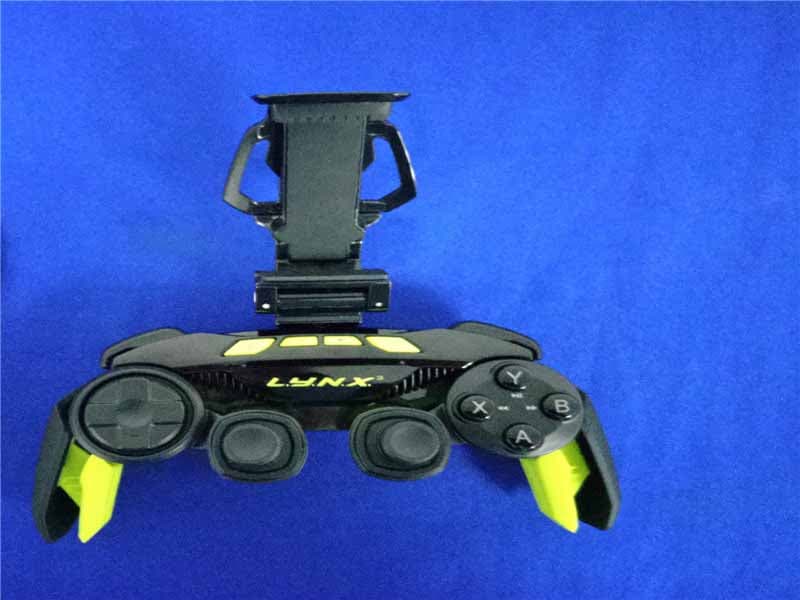
P25SS32269A
Aug 31, 2015Mad Catz L.Y.N.X.3 Mobile Wireless Controller
Equipment Class
DSS - Part 15 Spread Spectrum Transmitter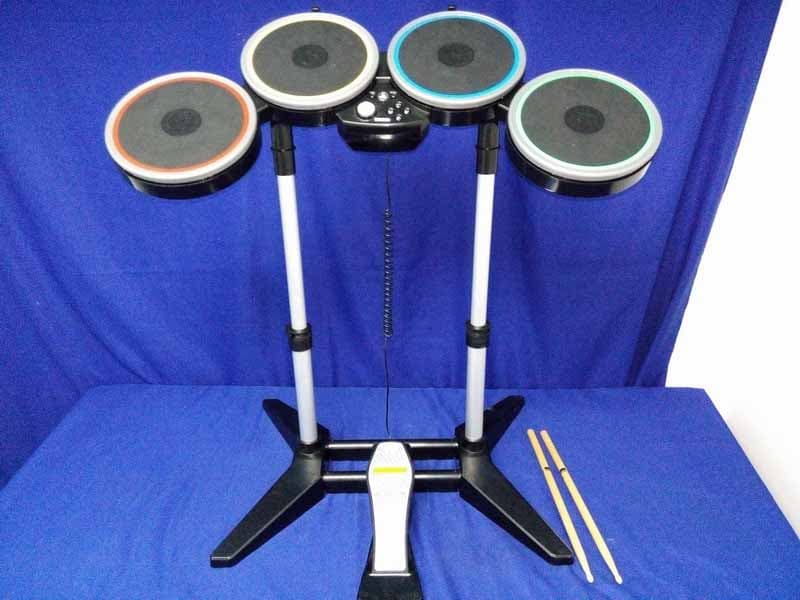
P25M991262A
Jun 24, 2015Rock Band 4 Wireless Drum Set for PlayStation 4
Equipment Class
DSS - Part 15 Spread Spectrum Transmitter
P25M991261A
Jun 02, 2015Rock Band 4 Wireless Fender Stratocasterfor PlayStation 4
Equipment Class
DSS - Part 15 Spread Spectrum Transmitter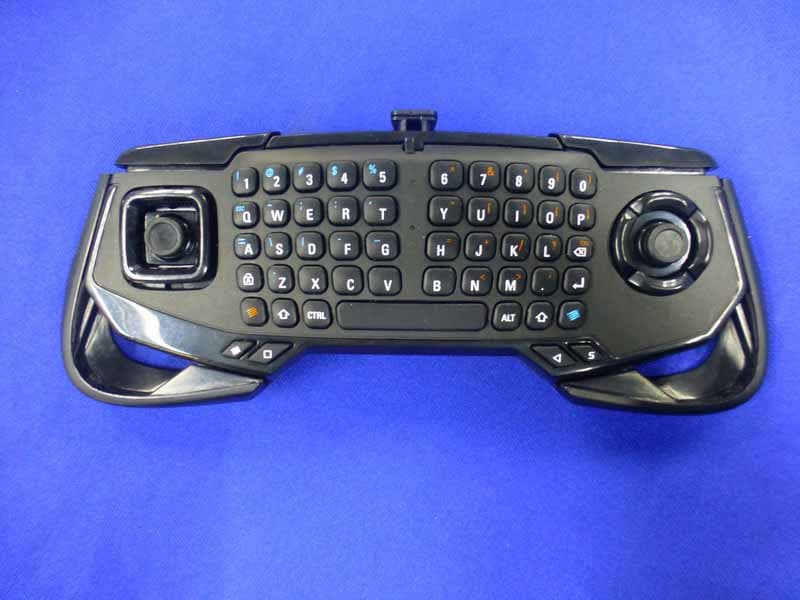
P25SS32272A
Apr 25, 2015Mad Catz S.U.R.F.R
Equipment Class
DSS - Part 15 Spread Spectrum Transmitter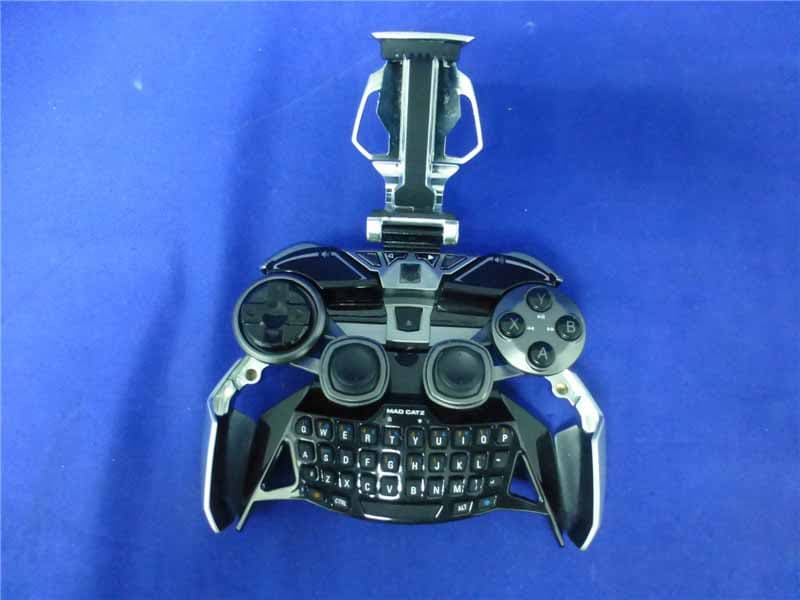
P25R232267A
Mar 03, 2015L.Y.N.X.9 Mobile Hybrid Controller
Equipment Class
DSS - Part 15 Spread Spectrum Transmitter