P7U-PLT7035-PL7 inch Tablet PC
GLOBAL CIRCUIT (SHENZHEN) CO., LTD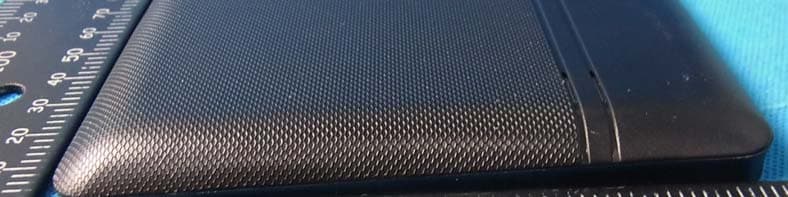
Click to zoom
Application Details
- Equipment Class
- DTS - Digital Transmission System
- Date of Grant
- Oct 07, 2012
- Application Purpose
- Original Equipment
- Date of Application
- Oct 07, 2012
- Equipment Note
- 7 inch Tablet PC
- Frequency Range
- 2412.00000000 - 2462.00000000
- Country
- China
Documents & Files
Document Text
Text extracted from the exhibit documents filed with the FCC. Open a document above to read the original.
Users Manual
Attention: This handbook contains important security measures and the correct use of the product information, in order to avoid accidents. Please make sure to reading the manual carefully before use the device. Please don’t be in high temperature, moisture or very dust place Please don’t be in high temperature, Especially in summer don't put the device in the car when Windows closed. Avoid fall or Violent collision of the device, don’t make the TFT display screen were violent tremor, This could cause TFT display screen abnormal or damage. Please choose the appropriate volume, Use headphones should not be too big volume, If feel tinnitus, Lower the volume or stop using it please charge In the following condition. A. The battery power ICONS shows have no power B. The system automatically shut off, startup after power off soon C. Operation buttons no response D. The machine that the top right corner show red icons When the device in the format or ongoing upload and download file, please do n't suddenly disconnect, This could cause application error. For those who because of damage to the product, repair, or other causes of erased the memory, The company shall not be liable for any responsibility, please follow the user manual for the standardized operation to use the device. Don’t disassemble the product, don’t use alcohol、Thinner or benzene to scrubbing products USB just only be used for data transmission The company reserves the right to improve product, products specification and desi gn have any change, The information is subject to changes without prior notice. 【Remark】All pictures in this manual is just for your reference. 1. Appearance and button: 1.1 Touch panel Resistive touch panel: In The Operation, to click, dragging on the touch panel 1.2 POWER startup: Long Press and hold the power button, the system will enter the main inte rface shutdown: In the main menu interface, Press the power button about 5 second to shutdown, The system can hint "power off" option, Clike "ok". you can safely shut down. Lock screen: Short press Power button to lock screen or unlock screen. Remark 1.When power is empty, system will shut down automatically. 2.Illegal turn off the device, restart will scan and restore the disk, it may take longer time to enter into system 1.3 Volume +/-: the buttons on top Volume +, Volume- achieve changes in the volume. 1.4 Earphone jack: 3.5 mm standard earphone jack 1.5 Video output interface: HDMI output interface 1.6 TF card: TF-CARD slot: external T-FLASH card 1.7 Mini USB: Mini USB jack: you can use it to connect the computer for data transmission, charging and external connection USB flash drive 18 Reset: When the Tablet under the condition of the crash, use the small objects to short press RESET button, Tablet will force to shutdown. 【Remark】: unless unable to shutdown, otherwise don’t use the reset, suggest you to shutdown by normal, if no will easy to damage the machine system. 2. First use 2.1 Battery management and charge Before first use, please set the device's battery is fully charged Just need to connect the adaptor or USB interface, then you can charge The first two times charging please keep about 6 hours, after that you just need 4 hours to charge. 【Remark】: This tablet using Built-in type polymer battery, Charge must be to choose standard adaptor (Input: AC110~240V 50/60Hz Max:180MA. Output: DC9V/1.5A), this device without supply DC charging, USB interface can charge, Choose USB interface to charger During the charging, the battery icon will scroll When finished charging, battery icon will become green and stop rolling In order to prolong the service life of the machine, suggest use out battery power before charge it 【Remark】: 1. If you long time don’t to use this Tablet, in order to avoid power consumption caused damage, pls charge/play the battery once a month. 2、After low battery shut down, connect DC adaptor, device will remind low battery, charging, need to wait some time until the battery is enough power to enter into main menu. 3. Device charging should be in standby status for reach normal charging time. Because with device and screen consumption, it may cause longer charging time. 2.2 Connection with PC Use USB cable to connect device to PC, device will pop up the USB connection window, click Turn on USB storage to connect to PC Into the load mode, you can copy, delete the file on the device and the file on the memory card. 3. Equipment operation interface 3.1 Main interface describe After startup will enter the main interface In the main interface, you can : Management main interface software ICONS: long press the icons 3 second, after t he icons will bigger, then you can drag anywhere in the interface. Delete icons: long press the icons 3 second, drag the icons to the Recycle Bin ico n, once it become red, Loosen your hand, after that you can delete icon You touch the screen keep a time, appear the dialog box “Add you Home screen” as shown below: 3.2 status bar describe The status bar above of the screen Top left display main interface software, T-Flash card, USB connection status and so on Top right display the battery, battery charge icons, current time, set time, S ettings Menu, ESC button. 3.3 Use touch panel Device equipped with a 7 “ touch screen. Following the main touch screen area is described, and describes some of the tips for how to use the touch screen. No matter which interface you are on the screen, can go back to main screen through pressing the soft key on the bottom right corner of the main screen. 【Attention】The main screen soft key functions as the machine back key In different applications, by tapping the back soft key on the bottom right corner on the touch screen, you can return to its interface on the up floor. In different applications, by tapping the menu key on the upper right corner of touch screen, the screen will appear the operation setting interface as follows, 【Remark】: The main screen so…
Text truncated - open the document above for the full version.
Attestation Statements
GLOBAL CIRCUIT (SHENZHEN) CO.,LTD Floor#2-3, Baoyunda Building#2, Qianjin Road#2, Bao’an, Shenzhen, China Date: Sep.21, 2012 FCC ID: P7U-PLT7035-PL Subject: Ad Hoc Mode Function Declaration To Whom it may concern, This device is acting as slave and operating in the 2.4 GHz (2412 – 2462 MHz) band.Ad Hoc function is supported but not able to operate on non-US frequencies.Please contact the one signed below or the authorized agent for this filing. Regards, Yours sincerely, Signatory Signature Name: Jack Xiang Title: Research Director Tel: 08675588367229
Cover Letter(s)
FCC Confidentiality Request To the FCC and FCC TCB handling this application for certification Pursuant to 47 CFR Section 0.459(a) & (b), we, (the applicant / grantee) Company name GLOBAL CIRCUIT (SHENZHEN) CO.,LTD Addresss Floor#2-3,Baoyunda Building#2,Qianjin Road#2,Bao’an City ShenZhen Country China request non-disclosure and confidential treatment for our certification under: Grantee Code Product Number FCC ID: P7U -PLT7035-PL of the following materials submitted within this certification application: (please cross what is applicable, or add other documents) x Operational Description x Block Diagrams x Schematics Diagrams Bill of Materials Above materials contain secrets, proprietary and technical information, which would customarily be guarded from competitors under 47 CFR, section 0.457(d)(2). Disclosure or publication or any portion of this company confidential material to other parties could cause substantial competitive harm and provide unjustified benefits for competitors. We understand that pursuant to 47 CFR section 0.457(d)(1)(ii) disclosure of the applicant and all accompanying documentation will not be made before the date of the grant. Attestation: City and Country: Date: Name: (this must be a person) Function: Signature: (or official company stamp) shenzhen 2012/9/21 Jack Xiang Research Director
External Photos
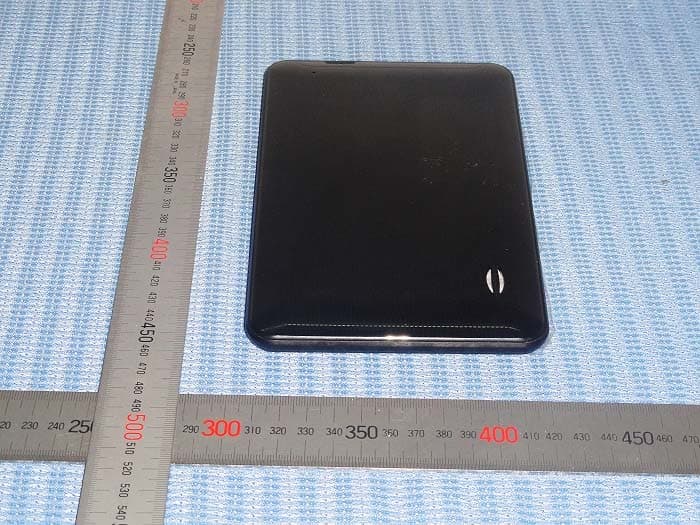
APPENDIX-Photographs of EUT Constructional Details
ID Label/Location Info
2.5*3.5cm
Parts List/Tune Up Info
GLOBAL CIRCUIT (SHENZHEN) CO.,LTD Floor#2-3, Baoyunda Building#2, Qianjin Road#2, Bao’an, Shenzhen, China Date: Sep.28, 2012 FCC ID: P7U-PLT7035-PL Letter of Certification This is to formally certify that: The tune up procedures of Tablet PC PLT7035, HM-737Q, HM-7XY, R71C-XX(X,Y=A-Z/0-9) is not open to end user. The end user i s not allowed to perform finaltune. All the power and frequency set up were finished at the manufacturer stage. 802.11b : max possible output power :10±1dbm 802.11g: max possible output power :7±1dbm Yours sincerely, Signature: Name: Jack Xiang Title: Research Director Tel: 08675588367229
RF Exposure Info
Portable device According to §15.247(e)(i) and §1.1307(b)(1), systems operating under the provisions of this section shall be operated in a manner that ensures that the public is not exposed to radio frequency energy level in excess of the Commission’s guidelines. According to KDB 447498 (2)(a)(i) For portable device,the power limit is 60/f(in GHz) mW For limit 60/f is equal: 60/2.412=24.87mW 60/2.437=24.62 mW 60/2.462=24.37mW Maximum measured transmitter power Model MAX Conducted Power (dBm) Max Antenna Gain (dBi)EIRP (mW) Limit EIRP (mW) 802.11b 10.24 2 19.95 24.87 802.11g 7.462 10 24.37 The max.output power E.I.R.P is 19.95mW<24.87mW For the Tune Up information from the applicant, the maximum output power is 11 dBm and 8 dBm for 11b and 11g mode, so the worst case of Conducted Power and EIRP will be still less than FCC SAR exemption threshold. Conclusion: No SAR is required.
Test Report
Page 1 of 55 Report No.: PT1201192090E FCC RADIO TEST REPORT Report Reference No. ............... : PT1201192090E Compiled by (+ signature) ........... Jones song Approved by (+ signature) ........... Jacky Ou Applicant’s name........................... : GLOBAL CIRCUIT (SHENZHEN) CO.,LTD Address....................................... : Floor#2-3, Baoyunda Building#2, Qianjin Road#2, Bao’an, Shenzhen, China Manufacture's Name...................... : GLOBAL CIRCUIT (SHENZHEN) CO.,LTD Address....................................... : Floor#2-3, Baoyunda Building#2, Qianjin Road#2, Bao’an, Shenzhen, China Test specification: Standard ..................................... : FCC Part15.247 Test procedure............................... : ANSI C63.4-2003, KDB 558074(DTS) Test item description Product name ........................ : 7inch Tablet PC FCC ID P7U-PLT7035-PL Trademark ............................ : N/A Model and/or type reference : PLT7035, HM-737Q, HM-7XY, R71C-XX(X,Y=A-Z/0-9) Rating(s) ................................ : DC 3.7V by battery Testing Laboratory information: Testing Laboratory Name ..... : DongGuan Precise Testing Service Co.,Ltd. Address ................................ : F616A Room, 6th Floor, Meixin Business Center, Dongcheng Middle Road, Dongguan, Guangdong, China This device described above has been tested by PTS, and the test results show that the equipment under test (EUT) is in compliance with the FCC requirements. And it is applicable only to the tested sample identified in the report. This report shall not be reproduced except in full, without the written approval of PTS .this document may be altered or revised by PTS, personal only, and shall be noted in the revision of the documen Testing....................................................: Date of receipt of test item ......................: 10 Sep. 2012 Date (s) of performance of tests .............: 10 Sep. 2012 ~18 Sep. 2012 Date of Issue ...........................................: 18 Sep. 2012 Test Result...............................................: Pass Page 2 of 55 Report No.: PT1201192090E Table of Contents Page 1 . SUMMARY OF TEST RESULTS 4 1.1 MEASUREMENT UNCERTAINTY 5 2 . GENERAL INFORMATION 6 2.1 GENERAL DESCRIPTION OF EUT 6 2.2 DESCRIPTION OF TEST MODES 7 2.3 TABLE OF PARAMETERS OF TEXT SOFTWARE SETTING 7 2.4 BLOCK DIGRAM SHOWING THE CONFIGURATION OF SYSTEM TESTED 8 2.5 DESCRIPTION OF SUPPORT UNITS(CONDUCTED MODE) 9 2.6 EQUIPMENTS LIST FOR ALL TEST ITEMS 10 3 . EMC EMISSION TEST 11 3.1 CONDUCTED EMISSION MEASUREMENT 11 3.1.1 POWER LINE CONDUCTED EMISSION LIMITS 11 3.1.2 TEST PROCEDURE 12 3.1.3 DEVIATION FROM TEST STANDARD 12 3.1.4 TEST SETUP 12 3.1.5 EUT OPERATING CONDITIONS 12 3.1.6 TEST RESULTS 13 3.2 RADIATED EMISSION MEASUREMENT 15 3.2.1 RADIATED EMISSION LIMITS 15 3.2.2 TEST PROCEDURE 16 3.2.3 DEVIATION FROM TEST STANDARD 16 3.2.4 TEST SETUP 17 3.2.5 EUT OPERATING CONDITIONS 18 3.2.6 TEST RESULTS (BETWEEN 9KHZ – 30 MHZ) 19 3.2.7 TEST RESULTS (BETWEEN 30MHZ – 1GHZ) 20 3.2.8 TEST RESULTS (ABOVE 1000 MHZ) 22 4 .BAND EDGE EMISSION 34 5 . POWER SPECTRAL DENSITY TEST 42 5.1 APPLIED PROCEDURES / LIMIT 42 5.1.1 TEST PROCEDURE 42 5.1.2 DEVIATION FROM STANDARD 42 5.1.3 TEST SETUP 42 5.1.4 EUT OPERATION CONDITIONS 42 5.1.5 TEST RESULTS 43 6 . BANDWIDTH TEST 47 6.1 APPLIED PROCEDURES / LIMIT 47 Page 3 of 55 Report No.: PT1201192090E Table of Contents Page 6.1.1 TEST PROCEDURE 47 6.1.2 DEVIATION FROM STANDARD 47 6.1.3 TEST SETUP 47 6.1.4 EUT OPERATION CONDITIONS 47 6.1.5 TEST RESULTS 48 7 . PEAK OUTPUT POWER TEST 52 7.1 APPLIED PROCEDURES / LIMIT 52 7.1.1 TEST PROCEDURE 52 7.1.2 DEVIATION FROM STANDARD 52 7.1.3 TEST SETUP 52 7.1.4 EUT OPERATION CONDITIONS 52 7.1.5 TEST RESULTS 53 8 . EUT TEST PHOTO 54 APPENDIX-PHOTOGRAPHS OF EUT CONSTRUCTIONAL DETAILS Page 4 of 55 Report No.: PT1201192090E 1. SUMMARY OF TEST RESULTS Test procedures according to the technical standards: FCC Part15 (15.247) , Subpart C Standard Section Test Item Judgment Remark 15.207 Conducted Emission PASS 15.247 (a)(2) 6dB Bandwidth PASS 15.247 (b) Peak Output Power PASS 15.247 (c) Radiated Spurious Emission PASS 15.247 (d) Power Spectral Density PASS 15.203 Antenna Requirement PASS Page 5 of 55 Report No.: PT1201192090E 1.1 MEASUREMENT UNCERTAINTY The reported uncertainty of measurement y ± U,where expended uncertainty U is based on a standard uncertainty multiplied by a coverage factor of k=2,providing a level of confidence of approximately 95 %。 No. Item Uncertainty 1 Conducted Emission Test ±1.38dB 2 Radiated Emission Test ±3.17dB 3 RF power,conducted ±0.16dB 4 Spurious emissions,conducted ±0.21dB 5 All emissions,radiated(<1G) ±4.68dB 6 All emissions,radiated(>1G) ±4.89dB Page 6 of 55 Report No.: PT1201192090E 2. GENERAL INFORMATION 2.1 GENERAL DESCRIPTION OF EUT Equipment 7inch Tablet PC Trade Name N/A Model Name PLT7035, HM-737Q, HM-7XY, R71C-XX(A-Z/0-9) OEM Brand/Model Name N/A Model Difference The motherboards are the same, only models ,color, software and language are different. Product Description The EUT is a 7 inch Tablet PC Operation Frequency: 802.11b/g: 2412~2462 MHz Modulation Type: OFDM/DBPSK/DAPSK Bit Rate of Transmitter 802.11b:11/5.5/2/1 Mbps 802.11g:54/48/36/24/18/12/9/6 Mbps Number Of Channel 11 CH, Please see Note 2. Antenna Designation: internal antenna Antenna Gain(Peak) 2dBi Output Power(EIRP): 802.11b: 10.24 dBm (Max.) 802.11g: 7.46 dBm (Max.) Based on the application, features, or specification exhibited in User's Manual, the EUT is considered as an ITE/Computing Device. More details of EUT technical specification, please refer to the User's Manual. Channel List Please refer to the Note 2. Power Source DC 3.7V by battery Adapter Input:100-240ac, 50/60Hz Output:5Vdc, 2A Connecting I/O Port(s) Please refer to the User's Manual Products Covered N/A Note : 1. For a more detailed features description, please refer to the manufacturer’s specifications or the User's Manual. 2. Channel List for 802.11b/g Channel …
Text truncated - open the document above for the full version.
Contact Information
Applicant
Jack Xiang(Research Director)
Test Firm
NTEK Testing Technology Co., Ltd.Wetow Huang
Technical Specifications
| # | Rule Parts | Frequency Range | Power Output |
|---|---|---|---|
| 1 | 15C | 2.41 GHz - 2.46 GHz | 10.57 mW |
Other Applications from GLOBAL CIRCUIT (SHENZHEN) CO., LTD
P7U762Q
Feb 06, 20137inch Tablet PC
Equipment Class
DTS - Digital Transmission System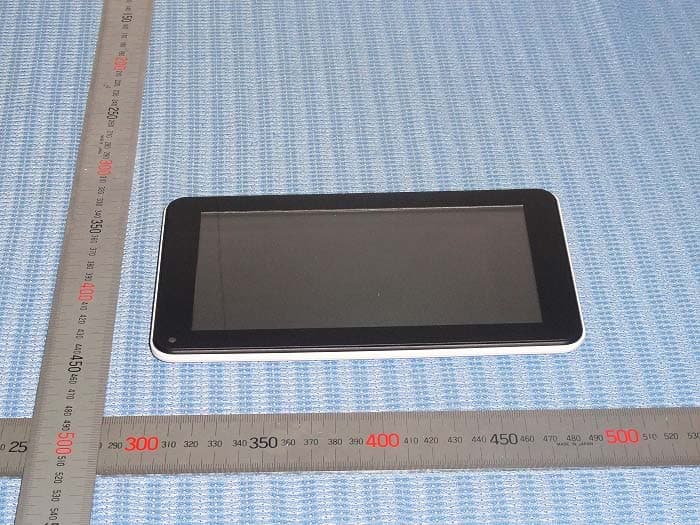
P7U760RB-TBDB763B
Jan 28, 20137inch Tablet PC
Equipment Class
DSS - Part 15 Spread Spectrum Transmitter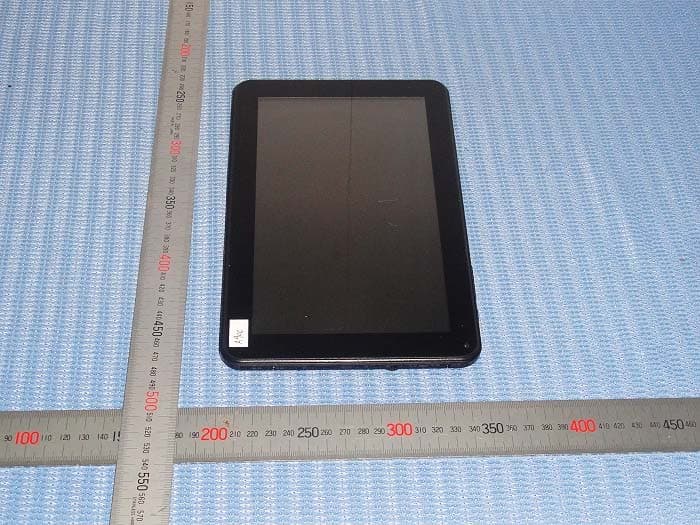
P7U908G-PMID900BU
Jan 27, 20139inch Tablet PC
Equipment Class
DTS - Digital Transmission System
P7U-LT4304
Oct 03, 20124.3 inch Tablet PC
Equipment Class
DTS - Digital Transmission System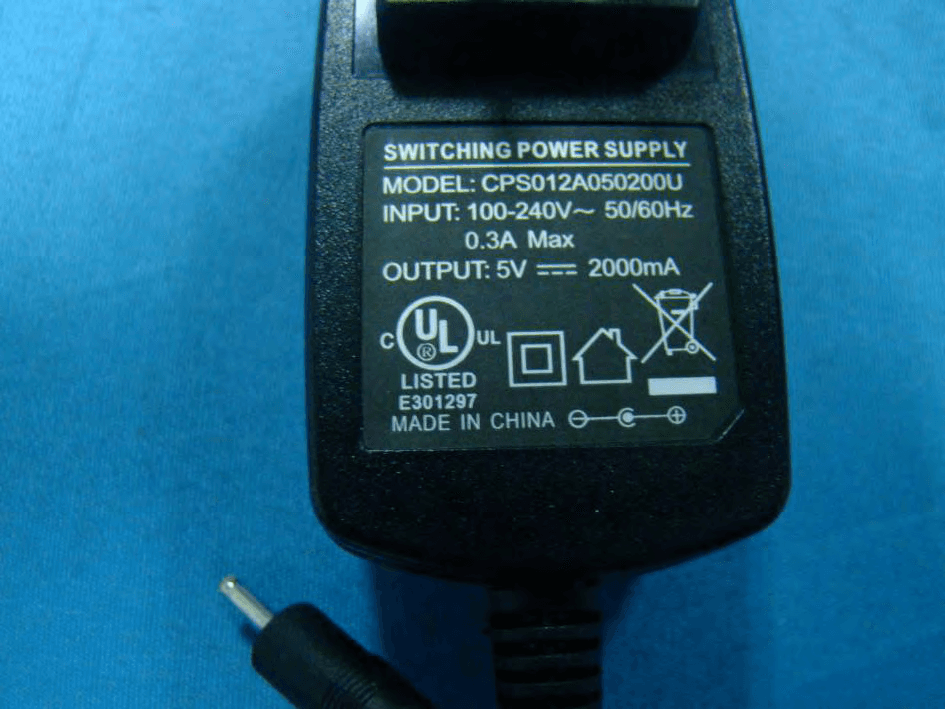
P7U-TB1082B
Aug 15, 201210 inch Tablet PC
Equipment Class
DTS - Digital Transmission System