PAV4021ACAirClick Remote Control
Griffin Technology Inc.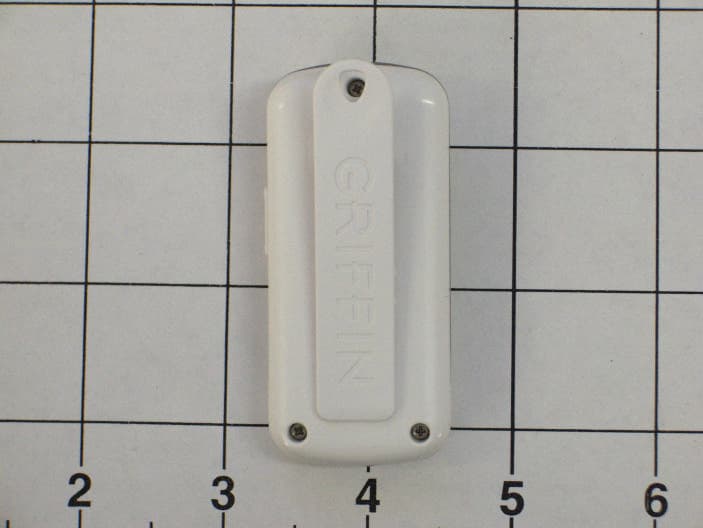
Click to zoom
Application Details
- Equipment Class
- DXT - Part 15 Low Power Transceiver, Rx Verified
- Date of Grant
- Apr 05, 2005
- Application Purpose
- Original Equipment
- Date of Application
- Mar 01, 2005
- Equipment Note
- AirClick Remote Control
- Frequency Range
- 432.82000000 - 434.98000000
- Company
- Griffin Technology Inc.
- Country
- United States
Documents & Files
Document Text
Text extracted from the exhibit documents filed with the FCC. Open a document above to read the original.
Users Manual
AirClick & AirClickmini Manual 2/14/2005 1:54:00 PM Hi There! • Welcome to AirClick, the best way to take command of your iPod or iPod mini. You can now control your iPod from up to 60 feet away, even if it’s in another room! What Do I Need? • To use AirClick, you’ll need one of the following: o iPod mini o iPod with dock connector What Is All This Stuff? (include pics/drawings of transmitter and receiver) • AirClick includes two pieces: the Remote Control and the Receiver Module. Let’s take a look at them: o Remote Control Play / Pause Next / Fast Forward Previous / Rewind Volume Up Volume Down Hold Switch (flip this switch to prevent unwanted button presses; Orange = Hold) o Receiver Module LED (lights up when receiving a command) Headphone Jack (connect your headphones or speakers here) Pairing Switch (see PAIRING under Advanced Features) Let’s Install It! • Installation is as simple as plugging the Receiver Module into the top of your iPod or iPod mini. That’s it! No software, no updating. It just works. How Do I Use It? • Using AirClick is as simple as using your iPod. The buttons on the Remote Control work exactly the same way as the buttons on your iPod. Here’s how to control your iPod using AirClick: o Turn iPod On Pressing any button on the Remote Control will wake the iPod. o Turn iPod Off Press and hold the Play / Pause Button for two seconds to turn the iPod off. o Play a Song If a song is paused, pressing the Play / Pause Button will play that song. Note: If the iPod is at the Main Menu, pressing the Play / Pause button will cause the iPod to start playing all of the music in the iPod. o Pause a Song Press the Play / Pause Button while a song is playing to pause it. o Go to the Next Song Press the Next / Fast Forward Button. o Go to the Previous Song Press the Previous / Rewind Button. o Fast Forward Press and hold the Next / Fast Forward Button. o Rewind Press and hold the Previous / Rewind Button. o Increase Volume Press the Volume Up Button. o Decrease Volume Press the Volume Down Button. Advanced Features • Slideshow Mode AirClick can be used to control slideshows on an iPod photo. To do so, you’ll need to put the AirClick Remote Control into Slideshow Mode: o Set the Hold Switch on the AirClick Remote Control to Hold (an orange dot will appear). o Press and hold the Play / Pause button. o With the Play / Pause button depressed, slide the Hold Switch to Active. You can now move forward and back through a photo slideshow by pressing the Volume Up and Volume Down buttons, respectively. To exit Slideshow Mode, just slide the Hold Switch from Active to Hold, then back to Active. • Pairing By default, all AirClicks work on the same “channel.” If you have more than one AirClick Remote Control within range of an AirClick Receiver Module, the Receiver will happily take commands from both Remotes. Since you probably don’t want this to happen (unless you like your neighbor controlling your iPod), you can tell the Receiver Module to only accept commands from a specific AirClick Remote Control through a process called Pairing. Use Pairing whenever more than one AirClick Remote Control will be used in the same area. o Turn Pairing On: o Press the Pairing Switch on the Receiver Module by inserting a straightened paper clip or similar device. The LED on the Receiver will light up. o Press any button on the Remote Control within five seconds. o The LED on the Receiver will flash rapidly for one second, indicating that the Pairing was successful. o Turn Pairing Off: o To reverse the process, allowing the Receiver Module to once again be controlled by any Remote Control, simply use a straightened paper clip or similar device to press the Pairing Switch on the Receiver Module and DO NOT press any buttons on the Remote Control. After five seconds, the LED on the Receiver will turn off, and it will again respond to any AirClick Remote Control. Frequently Asked Questions • Will I need to replace the battery? With normal use, the AirClick Remote Control’s battery should last for the life of the product. Should the battery need to be replaced, simply open the Remote Control unit by removing the two small screws, and replace with a CR2032-type battery or equivalent. • Can I use this AirClick Remote Control with an AirClickUSB? Absolutely. The AirClick Remote Control can control Receiver Modules for AirClick, AirClick mini, and AirClickUSB. • How Does It Work? What makes the AirClick so special can be summed up in two little letters: RF. RF stands for “radio frequency” and is how the AirClick transmits commands. Most remote controls use infrared (IR) light, requiring the remote to be in “line of sight” of what you want to control. Since the AirClick uses RF, much like a cordless telephone, you don’t even have to be in the same ROOM as your iPod to control it! • Can I use multiple AirClicks in the same room/house? Yes, but you’ll want to “Pair” the AirClicks together to prevent unwanted commands from being sent/received. See Pairing under Advanced Features. • Why can’t I adjust the volume? A song must be playing on the iPod before the volume can be adjusted using the AirClick Remote Control. SPECS, FCC COMPLIANCE STATEMENT, ETC. • AirClick Technical Specifications o Transmission Method: Radio Frequency o Frequency: 433.92MHz o Operating Range: Up to 60ft. o Transmission Method: Radio Frequency o Frequency: 433.92MHz o Operating Range: Up to 60ft. o Remote Battery: CR2032 3V o Remote Dimensions: 2.75” x 1.25” x 0.5” (not including belt clip; 0.75” max depth including belt clip) o Remote weight (Including Battery): 0.8 oz. • FCC Compliance Statement o This device complies with part 15 of the FCC rules. Operation is subject to the following two conditions: (1) This device may not cause harmful interference, and (2) this device must accept any interference received, including interference that may cause undesired operation. CAUTION: Changes or modifications not expressly approved by …
Text truncated - open the document above for the full version.
Cover Letter(s)
DNB Engineering Inc. Phone 1-800-887-4433/435-336-4433 1100 East Chalk Creek RD Fax: 435-336-4436 Coalville UT 84017 www.dnbenginc.com March 30, 2005 Re: FCC ID: PAV4021AC Applicant: Griffin Technology. Correspondence Reference Number: 28728 731 Confirmation Number: EA667160 Subject: Confidentiality To Whom It May Concern: Upon being authorized to act in behalf of Griffin Technology, I Clay Allred of DNB Engineering, Inc. request confidentiality on the following submittal items, for the above transmitter certification submittal. Equipment Schematics Device Block Diagram Thank you for your assistance with this matter, and please feel free to contact me if you have any further questions or comments. Sincerely Sincerely Clay Allred Facility Manger (Utah Facility) DNB Engineering Inc. [email protected]
External Photos
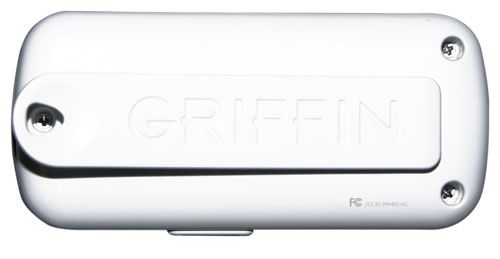
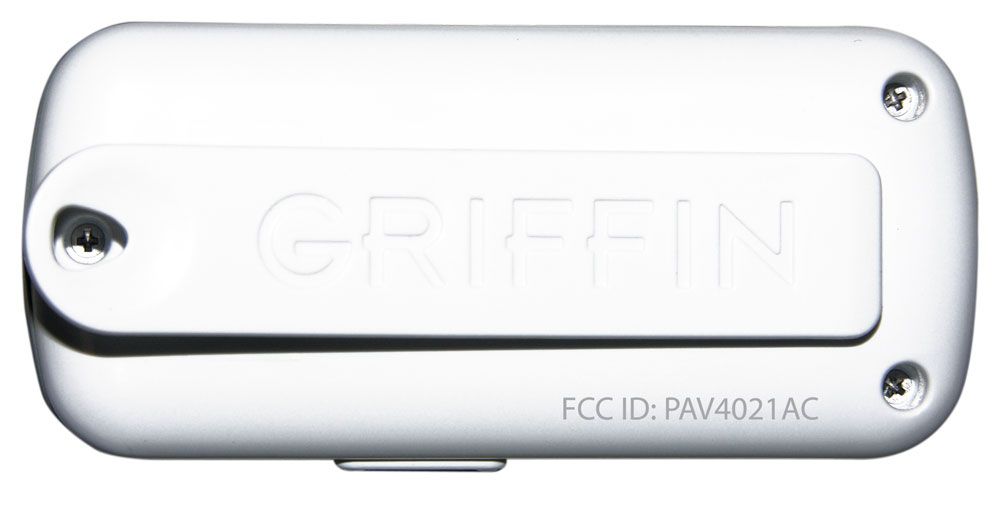
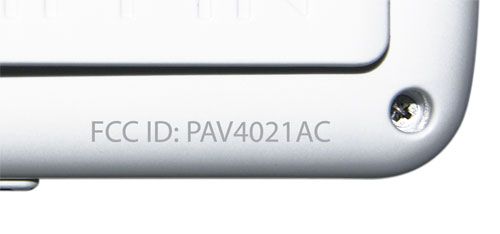
Report #56050AF External Photographs 1.1 Photograph of EUT: AirClick View: Front External Report #56050AF 1.2 Photograph of EUT: AirClick View: Back External
Internal Photos
Report #56050AF Internal Photographs 1.1 Photograph of EUT: AirClick View: Front Internals Report #56050AF 1.2 Photograph of EUT: AirClick View: Back Internals
Operational Description
1.1 Equipment Description The Griffin AirClick is intended to control the operation of the Apple iPod fitted with the appropriate Receive device.
Test Report
REPORT #56050AF CERTIFICATION REPORT OF A INTENTIONAL RADIATOR Per Part 15 Subpart C CFR 47, Section 15.231 paragraph (a) EUT: AirClick PREPARED FOR APPLICANT: Griffin Technology 1619 Elm Hill Pike Nashville, TN 37210 REPORT # 56050AF TEST COMPLETION DATE: January 13, 2005 Prepared By: DNB ENGINEERING, INC. 1100 East Chalk Creek Rd. Coalville, Utah 84017 Tel: 1(435) 336-4433 NVLAP Lab Code 200634-0 REPORT # 56050AF 2 EXECUTIVE SUMMARY The purpose of this series of tests was to demonstrate the Electromagnetic Compatibility (EMC) characteristics of the AirClick, the following tests were performed: REQUIREMENTS STATUS COMPLIANT Yes/No/NA 47 CFR Part 15, Subpart C Section 15.231 Yes Signed By: Clay Allred Lab Manager DNB Engineering Inc. This report shall not be reproduced without the written approval of DNB ENGINEERING, INC. Results contained in this report relate only to the item tested. REPORT # 56050AF 3 DOCUMENT HISTORY Revision Letter Number of Pages Page No. of Rev. Description Date 19 Document Release 3/1/05 REPORT # 56050AF 4 TABLE OF CONTENTS 1. INTRODUCTION......................................................................................................................7 1.1 ADMINISTRATIVE DATA......................................................................................................7 1.1.1 REQUEST FOR CERTIFICATION.............................................................................7 1.2 TEST CONFIGURATION.........................................................................................................7 1.3 EQUIPMENT DESCRIPTION...................................................................................................7 1.4 MODE OF OPERATION..........................................................................................................7 1.5 DOCUMENTED EMC CONTROL MEASURES...........................................................................7 1.6 CLOCKS AND OSCILLATORS:.................................................................................................7 1.7 TEST PLAN SUMMARY.........................................................................................................8 1.8 JUSTIFICATIONS...................................................................................................................8 2. RADIATED EMISSIONS FCC CFR 47 PART 15 SUBPART C.................................................9 2.1 RADIATED EMISSIONS..........................................................................................................9 2.1.1 Test Setup and Procedure.............................................................................................9 2.2 RADIATED EMISSIONS COMPLIANCE DATA........................................................................11 2.3 DUTY CYCLE CALCULATIONS.............................................................................................12 2.4 CLIMATIC CONDITIONS.....................................................................................................12 2.5 COMPLIANT STATEMENT..................................................................................................12 3. OCCUPIED BANDWIDTH – PER ANSI C63.4 ANNEX I.6....................................................13 3.1 TEST SETUP AND PROCEDURE............................................................................................13 3.2 OCCUPIED BANDWIDTH TEST DATA...................................................................................13 3.3 OCCUPIED BANDWIDTH.....................................................................................................14 4. APPENDIX SECTION.............................................................................................................15 4.1 APPENDIX A: UNCERTAINTY TOLERANCE...............................................................15 4.2 APPENDIX B: SITE CHARACTERISTICS,.....................................................................15 4.2.1 Ambient Emissions......................................................................................................15 4.2.2 FCC Certification........................................................................................................16 4.2.3 NVLAP Accreditation................................................................................................17 4.2.4 NVLAP Accreditation................................................................................................18 4.3 APPENDIX C: EMC INSTRUMENTATION AND MEASUREMENT EQUIPMENT........19 REPORT # 56050AF 5 TRANSMITTAL SUMMARY Unit tested: AirClick Specifications: 47 CFR Part 15 Subpart C section 15.231(a) / ANSI C63.4 Purpose of Report: This report was prepared to document the status of the AirClick with requirements of the standards listed above Test Summary: The EUT’s compliance status according to the tests performed is as follows: Refer to Page 2 Executive Summary. REPORT # 56050AF 6 CERTIFICATION OF TEST DATA This report, containing electromagnetic immunity and emissions test data and evaluations, has been prepared by an independent electromagnetic compatibility laboratory, DNB ENGINEERING, in accordance with the applicable specifications and instructions required per the Introduction. NEMKO and the National Institute of Standards and Technology have evaluated DNB Engineering to do these tests for NVLAP. NEMKO EMC Laboratory Authorization No.: ELA 116 NVLAP Lab Code: 200634-0 The data evaluation and equipment configuration presented herein are a true and accurate representation of the measurements of the test sample’s electromagnetic immunity and emissions characteristics as of the dates and at the times of the test under the conditions herein specified. Equipment Tested: AirClick Test Completion Date: 1/13/05 Report Written By: 3/1/2005 Clay Allred Date Lab Manager Report Reviewed By: 3/1/2005 Carrie Yates Date Quality Assurance Manager REPORT # 56050AF 7 1. INTRODUCTION 1.1 Administrative Data 1.1…
Text truncated - open the document above for the full version.
Test Report
REPORT # 56050AF 1 TEST DATA OF A INTENTIONAL RADIATOR Per Part 15 Subpart C CFR 47, Section 15.231 paragraph (a) EUT: AirClick PREPARED FOR APPLICANT: Griffin Technology 1619 Elm Hill Pike Nashville, TN 37210 REPORT # 56050AF TEST COMPLETION DATE: January 13, 2005 Prepared By: DNB ENGINEERING, INC. 1100 East Chalk Creek Rd. Coalville, Utah 84017 Tel: 1(435) 336-4433 NVLAP Lab Code 200634-0 REPORT # 56050AF 2 1.1 Test Results of Fundamental Frequency (433.9.0 MHz) REPORT # 56050AF 3 1.2 Test Results For Radiated Spurious Emissions 1.2.1 30-1000 MHz Test Data REPORT # 56050AF 4 1.2.2 (Horizontal plot 30 to 300 MHz) REPORT # 56050AF 5 1.2.3 (Horizontal Plot 300 to 1000 MHz) REPORT # 56050AF 6 1.2.4 (Vertical Plot 30 to 300 MHz) REPORT # 56050AF 7 1.2.5 (Vertical Plot 300 to 1000 MHz) REPORT # 56050AF 8 1.2.6 Above 1 GHz test Data REPORT # 56050AF 9 1.2.7 (Horizontal Plot of Emissions over 1GHz) REPORT # 56050AF 10 1.2.8 (Vertical Plot of Emissions over 1 GHz)
Test Setup Photos
Report #56050AF Test Setup Photographs 1.1 Photograph of EUT: AirClick View: Radiated Emissions Test Setup
Contact Information
Applicant
Michael OConnor(Compliance Manager)
Test Firm
DNB Engineering, Inc.Clay Allred
Technical Specifications
| # | Rule Parts | Frequency Range | Power Output |
|---|---|---|---|
| 1 | 15C | 432.82 MHz - 434.98 MHz | - |
Other Applications from Griffin Technology Inc.
PAV36210
Dec 11, 2013Low Power FM Transmitter
Equipment Class
DXT - Part 15 Low Power Transceiver, Rx Verified
PAV1131I
Jun 09, 2013Low Power FM transmitter
Equipment Class
DXT - Part 15 Low Power Transceiver, Rx Verified
PAV36237
Oct 29, 2012MOD-36237 Moto TC Racer
Equipment Class
DXX - Part 15 Low Power Communication Device Transmitter
PAV100-4077
Apr 07, 2011Bluetooth Module
Equipment Class
DSS - Part 15 Spread Spectrum Transmitter
PAV1131
Oct 31, 2010Portable FM Transmitter
Equipment Class
DXT - Part 15 Low Power Transceiver, Rx Verified