PB7-OTE13Bluetooth Headset Jabra OTE13
GN Audio A/S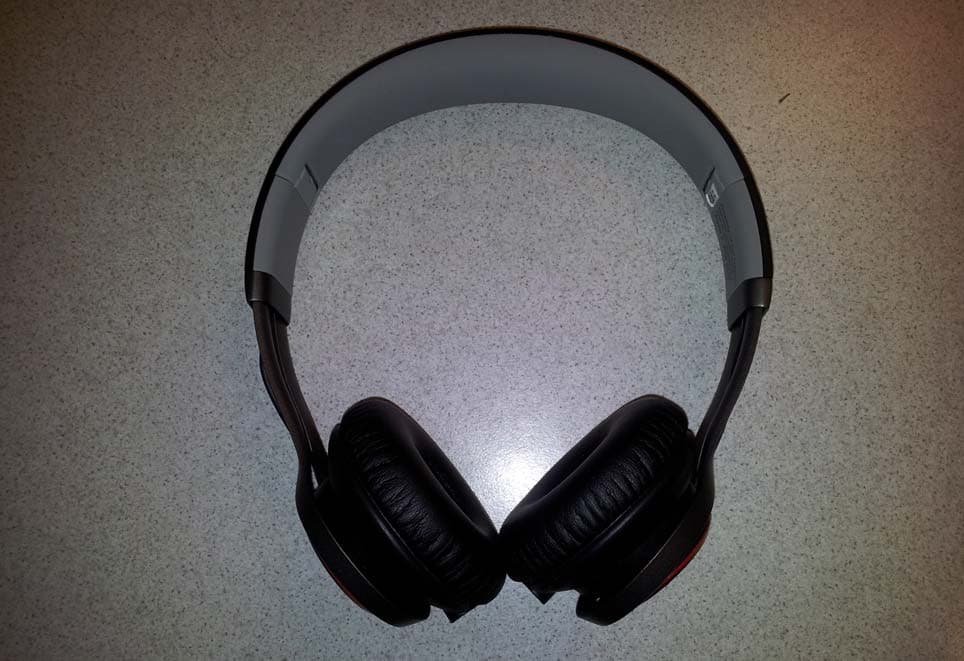
Click to zoom
Application Details
- Equipment Class
- DSS - Part 15 Spread Spectrum Transmitter
- Date of Grant
- Jan 28, 2013
- Application Purpose
- Original Equipment
- Date of Application
- Jan 28, 2013
- Equipment Note
- Bluetooth Headset Jabra OTE13
- Frequency Range
- 2402.00000000 - 2480.00000000
- Company
- GN Audio A/S
- Country
- Denmark
Documents & Files
Document Text
Text extracted from the exhibit documents filed with the FCC. Open a document above to read the original.
Users Manual
jabra.com/revowireless JABRA REVO WIRELESS NEED MORE HELP? Why wait? Go to our support page and find all the answers you’re looking for 24-hours a day. www.jabra.com/revowireless TOLL FREE Customer Contact Details: GET STARTED IN UNDER “Made for iPod,” “Made for iPhone,” and “Made for iPad” mean that an electronic accessory has been designed to connect specifically to iPod, iPhone, or iPad, respectively, and has been certified by the developer to meet Apple performance standards. Apple is not responsible for the operation of this device or its compliance with safety and regulatory standards. NA SUPPORT Email: [email protected] Twitter: twitter.com/jabra_US http://www.jabra.com/mobilesupport (For the latest support info and online user manuals) 1 (800) 327-2230 (U.S.) 1 (800) 489-4199 (Canada) 81-03661 B MINUTES 5 © 2013 GN Netcom A/S (North America: GN Netcom US, Inc.) All rights reserved. Jabra ® is a registered trademark of GN Netcom A/S. All other trademarks included herein are the property of their respective owners. The Bluetooth ® word mark and logos are owned by the Bluetooth SIG, Inc. and any use of such marks by GN Netcom A/S is under license. (Design and specifications subject to change without notice). Dolby and the double-D symbol are registered trademarks of Dolby Laboratories. www.jabra.com Made in China MODEL: OTE13 ENGLISH .....................................1 FRANÇAIS ..................................5 ESPAÑOL ....................................9 PORTUGUÊS ............................13 12 1 CONNECT WIRELESS CONNECTIONS Bluetooth® 1. Hold the On/Off/Pairing switch in the Pairing position for 3 seconds. 2. Pairing mode will be announced in the headphones, and the light will flash blue. 3. Follow the voice-guided pairing instructions to pair to your Bluetooth device. NFC 1. Turn the Revo Wireless on (set the On/Off/Pairing switch to the On position). 2. Hold an NFC device against the NFC zone of the headphones (left earcup). WIRED CONNECTIONS 3.5 mm Jack Connector Does your music device have somewhere to plug in headphones? Good. Connect quickly and easily to it. TIP: Bluetooth connections are disabled when connected to the 3.5 mm Jack Connector. USB (Plug & Play) Want to play music from your PC? Find a free USB slot on your PC and plug your Jabra Revo Wireless USB cable in. TIP: You can connect to your phone wirelessly and to your PC via USB at the same time. ENGLISH NFC zone OFF 34 2 DISCOVER Pause/play musicTap the Multi-function button Speaker volume up/down Swipe a finger in a circular motion on the Turntable Touch Controls Skip music tracks Double-tap the front or back of the Turntable Touch Controls to skip track forwards or backwards, or double-tap/triple-tap the Multi-function button on the cord* Answer/end call*Tap the Multi-function button Reject call* Press and hold (1 sec) the Multi-function button Redial last number* Double-tap the Multi-function button Jabra Sound App Tap the Jabra Sound App button to launch the Jabra Sound App on your connected device (if installed) 3 MUSIC & CHAT * Phone dependent when in corded mode WIRELESSWIRED On/Off/Pairing switch Turntable Touch Controls 3.5 mm Jack Connector Micro-USB Port Battery and Connection Status Lights NFC zone Multi-function button Jabra Sound App button Adjustable Headband Multi-function button Foldable Hinges IMPORTANT Download the Jabra Sound App for your Android TM or iOS device to enhance your music experience. It takes approx. 2 hours to fully charge the battery 56 FRANÇAIS 1 CONNEXION CONNEXIONS SANS FIL Bluetooth® 1. Tenez le commutateur Arrêt/Marche/Appariement en position Appariement pendant 3 secondes. 2. Le mode d’appariement sera annoncé dans le casque, et le voyant clignotera en bleu. 3. Suivez les instructions vocales d’appariement pour apparier votre appareil Bluetooth. NFC 1. Mettez en marche le Revo sans fil (placez le commutateur Arrêt/Marche/Appariement en position Marche). 2. Placez un périphérique NFC contre la zone NFC du casque (oreille gauche). CONNEXIONS PAR CÂBLE Prise de 3,5 mm Votre lecteur de musique a-t-il une prise pour écouteurs ? Bien. Connexion rapide et facile. CONSEIL : La connexion Bluetooth est désactivée lorsqu'un appareil est connecté à la prise de 3,5 mm. USB (Prêt à l'emploi) Vous voulez faire jouer de la musique de votre PC ? Branchez le câble USB de votre Jabra Revo sans fil à un port USB de votre PC. CONSEIL : Vous pouvez vous connecter sans fil à votre téléphone et à votre PC par USB en même temps. Zone NFC OFF 78 2 DÉCOUVERTE Mettre en pause/ Faire jouer de la musique Tapez le bouton Multifonction Volume du haut- parleur haut/bas Faites glisser votre doigt dans un mouvement circulaire sur le Contrôle à affleurement de la platine Sauter les pistes de musique Tapez deux fois sur le dessus ou le dessous du Contrôle à affleurement de la platine pour passer à la piste suivante ou précédente, ou tapez deux/trois fois le bouton Multifonctions sur le cordon* Répondre/fin*Tapez le bouton Multifonction Refuser un appel*Appuyez (1 seconde) sur le bouton Multifonction Recomposez le dernier numéro* Tapez deux fois sur le bouton Multifonction Application Jabra Sound Appuyez sur le bouton Application Jabra Sound pour lancer l'application Jabra Sound sur votre périphérique connecté (si installé) 3 MUSIQUE ET CLAVARDAGE * Varie selon le téléphone orsque connecté SANS FILAVEC FIL Commutateur Marche/ Arrêt/Appariement Contrôle à effleurement Prise de 3,5 mm Port micro USB Voyants de l'état de la pile et de la connexion Zone NFC Bouton multifonction Bouton Application Jabra Sound Casque Ajustable Bouton multifonction Charnières pliables IMPORTANT Personnalisez l'application Jabra Sound pour votre périphérique Android MC ou iOS pour améliorer votre expérience musicale. Un chargement complet s'effectue en environ 2 heures. 910 ESPAÑOL 1 CONÉCTESE CONEXIONES INALÁMBRICAS Bluetooth® 1. Mantenga el interruptor On/off/Sincronización en la posición de sincronización durante tres segu…
Text truncated - open the document above for the full version.
Cover Letter(s)
Ersteller: D. Brandhorst Revision: 00 Erstelldatum: 02. 01.2012 Datum: 00.00.0000 Seite 1 von 1 Long/Short-term Confidentiality Request PHOENIX TESTLAB GmbH Date: 13 December 2012 Product Certification Königswinkel 10 D 32825 Blomberg FCC ID: PB7-OTE13 To Whom it may concerns, Pursuant to sections 0.457(d) and 0.459 of CFR 47 and to avoid premature release of sensitive information prior to marketing or release of the product to the public, we hereby requests long-term confidential treatment of i nformation accompanying this application as outlined below: Schematics Parts List Block Diagram Tune-Up Info Operational Description In addition we hereby request the following exhibits contained in this application to be temporarily (short-term confidentilality) withheld from the public disclosure for an initial period of 180 days until: not applicable External Photos Test Setup Photos Internal Photos Users Manual The above m aterials co ntain trade s ecrets and pr oprietary i nformation not customarily released to the public. The public disclosure of thes e matters might be harmful to the applicant and provide unjustified benefits to its competitors. The applicant understands that pursuant to rule 0.457(d), disclosure of this application and all accompanying documentation will not be made before the date of the GRANT for this application. Thank you for your attention in this matter. Applicant’s Company 7 Layers AG address : Borsigstr. 11. Ratingen, 40880. Germany Signature : ____________________________ Job Title and Dept. :Project Manager
Cover Letter(s)
GN Netcom A/S Lautrupbjerg 7 DK-2750 Ballerup P.O. Box 99 Phone +45 4575 0000 Co. Reg. No. 15069511 www.jabra.com Att.: Federal Communications Commission RE.: Letter of authorization Hereby GN Netcom A/S authorize Lily Zhuang, Tammy D. Petersen and Tom Ringtved GN Netcom A/S Lautrupbjerg 7, DK-2750 Ballerup, Denmark Telephone: +45 45 75 88 88 to act on our behalf in all matters relating to application for equipment authorization of all our products with brand names: Jabra using the PB7 grantee code in USA. Signed Ballerup, 2012-11-30 on behalf of GN Netcom A/S by: Name: Steen Kaiser Position: Manager, Product Certifications
Cover Letter(s)
GN Netcom A/S Lautrupbjerg 7 P.O.Box 201 DK-2750 Ballerup Denmark Tel. +45 45 75 88 88 www.jabra.com R&D TA Engineer Direct +45 45759186 Mobile E-mail [email protected] A GN Great Nordic Company Att.: Federal Communications Commission / Industry Canada RE.: Letter of agent authorization Hereby we GN Netcom A/S Lautrupbjerg 7, DK-2750 Ballerup, Denmark Telephone: +45 45 75 88 88 authorize 7 Layers AG, Ratingen, Germany – Mr. Carsten Steinroeder - to act on our behalf in all matters relating to application for equipment authorization of the product: Jabra OTE13 Bluetooth ® Headset in USA and Canada. We also hereby certify that no party to the application authorized hereunder is subject to the denial of benefits, including FCC benefits, pursuant to Section 5301 of the Anti-Drug Abuse Act of 1988,21 U.S.C.853(a). This agreement expires 6 months from the current date Ballerup, Denmark 2012-11-29 Tom Ringtved ................................. .......................... ............................... (Place) (Date) (Name - print) [Company stamp] .................................................................................................... (Legally valid signature)
Cover Letter(s)
GN Netcom A/S Lautrupbjerg 7 P.O.Box 201 DK-2750 Ballerup Denmark Tel. +45 45 75 88 88 www.jabra.com R&D TA Engineer Direct +45 45759186 Mobile E-mail [email protected] A GN Great Nordic Company Applicant's declaration concerning User Manual Statements Federal Communications Commission & Industry Canada Re: application for Jabra OTE13 Bluetooth ® Headset FCC ID: PB7-OTE13 IC: 2386C-OTE13 Gentlemen, The North American version of the User Manual for the Jabra OTE13 Bluetooth ® Headset will include the following statements: FCC This device complies with part 15 of the FCC Rules. Operation is subject to the following two conditions: (1) This device may not cause harmful interference, and (2) this device must accept any interference received, including interference that may cause undesired operation. Users are not permitted to make changes or modify the device in any way. Changes or modifications not expressly approved by Jabra (GN Netcom) will void the user’s authority to operate the equipment. This equipment has been tested and found to comply with the limits for a Class B digital device, pursuant to part 15 of the FCC Rules. These limits are designed to provide reasonable protection against harmful interference in a residential installation. This equipment generates, uses and can radiate radio frequency energy and, if not installed and used in accordance with the instructions, may cause harmful interference to radio communications. However, there is no guarantee that R&D TA Engineer Direct +45 45759186 Mobile E-mail [email protected] A GN Great Nordic Company interference will not occur in a particular installation. If this equipment does cause harmful interference to radio or television reception, which can be determined by turning the equipment off and on, the user is encouraged to try to correct the interference by one or more of the following measures: • Reorient or relocate the receiving antenna. • Increase the separation between the equipment and receiver. • Connect the equipment into an outlet on a circuit different from that to which the receiver is connected. • Consult the dealer or an experienced radio/TV technician for help. The device and its antenna must not be co-loaded or operating in conjunction with any other antenna or transmitter. Industry Canada Operation is subject to the following two conditions: (1) This device may not cause interference and (2) This device must accept any interference, including interference that may cause undesired operation of the device. The term “IC:” before the certification/registration number only signifies that registration was performed based on a Declaration of Conformity indicating that Industry Canada technical specifications were met. It does not imply that Industry Canada approved the equipment. This equipment complies with IC RF radiation exposure limits set forth for an uncontrolled environment as per RSS-102 issue 2. The above IC statement will be transateled into French in the final version. Bluetooth The Bluetooth® word mark and logos are owned by the Bluetooth SIG, Inc. and any use of such marks by GN/BlackBerry is under license. Other trademarks and trade names are those of their respective owners. Ballerup, Denmark 2012-11-29 Tom Ringtved ................................. .......................... ............................... (Place) (Date) (Name - print) [Company stamp] .................................................................................................... (Legally valid signature)
Cover Letter(s)
GN Netcom A/S Lautrupbjerg 7 P.O.Box 201 DK-2750 Ballerup Denmark Tel. +45 45 75 88 88 www.jabra.com R&D Certification Engineer, Global Product Certifications Direct +45 45 75 91 86 Mobile E-mail [email protected] A GN Great Nordic Company Antenna Declaration Federal Communications Commission / Industry Canada RE: Antenna Declaration Jabra OTE13 Bluetooth ® Headset FCC ID: PB7-OTE13 IC: 2386C-OTE13 Gentlemen, It's hereby declared that the Jabra OTE13 fulfils the FCC/IC requirements relating to the antenna type. The Jabra OTE13 conforms to FCC recommendation with internal antenna type: Patch antenna Total average gain of the antenna is 0 dBi (typ.), 2.5 dBi (max). Frequency range is 2.400MHz to 2.484MHz Date of issue: 2012-11-29 Place of issue: Ballerup, Denmark Tom Ringtved GN Netcom A/S
Cover Letter(s)
PHOENIX TESTLAB GmbH Koenigswinkel 10 32825 Blomberg Germany Patrick Lomax 21.12.2011 Phone +49 (0) 2102 749 331 Fax +49 (0) 2102 749 350 FCC ID: PB7-OTE13 SAR Exemption for “Jabra OTE13 Bluetooth® Headset “ Dear Mr. Brandhorst, The Bluetooth device “Jabra OTE13 Bluetooth® Headset” by Alpine Electronics Inc. is exempted from SAR evaluation, because the source-based time–averaged output power is below 10mW, as per “KDB 447498”. Best Regards, Patrick Lomax
ID Label/Location Info
Right Left Week Code Combined Paper Label Size:7.3X7.5mm(LXH) Size:7.19X5.0mm(LXH) Size:2.2X3.5mm(LXH) Size:5.5X4.0mm(LXH) Size:3.0X3.0mm(LXH) Size:6.3X7.0mm(LXH) WWY 64B402 50C971 Size:11.5X5mm(LXH) 6 4 B 0 2 4 0 9 1 5 C 7 Size:21.0X11.5mm(LXH) 64B402 50C971 Size:11.5X5mm(LXH) W W Y Timbaland Speaker cover Print N365 Z302 D A C m 0 5 5 0 V 3 1 E T - O C C I 2 3 : 8 6 3 1 E T - O C C I 2 3 : 8 6 X X X X X D 0 0 X N Y 4 N 3 6 5 Z 3 0 2 C X X M I X I X T 2 X : 1 2 0 X C X X M I X I X T 2 X : 1 2 0 X M 3 o 1 d T l E e : O G N M - P H S 0 0 2 W K C C - C M M - F C 3 C 1 I T E - : O D B P 7
Test Report
Final Report on Jabra OTE13 MDE_GNNET_1211_FCCb According to Title 47 CFR chapter I part 15 subpart C Report Reference: December 14, 2012 Date: Test Laboratory: 7Layers AG Borsigstr. 11 40880 Ratingen Germany Note: The following test results relate only to the devices specified in this document. This report shall not be reproduced in parts without the written approval of the test laboratory. 7Layers AG Aufsichtsratsvorsitzender Registergericht registered in: Borsigstrasse 11 Chairman of the Supervisory Board: Düsseldorf, HRB 44096 40880 Ratingen, Germany Ralf Mertens USt-IdNr VAT No.: Phone: +49 (0) 2102 749 0 Vorstand Board: DE 203159652 Fax: +49 (0) 2102 749 350 Dr. H.-J. Meckelburg TAX No. 147/5869/0385 www.7Layers.com Reference: MDE_GNNET_1211_FCCb According to Title 47 CFR chapter I part 15 subpart C 2.2 Detailed Description of OUT Samples Sample : A01 OUT Identifier Jabra OTE13 Sample Description Conducted Sample Serial No. #01 HW Status 2.6.0 SW Status 28-03611 Low VoltageLow Temp. 3.5 V-20 °C High Temp.High Voltage 4.2 V65 °C Normal Temp.Nominal Voltage 3.7 V23 °C Sample : B01 OUT Identifier Jabra OTE13 Sample Description Radiated Sample Serial No. #02 HW Status 2.6.0 SW Status 28-03611 Sample : AC_01 OUT Identifier 2.5mm Audio Cable Sample Description 2.5mm Audio cable Sample : USB1 OUT Identifier USB Cable Sample Description USB Data cable Page 4 of 56 Reference: MDE_GNNET_1211_FCCb According to Title 47 CFR chapter I part 15 subpart C 2.3 OUT Features Features for OUT: Jabra OTE13 Allowed ValuesDesignationDescriptionSupported Value(s) Features for scope: FCC_v2 AC The OUT is powered by or connected to AC Mains BT EUT supports Bluetooth data rate of 1 Mbps with GFSK modulation in the band 2400 MHz - 2483.5 MHz EDR2 EUT supports Bluetooth using data rate of 2 Mbps with PI/4 DQPSK modulation in the band 2400 MHz - 2483.5 MHz EDR3 EUT supports Bluetooth using data rate of 3 Mbps with 8DPSK modulation in the band 2400 MHz - 2483.5 MHz Iant Integral Antenna: permanent fixed antenna, which may be built-in, designed as an indispensable part of the equipment TantC temporary antenna connector, which may be only built-in for testing, designed as an example part of the equipment 2.4 Auxiliary Equipment AE No.Serial No.SW StatusHW StatusDescriptionType Designation AE 05 0335C2065 (110v/60Hz) A30638114250AC Adapter 2 AE 07 CHERRY RS 6000 USB ON G 0000273 2P28Keyboard 1 AE 04 Fujitsu Siemens/ AMILO Pro V3205 YK2H014267 Windows 7 Professional Engl. Laptop 2 AE 03LG Flatron L1740BQ 509WANF1W607TFT 1 AE 06Logitech M-BB48LZC90505478Mouse Page 5 of 56 Reference: MDE_GNNET_1211_FCCb According to Title 47 CFR chapter I part 15 subpart C 2.5 Setups used for Testing For each setup a relation is given to determine if and which samples and auxiliary equipment is used. The left side list all OUT samples and the right side lists all auxiliary equipment for the given setup. Sample No.Sample DescriptionAE No.AE Description Setup No. List of OUT samplesList of auxiliary equipment S_PC1B01 (Computer setup USB connection) AE 05AC Adapter 2USB1USB Data cable Sample: AE 07Keyboard 1B01Radiated Sample Sample: AE 04Laptop 2 AE 03TFT 1 AE 06Mouse S01_A01 (Conducted sample) A01Conducted Sample Sample: S01_B01 (Radiated setup) AC_012.5mm Audio cable Sample: USB1USB Data cable Sample: B01Radiated Sample Sample: 3 Results 3.1 General Available at the test laboratory. The results of the inspection are described on the following pages, where 'Conformity' or 'Passed' means that the certification criteria were verified and that the tested device is conform to the applied standard. In cases where 'Declaration' is printed, the required documents are available in the manufacturers product documentation. In cases where 'not applicable' is printed, the test case requirements are not relevant to the specific equipment implementation. Documentation of tested devices: Interpretation of the test results: The laboratory environmental conditions are recorded and available in the Interlab system for each performed test. Note: 3.2 List of the Applicable Body (Body for Scope: FCC_v2) DesignationDescription Subpart C - Intentional Radiators; 15.247 Operation within the bands 902-928 MHz, 2400-2483.5 MHz, and 5725-5850 MHz. FCC47CFRChIPART15c247RADIO FREQUENCY DEVICES Page 6 of 56 Reference: MDE_GNNET_1211_FCCb According to Title 47 CFR chapter I part 15 subpart C 3.3 List of Test Specification Test Specification: FCC part 2 and 15 Version10-1-11 Edition Title:PART 2 - GENERAL RULES AND REGULATIONS PART 15 - RADIO FREQUENCY DEVICES Page 7 of 56 Reference: MDE_GNNET_1211_FCCb According to Title 47 CFR chapter I part 15 subpart C 3.4 Summary Test Case Identifier / Name SetupDate of TestResultTest (condition)Ref. Lab 15c.1 Conducted emissions (AC power line) §15.207 15c.1; Mode = transmit2012/11/18S_PC1B01Lab 1Passed 15c.2 Spurious radiated emissions §15.247 (d), §15.35 (b), §15.209 15c.2; Frequency = 2402, Mode = BT transmit using 1 Mbps with GFSK modulation, Channel = low 2012/11/14S01_B01Lab 2Passed 15c.2; Frequency = 2402, Mode = BT transmit using 2 Mbps with PI/4 DQPSK modulation 2012/11/18S01_B01Lab 2Passed 15c.2; Frequency = 2402, Mode = BT transmit using 3 Mbps with 8DPSK modulation 2012/11/18S01_B01Lab 2Passed 15c.2; Frequency = 2441, Mode = BT transmit using 1 Mbps with GFSK modulation, Channel = mid 2012/11/13S01_B01Lab 2Passed 15c.2; Frequency = 2441, Mode = BT transmit using 2 Mbps with PI/4 DQPSK modulation 2012/11/18S01_B01Lab 2Passed 15c.2; Frequency = 2441, Mode = BT transmit using 3 Mbps with 8DPSK modulation 2012/11/18S01_B01Lab 2Passed 15c.2; Frequency = 2480, Mode = BT transmit using 1 Mbps with GFSK modulation, Channel = highest 2012/11/13S01_B01Lab 2Passed 15c.2; Frequency = 2480, Mode = BT transmit using 2 Mbps with PI/4 DQPSK modulation 2012/11/18S01_B01Lab 2Passed 15c.2; Frequency = 2480, Mode = BT transmit using 3 Mbps with 8DPSK modulation 2012/11/18S01_B01Lab 2Passed 15c.3 Occupied bandwidth §15.247 (a) (1)…
Text truncated - open the document above for the full version.
Test Setup Photos
Test Laboratory: Borsigstr. 11 Germany 7Layers AG 40880 Ratingen Note: The following test results relate only to the devices specified in this document. This report shall not be reproduced in parts without the written approval of the test laboratory. 7 layers AG Aufsichtsratsvorsitzender Registergericht registered in: Borsigstrasse 11 Chairman of the Supervisory Board: Düsseldorf, HRB 44096 40880 Ratingen, Germany Ralf Mertens USt-IdNr VAT No.: Phone: +49 (0) 2102 749 0 Vorstand Board: DE 203159652 Fax: +49 (0) 2102 749 350 Dr. H.-J. Meckelburg TAX No. 147/5869/0385 www.7Layers.com Photo Report on Test Setups Report Reference: MDE_GNNET_1212_FCCa_Photo_Setups Test report Reference: MDE_GNNET_1212_FCCa_Photo_Setups Page 2 of 5 Photo 1: Test setup for radiated measurements (Enclosure, below 30 MHz, intentional radiator §15) Test report Reference: MDE_GNNET_1212_FCCa_Photo_Setups Page 3 of 5 Photo 2: Test setup for radiated measurements (Enclosure, semi-anechoic chamber, 30 MHz to 1 GHz, intentional radiator §15) Test report Reference: MDE_GNNET_1212_FCCa_Photo_Setups Page 4 of 5 Photo 3: Test setup for radiated measurements (Enclosure, fully-anechoic chamber, 1-18 GHz intentional radiator §15 / 30 MHz – 10/20 GHz §22/24/27) Test report Reference: MDE_GNNET_1212_FCCa_Photo_Setups Page 5 of 5 Photo 4: Test setup for radiated measurements (Enclosure, fully-anechoic chamber, 18-25 GHz, intentional radiator § 15)
Contact Information
Applicant
Steen Kaiser(Mr.)
Test Firm
7layers AGRobert Machulec
Technical Specifications
| # | Rule Parts | Frequency Range | Power Output |
|---|---|---|---|
| 1 | 15C | 2.40 GHz - 2.48 GHz | 6.00 mW |
Other Applications from GN Audio A/S
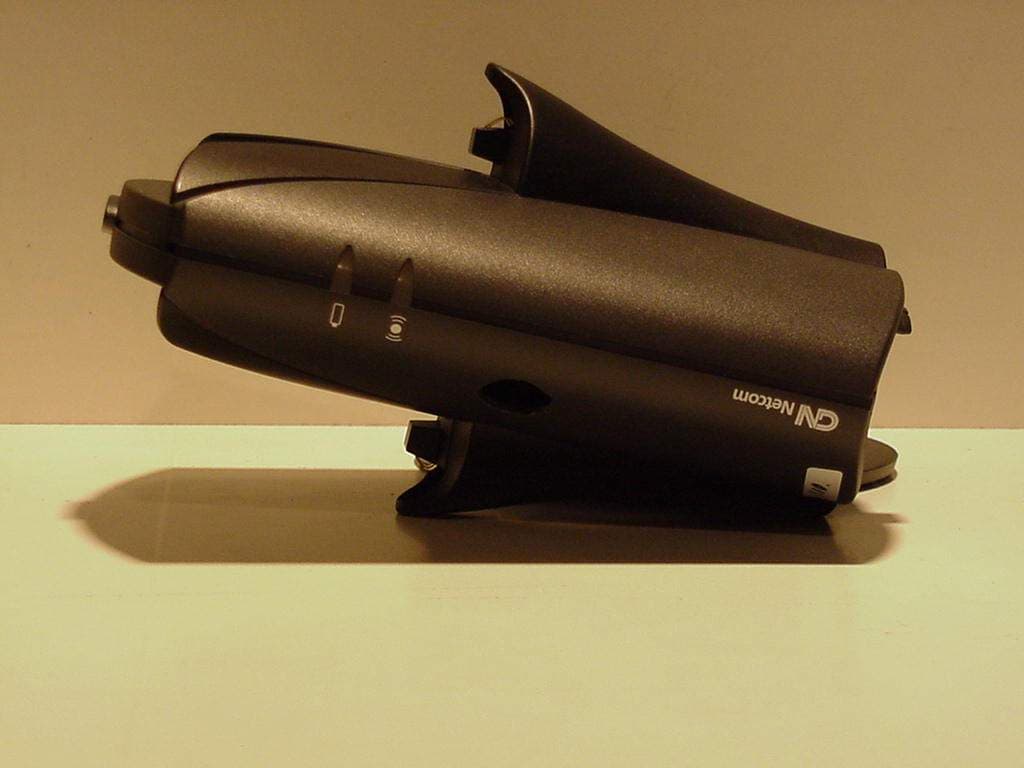
PB7GN9010
Mar 13, 2001GN 9000 Bluetooth base unit
Equipment Class
DSS - Part 15 Spread Spectrum Transmitter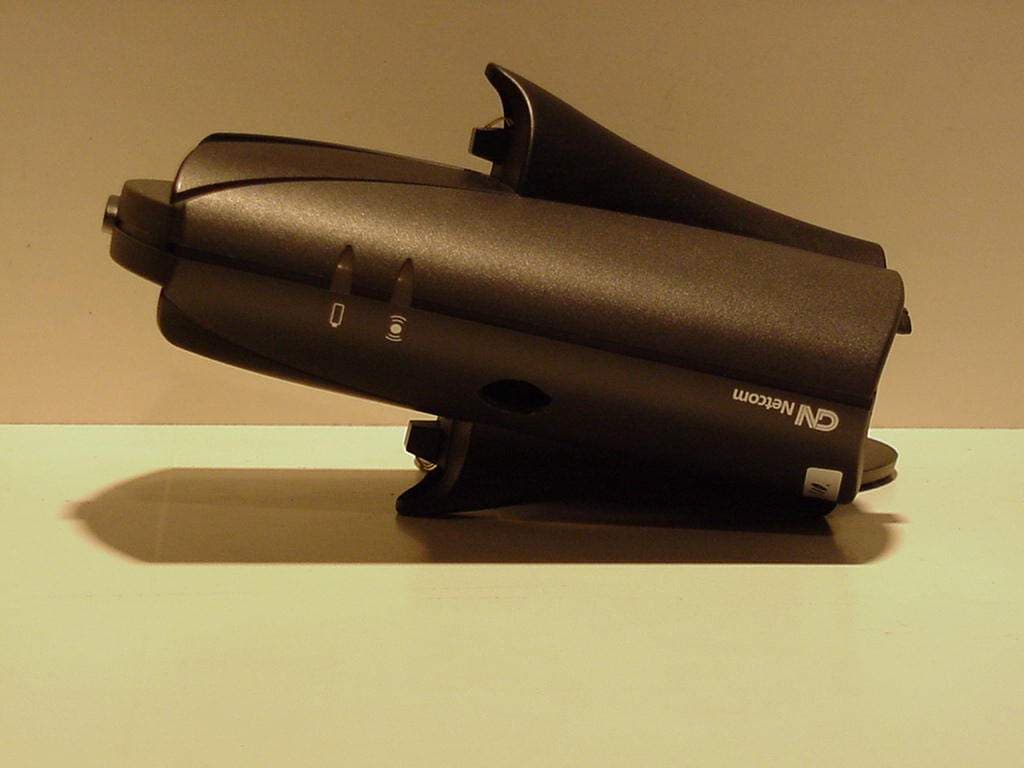
PB7GN9015
Feb 28, 2001Headset
Equipment Class
DSS - Part 15 Spread Spectrum Transmitter