PGWOTTURTLESHELLBluetooth Boom Box
The Ketchum Group, Inc. dba Outdoor Technology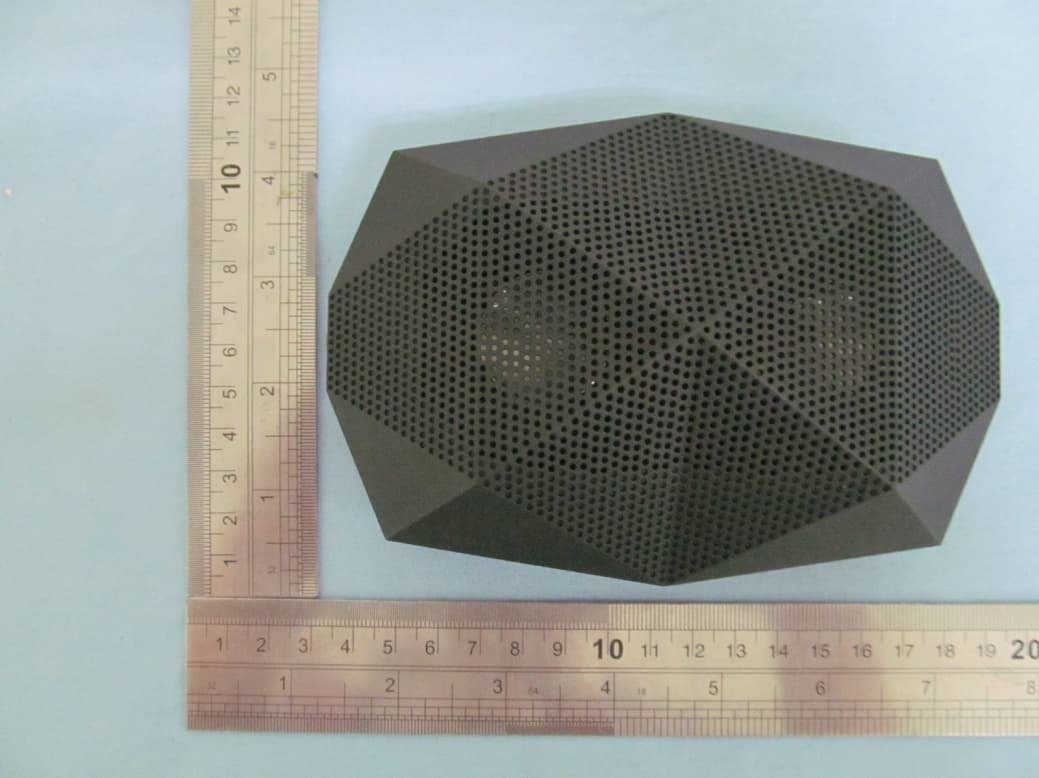
Click to zoom
Application Details
- Equipment Class
- DSS - Part 15 Spread Spectrum Transmitter
- Date of Grant
- Aug 29, 2012
- Application Purpose
- Original Equipment
- Date of Application
- Aug 29, 2012
- Equipment Note
- Bluetooth Boom Box
- Frequency Range
- 2402.00000000 - 2480.00000000
- Country
- United States
Documents & Files
Document Text
Text extracted from the exhibit documents filed with the FCC. Open a document above to read the original.
Users Manual
Welcome to total sonic freedom. SHELL ANATOMY POWER UP * GET CONNECTED * GET LISTENING * GET TALKING SPECIFICATIONS FAQ’S CONTENTS 1 3 4 7 8 9 10 ANATOMY On / Off Switch & Indicator Light Built in Microphone 3.5mm Audio Input Micro USB Charge Port 1. ANATOMY Volume / Track Control Raise Volume by pressing >> Lower volume by pressing << Skip forward by holding >> for 1-2 seconds Skip backward by holding << for 1-2 seconds Multi-Function Button: Music / Calls / Pairing Press once to Play / Pause OR Answer / Hang up Hold down for 6 seconds to enter pairing mode 2. For best results, fully charge your Turtle Shell before use. For a Full Charge, plug the Turtle Shell into your wall charger or computer via micro USB cable. Indicator Light - Battery Alerts - Flashes RED - Low Battery - Steady WHITE glow - Fully Charged NOTE: It takes 2 hours to give your Turtle Shell an 80%charge. A full charge takes 2.5 hours. POWER 3. When using the Turtle Shell as a speakerphone, please note that the built-in microphone only works while connected via Bluetooth. Your Turtle Shell can wirelessly stream audio from any Bluetooth device up to 30 feet away. CONNECT Connect Wirelessly via Bluetooth or via 3.5mm Stereo Input. Bluetooth 3.5mm stereo input (Wireless audio) (Wired audio) 4. Enter Pairing Mode 1. Press and hold the multi-function button for about 6 seconds 2. Wait for the indicator light to flash RED and BLUE. 3. Release mult-ifunction button, you are now in pairing mode. Prepare your phone or device - Turn on Bluetooth. iPhone, iPod, or iPod: Settings > General > Enable Bluetooth Android: Settings > Wireless & Networks > Bluetooth Settings Blackberry: Settings / Options > Bluetooth > Enable Bluetooth Other Cell Phones: Review the instruction manual that came with your phone, or Google it. HOLD FOR 6 SECONDS FOR PAIRING MODE PAIR 5. Enter Pairing Mode 1. Press and hold the multi-function button for about 6 seconds 2. Wait for the indicator light to flash RED and BLUE. 3. Release mult-ifunction button, you are now in pairing mode. Prepare your phone or device - Turn on Bluetooth. iPhone, iPod, or iPod: Settings > General > Enable Bluetooth Android: Settings > Wireless & Networks > Bluetooth Settings Blackberry: Settings / Options > Bluetooth > Enable Bluetooth Other Cell Phones: Review the instruction manual that came with your phone, or Google it. Pair Go to your device’s Bluetooth settings ADD or SEARCH devices. When “OT Turtle Shell” appears, select it. *If asked for a pass code: Enter “0000” Plug & Play - 3.5mm stereo line in PAIR 6. No Bluetooth? The Turtle Shell also connects via 3.5mm stereo input. Play audio from any device with a headphone jack or audio output The Turtle Shell is built to go anywhere, but for optimal sound quality follow the steps below. Make sure Turtle Shell is resting on its base and facing upwards. When connected wirelessly via Bluetooth, it’s best to turn the volume on your phone/device fully up and then use the volume control (<< / >>) on the Turtle Shell. When connected via 3.5mm stereo input, your phone/device may distort the audio signal if turned up too loud. Turn down the volume on your phone/device before adjusting the volume on Turtle Shell. LISTEN 7. The built in microphone means that the Turtle Shell can be used as a wireless speakerphone. Just speak in the direction of the top grill. *NOTE The built-in microphone only works when connected via Bluetooth. Answer or End a Call: Press the multifunction button to answer and end a call. Decline a Call: Press and hold the multifunction button for 2 seconds. Make a Call: Use your phone to dial as usual. Listen and talk through the Turtle Shell. Redial Last Number: Press the Main Function Button twice. Mute: Hold the >> and << Buttons for 2 seconds, or until you hear a beep. Simultaneous Calls: To answer another call, just press the multifunction button. TALK 8. Battery Life: Music playing for 8 hours, talk time about 30 hours, standby time 700 hours *Battery life varies subject to different playing circumstance such as music type or volume. Speaker: 2W x 2 < 0.1% THD Average Output: [email protected] Frequency: 60Hz – 20kHz Input Power: 100-240V 50/60Hz 800mA Dimensions: 143 x 100 x 55 mm Weight: 350g Bluetooth Range: Up to 30 feet from device SPECS 9. Hearing Distortion A. Lower the volume on your Turtle Shell and / or phone /device. B. Make sure it’s charged up. Check for low battery, then charge if necessary. Not Loud Enough A. Turn up the volume on your phone / device or your Turtle Shell. B. Make sure it’s charged up. C. Plug the Turtle Shell in to your phone / device via 3.5mm stereo cable. Unable to Pair A. Confirm your phone / device is Bluetooth compatible. B. Re-Pair: Follow pairing instructions in this guide (Page 5). Signal Loss or Dropouts via Bluetooth A. Move Turtle Shell closer to your phone / device. B. Make sure it’s charged up. C. Turn off your Turtle Shell and phone / device, then power up and reconnect. FAQ 10. www.outdoortechnology.com IMPORTANT REGULATORY INFORMATION This device complies with Part 15 of the FCC Rules: Operation is subject to the following two conditions: 1. This device may not cause harmful interference and 2. This device must accept any interference that is received, including any interference that may cause undesired operation. WARNING: Changes or modifications to this unit not expressly approved by the party responsible for compliance could void the user’s authority to operate the equipment.
Cover Letter(s)
Aug Fed Aut FCC Re: Pur s requ 1: B 2: C 3: O 4: P Th e rele app Th e all a app Sin c OU Co n g.28, 2012 deral Comm thorization C ID: PGW : Confiden suant to Se uests confid Block Diagra Circuit Diagra Operational D Parts List e above mat ased to the licant and p e Applicant u accompanyi lication. cerely, TDOOR T ntact Perso 2 munication and Evalu WOTTURTL ntiality Re ctions 0.457 ential treatm m am Description terials conta e public. The rovide unjus understands ng docume n TECHNOLO on: Caro K n Commiss uation Divis LESHELL quest 7 and 0.459 ment of infor ain trade se e public dis stified benef that pursua ntation will OGY Krissman sion sion 9 of the Com rmation appl ecrets and p sclosure of t fits to its com nt to Rules 0 not be mad mmission’s R ied this app proprietary these matte mpetitors. 0.457, disclo e before th Rules, the a lication as o information ers might be osure of this e date of th applicant he outlined belo not custom e harmful to s Application he Grant for ereby ow: marily o the n and r this
External Photos
PHOTOGRAPHS OF THE EUT WHOLE VIEW OF EUT TOP VIEW OF EUT BOTTOM VIEW OF EUT LEFT VIEW OF EUT RIGHT VIEW OF EUT FRONT VIEW OF EUT BACK VIEW OF EUT
ID Label/Location Info
FCC Lable Location BLUETOOTH BOOM BOX FCC ID: PGWOTTURTLESHELL Model Name:OT TURTLE SHELL Brand Name:OUTDOOR TECHNOLOGY
Test Report
FCC Test Report Report No.: AGC001120602F2 FCC ID : PGWOTTURTLESHELL PRODUCT DESIGNATION : BLUETOOTH BOOM BOX BRAND NAME : OUTDOOR TECHNOLOGY MODEL NAME : OT TURTLE SHELL CLIENT : OUTDOOR TECHNOLOGY DATE OF ISSUE : August 28, 2012 STANDARD(S) : FCC Part 15 Rules REPORT VERSION : V1.0 Attestation of Global Compliance (Shenzhen) Co., Ltd. CAUTION: This report shall not be reproduced except in full without the written permission of the test laboratory and shall not be quoted out of context. Report No.: AGC001120602F2 Page 1 of 45 VERIFICATION OF COMPLIANCE Applicant OUTDOOR TECHNOLOGY 8915 S. La Cienega blvd.Unit B Inglewood CA 90301 USA Manufacturer XIA MEN JOYATECH CO., LTD. 304# 28TH BUILDING, GUANRI ROAD, XIAMEN SOFTWARE PARK, XIAMEN, FUJIAN PROVINCE, CHINA Product Designation BLUETOOTH BOOM BOX Brand Name OUTDOOR TECHNOLOGY Test Model OT TURTLE SHELL FCC ID PGWOTTURTLESHELL Report Number AGC001120602F2 Date of Test August 17, 2012 to August 24, 2012 WE HEREBY CERTIFY THAT: The above equipment was tested by Attestation of Global Compliance (Shenzhen) Co., Ltd. The test data, data evaluation, test procedures, and equipment configurations shown in this report were made in accordance with the procedures given in ANSI C63.4 (2003) and the energy emitted by the sample EUT tested as described in this report is in compliance with radiated emission limits of FCC Rules Part 15.247. Tested By: Leo Lee August 28, 2012 Reviewed By: Forrest Lei August 28, 2012 Approved By: Solger Zhang August 28, 2012 Report No.: AGC001120602F2 Page 2 of 45 TABLE OF CONTENTS 1. GENERAL INFORMATION ............................................................................................................................ 4 1.1 PRODUCT DESCRIPTION ....................................................................................................................... 4 1.2 TABLE OF CARRIER FREQUENCYS ..................................................................................................... 4 1.3 RECEIVER INPUT BANDWIDTH ............................................................................................................. 5 1.4 EXAMPLE OF A HOPPING SEQUENCY IN DATA MODE ...................................................................... 6 1.5 EQUALLY AVERAGE USE OF FREQUENCIES AND BEHAVIOUR ....................................................... 6 1.6 RELATED SUBMITTAL(S) / GRANT (S) ................................................................................................. 6 1.7 TEST METHODOLOGY ........................................................................................................................... 6 1.8 MEASUREMENT UNCERTAINTY ........................................................................................................... 6 1.9 TEST FACILITY ........................................................................................................................................ 7 1.10 SPECIAL ACCESSORIES ..................................................................................................................... 7 1.11 EQUIPMENT MODIFICATIONS ............................................................................................................. 7 2. SYSTEM TEST CONFIGURATION ............................................................................................................... 8 2.1 CONFIGURATION OF TESTED SYSTEM ............................................................................................... 8 2.2 EQUIPMENT USED IN EUT SYSTEM ..................................................................................................... 8 3. SUMMARY OF TEST RESULTS ................................................................................................................... 9 4. DESCRIPTION OF TEST MODES ................................................................................................................. 9 5. PEAK OUTPUT POWER ............................................................................................................................. 10 5.1 MEASUREMENT PROCEDURE ............................................................................................................ 10 5.2 TEST SET-UP (BLOCK DIAGRAM OF CONFIGURATION) .................................................................. 10 5.3 MEASUREMENT EQUIPMENT USED .................................................................................................. 10 5.4 LIMITS AND MEASUREMENT RESULT ............................................................................................... 11 6. 20 DB BANDWIDTH .................................................................................................................................... 12 6.1 MEASUREMENT PROCEDURE ............................................................................................................ 12 6.2 TEST SET-UP (BLOCK DIAGRAM OF CONFIGURATION) .................................................................. 12 6.3 MEASUREMENT EQUIPMENT USED .................................................................................................. 12 6.4 LIMITS AND MEASUREMENT RESULTS ............................................................................................. 12 7. CONDUCTED SPURIOUS EMISSION ........................................................................................................ 14 7.1 MEASUREMENT PROCEDURE ..................................................................................................... ....... 14 7.2 TEST SET-UP (BLOCK DIAGRAM OF CONFIGURATION) .................................................................. 14 7.3 MEASUREMENT EQUIPMENT USED .................................................................................................. 14 7.4 LIMITS AND MEASUREMENT RESULT ............................................................................................... 14 8. RADIATED EMISSION .....................…
Text truncated - open the document above for the full version.
Test Setup Photos
PHOTOGRAPHS OF THE TEST SETUP CONDUCTED EMISSION RADIATED EMISSION
Contact Information
Applicant
Charles Gugliuzza
Test Firm
Attestation of Global Compliance Shenzhen Co. Ltd.Forrest Lei
Technical Specifications
| # | Rule Parts | Frequency Range | Power Output |
|---|---|---|---|
| 1 | 15C | 2.40 GHz - 2.48 GHz | 1.00 mW |
Other Applications from The Ketchum Group, Inc. dba Outdoor Technology
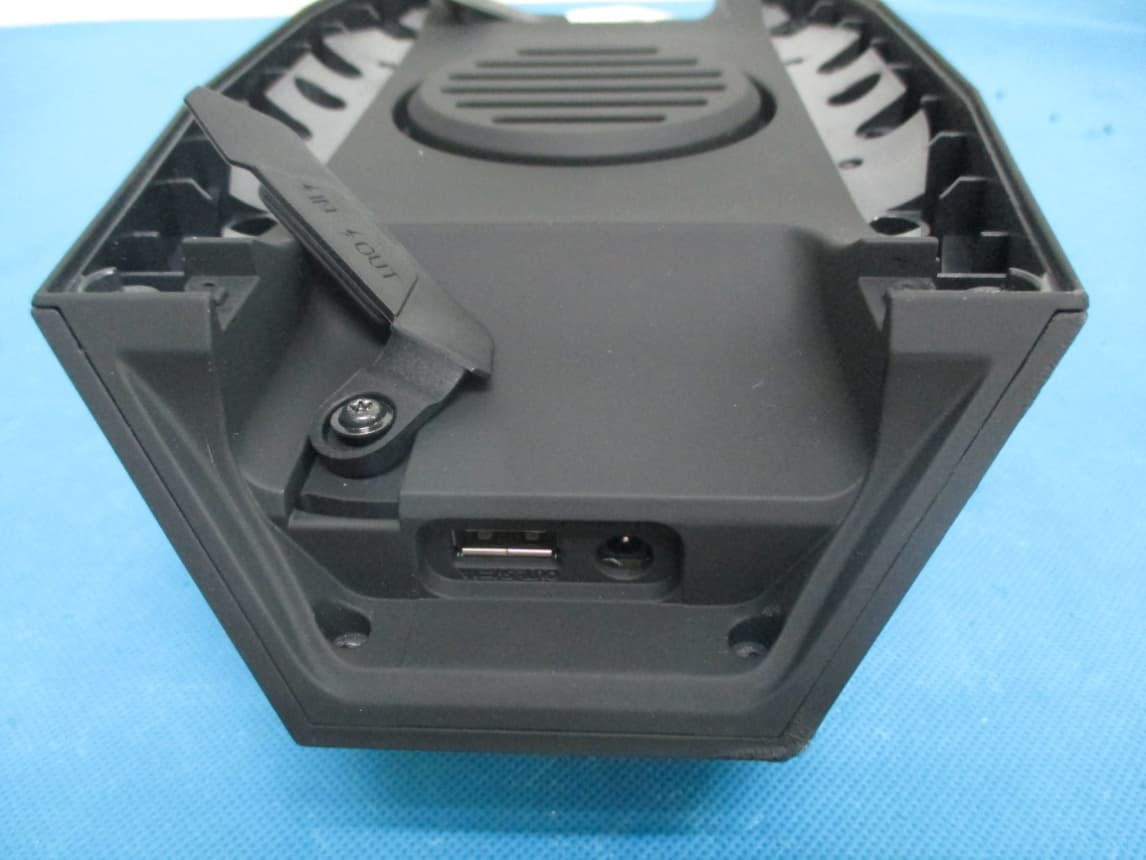
PGWTURTLESHELL
Jul 01, 2014Bluetooth Speaker
Equipment Class
DSS - Part 15 Spread Spectrum Transmitter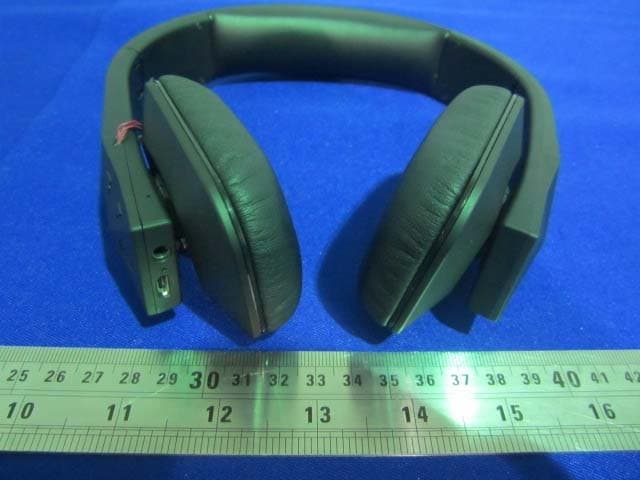
PGW-TUIS
May 29, 2014Bluetooth Stereo Headset
Equipment Class
DTS - Digital Transmission System