PLLTM2010LCD Monitor
3B Technology Co., Ltd.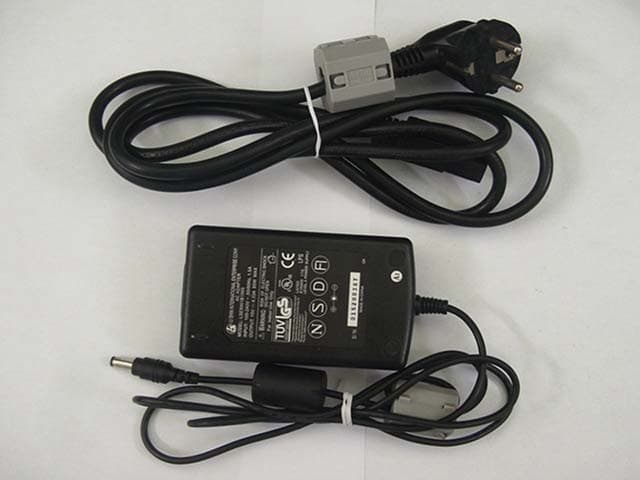
Click to zoom
Application Details
- Equipment Class
- JBP - Part 15 Class B Computing Device Peripheral
- Date of Grant
- Sep 02, 2002
- Application Purpose
- Original Equipment
- Date of Application
- Sep 02, 2002
- Equipment Note
- LCD Monitor
- Company
- 3B Technology Co., Ltd.
- Country
- South Korea
Documents & Files
Document Text
Text extracted from the exhibit documents filed with the FCC. Open a document above to read the original.
Users Manual
selecting Information in this manual may change without notice. 3 8 9 23 3 3 4 ~ 7 4 ~ 7 4 ~ 7 9 17 20 02 ̄¥‚ ̆fi 2 01.11.5 4:15 PM ̆ ` 1 please to scratching are Power Supply Audio Cable - 1pc 03 ̄¥‚ ̆fi 2 01.11.5 4:15 PM ̆ ` 2 04 ( TM 1210 ) SENSOR S-VHS INPUT TV ANT VIDEO INPUT COMPUTER SIGNAL INPUT AUDIO INPUT POWER CHANNEL MENU SELECT/MUTE POWER ̄¥‚ ̆fi 2 01.11.5 4:15 PM ̆ ` 3 ( TM 1510 ) 05 ̄¥‚ ̆fi 2 01.11.5 4:15 PM ̆ ` 4 ( TM 1512 SILVER ) EXTERNAL VIDEO IN PC INS-VHS IN12V DC INAUDIO OUT EXTERNAL AUDIO L IN R TV ANT IN 01-15004368 SELECT 06 SENSOR SELECTMENUPOWERLEDCHANNEL COMPUTER SIGNAL INPUT VIDEO INPUT S-VHS INPUT 12V POWER AUDIO INPUT AUDIO OUTPUT TV ANT ̄¥‚ ̆fi 2 01.11.5 4:15 PM ̆ ` 5 07 EXTERNAL VIDEO IN PC INS-VHS IN12V DC INAUDIO OUT EXTERNAL AUDIO L IN R TV ANT IN ( TM 1512 HAL ) SENSOR SELECT/MUTEMENUPOWERCHANNEL 12V POWER AUDIO INPUT AUDIO OUTPUT TV ANT COMPUTER SIGNAL INPUT VIDEO INPUT S-VHS INPUT ̄¥‚ ̆fi 2 01.11.5 4:15 PM ̆ ` 6 1 23 4 5 6 7 8 9 0 # SEL TV VIDEO MENU MTR MUTEPOWER S-VHS CH¡ª CH¡ ¢‚ VOL ¢” VOL 08 ??? ̄¥‚ ̆fi 2 01.11.5 4:15 PM ̆ ` 7 08 ̄¥‚ ̆fi 2 01.11.5 4:15 PM ̆ ` 8 in a few 09 ̄¥‚ ̆fi 2 01.11.5 4:15 PM ̆ ` 9 10 ̄¥‚ ̆fi 2 01.11.5 4:15 PM ̆ ` 10 11 ̄¥‚ ̆fi 2 01.11.5 4:15 PM ̆ ` 11 12 ̄¥‚ ̆fi 2 01.11.5 4:15 PM ̆ ` 12 13 ̄¥‚ ̆fi 2 01.11.5 4:15 PM ̆ ` 13 14 ̄¥‚ ̆fi 2 01.11.5 4:15 PM ̆ ` 14 and 15 ̄¥‚ ̆fi 2 01.11.5 4:15 PM ̆ ` 15 16 ̄¥‚ ̆fi 2 01.11.5 4:15 PM ̆ ` 16 17 ̄¥‚ ̆fi 2 01.11.5 4:15 PM ̆ ` 17 18 ̄¥‚ ̆fi 2 01.11.5 4:15 PM ̆ ` 18 19 ̄¥‚ ̆fi 2 01.11.5 4:15 PM ̆ ` 19 ( Inapplicable for PAL BG & PAL DK ) 20 ̄¥‚ ̆fi 2 01.11.5 4:15 PM ̆ ` 20 21 SELECT SELECT by pressing SELECT button. You can increase the channel number, but can not reduce the channel number. ̄¥‚ ̆fi 2 01.11.5 4:15 PM ̆ ` 21 22 ̄¥‚ ̆fi 2 01.11.5 4:15 PM ̆ ` 22 23 US.(CCIR, Japan etc.) 12 , 12"(292 220 48), 15"(390 310 51) 12" (1.5kg), 15"(4.3kg) ̄¥‚ ̆fi 2 01.11.5 4:15 PM ̆ ` 23 MADE IN KOREA ̄¥‚ ̆fi 2 01.11.5 4:16 PM ̆ ` 24 A ̄¥‚ ̆fi 2 01.11.5 4:16 PM ̆ ` 25 Additional information on TM2010HAL (20.1” diagonally) In addition to Page 20 on “3) TV MODE” Main menu Press “MENU” button and choose “SOUND” by using ▲▼buttons Æ Press “SELECT” Æ Choose “MULTI SOUND” to show as follow Possibly obtain the proper values by choosing one of icons as shown above diagrams In addition to Page 07 titled “Multiple Input Terminal”, Special features & connectors explanation: 1. 2 video in(puts) & 2 audio in(puts): Makes you possibly connect with an S-VHS & a Composite Video simultaneously Makes you possibly connect with 2 Composite Videos simultaneously For Video 1 mode, press “Video” button on remote once and for Video 2 mode, press it once more 2. Video out(put): Enjoy the same broadcasting or video by connecting with other monitors 3. Audio out(put): Possibly connect with amplified speakers for the richer sound system 4. PC audio in(put): Connect with computer hardware for sound from the monitor 5. Headphone: Connect with your headset to enjoy the sound yourself 6. Additional features: z PC in(put) for connecting with computer hardware z S-VHS in(put) for connecting with DVD player z ANT(enna) in(put) for connecting with TV to watch (cable) broadcasting z Screen size: 20.1” / Aspect ratio: 4 by 3 / Brightness: 400 cd/m² / Resolution: VGA z Nicam available / VESA wall mountable For technical service, please contact the nearest dealers in your place. <MEMO> Additional information on TM2010HAL (20.1” diagonally) In addition to Page 20 on “3) TV MODE” Main menu Press “MENU” button and choose “SOUND” by using ▲▼buttons Æ Press “SELECT” Æ Choose “MULTI SOUND” to show as follow Possibly obtain the proper values by choosing one of icons as shown above diagrams In addition to Page 07 titled “Multiple Input Terminal”, Special features & connectors explanation: 1. 2 video in(puts) & 2 audio in(puts): Makes you possibly connect with an S-VHS & a Composite Video simultaneously Makes you possibly connect with 2 Composite Videos simultaneously For Video 1 mode, press “Video” button on remote once and for Video 2 mode, press it once more 2. Video out(put): Enjoy the same broadcasting or video by connecting with other monitors 3. Audio out(put): Possibly connect with amplified speakers for the richer sound system 4. PC audio in(put): Connect with computer hardware for sound from the monitor 5. Headphone: Connect with your headset to enjoy the sound yourself 6. Additional features: z PC in(put) for connecting with computer hardware z S-VHS in(put) for connecting with DVD player z ANT(enna) in(put) for connecting with TV to watch (cable) broadcasting z Screen size: 20.1” / Aspect ratio: 4 by 3 / Brightness: 400 cd/m² / Resolution: VGA z Nicam available / VESA wall mountable For technical service, please contact the nearest dealers in your place. <MEMO>
External Photos
KTI02EF08002 FCC ID : PLLTM2010 Korea Technology Institute Co., Ltd. Page 1 of 3 External photo-Front KTI02EF08002 FCC ID : PLLTM2010 Korea Technology Institute Co., Ltd. Page 2 of 3 External photo-Rear KTI02EF08002 FCC ID : PLLTM2010 Korea Technology Institute Co., Ltd. Page 3 of 3 Accessories Adapter & Remote Control
ID Label/Location Info
KTI02EF08002 FCC ID : PLLTM2010 Korea Technology Institute Co., Ltd. Page 1 of 1 FCC ID Sample Label Model Number: TM2010 FCC ID : PLLTM2010 3B Technology Co., Ltd. Made in Korea This device complies with part 15 of the FCC Rules. Operation is subject to the following two conditions: (1)This device may not cause harmful interference, and (2)This device must accept any interference received, including interference that may cause undesired operation. KTI01E-F0622 FCC ID : PLLTM1810 Korea Technology Institute Co., Ltd. Page 1 of 1 Label location
Internal Photos
KTI02EF08002 FCC ID : PLLTM2010 Korea Technology Institute Co., Ltd. Page 1 of 8 Internal photo-Board(1) KTI02EF08002 FCC ID : PLLTM2010 Korea Technology Institute Co., Ltd. Page 2 of 8 Internal photo-Board(2) KTI02EF08002 FCC ID : PLLTM2010 Korea Technology Institute Co., Ltd. Page 3 of 8 Internal photo-Board(3) KTI02EF08002 FCC ID : PLLTM2010 Korea Technology Institute Co., Ltd. Page 4 of 8 Internal photo-Board(4) KTI02EF08002 FCC ID : PLLTM2010 Korea Technology Institute Co., Ltd. Page 5 of 8 Internal photo-Board(5) KTI02EF08002 FCC ID : PLLTM2010 Korea Technology Institute Co., Ltd. Page 6 of 8 Internal photo-Board(6) KTI02EF08002 FCC ID : PLLTM2010 Korea Technology Institute Co., Ltd. Page 7 of 8 Internal photo-Board(7) KTI02EF08002 FCC ID : PLLTM2010 Korea Technology Institute Co., Ltd. Page 8 of 8 Internal photo-Board(8)
Test Report
KTI02EF08002 FCC ID: PLLTM2010 Korea Technology Institute Co., Ltd. Page 2 of 13 Test Report Test Report No.: KTI02EF08002 Registration No.: 99058 Applicant: 3B TECHNOLOGY CO., LTD. Applicant Address: 2Fl, 371-8 KaSan Dong, GeumCheon Gu, seoul, Korea Product: LCD Monitor FCC ID: PLLTM2010 Model No. TM2010 Receipt No.: 02-00515 Date of receipt: May 14, 2002 Date of Issue: August 23, 2002 Testing location Korea Technology Institute Co., Ltd. 51-19, Sanglim3-Ri, Docheok-Myeun, Gwangju-Shi, Gyeungki-Do, Korea Test Standards: ANSI. C63.4 : 1992 Rule Parts: FCC Part 15, Subpart B Equipment Class: Computing Device Test Result: The above mentioned product has been tested and passed. Approved by: G. C. Min/ President Tested by: M.H.Jang/ Engineer Signature Date Signature Date Other Aspects : Abbreviations : • OK, Pass=passed • Fail=failed • N/A=not applicable ▪ This test report is not permitted to copy partly without our permission. ▪ This test result is dependent on only equipment to be used. ▪ This test result is based on a single evaluation of one sample of the above mentioned. ▪ This test report must not be used by the client to claim product endorsement by NVLAP or any agency of the U.S Government. ▪ We certify this test report has been based on the measurement standards that is traceable to the national or international standards. KTI02EF08002 FCC ID: PLLTM2010 Korea Technology Institute Co., Ltd. Page 2 of 13 Contents 1. 2. 3. 4. 5. 6. Annex1 Annex2 Contents List of Tables List of Figures List of Photographs General Test Site 2.1 Location 2.2 List of Test and Measurement Instruments 2.3 Test Data 2.4 Test Environment Description of the tested samples 3.1 Rating and Physical characteristics 3.2 Submitted documents Measurement conditions 4.1 Modes of operation 4.2 List of peripherals 4.3 Uncertainty 4.4 Test Setup Emission Test 5.1 Conducted Emissions 5.2 Radiated Emissions Photographs of the Test Set-up Label Photographs of EUT 2 2 2 2 3 3 3 4 4 4 5 5 5 6 6 6 6 7 8 8 12 14 16 18~20 List of Tables Table 1 List of test and measurement equipment Table 2 Test Data. Conducted Emissions Table 3 Test Data. Radiated Emissions List of Figures Figure 1 Spectral Diagram, LINE-PE Figure 2 Spectral Diagram, Neutral-PE List of Photographs Photograph 1 Setup for Radiated Emissions Photograph 2 Setup for Conducted Emissions 4 11 13 9 10 14 15 KTI02EF08002 FCC ID: PLLTM2010 Korea Technology Institute Co., Ltd. Page 3 of 13 1. General This equipment has been shown to be capable of compliance with the applicable technical standards and was tested in accordance with the measurement procedures as indicated in this report. We attest to the accuracy of data. Korea Technology Institute Co., Ltd. performed all measurements reported herein. And were made under Chief Engineer’s supervisior. We assume full responsibility for the completeness of these measurements and vouch for the qualifications of all persons taking them. 2. Test Site Korea Technology Institute Co., Ltd. 2.1 Location 51-19, Sanglim3-Ri, Docheok-Myeun, Gwangju-Shi, Gyeungki-Do, Korea The Test Site is in compliance with ANSI C63.4/1992 for measurement of radio Interference. KTI02EF08002 FCC ID: PLLTM2010 Korea Technology Institute Co., Ltd. Page 4 of 13 2.2 List of Test and Measurement Instruments Table 1: List of Test and Measurement Equipment • Conducted Emissions Kind of Equipment Type S/N Calibrated until Spectrum Analyzer R3261C 61720417 11.2002 Field Strength Meter ESPC 832827/011 9.2002 LISN KNW407 8-1157-2 10.2002 LISN ESH2-Z5 8254601019 6.2002 Conducted Cable N/A N/A 11.2002 • Radiated Emissions Kind of Equipment Type S/N Calibrated until Field Strength Meter ESPC 832827/011 9.2002 Spectrum Analyzer R3261C 61720417 11.2002 Pre Amplifier 8447D 2944A06874 11.2002 BiconiLog Antenna 3142B 1705 12.2002 Horn Antenna 3115 6443 7.2002 Open Site Cable N/A N/A N/A Antenna Mast DETT-03 N/A N/A Antenna & Turntable controller DETT-04 91X519 N/A 2.3 Test Date Date of Application: May, 14, 2002 Date of Test: August. 20, 2002 2.4 Test Environment See each test item’s description. KTI02EF08002 FCC ID: PLLTM2010 Korea Technology Institute Co., Ltd. Page 5 of 13 3. Description of the tested samples The EUT is LCD Monitor. 3.1 Rating and Physical Characteristics - DISPLAY : 20.1” TFT LVDS LCD - PIXEL PITCH : 0.6375 X 0.6375 mm - VIEWING ANGLE : Horizontal(±75°) Vertical(±65°) - CONTRAST RATIO : 400 : 1 - LUMINANCE : 400 cd/ m2 - Display Color : 16.7M (8-bit) - Scanning Frequency : 30.0~38.0KHz , 60~75Hz(V) - SOUND OUTPUT : 2.5 ± 0.3 [W] / CH - SPEAKER : 70 X 40 mm, 8 Ohm - DIMENSIONS(W X H X D) : 450.0(W) X 348.7(H) X 20.0(D) mm - POWER SOURCE : Input AC 100~240V , 50/60Hz Output DC 15V , 4.3A 3.2 Submitted Documents • User’s Guide • Block Diagram KTI02EF08002 FCC ID: PLLTM2010 Korea Technology Institute Co., Ltd. Page 6 of 13 4. Measurement Conditions Testing Input Voltage: DC 15V, 4.3A 4.1 Modes of Operation The EUT was in the following operation mode during all testing; Prior to a measurement, the Instruments of education shall be operated until stabilization has been reached. 4.2 Additional Equipment DEVICE TYPE Manufacturer M/N S/N FCC ID PC COMPAQ COMPUTER CORPORATION Deskpro EXM 6F13JC8JN619 - Keyboard COMPAQ COMPUTER CORPORATION KB-9963 B26960GBUKKOVW - Mouse logitech M-S48a None JNZ201213 Mouse SEJIN ELECTRON INC. SMB-400 0CIM004047 GJJS965M3 4.3 Uncertainty 1) Radiated disturbance UC (Combined standard Uncertainty) = ± 1.8dB Expanded uncertainty U=KUc K = 2 U = ± 3.6dB 2) Conducted disturbance UC = ± 0.88dB U = KUc=2 x Uc = ± 1.8dB KTI02EF08002 FCC ID: PLLTM2010 Korea Technology Institute Co., Ltd. Page 7 of 13 4.4 Test Setup PRINTER PC EUT (Moniter) MOUSE KEYBOARD MOUSE KTI02EF08002 FCC ID: PLLTM2010 Korea Technology Institute Co., Ltd. Page 8 of 13 5. EMISSION Test 5.1 Conducted Emissions Result: Pass The line-conducted facility is located inside a 2.3M x 3.5M x 5.5M shielded closure. The shielding effectiveness of the shielded room is …
Text truncated - open the document above for the full version.
Test Setup Photos
KTI02EF08002 FCC ID: PLLTM2010 Korea Technology Institute Co., Ltd. Page 1 of 2 6. Photograph of the Test Set-Up Photograph 1 : Setup for radiated Emissions KTI02EF08002 FCC ID: PLLTM2010 Korea Technology Institute Co., Ltd. Page 2 of 2 Photograph 2 : Setup for Conducted Emissions
Contact Information
Applicant
Lee Jin-Hong(Deputy General Manager)
Test Firm
Korea Technology Institute Co., Ltd.Seung Hyun Song
Technical Specifications
| # | Rule Parts | Frequency Range | Power Output |
|---|---|---|---|
| 1 | 15B | - | - |
Other Applications from 3B Technology Co., Ltd.
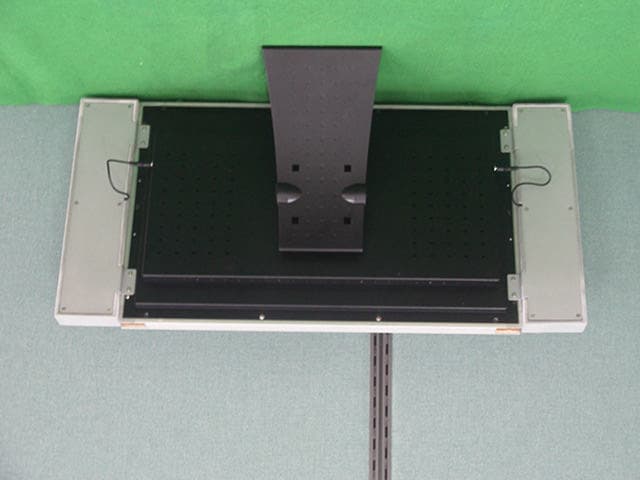
PLLLT22A01
Jul 23, 2003LCD MONITER
Equipment Class
JBP - Part 15 Class B Computing Device Peripheral
PLLTM1810
Jul 05, 2001LCD Monitor
Equipment Class
JBP - Part 15 Class B Computing Device Peripheral
PLLTM1700
May 01, 2001LCD Monitor
Equipment Class
JBP - Part 15 Class B Computing Device Peripheral