PN4FGT100VPN GATEWAY
Future Systems, Inc.
Click to zoom
Application Details
- Equipment Class
- JBP - Part 15 Class B Computing Device Peripheral
- Date of Grant
- Apr 01, 2004
- Application Purpose
- Original Equipment
- Date of Application
- Apr 01, 2004
- Equipment Note
- VPN GATEWAY
- Company
- Future Systems, Inc.
- Country
- South Korea
Documents & Files
Document Text
Text extracted from the exhibit documents filed with the FCC. Open a document above to read the original.
Users Manual
SecuwayGate 100(Model : FGT100) Install/Administrator Guide SecuwayGate 100 Install/Admistrator Guide Copyright Future Systems, INC., All rights Reserved.ⓒ Future Systems, Inc. owns the copyright of this manual. No part of this manual may be reproduced or transmitted in any form or by any means, electronic or mechanical, without the consent of Future Systems, Inc. The information in this document is subject to change without notice. SecuwaySuite 2000 SecuwayCenter 2000 SecuwayGate 2000 SecuwayGate 6000 SecuwayGate 1000 SecuwayGate 100 RenoGate SecuwayClient 2000 These are registered trademark of Future Systems, Inc. All other product names or company names mentioned herein might be property of their respective companies. iii Future Security Solutions Future Systems, Inc. is an Internet/network security solution specialized company and provides total security solution service such as network security equipment, security software, and security consulting Future Systems, Inc. provides the following Security systems. SecuwaySuite 2000 consists of SecuwayCenter 2000, SecuwayGate 2000, SecuwayGate 6000, Secuway Gate 1000, SecuwayGate 100, RenoGate and SecuwayClient 2000, which are interlinked with each other to provide VPN and firewall features. SecuwaySuite 2000 is designed to have a low possibility that a source of threat with a medium level of expert knowledge, resources and motivation will discover vulnerabilities that can be abused, and a medium degree of security strength against attackers with a medium level of expert knowledge, resources and motivation. The following is a brief description of each product SecuwayCenter 2000 SecuwayCenter 2000 is a total security management system that sends the security information via online and supports real time management working together with Secu wayGate 2000, SecuwayGate 6000, SecuwayGate 1000, SecuwayGate 100, RenoGate, SecuwayClient 2000. iv SecuwayGate 2000 SecuwayGate 2000 is a hardware based security system that integrates security key solutions like VPN, Firewall, and intrusion detection system to minimize the overload of network speed due to adding the security system. SecuwayGate 6000 SecuwayGate 6000 is a specialized hardware-based security system facilitated with the integrated features of VPN, firewall, and network intrusion detection. SecuwayGate 6000 is a high-speed, high-capacity device specially designed for a large enterprise network in order to minimize the deterioration of network performance caused by the overload of the integrated security features. SecuwayGate 1000 SecuwayGate 1000 is a hardware based security system that integrates security key solutions like VPN, Firewall, and intrusion detection system to minimize the overload of network speed due to adding the security system. v SecuwayGate 100 SecuwayGate 100 is a hardware based security system that integrates security key solutions like VPN, Firewall, and intrusion detection system to minimize the overload of network speed due to adding the security system. RenoGate RenoGate is a specialized hardware-based security system facilitated with the integrated features of VPN, firewall, and network intrusion detection. RenoGate is specially designed for a small enterprise network to provide optimal security and network management features while minimizing the deterioration of network performance caused by the overload of the integrated security features. SecuwayClient 2000 SecuwayClient 2000 is security software that provides the system security and network communication security for Desktop PC and Note PC. vi User Requirements and Cautions Administrators who are authorized to use SecuwayGate 100 must have no malicious intention. To be a qualified SecuwayGate 100 administrator, you must have been trained to understand the administrative features of SecuwayGate 100 and to perform various administrative tasks according to the instructions provided in this guide. Such administrative skills fundamentally require solid background knowledge and related experiences in secure networking environment, including computer, network terminology, security and general software installation procedures. If you are not familiar with using computers and/or security systems, please consult the Future Systems, Inc. or other experts about the installation and operation of SecuwayGate 100. z Password Security A SecuwayGate 100 administrator must change all of the passwords set in SecuwayGate 100 at least every 12 month. Any personal information related to the administrator must not be included in the password. Passwords must not be shared with others or written down anywhere. z Access to this Document It is strongly recommended to provide limited access to this guide, only to those who are authorized to manage network security or perform security related tasks. Special attention needs to be paid in the management of this document to prevent a user with malicious intention from misusing this document to acquire information for intruding the network and system resources. z Physical Security SecuwayGate 100 must be installed in a physically secure environment, to where only authorized network security support staff has access. When selecting and maintaining such environment, the overall network stability, system stability against outside vii intruders, and physical safety from external environmental factors must be considered z Maintain Security Policy Whenever there is a change in the existing network environment (e. g. a modification of the network configuration, an increase or decrease of new hosts, etc.), you need to reflect the change immediately to the existing security policies of SecuwayGate 100 to keep the equivalent level of security policy. z Single Connection Point for Secure Communication All communication between the internal network and the external network must be controlled by SecuwayGate 100. Otherwise, the effect of the key security features such as VPN, firewall, and IDS, cannot be …
Text truncated - open the document above for the full version.
Users Manual
4-1 C C h h a a p p t t e e r r 4 4 O O p p e e r r a a t t i i n n g g S S e e c c u u w w a a y y G G a a t t e e 1 1 0 0 0 0 『Chapter4. Operating SecuwayGate 100』covers various system maintenance features, including how to check the LED displays, how to replace the whole or a part of SecuwayGate 100, and how to change IP addresses in SecuwayCenter 2000, and how to change security policies in SecuwayGate 100. The LED displays of SecuwayGate 100 help you identify the current status of SecuwayGate 100 with regard to connection, operation, and hardware failure. Depending on the status of the device you identified, you may need to take appropriate actions, such as editing the properties of the SecuwayGate 100 or replacing the device with a new one. 4-2 Chapter 4 Operating SecuwayGate 2000 The SecuwayGate 100 log is stored in RAM and SecuwayCenter 2000 log is stored in the Center Log MSSQL database. The SecuwayGate 100 sends its log in response to regular requests by SecuwayCenter 2000, ever minute. SecuwayCenter 2000 stores the received SecuwayGate 100 logs in the Gate Log MSSQL database. There is separation between the Center Logs and the Gate Logs 4-3 4.1 LED Status When SecuwayGate 100 is in a normal state, the Power LED and Secure LED are ‘ON’. The Net LED, which represents the transmission state of the rear-panel network interface, blinks in a normal state. z When SecuwayGate 100 is a in normal state LED Display Initial State (Factory-Default) Power LED ON Alarm LED ON Secure LED OFF It represents the initial factory default for installing SecuwayGate 100. LED Display Normal State (After Setup) Power LED ON Alarm LED OFF Secure LED ON It indicates that the initial setup has been completed with the Smart card issued from SecuwayCenter 2000 and SecuwayCenter 2000 has been found. The normal state of each LED is as shown in the left pane. The Net LED on the front panel keeps blinking according to the transmission state of the network interface port located on the rear side of the device. If the port is not physically connected to a line or a device, the Net LED is ‘OFF’, not blinking. z When an error occurred in SecuwayGate 100 LED Error & Troubleshooting Secure LED blinks Indicates that the SecuwayGate 100 failed to receive a set of security settings from SecuwayCenter 2000 when it attempted to initiate a communication with Secuway Center 2000 as soon as it completed the configuration setup. Check the cable connection to the Net port of SecuwayGate 100 and the service status of SecuwayCenter 2000. 4-4 Chapter 4 Operating SecuwayGate 2000 LED Error & Troubleshooting Secure LED is OFF Indicates that no security policy is applied to SecuwayGate 100. If the Secure LED is turned off during the normal service mode, it implies that SecuwayGate 100 is incapable of acting in accordance with the security policies set in SecuwayCenter 2000. It means you need to create a new Smart card (or file) in SecuwayCenter 2000 and initialize SecuwayGate 100 with a new Smart card. The Secure LED is often turned off automatically when the SecuwayGate 100 administrator presses the Emergency Erase button by mistake, or when the security policies were not stored in SecuwayGate 100, due to a hardware problem. If there is a problem with the hardware, please contact our service center and request for a hardware checkup and maintenance service. Net LED is OFF If the Net LED is not blinking, it means that the network interface is not in service. Check the cable connection to the Net port of SecuwayGate 100. Alarm LED is ON Indicates SecuwayGate 100 is in factory-default settings or SecuwayGate 100 configuration settings were erased by the act of pressing the Emergency Erase button. Issue a new Smart card (or file) from SecuwayCenter 2000 to initialize SecuwayGate 100. 4-5 4.2 SecuwayGate 100 Replacement Procedures If the current SecuwayGate 100 system is defective and needs a replacement, follow the replacement procedures below. Step 1 To replace SecuwayGate 100 with a new one, turn on the new system, and insert the existing smart card for initial configuration. If the new SecuwayGate 100 system has been used in other place, it has to be initialized using the emergency erase switch before inserting the smart card. Be sure to press the emergency erase switch while the system is turned off to initialize the system. Step 2 Insert the existing smart card for initial configuration issued by SecuwayCenter 2000, which has been used to initialize the previous SecuwayGate 100 system, and turn on the system. Check cable connectivity for communication between SecuwayCenter 2000 and SecuwayGate 100 at this time, and check that the LED for cable connection on rear side is lit. When the new SecuwayGate 100 system is turned on, the system will read and save the information on the smart card automatically. If SecuwayGate 100 does not read the smart card automatically, turn off the system, press the emergency erase switch, and turn on the system again, as the system may not have been properly initilized. 4-6 Chapter 4 Operating SecuwayGate 2000 Step 3 Check that smart card is successfully read through that the LED status is normal. 4-7 4.3 SecuwayGate 100 IP Address Change Procedures No SecuwayGate 100 console command can change the current IP address of SecuwayGate 100. Only the administrator of SecuwayCenter 2000 is authorized to change the IP address of SecuwayGate 100. The SecuwayCenter 2000 administrator can change the IP address of SecuwayGate 100 in the following ways. 1. Start the SecuwayCenter 2000 (run SecuwayCenter 2000 Server → Secuway Center 2000 Client.) and select SecuwayGate 100 of which IP address you want to change. 2. Double-click the selected SecuwayGate 100 and move to the ‘IP Address’ step. The ‘IP Address’ window appears. Select the tab (Net1, Net2, Net3, and Net4) for the port. Enter the new IP address in the ‘IP Address’ field, and click [Next]. Click [OK] in the window that appears after you click [Next]. Note…
Text truncated - open the document above for the full version.
Contact Information
Applicant
Ho-Yun Byun(Manager)
Test Firm
Korea Standard Quality LaboratoriesSung-goo Kim
Technical Specifications
| # | Rule Parts | Frequency Range | Power Output |
|---|---|---|---|
| 1 | 15B | - | - |
Other Applications from Future Systems, Inc.
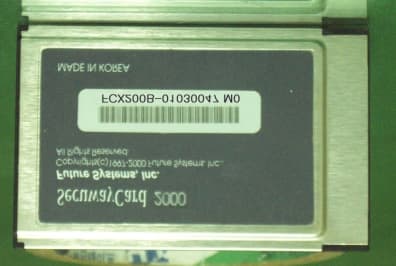
PN4FCX200B
Jan 23, 2002Secuway Card 2000
Equipment Class
JBP - Part 15 Class B Computing Device Peripheral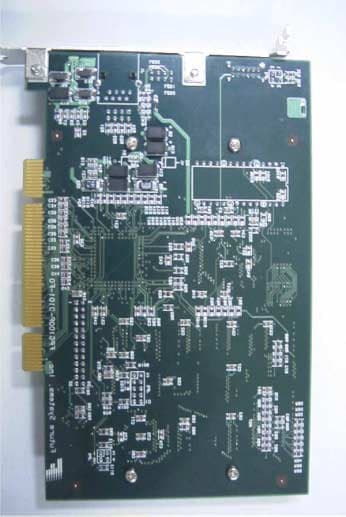
PN4FPX110B
Aug 30, 2001Future Secuway PCI Card
Equipment Class
JBP - Part 15 Class B Computing Device Peripheral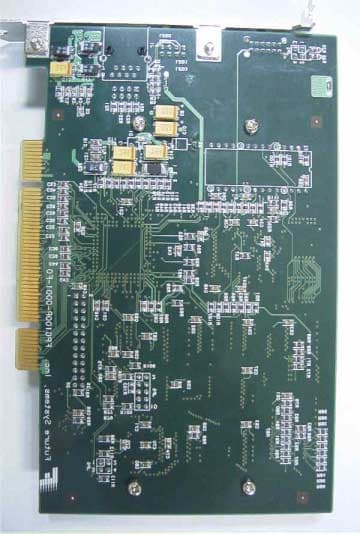
PN4FDX110B
Aug 30, 2001Future Secuway PCI Card
Equipment Class
JBP - Part 15 Class B Computing Device Peripheral