PP2E6700Bluetooth Touch Keyboard
Shenzhen Rapoo Technology Co., Ltd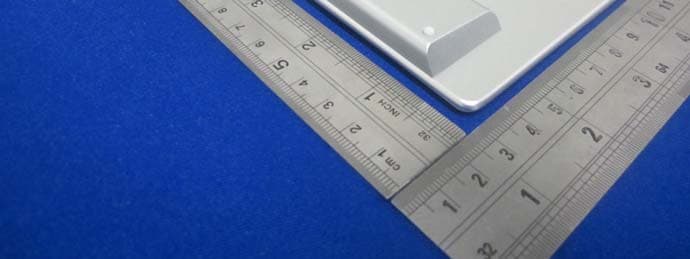
Click to zoom
Application Details
- Equipment Class
- DSS - Part 15 Spread Spectrum Transmitter
- Date of Grant
- Dec 05, 2013
- Application Purpose
- Original Equipment
- Date of Application
- Dec 05, 2013
- Equipment Note
- Bluetooth Touch Keyboard
- Frequency Range
- 2402.00000000 - 2480.00000000
- Country
- China
Documents & Files
Document Text
Text extracted from the exhibit documents filed with the FCC. Open a document above to read the original.
Users Manual
2 1 3 6 5 7 8 Swipe cursor: Move using a single finger Left click: Click using a single finger Drag: Double click and drag a finger on the touchpad Cursor bewegen: Mit einem Finger bewegen Linksklick: Mit einem Finger antippen Ziehen: Doppelt antippen, angetippt halten und verschieben Faire glisser le curseur: déplacer avec un seul doigt Cliquer avec le bouton gauche : cliquer avec un seul doigt Glisser : double-cliquer et appuyer pour déplacer Trascina il cursore: spostarsi con un solo dito Click con il tasto sinistro: fare clic con un solo dito Trascina: fare doppio clic e premere per spostare Deslizar rápidamente el cursor: mover con un solo dedo Clic con el botón primario: hacer clic con un solo dedo Arrastrar: hacer doble clic y presionar para mover Cursor vegen: verplaatsen met één vinger Links klikken: klikken met één vinger Slepen: dubbelklikken en indrukken om te verplaatsen Right click: Click using two fingers Rechtsklick: Mit zwei Fingern antippen Cliquer avec le bouton droit : cliquer avec deux doigts Click con il tasto destro: fare clic con due dita Clic con el botón secundario: hacer clic con dos dedos Rechts klikken: klikken met twee vingers Middle click: Click using three fingers Mittelklick: Mit drei Fingern antippen Cliquer au milieu : cliquer avec trois doigts Click con il tasto intermedio: fare clic con tre dita Clic con el botón central: hacer clic con tres dedos Midden klikken: klikken met drie vingers Vertical scrolling: Swipe up and down using two fingers Horizontal scrolling: Swipe left and right using two fingers Vertikaler Bildlauf: Mit zwei Fingern nach oben oder unten wischen Horizontaler Bildlauf: Mit zwei Fingern nach links oder rechts wischen Défilement vertical : glisser vers le haut et vers le bas avec deux doigts Défilement horizontal : glisser vers la gauche et vers la droite avec deux doigts Scorrimento verticale: trascinare due dita verso l'alto e verso il basso Scorrimento orizzontale: trascinare due dita verso sinistra e verso destra Défilement horizontal : glisser vers la gauche et vers la droite avec deux doigts Desplazamiento horizontal: deslizar rápidamente hacia la izquierda y hacia la derecha con dos dedos Verticaal schuiven: omhoog en omlaag vegen met twee vingers Horizontaal schuiven: naar links en rechts vegen met twee vingers Applications switch: Swipe from the left edge using a single finger Open Charm menu: Swipe from the right edge using a single finger Open applications: Swipe from the top edge using a single finger Applikationen umschalten: Mit einem Finger von der linken Kante einwärts wischen Charm-Menü öffnen: Mit einem Finger von der rechten Kante einwärts wischen Applikationen öffnen: Mit einem Finger von der oberen Kante einwärts wischen Changer d’application : glisser depuis le coin gauche avec un doigt Ouvrir le menu Charme : glisser depuis le coin droit avec un doigt Ouvrir les applications : glisser depuis le haut avec un doigt Cambio di applicazione: trascinare un solo dito allontanandosi dal margine sinistro Apri il menu Charm: trascinare un solo dito allontanandosi dal margine destro Apri applicazioni: trascinare un solo dito allontanandosi dal margine superiore Cambio de aplicación: deslizar rápidamente desde el borde izquierdo con un solo dedo Abrir el menú de accesos: deslizar rápidamente desde el borde derecho con un solo dedo Abrir aplicaciones: deslizar rápidamente desde el borde superior con un solo dedo Toepassingen schakelen: vanaf linkerrand vegen met één vinger Menu Emoticon openen: vanaf rechterrand vegen met één vinger Toepassingen openen: vanaf bovenrand vegen met één vinger Return Windows 8 "Start" menu: Swipe up using three fingers Show/Hide desktop: Swipe down using three fingers Backward/Forward: Swipe left/right using three fingers Zurück zum Windows-8-Startmenü: Mit drei Fingern nach oben wischen Desktop anzeigen/verbergen: Mit drei Fingern nach unten wischen Rückwärts/Vorwärts: Mit drei Fingern nach links/rechts wischen Retourner au menu “Démarrage” de Windows 8 : glisser vers le haut avec trois doigts Afficher/cacher le bureau: glisser vers le bas avec trois doigts Reculer / Avancer : glisser vers la gauche/droite avec trois doigts Ritorna al menu "Start" di Windows 8: trascinare tre dita verso l'alto Mostra/nascondi desktop: trascinare tre dita verso il basso Indietro/Avanti: Scorrere verso sinistra/destra con tre dita Volver al menú "Inicio" de Windows 8: deslizar rápidamente hacia arriba con tres dedos Mostrar u ocultar el escritorio: deslizar rápidamente hacia abajo con tres dedos Avanzar o retroceder: deslizar hacia la izquierda y hacia la derecha con tres dedos Terugkeren naar het menu “Start” van Windows 8: omhoog vegen met drie vingers Bureaublad weergeven/verbergen: omlaag vegen met drie vingers Achteruit/vooruit: veeg met drie vingers naar links/rechts Minimize/Maximize windows: Swipe down/up using four fingers Fenster minimieren/maximieren: Mit vier Fingern nach oben/unten wischen Réduire/agrandir les fenêtres : glisser vers le bas/haut avec quatre doigts Riduzione/Ripristino finestre: Scorrere verso il basso/l’alto con quattro dita Minimizar o maximizar ventanas: deslizar hacia abajo y hacia arriba con cuatro dedos Vensters minimaliseren/maximaliseren: veeg met vier vingers omhoog/omlaag Zoom in/Zoom out: Two fingers separate/get together Vergrößern/Verkleinern: Zwei Finger auseinanderziehen/ zusammenführen Zoom avant/Zoom arrière : rapprocher/séparer deux doigts Ingrandimento/Riduzione: Separare/avvicinare due dita Acercar y alejar: separar o acercar dos dedos Inzoomen/uitzoomen: spreid twee vingers uiteen/breng ze samen Bluetooth Touch Keyboard Quick Start Guide(A.1) Clavier tactile Bluetooth Guide de démarrage rapide Bluetooth-Touch-Tastatur Schnellstartanleitung Εγγύηση Η συσκευή παρέχεται με διετή περιορισμένη εγγύηση για το υλικό από την ημερομηνία αγοράς. Για περισσότερες πληροφορίες επισκεφτείτε τη διεύθυνση www.rapoo.com. Ανατρέξτε στο www.rapoo.com για τις πιο πρόσφατες συχνές …
Text truncated - open the document above for the full version.
Cover Letter(s)
Shenzhen Rapoo Technology Co., Ltd. Add: 22, Jinxiu Road East, Pingshan District, Shenzhen, China Tel: +86-0755-28588666 Fax: +86-0755-28588555 FCC Confidential Authorization Date: 2013-9-23 FEDERAL COMMUNICATIONS COMMISSIONS Authorization and Evaluation Division 7435 Oakland Mills Road Columbia, MD 21046 Confidentiality Request regarding application for certification of FCC ID: PP2E6700 Pursuant to Sections 0.457 and 0.459 of the Commission’s Rules, we hereby request confidential treatment of information accompanying this application as outlined below: Detailed Circuit Schematics of EUT--- (Long term) Block Diagram--- (Long term) Circuit Description--- (Long term) The above materials contain trade secrets and proprietary information not customarily released to the public. The public disclosure of these materials may be harmful to the applicant and provide unjustified benefits to its competitors. The applicant understands that pursuant to Section 0.457 of the Rules, disclosure of this application and all accompanying documentation will not be made before the date of the Grant for this application. Sincerely Yours, Signature: Charles Tsou Director of Research and Development Centre
External Photos
EXHIBIT B - EUT EXTERNAL PHOTOGRAPHS EUT – All View EUT – Top View EUT – Bottom View EUT – Left Side View EUT – Right Side View
ID Label/Location Info
EXHIBIT A - FCC ID LABELING AND LOCATION FCC ID Label FCC ID Label Location The label shown shall be permanently affixed at a conspicuous location on the device and be readily visible to the user at the time purchase (Labeling requirements per 2.925). Label here
Internal Photos
EXHIBIT B - EUT EXTERNAL PHOTOGRAPHS EUT – Uncover View EUT – Key Pad Top View EUT – Key Pad Bottom View EUT – Key Pad Uncover View EUT –Touch Board Top View EUT – Touch Board Bottom View EUT –Main Board Uncover View EUT –Main Board Top View EUT –Main Board Bottom View EUT –Chip and Antenna View Antenna EUT –Battery View
Test Report
R2DG130319001-00A Note: This test report is prepared for the customer shown above and for the device described herein. It may not be duplicated or used in part without prior written consent from Bay Area Compliance Laboratories Corp. This report must not be used by the customer to claim product certification, approval, or endorsement by NVLAP*, or any agency of the Federal Government. * This report may contain data that are not covered by the NVLAP accreditation and shall be marked with an asterisk “” (Rev.2)★ This report is valid only with a valid digital signature. The digital signature may be available only under the Adobe software above version 7.0. FCC PART 15.247 TEST REPORT For Shenzhen Rapoo Technology Co., Ltd. 22, Jinxiu Road East, Pingshan District, Shenzhen, China Report Type: Original Report Product Type: Bluetooth Touch Keyboard Test En gineer: Ares Liu Re port Number: R2DG130922003-00A Re port Date: 2013-11-26 Reviewed B y: Ivan Cao RF Leader Test Laboratory: Bay Area Compliance Laboratories Corp. (Dongguan) No.69 Pulongcun, Puxinhu Industrial Zone, Tangxia, Dongguan, Guangdong, China Tel: +86-769-86858888 Fax: +86-769-86858891 www.baclcorp.com.cn FCC ID: PP2E6700 Bay Area Compliance Laboratories Corp. (Dongguan) Report No.: R2DG130922003-00A FCC Part 15.247 Page 2 of 40 TABLE OF CONTENTS GENERAL INFORMATION ...................................................................................................................................... 4 PRODUCT DESCRIPTION FOR EQUIPMENT UNDER TEST (EUT) ..................................................................................... 4 OBJECTIVE ................................................................................................................................................................... 4 RELATED SUBMITTAL(S)/GRANT(S) ............................................................................................................................ 4 TEST METHODOLOGY .................................................................................................................................................. 4 TEST FACILITY ............................................................................................................................................................ 5 SYSTEM TEST CONFIGURATION ......................................................................................................................... 6 DESCRIPTION OF TEST CONFIGURATION ...................................................................................................................... 6 EUT EXERCISE SOFTWARE .......................................................................................................................................... 6 EQUIPMENT MODIFICATIONS ....................................................................................................................................... 6 LOCAL SUPPORT EQUIPMENT LIST AND DETAILS ........................................................................................................ 6 EXTERNAL I/O CABLE ................................................................................................................................................. 6 BLOCK DIAGRAM OF TEST SETUP ................................................................................................................................ 7 SUMMARY OF TEST RESULTS ............................................................................................................................... 8 FCC §15.247 (i) & §1.1310 & §2.1093- RF EXPOSURE ............................................................................................... 9 APPLICABLE STANDARD .............................................................................................................................................. 9 FCC §15.203 - ANTENNA REQUIREMENT .......................................................................................................... 10 APPLICABLE STANDARD ............................................................................................................................................ 10 ANTENNA CONNECTOR CONSTRUCTION .................................................................................................................... 10 FCC §15.207 (a) – AC LINE CONDUCTED EMISSIONS ..................................................................................... 11 APPLICABLE STANDARD ............................................................................................................................................ 11 MEASUREMENT UNCERTAINTY ................................................................................................................................. 11 EUT SETUP................................................................................................................................................................ 11 EMI TEST RECEIVER SETUP ...................................................................................................................................... 12 TEST PROCEDURE ...................................................................................................................................................... 12 CORRECTED AMPLITUDE & MARGIN CALCULATION ................................................................................................. 12 TEST EQUIPMENT LIST AND DETAILS ........................................................................................................................ 13 TEST RESULTS SUMMARY ......................................................................................................................................... 13 TEST DATA ................................................................................................................................................................ 13 FCC §15.209, §15.205 & §15.247(d) - SPURIOUS EMISSIONS .............................…
Text truncated - open the document above for the full version.
Test Setup Photos
EXHIBIT D - TEST SETUP PHOTOGRAPHS Conducted Emissions - Front View Conducted Emissions –Side View Radiated Emission - Below 1GHz Front View Radiated Emission - Below 1GHz Rear View Radiated Emission - Above 1GHz Front View Radiated Emission - Above 1GHz Rear View
Contact Information
Applicant
Jerry Guo(Director of Research and Development Centre)
Test Firm
Bay Area Compliance Laboratories Corp. (Dongguan)John Chan
[email protected]86-769-86858888
Technical Specifications
| # | Rule Parts | Frequency Range | Power Output |
|---|---|---|---|
| 1 | 15C | 2.40 GHz - 2.48 GHz | 4.40 mW |
Other Applications from Shenzhen Rapoo Technology Co., Ltd
PP203060E
Jun 05, 2026Dongle
Equipment Class
DXX - Part 15 Low Power Communication Device TransmitterPP23303
Apr 10, 2026Multi-mode Wireless Mouse
Equipment Class
DTS - Digital Transmission SystemPP23544
Mar 12, 2026Wireless optical Mouse
Equipment Class
DXX - Part 15 Low Power Communication Device TransmitterPP23327
Feb 10, 2026Multi-mode Wireless Keyboard
Equipment Class
DXX - Part 15 Low Power Communication Device TransmitterPP23362
Feb 03, 2026Multi-mode Wireless Keyboard
Equipment Class
DTS - Digital Transmission System