PP2S160Bluetooth Touch Headset
Shenzhen Rapoo Technology Co., Ltd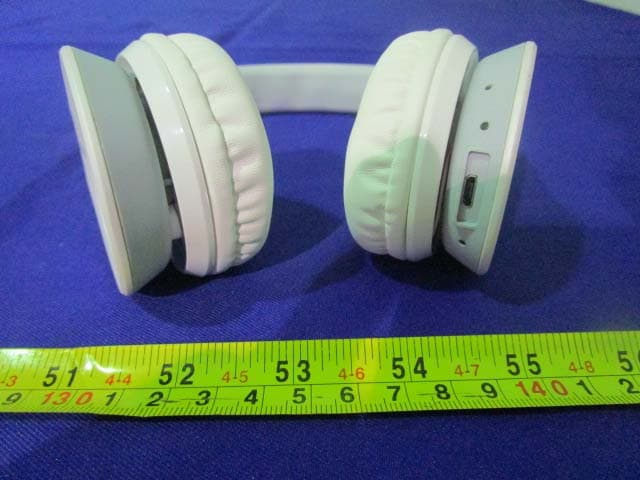
Click to zoom
Application Details
- Equipment Class
- DTS - Digital Transmission System
- Date of Grant
- Sep 12, 2015
- Application Purpose
- Original Equipment
- Date of Application
- Sep 12, 2015
- Equipment Note
- Bluetooth Touch Headset
- Frequency Range
- 2402.00000000 - 2480.00000000
- Country
- China
Documents & Files
Document Text
Text extracted from the exhibit documents filed with the FCC. Open a document above to read the original.
Users Manual
560E-01225-222 www.rapoo.com It is forbidden to reproduce any part of this quick start guide without the permission of Rapoo Technology Co., Ltd. S160 Status Lights LED indicator LED indicator LED indicator 2 Buttons and ports Power button Volume up button Previous song button Volume down button Next song button Micro USB port Built-in microphone LED indicator Turn on or off To turn on, press and hold the power button. To turn off, press and hold the power button. 3 Bluetooth connection Multipoint connection Voice call To answer/end a call, press the power button shortly. To reject an incoming call, press and hold the power button. Music player Wired connection Troubleshooting Use the USB cable to connect the headset to a PC, and run the player. No sound at all Make sure the Bluetooth connection is successful. Make sure you have charged the headset. Set the headset as the default audio device. Restart the media player. Charging Use the charging cable to connect the headset to a USB charger, PC or other device with standard DC 5V USB port. I can not hear music or sound even though it is connected to the laptop. Sound drops out within short transmitting distance Some laptops with Bluetooth function will work normally after installing the driver Please check the system description of laptop for more information. Bluetooth transmission distance may vary according to actual usage conditions, please make sure there are no big objects between them. Move other working wireless devices away from the audio device. The headset enters into pairing mode automatical- ly after turnning it on. Activate the Bluetooth feature on your device, and scan and search for the headset. Enter "0000" if a password is required. Follow the pairing steps to connect the headset to device 1, then turn off the headset. Follow the pairing steps to connect the headset to device 2, then device 1 initiates a connection to the headset. The headset is now connected to the two devices and works normally. Note: Up to two devices can be connected to one headset at the same time. To play/pause music, press the power button shortly. To play the previous song, lightly touch the previous song button. To play the next song, lightly touch the next song button. Charging and battery warnings To avoid the risk of explosion, fire or leakage of toxic chemicals, please observe the following warnings: 1. Do not dispose of the product or battery in fire, and do not expose it to temperatures above 100°C. 2. Charge the battery according to the instructions printed on the quick start guide. 3. Do not open, deform or mutilate the battery as it may contain corrosive materials which can cause damage to eyes or skin and may be toxic if swallowed. 4. Do not charge the battery in extreme temperatures. 5. Do not clean this product when charging. Before you clean it, please pull the plug. EN Safety instructions Do not open or repair this device. Do not use the device in a damp environment. Clean the device with a dry cloth. CE The device meets the essential requirements and other relevant provisions of the applicable European directives. The Declaration of Conformity is available at www.rapoo.com. WEEE Do not dispose of the device with household waste. Warranty The device is provided with two-year limited hardware warranty from the purchase day. Please see www.rapoo.com for more information. Copyright It is forbidden to reproduce any part of this quick start guide without the permission of Rapoo Technology Co., Ltd. If your problem is not solved, please contact the helpdesk at www.rapoo.com. Sicherheitshinweise Versuchen Sie niemals, das Gerät zu öffnen oder selbst zu reparieren. Nutzen Sie das Gerät nicht in feuchter Umgebung. Reinigen Sie das Gerät mit einem weichen, trockenen Tuch. CE Dieses Gerät erfüllt essenzielle Anforderungen und weitere relevante Vorgaben der zutreffenden europäischen Direktiven. Eine Konformitätserklärung können Sie unter www.rapoo.com abrufen. WEEE-Hinweise Entsorgen Sie das Gerät nicht mit dem regulären Hausmüll. Garantie Wir gewähren eine zweijährige, eingeschränkte Hardware-Garantie ab Kaufdatum. Weitere Informationen finden Sie hier: www.rapoo.com. Copyright Jegliche Reproduktion dieser Schnellstartanleitung (gänzlich oder teilweise) ohne Zustimmung der Rapoo Technology Co., Ltd. ist untersagt. Falls sich das Problem nicht lösen lassen sollte, wenden Sie sich bitte unter www.rapoo.com an den technischen Kundendienst. Lade- und Akkuwarnungen Bitte beachten Sie zur Vermeidung von Explosions- und Brandgefahr sowie eines Auslaufens giftiger Chemikalien folgende Warnhinweise: 1. Entsorgen Sie Produkt oder Akku nicht durch Verbrennen; Nicht Temperaturen über 100 °C aussetzen. 2. Laden Sie den Akku entsprechend den Anweisungen in der Schnellstartanleitung auf. 3. Öffnen, deformieren und beschädigen Sie den Akku nicht, da er korrosive Materialien beinhalten kann, die Augen- und Hautschäden verursachen und bei Verschlucken giftig sein können. 4. Laden Sie den Akku nicht bei extremen Temperaturen auf. 5. Reinigen Sie dieses Produkt nicht während des Aufladens. Bitte ziehen Sie vor der Reinigung den Stecker. DE Consignes de sécurité Ne pas ouvrir ou réparer cet appareil. Ne pas utiliser l'appareil dans un environnement humide. Nettoyer l'appareil avec un chiffon sec. CE L'appareil satisfait aux exigences essentielles et autres dispositions pertinentes des directives européennes applicables. La déclaration de conformité est disponible sur www.rapoo.com. DEEE Ne pas jeter l'appareil avec les ordures ménagères. Garantie L'appareil est fourni avec deux ans de garantie matérielle limitée à compter du jour d'achat. Merci de consulter www.rapoo.com pour plus d'informations. Droit réservés Il est interdit de reproduire une quelconque partie de ce guide de démarrage rapide sans la permission de Rapoo Technology Co., Ltd. Si votre problème n'est pas résolu, merci de contacter le helpdesk sur www.rapoo.com. Avertissements relatifs à la charge e…
Text truncated - open the document above for the full version.
External Photos
EXHIBIT B - EUT EXTERNAL PHOTOGRAPHS EUT – Front View EUT – Rear View EUT – Right View EUT – Left View EUT – Top View EUT – Left View
ID Label/Location Info
EXHIBIT A - FCC ID LABELING AND LOCATION FCC ID Label Proposed FCC ID Label Location The label shown shall be permanently affixed at a conspicuous location on the device and be readily visible to the user at the time purchase (Labeling requirements per 2.925) Label Here
Internal Photos
EXHIBIT C - EUT INTERNAL PHOTOGRAPHS EUT –Uncover View EUT –Control Borad View EUT –Uncover View EUT –Main Board Top View EUT –Main Board Bottom View EUT –Battery Top View EUT–Battery Bottom View EUT –Chipset View EUT –Antenna View
Test Report
Note: This test report is prepared for the customer shown above and for the device described herein. It may not be duplicated or used in part without prior written consent from Bay Area Compliance Laboratories Corp. (Dongguan). This report is valid only with a valid digital signature. The digital signature may be available only under the Adobe software above version 7.0. FCC PART 15.247 TEST REPORT For Shenzhen Rapoo Technology Co., Ltd. 22,Jinxiu Road East,Pingshan District,Shenzhen,China FCC ID: PP2S160 Report Type: Original Report Product Type: Bluetooth Touch Headset Test En gineer: Rock y Xiao Re port Number: RDG150826003-00B Re port Date: 2015-08-20 Reviewed By: Sula Huang RF Leader Test Laboratory: Bay Area Compliance Laboratories Corp. (Dongguan) No.69 Pulongcun, Puxinhu Industrial Zone, Tangxia, Dongguan, Guangdong, China Tel: +86-769-86858888 Fax: +86-769-86858891 www.baclcorp.com.cn Bay Area Compliance Laboratories Corp. (Dongguan) Report No.: RDG150826003-00B FCC Part 15.247 Page 2 of 31 TABLE OF CONTENTS GENERAL INFORMATION ....................................................................................................................................... 4 PRODUCT DESCRIPTION FOR EQUIPMENT UNDER TEST (EUT) ..................................................................................... 4 OBJECTIVE ................................................................................................................................................................... 4 RELATED SUBMITTAL(S)/GRANT(S) ............................................................................................................................. 4 TEST METHODOLOGY .................................................................................................................................................. 4 TEST FACILITY ............................................................................................................................................................. 4 SYSTEM TEST CONFIGURATION .......................................................................................................................... 5 DESCRIPTION OF TEST CONFIGURATION ...................................................................................................................... 5 EQUIPMENT MODIFICATIONS ....................................................................................................................................... 5 EUT EXERCISE SOFTWARE .......................................................................................................................................... 5 SUPPORT EQUIPMENT LIST AND DETAILS .................................................................................................................... 5 EXTERNAL CABLE ........................................................................................................................................................ 5 BLOCK DIAGRAM OF TEST SETUP ................................................................................................................................ 6 SUMMARY OF TEST RESULTS ............................................................................................................................... 7 FCC §15.247 (i) & §1.1310 & §2.1093- RF EXPOSURE ............................................................................................... 8 APPLICABLE STANDARD .............................................................................................................................................. 8 FCC §15.203 - ANTENNA REQUIREMENT ............................................................................................................. 9 APPLICABLE STANDARD .............................................................................................................................................. 9 ANTENNA CONNECTOR CONSTRUCTION ...................................................................................................................... 9 FCC §15.207 (a) – AC LINE CONDUCTED EMISSIONS ..................................................................................... 10 APPLICABLE STANDARD ............................................................................................................................................ 10 MEASUREMENT UNCERTAINTY .................................................................................................................................. 10 EUT SETUP ................................................................................................................................................................ 10 EMI TEST RECEIVER SETUP ....................................................................................................................................... 11 TEST PROCEDURE ...................................................................................................................................................... 11 CORRECTED AMPLITUDE & MARGIN CALCULATION ................................................................................................. 11 TEST EQUIPMENT LIST AND DETAILS ......................................................................................................................... 12 TEST RESULTS SUMMARY .......................................................................................................................................... 12 TEST DATA ................................................................................................................................................................ 12 FCC §15.209, §15.205 & §15.247(d) - SPURIOUS EMISSIONS ............................................................................. 15 APPLICABLE STANDARD ............................................................................................................................................ 15 MEASUREMENT UNCERTAINTY ..............................…
Text truncated - open the document above for the full version.
Test Setup Photos
EXHIBIT D - TEST SETUP PHOTOGRAPHS Conducted Emissions - Front View Conducted Emissions – Side View Radiated Emission - Below 1GHz –Front View Radiated Emission - Above 1GHz –Rear View Radiated Emission - Above 1GHz –Front View Radiated Emission - Above 1GHz –Rear View
Contact Information
Applicant
Jerry Guo(Director of Research and Development Centre)
Test Firm
Bay Area Compliance Laboratories Corp. (Dongguan)John Chan
[email protected]86-769-86858888
Technical Specifications
| # | Rule Parts | Frequency Range | Power Output |
|---|---|---|---|
| 1 | 15C | 2.40 GHz - 2.48 GHz | 5.25 mW |
Other Applications from Shenzhen Rapoo Technology Co., Ltd
PP203060E
Jun 05, 2026Dongle
Equipment Class
DXX - Part 15 Low Power Communication Device TransmitterPP23303
Apr 10, 2026Multi-mode Wireless Mouse
Equipment Class
DTS - Digital Transmission SystemPP23544
Mar 12, 2026Wireless optical Mouse
Equipment Class
DXX - Part 15 Low Power Communication Device TransmitterPP23327
Feb 10, 2026Multi-mode Wireless Keyboard
Equipment Class
DXX - Part 15 Low Power Communication Device TransmitterPP23362
Feb 03, 2026Multi-mode Wireless Keyboard
Equipment Class
DTS - Digital Transmission System