PQA-MINIPADACTIVE SPEAKER
Jam Industries Ltd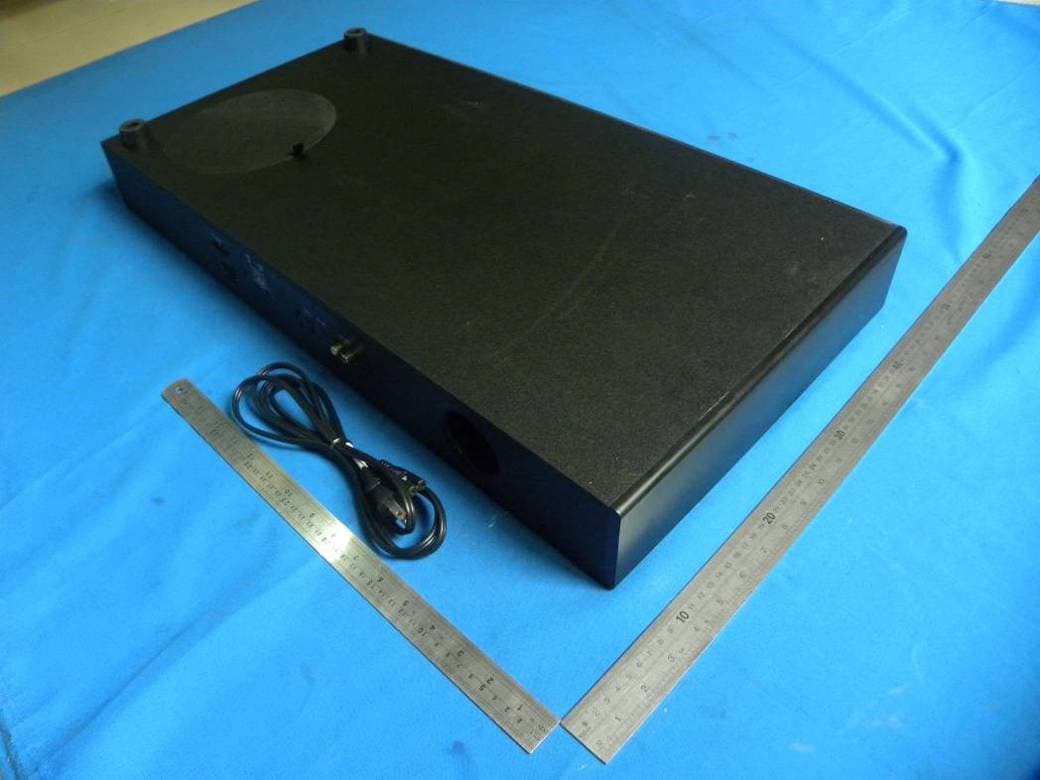
Click to zoom
Application Details
- Equipment Class
- DSS - Part 15 Spread Spectrum Transmitter
- Date of Grant
- Jun 09, 2013
- Application Purpose
- Original Equipment
- Date of Application
- Jun 09, 2013
- Equipment Note
- ACTIVE SPEAKER
- Frequency Range
- 2402.00000000 - 2480.00000000
- Company
- Jam Industries Ltd
- Country
- Canada
Documents & Files
Document Text
Text extracted from the exhibit documents filed with the FCC. Open a document above to read the original.
Users Manual
Thank you for purchasing the Sinclair Audio Soundpad Mini, you are about to greatly enhance your listening experience. At Sinclair Audio we strive to create loudspeakers and loudspeaker systems engineered to deliver the best value in stereo and home theatre applications. Sinclair Audio loudspeakers are designed for ease of use, installation, and will provide you with excellent sound quality for years to come. Reading this manual will assist you in getting acquainted with your Sinclair Audio system. Sinclair Audio provides a 1 year parts and service warranty on all drivers and amplifiers. To obtain servicing, please contact your Sinclair Audio representative. The original bill of sale is required for service. (1) Power Cord (1) x cordon d’alimentation (1) x Remote (1) x télécommande (1) x Manual (1) x Manuel Carton Contents / Contenu de la boite Merci de vous être procuré la Soundpad Mini de Sinclair Audio, vous êtes sur le point d’améliorer de façon extraordinaire votre expérience d’écoute. Chez Sinclair Audio nous travaillons sans cesse à créer des haut-parleurs et des enceintes conçus pour offrir le meilleur rendement possible pour les utilisations en stéréophonie et pour le cinéma maison. Les enceintes Sinclair Audio sont conçues pour être faciles à utiliser et à installer, de plus elles vous offriront une excellente qualité sonore pendant de nombreuses années. La lecture de ce mode d’emploi vous aidera à vous familiariser avec vos enceintes Sinclair Audio. Sinclair Audio offre une garantie d’une (1) année sur les pièces et sur le service pour tous les haut-parleurs et les amplificateurs. Pour obtenir du service sous garantie, veuillez communiquer avec votre représentant Sinclair Audio. La facture originale de l’achat doit être présentée pour obtenir du service. SOUNDPAD MINI Owners Manual Manuel de l’Utilisateur Powered Sound Station / Station de son (1) x Soundpad (1) x Station de son 1. Read these instructions – All the safety and operating instructions should be read before this product is operated. 2. Keep these instructions – The safety and operating instructions should be retained for future reference. 3. Heed all warnings – All warnings on the appliance and in the operating instructions should be adhered to. 4. Follow all instructions – All operating and use instructions should be followed. 5. Do not use this apparatus near water – The appliance should not be used near water or moisture – for example, in a wet basement or near a swimming pool, and the like. 6. Clean only with dry cloth. 7. Do not block any ventilation openings. Install in accordance with the manufacture’s instructions. 8. Do not install near any heat sources such as radiators, heat registers, stoves, or other apparatus (including amplifiers) that produce heat. 9. Do not defeat the safety purpose of the polarized or grounding plug. A polarized plug has two blades with one wider than the other. A grounding plug has two blades and a third grounding prong. The wide blade or the third prong is provided for your safety. If the provided plug does not fit into your outlet, consult an electrician for replacement of the obsolete outlet. 10. Protect the power cord from being walked on or pinched particularly at the plugs, convenience receptacles, and at the point where they exit from the apparatus. 11. Only use attachments/accessories specified by the manufacturer. 12. Use only with the cart, stand, tripod, bracket, or table specified by the manufacturer, or sold with the apparatus. When a cart or rack is used, use caution when moving the cart/apparatus combination to avoid injury from tip-over. 13. Unplug the apparatus during lightning storms or when unused for long periods of time. 14. Refer all servicing to qualified personnel. Servicing is required when the apparatus has been damaged in any way, such as power supply cord or plug is damaged, liquid has been spilled or objects have fallen into the apparatus has been exposed to rain or moisture, does not operate normally, or has been dropped. 15. WARNING: To reduce the risk of fire or electric shock, do not expose this apparatus to rain or moisture. The apparatus shall not be exposed to dripping or splashing and that objects filled with liquids, such as vases, shall not be placed on apparatus. 16. WARNING: The battery (battery or batteries or battery pack) shall not be exposed to excessive heat such as sunshine, fire or the like. 17. WARNING: The appliance coupler is used as disconnect device, the disconnect device shall remain readily operable. 18. This equipment is a Class II or double insulated electrical appliance. It has been designed in such a way that it does not require a safety connection to electrical earth. WARNING - To reduce the risk of fire or electric shock, do not expose this appliance to rain or moisture. IMPORTANT SAFETY PRECAUTIONS The exclamation point within an equilateral triangle is intended to alert the user of the presence of important operating and maintenance (servicing) instructions in the literature accompanying the appliance. TO PREVENT THE RISK OF ELECTRIC SHOCK, DO NOT REMOVE COVER (OR BACK). NO USER SERVICABLE PARTS INSIDE. REFER SERVICING TO QUALIFIED SERVICE PERSONNEL. The lightning flash with arrowhead, within an equilateral triangle, is intended to alert the user of the presence of uninsulated "dangerous voltage" within the product's enclosure that may be of sufficient magnitude to constitute a risk of electric shock to persons. 1. Lisez les instructions - Vous devez lire toutes les instructions relatives à la sécurité et au fonctionnement avant de faire fonctionner le hautparleur d’extrêmes graves. 2. Conservez les instructions - Vous devez conserver les instructions relatives à la sécurité et au fonctionnement pour des consultations ultérieures. 3. Avertissement - Vous devez suivre tous les avertissements apposés sur le haut-parleur d’extrêmes graves et dans les instructions relatives àson fonctionnement. 4. Suivez les instructions…
Text truncated - open the document above for the full version.
Users Manual
SCULPTURA SOUNDPAD MINI Powered Sound Station / Station de Son The first two digits of the display will indicate which input is being used, followed by either the volume setting or the EQ setting. You can scroll through them with the SRC (Source) button. The input designations are as follows: / Les deux premiers chiffres de l'af- ficheur indiquent l'entrée est utilisé, suivi par soit le réglage du vol- ume ou le réglage EQ. Vous pouvez les faire défiler avec la SRC (Source) bouton. Les désignations d'entrée sont les suivantes: Soundpad Input / Entrées Soundpad The learning function allows you to program the functions of the Soundpad into your current TV remote. Example: If you would like the Number 1 key on the remote to control the power of the soundpad you would follow the following steps: 1)Press theLEARN button on the soundpad for about three seconds, the display will show “LRN” and flashes. 2)Press theNumber1 on your remote and the “LRN” designation in the display will stop flashing. 3)Quickly press thePOWER button on the sound bar top control pad and the display will say “OK” 4)The POWER function of the sound bar can now be controlled by pressing theNumber1 key on your remote. (NOTE:Thisisanexampleonly.Normallythereisseparatebuttononyourremoteforpoweringother products.Thissameprocedureisusedtomakeanyofthesoundpadfeaturesworkwithyourremote) Instructions for using the Learning Function The Soundpad is equipped with effects that can be accessed with the EQ button which will be indicated by the last two digits in the display, fol- lowing the input designation. For instance, if you are using the Bluetooth input you will see BT in the display followed by: / Le Soundpad est équipé d'une variété d'effets intéressants qui peuvent être accessi- bles avec le bouton EQ qui sera indiquée par les deux derniers chiffres de l'affichage, à la suite de la désignation d'entrée. Par exemple, si vous utilisez l'entrée Bluetooth, vous verrez à l'écran BT suivie par: FT: Flat, the purest signal possible / Plat, le signal le plus pur possible CV: Clear Voice, provides emphasis to dialog for TV and movies / Clear Voice, fournit l'accent sur la boîte de dialogue pour la télévision et le cinéma Soundpad EQ Effects / Soundpad Effets EQ The display will always show the input as the first two digits, such as BT to indicate you’re using the Bluetooth input. / L'écran affiche toujours l'entrée que les deux premiers chiffres, tels que BT pour indiquer que vous utilisez l'entrée Bluetooth. BT00means the Bluetooth input is at the absolute minimum volume setting. Bluetooth signifie que l'entrée est au volume mini- mum. BT60means the Bluetooth input is at the absolute maximum volume setting. /BT60 Bluetooth signifie que l'entrée est au volume maximum. Soundpad Volume Display / Affichage du volume Soundpad A 3D effect can be engaged by pushing on the 3D button. You will know if the 3D effect is engaged because the effects will have peri- ods (dots) between the letters. In the case of Clear Voice, designed as CV, will appear as C.V. When the 3D effect is engaged and will return to CV when the 3D effect is disengaged. / Un effet 3D peut être engagée en appuyant sur le bouton 3D. Vous saurez si l'effet 3D est engagée parce que les effets auront des points (points) entre les lettres. Dans le cas de la technologie Clear Voice, conçu comme CV, apparaîtra comme CV Lorsque l'effet 3D est engagée et sera de retour au CV lorsque l'effet 3D est désengagé. Soundpad 3D Effect / Soundpad Effet 3D The Soundpad Mini is equipped with Bluetooth to allow you to stream your music wirelessly via a Bluetooth enabled device. Turn on your Soundpad Mini. Select the Bluetooth input on the remote by pushing the SRC (source) button until you see bt flashing. Turn on your Bluetooth device, let it find Soundpad Mini, and accept the connec- tion. The BT will stop flashing and is paired. If this doesn’t work, press the BT code button until BT appears in the display and flashes. Turn on your device and select Soundpad Mini from the list of found devices. The device and Soundpad Mini will pair in about 30 seconds and the BT will stop flashing. Le Soundpad Mini est équipé avec Bluetooth pour vous permettre de jouer votre musique sans fil via un appareil compatible Bluetooth. Allumez votre mini-Soundpad. Sélectionnez l'entrée de Bluetooth avec la télécommande en appuyant sur la touche SRC (source) jusqu'à ce que vous voyez bt clignotant. Allumez votre appareil Bluetooth, laissez trouver Soundpad Mini, et d'accepter la connexion. Le BT s'arrête de clignoter. Si cela ne fonctionne pas, appuyez sur le bouton de code BT jusqu'à BT s'affiche à l'écran et clignote. Allumez votre appareil et sélectionnez Soundpad Mini dans la liste des appareils trouvés. L’appareil et Soundpad Mini pair en environ 30 secondes et le bt cessent de clignoter. Pairing with Bluetooth Cette function vous permettrez de programmer les fonctions de la bar de son dans votre télécommande préféré. Comme exemple, si vous voulez le numéro 1 du télécommande soit capable de contrôler la puissance de la bar de son, suivez ces étapes: 1)Appuyer sur la toucheLEARNING sur la bar de son pour environ trois secondes, ou jusqu’au temps que la lumière commence a clignoter vite. 2)Appuyer sur lenuméro1 sur le télécommande et la lumière va clignoter moins vite. 3)AppuyerPOWER sure le bar de son et la lumière va arrêter a clignoter. 4)L'afficheur indique OK. La barre de son peut maintenant être contrôlée en appuyant sur la touche lenuméro1 de votre télécommande. p.7 SCULPTURA SOUNDPAD MINI Powered Sound Station / Station de Son Connecting your TV to the Soundpad / Branchement de votre téléviseur Option 2:The Popular Analog Connection Make sure all components are off before starting the connec- tions. Using the supplied stereo audio cable, connect the ’s Line 1 (analog) input to your TV’s stereo audio output. If your TV has two sets of audio outputs labeled as Fixed and variable, use the pair labeled fixed…
Text truncated - open the document above for the full version.
Cover Letter(s)
JAM INDUSTRIES LTD. FCC Confidentiality Request Number: CF303 Version: V01 Date: 01-02-2010 To the FCC and FCC TCB handling this application for certification Pursuant to 47 CFR Section 0.459(a) & (b), we, (the applicant / grantee) Company name JAM INDUSTRIES LTD. Addresss 21000 Trans Canadienne, City Baie D’ Urfe Quebec Country Canada request non-disclosure and confidential treatment for our certification under: Grantee Code Product Number FCC ID: PQA -MINIPAD of the following materials submitted within this certification application: (please cross what is applicable, or add other documents) Operational Description Block Diagrams Schematics Diagrams Above materials contain secrets, proprietary and technical information, which would customarily be guarded from competitors under 47 CFR, section 0.457(d)(2). Disclosure or publication or any portion of this company confidential material to other parties could cause substantial competitive harm and provide unjustified benefits for competitors. We understand that pursuant to 47 CFR section 0.457(d)(1)(ii) disclosure of the applicant and all accompanying documentation will not be made before the date of the grant. Attestation:
Cover Letter(s)
JAM INDUSTRIES LTD. FCC Authorization Letter Number: CF304 Version: V01 Date: 01-02-2010 We, (the approval holder) Company name JAM INDUSTRIES LTD. Addresss 21000 Trans Canadienne, City Baie D’ Urfe Quebec Country Canada declare that the following representative (agent): Name (person) Sam Lv Company name DONGGUAN EMTEK CO., LTD. Addresss No.281, Guantai Road, Nancheng District, City Dongguan Country China is hereby authorized to apply the following equipment for certification on our behalf: Product Description ACTIVE SPEAKER Type or Model(s) SOUNDPAD MINI, HTX-100, Cinemax, Station, Encore, Mia, Soundstation, Unison, HTS-Edge, Diva Tradename or Brand(s) Sinclair Audio, Ultimate, Reference, Lancaster Audio, Precision Acoustics, Univox, Soundstage, Vector, Bassworx, Ikon We also authorize Teleconformity, Mr. M. Koop, (address: Rietven 31, 7534NH Enschede, Netherlands) to process this application. Attestation:
External Photos
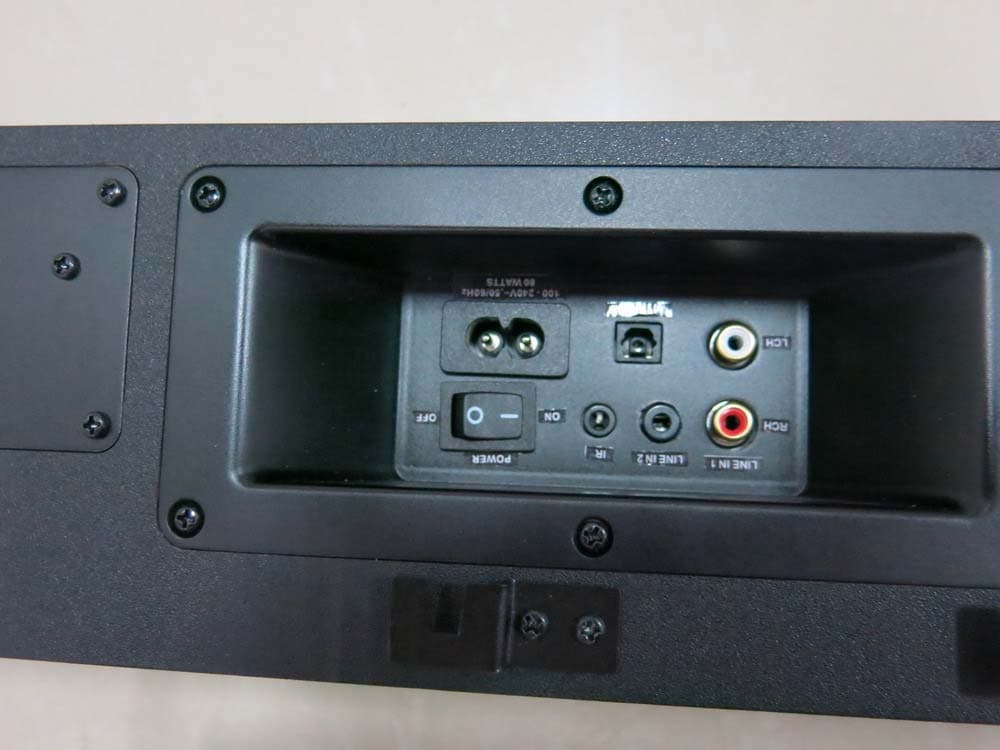
General Appearance of the EUT
ID Label/Location Info
Label Location on EUT
ID Label/Location Info
This device complies with part 15 of the FCC Rules. Operation is subject to the following two conditions: (1) This device may not cause harmful interference, and (2) this device must accept any interference received, including interference that may cause undesired operation. Model number:SOUNDPAD MINI FCC ID :PQA-MINIPAD IC:7430A-MINIPAD 75.0 28.0 贴纸(75*28mm) 铜版纸,白底黑字,单面背胶 FINISHQTY.MATERIAl ±0.5°±0.1.X 1 DATE DRWN BY DATE SHEET 1 OF CHECKED BY APPROVED BY DATE ANGULES SIZE TOLERANCES: FIT A4 DECIMALS UNLESS OTHERWISE SPECIFIED REV: PART NO.COLOR DWG NO. REMARK: SCALE UNIT MM DWGT YPE: DOC.NO: TRISTAR ELECTRONIC CO.,LTD MODEL REVISIONS DATE SIGNATURE REV DESCRIPTION NO: NEW DRAWING A0 后标贴纸 soundpad mini
Internal Photos
Antenna
Test Report
TRF No. FCC Part 15.247/A Page 1 of 56 Report No. KAD130508028E ELECTROMAGNETIC EMISSIONS COMPLIANCE REPORT INTENTIONAL RADIATOR CERTIFICATION TO FCC PART 15 SUBPART C REQUIREMENT OF ACTIVE SPEAKER MODEL No.: SOUNDPAD MINI, HTX-100, Cinemax, Station, Encore, Mia, Soundstation, Unison, HTS-Edge, Diva TRADE MARK: Sinclair Audio, Ultimate, Reference, Lancaster Audio, Precision Acoustics, Univox, Soundstage, Vector, Bassworx, Ikon FCC ID: PQA-MINIPAD REPORT NO: KAD130508028E ISSUE DATE: May 30, 2013 Prepared for JAM INDUSTRIES LTD. 21000 Trans Canada Highway, Baie D’Urfe Quebec H9X 4B7 Canada Prepared by DONGGUAN EMTEK CO., LTD. No.281, Guantai Road, Nancheng District, Dongguan, Guangdong, China TEL: 86-769-22807078 FAX: 86-769-22807079 TRF No. FCC Part 15.247/A Page 2 of 56 Report No. KAD130508028E VERIFICATION OF COMPLIANCE Applicant: JAM INDUSTRIES LTD. 21000 Trans Canada Highway, Baie D’Urfe Quebec H9X 4B7 Canada Manufacturer: JAM INDUSTRIES LTD. 21000 Trans Canada Highway, Baie D’Urfe Quebec H9X 4B7 Canada Product Description: ACTIVE SPEAKER Trade Mark: Sinclair Audio, Ultimate, Reference, Lancaster Audio, Precision Acoustics, Univox, Soundstage, Vector, Bassworx, Ikon Model Number: SOUNDPAD MINI, HTX-100, Cinemax, Station, Encore, Mia, Soundstation, Unison, HTS-Edge, Diva (Note: The samples are the same except trademark and model number number. So we prepare SOUNDPAD MINI for the EMC test.) Serial Number: N/A Kind of Device: Bluetooth Ver. 2.1+EDR File Number: KAD130508028E Date of Test: May 08, 2013 to May 30, 2013 We hereby certify that: The above equipment was tested by DONGGUAN EMTEK CO., LTD. The test data, data evaluation, test procedures, and equipment configurations shown in this report were made in accordance with the procedures given in ANSI C63.4 (2009) and the energy emitted by the sample EUT tested as described in this report is in compliance with conducted and radiated emission limits of FCC Rules Part 15.247. The test results of this report relate only to the tested sample identified in this report. Approved By Sam Lv / Q.A. Manager DONGGUAN EMTEK CO., LTD. TRF No. FCC Part 15.247/A Page 3 of 56 Report No. KAD130508028E Table of Contents 1. GENERAL INFORMATION ....................................................................................... 5 1.1 PRODUCT DESCRIPTION............................................................................................................... 5 1.2 RELATED SUBMITTAL(S) / GRANT (S)............................................................................................ 5 1.3 TEST METHODOLOGY.................................................................................................................. 5 1.4 SPECIAL ACCESSORIES................................................................................................................ 5 1.5 EQUIPMENT MODIFICATIONS........................................................................................................ 6 1.6 TEST FACILITY............................................................................................................................. 6 2. SYSTEM TEST CONFIGURATION ........................................................................... 7 2.1 EUT CONFIGURATION.................................................................................................................. 7 2.2 EUT EXERCISE............................................................................................................................ 7 2.3 TEST PROCEDURE....................................................................................................................... 7 2.4 LIMITATION.................................................................................................................................. 8 2.5 CONFIGURATION OF TESTED SYSTEM........................................................................................ 11 3. SUMMARY OF TEST RESULTS ............................................................................. 12 4. DESCRIPTION OF TEST MODES........................................................................... 13 5. CONDUCTED EMISSIONS TEST ........................................................................... 14 5.1 MEASUREMENT PROCEDURE: .................................................................................................... 14 5.2 TEST SET-UP (BLOCK DIAGRAM OF CONFIGURATION)............................................................... 14 5.3 MEASUREMENT EQUIPMENT USED: ............................................................................................ 14 5.4 MEASUREMENT RESULT: ............................................................................................................ 14 5.5 CONDUCTED MEASUREMENT PHOTOS: ...................................................................................... 17 6. RADIATED EMISSION TEST .................................................................................. 18 6.1 MEASUREMENT PROCEDURE..................................................................................................... 18 6.2 TEST SET-UP (BLOCK DIAGRAM OF CONFIGURATION)............................................................... 18 6.3 MEASUREMENT EQUIPMENT USED: ............................................................................................ 19 6.4 MEASUREMENT RESULT............................................................................................................. 20 6.5 RADIATED MEASUREMENT PHOTOS:........................................................................................... 26 7. CHANNEL SEPARATION TEST ............................................................................. 27 7.1 MEASUREMENT PROCEDURE..................................................................................................... 27 7.2 TEST SET-UP (BLOCK DIAGRAM OF CONFIGURATION)............................................................... 27 7.3 MEASUREMENT…
Text truncated - open the document above for the full version.
Test Setup Photos
Setup Photos
Contact Information
Applicant
David Aggerholm
Technical Contact
Test Firm
EMTEK (DONGGUAN) CO.,LTDSam Lv
Technical Specifications
| # | Rule Parts | Frequency Range | Power Output |
|---|---|---|---|
| 1 | 15C | 2.40 GHz - 2.48 GHz | 3.50 mW |
Other Applications from Jam Industries Ltd
PQA-TV3
Jul 15, 2014Active speaker
Equipment Class
DTS - Digital Transmission System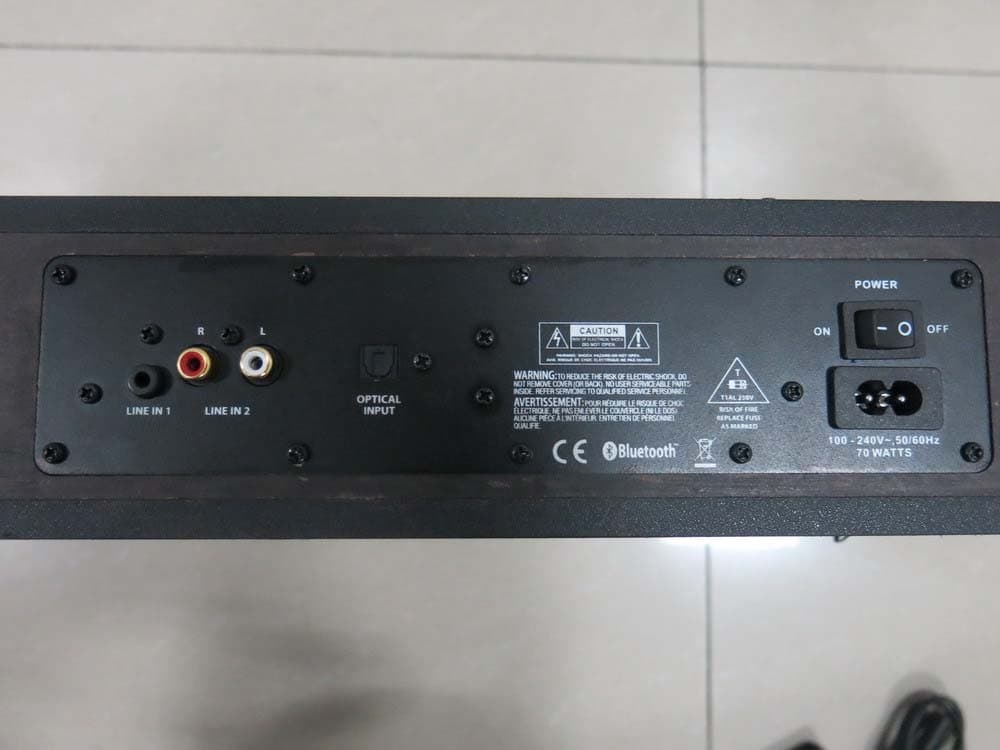
PQA-MINIV2
Jul 06, 2014Active speaker
Equipment Class
DTS - Digital Transmission System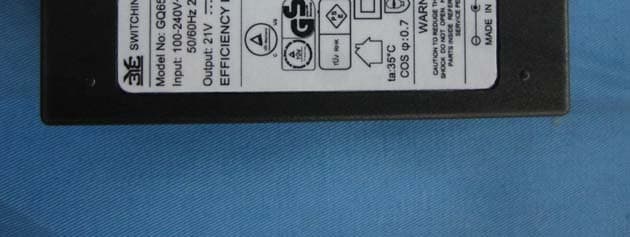
PQA-MICROPAD
Sep 13, 2013Bluetooth Speaker
Equipment Class
DXX - Part 15 Low Power Communication Device Transmitter
PQA-WBT30
Mar 14, 2013Bluetooth Active Speaker
Equipment Class
DSS - Part 15 Spread Spectrum Transmitter
PQA-TV2-SUB
Nov 11, 2012Wireless Subwoofer
Equipment Class
DSS - Part 15 Spread Spectrum Transmitter