PUVEF3P3UFFingerprint Identification Mouse
Immanuel Electronics Co., Ltd.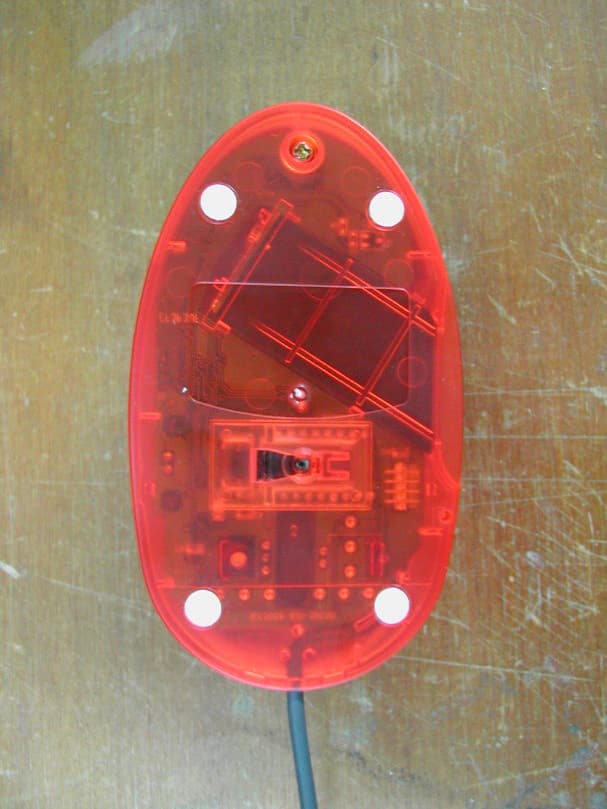
Click to zoom
Application Details
- Equipment Class
- JBP - Part 15 Class B Computing Device Peripheral
- Date of Grant
- Jan 07, 2003
- Application Purpose
- Original Equipment
- Date of Application
- Jan 07, 2003
- Equipment Note
- Fingerprint Identification Mouse
- Country
- South Korea
Documents & Files
Document Text
Text extracted from the exhibit documents filed with the FCC. Open a document above to read the original.
Users Manual
EF3P3UF/OF3UB HARDWARE AND SOFTWARE USER MANUAL Immanuel Electronics CO., LTD. http://www.iec.co.kr (This manual is written based on Windows 2000 Professional operating system) Copyright 2002, Immanuel Electronics Co., Ltd. ALL RIGHTS RESERVED Specifications subject to change without notice. CONTENTS Chapter 1. Product Specification Chapter 2. Installation Overview Chapter 3. How to Install EF3P3UF(OF3UB) Device Driver Chapter 4. How to Install IZZIX FS1000 Program 1. Set Up Windows Users & Passwords 2. Install Program Chapter 5. How to Use IZZIX FS1000 1. Register 2. Lock File 1) Menu Lock A. Create Hidden Folder B. Create Read-Only Folder 2) Click Lock 3. Set up Screen Saver 4. Logon 5. Lock Desktop 6. Set up IZZIX FS1000 Users & Passwords 7. Auto Scan 8. Close 9. Uninstal Chapter 6. How to Use the Device 1. EF3P3UF / OF3UB CHAPTER1. PRODUCT SPECIFICATION 1. Components EF3P3UF (Fingerprint Identification Optical Wheel Mouse), OF3UB (Fingerprint Identification Security Device) , IZZIX FS1000 Program CD Program and User Manual 2. Applicable Environments - One-User PC Environment - Multi-User PC Environment 3. System Requirements - Windows 98se/ME/2000/XP - CPU Pentium 133MHz or higher - 20MB or more Free Hard Disk Space - 16MB or higher RAM - USB Port - CD-ROM Drive CHAPTER2. INSTALLATION OVERVIEW Turn on the computer. Plug in EF3P3UF or OF3UB to a USB port. Plug & Play runs and asks to insert the installation CD. Insert IZZIX installation CD into the CD-ROM drive and install the driver for EF3P3UF(OF3UB) using the Hardware Install Wizard. Execute 'Setup.exe' file from IZZIX installation CD and install IZZIX FS1000 program. The computer restarts automatically to complete the installation process. After restarting the computer, click IZZIX FS1000 tray icon to register as a new user. CHAPTER3. HOW TO INSTALL EF3P3UF DEVICE DRIVER Plug in EF3P3UF to a USB port and Plug & Play function automatically runs “Found New Hardware Wizard” Since the installation process of EF3P3UF and OF3UB is similar, this manual only covers EF3P3UF. Let’s check if EF3P3UF driver is properly installed or not. Right click [My Computer] on the Desktop to show the list shown below. Make sure that EF3P3UF is enlisted. For fingerprint identification security device, it is enlisted as “OF3UB” in the USB category. CHAPTER 6. HOW TO USE THE DEVICE 1. EF3P3UF / OF3UB Watch closely on your fingerprint to find WHIRLPOOL shape. This is the CORE of your fingerprint. Try to put the core on the center of the image sensor.
Block Diagram
* Fingerprint Identification Mouse Block Diagram(EF3P3UF)
External Photos
SK TECH CO., LTD. Page 1 of 2 SKT SKTFCE-030103-002 FCC ID : PUVEF3P3UF External Photographs of EUT SK TECH CO., LTD. Page 2 of 2 SKT SKTFCE-030103-002 FCC ID : PUVEF3P3UF
ID Label/Location Info
SK TECH CO., LTD. Page 1 of 1 SKT SKTFCE-030103-002 FCC ID : PUVEF3P3UF FCC ID Sample Label & Location Information LABELLING REQUIREMENTS PER 2.928 The Label shown shall be permanently affixed at a conspicuous location on the device and be readily visible to the user at the time of purchase. FCC ID : PUVEF3P3UF This device complies with part 15 of the FCC Rules. Operation is subject to the following two conditions: (1) This device may not cause harmful interference, and (2) this device must accept any interference received, including interference that may cause undesired operation.
ID Label/Location Info
SK TECH CO., LTD. Page 1 of 1 SKT SKTFCE-030103-002 FCC ID : PUVEF3P3UF FCC ID Label Sample
Internal Photos
SK TECH CO., LTD. Page 1 of 3 SKT SKTFCE-030103-002 FCC ID : PUVEF3P3UF Internal Photographs of EUT SK TECH CO., LTD. Page 2 of 3 SKT SKTFCE-030103-002 FCC ID : PUVEF3P3UF SK TECH CO., LTD. Page 3 of 3 SKT SKTFCE-030103-002 FCC ID : PUVEF3P3UF
Operational Description
SK TECH CO., LTD. Page 1 of 1 SKT SKTFCE-030103-002 FCC ID : PUVEF3P3UF Operational Description 1. Turn on the computer 2. Plug in EF3P3UF to a USB port. 3. Plug & Play runs and asks to insert the installation CD. 4. Insert EF3P3UF installation CD into the CD-ROM drive and install the driver for EF3P3UF using the Hardware install Wizard. 5. Execute ‘Setup.exe’ file from EF3P3UF installation CD program. 6. The computer restarts automatically to complete the installation process. 7. After restarting the computer, click EF3P3UF tray icon to register as a new user.
Schematics
AA BB CC DD 1 1 2 2 3 3 4 4 Title SizeNo.Rev. FileDataTimeof Enhanced Optical Mouse & Fingerprint Identification A4 IEC6010-010-EFM020Ver 1.0 C:\...\EF3P3UF\Schematic(EF3P3UF).sch.date~.time~11 Chip Set AN2135SC ADNS2051 EZ1117-3.3 or AMC76381-3.3V note5 C102 47uF R101100J C103 100nF C101 47uF/16V R7 1KJ Q2 2SC5343-Y L1 1M3216-151JT R2 24J R1 24J C14 100nF C4 100nF C5 100nF R8 10KJ R9 10KJ C12100nF R A 1 0 2 1 0 K J C1 10uF/16V C3 10uF L2 1M3216-151JT C2 10uF/16V R31.5KJ LTE1 HLMP-ED80 C15 100nF LTE2 R13 15KJ R11 270J C10 100nF S W 2 R S W 3 M S W 1 L R12 15KJ R6 4.7KJ C104 100nF C105~7100pF Q1 2SA1980-Y R51KJ C13100nF R4 8.2KJ LTR1 RA101 22J R10 C11 100nF 20 19 18 17 16 15 14 13 12 11 10 9 8 7 6 5 4 AVdd AGnd NC NC NC NC NC NC NC NC AGnd AVdd N C O m s D G n d D a t a 7 D a t a 6 D a t a 5 D a t a 4 D G n d D a t a 3 D a t a 2 D a t a 1 D a t a 0 DVdd DGnd NC NC NC NC NC NC NC NC NC DVdd R e s e t D G n d D G n d S d a H S y n c V S y n c S c k D G n d E n b D G n d M C l k V d d 5 7 8 9 10 11 12 13 14 15 16 17 18 1 9 2 0 2 1 2 2 2 3 2 4 2 5 2 6 2 7 2 8 2 9 3 0 42 41 40 39 38 37 36 35 34 33 32 31 4 3 4 4 4 5 4 6 4 7 4 8 123456 HB7122B U101 LED+ LED- Touch 1 2 3 CN102 CN101 LED- V+ Touch Gnd Gnd Gnd Gnd Gnd MClk D0 D1 D2 D3 Sda Sck Res 1 2 3 4 5 6 7 8 9 11 12 13 14 15 16 17 18 19 20 10 V+ LED- Touch Gnd MClk Gnd D0 D1 D2 D3 Sda Sck Res Gnd Gnd Gnd Gnd Gnd Gnd Gnd D0 D1 D2 D3 40 24 25 26 27 18 19 21 PC4 PC5 Gnd Gnd Gnd Gnd Gnd Gnd Gnd Gnd Gnd AGnd 38 34 23 12 6 1 3 4 5 7 Xo Xi 9 8 OSC2 12MHz +5V D- D+ Gnd Shield CN1 AVcc Vcc Vcc Vcc Vcc 10 11 22 33 44 Reset 13 U 4 A N 2 1 3 5 S C 3536 S D A S C L 414243 D + D - WAKEUP# 37 CN2 A0 A1 A2 Gnd Vcc WP SCL SDA U3AT24C64 5 6 7 81 2 3 4 D i s c o n # 39 C l k 2 4 B K P T 232 PC3 17 PC2 16 PA5/FRD# PA4/FWR# PC7/RD# U2 EZ1117-3.3V AMC76381 Fingerprint Identification Mouse Model : EF3P3UF 1 1 9 O S C I 6 R - B i n 1 4 X Y - L E D O S C 2 8 G N D 1 2 G N D 1 0 V d d 5 RerB RefA 7 1 3 OSC1 24MHz X A X B Y A Y B 2354 W R # 20 P D 1 5 P C 0 14 S D i o H 2 0 0 0 U 1 S C l k 1 6 1 P C 1 15 D4 D7 D6 D5 Vdd Vss USB Pin Layout Fig2 Shield D+ D- D4 D5 28 29 30 31 D6 D7 Vdd Gnd 11 4 P5.0P5.1 114 P 6 . 1 P 6 . 2 8910 P6.0 P 6 . 7 P 6 . 6 23 P6.3 P6.4 6 P5.2 13 P5.3 12 5 7 P6.5 78P153E
Test Report
SK TECH CO., LTD. Page 1 of 15 SKT SKTFCE-030103-002 FCC ID : PUVEF3P3UF Certificate of Compliance Test Report No.: SKTFCE-030103-002 NVLAP CODE : 200220-0 Applicant: Immanuel Electronics Co., Ltd. Applicant Address: 156-5, Ippuk-dong, Kwonsun-ku, Suwon-City Kyungki-do, Korea Product: Fingerprint Identification Mouse FCC ID: PUVEF3P3UF Model No.: EF3P3UF Receipt No.: SKTEU02-0112 Date of receipt: Dec. 27, 2002 Date of Issue: Jan. 03, 2003 Testing location: SK TECH CO., LTD. 820-2, Wolmoon-Ri, Wabu-Up, Namyangju-Si, Kyunggi-Do, Korea Test Standards: ANSI C63.4 / 2001 Rule Parts: FCC part 15 Subpart B Equipment Class : Class B Digital Device Peripheral Test Result: The above mentioned product has been tested and passed. Prepared by:Y.H.Kang Tested by:S.B.Kim/Engineer Approved by: K.S.Kim/Manager & Chief Engineer Signature Date Signature Date Signature Date Other Aspects : Abbreviations : · OK, Pass = passed · Fail = failed · N/A = not applicable •This test report is not permitted to copy partly without our permission. •This test result is dependent on only equipment to be used. •This test result is based on a single evaluation of one sample of the above mentioned. •This test report must not be used by the client to claim product endorsement by NVLAP or any agency of the U.S Government. • We certify that this test report has been based on the measurement standards that is traceable to the national or International standards. NVLAP Lab. Code: 200220-0 SK TECH CO., LTD. Page 2 of 15 SKT SKTFCE-030103-002 FCC ID : PUVEF3P3UF Contents Contents 2 List of Tables 2 List of Figures 2 1. General 3 2. Test Site 3 2.1 Location 3 2.2 List of Test and Measurement Instruments 4 2.3 Test Date 4 2.4 Test Environment 4 3. Description of the tested samples 5 3.1 Rating and Physical Characteristics 5 3.2 Submitted Documents 5 4. Measurement Conditions 6 4.1 Modes of Operation 6 4.2 List of Peripherals 6 4.3 Type of Used cables 6 4.4 Test Setup 6 4.5 Uncertainty 7 5. EMISSION Test 10 5.1 Conducted Emissions 10 5.2 Radiated Emissions 14 List of Tables Table 1 List of test and measurement Equipment 4 Table 2 Test Data, Conducted Emissions 13 Table 3 Test Data, Radiated Emissions 15 List of Figures Figure 1 Spectral Diagram, LINE-PE 11 Figure 2 Spectral Diagram, Neutral-PE 12 SK TECH CO., LTD. Page 3 of 15 SKT SKTFCE-030103-002 FCC ID : PUVEF3P3UF 1. General This equipment has been shown to be capable of compliance with the applicable technical standards and was tested in accordance with the measurement procedures as indicated in this report. We attest to the accuracy of data. All measurements reported herein were performed by SK Tech Co., Ltd. and were made under Chief Engineer’s supervision. We assume full responsibility for the completeness of these measurements and vouch for the qualifications of all persons taking them. 2. Test Site SK TECH Co., Ltd. 2.1 Location 820-2, Wolmoon Ri, Wabu-Up, Namyangju-Si, Kyunggi-Do, Korea The test site is in compliance with ISO/IEC 17025 for general requirements for the competence of testing and calibration laboratories. This laboratory is accredited by NVLAP for NVLAP Lab. Code : 200220-0 and DATech for DAR-Registration No.:TTI-P-G155/97-10 SK TECH CO., LTD. Page 4 of 15 SKT SKTFCE-030103-002 FCC ID : PUVEF3P3UF 2.2 List of Test and Measurement Instruments Table 1 : List of Test and Measurement Equipment l Conducted Disturbance Kind of Equipment Type S/N Calibrated until EMI Receiver ESHS10 862970/019 10.2003 Artificial Mains Network ESH2-Z5 834549/011 10.2003 EMI Receiver ESHS10 835871/002 10.2003 Artificial Mains Network ESH3-Z5 836679/018 10.2003 Conducted Cable N/A N/A N/A l Radiated Disturbance Kind of Equipment Type S/N Calibrated until EMI Receiver ESVS 10 825120/013 10.2003 EMI Receiver ESVS 10 834468/008 10.2003 Spectrum Analyzer R3361A 11730187 10.2003 Amplifier 8447F 3113A05153 10.2003 Log Periodic Antenna UHALP9107 1819 10.2003 Biconical Antenna BBA9106 91031626 10.2003 Antenna Mast 5907 N/A N/A Antenna & Turntable controller 5906 N/A N/A Amp & Receiver connection cables N/A N/A N/A 50 Switcher MP59B 6100214538 N/A 2.3 Test Date Date of Application : Dec. 27, 2002 Date of Test : Dec. 30, 2002 ~ Jan. 02, 2003 2.4 Test Environment See each test item’s description. SK TECH CO., LTD. Page 5 of 15 SKT SKTFCE-030103-002 FCC ID : PUVEF3P3UF 3. Description of the tested samples The EUT is the Fingerprint Identification Mouse. 3.1 Rating and Physical Characteristics l System Requirements - Windows 98se/ME/2000/XP - CPU Pentium 133MHz or higher - 20MB or more Free Hard Disk Space - 16MB or higher RAM - USB Port - CD-ROM Drive 3.2 Submitted Documents N/A SK TECH CO., LTD. Page 6 of 15 SKT SKTFCE-030103-002 FCC ID : PUVEF3P3UF 4. Measurement Conditions Operating voltage of the EUT is supplied by the PC. ( The PC Input Voltage is AC 120, 60Hz ) 4.1 Modes of Operation The EUT was in the following operation mode during all testing; EUT is connected the PC by USB cable. Check to continuous fingerprinter identification. 4.2 List of Peripherals Description Manufacturer Model Name Serial No. FCC ID PC LG Electronics W8S 202KI 10585 N/A Monitor Comtec CT-151B N/A DoC Keyboard Jing Mold LKB-0107 20101342 DoC Printer H.P 2225C 3132S00310 DSI6XU2225 Adaptor (for Printer) E&Tel SY-1010K N/A N/A Adaptor (for Monitor) Item Elect F1650K N/A N/A 4.3 Type of Used Cables Description Length Type of shield Manufacturer Remark USB interface cable 1.0m Non-Shield None For EUT PC power cable 1.6m Non-Shield None PS/2 interface cable 1.0m Non-Shield None For Keyboard AC/DC power cable 1.6m Non-Shield None For Monitor VGA cable 1.0m Shield None AC/DC power cable 1.6m Non-Shield None For Printer Parallel interface cable 1.0m Shield None For Printer 4.4 Test Setup The test setup photographs showed the external supply connections and interfaces. SK TECH CO., LTD. Page 7 of 15 SKT SKTFCE-030103-002 FCC ID : PUVEF3P3UF 4.5 Uncertainty 1) Radiated disturbance Horizontally polarized radiated disturbances …
Text truncated - open the document above for the full version.
Test Setup Photos
SK TECH CO., LTD. Page 1 of 2 SKT SKTFCE-030103-002 FCC ID : PUVEF3P3UF Test set up photos Photograph 1: Setup for Conducted Emissions SK TECH CO., LTD. Page 2 of 2 SKT SKTFCE-030103-002 FCC ID : PUVEF3P3UF Photograph 2: Setup for Radiated Emissions
Contact Information
Applicant
Jeong-Hee Kim(Manager)
Test Firm
SK Tech Co., Ltd.Jae-Yeong Hyun
Technical Specifications
| # | Rule Parts | Frequency Range | Power Output |
|---|---|---|---|
| 1 | 15B | - | - |
Other Applications from Immanuel Electronics Co., Ltd.
PUVOF3UB
Jan 08, 2003Fingerprint Identification Device
Equipment Class
JBP - Part 15 Class B Computing Device Peripheral
PUVOF2P3UB
Jul 11, 2002Fingerprint Identification Mouse
Equipment Class
JBP - Part 15 Class B Computing Device Peripheral
PUVOPM22G
Mar 20, 2002Optical Scroll Mouse
Equipment Class
JBP - Part 15 Class B Computing Device Peripheral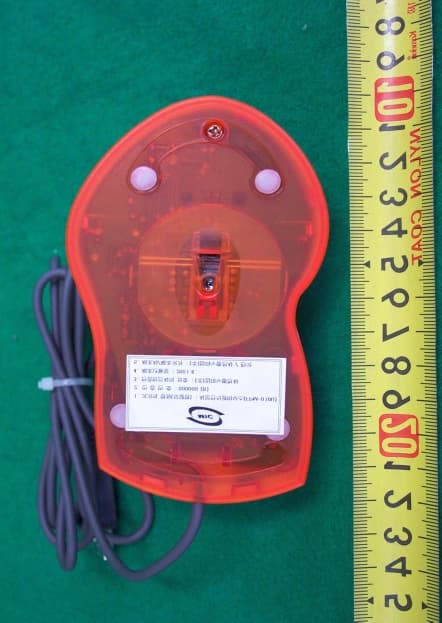
PUVFPM-010U
Sep 19, 2001Fingerprint Optical Wheel Mouse
Equipment Class
JBP - Part 15 Class B Computing Device Peripheral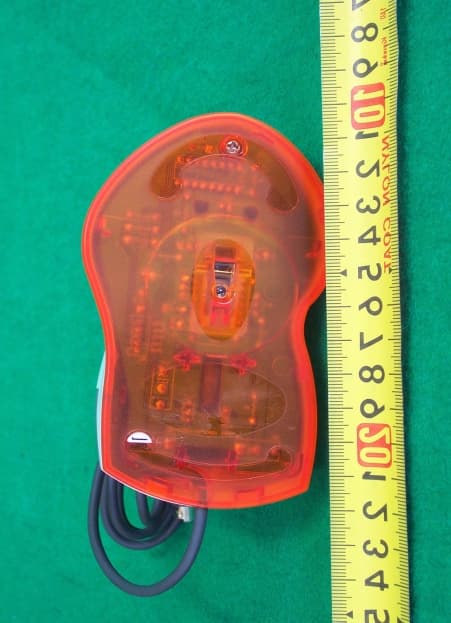
PUVOM21-PO
Sep 19, 2001Optical Wheel Mouse
Equipment Class
JBP - Part 15 Class B Computing Device Peripheral