PVB-LIBERATEBluetooth Speaker
The House of Marley.LLC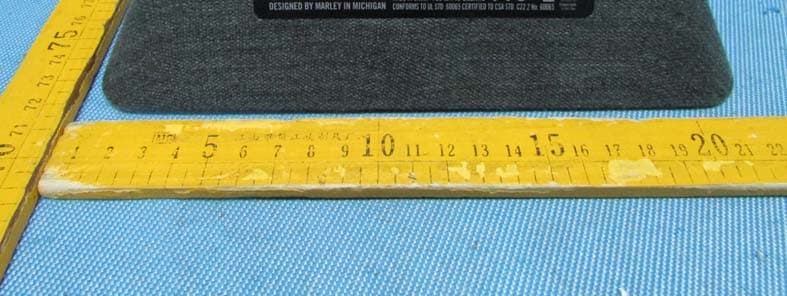
Click to zoom
Application Details
- Equipment Class
- DSS - Part 15 Spread Spectrum Transmitter
- Date of Grant
- May 18, 2014
- Application Purpose
- Original Equipment
- Date of Application
- May 18, 2014
- Equipment Note
- Bluetooth Speaker
- Frequency Range
- 2402.00000000 - 2480.00000000
- Company
- The House of Marley.LLC
- Country
- United States
Documents & Files
Document Text
Text extracted from the exhibit documents filed with the FCC. Open a document above to read the original.
Users Manual
1 Liberate Portable Bluetooth ® Audio System 12 Easy To Use When the system is powered and a device is connected, you are ready to enjoy your Liberate. 1. Pr ess the power button to turn Liberate on. Press the power button again to turn Liberate off. 2. Increase or decrease the volume on Liberate by pressing or holding the – and + buttons until the desired volume is reached. You can also adjust the system volume using the controls on your music source. 3. Qu ickly press the while music is playing to pause and resume playback directly from Liberate. Charging Your Device A convenient USB port is available on the back of Liberate to charge your devices while it is on. Use the cable that came with your device to charge. NOTE: Not all devices are compatible with the USB port. If your device does not charge, use the power adapter that came with it. Important Safety Information 1. Follow and keep these instructions. 2. Heed all warnings. 3. Do not use this apparatus near water. 4. Cle an only with a dry cloth. 5. Do not block any ventilation openings. Install in accordance with the manufacturer’s instructions. 6. Do not install near any heat sources such as radiators, heat registers, stoves, or other apparatus (including amplifiers) that produce heat. 7. Protect the power cord from being walked on or pinched particularly at plug, convenience receptacles, and the point where they exit from the apparatus. 8. On ly use attachments/accessories specified by the manufacturer. 9. Unplug this apparatus during lightning storms or when unused for long periods of time. 10. Refer all servicing to qualified service personnel. Servicing is required when the apparatus has been damaged in any way, such as power-supply cord or plug is damaged, liquid has been spilled or objects have fallen into the apparatus, the apparatus has been exposed to rain or moisture, does not operate normally, or has been dropped. 11. To r educe the risk of fire or electric shock, do not expose this apparatus to rain or moisture. WEEE EXPLANATION This marking indicates that this product should not be disposed with other household wastes throughout the EU. To prevent possible harm to the environment or human health from uncontrolled waste disposal, recycle it responsibly to promote the sustainable reuse of material resources. To return your used device, please use the return and collection systems or contact the retailer where the product was purchased. They can take this product for environmental safe recycling. BATTERY DIRECTIVE This symbol indicates that batteries must not be disposed of in the domestic waste as they contain substances which can be damaging to the environment and health. Please dispose of batteries in designated collection points. Liberate Portable Bluetooth ® Audio System Greetings and Welcome to the House of Marley We are honored you have selected Liberate to become part of your music experience. Liberate is a portable stereo sound system which works with Bluetooth ® devices connected wirelessly and hundreds of other devices via the auxiliary input. The system uses four high-output, long-throw 2.0” (50.8mm) woofers. The system uses a bamboo rear panel and is wrapped in REWIND™ fabric composed of reclaimed hemp, organic cotton, and recycled plastic bottles (RPET). Everything You Need to Jam The Liberate comes with the following items: Sound System USB switching power supply (5V 1.0A 110/220V) 3.5mm Stereo Mini Cable Powering Your Liberate Liberate includes a built-in rechargeable battery that is charged by the included power supply. The LED by the power port will glow RED when the system is charging and turn off once the battery is full. Using a Wall Outlet 1. Insert the AC power supply cord into the Liberate. 2. Insert wall plug into an appropriate wall outlet. Connecting Your Music Device(s) Pairing Mode (Flashing Blue LED) Liberate automatically goes into reconnect mode for 5 seconds as soon as you turn it on (flashing BLUE led). It then switches to auxiliary mode (RED led). You can pair a new device to Liberate by holding the for 3 seconds. Note: Holding the for 3 seconds will kick off the device currently connected to Liberate and go into Pairing Mode. Connected Mode (Solid Blue LED) Use your Bluetooth-enabled device to pair to Liberate. Liberate does not require a pairing password. Once paired, the LED will glow solid blue. Note: Liberate will automatically pair with the last device connected to it when turned ON (when possible). Connecting other devices The auxiliary input on the back of Liberate allows you to connect other audio devices to the system. Simply connect your device to the AUX input on the Liberate using the 3.5mm stereo mini cable (included). (1) (2) (1)(2)(3) EN FCC NOTE: This device complies with Part 15 of the FCC Rules. Operation is subject to the following two conditions: (1) this device may not cause harmful interference, and (2) this device must accept any interference received, including interference that may cause undesired operation. THE MANUFACTURER IS NOT RESPONSIBLE FOR ANY RADIO OR TV INTERFERENCE CAUSED BY UNAUTHORIZED MODIFICATIONS OR CHANGE TO THIS EQUIPMENT. SUCH MODIFICATIONS OR CHANGE COULD VOID THE USER’S AUTHORITY TO OPERATE THE EQUIPMENT.
Cover Letter(s)
The House of Marley. LLC. Date: March 24, 2013 Federal Communications Commission Authorization and Evaluation Division Confidentiality Request regar ding application for certification of FCC ID: PVB-LIBERATE Pursuant to Sections 0.457 and 0.459 of the Commission’s Rules, we hereby request confidential treatment of information accompanying this application as outlined below: Exhibit TypeFile Name SchematicsSCH.pdf Block DiagramBlockDiagram.pdf Operational DescriptionCircuitDescription.pdf The above materials contain trade secrets and proprietary information not customarily released to the public. The public disclosure of these materials may be harmful to the applicant and provide unjustified benefits to its competitors. The applicant understands that pursuant to Section 0.457 of the Rules, disclosure of this application and all accompanying documentation will not be made before the date of the Grant for this application. Sincerely, 3000 Pontiac Trail Commerce Township , MI 48390 USA ............................................................... Signature Vladislav Grodzinskiy / Manager ............................................................... Typed name and Title
Cover Letter(s)
The House of Marley. LLC. FCC ID:PVB-LIBERATE POWER OF ATTORNEY Date: March 24, 2014 Federal Communications Commission Authorization and Evaluation Division 7435 Oakland Mills Road Columbia, MD 21046 To Whom It May Concern: We, the undersigned, hereby authorize Waltek Services (ShenZhen) Co., Ltd. (Philo Zhong) on our behalf, to apply to the Federal Communications Commission on our equipment. Any and all acts carried out by Waltek Services (ShenZhen) Co., Ltd. (Philo Zhong) on our behalf shall have the same effect as acts of our own. This authorization expires onMarch 23, 2015. This is to advise that we are in full compliance with the Anti-Drug Abuse Act. We, The House of Marley. LLC., are not subject to a denial of federal benefits pursuant to Section 5301 of the Anti-Drug Act of 1988, 21 USC853a, and no party to the application is subject to a denial of federal benefits pursuant to that section. Sincerely, ................................................................................. Signature Vladislav Grodzinskiy / Manager ................................................................................. Typed name and Title
External Photos
Waltek Services (Shenzhen) Co.,Ltd. http://www.waltek.com.cn Photographs - Constructional Details EM-JA005-MI – Appearance View Adapter 1 Adapter 2 Waltek Services (Shenzhen) Co.,Ltd. http://www.waltek.com.cn Waltek Services (Shenzhen) Co.,Ltd. http://www.waltek.com.cn Waltek Services (Shenzhen) Co.,Ltd. http://www.waltek.com.cn Waltek Services (Shenzhen) Co.,Ltd. http://www.waltek.com.cn Waltek Services (Shenzhen) Co.,Ltd. http://www.waltek.com.cn Adapter 1 Waltek Services (Shenzhen) Co.,Ltd. http://www.waltek.com.cn Adapter 2
ID Label/Location Info
FCC Label Location for model: EM-JA005-MI,EM-JA005-SM The Label must not be a stick-on paper. The Label on these products must be permanently affixed to the product and readily visible at the time of purchase and must last the expected lifetime of the equipment not be readily detachable. FCC ID: PVB-LIBERATE This device complies with part 15 of the FCC Rules. Operation is subject to th e following two conditions: (1) This device may not cause harmful interference, and (2) this device must accept any interference received, including interference that may cause undesired operation.
ID Label/Location Info
FCC Label Sample for model: EM-JA005-MI,EM-JA005-SM FCC ID: PVB-LIBERATE This device complies with part 15 of the FCC Rules. Operation is subject to the following two conditions: (1) This device may not cause harmful interference, and (2) this device must accept any interference received, including interference that may cause undesired operation.
Internal Photos
Waltek Services (Shenzhen) Co.,Ltd. http://www.waltek.com.cn E M-JA005-MI – Internal View Waltek Services (Shenzhen) Co.,Ltd. http://www.waltek.com.cn ANT RF mod ule Waltek Services (Shenzhen) Co.,Ltd. http://www.wa ltek.com.cn
Test Report
TEST REPORT Waltek Services (Shenzhen) Co.,Ltd. http://www.waltek.com.cn Page 1 of 72 Reference No. .................... : WTD14S0413243E FCC ID ................................ : PVB-LIBERATE Applicant ............................ : The House of Marley. LLC Address .............................. : 3000 Pontiac Trail Commerce Township , MI 48390 USA Manufacturer ..................... : Shenzhen 3nod Digital Technology Co., Ltd. Address .............................. : Building D Park 8# Langhui Road Tangxiayong Village, Industrial Zone Songgang Town, Baoan District, Shenzhen City, China Product Name .................... : LIBERATE Model No. ........................... : EM-JA005-MI, EM-JA005-SM Standards ........................... : FCC CFR47 Part 15 C Section 15.247:2012 Date of Receipt sample ..... : Apr.21, 2014 Date of Test ........................ : Apr.21~24, 2014 Date of Issue ...................... : May 07, 2014 Test Result ......................... : Pass * *Remarks: The results shown in this test report refer only to the sample(s) tested; this test report cannot be reproduced, except in full, without prior written permission of the company. The report would be invalid without specific stamp of test institute and the signatures of compiler and approver. Prepared By: Waltek Services (Shenzhen) Co., Ltd. Address: 1/F., Fukangtai Building, West Baima Road, Songgang Street, Baoan District, Shenzhen, Guangdong, China Testing location: 1/F., Fukangtai Building, West Baima Road, Songgang Street, Baoan District, Shenzhen, Guangdong, China Tel :+86-755-83551033 Fax:+86-755-83552400 Compiled by: Approved by: Zero Zhou / Project Engineer Philo Zhong / Manager Reference No.: WTD14S0413243E Page 2 of 72 Waltek Services (Shenzhen) Co.,Ltd. http://www.waltek.com.cn 2 Test Summary Test Items Test Requirement Result Conducted Emissions 15.207 PASS Spurious Radiated Emissions 15.205(a) 15.209 15.247(d) PASS Band edge Emissions 15.247(d) PASS 20dB Bandwidth 15.215c 15.247(a)(1) PASS Maximum Peak Output Power 15.247(b)(1) PASS Frequency Separation 15.247(a)(1) PASS Number of Hopping Frequency 15.247(a)(1)(iii) PASS Dwell time 15.247(a)(1)(iii) PASS Maximum Permissible Exposure (Exposure of Humans to RF Fields) 1.1307(b)(1) PASS Reference No.: WTD14S0413243E Page 3 of 72 Waltek Services (Shenzhen) Co.,Ltd. http://www.waltek.com.cn 3 Contents Page 1 COVER PAGE .......................................................................................................................................... 1 2 TEST SUMMARY ................................................................................................................................................... 2 3 CONTENTS ............................................................................................................................................................. 3 4 GENERAL INFORMATION .................................................................................................................................. 5 4.1 GENERAL DESCRIPTION OF E.U.T. ................................................................................................................. 5 4.2 DETAILS OF E.U.T. .......................................................................................................................................... 5 4.3 CHANNEL LIST ................................................................................................................................................. 5 4.4 TEST FACILITY ................................................................................................................................................. 6 4.5 TEST LOCATION ............................................................................................................................................... 6 4.5.2 Test Mode ................................................................................................................................................. 6 5 EQUIPMENT USED DURING TEST ................................................................................................................... 7 5.1 EQUIPMENTS LIST ........................................................................................................................................... 7 5.2 MEASUREMENT UNCERTAINTY ........................................................................................................................ 7 5.3 TEST EQUIPMENT CALIBRATION ..................................................................................................................... 7 6 CONDUCTED EMISSION TEST ......................................................................................................................... 8 6.1 E.U.T. TEST CONDITION ................................................................................................................................. 8 6.2 EUT SETUP ..................................................................................................................................................... 8 6.3 CONDUCTED EMISSION TEST RESULT ............................................................................................................ 9 7 SPURIOUS RADIATED EMISSIONS ............................................................................................................... 11 7.1 EUT OPERATION: .......................................................................................................................................... 11 7.2 TEST SETUP .................................................................................................................................................. 12 7.3 SPECTRUM ANALYSER SETUP ...................................................................................................................... 13 7.4 TEST PROCEDURE .....................................................................................................................................…
Text truncated - open the document above for the full version.
Test Setup Photos
Waltek Services (Shenzhen) Co.,Ltd. http://www.waltek.com.cn EM-JA005-MI – Test Setup Conducted Emission Test Setup Radiated Emission Test Setup Below 30MHz Waltek Services (Shenzhen) Co.,Ltd. http://www.waltek.com.cn Fr om 30‐1000MHz Above 1GHz
Contact Information
Applicant
Cody Brooner(Head of Product)
Test Firm
Waltek Services(Shenzhen) Co., Ltd.Philo zhong
Technical Specifications
| # | Rule Parts | Frequency Range | Power Output |
|---|---|---|---|
| 1 | 15C | 2.40 GHz - 2.48 GHz | 2.00 mW |
Other Applications from The House of Marley.LLC
PVB-EMCD001SB
Jul 24, 2026Kaya
Equipment Class
DTS - Digital Transmission System
PVB-EMDE045
Jul 03, 2026Aura ANC
Equipment Class
DSS - Part 15 Spread Spectrum Transmitter
PVB-EMDE041
Nov 26, 2025Trenchtown ANC
Equipment Class
DSS - Part 15 Spread Spectrum Transmitter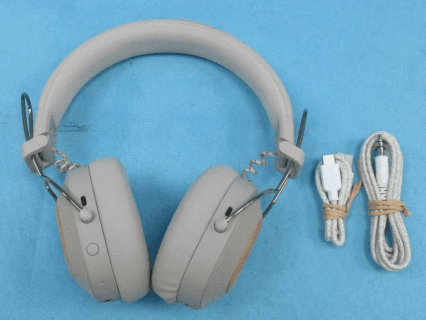
PVB-EMJH135
Sep 25, 2024POSITIVE VIBRATION RIDDIM
Equipment Class
DTS - Digital Transmission SystemPVB-EMJA027
Jul 25, 2024Uplift
Equipment Class
DSS - Part 15 Spread Spectrum Transmitter