PY78404005Bluetooth Chatpen
Sony Corporation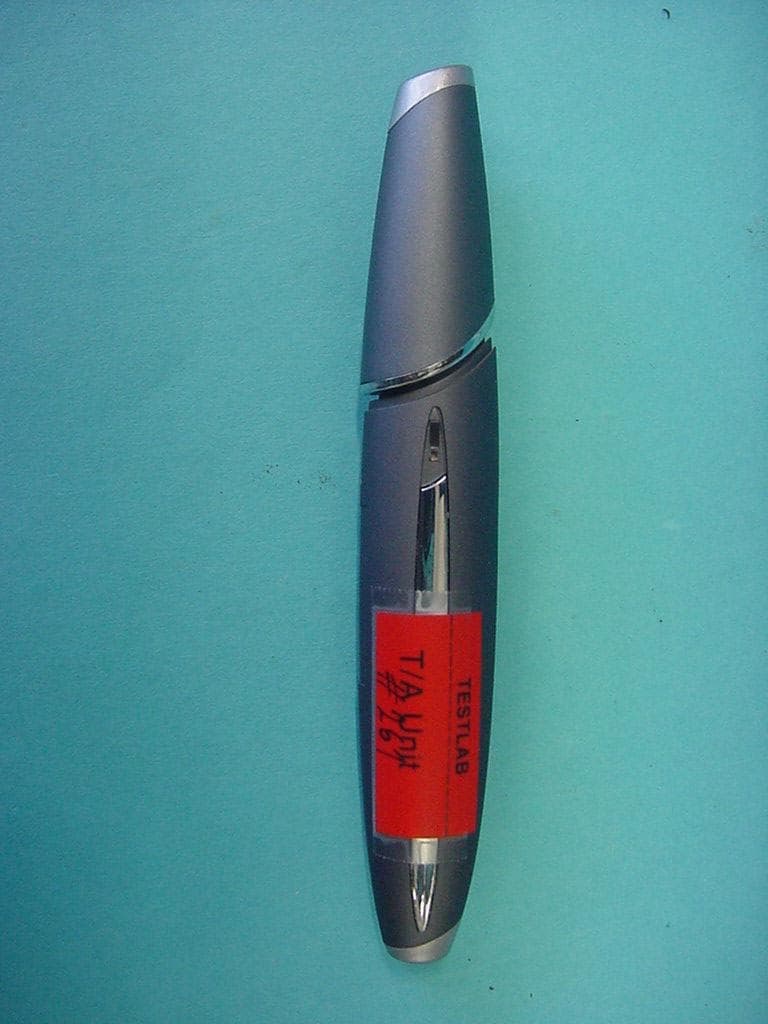
Click to zoom
Application Details
- Equipment Class
- DSS - Part 15 Spread Spectrum Transmitter
- Date of Grant
- Apr 17, 2002
- Application Purpose
- Original Equipment
- Date of Application
- Apr 17, 2002
- Equipment Note
- Bluetooth Chatpen
- Frequency Range
- 2402.00000000 - 2480.00000000
- Company
- Sony Corporation
- Country
- Japan
Documents & Files
Document Text
Text extracted from the exhibit documents filed with the FCC. Open a document above to read the original.
Users Manual
1 User’s Guide Chatpen CHA-30 2001-12-05 chatpen_trial_front.fm Page 1 Friday, December 14, 2001 11:11 AM 2 chatpen_trial_front.fm Page 2 Friday, December 14, 2001 11:11 AM Contents1 Contents Introduction 2 Getting started 3 1. Charging the battery ..................3 2. Pairing your Chatpen.................3 3. Setting up your Chatpen ............4 4. Ticking for activation .....5 Using your Chatpen 6 Turning your Chatpen on/off.........6 Writing and drawing......................6 Marking a box................................7 Character fields..............................7 Using notepads and the Chatpen memory..........................................8 Using the phone book....................8 Sending messages 9 Sending e-mail or fax messages ....9 Sending text/graphical messages (SMS) ..........................................10 Sending a notepad........................12 Editing ticks and characters.........12 Maintenance 13 Charging the battery ....................13 Setting languages.........................13 Changing ink cartridges...............14 Re-pairing your Chatpen .............14 Resetting your Chatpen ...............15 Master reset .................................15 Chatpen functions........................16 Additional information 17 Chatpen status indication.............17 Troubleshooting...........................17 Technical data..............................21 Safe and Efficient Use.................21 Limited Warranty ........................23 Declaration of conformity ...........24 Ericsson Chatpen™ CHA-30 Second edition (December 2001) This User’s Guide is published by Sony Ericsson Mobile Communications AB, without any warranty. Improvements and changes to this User’s Guide necessitated by typographical errors, inaccuracies of current information, or improvements to programs and/or equipment, may be made by Sony Ericsson Mobile Communications AB at any time and without notice. Such changes will, however, be incorporated into new editions of this User’s Guide. All rights reserved. ©Sony Ericsson Mobile Communications AB , 2001 Publication number: LZT 108 5534 R2A INNOVATRON PATENTS. 2Introduction Introduction The Bluetooth™ Chatpen™ CHA-30 uses Bluetooth wireless technology to communicate. Please read the “Safe and Efficient Use” and “Limited Warranty” chapters before using your Chatpen. What is Bluetooth wireless technology? The Bluetooth wireless technology makes it possible to connect any compatible portable and stationary communications device without using cables. The technology is based on a radio link that offers fast and reliable transmission of voice and data information. It does not require a line-of-sight connection in order to establish communication. The Bluetooth wireless technology uses a globally available frequency range intended to ensure communication compatibility worldwide. The Chatpen concept The Chatpen CHA-30 allows you to, via your mobile phone and the Internet, send your notes and drawings to any computer or mobile phone anywhere in the world. Whatever you write or draw is saved in the Chatpen memory, which can hold approximately 40 pages filled with writing. Nothing of what you write or draw is ever saved in the phone (the phone is only a carrier of data), and the phone display only reflects what is saved in the Chatpen. Additional Chatpen information For more information about your Chatpen, visit www.SonyEricssonMobile.com/. CHA-30-R2A.book Page 2 Thursday, December 13, 2001 10:44 AM Getting started3 Getting started Before you can start to use your Chatpen, you must: 1. Charge the Chatpen battery. 2. Pair a phone with the Chatpen. 3. Set up your Chatpen. 4. Tick for activation. 1. Charging the battery •Connect the charger to the mains and to the charging connector on the Chatpen. Note: When the charger is connected, you do not have to wait for the battery to be fully charged before you start pairing the Chatpen with a phone. 2. Pairing your Chatpen In order for your Chatpen to work, it must be able to communicate with a phone. When you pair your Chatpen with your phone, you make this communication possible. You pair your Chatpen once. The Chatpen remains paired when you turn it off. cap charging connector clip lens reset hole light CHA-30-R2A.book Page 3 Thursday, December 13, 2001 10:44 AM 4Getting started The Chatpen can be paired with one phone. If you want to use another phone with your Chatpen, you must first re-pair it. See “Re-pairing your Chatpen” on page 14. Several Chatpens can be paired with the same phone. To pair your Chatpen with a phone 1. Keep the charger attached to the Chatpen, and take off the cap. The Chatpen is ready to pair when the light on the Chatpen starts flashing red, green and yellow and when it vibrates at regular intervals. 2. In the phone menu, scroll to Connect or Extras * , YES, Bluetooth, YES, Paired devices, YES, Add device, YES, Phone initiates, YES. A list of device types that can be paired with your phone is shown. Select All types, YES. 3. The phone searches for Bluetooth devices. A list of available devices appears in the display. Select CHA-30, which is the default name of the Chatpen. 4. Enter the Bluetooth passkey (which you find in the Chatpen box), YES. The phone starts the pairing procedure. 5. When pairing is completed, you can edit CHA-30 to a personal name tag and press YES. 6. Press NO repeatedly to return to standby. 7. Continue with “3. Setting up your Chatpen” below. 3. Setting up your Chatpen You must enter some service provider data to be able to send your messages. •See Alternative A below, if the phone displays Testing pen setup... immediately after pairing. •See Alternative B below, if you have received instructions to set up your Chatpen on the Web. •See Alternative C below, if you have received instructions to set up your Chatpen by filling in a paper form. •See Alternative D below, if you do not succeed with the set-up in Alternative B or C. * Depending on what phone model …
Text truncated - open the document above for the full version.
External Photos
CETECOM ICT Services GmbH Test report nr..: 2_2637-01-01/01Issue Date:19.11.2001Page 53 (57) Photographs of the equipment CETECOM ICT Services GmbH Test report nr..: 2_2637-01-01/01Issue Date:19.11.2001Page 54 (57) Photographs of the equipment
ID Label/Location Info
Limited Internal SPECIFICATION 1 (2) Prepared (also subject responsible if other)No. LD/SEM/GUG/NV Håkan Sjöberg +46 46 193559GUG/NV02:019 Uen ApprovedCheckedDateRevReference LD/SEM/GUG/NVC Bo Johansson2002-01-25A Product Specification Pen Label, Part No 861001 Summary This document describes the marking label that is to be printed and mounted on the Sony Ericsson Chatpen type 8404005 (FCC ID: PY78404005). 1GENERAL..................................................................................................................................................................2 2MATERIAL AND SIZE.............................................................................................................................................2 3SYMBOLS AND TEXT.............................................................................................................................................2 Limited Internal SPECIFICATION 2 (2) Prepared (also subject responsible if other)No. LD/SEM/GUG/NV Håkan Sjöberg +46 46 193559GUG/NV02:019 Uen ApprovedCheckedDateRevReference LD/SEM/GUG/NVC Bo Johansson2002-01-25A 1 General This document is a specification for how the marking of the pen will be done. This document is not intended to point out any specific printer- or label system supplier. This is regarded as a task for the pen supplier. Anoto must however approve samples of the intended label, printed with the intended equipment. One or more symbols and logotypes that are to printed are subject to specific property rules to ensure that they are presented as originally intended and not in any way distorted or reshaped. These symbols or logotypes are supplied as files and, in some cases, have their own specifications. 2 Material and size Material: Tamper proof “Thermal Transfer” label type 3M TP698 Size: 7x31mm (according to drawing) Lable color: NCS S 6005-R80B Print color: Black 3 Symbols and text Sony Ericsson trade mark. C-Tick mark. Manufacturing date (YYWW). Pen serial no. CE, alert sign and test house identity. IC Canada identity and number. Type no. and FCC identity. Country of origin. Manufacturer art.no. Limited Internal INFORMATION 1 (1) Prepared (also subject responsible if other)No. LD/SEM/GUG/NV Håkan Sjöberg +46 46 193559GUG/NV02:014 Uen ApprovedCheckedDateRevReference LD/SEM/GUG/NVC Bo Johansson2002-01-25A Placement of ID Label; FCC ID: PY78404005 The placement of the product label on the Chatpen, type 8404005 (FCC ID: PY78404005) is shown in Fig.1 and Fig. 2 below. It should be noted that the actual labels in these pictures is only intended for prototype pens. When the pen has been properly certified and is ready for release the label used will be according to the label specification for the Chatpen, document GUG/NV02:019. Placement of ID label Fig. 1 Fig 2.
Internal Photos
CETECOM ICT Services GmbH Test report nr..: 2_2637-01-01/01Issue Date:19.11.2001Page 55 (57) Photographs of the equipment CETECOM ICT Services GmbH Test report nr..: 2_2637-01-01/01Issue Date:19.11.2001Page 56 (57) Photographs of the equipment CETECOM ICT Services GmbH Test report nr..: 2_2637-01-01/01Issue Date:19.11.2001Page 57 (57) Photographs of the equipment
Test Report
CETECOM ICT Services GmbH Radio Satellite Communication Untertürkheimer Straße 6-10 . D-66117 SaarbrückenTelefon: +49 (0)681 598-9100Telefax: -9075 RSC14issue test report consist of 57 PagesPage 1 (57) TTI-P-G 166/98-30 Accredited Bluetooth™ Test Facility (BQTF) Test report no.: 2_2637-01-01/01 FCC Part 15.247 / CANADA RSS-210 Bluetooth Chatpen Type 8404005 CETECOM – ICT Services GmbH Untertürkheimerstr. 6-10 66117 Saarbrücken, Germany Telephone: + 49 (0) 681 / 598-0 Fax: + 49 (0) 681 / 9075 BLUETOOTH is a trademark owned by Bluetooth SIG, Inc. and licensed to CETECOM CETECOM ICT Services GmbH Test report nr.:2_2637-01-01/01Issue date:19.11.2001Page 2 (57) Table of Contents 1 General information 1.1 Notes 1.2 Testing laboratory 1.3 Details of applicant 1.4 Application details 1.5 Test item 1.6 Test standards 2 Technical test 2.1 Summary of test results 2.2 Test report 1 General information 1.1 Notes The test results of this test report relate exclusively to the test item specified in 1.5. The CETECOM ICT Services GmbH does not assume responsibility for any conclusions and generalisations drawn from the test results with regard to other specimens or samples of the type of the equipment represented by the test item. The test report may only be reproduced or published in full. Reproduction or publication of extracts from the report requires the prior written approval of the CETECOM ICT Services GmbH. 1.2Testing laboratory CETECOM ICT Services GmbH Untertürkheimer Straße 6 - 10 66117 Saarbrücken Germany Telefone: + 49 681 598 - 9100 Telefax : + 49 681 598 - 9075 E-mail : [email protected] Internet : www.cetecom.de Accredited testing laboratory DAR-registration number : TTI-P-G 166/98-30 Accredited Bluetooth™ Test Facility (BQTF) BLUETOOTH is a trademark owned by Bluetooth SIG, Inc. and licensed to CETECOM CETECOM ICT Services GmbH Test report nr.:2_2637-01-01/01Issue date:19.11.2001Page 3 (57) 1.3Details of applicant Name : Sony Ericsson Mobile Communications AB Street : Nya vattentornet City : SE-221 88 Lund Country : Sweden Telephone : +46 46 193 242 Telefax : +46 46 193 295 Contact : Mr. Bo Johansson Telephone : +46 46 193 242 1.4Application details Date of receipt of application : 05.11.01 Date of receipt of test item : 05.11.01 Date of test : 06.-15.11.01 1.5Test item Type of equipment : Bluetooth device Type designation: Bluetooth Chatpen Type 8404005 Manufacturer: applicant Street: City: Country: Hardware / Software: IrmaB (BB Controller ROP 101 1112/C with LM FW P11 and P13) and the PBA 313 ½ and/or ROK 101 002/1 Radio Additional informations: : Frequency: 2402 – 2480 MHz Type of modulation: 1M00FXD / 79M8FXD (FHSS) Number of channels : 79 Antenna: integral antenna Power supply: 3,6V accu Output power: EIRP: 0.537 mW Type of equipment: Temperature range : -10°C - +55°C 1.6Test standards: FCC Part 15 §15.247 CANADA RSS-210 CETECOM ICT Services GmbH Test report nr.:2_2637-01-01/01Issue date:19.11.2001Page 4 (57) 2 Technical test 2.1Summary of test results The radiated measurements were performed verticalyand horizontal The antenna gain measurement was performed by the difference between conducted and radiated output measurement. All measurement settings are according to FCC 15.35, 15.205, 15.209, 15.247 and the „Measurement guidelines for FHSS systems“. The product fullfills also the requirements for CANACA RSS-210 No deviations from the technical specification(s) were ascertained in the course of the tests performed. Final verdict : PASS Technical responsibility for area of testing : 21.11.01RSC 8411 Berg M. DateSectionNameSignature Technical responsibility for area of testing : 21.11.01RSC8412Hausknecht D. DateSectionNameSignature CETECOM ICT Services GmbH Test report nr.:2_2637-01-01/01Issue date:19.11.2001Page 5 (57) 2.2Testreport TEST REPORT Testreport no. : 2_2637-01-01/01 CETECOM ICT Services GmbH Test report nr.:2_2637-01-01/01Issue date:19.11.2001Page 6 (57) TEST REPORT REFERENCE LIST OF MEASUREMENTS ParagraphPARAMETER TO BE MEASUREDPAGE Transmitter parameters § 15.204Antenna gain 7 § 15.247 (a) Carrier frequency separation8 § 15.247 (a)Number of hopping channels9 § 15.247 (a)Time of occupancy (dwell time)11 § 15.247 (d) Power spectral density (Inquiry/Page mode)14 § 15.247 (a)(1) Spectrum bandwidth of a FHSS System15 § 15.247 (b)(2) Maximum peak output power19 §15.247Band edge compliance21 § 15.247 (c)(1) Emission limitations 29 Receiver parameters § 15.209Spurious radiations - Radiated42 § 15.207Conducted EMISSIONS 47 Test equipment listing49 Photographs of the equipment51 CETECOM ICT Services GmbH Test report nr..: 2_2637-01-01/01Issue Date: 19.11.2001Page 7 (57) Equipment under test : Bluetooth Chatpen Type 8404005 Ambient temperature : 23,6° °° °C Relative humidity : 27% REFERENCE NUMBER(S) OF TEST EQUIPMENT USED (for reference numbers see test equipment listing) - Antenna GainSUBCLAUSE § 15.204 The gain is –2.0 dBi Manufacturer declaration CETECOM ICT Services GmbH Test report nr..: 2_2637-01-01/01Issue Date: 19.11.2001Page 8 (57) Equipment under test : Bluetooth Chatpen Type 8404005 Ambient temperature : 23,6° °° °C Relative humidity : 27% REFERENCE NUMBER(S) OF TEST EQUIPMENT USED (for reference numbers see test equipment listing) 64 Carrier frequency separation §15.247(a) A Unit dBm 9dBOffset9dBOffset Ref Lvl 11.1 dBm Ref Lvl 11.1 dBm RF Att 30 dB SWT 5 ms 400 kHz/Center 2.441 GHzSpan 4 MHz RBW 50 kHz VBW 50 kHz 1VIEW1MA -80 -70 -60 -50 -40 -30 -20 -10 0 10 112 Marker 1 [T1] 2.23 dBm 2.44099599 GHz 1 [T1] 2.23 dBm 2.44099599 GHz 1 [T1] 0.03 dB 1.00200401 MHz 2 [T1] -0.01 dB -1.00200401 MHz ← F1 Date: 13.NOV.2001 08:55:19 CETECOM ICT Services GmbH Test report nr..: 2_2637-01-01/01Issue Date: 19.11.2001Page 9 (57) Equipment under test : Bluetooth Chatpen Type 8404005 Ambient temperature : 23,6° °° °C Relative humidity : 27% REFERENCE NUMBER(S) OF TEST EQUIPMENT USED (for reference numbers see test equipment listing) 64 Number of hopping channels§15.247(a) Channe…
Text truncated - open the document above for the full version.
Test Setup Photos
CETECOM ICT Services GmbH Test report nr..: 2_2637-01-01/01Issue Date:19.11.2001Page 51 (57) Test site CETECOM ICT Services GmbH Test report nr..: 2_2637-01-01/01Issue Date:19.11.2001Page 52 (57) Test site
Contact Information
Applicant
Mika Kaneko(Chief Regulatory Compliance Manager)
Technical Contact
Sony Ericsson Mobile Communications ABH�kan Sj�berg
[email protected]+4646193000
Nya Vattentornet · LUND · Sweden
Non-Technical Contact
Sony Ericsson Mobile Communications ABMats Hansson
[email protected]+4646193000
Test Firm
CETECOM GmbHWolfgang Richter
Technical Specifications
| # | Rule Parts | Frequency Range | Power Output | Emission | Tolerance |
|---|---|---|---|---|---|
| 1 | 15C | 2.40 GHz - 2.48 GHz | 537.00 µW | 1M00FXD | 1.0000000000 ppm |
Other Applications from Sony Corporation
PY7-75158T
Jul 16, 2026GSM/WCDMA/LTE Phone with BT, DTS/UNII a/b/g/n/ac/ax, NFC and GNSS
Equipment Class
NII - Unlicensed National Information Infrastructure TXPY7-52715J
Jul 16, 2026GSM/WCDMA/LTE Phone with BT, DTS/UNII a/b/g/n/ac/ax, NFC and GNSS
Equipment Class
DXX - Part 15 Low Power Communication Device TransmitterPY7-84526Y
Jul 16, 2026GSM/WCDMA/LTE Phone with BT, DTS/UNII a/b/g/n/ac/ax, NFC and GNSS
Equipment Class
PCE - PCS Licensed Transmitter held to earPY7-30515Z
Apr 13, 2026GSM/WCDMA/LTE/NR Phone with BT, DTS/UNII a/b/g/n/ac/ax/be, NFC, GNSS and WPT
Equipment Class
DXX - Part 15 Low Power Communication Device TransmitterPY7-73716J
Apr 11, 2024GSM/WCDMA/LTE Phone with BT, DTS/UNII a/b/g/n/ac, NFC and GNSS
Equipment Class
PCE - PCS Licensed Transmitter held to ear