PY7A3624021Licensed transmitter
Sony Corporation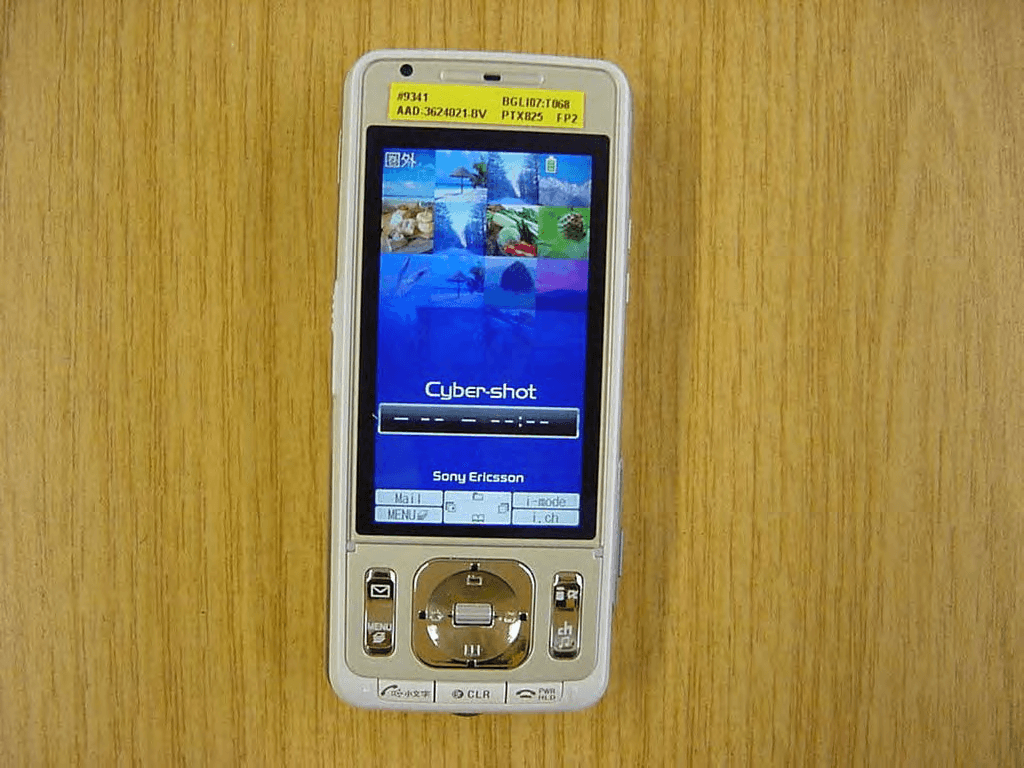
Click to zoom
Application Details
- Equipment Class
- PCE - PCS Licensed Transmitter held to ear
- Date of Grant
- Jan 14, 2008
- Application Purpose
- Original Equipment
- Date of Application
- Jan 14, 2008
- Equipment Note
- Licensed transmitter
- Frequency Range
- 1850.20000000 - 1909.80000000
- Company
- Sony Corporation
- Country
- Japan
Documents & Files
Document Text
Text extracted from the exhibit documents filed with the FCC. Open a document above to read the original.
Users Manual
Manual for Easy Search/Contents/ Precautions Before Using the Handset Voice/ Videophone Calls PushTalk Phonebook Security Settings Camera i-mode/i-motion/ i-Channel Sound/Display/ Light Settings Mail i-ppli GPS Function Osaifu-Keitai/ ToruCa Full Browser Network Services PC Connection Overseas Use Appendix/External Devices/Troubleshooting Music&Video Channel/ Music Playback Other Convenient Functions Data Display/Edit/ Management Index/ Quick Manual Character Entry ’08.1 NTT DoCoMo W-CDMA/GSM/GPRS System Mobile Phone Thank you for your purchase of the new “FOMA SO905iCS” mobile phone. For proper use of the FOMA SO905iCS, read this manual and each manual attached to other optional devices carefully before and while you use the FOMA SO905iCS. For more information on manuals, contact the inquiries on the backcover of this manual. The FOMA SO905iCS is the efficient partner of yours. Please handle the FOMA SO905iCS with care and use it regularly for a long time. Before using the FOMA terminal Because a FOMA terminal operates using radio frequencies, it cannot be used inside a tunnel, underground, in a building or other locations where radio waves do not reach the FOMA terminal, in locations with weak radio wave condition, or outside of the FOMA’s service area. The FOMA services may not be available on high upper floors of high-rise apartments or buildings, even if you can see no obstructions around you. On occasion, your calls may become disconnected even in areas with strong radio wave condition, even if you are not moving, or even if there are 3-antenna marks in the FOMA terminal’s display. Please use discretion and mind your manners when using the FOMA terminal in public areas or crowded/quiet places to keep from bothering others. Note that because the FOMA terminal operates on radio frequencies, your calls are at risk of being intercepted by the third party. However, the W-CDMA/GSM/GPRS system automatically scrambles all calls through a private call feature. Therefore, even if the third party successfully intercepts your call, they will only hear noise. The FOMA terminal operates on radio frequencies by converting voice into digital signals. If the caller moves into an area of adverse radio wave condition, the digital signal may not be restored accurately, and the voice received in the call may differ slightly from the actual voice. The user hereby agrees that the user shall be solely responsible for the result of the use of SSL. Neither DoCoMo nor the certifiers as listed herein make any representation and warranty as for the security in the use of SSL. In the event that the user shall sustain damage or loss due to the use of SSL, neither DoCoMo nor the certifiers shall be responsible for any such damage or loss. Certifiers: VeriSign Japan K.K., Cybertrust, Inc., GlobalSign K.K., RSA Security Inc., and SECOM Trust Systems Co., Ltd. The FOMA terminal has FOMA Plus-Area and FOMA HIGH-SPEED Area support. The FOMA terminal can be used only via the FOMA network provided by DoCoMo and DoCoMo’s roaming area. Always keep the information you save in the FOMA terminal (e.g. phonebook entries, schedules, text memos, record messages, voice memos, videophone messages) in a separate note. Even if the data may be lost as a result of malfunction, repair, change, or other handling of the FOMA terminal, under no condition will DoCoMo be held liable for any lost data saved in the FOMA terminal. It is strongly recommended to save important data in the microSD memory card. Also, if you have a PC, you can transfer/save data such as phonebook entries, mail, schedules in your PC using the DoCoMo keitai datalink. Before using this manual The FOMA terminal supports the Kisekae tool (P.123). When you use the Kisekae tool to change the design of the menu display, some menu types may change the menu structure depending on the frequency in use. The digits assigned to menu items may not be applied. In this case, you cannot operate the FOMA terminal as explained in this manual, so please change the menu to the Standard menu or reset the menu settings (P.35, 124). The latest information on this manual is ready for download at the NTT DoCoMo’s website. ˎ “User’s Manual Download” (http://www.nttdocomo.co.jp/english/support/manual/index.html) The URL and contents of the website are subject to change without notice. 1 Information on Using the Manual and How to Look up in the Manual This manual guides you through the operating instructions with step-by-step screen examples for each operating procedure to ensure that you operate the FOMA terminal properly. How to Look up in the Manual This manual employs several search methods so that it can provide the most appropriate way to find a page relating to your desired function or service flexibly according to your need or situation. For details, see the next page. Index (P.474) Search by a function or service name known to you or a function name to be displayed on the FOMA terminal’s display. Easy Search (P.4) Search a function that you want to know or you consider useful to know from a listing sorted by purpose or by a function name. Headings on the cover (Cover page) Search the description page of a desired function in the order of “Cover page” “Chapter opening page (the first page of a chapter)” “Description page”. The opening page of each chapter contains detailed contents of the chapter. Contents (P.6) Search by purpose or a function name starting from chapters that are categorized by functions. Main functions (P.8) Search for main functions of SO905iCS, such as new and useful functions. List of menus (P.416) The menu items, which appear on the display of the FOMA SO905iCS, and default settings at the time of purchase are listed. Quick Manual (P.490) The basic operations of the FOMA terminal are explained briefly. Cut and fold these pages into a booklet and take it with you for convenient reference. The Quick Manual for “Overseas Use” is also included for convenient reference…
Text truncated - open the document above for the full version.
Users Manual
199 i-mode/i-motion/i-Channel When You Receive i-Channel Te l o p When you receive information, the information is automatically run as Telop text on the stand-by display. To display the channel list Press (i.ch). When you receive i-Channel information, “” “” flashes. Even if you receive information, the FOMA terminal does not sound the ring tone or vibrate, and the incoming indicator does not operate, either. If you change the host, the Telop text may be turned off and information may not be automatically updated. To receive latest information, press (i.ch) and display the channel list. The Telop text starts running automatically. You can change the i-Channel host using the Host selection (P.193). Normally, you do not need to change the host. When the FOMA terminal is powered off, outside of the service area, or in poor radio wave condition, you may not be able to receive information. When you receive information by pressing (i.ch), the Telop text is automatically displayed in the stand-by display. Telop text is not displayed in the following cases. - When the Lock all is set - When the Personal data lock is set - When the Omakase Lock is set - When the Public mode (Drive mode) is set - When the UIM is not inserted - When the i-Channel or i-mode service is canceled Changing the i-Channel Settings Setting the Telop Text You can set the display speed of the Telop text and also turn off the Telop text. 1 From the i-mode menu, select [i-Channel] [Ticker] and press . The Ticker display appears. 2 Set the speed for displaying the Telop text at [Stand-by]. Select from [Fast], [Std], and [Slow]. To turn off the Telop text Select [OFF]. When 2in1 is used, you can set the Ticker for each 2in1 mode. Restoring the Default Settings You can delete saved i-Channel data and reset the Ticker settings to the default settings. ˎ If an i-motion or i- ppli is set for the stand-by display, the Ticker settings are not reset. 1 From the i-mode menu, select [i-Channel] [Reset i-Channel] and press . The screen for confirming whether to reset the i-Channel data appears. 2 Select [Yes] and press . The i-Channel is reset. 201 Mail What is i-mode Mail? ............................................................................................... 202 Displaying the Mail Menu ....................................................................... <Mail menu> 202 Composing i-mode Mail/Deco-mail Composing and Sending i-mode Mail ................................. <Compose and send mail> 203 Composing and Sending Deco-mail .......................... <Compose and send Deco-mail> 204 Using a Template to Send Mail ................................................................................ 207 File Attachment ............................................................................... <File attachment> 208 Saving i-mode Mail to Send Later .......................................................... <Save mail> 209 Receiving/Manipulating i-mode Mail Receiving i-mode Mail ........................................................................ <Auto receive> 210 Selecting to Receive i-mode Mail .................................................... <Receive option> 211 Checking New i-mode Mail ..................................................... <Check new message> 212 Replying to i-mode Mail ..................................................................... <Reply to mail> 212 Forwarding i-mode Mail ..................................................................... <Forward mail> 212 Saving the Mail Address/Phone Number in the Phonebook .................................... 213 Playing Back/Saving a File Attachment Received in i-mode Mail ............................ 214 Manipulating the Mail Box Displaying Received/Sent/Saved Mail ..................................................................... 215 Setting Mail Setting the Mail Function of the FOMA Terminal .................................. <Mail setting> 221 Using the Message Service Receiving a Message .................................................................. <Receive message> 226 Checking a New Message ...................................................... <Check new message> 227 Displaying a Message ......................................................... <Message R/Message F> 227 Using Early Warning “Area Mail” What is Early Warning “Area Mail”? .......................................................................... 229 Receiving Early Warning “Area Mail” ........................................... <Receive Area Mail> 229 Setting Early Warning “Area Mail” .................................................. <Area Mail setting> 229 Using SMS Composing and Sending SMS .......................................... <Compose and send SMS> 230 Receiving SMS .................................................................................. <Receive SMS> 231 Checking New SMS ...................................................................... <Check new SMS> 232 Setting SMS ......................................................................................... <SMS setting> 232 202 Mail What is i-mode Mail? When subscribing to the i-mode service, mail can be exchanged with i-mode terminals as well as e-mail over the Internet. In addition to the main body of text, you can attach up to 10 files (JPEG, ToruCa, PDF data, etc.) of up to 2M bytes in total. The i-mode mail function also provides Deco-mail support, and you can change the font color/size and background color of the mail main body text. Since there are many preinstalled Deco-mail pictographs that can be inserted in an i-mode mail message in the same manner as other pictographs, you can easily compose and send expressive mail. ˎ For details on the i-mode mail, see the “Mobile Phone User’s Guide i-mode FOMA version”. About SMS You can exchange messages between FOMA terminals without subscribing to i-mode. ˎ Sending SMS (P.230) ˎ Receiving SMS (P.231) ˎ Checking new SMS (P.232) ˎ See DoCoMo’s web…
Text truncated - open the document above for the full version.
External Photos
CETECOM ICT Services GmbH Annex to Test report no.: 2-4576-42-02/07 2007-11-19 Page 17 of 24 7 Photographs of t he E UT Photo No.: 01 Photo No.: 02 CETECOM ICT Services GmbH Annex to Test report no.: 2-4576-42-02/07 2007-11-19 Page 18 of 24 Photo No.: 03 Photo No.: 04 CETECOM ICT Services GmbH Annex to Test report no.: 2-4576-42-02/07 2007-11-19 Page 19 of 24 Photo No.: 05 Photo No.: 06 CETECOM ICT Services GmbH Annex to Test report no.: 2-4576-42-02/07 2007-11-19 Page 20 of 24 Photo No.: 07 Photo No.: 08
ID Label/Location Info
Company Internal MARKING DRAWING 1(4) Document number Revision A Prepared by Date SEM/BJJPA Kazunori Imazaki 2007-10-19 Contents responsible if other than preparer Remarks Contents responsible if other than preparer SEM/BJRCA Takayuki Misawa Mobile phone label content, No mark of origin Type number: AAD-3624021-BV (PTX-825) Final marketing name: SO905iCS 1. General Information This is NTT DoCoMo’s OEM product. The label is based on the requirement of NTT DoCoMo and it has been approved already. 2. Printing Information Content Format Line 1a Sony Ericsson stylzed name Graphics, height 1.8 Line 1b Type: AAD-3624021-BV Graphics, height1.5 Line 2a Operator's name: NTT DoCoMo Text, height 1.8 Line 2b Color of the phone Text, height 1.8 Line 3 Device name (Model): FOMA SO905iCS Text, height 1.8 Line 4 Line 5 in bar code Bar code height 3.0 Line 5 IMEI number Text, height 1.8 Line 6 Date of manufacture: Production week (Year/Month) Text, height 1.8 Line 7 Recycling Li-ion symbol Graphics, height 4.0 Line 8 TELEC symbol Graphics, height Φ5.0 Line 9a Telecommunications mark Graphics, height □1.8 Line 9b JATE number: XXXX-XXXXXXX Text, height 1.8 Company Internal MARKING DRAWING 2(4) Document number Revision A Prepared by Date SEM/BJJPA Kazunori Imazaki 2007-10-19 Contents responsible if other than preparer Remarks Contents responsible if other than preparer SEM/BJRCA Takayuki Misawa Line 10a Radio Law certification number mark Graphics, height □1.8 Line 10b TELEC number (for W-CDMA): XXXXXXXXXX Text, height 1.8 Line 11 TELEC number (for HSDPA): XXXXXXXXXX Text, height 1.8 Line 12 Trash mark Graphics, height 5.0 Line 13a Caution symbol Graphics, height 1.5 Line 13b Caution message. "Please turn off power in an airplane" Graphics, height 1.2 Line 14 Caution message. "Please do not peel off this sticker" Graphics, height 1.2 Line 15 Manufacture : Applicant Graphics, height 1.2 Line 16 CE approved symbol Graphics, height 5.0 Line 17&18 Name of the manufacture (Sony Ericsson mobile communications Inc.) Graphics, height 1.2 Line 19a The notified body number "0682" Graphics, height 1.8 Line 19b Made in Japan Text, height 1.2 Line 20a FCC ID: PY7A3624021 Text, height 1.2 Line 20b IC: 4170B-A3624021 Text, height 1.2 3. Layout Company Internal MARKING DRAWING 3(4) Document number Revision A Prepared by Date SEM/BJJPA Kazunori Imazaki 2007-10-19 Contents responsible if other than preparer Remarks Contents responsible if other than preparer SEM/BJRCA Takayuki Misawa 4. Dimensions Company Internal MARKING DRAWING 4(4) Document number Revision A Prepared by Date SEM/BJJPA Kazunori Imazaki 2007-10-19 Contents responsible if other than preparer Remarks Contents responsible if other than preparer SEM/BJRCA Takayuki Misawa 5. Label placement To find the label follow these steps: 1. Open the cover at the rear side of the product. 2. Remove the battery. 3. The label is located under the battery. Rear side of the phone Place for battery Label placement
Internal Photos
CETECOM ICT Services GmbH Annex to Test report no.: 2-4576-42-02/07 2007-11-19 Page 21 of 24 Photo No.: 09 Photo No.: 10 CETECOM ICT Services GmbH Annex to Test report no.: 2-4576-42-02/07 2007-11-19 Page 22 of 24 Photo No.: 11 Photo No.: 12 CETECOM ICT Services GmbH Annex to Test report no.: 2-4576-42-02/07 2007-11-19 Page 23 of 24 Photo No.: 13 Photo No.: 14 CETECOM ICT Services GmbH Annex to Test report no.: 2-4576-42-02/07 2007-11-19 Page 24 of 24 Photo No.: 15 Photo No.: 16
RF Exposure Info
Company Internal REPORT 1 (11) Prepared (also subject responsible if other) No. LD/SEMC/BGLIM Hamid Kami Shirazi BGLI07:623 Approved Checked Date Rev Reference LD/SEMC/BGLIMC Peter Lindeborg 071120 071120 A File Report issued by Accredited SAR Laboratory For PY7A3624021 (SO905ics) Date of test: 06 th to 14 th Oct. 2007 Laboratory: SAR Test Laboratory Sony Ericsson Mobile Communications AB Nya Vattentornet SE-221 82 LUND, Sweden Testing Engineer: Hamid Kami Shirazi [email protected] +46 46232644 Testing Approval Peter Lindeborg [email protected] +46462126180 Statement of Compliance Sony Ericsson Mobile Communications AB declares under its sole responsibility that the product Sony Ericsson Type AAD-3624021-BV; FCC ID: PY7A3624021; IC:4170B-A3624021 to which this declaration relates, is in conformity with the appropriate RF exposure standards recommendations and guidelines. It also declares that the product was tested in accordance with the appropriate measurement standards, guidelines and recommended practices. Any deviations from these standards, guidelines and recommended practices are noted below: (None) This laboratory is accredited to ISO/IEC 17025 (SWEDAC accreditation no. 1847). Laboratories are accredited by the Swedish Board for Accreditation and Conformity Assessment (SWEDAC) under the terms of Swedish legislation. The accredited laboratory activities meet the requirements in SS-EN ISO/IEC 17025 (2005). This report may not be reproduced other than in full, except with the prior written approval of the issuing laboratory. The results and statements contained herein relate only to the items tested. The names of individuals involved may be mentioned only in connection with the statements or results from this report. Sony Ericsson encourages all feedback, both positive and negative, on this report. © Sony Ericsson Mobile Communication AB, 2007 Company Internal REPORT 2 (11) Prepared (also subject responsible if other) No. LD/SEMC/BGLIM Hamid Kami Shirazi BGLI07:623 Approved Checked Date Rev Reference LD/SEMC/BGLIMC Peter Lindeborg 071120 071120 A File 1 Table of contents 2 INTRODUCTION..................................................................................................................................................................3 3 DEVICE UNDER TEST........................................................................................................................................................3 3.1 A NTENNA DESCRIPTION.......................................................................................................................................................3 3.2 D EVICE DESCRIPTION...........................................................................................................................................................3 4 TEST EQUIPMENT ..............................................................................................................................................................4 4.1 D OSIMETRIC SYSTEM............................................................................................................................................................4 4.2 A DDITIONAL EQUIPMENT.....................................................................................................................................................4 5 ELECTRICAL PARAMETERS ON THE TISSUE SIMULATING LIQUID ..............................................................4 6 SYSTEM ACCURACY VERIFICATION..........................................................................................................................5 7 SAR MEASUREMENT UNCERTAINTY .........................................................................................................................6 8 TEST RESULTS ....................................................................................................................................................................7 9 REFERENCES .......................................................................................................................................................................8 10 APPENDIX .............................................................................................................................................................................9 10.1 P HOTOGRAPHS OF THE DEVICE UNDER TEST....................................................................................................................9 10.2 D EVICE POSITION ON SAM TWINS PHANTOM...............................................................................................................11 10.3 A TTACHMENTS...............................................................................................................................................................12 Company Internal REPORT 3 (11) Prepared (also subject responsible if other) No. LD/SEMC/BGLIM Hamid Kami Shirazi BGLI07:623 Approved Checked Date Rev Reference LD/SEMC/BGLIMC Peter Lindeborg 071120 071120 A File 2 Introduction In this test report, compliance of the Sony Ericsson PY7A3624021 (SO905ics) portable telephone with RF safety guidelines is demonstrated. The applicable RF safety guidelines and the SAR measurement specifications used for the test are described in the SAR Measurement Specifications of Wireless Handsets [1]. 3 Device under Test 3.1 Antenna Description Type Internal antenna Location Inside, rear, at the top Max length 35mm Dimensions Max width 25mm Configuration PIFA 3.2 Device description Device model PY7A3624021(SO905ics) Serial number (EUT #) 3995#9512 Mode GSM1900 Crest Factor 8.3 Multiple Access Scheme TDMA Ch512 Ch661 Ch810 Maximum Output Power Setting (dBm) 30.0 30.0 30.0 Factory Tolerance in Power Setting ±0.5dB Maximum Peak Output Power (dBm) 30.5 30.5 30.5 Data and connectivity GPRS Class: 8 ; Capability Class: B Ch512 Ch661 Ch810 Maximum Output Power Setting (dBm) 30.0 30.0 30.0 Factory Tolerance in…
Text truncated - open the document above for the full version.
Test Report
CETECOM ICT Services GmbH Untertürkheimer Straße 6-10 . D-66117 Saarbrücken Phone: +49 (0) 681-598-0 Fax:-9075 RSC-Laboratory 2007-11-16 Page 1 of 38 Accredited testing-laboratory DAR registration number: DAT-P-176/94-D1 Federal Motor Transport Authority (KBA) DAR registration number: KBA-P 00070-97 Recognized by the Federal Communications Commission Anechoic chamber registration no.: 90462 (FCC) Anechoic chamber registration no.: 3463A-1 (IC) Certification ID: DE 0001 Accreditation ID: DE 0002 Accredited Bluetooth ® Test Facility (BQTF) The Bluetooth word mark and logos are owned by the Bluetooth SIG, Inc. and any use of such marks by Cetecom ICT is under license Test report no. : 2-4576-42-02/07 Type identification : AAD-3624021-BV Applicant : Sony Ericsson Mobile Communications AB FCC ID : PY7A3624021 IC Certification No : 4170B-A3624021 Test standards : 47 CFR Part 24 RSS - 133 Issue 3 CETECOM ICT Services GmbH Test report no.: 2-4576-42-02/07 2007-11-16 Page 2 of 38 Table of contents 1 G e n e r a l i n f o r m a t i o n . . . . . . . . . . . . . . . . . . . . . . . . . . . . . . . .. . . . . . . . . . . . . . . . . . . . . . . . . . . . . . . . . . . . . . . . . . . . . . . . . . .. . . . . . . . . . . . . . . . . 3 1.1 Notes ...................................................................................................................................................................3 1.2 Testing laboratory ...............................................................................................................................................4 1.3 Details of applicant .............................................................................................................................................4 1.4 Application details ..............................................................................................................................................4 2 T e s t s t a n d a r d / s : . . . . . . . . . . . . . . . . . . . . . . . . . . . . . . . . . . .. . . . . . . . . . . . . . . . . . . . . . . . . . . . . . . . . . . . . . . . . . . . . . . . . . .. . . . . . . . . . . . . . . . . . . . 5 3 T e c h n i c a l t e s t s . . . . . . . . . . . . . . . . . . . . . . . . . . . . . . . . . . . .. . . . . . . . . . . . . . . . . . . . . . . . . . . . . . . . . . . . . . . . . . . . . . . . . . .. . . . . . . . . . . . . . . . . . . . . 6 3.1 Details of manufacturer .......................................................................................................................................6 3.1.1 Test item......................................................................................................................................................6 3.2 Test Setup............................................................................................................................................................7 4 S t a t e m e n t o f C o m p l i a n c e . . . . . . . . . . . . . . . . . . . . . . . . . . . .. . . . . . . . . . . . . . . . . . . . . . . . . . . . . . . . . . . . . . . . . . . . . . . . . . .. . . . . . . . . . . . . . 8 4.1 Summary of Measurement Results......................................................................................................................8 4.1.1 PCS 1900.....................................................................................................................................................8 5 M e a s u r e m e n t s a n d r e s u l t s . . . . . . . . . . . . . . . . . . . . . . . . . . .. . . . . . . . . . . . . . . . . . . . . . . . . . . . . . . . . . . . . . . . . . . . . . . . . . .. . . . . . . . . . . . . 9 5.1 PART PCS 1900 .................................................................................................................................................9 5.1.1 RF Power Output.........................................................................................................................................9 5.1.2 Frequency Stability ...................................................................................................................................13 5.1.3 Radiated Emissions ...................................................................................................................................16 5.1.4 Receiver Radiated Emissions ....................................................................................................................24 5.1.5 Conducted Spurious Emissions .................................................................................................................27 5.1.6 Block Edge Compliance............................................................................................................................30 5.1.7 Occupied Bandwidth .................................................................................................................................32 6 T e s t e q u i p m e n t a n d a n c i l l a r i e s u s e d f o r t e s t s . . . . . .. . . . . . . . . . . . . . . . . . . . . . . . . . . . . . . . . . . . . . . . . . . . . . . . . . .. . . . 3 6 CETECOM ICT Services GmbH Test report no.: 2-4576-42-02/07 2007-11-16 Page 3 of 38 1 General infor mat ion 1 . 1 N o t e s The test results of this test report relate exclusively to the test item specified in 1.5. The CETECOM ICT Services GmbH does not assume responsibility for any conclusions and generalisations drawn from the test results with regard to other specimens or samples of the type of the equipment represented by the test item. The test report may only be reproduced or published in full. Reproduction or publication of extracts from the report requires the prior written approval of the CETECOM ICT Services GmbH. Test laboratory manager: 2007-11-19 Detlev Gillmann Date Name Signature Technical responsibility for area of testing: 2007-11-19 Harro Ames Date Name Signature CETECOM ICT Services GmbH Test report no.: 2-4576-42-0…
Text truncated - open the document above for the full version.
Test Report
CETECOM ICT Services GmbH Untertürkheimer Straße 6-10 . D-66117 Saarbrücken Phone: +49 (0) 681-598-0 Fax:-9075 RSC-Laboratory 2007-11-19 Page 1 of 24 Accredited testing-laboratory DAR registration number: DAT-P-176/94-D1 Federal Motor Transport Authority (KBA) DAR registration number: KBA-P 00070-97 Recognized by the Federal Communications Commission Anechoic chamber registration no.: 90462 (FCC) Anechoic chamber registration no.: 3463A-1 (IC) Certification ID: DE 0001 Accreditation ID: DE 0002 Accredited Bluetooth ® Test Facility (BQTF) The Bluetooth word mark and logos are owned by the Bluetooth SIG, Inc. and any use of such marks by Cetecom ICT is under license Annex to Test report no. : 2-4576-42-02/07 Type identification : AAD-3624021-BV Applicant : Sony Ericsson Mobile Communications AB Test standards : FCC Part 15 / RSS210 CETECOM ICT Services GmbH Annex to Test report no.: 2-4576-42-02/07 2007-11-19 Page 2 of 24 Table of contents 1 G e n e r a l i n f o r m a t i o n . . . . . . . . . . . . . . . . . . . . . . . . . . . . . . . .. . . . . . . . . . . . . . . . . . . . . . . . . . . . . . . . . . . . . . . . . . . . . . . . . . .. . . . . . . . . . . . . . . . . 3 1.1 Notes ...................................................................................................................................................................3 1.2 Testing laboratory ...............................................................................................................................................4 1.3 Details of applicant .............................................................................................................................................4 1.4 Application details ..............................................................................................................................................4 2 T e c h n i c a l t e s t s . . . . . . . . . . . . . . . . . . . . . . . . . . . . . . . . . . . .. . . . . . . . . . . . . . . . . . . . . . . . . . . . . . .…
Text truncated - open the document above for the full version.
Contact Information
Applicant
Kazuyuki Hori(Senior EMC/RF Compliance Manager)
Technical Contact
Sony Ericsson Mobile Communications ABPeter Lindeborg
[email protected]+46462126180
Nya Vattentornet · Lund · Sweden
Technical Specifications
| # | Rule Parts | Frequency Range | Power Output | Emission | Tolerance |
|---|---|---|---|---|---|
| 1 | 24E | 1.85 GHz - 1.91 GHz | 1.096 W | 300KGXW | 0.0277000000 ppm |
Other Applications from Sony Corporation
PY7-75158T
Jul 16, 2026GSM/WCDMA/LTE Phone with BT, DTS/UNII a/b/g/n/ac/ax, NFC and GNSS
Equipment Class
NII - Unlicensed National Information Infrastructure TXPY7-52715J
Jul 16, 2026GSM/WCDMA/LTE Phone with BT, DTS/UNII a/b/g/n/ac/ax, NFC and GNSS
Equipment Class
DXX - Part 15 Low Power Communication Device TransmitterPY7-84526Y
Jul 16, 2026GSM/WCDMA/LTE Phone with BT, DTS/UNII a/b/g/n/ac/ax, NFC and GNSS
Equipment Class
PCE - PCS Licensed Transmitter held to earPY7-30515Z
Apr 13, 2026GSM/WCDMA/LTE/NR Phone with BT, DTS/UNII a/b/g/n/ac/ax/be, NFC, GNSS and WPT
Equipment Class
DXX - Part 15 Low Power Communication Device TransmitterPY7-73716J
Apr 11, 2024GSM/WCDMA/LTE Phone with BT, DTS/UNII a/b/g/n/ac, NFC and GNSS
Equipment Class
PCE - PCS Licensed Transmitter held to ear