PY7A3880072GSM 850/900/1800/1900 GPRS/EDGE /UMTS FDD18 / HSPA mobile phone with Bluetooth, WLAN 802.11bg, GPS, FM receiver
Sony Corporation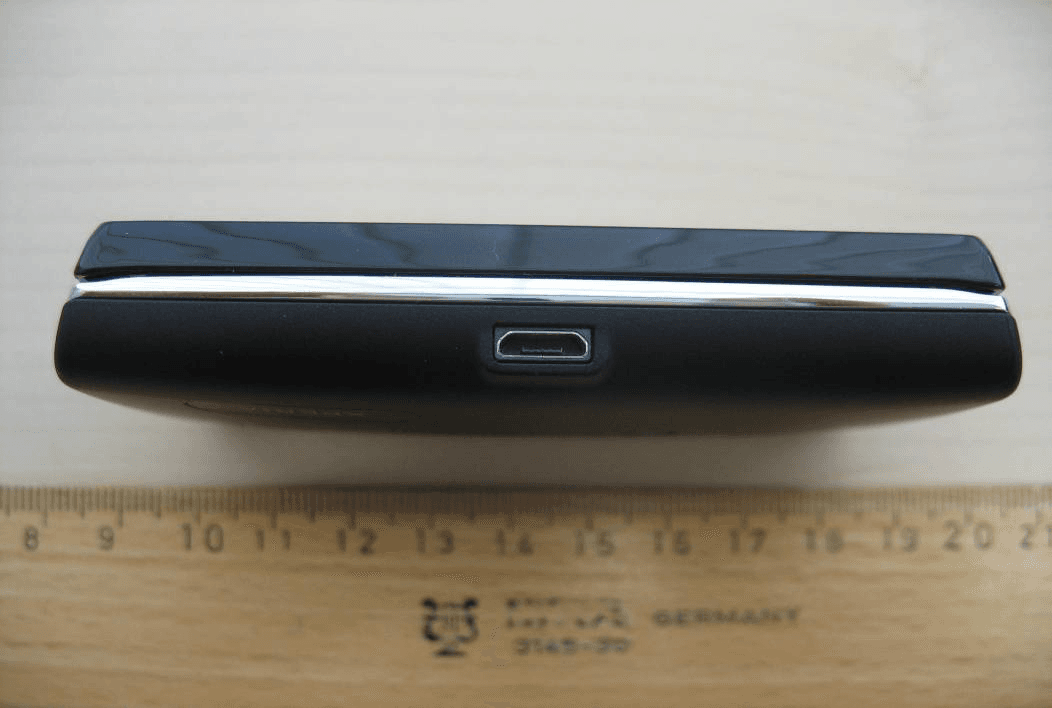
Click to zoom
Application Details
- Equipment Class
- PCE - PCS Licensed Transmitter held to ear
- Date of Grant
- Jun 09, 2010
- Application Purpose
- Original Equipment
- Date of Application
- Jun 09, 2010
- Equipment Note
- GSM 850/900/1800/1900 GPRS/EDGE /UMTS FDD18 / HSPA mobile phone with Bluetooth, WLAN 802.11bg, GPS, FM receiver
- Frequency Range
- 1850.20000000 - 1909.80000000
- Company
- Sony Corporation
- Country
- Japan
Documents & Files
Document Text
Text extracted from the exhibit documents filed with the FCC. Open a document above to read the original.
Users Manual
X10 mini pro User guide Important information Please read the Important information leaflet before you use your mobile phone. Some of the services and features described in this User guide are not supported in all countries/regions or by all networks and/or service providers in all areas. Without limitation, this applies to the GSM International Emergency Number 112. Please contact your network operator or service provider to determine availability of any specific service or feature and whether additional access or usage fees apply. Experience more. Discover how. Need help? Get more, do more. Miss nothing. Visit www.sonyericsson.com/xperiax10minipro to learn more about your phone. User guide in the phone An extended User guide is available in your phone. The extended User guide and more information is also available at www.sonyericsson.com/support. To access the User guide in your phone 1 From the Home screen, drag upwards. 2 Find and tap User guide . 2 Getting started To insert the SIM card and the memory card 2 1 1 Remove the battery cover. 2 Slide the SIM card with the gold-coloured contacts facing down and memory card with the gold-coloured contacts facing up. To insert the battery 1 2 3 1 Insert the battery with the label side up and the connectors facing each other. 2 Attach the battery cover. To turn on the phone 1 Press and hold down the key on the top of the phone. 2 Enter your SIM card PIN, if requested, and select OK. 3 At first startup, follow the instructions in Setup guide. Your PIN is supplied by your network operator. If you want to correct a mistake made while entering your SIM card PIN, press . To turn off the phone 1 Press and hold until the options menu opens. 2 In the options menu, tap Power off. 3 Tap OK. To activate the screen • Press . To lock the screen • Press . Starting your phone for the first time The first time you start your phone, a setup guide lets you enter essential phone settings, import contacts, and set up your email and online services accounts. You can also access the setup guide later from the phone settings. To set the language 1 Scroll through the available languages list. 2 Tap the language you want to use in your phone. The language is marked. 4 3 Tap Save. Internet and messaging settings In order to send messages and use the Internet you will need a 2G/3G mobile data connection. For most mobile phone networks and operators, settings for messaging and the Internet will be preinstalled on the phone or downloaded to your phone the first time you turn on the phone with a SIM card inserted. If not, you can go to www.sonyericsson.com/support from your computer to download the settings to your phone. To import contacts from the SIM card 1 From the setup guide, tap Import contacts. 2 When you are asked to confirm if you want to import the contacts from the SIM card to the phone, tap Yes. By using Sony Ericsson Sync you can synchronise contacts, bookmarks and calendar events between your phone and your Sony Ericsson account. This way you can transfer information from your old phone to the Sony Ericsson account, and then transfer it to your new phone. You can set up a Sony Ericsson account from the Sony Ericsson Sync application in your phone, or by going to www.sonyericsson.com/user from your computer. To set the time and date 1 From the setup guide, tap Time & date. 2 Unmark the Automatic checkbox, if it is marked. 3 Tap Set date or Set time. 4 Tap or to adjust the date or hour and minute. 5 5 Tap Set. While setting time, you can shift between 12-hour and 24-hour format. If you want to use AM and PM, you have to unmark Use 24-hour format. To create a new Google™ account in your phone 1 From the setup guide, tap Google account. 2 Tap Next. 3 Tap Create. 4 Enter your personal information and desired Google™ username. Tap Next. 5 Enter and confirm your password. Tap Next. 6 Select a security question and enter a personal answer that only you know. You can also enter a secondary email address to which your Google™ account information could be sent in case you forget the information. Tap Next. 7 To agree to the Google™ Terms of service, tap I agree, Next. 8 Enter the security word displayed as an image. Tap Next. 9 Mark the checkboxes to allow the additional Google™ services, or leave them blank if you do not agree to use these services. Tap Next. 10 Tap Finish setup. Your new Google™ account has now been created and set up to be used with the Google™ services in your phone. To set up an existing Google™ account in your phone 1 From the setup guide, tap Google account. 2 Tap Next. 3 Tap Sign in. 6 4 Enter your Google™ username and password. Tap Sign in to continue. 5 Mark the checkboxes to allow the additional Google™ services, or leave them blank if you do not agree to use these services. Tap Next. 6 Tap Finish setup. Your Google™ account has now been set up in your phone. In most cases, your Google™ username is the first part of your Google™ email address. To set up an email account 1 From the setup guide, tap Email. 2 Tap Email address, enter your email address and tap Next. 3 Enter your password and tap Done. 4 Tap Continue. 5 If the phone cannot download your email account settings automatically, enter the account settings manually. If you need to enter the settings manually, contact your email service provider for the correct email account settings. For example, you need to know if the account type is POP3 or IMAP. Sony Ericsson Timescape™ settings Sony Ericsson Timescape™ collects all the communication events at one place and keeps you updated with messages, missed calls from your contacts and friends in Facebook™ and Twitter™. To set up a Facebook™ account 1 From the setup guide, tap Facebook. 2 Tap Username, enter your username and tap Next. 7 3 Enter your password and tap Done. To set up a Twitter™ account 1 From the setup guide, tap Twitter. 2 Tap Username, enter your username and tap Next. 3 Enter your password and tap Done. To exit the setup …
Text truncated - open the document above for the full version.
Users Manual
FCC Statement Declaration of Conformity Sony Ericsson U20i UMTS HSPA band 1 8 GSM GPRS/EDGE 850/900/1800/1900 Important Information United States & Canada THIS PHONE MODEL HAS BEEN CERTIFIED IN COMPLIANCE WITH THE GOVERNMENT’S REQUIREMENTS FOR EXPOSURE TO RADIO WAVES. The U20i Series mobile phones have been designed to comply with applicable safety requirements for exposure to radio waves. Your wireless phone is a radio transmitter and receiver. It is designed to not exceed the limits* of exposure to radio frequency (RF) energy set by governmental authorities. These limits establish permitted levels of RF energy for the general population. The guidelines are based on standards that were developed by international scientific organizations through periodic and thorough evaluation of scientific studies. The standards include a safety margin designed to assure the safety of all individuals, regardless of age and health. The radio wave exposure guidelines employ a unit of measurement known as the Specific Absorption Rate (SAR). Tests for SAR are conducted using standardized methods with the phone transmitting at its highest certified power level in all used frequency bands. While there may be differences between the SAR levels of various phone models, they are all designed to meet the relevant guidelines for exposure to radio waves. For more information on SAR, please refer to the safe and efficient use chapter in the User Guide. The highest SAR value as reported to the authorities for this phone model when tested for use by the ear is 1.27 W/kg*, and when worn on the body is 0.29 W/kg* for speech and 0.49 W/kg* for data calls. Body worn measurements are made while the phone is in use and worn on the body with a Sony Ericsson accessory supplied with or designated for use with this phone. It is therefore recommended that only Ericsson and Sony Ericsson original accessories be used in conjunction with Sony Ericsson phones. **Before a phone model is available for sale to the public in the US, it must be tested and certified by the Federal Communications Commission (FCC) that it does not exceed the limit established by 2 the government-adopted requirement for safe exposure*. The tests are performed in positions and locations (i.e., by the ear and worn on the body) as required by the FCC for each model. The FCC has granted an Equipment Authorization for this phone model with all reported SAR levels evaluated as in compliance with the FCC RF exposure guidelines. While there may be differences between the SAR levels of various phones, all mobile phones granted an FCC equipment authorization meet the government requirement for safe exposure. SAR information on this phone model is on file at the FCC and can be found under the Display Grant section of http://www.fcc.gov/oet/fccid after searching on FCC ID PY7A3880072. Additional information on SAR can be found on the Cellular Telecommunications & Internet Association (CTIA) website at http://www.phonefacts.net. * In the United States and Canada, the SAR limit for mobile phones used by the public is 1.6 watts/kilogram (W/kg) averaged over one gram of tissue. The standard incorporates a margin of safety to give additional protection for the public and to account for any variations in measurements. **This paragraph is only applicable to authorities and customers in the United States. 3 Important Information Latin & South America Radio wave exposure and Specific Absorption Rate (SAR) information The U20i Series mobile phones have been designed to comply with applicable safety requirements for exposure to radio waves. These requirements are based on scientific guidelines that include safety margins designed to assure the safety of all persons, regardless of age and health. The radio wave exposure guidelines employ a unit of measurement known as the Specific Absorption Rate, or SAR. Tests for SAR are conducted using standardised methods with the phone transmitting at its highest certified power level in all used frequency bands. While there may be differences between the SAR levels of various phone models, they are all designed to meet the relevant guidelines for exposure to radio waves. For more information on SAR, please refer to the safety chapter in the User Guide. SAR data information for residents in countries that have adopted the SAR limit recommended by the International Commission on Non-Ionizing Radiation Protection (ICNIRP), which is 2 W/kg averaged over ten (10) gram of tissue (for example European Union, Japan, Brazil and New Zealand): The highest SAR value for this model phone when tested by Sony Ericsson for use at the ear is 1.61 W/kg (10g). 8 FCC Statement This device complies with Part 15 of the FCC rules. Operation is subject to the following two conditions: (1) This device may not cause harmful interference, and (2) This device must accept any interference received, including interference that may cause undesired operation. Any change or modification not expressly approved by Sony Ericsson may void the user's authority to operate the equipment. This equipment has been tested and found to comply with the limits for a Class B digital device, pursuant to Part 15 of the FCC Rules. These limits are designed to provide reasonable protection against harmful interference in a residential installation. This equipment generates, uses and can radiate radio frequency energy and, if not installed and used in accordance with the instructions, may cause harmful interference to radio communications. However, there is no guarantee that interference will not occur in a particular installation. If this equipment does cause harmful interference to radio or television reception, which can be determined by turning the equipment off and on, the user is encouraged to try to correct the interference by one or more of the following measures: • Reorient or relocate the receiving antenna. • Increase the separation between the equipment and receiver. • Connect the e…
Text truncated - open the document above for the full version.
Users Manual
Important information Sony Ericsson Consumer Web site At www.sonyericsson.com/support there is a support section where help and tips are only a few clicks away. Here you will find the latest computer software updates and tips on how to use your product more efficiently. Service and support You have access to a portfolio of exclusive service advantages such as: • Global and local Web sites providing support. • A global network of Contact Centers. • An extensive network of Sony Ericsson service partners. • A warranty period. Learn more about the warranty conditions in theLimited warrantysection. At www.sonyericsson.com/support, you can find the latest support tools and information. For operator-specific services and features, please contact your network operator. You can also contact our Contact Centers. If your country/ region is not represented in the list below, please contact your local dealer. (Calls are charged according to national rates, including local taxes, unless the phone number is a toll-free number.) If your product needs service, please contact the dealer from whom it was purchased, or one of our service partners. For warranty claims, save proof of purchase. Guidelines for Safe and Efficient Use Please follow these guidelines. Failure to do so might entail a potential health risk or product malfunction. If in doubt as to its proper function, have the product checked by a certified service partner before charging or using it. Recommendations for care and safe use of our products • Handle with care and keep in a clean and dust-free place. 2 • Warning! May explode if disposed of in fire. • Do not expose to liquid or moisture or excess humidity. • For optimum performance, the product should not be operated in temperatures below -10°C(+14°F) or above +45°C(+113°F). Do not expose the battery to temperatures above +60°C(+140°F). • Do not expose to flames or lit tobacco products. • Do not drop, throw or try to bend the product. • Do not paint or attempt to disassemble or modify the product. Only Sony Ericsson authorised personnel should perform service. • Consult with authorised medical staff and the instructions of the medical device manufacturer before using the product near pacemakers or other medical devices or equipment. • Discontinue use of electronic devices, or disable the radio transmitting functionality of the device, where required or requested to do so. • Do not use where a potentially explosive atmosphere exists. • Do not place the product, or install wireless equipment, in the area above an air bag in a car. • Caution: Cracked or broken displays may create sharp edges or splinters that could be harmful upon contact. • Do not use the Bluetooth Headset in positions where it is uncomfortable or will be subject to pressure. Children Warning! Keep out of the reach of children. Do not allow children to play with mobile phones or accessories. They could hurt themselves or others. Products may contain small parts that could become detached and create a choking hazard. Power supply (Charger) Connect the charger to power sources as marked on the product. Do not use outdoors or in damp areas. Do not alter or subject the cord to damage or stress. Unplug the unit before 3 cleaning it. Never alter the plug. If it does not fit into the outlet, have a proper outlet installed by an electrician. When a power supply is connected there is a small drain of power. To avoid this small energy waste, disconnect the power supply when the product is fully charged. Use of charging devices that are not Sony Ericsson branded may pose increased safety risks. Battery New or idle batteries can have short-term reduced capacity. Fully charge the battery before initial use. Use for the intended purpose only. Charge the battery in temperatures between +5°C(+41°F) and +45°C(+113°F). Do not put the battery into your mouth. Do not let the battery contacts touch another metal object. Turn off the product before removing the battery. Performance depends on temperatures, signal strength, usage patterns, features selected and voice or data transmissions. Only Sony Ericsson service partners should remove or replace built-in batteries. Use of batteries that are not Sony Ericsson branded may pose increased safety risks. Replace the battery only with another Sony Ericsson battery that has been qualified with the product per the standard IEEE-1725. Use of an unqualified battery may present a risk of fire, explosion, leakage or other hazard. Personal medical devices Mobile phones may affect implanted medical equipment. Reduce risk of interference by keeping a minimum distance of 15 cm(6 inches) between the phone and the device. Use the phone at your right ear. Do not carry the phone in your breast pocket. Turn off the phone if you suspect interference. For all medical devices, consult a physician and the manufacturer. Driving Some vehicle manufacturers forbid the use of phones in their vehicles unless a handsfree kit with an external antenna supports the installation. Check with the vehicle manufacturer's representative to be sure that the mobile phone or Bluetooth 4 handsfree will not affect the electronic systems in the vehicle. Full attention should be given to driving at all times and local laws and regulations restricting the use of wireless devices while driving must be observed. GPS/Location based functions Some products provide GPS/Location based functions. Location determining functionality is provided “As is” and “With all faults”. Sony Ericsson does not make any representation or warranty as to the accuracy of such location information. Use of location-based information by the device may not be uninterrupted or error free and may additionally be dependent on network service availability. Please note that functionality may be reduced or prevented in certain environments such as building interiors or areas adjacent to buildings. Caution: Do not use GPS functionality in a manner which causes distraction from …
Text truncated - open the document above for the full version.
Cover Letter(s)
Sony Ericsson Confidentiality Request 2010-05-20 CWA10:219 SEMC/CWALG Afrah Sadiq +46108012250 Receiver Federal Communications Commission Subject: Request for Confidentiality FCC 10: PY7A3880072 To Whom It May Concern: In accordance with §0.459 of CFR 47, Sony Ericsson Mobile Communications AS requests confidentiality for the below listed items for our mobile phone type AAD 3880072-BV, FCC 10: PY7A3880072: 1. Block Diagram 2. Schematic Diagram 3. Part List 4. Operational/Technical Descriptions These items contain detailed system and equipment description and related information about the product which Sony Ericsson Mobile Communications AS considers to be proprietary, confidential and a custom design which otherwise would not be released to the general public. Since this design is a basis from which future technological products will evolve, Sony Ericsson Mobile Communications AS also feels that this information would be of benefit to its competitors, and that the disclosure of the information in these exhibits would give our competitors an unfair advantage in the market. Please contact the undersigned if there are any further questions or additional information needed in this matter. Afrah Sadiq Development Engineer - Global Type Approval Sony Ericsson Mobile Communications AB Sony Ericsson Mobile Communications AS Styrelsens sate: Lund Momsnr' v.A. TNo: SE556615665801 Registered office: Lund Organisationsnr' Reg No: 556615-6658 Postadress • Mail Bes6ksadress • Office address Telefon • Telephone Telefax • Telefax SE-221 88 Lund Nya Vattentornet Nat 010-8000000 Nat 010-80 02040 Sweden Lund In! +46 10 80 00000 Int +46 10 80 02040
External Photos
CETECOM ICT Services GmbH Annex to Test report no.: 1-1954-22-02/10 2010-04-23 Page 20 of 32 9 Photographs of t he E UT Photo documentation: External photos Photo 1: Photo 2: CETECOM ICT Services GmbH Annex to Test report no.: 1-1954-22-02/10 2010-04-23 Page 21 of 32 Photo 3: Photo 4: CETECOM ICT Services GmbH Annex to Test report no.: 1-1954-22-02/10 2010-04-23 Page 22 of 32 Photo 5: Photo 6: CETECOM ICT Services GmbH Annex to Test report no.: 1-1954-22-02/10 2010-04-23 Page 23 of 32 Photo 7: Photo 8:
ID Label/Location Info
1 ( 4) Company Internal MARKING DRAWI NG Prepared (also subject responsible if other) No. SEM/CVVGP, Anna Englund 1238-3452 Uen Approved Checked Date Rev Reference SEM/CVVGP, Anna Englund 2010-05-04 2 17 U20i, Mobile Phone label content, ROW-version, Made in... 1 General information Mobile Phone label part no 1232-1232 Mobile Phone label content part no 1238-3451 Bar code Print quality: according to COSMETIC GUIDELINE – Bar code labels document 1222-6072 Uen Quiet zone: No bar codes are allowed to be closer to a label edge than 2 mm! Text If applicable, or nothing else specified, Zebra printer Scaleable Smooth Font CG Triumvirate Bold Condensed is imposed. When needed, the text is adjusted to fit the label. Coordinates “(x/y)” under each line number specifies the bottom / left alignment for text, graphics and bar codes, x is measured vertically, and y horizontally from the upper left corner of the label (landscape format), both in mm. When needed, the alignment is adjusted to fit the label. 2 Printing information Content Format Line 1 (6,5/30,0) Micro SD logo Graphics height 4,5mm acc to 1235-6655 Line 2 (8,0/20,0) SIM-card logo Graphics height 6,0mm acc to 1235-2274 Line 3a (10,0/2,0) Sony Ericsson stylized name. Graphics, height 1,5 mm. According to 1200-1925 Line 3b (10,0/16,0) Model Name “X000x” Text, height 1,2 mm. According to Chapter 1 in MLCI. Line 4a (12,0/2,0) Product number of the Sales Item in which the phone is packed, if applicable. “SI XXXX-XXXX” Text, height 1,2 mm. Line 4b (12,0/20,0) Location code of where the phone is flashed, if applicable, “XXX” Text, height 1,2 mm. Line 5a (15,0/2,0) “TYPE: AAD-3880072-BV” Text, height 1,2 mm. According to Chapter 1 in MLCI. Line 5b (15,0/20,0) HW & SW identification field, if applicable; “FFGG” Text, height 1,2 mm. According to Type-testing report under Product Model Specifying Documents Line 6a (17,0/2,0) ”FCC ID: PY7A3880072” Text, height 1,2 mm. According to Chapter 1 in MLCI. Line 6b (17,0/20,0) Production week (flash), “yy’W’ww” (yy = year, ww = week) Text, height 1,2 mm. 2 ( 4) Company Internal MARKING DRAWI NG Prepared (also subject responsible if other) No. SEM/CVVGP, Anna Englund 1238-3452 Uen Approved Checked Date Rev Reference SEM/CVVGP, Anna Englund 2010-05-04 2 17 Line 7a (19,0/2,0) “IC: 4170B-A3880072” Text, height 1,2 mm. According to Chapter 1 in MLCI. Line 7b (19,0/20,0) Repair week, if applicable. “Ry’W’ww” (y = year, ww = week) Text, height 1,2 mm. Line 8 (20,0/32,0) WEEE trashcan without bar symbol Graphics, min. height 5mm, according to 1202-5537. Line 9 (24,0/4,0) Line 9 in bar code, according to line 10a. As desired by supplier (e.g. only actual number). Bar code, height 2,0 mm. As desired by supplier (e.g. Code 128 symbology). Line 10a (26,0/2,0) Supplier’s identification for trace-ability of the telephone, as desired by supplier (e.g. “S/N: nnn....” for serial number). Text, height 1,2 mm. Defined by supplier. Line 10b (26,0/17,0) Actual electronic serial number (IMEI) of the mobile phone, “00000000-000000-0” Text, height 1,2 mm. In the format TAC-SNR-CD. TAC and SNR derived from pos 500 in BOM. CD = check digit according to the Luhn formula (ISO/IEC 7812), GSM 02.16. Line 11 (29,0/4,0) Line 10b in bar code (only actual number, without data identifier). Bar code, height 2,0 mm. Code 128 symbology, code C subset. If uneven number of digits, code B subset shall be used for the last digit. Line 12 (30,8/2,0) Marking of origin. “Made in Xxx”; “Xxx” = actual country of production of the included telephone, in English Text, height 1,2 mm. Line 13a (36,5/2,0) CE approval symbol Graphics, height 5 mm. According to 1210-0131. Line 13b (36,5/9,5) The notified body number “0682” Text, height 5mm. Line 13c (36,5/21,5) “Alert Symbol” Graphics, height 5 mm According to 1001-5859 Company Internal MARKING DRAWING 3 ( 4) Prepared (also subject responsible if other) No. SEM/CVVGP, Anna Englund 1238-3452 Uen Approved Checked Date Rev Reference SEM/CVVGP, Anna Englund 2010-05-04 2 17 3 Layout The conceptual picture (for Zebra 90XiII printer, or equivalent) should not be considered as specifications, but as an additional help for setting up the label. 3.1 Conceptual picture double underlined = major changes since last revision. Company Internal MARKING DRAWING 4 (4) Prepared (also subject responsible if other) No. SEM/CVVGP, Anna Englund 1238-3452 Uen Approved Checked Date Rev Reference SEM/CVVGP, Anna Englund 2010-05-04 2 18 Label placement To find the label follow these steps: 1. Remove the cover on the rear side of the product. 2. Remove the battery. 3. The label is located behind the battery. Rear side of the phone Place for battery Label placement
Internal Photos
CETECOM ICT Services GmbH Annex to Test report no.: 1-1954-22-02/10 2010-04-23 Page 24 of 32 Photo documentation: Internal photos Photo 1: Photo 2: CETECOM ICT Services GmbH Annex to Test report no.: 1-1954-22-02/10 2010-04-23 Page 25 of 32 Photo 3: Photo 4: CETECOM ICT Services GmbH Annex to Test report no.: 1-1954-22-02/10 2010-04-23 Page 26 of 32 Photo 5: Photo 6: CETECOM ICT Services GmbH Annex to Test report no.: 1-1954-22-02/10 2010-04-23 Page 27 of 32 Photo 7: Photo 8: CETECOM ICT Services GmbH Annex to Test report no.: 1-1954-22-02/10 2010-04-23 Page 28 of 32 Photo 9: Photo 10: CETECOM ICT Services GmbH Annex to Test report no.: 1-1954-22-02/10 2010-04-23 Page 29 of 32 Photo 11: Photo 12: CETECOM ICT Services GmbH Annex to Test report no.: 1-1954-22-02/10 2010-04-23 Page 30 of 32 Photo 13: Photo 14: CETECOM ICT Services GmbH Annex to Test report no.: 1-1954-22-02/10 2010-04-23 Page 31 of 32 Photo 15: Photo 16: CETECOM ICT Services GmbH Annex to Test report no.: 1-1954-22-02/10 2010-04-23 Page 32 of 32 Photo 17:
RF Exposure Info
2010-06-07 Page 1 of 161 TEST REPORT Test Report No.: 1-1954-21-02/10-A Testing Laboratory Applicant CETECOM ICT Services GmbH Untertürkheimer Straße 6 – 10 66117 Saarbrücken/Germany Phone: + 49 681 5 98 - 0 Fax: + 49 681 5 98 - 9075 Internet: http://www.cetecom-ict.de e-mail: [email protected] Accredited Test Laboratory: The test laboratory (area of testing) is accredited according to DIN EN ISO/IEC 17025 DAR registration number: DGA-PL-176/94-D1 Sony Ericsson Mobile Communications AB Nya Vattentornet 22188 Lund/Sweden Phone: +46-46-19-3000 Contact: Johan Wedin e-mail: [email protected] Phone: +46 707 19 57 36 Fax: +46 46 19 32 95 Manufacturer Sony Ericsson Mobile Communications AB Nya Vattentornet 22188 Lund/Sweden Test Standard/s IEEE 1528-2003 Recommended Practice for Determining the Peak Spatial-Average Specific Absorption Rate (SAR)in the Human Head from Wireless Communications Devices: Measurement Techniques OET Bulletin 65 Supplement C Evaluating Compliance with FCC Guidelines for Human Exposure to Radiofrequency Electromagnetic Fields RSS-102 Issue 4 Radio Frequency Exposure Compliance of Radiocommunication Apparatus (All Frequency Bands) For further applied test standards please refer to section 3 of this test report. Test Item Kind of test item: GSM Mobile Phone Device type: portable device Model name: AAD-3880072-BV S/N serial number: CB511H8BNG / CB511H8BQ4 (for WLAN) FCC-ID: PY7A3880072 IC: 4170B-A3880072 IMEI-Number: 004400214-048422-5 / 004400214-048209-6 (WLAN) Hardware status: AP1.2 Software status: 1.0.A.1.27 / s_atp_delta_0_0_44 (for WLAN) Frequency: see technical details Antenna: integrated antenna Battery option: BST-38 Li-Polymer battery 3.6V / 930mAh Accessories: Stereo headset Test sample status: identical prototype Exposure category: general population / uncontrolled environment Test performed: Test Report authorised: 2010-05-06 Oleksandr Hnatovskiy 2010-06-07 Thomas Vogler Test report no.: 1-1954-21-02/10-A 2010-06-07 Page 2 of 161 1 Table of contents 1 Table of contents.......................................................................................................................................2 2 General information ..................................................................................................................................3 2.1 Notes................................................................................................................................................3 2.2 Application details .........................................................................................................................3 2.3 Statement of compliance ...............................................................................................................3 2.4 Technical details.............................................................................................................................4 3 Test standard/s:.........................................................................................................................................5 3.1 RF exposure limits .........................................................................................................................5 4 Summary of Measurement Results .........................................................................................................6 5 Test Environment ......................................................................................................................................6 6 Test Set-up .................................................................................................................................................7 6.1 Measurement system .....................................................................................................................7 6.1.1 System Description................................................................................................................7 6.1.2 Test environment ..........................................................................................................…
Text truncated - open the document above for the full version.
Contact Information
Applicant
Mika Kaneko(Chief Regulatory Compliance Manager)
Technical Contact
Sony Ericsson Mobile Communications ABJohan Wedin Svensk
Nya Vattentornet · Lund · Sweden
Technical Specifications
| # | Rule Parts | Frequency Range | Power Output | Emission | Tolerance |
|---|---|---|---|---|---|
| 4 | 24E | 1.85 GHz - 1.91 GHz | 414.00 mW | 300KG7W | 0.0383 ppm |
Other Applications from Sony Corporation
PY7-75158T
Jul 16, 2026GSM/WCDMA/LTE Phone with BT, DTS/UNII a/b/g/n/ac/ax, NFC and GNSS
Equipment Class
NII - Unlicensed National Information Infrastructure TXPY7-52715J
Jul 16, 2026GSM/WCDMA/LTE Phone with BT, DTS/UNII a/b/g/n/ac/ax, NFC and GNSS
Equipment Class
DXX - Part 15 Low Power Communication Device TransmitterPY7-84526Y
Jul 16, 2026GSM/WCDMA/LTE Phone with BT, DTS/UNII a/b/g/n/ac/ax, NFC and GNSS
Equipment Class
PCE - PCS Licensed Transmitter held to earPY7-30515Z
Apr 13, 2026GSM/WCDMA/LTE/NR Phone with BT, DTS/UNII a/b/g/n/ac/ax/be, NFC, GNSS and WPT
Equipment Class
DXX - Part 15 Low Power Communication Device TransmitterPY7-73716J
Apr 11, 2024GSM/WCDMA/LTE Phone with BT, DTS/UNII a/b/g/n/ac, NFC and GNSS
Equipment Class
PCE - PCS Licensed Transmitter held to ear