PY7A3880107Mobile phone with Bluetooth, WLAN 802.11bgn, GPS/A-GPS, ANT+ and FM Rx
Sony Corporation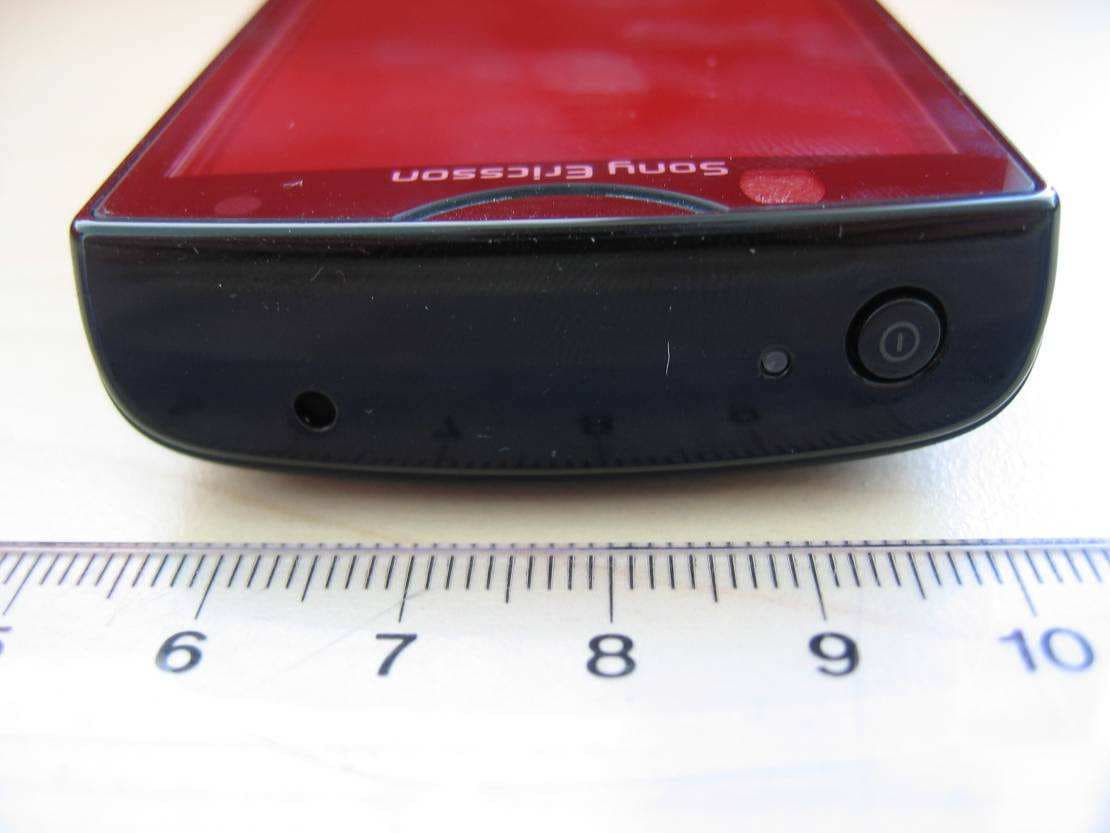
Click to zoom
Application Details
- Equipment Class
- JBP - Part 15 Class B Computing Device Peripheral
- Date of Grant
- Jul 27, 2011
- Application Purpose
- Original Equipment
- Date of Application
- Jul 27, 2011
- Equipment Note
- Mobile phone with Bluetooth, WLAN 802.11bgn, GPS/A-GPS, ANT+ and FM Rx
- Company
- Sony Corporation
- Country
- Japan
Documents & Files
Document Text
Text extracted from the exhibit documents filed with the FCC. Open a document above to read the original.
Users Manual
Xperia ™ mini Startup guide Sony Ericsson Mobile Communications AB SE-221 88 Lund, Sweden www.sonyericsson.com 1245-3545.1 1245-3545.1 Phone basics Phone overview 1 5 10 11 8 9 7 6 243 12 13 16 14 15 20 17 18 19 1. Power key/Screen lock 2. Notification LED/ Battery status 3. Ear speaker 4. Second microphone 5. Light sensor 6. Proximity sensor 2 7. Proximity sensor 1 8. Touch screen 9. Menu key 10. Back key 11. Home key 12. Camera LED flash 13. Volume key/Zoom key 14. Camera lens 15. Speaker 16. Camera key 17. Strap hole 18. Headset connector 19. Main microphone 20. Connector for charger/USB cable Turning on the phone To turn on the phone To enter your SIM card PIN code • Tap the numbers on the screen to enter the personal identification number (PIN) for your SIM card. Waking up the screen To activate the screen • Press or press briefly. To unlock the screen • Drag the icon to the right across the screen. Using the hardware keys Back • Go back to the previous screen • Close the on-screen keypad, a dialog box, an options menu, or the Notification panel Home • Go to the Home screen or to the Application screen from any application or screen • Press and hold to open a window showing your most recently used applications Menu • Open a list of options available in the current screen or application Using the touch screen To open or highlight an item • Tap the item. To scroll • Drag or flick your finger in the direction you want to scroll on the screen. To zoom with two fingers • Place two fingers on the screen at once and pinch them together (to zoom out) or spread them apart (to zoom in). Typing text Use either the Phonepad or the on-screen keyboard to enter letters, numbers and other characters. The Phonepad is similar to a standard 12-key telephone keypad while the on-screen keyboard has a QWERTY layout. Phonepad The Phonepad is similar to a standard 12-key telephone keypad. It gives you predictive text and multi-tap input options. You can activate the Phonepad text input method via the keyboard settings. The Phonepad is only available in portrait orientation. Using the Phonepad 1 7 8 ’ ’’ . - ABC DEF? JKLMNOGHI ! TUVWXYZPQRS 5 123 3 46 2 1Choose a text input option 2Change the character case and turn on the caps lock. For some languages, this key is used to access extra characters in the language. 3Display numbers 4Display symbols and smileys 5Enter a space 6Open the input settings menu to change, for example, the Writing languages. This key also changes the writing language when more than one input language is selected. 7Enter a carriage return or confirm text input 8Delete a character before the cursor All illustrations are for illustration purposes only and may not accurately depict the actual phone. To display the Phonepad to enter text • While holding the phone in portrait orientation, tap a text entry field. To enter text using the Phonepad When using the Phonepad, you can choose from two input options: • When appears in the Phonepad, tap each character key only once, even if the letter you want is not the first letter on the key. Tap the word that appears or tap to view more word suggestions and select a word from the list. • When appears in the Phonepad, tap the on- screen key for the character you want to enter. Keep pressing this key until the desired character is selected. Then do the same for the next character you want to enter, and so on. Set up your phone The first time you start your phone, a setup guide explains basic phone functions and helps you enter essential settings. You can also access the setup guide later. To access the setup guide 1 From the Home screen, tap . 2 Tap Setup guide. Android™ – what and why? An Android™ phone is based on an open source platform, and is pre-loaded with Google™ services. To make the best out of any provided Google™ services, you should create a Google™ account and sign in to it when you first start your phone. With the account, you can extend the functionality of the phone by downloading applications and games from a constantly growing collection at Android Market™. You need to have Internet access for many of the features in Android. Accounts and services Use online services in your phone. Sign in with your existing account or sign up and create an account. Google™ account Use Gmail™ to send emails, Google Talk™ to chat with friends, and Android Market™ to download applications. Sony Ericsson account Store your phone contacts on a secure Sony Ericsson server, and you'll always have a backup online. Exchange Active Sync account Synchronise your phone with your corporate Exchange Active Sync account. This way, you keep your work email, contacts and calendar events with you at all times. To add an account 1 From your Home screen, tap . 2 Tap Settings > Accounts & sync > Add account. 3 Tap the account type you want to add and then follow the registration wizard. Welcome Digital User guide This Startup guide is aimed at getting you through the first hour of using your new phone. As part of our Greenheart™ initiatives, we have placed a full-length User guide in the phone and on the web. By keeping the full User guide in digital format, we have cut down substantially on the amount of paper we print. You can find more information on how to access the in-phone User guide and other support at the end of this Startup guide. Important information Please read the Important information leaflet before you use your mobile phone. Assembly To remove the battery cover To insert the SIM card and the battery To attach the battery cover May 18, 2011 03:54:42 ST15i__Booklet_EN_1245-3545.1.pdf 1 of 2 Getting contacts into your phone The first time you open the Contacts application, you get hints on how to start adding contacts to your phone. This is a good time to choose a method that suits your situation and setup. View all import options on www.sonyericsson.com/support/ contacts. Here are two recommended options: Synchronise your phone with contacts already s…
Text truncated - open the document above for the full version.
Cover Letter(s)
Sony Ericsson Confidentiality Request 2011-07-14 CVDVBA11 :336 SEMC/CVDVBA Afrah Sadiq +46 108012250 Receiver Federal Communications Commission Subject: Request for Confidentiality FCC ID: PY7A3880107 To Whom It May Concern: In accordance with §0.459 of CFR 47, Sony Ericsson Mobile Communications AB requests confidentiality for the below listed items for our mobile phone type AAD 3880107 -BV, FCC ID: PY7 A38801 07: 1. Block Diagram 2. Schematic Diagram 3. Part List 4. OperationallTechnical Descriptions These items contain detailed system and equipment description and related information about the product which Sony Ericsson Mobile Communications AB considers to be proprietary, confidential and a custom design which otherwise would not be released to the general public. Since this design is a basis from which future technological products will evolve, Sony Ericsson Mobile Communications AB also feels that this information would be of benefit to its competitors, and that the disclosure of the information in these exhibits would give our competitors an unfair advantage in the market. Please contact the undersigned if there are any further questions or additional information needed in this matter. ~--------- Afrah Sadiq Staff Verification Engineer Global Type Approval Sony Ericsson Mobile Communications Nya Vattentornet 221 88 Lund , Sweden Fax: +46 108002441 sonyericssoll,com Sony Ericsson Mobile Communications AB Styrelse ns sate: Lund Momsnr· v.A. T. No: SE556615665801 Registered office: Lund Organisationsnr • Reg No: 55661 5-6658 Postadress • Mail Besoksadress • Office address Telefon • Telephone Telefax • Telefax S E-22 1 88 Lund Nya Vattentornet Nat 01 0-80 00000 Nat 010-80 02040 Sweden Lund Int +46 10 80 00000 Int + 46 10 80 02040
External Photos
Annex to Test Report No.: 1-2977-40-02/11 2011-05-30 Page 18 of 27 An ne x B E x te rna l ph ot ogra phs o f the E UT Photo documentation Photo 3: Annex to Test Report No.: 1-2977-40-02/11 2011-05-30 Page 19 of 27 Photo 4: Photo 5: Annex to Test Report No.: 1-2977-40-02/11 2011-05-30 Page 20 of 27 Photo 6: Photo 7: Annex to Test Report No.: 1-2977-40-02/11 2011-05-30 Page 21 of 27 Photo 8:
ID Label/Location Info
Company Internal MARKING DRAWING 1 (2) Prepared (also subject responsible if other) No. SEM/CVVGP, Leif Hedin 1245-3884 Uen Approved Checked Date Rev Reference SEM/CVVGP, Leif Hedin 2011-04-20 1 2 ST15i, Mobile Phone label, ROW, made in... 1 General information MLCI= Main Label Content Information Document 2 Printing information Content Format Line 1a (4,0/2,0) Sony Ericsson stylized name. Graphics, height 1,5 mm. According to 1200-1925 Line 1b (4,0/20,0) Model Name “ST15i” Text, height 1,2 mm. According to Chapter 1 in MLCI. Line 2a (6,2/2,0) Product number of the Sales Item in which the phone is packed, if applicable. “SI XXXX-XXXX” Text, height 1,2 mm. Line 2b (6,2/20,0) Location code of where the phone is flashed, if applicable, “XXX” Text, height 1,2 mm. Line 3a (8,5/2,0) “TYPE: AAD-3880107-BV” Text, height 1,2 mm. According to Chapter 1 in MLCI. Line 3b (8,5/20,0) HW & SW identification field, if applicable; “FFGG” Text, height 1,2 mm. According to Type-testing report under Product Model Specifying Documents Line 4 (9,0/27,0) SIM-card logo Graphics height 7,0mm according to 1001-6195 Line 5a (11,5/2,0) ”FCC ID: PY7A3880107” Text, height 1,2 mm. According to Chapter 1 in MLCI. Line 5b (11,5/20,0) Production week (flash), “yyWww” (yy = year, ww = week) Text, height 1,2 mm. Line 6a (14,5/2,0) “IC: 4170B-A3880107” Text, height 1,2 mm. According to Chapter 1 in MLCI. Line 6b (14,5/20,0) Repair week, if applicable. “RyyWww” (yy = year, ww = week) Text, height 1,2 mm. Mobile Phone label part no • 1241-3099 Mobile Phone label content part no • 1245-3883 Bar code • Print quality: according to COSMETIC GUIDELINE – Bar code labels document 1222-6072 Uen • Quiet zone: No bar codes are allowed to be closer to a label edge than 2 mm! Text If applicable, or nothing else specified, Zebra printer Scaleable Smooth Font CG Triumvirate Bold Condensed is imposed. When needed, the text is adjusted to fit the label. Coordinates “(x/y)” under each line number specifies the bottom / left alignment for text, graphics and bar codes, x is measured vertically, and y horizontally from the upper left corner of the label (landscape format), both in mm. When needed, the alignment is adjusted to fit the label. Company Internal MARKING DRAWING 2 (2) Prepared (also subject responsible if other) No. SEM/CVVGP, Leif Hedin 1245-3884 Uen Approved Checked Date Rev Reference SEM/CVVGP, Leif Hedin 2011-04-20 1 2 Line 7 (18,0/2,0) Line 7 in bar code, according to line 8a. As desired by supplier (e.g. only actual number). Bar code, height 2,0 mm. As desired by supplier (e.g. Code 128 symbology). Line 8a (20,0/2 ,0) Supplier’s identification for trace-ability of the telephone, as desired by supplier (e.g. “S/N: nnn....” for serial number). Text, height 1,5 mm. Defined by supplier. Line 8b (20,0/17,0) Actual electronic serial number (IMEI) of the mobile phone, “00000000-000000-0” Text, height 1,5mm. In the format TAC-SNR-CD. TAC and SNR derived from pos 500 in BOM. CD = check digit according to the Luhn formula (ISO/IEC 7812), GSM 02.16. Line 9 (23,0/2 ,0) Line 9 in bar code, according to line 8b.. As desired by supplier (e.g. only actual number). Bar code, height 2,0 mm. As desired by supplier (e.g. Code 128 symbology). Line 10a (29,3/2,0) CE approval symbol, the NB-“0682” and “Alert Symbol” in one artwork Graphics, height 5 mm. According to 1242-7470 Line 10b (29,3/32,0) WEEE trashcan without bar symbol Graphics, min. height 5mm, according to 1202-5537. Line 11 (32,2/2,0) Marking of origin; “Made in Xxx” “Xxx” = actual country of production of the included telephone, in English Text, height 1,2 mm. 3 Layout The conceptual picture (for Zebra 90XiII printer, or equivalent) should not be considered as specifications, but as an additional help for setting up the label. 3.1 Conceptual picture double underlined = major changes since last revision. Confidential MARKING DRAWING 1(1) Document number Re vision 1245-3884 Uen Prepared by Date 2011-04-20 Contents responsible if other than preparer Remarks This document is managed in metaDoc. Approved by Note: Any hard copy of this document is for reference only. D u e to template and application dependencies the header and footer may fail to display correct data. It is the responsibility of the user to ensure that they have a correct and valid version. Any outdated hard copy is invalid and must be removed from possible use. Label placement To find the label follow these steps: 1 . Remove the cover on the rear side of the product. 2. Remove the battery. 3. The label is located behind the battery. Rear side of the phone Place for battery Label placement
Internal Photos
Annex to Test Report No.: 1-2977-40-02/11 2011-05-30 Page 22 of 27 An ne x C Inte r na l p ho to gra phs o f the E UT Photo documentation Photo 9: Annex to Test Report No.: 1-2977-40-02/11 2011-05-30 Page 23 of 27 Photo 10: Photo 11: Annex to Test Report No.: 1-2977-40-02/11 2011-05-30 Page 24 of 27 Photo 12: Photo 13: Annex to Test Report No.: 1-2977-40-02/11 2011-05-30 Page 25 of 27 Photo 14: Photo 15: Annex to Test Report No.: 1-2977-40-02/11 2011-05-30 Page 26 of 27 Photo 16: Annex to Test Report No.: 1-2977-40-02/11 2011-05-30 Page 27 of 27 An ne x D Doc u me n t his to r y Version Applied changes Date of release 1.0 Initial release 2011-05-30 An ne x E Fur the r in for ma ti o n Glossary DUT - Device under Test EMC - Electromagnetic Compatibility EUT - Equipment under Test FCC - Federal Communication Commission FCC ID - Company Identifier at FCC HW - Hardware IC - Industry Canada Inv. No. - Inventory number N/A - not applicable S/N - Serial Number SW - Software
Test Report
2011-05-30 Page 1 of 27 TEST REPORT Annex to Test Report No.: 1-2977-40-02/11 Testing Laboratory Applicant CETECOM ICT Services GmbH Untertuerkheimer Strasse 6 – 10 66117 Saarbruecken/Germany Phone: + 49 681 5 98 - 0 Fax: + 49 681 5 98 - 9075 Internet: http://www.cetecom-ict.de e-mail: [email protected] Accredited Test Laboratory: The test laboratory (area of testing) is accredited according to DIN EN ISO/IEC 17025 DAkkS registration number: D-PL-12076-01-01 Area of Testing: Radio Satellite Communications Sony Ericsson Mobile Communications AB Nya Vattentornet 22188 Lund/Sweden Phone: +46 46 19 30 00 Fax: +46 46 19 32 95 Contact: Håkan Sjöberg e-mail: [email protected] Phone: +46 46 19 35 59 Manufacturer Sony Ericsson Mobile Communications AB Nya Vattentornet 22188 Lund/Sweden Test Standard/s 47 CFR Part 15 Title 47 of the Code of Federal Regulations; Chapter I Part 15 - Radio frequency devices ICES-003 Issue 4 Spectrum Management and Telecommunications Policy Interference-Causing Equipment Standard For further applied test standards please refer to section 3 of this test report. Test item Kind of test item: GSM Mobile Phone 850/900/1800/1900; GPRS/EGPRS; UMTS FDDI/FDDVIII HSDPA/HSUPA; BT+EDR; WLAN; A-GPS Model name: AAD-3880107-BV FCC ID: PY7A3880107 IC: 4170B-A3880107 Frequency: 824.2 – 848.8 MHz, 1850.2 – 1909.8 MHz Power supply: 3.70 V DC by Li-Polymer Battery (EP 500) and Power Supply Temperature range: -30 °C to 60 °C Test performed: Test Report authorised: 2011-05-30 Jakob Reschke 2011-05-30 Stefan Bös Annex to Test Report No.: 1-2977-40-02/11 2011-05-30 Page 2 of 27 1 Table of contents 1 Table of contents ............................................................................................................................................ 2 2 General Information ....................................................................................................................................... 3 2.1 Notes ..................................................................................................................................................... 3 2.2 Application details ............................................................................................................................... 3 3 Test standard/s ............................................................................................................................................... 3 4 Test Environment ........................................................................................................................................... 3 5 Test item .......................................................................................................................................................... 4 6 Test Laboratories sub-contracted ................................................................................................................ 4 7 Summary of Measurement Results .............................................................................................................. 5 7.1 Receiver ................................................................................................................................................ 5 8 Measurement Results .................................................................................................................................... 6 8.1 RX Spurious Emissions Conducted < 30 MHz ................................................................................. 6 8.2 Spurious Emissions Radiated – Receiver Mode .............................................................................. 9 9 Test equipment and ancillaries used for tests .......................................................................................... 14 Annex A Photographs of the test setup ...................................................................................................... 16 Annex B External photographs of the EUT ................................................................................................. 18 Annex C Internal photographs of the EUT .................................................................................................. 22 Annex D Document history .......................................................................................................................... 27 Annex E Further information ........................................................................................................................ 27 Annex to Test Report No.: 1-2977-40-02/11 2011-05-30 Page 3 of 27 2 General Information 2.1 Notes The test results of this test report relate exclusively to the test item specified in this test report. CETECOM ICT Services GmbH does not assume responsibility for any conclusions and generalisations drawn from the test results with regard to other specimens or samples of the type of the equipment represented by the test item. The test report may only be reproduced or published in full. Reproduction or publication of extracts from the report requires the prior written approval of CETECOM ICT Services GmbH. 2.2 Application details Date of receipt of order: 2011-05-16 Date of receipt of test item: 2011-05-23 Start of test: 2011-05-23 End of test: 2011-05-29 Person(s) present during the test: -/- 3 Test standard/s Test Standard Version Test Standard Description 47 CFR Part 15 2009-10 Title 47 of the Code of Federal Regulations; Chapter I Part 15 - Radio frequency devices ICES-003 Issue 4 2004-04 Spectrum Management and Telecommunications Policy Interference-Causing Equipment Standard 4 Test Environment Temperature: T nom T max T min 24 °C during room temperature tests 60 °C during high temperature test -30 °C during low temperature test Relative humidity content: 35 % Air pressure: not relevant for this kind of testing Power supply: V nom V max V min 3.70 V DC by Li-Polymer Battery (EP 500) and Power Supply 4.40 V 3.30 V Annex to Test Report No.: 1-2977-40-02/11 2011-05…
Text truncated - open the document above for the full version.
Test Setup Photos
Annex to Test Report No.: 1-2977-40-02/11 2011-05-30 Page 16 of 27 An ne x A P ho tog ra phs o f t h e te s t s e tu p Photo documentation Photo 1: Annex to Test Report No.: 1-2977-40-02/11 2011-05-30 Page 17 of 27 Photo 2:
Contact Information
Applicant
Mika Kaneko(Chief Regulatory Compliance Manager)
Technical Contact
Sony Ericsson Mobile Communications ABH�kan Sj�berg
Nya Vattentornet · Lund · Sweden
Test Firm
cetecom advanced GmbHGerald Schmidt
Technical Specifications
| # | Rule Parts | Frequency Range | Power Output |
|---|---|---|---|
| 1 | 15B | - | - |
Other Applications from Sony Corporation
PY7-75158T
Jul 16, 2026GSM/WCDMA/LTE Phone with BT, DTS/UNII a/b/g/n/ac/ax, NFC and GNSS
Equipment Class
NII - Unlicensed National Information Infrastructure TXPY7-52715J
Jul 16, 2026GSM/WCDMA/LTE Phone with BT, DTS/UNII a/b/g/n/ac/ax, NFC and GNSS
Equipment Class
DXX - Part 15 Low Power Communication Device TransmitterPY7-84526Y
Jul 16, 2026GSM/WCDMA/LTE Phone with BT, DTS/UNII a/b/g/n/ac/ax, NFC and GNSS
Equipment Class
PCE - PCS Licensed Transmitter held to earPY7-30515Z
Apr 13, 2026GSM/WCDMA/LTE/NR Phone with BT, DTS/UNII a/b/g/n/ac/ax/be, NFC, GNSS and WPT
Equipment Class
DXX - Part 15 Low Power Communication Device TransmitterPY7-73716J
Apr 11, 2024GSM/WCDMA/LTE Phone with BT, DTS/UNII a/b/g/n/ac, NFC and GNSS
Equipment Class
PCE - PCS Licensed Transmitter held to ear