Q2GIX104-112Tablet PC with GSM and WLAN radios
Xplore Technologies Corp.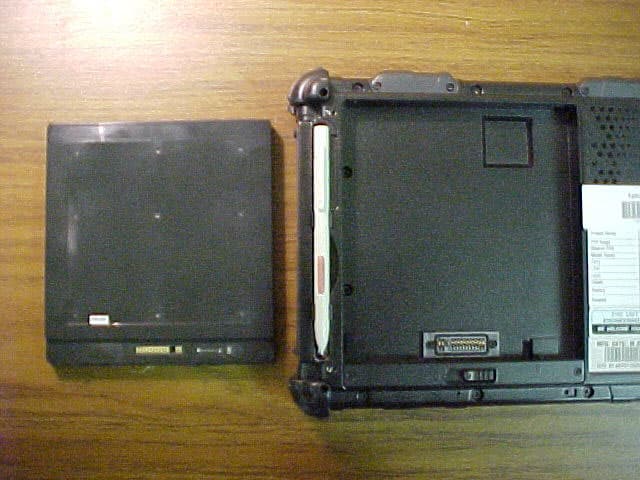
Click to zoom
Application Details
- Equipment Class
- DTS - Digital Transmission System
- Date of Grant
- Sep 21, 2003
- Application Purpose
- Original Equipment
- Date of Application
- Apr 23, 2003
- Equipment Note
- Tablet PC with GSM and WLAN radios
- Frequency Range
- 2402.00000000 - 2462.00000000
- Company
- Xplore Technologies Corp.
- Country
- United States
Documents & Files
Document Text
Text extracted from the exhibit documents filed with the FCC. Open a document above to read the original.
Users Manual
ix104USER’S HANDBOOK iX104 USER'S HANDBOOK 4 iX104 User’s Handbook Xplore Technologies ® has made every effort to ensure the accuracy and completeness of this document; however, because ongoing development efforts are made to continually improve the capabilities of our products, we cannot guarantee the accuracy of the contents of this document. We disclaim liability for errors, omissions, or future changes herein. Xplore and the Xplore logo are registered trademarks of Xplore Technologies Corp.; iX104 is a trademark of Xplore Technologies Corp. Kensington and MicroSaver are registered trademarks of the Kensington Technology Group. Microsoft is a registered trademark of Microsoft Corporation. Windows 2000 Professional, Windows XP Professional, and Windows XP Tablet PC Edition are trademarks of Microsoft Corporation. PCMCIA and CardBus are registered trademarks of the Personal Computer Memory Card International Association. Intel, Pentium, and SpeedStep are registered trademarks of Intel Corporation. Wi-Fi is a trademark of the Wireless Ethernet Compatibility Alliance (WECA). FireWire is a registered trademark of Apple Computer, Inc. ISODAMP is a registered trademark of Aearo Company. All other brands, product names, company names, trademarks and service marks used herein are property of their respective companies. Copyright © 2003 Xplore Technologies Corp. All rights reserved. No part of this publication may be copied, reproduced, or translated, without the prior written consent of Xplore Technologies. No part of this publication may be stored or transmitted in any electronic form without the prior consent of Xplore Technologies. Any unauthorized use is a violation of copyright laws. PN: 95-01016 Edition: First, April 2003 DECLARATION OF CONFORMITY according to FCC Part 15 Responsible Party Name: Xplore Technologies Corp. Address: 11675 Jollyville Rd. Suite 150, Austin, Texas 78759 Telephone: 512.336.7797 Declares that product: Model Series: iX104 Complies with Part 15 of the FCC Rules iX104 User’s Handbook 5 This device complies with Part 15 of the FCC rules. Operation is subject to the following two conditions: (1) This device may not cause harmful interference, and, (2) This device must accept any interference received, including interference that may cause undesired operation. WARNING Changes or modifications to this unit not expressly approved by the party responsible for compliance may void the user’s authority to operate this equipment. For more information about FCC rules and their applicability to the iX104, see Appendix E, “Agency Notices.” Warranty Information The iX104 and iX104-TPC are backed by a standard 12-month International Limited Warranty. An extended International Limited Warranty is available. Check the service kit included with your computer for warranty terms and conditions. a 6 iX104 User’s Handbook Important safety information Before you use the iX104 or the iX104 dock, read these safety instructions and the operation instructions in this handbook. Failure to observe all these instructions voids the Limited Warranty and may lead to suspension or denial of services to the offender, or legal action, or both. Follow any special regulations governing the use of the computer and, if radio-enabled, always switch it off in areas where radio devices are forbidden or when the radio device can cause interference or danger. Always follow any safety laws and regulations pertaining to the use of cell phones and two-way radios, because these laws and regulations typically apply to the use of the wireless-enabled iX104. Observe all restrictions on the use of radio equipment in fuel depots (fuel storage and distribution areas), chemical plants, and wherever blasting operations are in progress or in any area in which restrictions on radio transmissions are imposed. Switch off the iX104 when in an aircraft. The iX104 is not FAA-approved for use on aircraft. The effect of the use of the iX104 in aircraft is unknown. Using the iX104 in an aircraft may affect aircraft instrumentation, communication, and performance; may disrupt the network; and may be illegal. Operating the wireless-enabled iX104 may interfere with the functioning of inadequately protected medical devices such as pacemakers. Consult a physician or the manufacturer of the medical device if you have any questions. Radio signals from your iX104 will not affect the operation of most modern equipment, but certain electronic equipment, including automotive systems, may not be shielded against radio signals from your iX104. Check with the manufacturer of your motor vehicle or the manufacturer’s representative to determine whether using the iX104 will present any safety issues. Avoid using the iX104 in any environment that requires your full attention, such as when driving a vehicle. If you need to use your iX104 while driving, have a passenger use it for you or find a safe location to halt your vehicle. iX104 User’s Handbook 7 WARNING Use only battery types specified in this handbook. Using any other type of battery can be dangerous and can disable the iX104. WARNING Do not use any dock or any other accessory or attachment that is not manufactured or supplied by Xplore or an authorized Xplore accessories supplier. Use of any accessory or attachment that is not supplied or approved for use with the iX104 by Xplore is not permitted because it may cause hazards. Operate the iX104 only from the type of power source indicated on the marking label. (See page 53 for more information about the battery and power supply.) Route power supply cords so that they are not likely to be walked on or pinched by items placed upon or against them. Pay particular attention to cords at plugs and convenience receptacles, and at the point where cords exit from the computer or its dock. Do not overload wall outlets, extension cords, or integral convenience receptacles because this can cause fire or electric shock. Unplug the iX104 and refer the iX1…
Text truncated - open the document above for the full version.
Users Manual
XPLORE TECHNOLOGIES ® - RIM CONFIGURATION AND USE 1 XPLORE TECHNOLOGIES CORP. XPLORE UserManual– RIM v.02_13_03_b Xplore Technologies Rim 1902g and 1802g Modem Configuration Requirements Please note these instructions are for the integrated RIM Modems only. This Unit has been configured for the RIM module, DO NOT change any other settings than listed below, otherwise modem might not operate. RIM OEM Radio Modem for GSM/GPRS Wireless Networks Required information Before you start, you should have the following information available: • access point name (APN) for your network • IP address for your primary domain name server (DNS) Connecting with Windows 2000/XP To connect the radio modem to your computer, you must perform the following tasks: • Modify the modem init string with APN Name • Modify the dial-up connection TCP/IP DNS information To Modify APN in modem properties 1. On the Start menu, select Settings > Control Panel. The Control Panel window appears. 2. Double-click the Phone and Modem Options icon. The Phone and Modem Options window 3. appears. 4. Click the Modems tab. 5. On the Modems tab, select the modem 28800 standard and click Properties. The Properties window appears. 6. Click the Advanced tab. 7. In the Extra initialization commands field, Change the last to the APN name given by Provider: at+cgdcont=1,"IP","apn_name" where apn_name is the access point name (APN) for your network 8. Click OK. The Phone and Modem Options window appears. 9. Click OK. To Modify DSN information in dialup connection 1. Select the Dialup connect (Named GPRS) properties, hightlight, right-click, properties. 2. Click the Networking tab. 3. Click Internet Protocol (TCP/IP) and click Properties. The Internet Protocol (TCP/IP) Properties window appears. 4. Enable the Use the following DNS server addresses option. In the Preferred DNS server field, type the IP address of your primary DNS server. 5. Click OK. The Properties window appears. 6. Click OK. 7. Click OK. To Use the RIM 1902G GPRS Modem Eventhough communication to the modem is possible the GPRS portion is off. This is the default every time the unit is booted. To turn on the radio, double click icon on desktop RIMON. Double click on the Dialup GPRS connection. If APN is typed correctly then the module will connect. To turn off the radio, double click icon on desktop RIMOFF.
Users Manual
Corporate Headquarters Cisco Systems, Inc. 170 West Tasman Drive San Jose, CA 95134-1706 USA http://www.cisco.com Tel: 408 526-4000 800 553-NETS (6387) Fax: 408 526-4100 Cisco Aironet Wireless LAN Client Adapters Installation and Configuration Guide for Windows Customer Order Number: Text Part Number: OL-1394-06 THE SPECIFICATIONS AND INFORMATION REGARDING THE PRODUCTS IN THIS MANUAL ARE SUBJECT TO CHANGE WITHOUT NOTICE. ALL STATEMENTS, INFORMATION, AND RECOMMENDATIONS IN THIS MANUAL ARE BELIEVED TO BE ACCURATE BUT ARE PRESENTED WITHOUT WARRANTY OF ANY KIND, EXPRESS OR IMPLIED. USERS MUST TAKE FULL RESPONSIBILITY FOR THEIR APPLICATION OF ANY PRODUCTS. THE SOFTWARE LICENSE AND LIMITED WARRANTY FOR THE ACCOMPANYING PRODUCT ARE SET FORTH IN THE INFORMATION PACKET THAT SHIPPED WITH THE PRODUCT AND ARE INCORPORATED HEREIN BY THIS REFERENCE. IF YOU ARE UNABLE TO LOCATE THE SOFTWARE LICENSE OR LIMITED WARRANTY, CONTACT YOUR CISCO REPRESENTATIVE FOR A COPY. The following information is for FCC compliance of Class A devices: This equipment has been tested and found to comply with the limits for a Class A digital device, pursuant to part 15 of the FCC rules. These limits are designed to provide reasonable protection against harmful interference when the equipment is operated in a commercial environment. This equipment generates, uses, and can radiate radio-frequency energy and, if not installed and used in accordance with the instruction manual, may cause harmful interference to radio communications. Operation of this equipment in a residential area is likely to cause harmful interference, in which case users will be required to correct the interference at their own expense. The following information is for FCC compliance of Class B devices: The equipment described in this manual generates and may radiate radio-frequency energy. If it is not installed in accordance with Cisco’s installation instructions, it may cause interference with radio and television reception. This equipment has been tested and found to comply with the limits for a Class B digital device in accordance with the specifications in part 15 of the FCC rules. These specifications are designed to provide reasonable protection against such interference in a residential installation. However, there is no guarantee that interference will not occur in a particular installation. Modifying the equipment without Cisco’s written authorization may result in the equipment no longer complying with FCC requirements for Class A or Class B digital devices. In that event, your right to use the equipment may be limited by FCC regulations, and you may be required to correct any interference to radio or television communications at your own expense. You can determine whether your equipment is causing interference by turning it off. If the interference stops, it was probably caused by the Cisco equipment or one of its peripheral devices. If the equipment causes interference to radio or television reception, try to correct the interference by using one or more of the following measures: • Turn the television or radio antenna until the interference stops. • Move the equipment to one side or the other of the television or radio. • Move the equipment farther away from the television or radio. • Plug the equipment into an outlet that is on a different circuit from the television or radio. (That is, make certain the equipment and the television or radio are on circuits controlled by different circuit breakers or fuses.) Modifications to this product not authorized by Cisco Systems, Inc. could void the FCC approval and negate your authority to operate the product. The Cisco implementation of TCP header compression is an adaptation of a program developed by the University of California, Berkeley (UCB) as part of UCB’s public domain version of the UNIX operating system. All rights reserved. Copyright © 1981, Regents of the University of California. NOTWITHSTANDING ANY OTHER WARRANTY HEREIN, ALL DOCUMENT FILES AND SOFTWARE OF THESE SUPPLIERS ARE PROVIDED “AS IS” WITH ALL FAULTS. CISCO AND THE ABOVE-NAMED SUPPLIERS DISCLAIM ALL WARRANTIES, EXPRESSED OR IMPLIED, INCLUDING, WITHOUT LIMITATION, THOSE OF MERCHANTABILITY, FITNESS FOR A PARTICULAR PURPOSE AND NONINFRINGEMENT OR ARISING FROM A COURSE OF DEALING, USAGE, OR TRADE PRACTICE. IN NO EVENT SHALL CISCO OR ITS SUPPLIERS BE LIABLE FOR ANY INDIRECT, SPECIAL, CONSEQUENTIAL, OR INCIDENTAL DAMAGES, INCLUDING, WITHOUT LIMITATION, LOST PROFITS OR LOSS OR DAMAGE TO DATA ARISING OUT OF THE USE OR INABILITY TO USE THIS MANUAL, EVEN IF CISCO OR ITS SUPPLIERS HAVE BEEN ADVISED OF THE POSSIBILITY OF SUCH DAMAGES. CCIP, CCSP, the Cisco Arrow logo, the Cisco Powered Network mark, Cisco Unity, Follow Me Browsing, FormShare, and StackWise are trademarks of Cisco Systems, Inc.; Changing the Way We Work, Live, Play, and Learn, and iQuick Study are service marks of Cisco Systems, Inc.; and Aironet, ASIST, BPX, Catalyst, CCDA, CCDP, CCIE, CCNA, CCNP, Cisco, the Cisco Certified Internetwork Expert logo, Cisco IOS, the Cisco IOS logo, Cisco Press, Cisco Systems, Cisco Systems Capital, the Cisco Systems logo, Empowering the Internet Generation, Enterprise/Solver, EtherChannel, EtherSwitch, Fast Step, GigaStack, Internet Quotient, IOS, IP/TV, iQ Expertise, the iQ logo, iQ Net Readiness Scorecard, LightStream, MGX, MICA, the Networkers logo, Networking Academy, Network Registrar, Packet, PIX, Post-Routing, Pre-Routing, RateMUX, Registrar, ScriptShare, SlideCast, SMARTnet, StrataView Plus, Stratm, SwitchProbe, TeleRouter, The Fastest Way to Increase Your Internet Quotient, TransPath, and VCO are registered trademarks of Cisco Systems, Inc. and/or its affiliates in the U.S. and certain other countries. All other trademarks mentioned in this document or Web site are the property of their respective owners. The use of the word partner does not imply a partnership relationship between Cisco and any other company. (0304R) Cisco Aironet Wirel…
Text truncated - open the document above for the full version.
Users Manual
ix104USER’S HANDBOOK iX104 USER'S HANDBOOK 4 iX104 User’s Handbook Xplore Technologies ® has made every effort to ensure the accuracy and completeness of this document; however, because ongoing development efforts are made to continually improve the capabilities of our products, we cannot guarantee the accuracy of the contents of this document. We disclaim liability for errors, omissions, or future changes herein. Xplore and the Xplore logo are registered trademarks of Xplore Technologies Corp.; iX104 is a trademark of Xplore Technologies Corp. Kensington and MicroSaver are registered trademarks of the Kensington Technology Group. Microsoft is a registered trademark of Microsoft Corporation. Windows 2000 Professional, Windows XP Professional, and Windows XP Tablet PC Edition are trademarks of Microsoft Corporation. PCMCIA and CardBus are registered trademarks of the Personal Computer Memory Card International Association. Intel, Pentium, and SpeedStep are registered trademarks of Intel Corporation. Wi-Fi is a trademark of the Wireless Ethernet Compatibility Alliance (WECA). FireWire is a registered trademark of Apple Computer, Inc. ISODAMP is a registered trademark of Aearo Company. All other brands, product names, company names, trademarks and service marks used herein are property of their respective companies. Copyright © 2003 Xplore Technologies Corp. All rights reserved. No part of this publication may be copied, reproduced, or translated, without the prior written consent of Xplore Technologies. No part of this publication may be stored or transmitted in any electronic form without the prior consent of Xplore Technologies. Any unauthorized use is a violation of copyright laws. PN: 95-01016 Edition: Second, July 2003 DECLARATION OF CONFORMITY according to FCC Part 15 Responsible Party Name: Xplore Technologies Corp. Address: 14000 Summit Drive, Suite 900, Austin, Texas 78728 Telephone: 512.336.7797 Declares that product: Model Series: iX104 Complies with Part 15 of the FCC Rules iX104 User’s Handbook 5 This device complies with Part 15 of the FCC rules. Operation is subject to the following two conditions: (1) This device may not cause harmful interference, and, (2) This device must accept any interference received, including interference that may cause undesired operation. WARNING Changes or modifications to this unit not expressly approved by the party responsible for compliance may void the user’s authority to operate this equipment. For more information about FCC rules and their applicability to the iX104, see Appendix E, “Agency Notices.” Warranty Information The iX104 and iX104-TPC are backed by a standard 12-month International Limited Warranty. An extended International Limited Warranty is available. Check the service kit included with your computer for warranty terms and conditions. a 6 iX104 User’s Handbook Important safety information Before you use the iX104 or the iX104 dock, read these safety instructions and the operation instructions in this handbook. Failure to observe all these instructions voids the Limited Warranty and may lead to suspension or denial of services to the offender, or legal action, or both. Follow any special regulations governing the use of the computer and, if radio-enabled, always switch it off in areas where radio devices are forbidden or when the radio device can cause interference or danger. Always follow any safety laws and regulations pertaining to the use of cell phones and two-way radios, because these laws and regulations typically apply to the use of the wireless-enabled iX104. Observe all restrictions on the use of radio equipment in fuel depots (fuel storage and distribution areas), chemical plants, and wherever blasting operations are in progress or in any area in which restrictions on radio transmissions are imposed. Switch off the iX104 when in an aircraft. The iX104 is not FAA-approved for use on aircraft. The effect of the use of the iX104 in aircraft is unknown. Using the iX104 in an aircraft may affect aircraft instrumentation, communication, and performance; may disrupt the network; and may be illegal. Operating the wireless-enabled iX104 may interfere with the functioning of inadequately protected medical devices such as pacemakers. Consult a physician or the manufacturer of the medical device if you have any questions. Radio signals from your iX104 will not affect the operation of most modern equipment, but certain electronic equipment, including automotive systems, may not be shielded against radio signals from your iX104. Check with the manufacturer of your motor vehicle or the manufacturer’s representative to determine whether using the iX104 will present any safety issues. Avoid using the iX104 in any environment that requires your full attention, such as when driving a vehicle. If you need to use your iX104 while driving, have a passenger use it for you or find a safe location to halt your vehicle. iX104 User’s Handbook 7 WARNING Use only battery types specified in this handbook. Using any other type of battery can be dangerous and can disable the iX104. WARNING Do not use any dock or any other accessory or attachment that is not manufactured or supplied by Xplore or an authorized Xplore accessories supplier. Use of any accessory or attachment that is not supplied or approved for use with the iX104 by Xplore is not permitted because it may cause hazards. Operate the iX104 only from the type of power source indicated on the marking label. (See page 53 for more information about the battery and power supply.) Route power supply cords so that they are not likely to be walked on or pinched by items placed upon or against them. Pay particular attention to cords at plugs and convenience receptacles, and at the point where cords exit from the computer or its dock. Do not overload wall outlets, extension cords, or integral convenience receptacles because this can cause fire or electric shock. Unplug the iX104 and refer the iX10…
Text truncated - open the document above for the full version.
Cover Letter(s)
April 1, 2003 Federal Communication Commission Equipment Approval Service Attention: Authorization and Evaluation Division Reference: Xplore Technologies FCC ID: Q2GIX104-112 To Whom It May Concern: Subject: Request for Confidentiality Pursuant to Sections 0.457 (d)(1)(ii) and 0.459 of the Commission’s rules, the Applicant hereby requests confidential treatment of the Xplore Technologies supplied information accompanying this application. The confidential information includes the following: • Schematics • Block Diagrams • Bill of Materials • Tune up procedure • Operational description The materials contain trade secrets and proprietary information not customarily released to the public. Public disclosure of this information might be harmful to Xplore Technologies and provide unjustified benefits to our competitors. Xplore Technologies understands that pursuant to 0.457 (d)(1)(ii), disclosure of the Application and all accompanying documentation will not be made before the date of the grant. Best regards, Douglas L. Fowler Sr. Project Engineer Xplore Technologies, Inc. Xplore Technologies, Inc. 11675 Jollyville Road Suite 150 Austin, TX 78759 888-44-XPLORE
Cover Letter(s)
April 1, 2003 Federal Communication Commission Equipment Approval Service Attention: Authorization and Evaluation Division Reference: Xplore Technologies FCC ID: Q2G IX104-xxx To Whom It May Concern: Subject: Cover Letter Xplore Technologies, Inc. herein is submitting a new filing for its iX104 Tablet Computer for FCC Part 2, 15, 22 and 24 Certification. The Model iX104 tablet computer is a device with radios for wireless communication including the. The Model iX104 tablet computer may include one of the following pre-approved: 1. Research In Motion 1902GS GPRS OEM Module (FCC ID: L6A R6420GN) The RIM Model 1902GS is a dual band GPRS PCS and Cellular band radio modem. This device will be used for data only and will not be used for voice calls. 2. Cisco Aironet 350 PCMCIA Direct Sequence WLAN Card (FCC ID: LDK102040) 3. Symbol Spectrum24 PCMCIA Frequency Hopping WLAN Card (FCC ID: H9PLA3021) These radios can installed as single radios and in combination with the RIM 1902GS module. Each configuration is filed with a separate FCC ID. The co-located versions are filed directly through the FCC. All required tests in compliance with Parts 2, 15, 22 and 24 of the FCC Rules including SAR have been completed in FCC approved test facilities at Cetecom in Milpitas, CA with satisfactory results as provided with the Exhibits accompanying this cover letter. The required tests in conformance with Part 15, Class B of the FCC Rules have been submitted as a “Verification” requirement pursuant to Section 15.101(b) of the FCC rules. Xplore Technologies would like to request confidentiality as indicated in the Form 731, Item 8 and as requested in the “Request for Confidentiality” letter in the Exhibit “Cover Letters”. Please do not hesitate to contact the undersigned should you require additional information or have any questions. Best regards, Douglas L. Fowler Sr. Project Engineer Xplore Technologies, Inc. Tel: (972) 334-0474 Fax: (512) 336-7791 Email: [email protected] Xplore Technologies, Inc. 11675 Jollyville Road Suite 150 Austin, TX 78759 888-44-XPLORE
Cover Letter(s)
1 of 2 CETECOM Inc. 411 Dixon Landing Road Milpitas, CA 95035 U.S.A. Phone: + 1 408 586 6200 Fax: + 1 408 586 6299 e-mail: [email protected] URL: www.cetecom.com STATEMENT This filing constitute a formal submittal pursuant to Subpart C of Part 15, 22 and 24 of FCC rules (CFR 47) regarding intentional radiators. Company Name: Xplore Technologies Model # IX104 Description: Tablet PC with built in GPRS (850/1900) and WLAN (802.11b) FCC ID: Q2GIX104-xxx The FCC-ID numbering for the different versions is as follow: Q2GIX104-xxx where xxx is, First n following dash is for co-location. 0 = no-colocation 1 = RIM 1902GS 2 = Sierra Wireless Aircard 510 (PO in process). Second n following dash is for wide area network radio options. 0 - none 1 = RIM 1902GS 2 = Sierra Wireless Aircard 510 (PO in process) Third n following dash is for local area network radio options. 0 = none 1 = Symbol Spectrum24 (FH) 2 = Cisco Aironet 350 3 = Neweb EM9-AB (PO in process) All filings with the middle number 1or 2 and the last digit other than 0 are filed through FCC directly because of the co-location. Examples Rim Module Q2GIX104-010 CISCO module Q2GIX104-002 Antenna Gain in calculated by the following equation: EIRP (Measured) – Conducted Power (Measured) = Gain (dBi) Peak Antenna Gain (dBi) Antenna Type 850 GSM Band 1900 PCS Band GPRS -9.54 -1.36 2400MHz (ISM Band) WLAN -1.6 2 of 2 CETECOM Inc. 411 Dixon Landing Road Milpitas, CA 95035 U.S.A. Phone: + 1 408 586 6200 Fax: + 1 408 586 6299 e-mail: [email protected] URL: www.cetecom.com SUMMARY OF TESTING Xplore IX104-11 is a tablet PC, which can be equipped with two different kind of radios. • RIM 1902G module for GPRS functions, • CISCO AIR-LMC350 PCMCIA or a Symbol Spectrum24 unit for WLAN function. These radios are off the shelf modules and have not been modified since the FCCID has been granted. IX104 has added a new antenna to the two modules mentioned above and integrated into their Tablet PC. The IX104 radios are not user accessible and the manufacturer can alter the configuration of the Tablet PC using the different WLAN’s Each configuration is filed separately and has its own FCC ID (see FCC ID selection above). The internal antenna switch for the use in a docking station wasn’t tested at that time since the docking station isn’t available yet. EMC/Radio Test Reports: Test report RIM-0204-04 includes conducted results for RIM1902G module and EMC_448-2003FCC22-24_IX104-11 includes radiated results for Tablet PC including the RIM 1902G module with embedded antenna. Test report AIR-LMC350_LDK102040 includes conducted results for CISCO AIR- LMC350 PCMCIA card and EMC_448-2003-FCC15.247_IX104-11 includes radiated results for Tablet PC including the AIR-LMC350 card with embedded antenna. Test report J99013298B includes conducted results for the Symbol LA3021-100 PCMCIA card and EMC_448-2003FCC15.247_IX104-12 includes radiated results for LA3021-100 card with different antenna. SAR Test Reports: Each configuration was tested separately for SAR Lothar Schmidt Technical Manager
External Photos
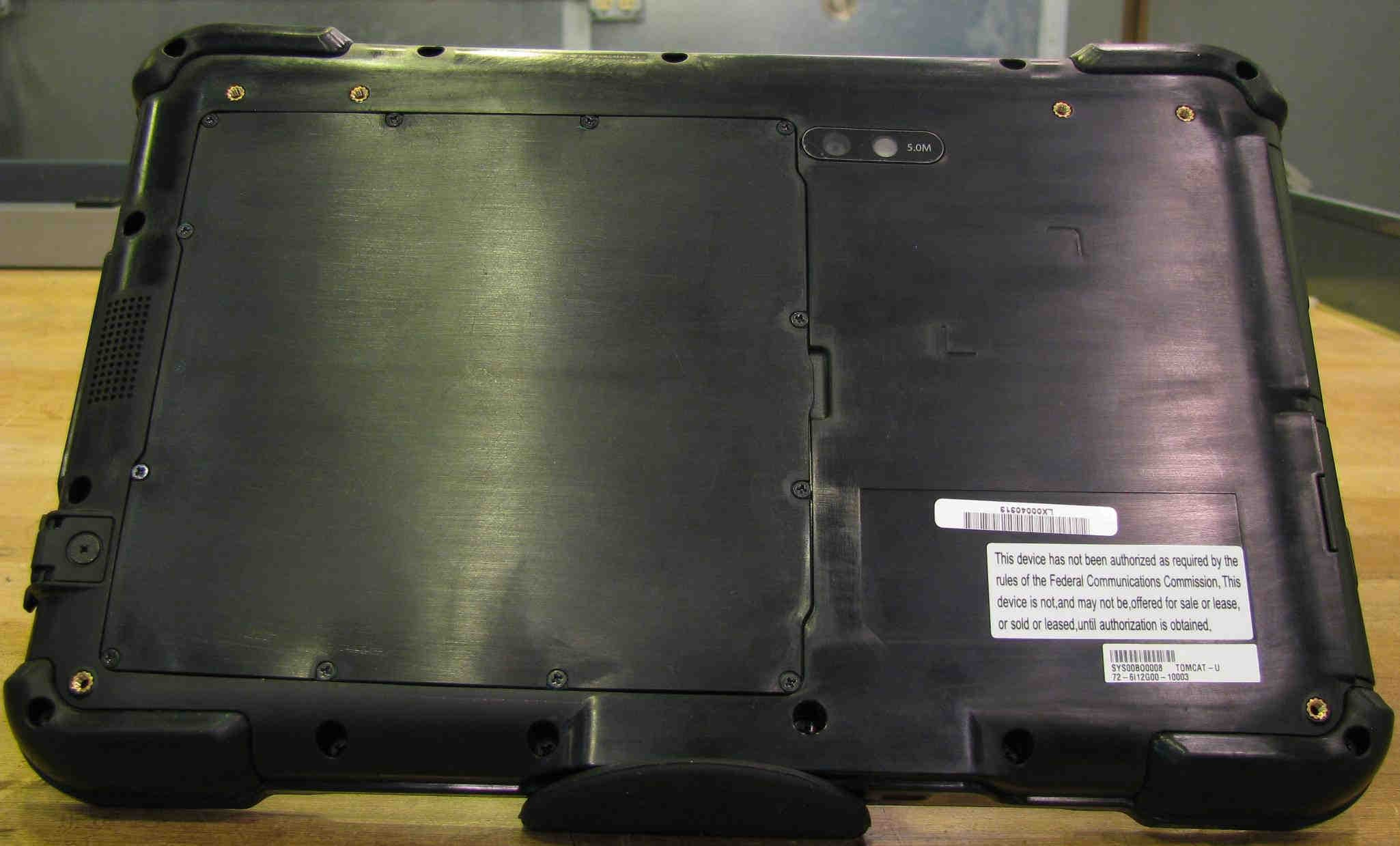
iX104: Exterior - F ront iX104: Exterior - B ack FCC Label iX104: Exterior – B attery Pack Removed
ID Label/Location Info
FCC ID: Q2GIX104- 11 2 IC: Radio Specific FCC/IC Label
Internal Photos
iX104: Antenna Locations Wide A r ea Network AntennaLocal Area NetworkAntenna iX104: Antenna Cavities WAN Antenna GSM Antenna iX104: Interior View PCMCIASlot Mini-PCISlot iX104: RIM 1902G Module Location RIM 1902G Module iX104: Main Logic Board iX104: Keypad PCB iX104: I/O PCB iX104: I/O PCB Removed
RF Exposure Info
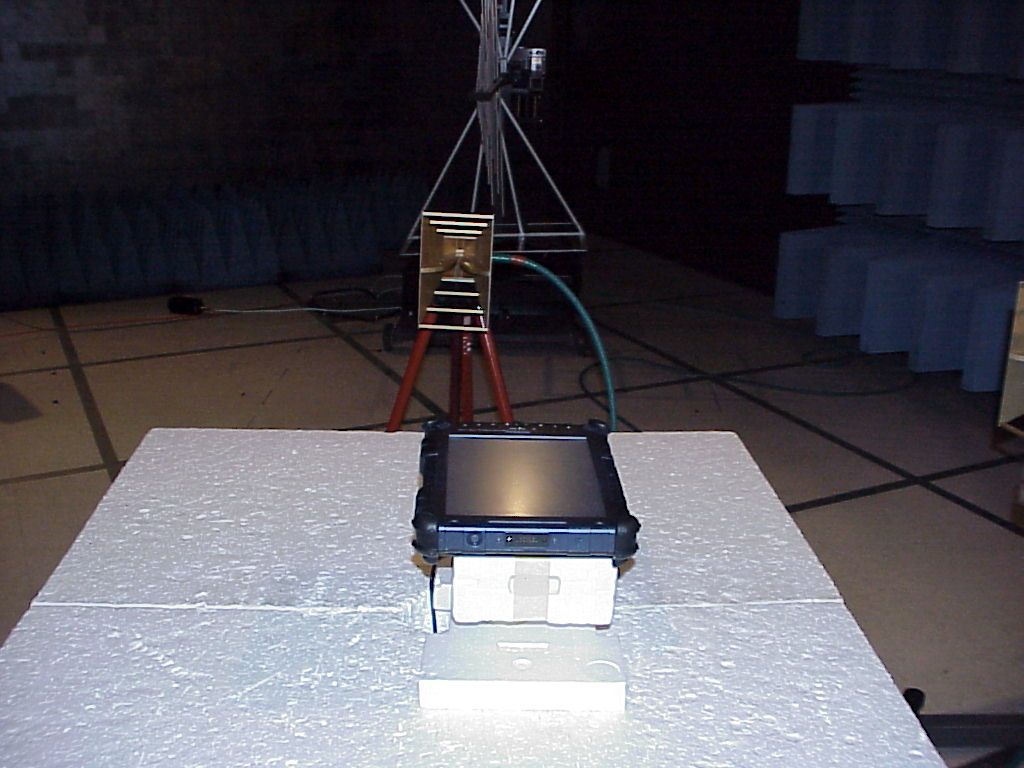
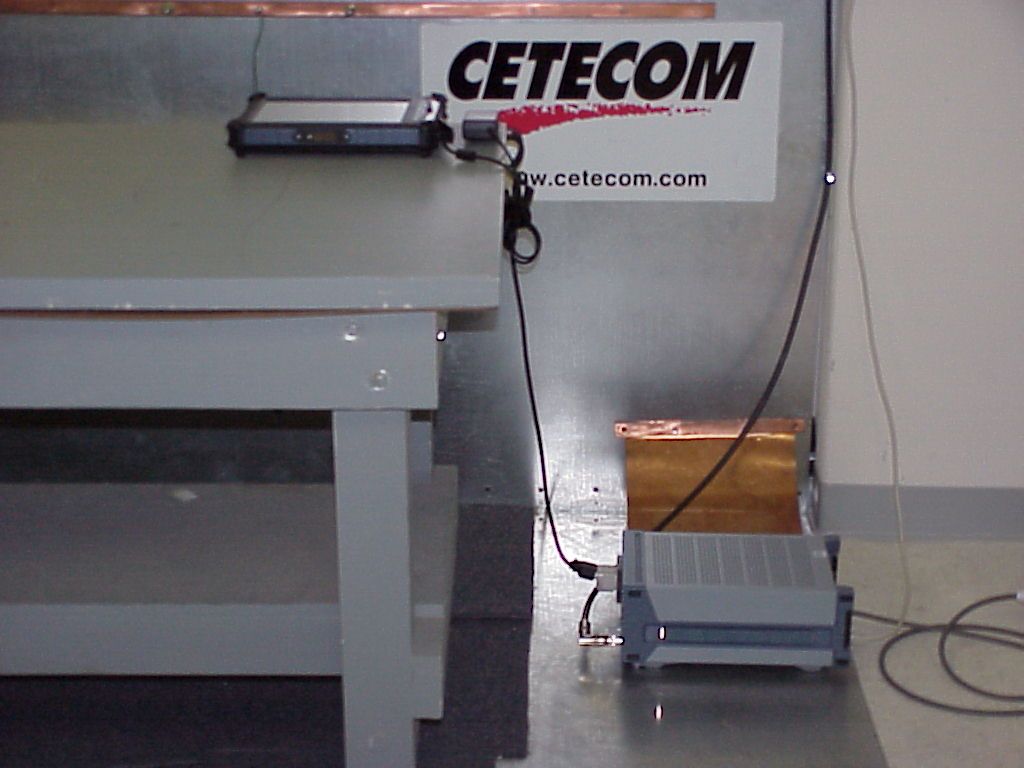
TTI-P-G 081/94-A0 Accredited according to ISO/IEC 17025 Bluetooth Qualification Test Facility (BQTF) FCC listed # 101450 IC recognized # 3925 CETECOM Inc. 411 Dixon Landing Road Milpitas, CA 95035 U.S.A. Phone: + 1 (408) 586 6200 Fax: + 1 (408) 586 6299 E-mail: [email protected] http://www.cetecom.com CETECOM Inc. is a Delaware Corporation with Corporation number: 2113686 Board of Directors: Dr. Harald Ansorge, Dr. Klaus Matkey, Hans Peter May V.2.16M-2002-03-12 f:\emc\projects\xplore\448-2003_ix104\sar\report\combination\sar_448_2003_fcc__850_1900_2450.doc © Copyright by CETECOM SAR Test Report No. SAR_448_2003_FCC_850_1900_2450 for the Xplore Technologies Tablet Computer Model Number: iX104 FCC ID: Q2GIX104-XXX Date of Report: 04/15/2003 Date of issue: 04/15/2003 Report Copy No.: 01 SAR Test Report No. SAR_448_2003_FCC_850_1900_2450 Date of Report: 04/15/2003 Page 2 of 31 Error! Reference source not found. This report shall not be reproduced except in full without the written approval of: CETECOM Inc. SAR 411 Dixon Landing Road Milpitas, CA 95035 U.S.A. Contents 1 ASSESSMENT ...................................................................................................................4 2 ADMINISTRATIVE DATA...................................................................................................5 2.1 Identification of the Testing Laboratory Issuing the SAR Assessment Report ...............5 2.2 Identification of the Client...........................................................................................5 2.3 Identification of the Manufacturer...............................................................................5 3 EQUIPMENT UNDER INVESTIGATION (EUI)...................................................................6 3.1 Identification of the Equipment under Investigation ...................................................6 3.2 Front View of the Equipment under Investigation ......................................................7 4 SUBJECT OF INVESTIGATION ........................................................................................8 4.1 The IEEE Standard C95.1 and the FCC Exposure Criteria .......................................8 4.2 Distinction Between Exposed Population, Duration of Exposure and Frequencies...8 4.3 Distinction between Maximum Permissible Exposure and SAR Limits......................9 4.4 SAR Limit ...................................................................................................................9 5 THE FCC MEASUREMENT PROCEDURE .....................................................................10 5.1 General Requirements.............................................................................................10 5.2 Device Operating Next to a Person’s Ear ................................................................10 5…
Text truncated - open the document above for the full version.
Contact Information
Applicant
David J Ball(Senior Regulatory and Compliance Engineer)
Technical Contact
CETECOM Inc.Lothar Schmidt
[email protected]408 586 6214
411 Dixon Landing Road · Milpitas, California · United States
Test Firm
Cetecom Inc.Lothar Schmidt
Technical Specifications
| # | Rule Parts | Frequency Range | Power Output |
|---|---|---|---|
| 1 | 15C | 2.40 GHz - 2.46 GHz | 100.00 mW |
Other Applications from Xplore Technologies Corp.
Q2GWG7550A
Aug 19, 2013Rugged Tablet PC
Equipment Class
NII - Unlicensed National Information Infrastructure TX
Q2GWG7550
Jul 15, 2013Rugged Tablet PC
Equipment Class
DTS - Digital Transmission System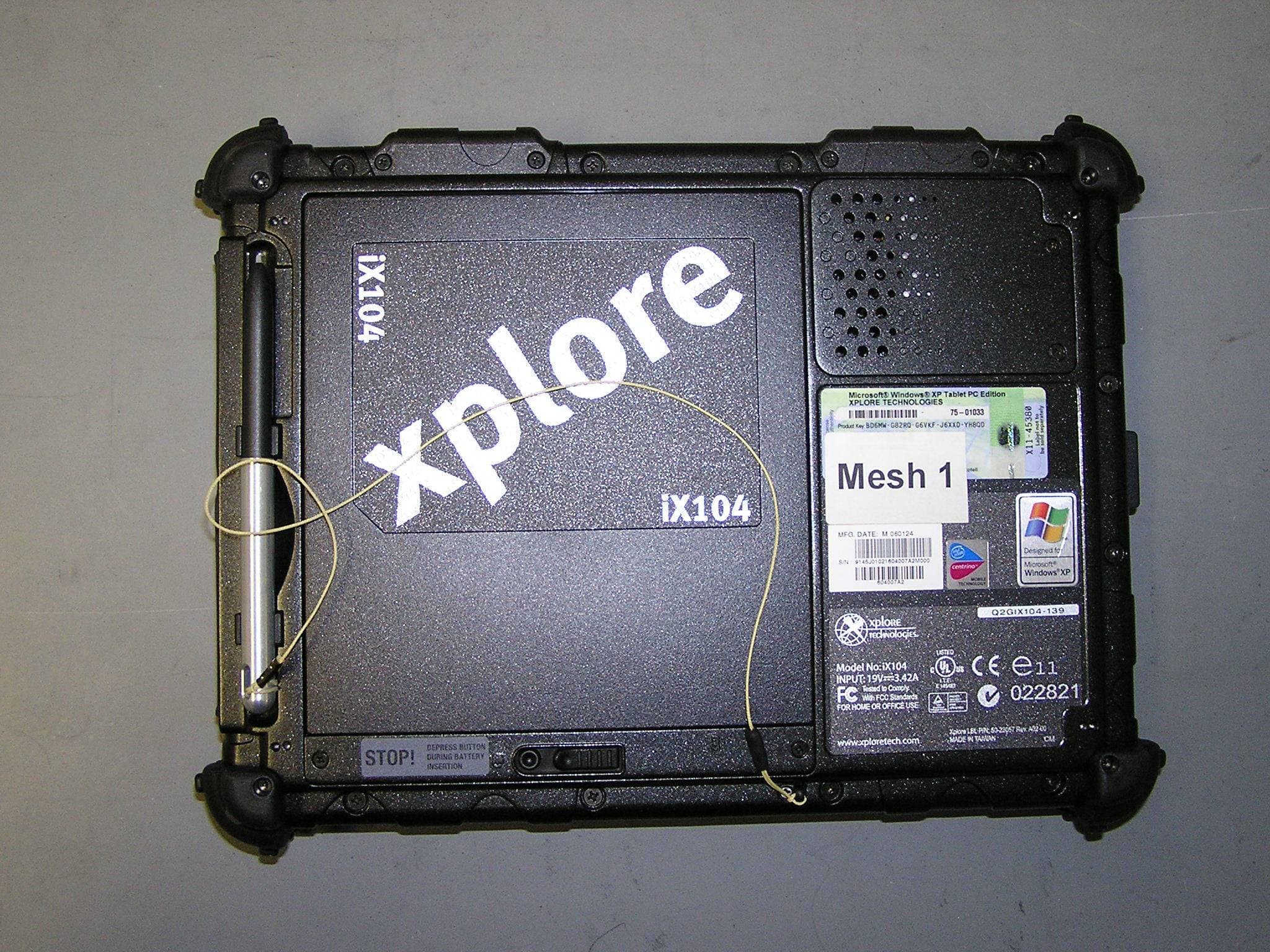
Q2GIX104-149
May 18, 2006Tablet PC with wireless transmitter
Equipment Class
DSS - Part 15 Spread Spectrum Transmitter
Q2GIX104-148
Mar 20, 2006Tablet PC with WLAN/GSM/EGPRS/WCDMA/BT transmitter
Equipment Class
DSS - Part 15 Spread Spectrum Transmitter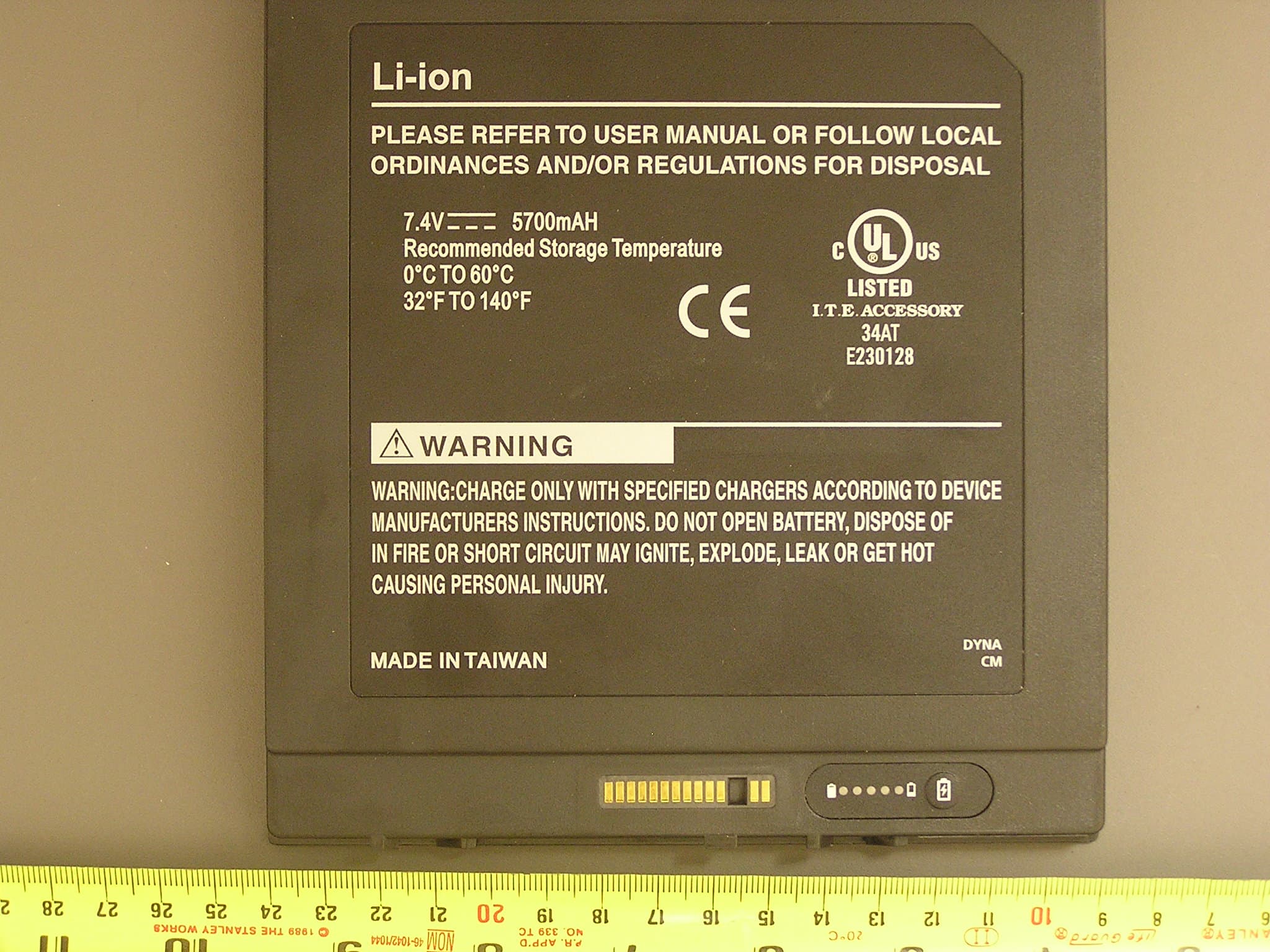
Q2GIX104-146
Mar 19, 2006Tablet PC with BT and GSM/EGPRS/WCDMA transmitters
Equipment Class
DSS - Part 15 Spread Spectrum Transmitter