Q5RM3688Wireless Mouse
Hahntek Technology Corp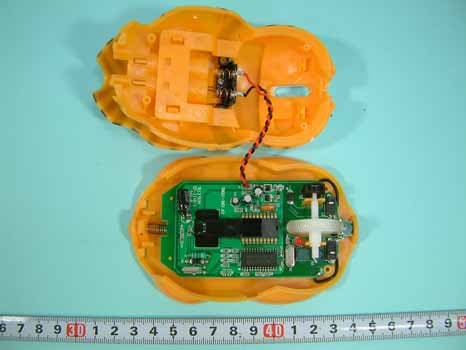
Click to zoom
Application Details
- Equipment Class
- DXX - Part 15 Low Power Communication Device Transmitter
- Date of Grant
- May 20, 2005
- Application Purpose
- Original Equipment
- Date of Application
- May 20, 2005
- Equipment Note
- Wireless Mouse
- Frequency Range
- 27.04500000 - 27.04500000
- Company
- Hahntek Technology Corp
- Country
- Taiwan
Documents & Files
Document Text
Text extracted from the exhibit documents filed with the FCC. Open a document above to read the original.
Users Manual
Introduction This mouse set is a wireless input device with 27MHz radio frequency. It is plug & play with Windows 98/SE/ME/2000/ XP/NT,without the need of any software installation.If you did install any software for your previous keyboard or mouse,please remove the mouse driver before use this new device. Receiver Box System Requirement : Related PC compatibles USB ports for mouse Microsoft Windows 98/SE/Me/2000/XP/NT RF Mouse Connect The Receiver : The wireless mouse uses two AAA batterise.(For the best performance, please use only alkaline batteries) Install the Batteries : RF Mouse Remove Cover Two AAA batterise Insert batterise 1.Turn off the computer before connecting the receiver to your computer.2.Working on metallic surface will reduce the RF performance. Avoid placing the mouse on metallic surface.3.Plug or unplug cable from the computer's USB ports improperly can cause damage to the USB ports and to the computer.4.Blinking alarm Red LED at scroll button when batteries failure.5.For power saving designed. Press anyone of the Left or Right button to start curso after few minutes being no use. This wireless mouse set consists of mouse and receiver. When you do not need to use the wireless mouse for a long period of time, please remove the batteries and store them in a dry place with normal room temperature. Caution : After intstall the batteries and connect the receiver to computer, turn on your computer. If the product can not work or there are multi- products be used. To avoid the interfrernce, you can do the follow procedures as below to set the ID code. There is an ID button on the back side of the Mouse and another one on the side of the Receiver. 1.Step1:press the ID set on Receiver, then press the ID button on Mouse. The ID code will be set automatically. You can first do any step, then another step. The process of each step must be completed within 5 seconds.2.After above process, the Receiver's RF LED will blink, when you move the mouse. This means that the mouse do communicate with the receiver successfully.3.If not , the mouse can not work propperly.Please retry the above set up process. Set The ID Codes RF Mouse ID Set 1.Any move of batteries, or reconnect the Receiver, Please carry out the above procedures to set the ID code again.Otherwise, the unit can not work properly.2.This product is a signal RF mouse. If two units are used within the effective working range, radio interference will affect the performance of your input, please re-set ID code again to a different one will minimize the degree of radio interference. Receiver Box RF Signal LED ID Set After successful installation, the mouse can work well with Windows 98/SE/Me/2000/XP/NT, without the need of software driver. Use The Mouse The mouse comes with a scrolling wheel, which can function either as a wheel or as a button. 1.To scroll up, move the wheel forward; to scroll down, move the wheel backward.2.To use the wheel like a standard mouse middle button, simply click (press down) the wheel button. 1.If your mouse can not work after installation, please check follwings: a).Make sure you have connected the receiver correctly to computer's USB ports. b).Make sure you have inserted the batterise correctly. c).Make sure you have set the ID code properly, as stated above.2.If your mouse isn't detected by the computer, please check followings: a).Make sure the receiver is plugged onto the right USB port. Don't plug and unplug the receiver's connectors, while the computer is on. b).Make sure your USB ports have the proper configuration. Refer to your computer documents for right configuration. c).You may have other system device(s)(e.g.modem card)that is/are conflicting your mouse. Check the IRQ address setting of these devices, and change the setting as required. Refer to your computer documents to make the changes.3.If the mouse cursor does not move properly please check followings: a).Check the large metal devices, such as microwave, electric stove, television, hair dryer...., which may interfere the receiver's radio reception. b).Check the status of the batteries. The batteries maybe near dead. If the mouse does not work after some time of usage, please replace the batterise to see if it can solve the problem. Trouble Shooting WARNING:Take frequent breaks from typing to reduce the risk of the wrists. Caution : Caution : Channel SW RF wireless mouse uses digital radio technology to communicate. Ittransmits radio frequency signals which are picked by the receiver, then passed to the computer. The receiver is connected to the computer's USB ports via a cable.Receiver to port, Voltage Rating DC 5V, Current Rating 15mA Thank you for purchasing the Hahntek M3688 Optical RF Wireless Mouse. Read this manual carefully before using the controller and always keep it close at hand while the controller is in use. Installation Manual M3688 Optical RF Wireless/Mouse set Detailed read this manual through to acquire PUSH BUTTON RF Mouse Receiver PC Keyboard Monitor Federal Communication Commission Interference Statement This equipment has been tested and found to comply with the limits for a Class B digital device, pursuant to Part 15 of the FCC Rules. These limits are designed to provide reasonable protection against harmful interference in a residential installation. This equipment generates, uses and can radiate radio frequency energy and, if not installed and used in accordance with the instructions, may cause harmful interference to radio communications. However, there is no guarantee that interference will not occur in a particular installation. If this equipment does cause harmful interference to radio or television reception, which can be determined by turning the equipment off and on, the user is encouraged to try to correct the interference by one of the following measures: - Reorient or relocate the receiving antenna. - Increase the separation between the equipment and receiver. - Connect the equipment into an outlet…
Text truncated - open the document above for the full version.
External Photos
SPORTON International Inc. PAGE NUMBER : A1 OF A7 TEL : 886-2-2696-2468 ISSUED DATE : Mar. 10, 2005 FAX : 886-2-2696-2255 APPENDIX A. Photographs of EUT SPORTON International Inc. PAGE NUMBER : A2 OF A7 TEL : 886-2-2696-2468 ISSUED DATE : Mar. 10, 2005 FAX : 886-2-2696-2255
ID Label/Location Info
Label M3688 Rating 3V 2 AAA Size Batteries 3D RF MOUSE 28 FCC ID : Q5RM3688 The device complies with Part 15 of the FCC Rules. 18 MADE IN CHINA MADE IN CHINA The device complies with Part 15 of the FCC Rules. 40 Model : M3688R Wireless MOUSE Receiver 15 Label M3688R HAHNTEK TECHNOLOGY CORP.No.263,Sec.1,Lung Shou Street, Lu-Chu Hsian 338, Taoyuan Hsien, Taiwan Model : M3688
Internal Photos
SPORTON International Inc. PAGE NUMBER : A3 OF A7 TEL : 886-2-2696-2468 ISSUED DATE : Mar. 10, 2005 FAX : 886-2-2696-2255 SPORTON International Inc. PAGE NUMBER : A4 OF A7 TEL : 886-2-2696-2468 ISSUED DATE : Mar. 10, 2005 FAX : 886-2-2696-2255 SPORTON International Inc. PAGE NUMBER : A5 OF A7 TEL : 886-2-2696-2468 ISSUED DATE : Mar. 10, 2005 FAX : 886-2-2696-2255 SPORTON International Inc. PAGE NUMBER : A6 OF A7 TEL : 886-2-2696-2468 ISSUED DATE : Mar. 10, 2005 FAX : 886-2-2696-2255 SPORTON International Inc. PAGE NUMBER : A7 OF A7 TEL : 886-2-2696-2468 ISSUED DATE : Mar. 10, 2005 FAX : 886-2-2696-2255
Operational Description
FCC ID: Q5RM3688 Description of Operation EUT is a Wireless Mouse with optical sensor solution. This device provided transmitting data rate up to 10Kbps. The device optimized for 27MHz worldwide ISM band wireless application and RF carrier is FSK. The antenna is Printed Antenna, and there is no antenna connector. This Wireless Mouse is a Wireless ISM adapter. It allows you to connect to your computer and other USB interface resources, This device has excellent operating performance with Notebook or PC Especially under less interference environment, the operating distance will be more perfect without any angle limit. The EUT is a Wireless Mouse that can remote control the Computer. Generally called optical mouse
Test Report
FCC ID: Q5RM3688 Issued on Mar. 22, 2005 Report No.: F453114 SPORTON International Inc. TEL : 886-2-2696-2468 FAX : 886-2-2696-2255 FCC TEST REPORT CATEGORY : Portable PRODUCT NAME : Wireless Mouse FCC ID. : Q5RM3688 FILING TYPE : Certification BRAND NAME : HAHNTEK MODEL NAME : M3688 APPLICANT : HAHNTEK TECHNOLOGY CORP. No. 263, Sec. 1, Lung Shou Street, Lu-Chu Hsian 338, Taoyuan Hsien, Taiwan MANUFACTURER : HAHNTEK TECHNOLOGY CORP. No. 263, Sec. 1, Lung Shou Street, Lu-Chu Hsian 338, Taoyuan Hsien, Taiwan ISSUED BY : SPORTON INTERNATIONAL INC. 6F, No. 106, Sec. 1, Hsin Tai Wu Rd., His Chih, Taipei Hsien, Taiwan, R.O.C. Statements: The test result in this report refers exclusively to the presented test model / sample. Without written approval of SPORTON International Inc., the test report shall not be reproduced except in full. Certificate or Test Report could not be used by the applicant to claim the product endorsement by CNLA and any agency of U.S. government. The test equipments used to perform the test are calibrated and traceable to NML/ROC or NIST/USA. 1190 ILAC MRA FCC ID: Q5RM3688 Issued on Mar. 22, 2005 Report No.: F453114 SPORTON International Inc. Page No. : i TEL : 886-2-2696-2468 Issued Date: Mar. 22, 2005 FAX : 886-2-2696-2255: Table of Contents HISTORY OF THIS TEST REPORT .....................................................................................................................II CERTIFICATE OF COMPLIANCE.......................................................................................................................III 1. GENERAL DESCRIPTION OF EQUIPMENT UNDER TEST...........................................................................1 1.1. Applicant ......................................................................................................................................................................................... 1 1.2. Manufacturer ................................................................................................................................................................................... 1 1.3. Basic Description of Equipment under Test.................................................................................................................................... 1 1.4. Features of Equipment under Test ................................................................................................................................................. 1 1.5. Table for Carrier Frequencies ......................................................................................................................................................... 1 2. TEST CONFIGURATION OF THE EQUIPMENT UNDER TEST .....................................................................2 2.1. Connection Diagram of Test System .............................................................................................................................................. 2 2.2. The Test Mode Description............................................................................................................................................................. 2 2.3. Description of Test Supporting Units .............................................................................................................................................. 2 3. GENERAL INFORMATION OF TEST ..............................................................................................................3 3.1. Test Facility ..................................................................................................................................................................................... 3 3.2. Standards for Methods of Measurement......................................................................................................................................... 3 3.3. DoC Statement ............................................................................................................................................................................... 3 3.4. Frequency Range Investigated ....................................................................................................................................................... 3 3.5. Test Distance .................................................................................................................................................................................. 3 3.6. Test Software .................................................................................................................................................................................. 3 4. LIST OF MEASUREMENTS .............................................................................................................................4 4.1. Summary of the Test Results.......................................................................................................................................................... 4 5. TEST RESULT ..................................................................................................................................................5 5.1. Test of Maximum Field Strength of Fundamental ........................................................................................................................... 5 5.2. Test of AC Power Line Conducted Emission .................................................................................................................................. 7 5.3. Test of Spurious Radiated Emission............................................................................................................................................. 13 5.4. Antenna Requirements ................................................................................................................................................................. 17 6. LIST OF MEASURING EQUIPMENTS USED...........................................................................…
Text truncated - open the document above for the full version.
Test Setup Photos
FCC ID: Q5RM3688 Issued on Mar. 22, 2005 Report No.: F453114 SPORTON International Inc. Page No. : 11 of 20 TEL : 886-2-2696-2468 Issued Date : Mar. 22, 2005 FAX : 886-2-2696-2255 5.2.8. Photographs of Conducted Emission Test Configuration Normal Mode FRONT VIEW REAR VIEW FCC ID: Q5RM3688 Issued on Mar. 22, 2005 Report No.: F453114 SPORTON International Inc. Page No. : 12 of 20 TEL : 886-2-2696-2468 Issued Date : Mar. 22, 2005 FAX : 886-2-2696-2255 Charging Mode FRONT VIEW REAR VIEW FCC ID: Q5RM3688 Issued on Mar. 22, 2005 Report No.: F453114 SPORTON International Inc. Page No. : 16 of 20 TEL : 886-2-2696-2468 Issued Date : Mar. 22, 2005 FAX : 886-2-2696-2255 5.3.8. Photographs of Radiated Emission Test Configuration FRONT VIEW REAR VIEW
Contact Information
Applicant
Shiung I Lin(Vice Section)
Technical Contact
Sporton International IncWayne Hsu
[email protected]+886 3 327 3456
No. 52, Hwa Ya 1st Rd., Kwei-Shan Hsiang · Tao-Yuan Hsien · Taiwan
Test Firm
Sporton International Inc.Kathy Lin
Technical Specifications
| # | Rule Parts | Frequency Range | Power Output |
|---|---|---|---|
| 1 | 15C | 27.045 MHz - 27.045 MHz | - |
Other Applications from Hahntek Technology Corp
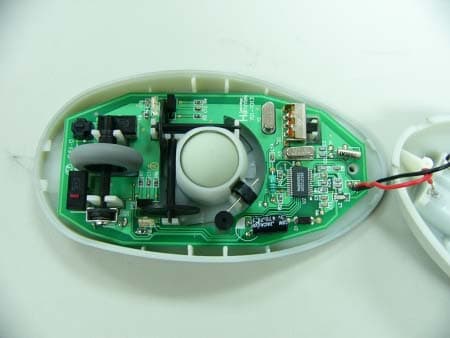
Q5RM3106U
Jun 26, 2003RF WIRELESS MOUSE
Equipment Class
DXX - Part 15 Low Power Communication Device Transmitter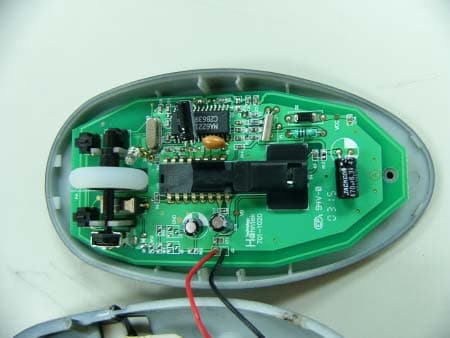
Q5RM3306U
Jun 26, 2003RF WIRELESS OPTICAL MOUSE
Equipment Class
DXX - Part 15 Low Power Communication Device Transmitter