Q6NMS079Wireless IP WiFi Digital Microscope
EDU Science Co., Ltd.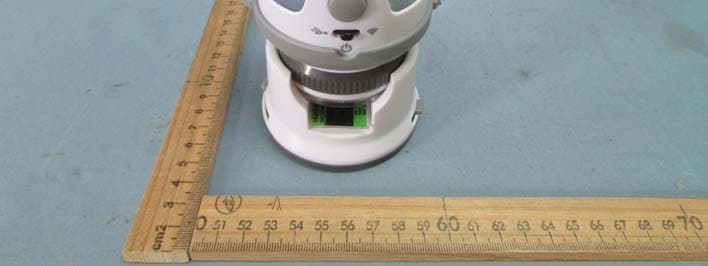
Click to zoom
Application Details
- Equipment Class
- DTS - Digital Transmission System
- Date of Grant
- Feb 09, 2015
- Application Purpose
- Original Equipment
- Date of Application
- Feb 09, 2015
- Equipment Note
- Wireless IP WiFi Digital Microscope
- Frequency Range
- 2422.00000000 - 2452.00000000
- Company
- EDU Science Co., Ltd.
- Country
- Hong Kong
Documents & Files
Document Text
Text extracted from the exhibit documents filed with the FCC. Open a document above to read the original.
Users Manual
Wireless IP WIFI Digital Microscope User Manual 8+ Main body Charger 1 Stand x1 USB cable x1 Adapter (for tripod) x1 Main body x1Prepared slide x1 LED button (Backlight control) Micro USB port Front Back USB / OFF WiFi mode switch Zoom in / out Lens Parts list Low battery (red light) Charging (red light) Full battery Switch o SteadyBlinking Turn o the device (Wireless IP WiFi Digital Microscope) How to connect with USB and WiFi 2 Blue Light Flashing SSID: Camera-ESL- xxxxxx Password: 88888888 IP viewer Open a web browser and enter the address in the address bar, then hit Enter. To avoid interference with other hardware change the Camera name/ Password/ Channel , click save and reboot button. Please wait to reboot and try to follow these steps to reconnect. 1. Reboot Wi microscope to take e ect 2. Connect to wireless network with SSID - New camera name/ New password 3. Browse http://192.168.100.1 Address: http://192.168.100.1 WiFi MODE 1 2 Capture LED ON / OFF * Recommended to connect a maximun 4 devices at the same time. SSID: Camera-ESL-xxxxxx (Series No) Password: 88888888 After switch to WiFi mode, the unit will be ready for connecting till Blue Light Flashing xxxxxx 3 How to connect with USB and WIFI 1 USB MODE 2 **SKYPE viewer 3 Photo Booth viewer (Mac only) Open Photo Booth Camera Camera-ESL Camera-ESL **Download and Install SKYPE To download the SKYPE software, please visit SKYPE website for instructions of installation and how to use it. www.skype.com Green light in USB mode The green LED will ash during data transfer in USB mode for Mac Open Skype Preferences Audio/video Camera-ESL for windows Open Skype Call Audio Settings Camera-ESL 4 WiFi Microscope with stand and slide B A A B Press for a second to turn Backlight on A If you want to turn the Backlight B o , press A for a second again B Slide Slide Main body A B 1 2 A B Focus WiFi Microscope with adapter (for tripod) 5 * Tripod not included Zoom In/Out 1 2 3 4 5 6 Firmware Upgrade 1. Download & Extract compressed “ rmware xxxxxx-MS079" from http://www.edu-science.com/downloads.php?type=software 2. Turn o the Wire (Wireless IP Wi Digital Microscope) 3. Connect the USB cable from the ”Wireless IP Wi Digital Microscope” to the PC. 4. Press and Hold the "LED" button for 5 seconds while selecting the "wi " mode. 5. Upon successful installation, a new Hard Disk Drive will be shown as "System" & "Application" 6. Delete all les in the "System's" in the Hard Disk Drive 7. Copy and Paste the compressed " rmware xxxxxx-MS079" les to the "System" 8. Turn o the “Wireless IP Wi Digital Microscope” Firmware Upgrade • BATTERY INSIDE THE WIFI DIGITAL MICROSCOPE IS NOT REPLACEABLE. FCC NOTE: FCC ID:Q6NMS079 This device complies with Part 15 of the FCC Rules. Operation is subject to the following two conditions: (1) this device may not cause harmful interference, and (2) this device must accept any interference received, including interference that may cause undesired operation. THE MANUFACTURER IS NOT RESPONSIBLE FOR ANY RADIO OR TV INTERFERENCE CAUSED BY UNAUTHORIZED MODIFICATIONS OR CHANGE TO THIS EQUIPMENT. SUCH MODIFICATIONS OR CHANGE COULD VOID THE USER’S AUTHORITY TO OPERATE THE EQUIPMENT. This equipment has been tested and found to comply with the limits for a Class B digital device, pursuant to part 15 of the FCC Rules. These limits are designed to provide reasonable protection against harmful interference in a residential installation. This equipment generates, uses and can radiate radio frequency energy and, if not installed and used in accordance with the instructions, may cause harmful interference to radio communications. However, there is no guarantee that interference will not occur in a particular installation. If this equipment does cause harmful interference to radio or television reception, which can be determined by turning the equipment o and on, the user is encouraged to try to correct the interference by one or more of the following measures: -- Reorient or relocate the receiving antenna. -- Increase the separation between the equipment and receiver. -- Connect the equipment into an outlet on a circuit di erent from that to which the receiver is connected. -- Consult the dealer or an experienced radio/TV technician for help. This equipment complies with the FCC RF radiation exposure limits set forth for an uncontrolled environment. This equipment should be installed and operated with a minimum distance of 20cm between the radiator and any part of your body. • Rechargeable batteries are only to be charged by supervisory adult or children over 8 years. Wireless IP Wifi Digital Microscope Model No.: MS079 0070 General Speci cation Image sensor : Main processor : Image size : Magni cation: Power source : Battery life : Charger : USB port : Wireless standards : Wireless range : Supported devices : Software requirements : Device Lifespan Operating conditions : OmniVision, 1/5 inch, 2.0 MP, CMOS sensor 240Mhz ARM926 CPU 1280*720USB & 640*480WiFi Basic 8x (3.5” LCD) and variable for larger LCD screens Internal 1100mAh lithium-ion battery 2 hours 5V adapter or USB power source USB 2.0 (USB 1.1 compatible) IEEE 802.11nIEEE 802.11gIEE 802.11b 10m indoors, 30m outdoors Android & iOS phones, tablets, notebooks Web browser(WiFi), Skype(USB) 2 years Commercial grade 0 to +50 ̊C 20% to 95% Hereby, Edu-Science (C.P.) Ltd. , declares that this Wireless IP WIFI Digital Microscope is in compliance with the essential requirements and other relevant provisions of Directive 1999/5/EC. This equipment should be installed and operated with a minimum distance of 20cm between the radiator and your body. P38-MS079-81001000
Cover Letter(s)
EDU Science Co., Ltd. Date: Jan 09, 2015 Federal Communications Commission Authorization and Evaluation Division Confidentiality Request regarding application for certification of FCC ID: Q6NMS079 Pursuant to Sections 0.457 and 0.459 of the Commission’s Rules, we hereby request confidential treatment of information accompanying this application as outlined below: Exhibit Type File Name Schematics Block Diagram Operational Description SCH.pdf BlockDiagram.pdf Operational Description.pdf The above materials contain trade secrets and proprietary information not customarily released to the public. The public disclosure of these materials may be harmful to the applicant and provide unjustified benefits to its competitors. The applicant understands that pursuant to Section 0.457 of the Rules, disclosure of this application and all accompanying documentation will not be made before the date of the Grant for this application. Sincerely, EDU Science Co., Ltd. ................................................ Signature Bardeen Lai / Executive Director ................................................ Typed name and Title
Cover Letter(s)
Federal Communications Commission Authorization and Evaluation Division 1435 Oakland Mills Road Columbia, MD 21046 Date: 2015.1.09 SUBJECT: FCC Application for Q6NMS079 To Whom It May Concern: I, the undersigned, hereby attest to the fact that I will apply the Declaration of Conformity procedure to the Class B personal computers. I understand the following FCC requirements: 1. Devices subject to the DoC procedure are required to be tested to show compliance with the FCC technical regulations by a recognized accredited testing laboratory. The testing laboratory must be accredited by a Commission approved accreditation body or designated under the terms of a government-to-government Mutual Recognition Agreement (MRA). A listing of those accredited testing laboratories that have been recognized by the Commission is published on the FCC Webpage: https://apps.fcc.gov/oetcf/eas/reports/TestFirmSearch.cfm (Select the "accredited" option to search for FCC recognized accredited test firms.) 2. Test facilities located in countries, where the U.S. does not have an operational Telcom MRA are not recognized by the FCC to test for the DoC procedure. 3. Pt 2.1077 contains the list of information that must be included in the Declaration of Conformity, which must be supplied with each product sold. The DoC compliance info shall be included in the User’s Manual or as a separate sheet. The info must contain the name, address, and phone number of the responsible party, which must be located within the United States. According to 2.909(c)(2), the responsible party is either the Manufacturer or if the product is imported the Importer. Regards, Signature: Typed name and title: Bardeen Lai / Executive Director Applicant: EDU Science Co., Ltd. Address: Suite 2001-05 Delta House 3 On Yiu Street, Shatin N.T., Hong Kong
Cover Letter(s)
EDU Science Co., Ltd. FCC ID: Q6NMS079 POWER OF ATTORNEY Date: Jan 09,2015 Federal Communications Commission Authorization and Evaluation Division 7435 Oakland Mills Road Columbia, MD 21046 To Whom It May Concern: We, the undersigned, hereby authorize Waltek Services (ShenZhen) Co., Ltd. (Philo Zhong) on our behalf, to apply to the Federal Communications Commission on our equipment. Any and all acts carried out by Waltek Services (ShenZhen) Co., Ltd. (Philo Zhong) on our behalf shall have the same effect as acts of our own. This authorization expires on January 08,2016. This is to advise that we are in full compliance with the Anti-Drug Abuse Act. We, EDU Science Co., Ltd. are not subject to a denial of federal benefits pursuant to Section 5301 of the Anti-Drug Act of 1988, 21 USC853a, and no party to the application is subject to a denial of federal benefits pursuant to that section. Sincerely, EDU Science Co., Ltd. ........................................................................... Signature Bardeen Lai / Executive Director ................................................................................. Typed name and Title
External Photos
Waltek Services (Shenzhen) Co.,Ltd. http://www.waltek.com.cn Photographs - Constructional D etails Model MS079 –External View Waltek Services (Shenzhen) Co.,Ltd. http://www.waltek.com.cn Waltek Services (Shenzhen) Co.,Ltd. http://www.waltek.com.cn
ID Label/Location Info
FCC Label Location for model: MS079 The Label must not be a stick-on paper. The Label on these products must be permanently affixed to the product and readily visible at the time of purchase and must last the expected lifetime of the equipment not be readily detachable. EDU Science Co., Ltd. FCC ID: Q6NMS079 This device complies with part 15 of the FCC Rules. Operation is subject to the following two conditions: (1) This device may not cause harmful interference, and (2) this device must accept any interference received, including interference that may cause undesired operation.
ID Label/Location Info
FCC Label Sample for model: MS079,75555,37676 EDU Science Co., Ltd. FCC ID: Q6NMS079 This device complies with part 15 of the FCC Rules. Operation is subject to the following two conditions: (1) This device may not cause harmful interference, and (2) this device must accept any interference received, including interference that may cause undesired operation.
Internal Photos
Waltek Services (Shenzhen) Co.,Ltd. http://www.waltek.com.cn Model MS079 – Internal View Waltek Services (Shenzhen) Co.,Ltd. http://www.waltek.com.cn Waltek Services (Shenzhen) Co.,Ltd. http://www.waltek.com.cn Waltek Services (Shenzhen) Co.,Ltd. http://www.waltek.com.cn
Internal Photos
Waltek Services (Shenzhen) Co.,Ltd. http://www.waltek.com.cn Waltek Services (Shenzhen) Co.,Ltd. http://www.waltek.com.cn Waltek Services (Shenzhen) Co.,Ltd. http://www.waltek.com.cn Waltek Services (Shenzhen) Co.,Ltd. http://www.waltek.com.cn ======End of Report======
Test Report
Waltek Services (Shenzhen) Co.,Ltd. http://www.waltek.com.cn Page 1 of 69 TEST REPORT Referen ce No. .................... : WTS14S0918208E FCC ID................................. : Q6NMS079 Applicant ............................ : EDU Science Co., Ltd. Address .............................. : Suite 2001-05 Delta House 3 On Yiu Street, Shatin N.T., Hong Kong Manufacturer ..................... : EDU Science Co., Ltd. Address .............................. : Suite 2001-05 Delta House 3 On Yiu Street, Shatin N.T., Hong Kong Product Name .................... : Wireless IP WiFi Digital Microscope Model No. ........................... : MS079,75555,37676 Standards ........................... : FCC CFR47 Part 15 C Section 15.247:2012 Date of Receipt sample ..... : Sep.12, 2014 Date of Test ........................ : Sep.15- Dec.26, 2014 Date of Issue ...................... : Feb.10, 2015 Test Result ......................... : Pass Remarks: The results shown in this test report refer only to the sample(s) tested, this test report cannot be reproduced, except in full, without prior written permission of the company. The report would be invalid without specific stamp of test institute and the signatures of compiler and approver. Prepared By: Waltek Services (Shenzhen) Co., Ltd. Address: 1/F., Fukangtai Building, West Baima Road, Songgang Street, Baoan District, Shenzhen, Guangdong, China Tel :+86-755-83551033 Fax:+86-755-83552400 Compiled by: Approved by: Zero Zhou / Project Engineer Philo Zhong / Manager Reference No.: WTS14S0918208E Page 2 of 69 Waltek Services (Shenzhen) Co.,Ltd. http://www.waltek.com.cn 2 Test Summary Test Items Test Requirement Result Radiated Emissions 15.247 15.205(a) 15.209(a) PASS Conducted Emissions 15.207(a) PASS 6dB Bandwidth 15.247(a)(2) PASS Maximum Peak Output Power 15.247(b)(3),(4) PASS Power Spectral Density 15.247(e) PASS Band Edge 15.247(d) PASS Antenna Requirement 15.203 PASS Maximum Permissible Exposure (Exposure of Humans to RF Fields) 1.1307(b)(1) PASS Reference No.: WTS14S0918208E Page 3 of 69 Waltek Services (Shenzhen) Co.,Ltd. http://www.waltek.com.cn 3 Contents Page 1 COVER PAGE ........................................................................................................................................ 1 2 TEST SUMMARY ................................................................................................................................................ 2 3 CONTENTS .......................................................................................................................................................... 3 4 GENERAL INFORMATION ................................................................................................................................ 5 4.1 GENERAL DESCRIPTION OF E.U.T. .............................................................................................................. 5 4.2 DETAILS OF E.U.T. ....................................................................................................................................... 5 4.3 CHANNEL LIST ............................................................................................................................................... 5 4.4 TEST MODE ................................................................................................................................................... 6 4.5 TEST FACILITY ............................................................................................................................................... 6 5 EQUIPMENT USED DURING TEST ................................................................................................................ 7 5.1 EQUIPMENTS LIST ......................................................................................................................................... 7 5.2 DESCRIPTION OF SUPPORT UNITS ............................................................................................................... 8 5.3 MEASUREMENT UNCERTAINTY ..................................................................................................................... 8 5.4 TEST EQUIPMENT CALIBRATION ................................................................................................................... 8 6 CONDUCTED EMISSION .................................................................................................................................. 9 6.1 E.U.T. OPERATION ....................................................................................................................................... 9 6.2 EUT SETUP ................................................................................................................................................... 9 6.3 MEASUREMENT DESCRIPTION ...................................................................................................................... 9 6.4 CONDUCTED EMISSION TEST RESULT ....................................................................................................... 10 7 RADIATED EMISSIONS................................................................................................................................... 12 7.1 EUT OPERATION ......................................................................................................................................... 12 7.2 TEST SETUP ................................................................................................................................................ 13 7.3 SPECTRUM ANALYZER SETUP .................................................................................................................... 14 7.4 TEST PROCEDURE ...................................................................................................................................... 15 7.5 CORRECTED AMPLITUDE & MARGIN CALCULATION ................................................................................... 15 …
Text truncated - open the document above for the full version.
Test Setup Photos
Waltek Services (Shenzhen) Co.,Ltd. http://www.waltek.com.cn Photographs – Model MS079 Test Setup Conducted Emission Waltek Services (Shenzhen) Co.,Ltd. http://www.waltek.com.cn Radiated Emission 30MHz to 1GHz Above 1GHz
Contact Information
Applicant
Bardeen Lai(Executive Director)
Test Firm
Waltek Services(Shenzhen) Co., Ltd.philo zhong
Technical Specifications
| # | Rule Parts | Frequency Range | Power Output |
|---|---|---|---|
| 2 | 15C | 2.42 GHz - 2.45 GHz | 32.00 mW |
Other Applications from EDU Science Co., Ltd.
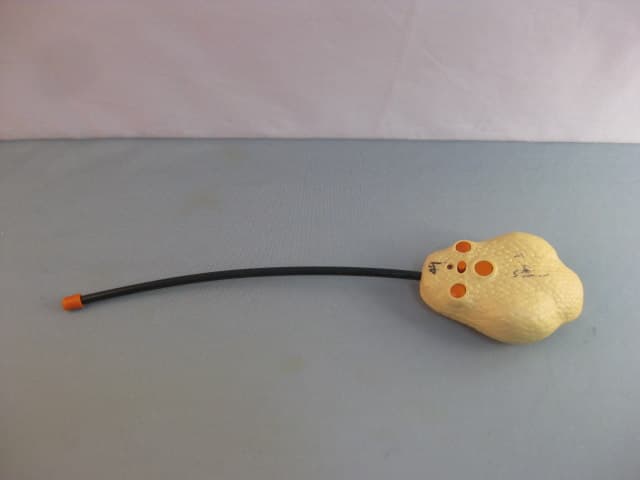
Q6N322ELB
Sep 16, 2010RADIO CONTROLLED RATTLE SNAKE
Equipment Class
DXX - Part 15 Low Power Communication Device Transmitter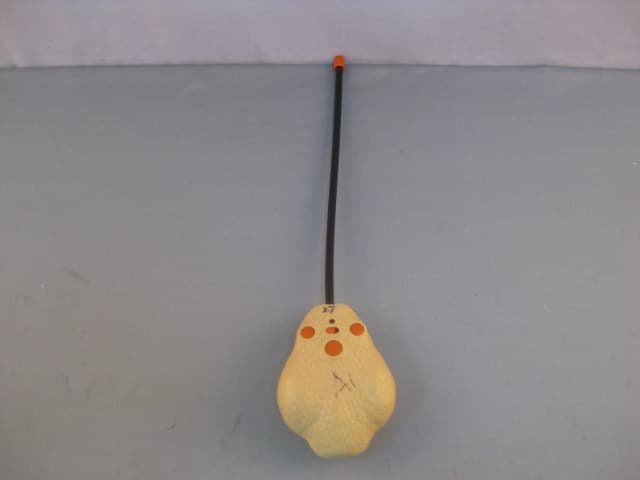
Q6N322ELA
Jul 05, 2010RADIO CONTROLLED RATTLE SNAKE
Equipment Class
DXX - Part 15 Low Power Communication Device Transmitter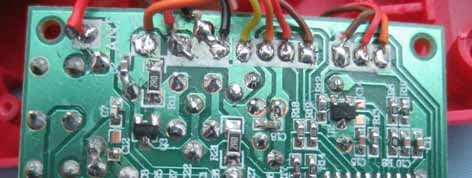
Q6N199ELB
Jun 07, 2007RC Pterosaur (Transmitter)
Equipment Class
DXX - Part 15 Low Power Communication Device Transmitter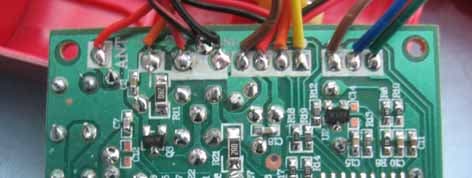
Q6N199ELA
Jun 07, 2007RC Pterosaur (Transmitter)
Equipment Class
DXX - Part 15 Low Power Communication Device TransmitterQ6N205ELA
May 22, 2007Tiger Cub
Equipment Class
DXX - Part 15 Low Power Communication Device Transmitter