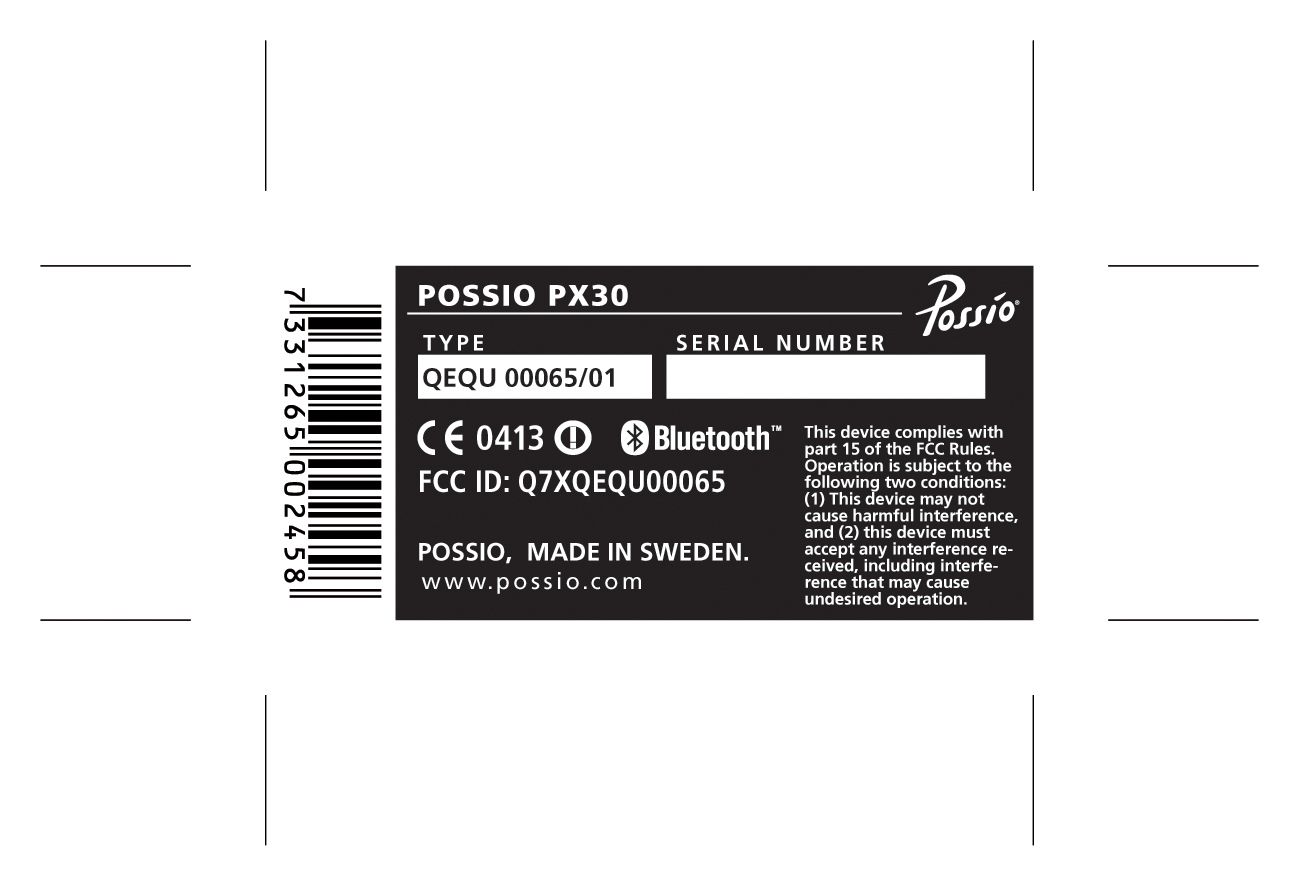
Q7XQEQU00065Wireless Services Gateway
Possio AB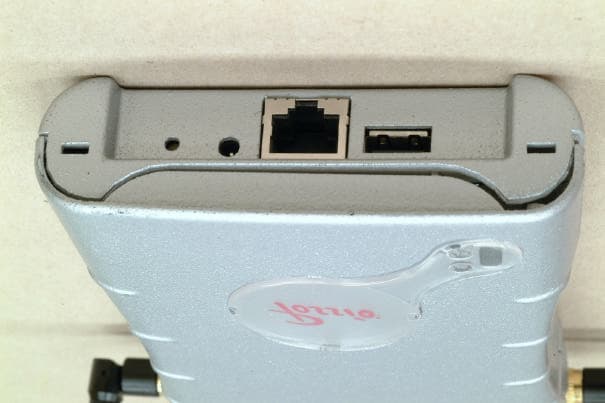
Click to zoom
Application Details
- Equipment Class
- DSS - Part 15 Spread Spectrum Transmitter
- Date of Grant
- Nov 12, 2003
- Application Purpose
- Original Equipment
- Date of Application
- Nov 12, 2003
- Equipment Note
- Wireless Services Gateway
- Frequency Range
- 2400.00000000 - 2446.50000000
- Company
- Possio AB
- Country
- Sweden
Documents & Files
Document Text
Text extracted from the exhibit documents filed with the FCC. Open a document above to read the original.
Users Manual
PX30 User’s Guide QPRM 00172/01 Possio AB 11th July 2003 ii Copyright ©2002 Possio AB. All rights reserved. Possio is a registered trademark of Possio AB (publ). Possio’s product names are either trademarks or regis- tered trademarks of System Innovation AB. Java™ is a trademark owned by Sun Microsystems. IBM® and all IBM related software is a copyright or trademark owned by IBM corporation. Bluetooth™ is a trademark owned by Bluetooth SIG, Inc. Other product and company names mentioned herein may be trademarks or trade names of their respective owners. QPRM 00172/01 Rev. PX30 B ET A V ERSIONcom pliantwiths/w:R1F English edition, 11th July 2003 Chapter 1 Product Overview 1.1 WLAN Wireless Local Area Network (WLAN) is designed to look and feel like any Local Area Network (LAN). This means that it must appear as a wired network to which a user may be accustomed. It must support all of the protocols and all of the LAN management tools that operate on a wired network. WLAN uses radio as a data carrier. In fact, two important differences between a traditional LAN and WLAN is the lack of cables and the mobility this provides. Because WLAN transmissions are not confined to a wire, there may be concerns that the data carried by a WLAN is not private. The designers of the WLAN specification (802.11) realized that this concern could be a significant problem and designed strong cryptographic mechanism into the protocol to provide protection. 1.2 Bluetooth Bluetooth is a low cost, low power, short range radio technology, originally developed as a cable replacement to connect devices such as mobile phone and headsets or PDA:s and Personal Computers. The Bluetooth specification is an open global specification defining the complete system from radio right up to the application level. A key feature of the Bluetooth specification is that it aims to allow devices from different manufacturers to interact. As mentioned Bluetooth does not just define a radio system, it also defines a software stack to enable applications to find other Bluetooth devices in the area, discover what services they offer, and use this services. To cope with this, Bluetooth provides inquiry and paging mechanism and a Service Discovery Protocol (SDP). In addition to the core specification the Bluetooth specification includes a profiles document. Each profile defines how a particular application can be implemented, including which part of the core Bluetooth protocol should be used to support the profile. The PX20 comes with two Bluetooth profiles: DUN and LAP. 2Product Overview DUNThe Dial Up Networking (DUN) profile provides a Dial up data connection. This allows a computing device to access a telephone network using services of a communi- cation device, such as a mobile phone or a modem. LAPThe LAN Access Point Profile (LAP) allows a Bluetooth device to access a fixed network via a Bluetooth Server, also running LAP. Such a device could be used in many scenarios: as a personal work area access point, replacing the network cable and allowing mobility within range of the access point, as a shared access point in a meeting room allowing fast access to the network or as a public access point allowing easy access to information and services, for example at airports check-ins. The LAN Access is secured by the use of PIN:s. 1.3 OSGi OSGi is the leading standard for the next generation Internet services. The OSGi server installed on the PX30 delivers an open, common architecture to develop, deploy and man- age services in a coordinated fashion. It enables an entirely new category of smart devices due to its flexible and managed deployment of services. Electronically downloadable ser- vices, called bundles can be executed inside the OSGi framework in a well defined and protected environment. The OSGi environment includes a Java runtime and adds life cycle management, persistent data storage, version management and a service registry. 1.4 Schematic Overview of the PX30 Environment3 1.4 Schematic Overview of the PX30 Environment Figure 1.1: Overview of the PX30 environment The user (orange circle) equipped with a Bluetooth enabled device, PDA, Smart Phone or a Laptop, connects with the Wireless Services Gateway, the Possio PX30 (red circle). When connected to the PX30 the user have access to the contents available in the OSGi server on the PX30 (the server content is adapted to the environment). The user may also access the Internet if the Hotspot environment allowes it to. The PX30 in the Hotspot environment (blue circle) an industrial, public, commercial or home network connects to the Internet (green circle). Chapter 2 PX30 User’s Guide 2.1 Dear customer Thanks for purchasing a PX30. We hope you will appreciate it and take full advantage of its many applications. This User’s Guide will provide you with information on how to configure your PX30. If you require further assistance do not hesitate to contact us, send an email to:[email protected] 2.2 About the PX30 The Possio PX30 Wireless Services Gateway is a flexible Wireless access point combined with an OSGi server. It allows wireless devices access to Internet and local network con- tents. Its built-in OSGi application server can supply the local network contents through its web server and distributed Java applications. 2.3 Installation When installing the Possio PX30, please keep in mind that the maximum communication range of a wireless device much depends on the environment where the equpipment is installed. In an indoor environment, walls and furniture can decrease the communication range of the PX30. Other electronical equipment, like cordless phones and microwave ovens, may also have negative effect of the PX30 performance. NOTE: This equipment has been tested and found to comply with the limits for a Class B digital device, pursuant to part 15 of the FCC Rules. These limits are designed to pro- vide reasonable protection against harmful interference in a residential installation. Th…
Text truncated - open the document above for the full version.
Cover Letter(s)
Cover Letter for FCC Application of Possio PX30 Possio AB hereby authorize Intertek Semko AB, Sweden, to act as agent in the preparation of this application for equipment authorization to the Federal Communications Commission. Possio AB certifies that submitted exhibits properly describe the device with FCC ID: Q7XQEQU00065 Possio AB requests the following items to be withheld from public inspection • Block Diagram • Schematics • PCB Layout • Internal Photos as all these documents give confidential technical information about the product. Possio AB also requests the following items to be withheld from public inspection • Part Lists as it describes the currently preferred choice of subcontractors, which is confidential business information. Täby 11-Jun-03 Original signed Ulf Söderberg, CTO
External Photos
1(2) External photos FCC ID: Q7XQEQU00065 2(2)
Internal Photos
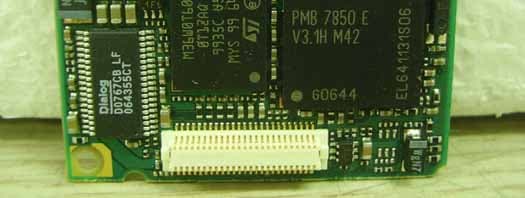
1(3) Internal photos FCC ID: Q7XQEQU00065 MainBoard front MainBoard front without battery 2(3) Main Board back PoE Board front 3(3) PoE Board back
RF Exposure Info
SAR Calculation for Possio PX30 The Bluetooth radio of the PX30 has a maximum transmit power below 100mW. The following text is included in the PX30 manual: "In order to meet FCC requirements for RF exposure compliance, please install the PX30 in a location which assures that users will not approach closer than 20 cm while the PX30 is in normal operation." Thus the EIRP shall be below: 0.2 W / (4¶ * (0.2m)^2) = 0.398 W/m^2. which fullfills FCC SAR requirements.
Test Setup Photos
TEST SET-UP PHOTOS FCC ID: Q7XQEQU00065 Test set-up 30-1000 MHz Test set-up 1-26 GHz
Contact Information
Applicant
Ralf Wittig(Product Manager)
Technical Contact
Non-Technical Contact
Possio ABJohan Moberg
[email protected]46 8 58744000
Test Firm
Intertek SEMKO ABNiklas Bostrom
Technical Specifications
| # | Rule Parts | Frequency Range | Power Output |
|---|---|---|---|
| 1 | 15C | 2.40 GHz - 2.45 GHz | 100.00 mW |
Other Applications from Possio AB
Q7XGRETA
Oct 23, 2007GSM Fax & Printer
Equipment Class
PCB - PCS Licensed Transmitter