Text extracted from the exhibit documents filed with the FCC. Open a document above to read the original.
1 Table of Contents 1. Getting Started ----------------------------------------------------------------------------------------------------------- 2 1.1 Power On/Off --------------------------------------------------------------------------------------------------- 2 1.2 Battery Charging ----------------------------------------------------------------------------------------------- 2 1.3 Home Screen---------------------------------------------------------------------------------------------------- 3 1.4 Wi-Fi Interface ------------------------------------------------------------------------------------------------- 5 1.5 How to Use Micro SD Card ---------------------------------------------------------------------------------- 7 2. Pre-installed Application ----------------------------------------------------------------------------------------------- 8 2.1 Internet Browser------------------------------------------------------------------------------------------------ 8 2.2 YouTube--------------------------------------------------------------------------------------------------------- 8 2.3 E-mail ------------------------------------------------------------------------------------------------------------ 8 2.4 File Browser ---------------------------------------------------------------------------------------------------- 9 2.5 Picture & Video ---------------------------------------------------------------------------------------------- 12 2.6 Music ---------------------------------------------------------------------------------------------------------- 12 3. Adjust Tablet Settings ------------------------------------------------------------------------------------------------ 12 3.1 Sound & Display Settings ----------------------------------------------------------------------------------12 3.2 Application Settings ----------------------------------------------------------------------------------------- 13 3.3 Date & Time Settings---------------------------------------------------------------------------------------- 13 3.5 Security Settings ---------------------------------------------------------------------------------------------13 3.6 Install and Uninstall Applications ------------------------------------------------------------------------- 13 4. Limited Warranty------------------------------------------------------------------------------------------------------ 15 2 1. Getting Started The first thing you probably want to do when you get Maylong Mobility™ Tablet is to familiarize yourself with a few basics. Unpack tablet box and identify the key items included. You should have: 1. Tablet device: The device includes a touch-sensitive LCD screen, a micro SD memory card slot, USB port, and a power switch button etc. 2. A/C home adapter: This is used to charge the tablet device which has a built-in chargeable battery. 3. User Manual: You’re holding this in your hands. Warning: Don’t use the device in the hot environment. 1.1 Power On/Off Power On: Press and hold the power switch button for a few seconds to turn on the tablet device. You may have to charge the tablet by using the A/C home adapter before the tablet can be powered on, if the tablet battery power is very low. Power Off: Press and hold the power button to turn off the tablet. A dialog box with options may be available for your selection. 1.2 Battery Charging Maylong Tablet has a built-in chargeable battery. Please charge the battery using the A/C adapter included when the battery life indicator shows low. 3 Warning: It is important to use the A/C home adapter included in the package for charging your tablet. Please contact Maylong customer service at 1-888-403-9477 for purchasing extra A/C home adapter. Tablet device may be damaged if you use an incompatible A/C adapter to charge your tablet. 1.3 Home Screen The Home Screen is displayed after your tablet Android operating system is started. 4 On the Home Screen, you will find command icons shown on lower-left corner and status icons displayed on lower-right corner. The main icons on the Home Screen are described below. Home Screen icon : touch this icon to display the Home Screen. Last Screen icon : touch this icon to display last screen. Running Apps icon : touch this icon to list applications running. Command Menu icon : touch this icon to list commands available for current application. Application icon : touch this icon to display Application Screen. Wi-Fi signal icon : this icon indicates Wi-Fi signal strength. 5 Battery status icon : this icon indicates tablet battery status. 1.4 Wi-Fi Interface Tablet has a built-in Wi-Fi interface for internet access. To enable the Wi-Fi interface, touch Settings icon from the Home Screen to display the Wireless & Networks settings. Touch “OFF” or “ON” to turn ON or OFF the Wi-Fi interface. After the Wi-Fi interface is turned on, touch “Wi-Fi” will automatically scan and list local Wi-Fi networks that are available. A lock icon 6 indicates a secure network that requires a password for connection. Touch a local Wi-Fi network that you would like your tablet to connect to. If a password is needed, you will be asked to enter the password. After entering the password, touch “Connect” to connect the tablet with the local Wi-Fi network. A Wi-Fi signal icon will be appeared on lower-right corner of the display to indicate that you are connected to the wireless network. 7 It is recommended that you disable Wi-Fi interface if you want to extend the battery life when you’d like to use your tablet without Internet access. 1.5 How to Use Micro SD Card The micro SD card is used for transferring files between tablet and your personal computer, downloading applications, and playing stored media. There is no micro SD card included in the package. Micro SD card can be purchased from local electronics stores. Insert micro SD card: Insert SD card into the SD card slot until a “click” sound is heard. Once the SD card is inserted properly, a card icon…
Text truncated - open the document above for the full version.
Date:2012-10-27 FCC ID: Q8CM-270 Subject: Ad Hoc Mode Function Declaration To Whom it may concern, This device is acting as slave and operating in the 2.4 GHz (2412 – 2462 MHz) band. Ad Hoc function is supported but not able to operate on non-US frequencies. Please contact the one signed below or the authorized agent for this filing. Thank you. Regards, Yours sincerely, Signatory Signature Name: Li Ma Title: Certification Executive Tel: 020-85571601-3032 Company : GUANGZHOU C&Q TELECOM EQUIPMENT CO.,LTD Add: No.9 Shenzhou Rd, Guangzhou Science City,Guangzhou,China
Date:2012-10-27 FCC ID: Q8CM-270 Subject: Attestation Letter “Declaration of Conformity” Dear Sirs, Our products with the above FCC ID are defined as composite device. The transmitter is authorized under the “Certification” procedure. The device is also defined as “PC Periphery” acc to §15.101 Equipment authorization of unintentional radiators, where we hereby declare, that we apply and follow the “Declaration of Conformity” procedure. If you have any questions, please feel free to contact me at the address shown below. Yours sincerely, Signatory Signature Name: Li Ma Title: Certification Executive Tel: 020-85571601-3032 Company : GUANGZHOU C&Q TELECOM EQUIPMENT CO.,LTD Add: No.9 Shenzhou Rd, Guangzhou Science City,Guangzhou,China
FCC Confidentiality Request To the FCC and FCC TCB handling this application for certification Pursuant to 47 CFR Section 0.459(a) & (b), we, (the applicant / grantee) Company name GUANGZHOU C&Q TELECOM EQUIPMENT CO.,LTD Addresss No.9 Shenzhou Rd, Guangzhou Science City City Guangzhou Country China request non-disclosure and confidential treatment for our certification under: Grantee Code Product Number FCC ID: Q8C M-270 of the following materials submitted within this certification application: (please cross what is applicable, or add other documents) Operational Description Block Diagrams Schematics Diagrams Turn up produrce Above materials contain secrets, proprietary and technical information, which would customarily be guarded from competitors under 47 CFR, section 0.457(d)(2). Disclosure or publication or any portion of this company confidential material to other parties could cause substantial competitive harm and provide unjustified benefits for competitors. We understand that pursuant to 47 CFR section 0.457(d)(1)(ii) disclosure of the applicant and all accompanying documentation will not be made before the date of the grant. Attestation: City and Country: Date:Name: (this must be a person) Function:Signature: (or official company stamp) Guangzhou 2012/10/29 Li Ma Certification Executive
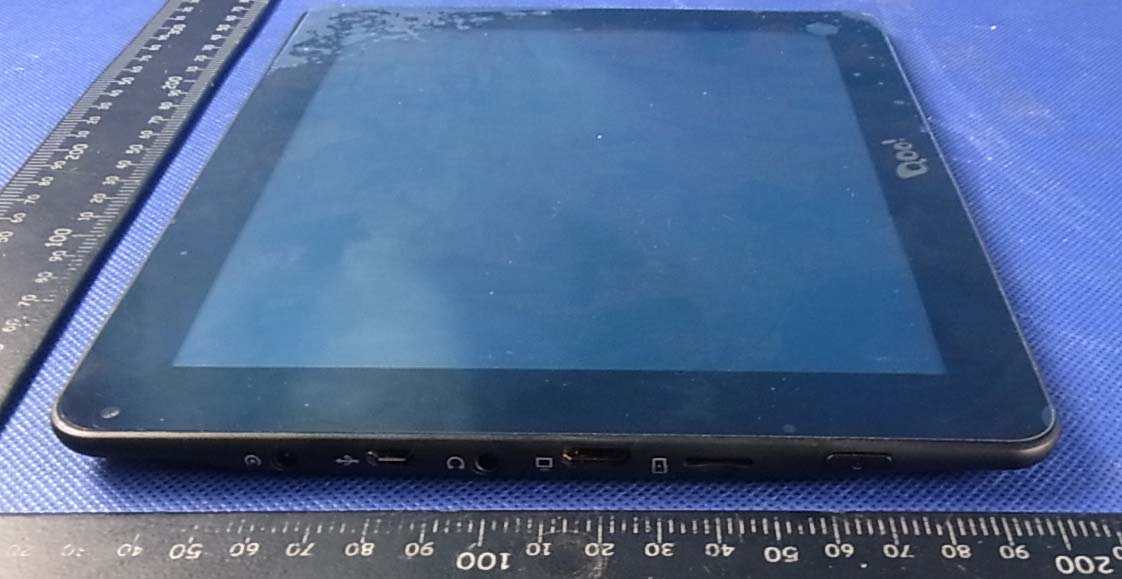
APPENDIX-PHOTOGRAPHS OF EUT CONSTRUCTIONAL DETAILS Photo 1 Photo 2 Photo 3 Photo 4 Photo 5 Photo 6 Photo 7 Photo 8
Photo 9 Photo 10 Photo 11 Photo 12 Photo 13 Photo 14 Photo 15 Photo 16
FCC ID: Q8CM-270 Portable device According to §15.247(e)(i) and §1.1307(b)(1), systems operating under the provisions of this section shall be operated in a manner that ensures that the public is not exposed to radio frequency energy level in excess of the Commission’s guidelines. According to KDB 447498 (2)(a)(i) For portable device,the power limit is 60/f(in GHz) mW For limit 60/f is equal: 60/2.412=24.87mW 60/2.437=24.62 mW 60/2.462=24.37mW Maximum measured transmitter power Model MAX Conducted Power (dBm) Max Antenna Gain (dBi)EIRP (mW) EIRP (mW) 802.11b 11.79 1.0 19.01 24.37 802.11g 9.79 1.0 11.99 24.37 802.11n 9.86 1.0 12.18 24.37 To Tune Up information max possible output power (PK):11±1dbm MAX possible Conducted Power (dBm) Max Antenna Gain (dBi) EIRP (dBm) EIRP (mW) limit(mW) 12 1 13 23.98 24.37 The max.output power E.I.R.P is 23.98mW<24.37mW Conclusion: No SAR is required.
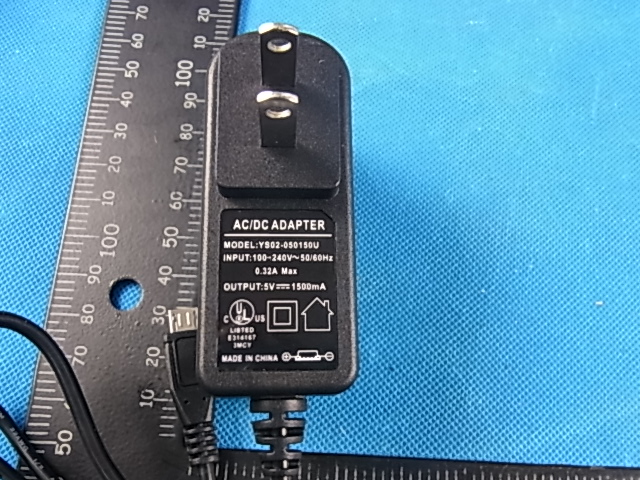
FCC RADIO TEST REPORT Prepared For GUANGZHOU C&Q TELECOM EQUIPMENT CO.,LTD Product Name: MID Trade Name: MAYLONG Model Name : M-270 FCC ID: Q8CM-270 Prepared By DongGuan Precise Testing Service Co.,Ltd. Room 203-204, 2F, Xinye Building, No.67 Shijing,Guanzhang Road, Dongguan, China Report No. PTS2012102758F Test Date: Oct. 10 ~ Oct 28, 2012 Date of Report : Oct 28, 2012 Page 2 of 72 Report No.: PTS2012102758F VERIFICATION OF COMPLIANCE Applicant: GUANGZHOU C&Q TELECOM EQUIPMENT CO.,LTD Address No.9 shenzhou Rd, Guangzhou Science City, China Manufacturer Name: GUANGZHOU C&Q TELECOM EQUIPMENT CO.,LTD Address: No.9 shenzhou Rd, Guangzhou Science City, China Product Description: MID Brand Name: MAYLONG Model Name: M-270 Model difference: N/A Test procedure ANSI C63.4-2003, KDB558074 Standards FCC Part15.247 Prepared by : Assistant Reviewer : Supervisor Approved & Authorized Signer : Jack y Ou / Manager Page 3 of 72 Report No.: PTS2012102758F Table of Contents Page 1 . SUMMARY OF TEST RESULTS 5 1.1 TEST FACILITY 6 1.2 MEASUREMENT UNCERTAINTY 6 2 . GENERAL INFORMATION 7 2.1 GENERAL DESCRIPTION OF EUT 7 2.2 DESCRIPTION OF TEST MODES 9 2.3 BLOCK DIGRAM SHOWING THE CONFIGURATION OF SYSTEM TESTED 10 2.4 DESCRIPTION OF SUPPORT UNITS(CONDUCTED MODE) 11 2.5 EQUIPMENTS LIST FOR ALL TEST ITEMS 12 3 . EMC EMISSION TEST 13 3.1 CONDUCTED EMISSION MEASUREMENT 13 3.1.1 POWER LINE CONDUCTED EMISSION LIMITS 13 3.1.2 TEST PROCEDURE 14 3.1.3 DEVIATION FROM TEST STANDARD 14 3.1.4 TEST SETUP 14 3.1.5 EUT OPERATING CONDITIONS 14 3.1.6 TEST RESULTS 15 3.2 RADIATED EMISSION MEASUREMENT 17 3.2.1 RADIATED EMISSION LIMITS 17 3.2.2 TEST PROCEDURE 18 3.2.3 DEVIATION FROM TEST STANDARD 18 3.2.4 TEST SETUP 19 3.2.5 EUT OPERATING CONDITIONS 20 3.2.6 TEST RESULTS (BETWEEN 9KHZ – 30 MHZ) 21 3.2.7 TEST RESULTS (BETWEEN 30MHZ – 1GHZ) 22 3.2.8 TEST RESULTS (ABOVE 1000 MHZ) 24 4 . POWER SPECTRAL DENSITY TEST 54 4.1 APPLIED PROCEDURES / LIMIT 54 4.1.1 TEST PROCEDURE 54 4.1.2 DEVIATION FROM STANDARD 54 4.1.3 TEST SETUP 54 4.1.4 EUT OPERATION CONDITIONS 54 4.1.5 TEST RESULTS 55 5 . BANDWIDTH TEST 61 Page 4 of 72 Report No.: PTS2012102758F Table of Contents Page 5.1 APPLIED PROCEDURES / LIMIT 61 5.1.1 TEST PROCEDURE 61 5.1.2 DEVIATION FROM STANDARD 61 5.1.3 TEST SETUP 61 5.1.4 EUT OPERATION CONDITIONS 61 5.1.5 TEST RESULTS 62 6 . PEAK OUTPUT POWER TEST 68 6.1 APPLIED PROCEDURES / LIMIT 68 6.1.1 TEST PROCEDURE 68 6.1.2 DEVIATION FROM STANDARD 68 6.1.3 TEST SETUP 68 6.1.4 EUT OPERATION CONDITIONS 68 6.1.5 TEST RESULTS 69 7 . ANTENNA REQUIREMENT 70 7.1 STANDARD REQUIREMENT 70 7.2 EUT ANTENNA 70 8 . EUT TEST PHOTO 71 APPENDIX-PHOTOGRAPHS OF EUT CONSTRUCTIONAL DETAILS Page 5 of 72 Report No.: PTS2012102758F 1. SUMMARY OF TEST RESULTS Test procedures according to the technical standards: FCC Part15 (15.247) , Subpart C Standard Section Test Item Judgment Remark 15.207 Conducted Emission PASS 15.247 (a)(2) 6dB Bandwidth PASS 15.247 (b) Peak Output Power PASS 15.247 (c) Radiated Spurious Emission PASS 15.247 (d) Power Spectral Density PASS 15.205 Band Edge Emission PASS 15.203 Antenna Requirement PASS Page 6 of 72 Report No.: PTS2012102758F 1.1 TEST FACILITY NTEK Testing Technology Co., Ltd Add. : 1/F, Building E, Fenda Science Park, Sanwei Community, Xixiang Street, Bao’an District, Shenzhen P.R. China. FCC Registration No.:238937; IC Registration No.:9270A-1 1.2 MEASUREMENT UNCERTAINTY The reported uncertainty of measurement y ± U,where expended uncertainty U is based on a standard uncertainty multiplied by a coverage factor of k=2,providing a level of confidence of approximately 95 %。 No. Item Uncertainty 1 Conducted Emission Test ±1.38dB 2 RF power,conducted ±0.16dB 3 Spurious emissions,conducted ±0.21dB 4 All emissions,radiated(<1G) ±4.68dB 5 All emissions,radiated(>1G) ±4.89dB 6 Temperature ±0.5°C 7 Humidity ±2% Page 7 of 72 Report No.: PTS2012102758F 2. GENERAL INFORMATION 2.1 GENERAL DESCRIPTION OF EUT Equipment MID Trade Name MAYLONG Model Name M-270 Serial Model N/A Model Difference N/A Product Description The EUT is a MID Operation Frequency: 2412~2462 MHz Modulation Type: CCK/OFDM/DBPSK/DAPSK Bit Rate of Transmitter 802.11b:11/5.5/2/1 Mbps 802.11g:54/48/36/24/18/12/9/6 Mbps 802.11n: 72.2/65/58.5/57.8/52/ 43.3/39/28.9/26/21.7/19.5/14.4/13/7.2 /6.5Mbps Number Of Channel 11 CH, Please see Note 2. Antenna Designation: Please see Note 3. Output Power(Conducted): 802.11b: 11.79 dBm (Max.) 802.11g: 9.79 dBm (Max.) 802.11n: 9.86 dBm (Max.) Antenna Gain (dBi) 1.0 dbi Based on the application, features, or specification exhibited in User's Manual, the EUT is considered as an ITE/Computing Device. More details of EUT technical specification, please refer to the User's Manual. Channel List Please refer to the Note 2. Adapter Model: YS02-050150U INPUT:100~240V,50/60Hz,0.32A Max OUTPUT:5V,1500mA Battery Rated Voltage: 3.7V Charge Limit: 4.2V Connecting I/O Port(s) Please refer to the User's Manual Note : 1. For a more detailed features description, please refer to the manufacturer’s specifications or the User's Manual. Page 8 of 72 Report No.: PTS2012102758F 2. Channel List for 802.11b/g/n(20MHz) Channel Frequency (MHz) Channel Frequency (MHz) Channel Frequency (MHz) Channel Frequency (MHz) 01 2412 04 2427 07 2442 10 2457 02 2417 05 2432 08 2447 11 2462 03 2422 06 2437 09 2452 3. Table for Filed Antenna Ant . Brand Model Name Antenna Type Connect or Gain (dBi) NOTE A N/A N/A Build-in AntennaN/A 1.0 N/A Page 9 of 72 Report No.: PTS2012102758F 2.2 DESCRIPTION OF TEST MODES To investigate the maximum EMI emission characteristics generates from EUT, the test system was pre-scanning tested base on the consideration of following EUT operation mode or test configuration mode which possible have effect on EMI emission level. Each of these EUT operation mode(s) or test configuration mode(s) mentioned above was evaluated respectively. Pretest Mode Description Mode 1 802.11b CH1/ CH6/ CH11 Mode 2 802.11g CH1/ CH6/ CH11 Mode 3 802.11n CH1/ CH6/ CH11 Mode …
Text truncated - open the document above for the full version.
Page 71 of 72 Report No.: PTS2012102758F 8. EUT TEST PHOTO Radiated Measurement Photos Page 72 of 72 Report No.: PTS2012102758F Conducted Measurement Photos
| # | Rule Parts | Frequency Range | Power Output |
|---|---|---|---|
| 1 | 15C | 2.41 GHz - 2.46 GHz | 15.10 mW |

MID
Equipment Class
DSS - Part 15 Spread Spectrum Transmitter