Q93-F024Digital Audio Flash Player
AVC Technology Limited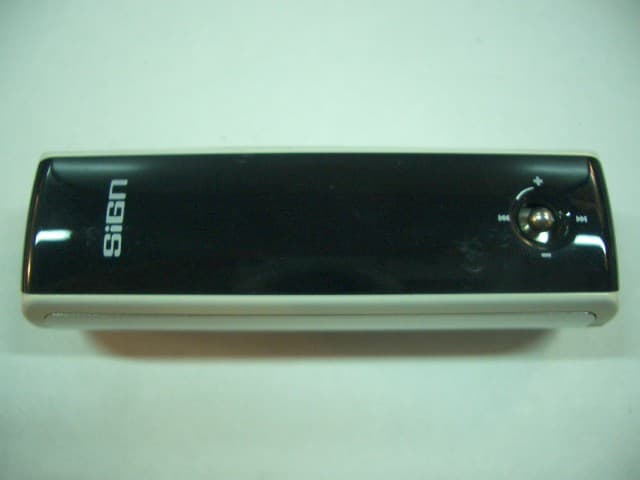
Click to zoom
Application Details
- Equipment Class
- JBP - Part 15 Class B Computing Device Peripheral
- Date of Grant
- Dec 01, 2004
- Application Purpose
- Original Equipment
- Date of Application
- Dec 01, 2004
- Equipment Note
- Digital Audio Flash Player
- Company
- AVC Technology Limited
- Country
- Hong Kong
Documents & Files
Document Text
Text extracted from the exhibit documents filed with the FCC. Open a document above to read the original.
Users Manual
Brief Introduction INTRODUCTION -- DIGITAL AUDIO PLAYER (DAP) – Si-120 Selecting fine audio equipment such as the unit you have just purchased is only the start of your musical enjoyment. Now it is time to consider how you can maximize the fun and excitement your equipment offers. This manual provides detailed operation instructions and features of the unit. Please read this manual carefully before using this product for the first time. KEY FEATURES Multi-format player supports: MP3, WMA, WMA with DRM and WAV files. USB 1.1 data transfer. Windows Plug & Play support for Windows XP, 2000 and ME. Windows 98SE compatible: Driver required. Built in FM tuner with auto scan and preset up to 20 stations. Line-in Encoding function Voice recording and FM tuner records FM radio programs. Ten preset Equalizer Modes with User Defined EQ. Dual color OLED for displaying information. Power saving feature with Screensaver. Voice Activation Detection SRS WOW Sound Enhancement Battery level indication. Support multi-languages. Supports long file name. Firmware Upgradeable Update the latest features via free download from the website: www.signstyles.com PACKAGE CONTENTS The packaging should include the following accessories: Digital Audio Player Stereo Earphones 1 x AAA Battery Carrying Pouch Line-in Cable Installation CD-ROM Neck Strap User Manual USB Cable 1 INSTALLING THE BATTERY Push open the battery compartment door. Insert the 1 x AAA Alkaline battery with the correct polarity as shown. Close the battery compartment door. - To avoid battery leakage or corrosion, remove the battery from the player if the player is not to be used for a long time. - Remove dead battery from the player immediately to avoid damaging the player. - When corrosion occurs, wipe the battery compartment immediately with a dry cloth and insert a new battery. PARTS DESCRIPTION 2 CONTROLS Key Functions 1. Press to turn the player ON. Press to play or pause music files. 2. Press to stop music files. Press and hold to turn the player OFF. 3. Press to access into the Repeat mode. Press and hold to access into the Equalizer mode. Press to record FM tuner or voice. 4. Press to access into the Main Menu. Press and hold to access into the Settings mode. 5. Slide to the left to lock all key functions. Slide to the right to unlock all key functions. 6. Auto scan button (For FM Radio mode) 7. FM preset (For FM Radio mode) 8. Mono button (For FM Radio mode) Key Functions Press down to select. 1. Press to increase the volume. Press and hold to increase the volume rapidly. 2. Press to decrease the volume. Press and hold to decrease the volume rapidly. 3. Press to select the next file. Press and hold to fast forward within the files. 4. Press to select the previous file. Press and hold to fast rewind within the files. 3 Downloading and Transferring Files DRIVER INSTALLATION For Windows ME, 2000, XP or MAC OS 10.2.8 or higher: These versions of Windows will automatically detect your DAP after connecting with the USB cable and the computer. (Please make sure the DAP is turned ON) For Windows 98SE: Windows 98SE will not recognize the player until you have installed the driver using the included installation CD-ROM. Follow the detailed instructions in this section to activate the USB mass storage function so you will be able to transfer files from your computer to your player. Installation Procedures for the Player Software (For Windows 98SE only) When connecting the player to the computer for the first time, please follow these instructions: 1. Insert the CD-ROM into the CD Drive. Double Click “My Computer”. Then Double Click on the “Si-120” CD-ROM drive directory. 2. Double Click the “Install.bat” file. The MS-Dos window will open up and indicate “Installation Complete.” 3. Restart your computer before transferring files to your DAP. 4 TRANSFERRING FILES 1. Connect the DAP to the computer by using the supplied USB cable. 2. The following will be displayed on the screen of your DAP player: 3. A “Removable Disk” will be added in “My Computer”. Open the “Removable Disk” folder: Locate the files you wish to copy from the computer to your DAP. Drag and drop MP3, WMA or WAV files on the computer into the “Removable Disk” folder. These files will now be copied into your DAP. NOTE: When you have finished transferring files, use the “Safely Remove Hardware Procedure” before disconnecting your player. (Please see the next section for detailed instructions.) 5 SAFELY REMOVE HARDWARE PROCEDURE 1. Double click the “Safely Remove Hardware” icon on the task bar: 2. From the “Safely Remove Hardware” window, select “USB Mass Storage Device” and click the “Stop” button. The “Stop a Hardware Device” window will pop up as shown: 3. Click “OK”. A “Safe to Remove Hardware” window will pop up. Now, it is safe to remove the USB Cable and your DAP player from the computer. Remarks: If the “Safely Remove Hardware” icon is not displayed on the task bar, please double click on “My Computer”. Right click on “Removable Disk”, then left click on “eject”. Now it is safe to remove your DAP from the computer. 6 OPERATION LISTENING TO MUSIC After you have transferred MP3, WMA or WAV files from the computer to your DAP, you can start listening to music while you learn how to use the rest of the features. Insert the earphones into the earphone jack of the player; press the XII button to turn the player ON. USING THE MAIN MENU Press the mode button to access the MAIN MENU. The following menu will be displayed on the screen: Press the or the button until your desired selection is highlighted and press the XII button to confirm the selection. MUSIC PLAYER To listen to any files or songs stored in your DAP Player, you can select the MUSIC PLAYER mode. Using Special Functions Changing the EQ mode - Press and hold the z/EQ/2 button until the current mode is displayed in the lower right hand corner of the display. Keep pressing the z/EQ…
Text truncated - open the document above for the full version.
Block Diagram
MCU (TCC72X) MICFM IC Internal Memory EarPhoneKey Matrix Crystal 12MHz USB Interface Crystal 32.768KHz OLED Driver OLED Block Diagram of Si120 Model: Si120 Revision: 0 Date: AVC Technology Limited Line In Codec AAA Battery
ID Label/Location Info
DFP4000 Label placement and its size Rating Label: 35mm(W) x 15mm(H) Serial Number Label: 25mm(W) x 4mm(H)
Operational Description
Operation Description The digital audio player is a stand-alone multi-function product and is powered by one 1.5 V ìAAAî size battery with built-in 256MB memory. Controlled by a crystal operating at 12.000 MHz, the digital audio player has four features: 1 Music player (supports MP3, WMA and WAV file formats) 2 FM tuner 3 Voice recording 4 USB interface for uploading and downloading files and as mass storage through a USB connection cable
Test Report
TEST REPORT This document shall not be reproduced either in full or in part except with written approval by the Authorized Representative of CMA Testing. Room 1302, Yan Hing Centre, 9-13 Wong Chuk Yeung St.., Fo Tan, Shatin, Hong Kong. Tel: (852) 2698 8198 Fax: (852) 2695 4177 E-mail: [email protected] Web Site: http://www.cmatcl.com Report No. : AE022379-001 Date : 2004 November 29 Application No.: LE200898(5) Applicant : AVC Technology Limited 6/F., Enterprise Square Three, 39 Wang Chiu Road, Kowloon Bay, Hong Kong. Sample Description : One(1) submitted sample(s) stated to be Digital Audio Flash Player of Model No. DFP4000 Rating : 1 x 1.5V AAA size battery No. of submitted sample : One (1) set *** Date Received : 2004 October 27. Test Period : 2004 October 27 – 2004 November 18. Test Requested : FCC Part 15 Certification Test Method : FCC Rules and Regulations Part 15 – July 2004 ANSI C63.4 – 2001 Test Result : See attached sheet(s) from page 2 to 14. Conclusion : The submitted sample was found to comply with requirement of FCC Part 15 Subpart B. For and on behalf of CMA Testing and Certification Laboratories Authorized Signature : Page 1 of 14 Danny Chui EMC Engineer - EL. Division FCC ID : Q93-F024 TEST REPORT This document shall not be reproduced either in full or in part except with written approval by the Authorized Representative of CMA Testing. Room 1302, Yan Hing Centre, 9-13 Wong Chuk Yeung St.., Fo Tan, Shatin, Hong Kong. Tel: (852) 2698 8198 Fax: (852) 2695 4177 E-mail: [email protected] Web Site: http://www.cmatcl.com Report No. : AE022379-001 Date : 2004 November 24 Table of Contents 1 General Information ..................................................................................................................... 3 1.1 General Description ............................................................................................................... 3 1.2 Related Submittal Grants....................................................................................................... 3 1.3 Location of the test site.......................................................................................................... 4 1.4 List of measuring equipment ................................................................................................. 5 1.5 List of support equipment ...................................................................................................... 6 2 Description of the radiated emission test ..................................................................................... 7 2.1 Test Procedure ....................................................................................................................... 7 2.2 Test Result ............................................................................................................................. 7 2.3 Radiated Emission Measurement Data .................................................................................. 8 2.3 Radiated Emission Measurement Data .................................................................................. 9 2.3 Radiated Emission Measurement Data ................................................................................ 10 2.3 Radiated Emission Measurement Data ................................................................................ 11 3 Description of the Line-conducted Test ..................................................................................... 12 3.1 Test Procedure ..................................................................................................................... 12 3.2 Test Result ........................................................................................................................... 12 3.3 Graph and Table of Conducted Emission Measurement Data ............................................ 12 4 Photograph ................................................................................................................................. 13 4.1 Photographs of the Test Setup for Radiated Emission and Conduction Emission .............. 13 4.2 Photographs of the External and Internal Configurations of the EUT ................................ 13 5 Supplementary document ............................................................................................................ 13 6 Appendices.............................................................................................................................. 14 Page 2 of 14 FCC ID : Q93-F024 TEST REPORT This document shall not be reproduced either in full or in part except with written approval by the Authorized Representative of CMA Testing. Room 1302, Yan Hing Centre, 9-13 Wong Chuk Yeung St.., Fo Tan, Shatin, Hong Kong. Tel: (852) 2698 8198 Fax: (852) 2695 4177 E-mail: [email protected] Web Site: http://www.cmatcl.com Report No. : AE022379-001 Date : 2004 November 29 1 General Information 1.1 General Description The equipment under test (EUT) is a standalone multi-function product, powered by one 1.5 V AAA size battery. The EUT has MB internal memory and is controlled by a crystal operating at 12.000MHz. The EUT has four features: 1. Music Player (supports MP3, WMA and WAV file formats) 2. FM tuner 3. Voice recording 4. USB interface connectable to PC as a USB mass storage device A brief circuit description is saved with filename : OpDes.pdf 1.2 Related Submittal Grants This is a single application for certification of a computer peripheral product. Page 3 of 14 FCC ID : Q93-F024 TEST REPORT This document shall not be reproduced either in full or in part except with written approval by the Authorized Representative of CMA Testing. Room 1302, Yan Hing Centre, 9-13 Wong Chuk Yeung St.., Fo Tan, Shatin, Hong Kong. Tel: (852) 2698 8198 Fax: (852) 2695 4177 E-mail: [email protected] Web Site: http://www.cmatcl.com Report No. : AE022379-001 Date : 2004 November 29 1.3 Location of the test site Radiated emissions measurements are investi…
Text truncated - open the document above for the full version.
Test Report
File Name : J009965C QP AV File Name :J009965C Date: 04-11-04 16:17 Final Measurement Results: Indicated Phase/PE shows Configuration of max. Emission Frequency: QP Level: Delta Limit: Phase: PE: dB dB 250.00 kHz 37.3 -24.5 L1 fl 390.00 kHz 32.7 -25.4 N fl 460.00 kHz 27.8 -29.0 N fl 745.00 kHz 33.8 -22.2 L1 fl 870.00 kHz 31.6 -24.4 N fl 1.10000 MHz 33.6 -22.5 L1 fl 1.95000 MHz 31.0 -25.0 L1 fl 2.90000 MHz 30.6 -25.4 L1 fl 3.19000 MHz 28.0 -28. 0 L1 fl 12.00000 MHz 33.2 -26.8 N fl 24.00000 MHz 34.1 -25.9 L1 fl Frequency: AV Level: Delta Limit: Phase: PE: dB dB 250.00 kHz 29.2 -22.6 L1 fl 390.00 kHz 28.4 -19.7 L1 fl 460.00 kHz 26.5 -20.3 L1 fl 745.00 kHz 30.9 -15.1 L1 fl 815.00 kHz 24.1 -21.9 L1 fl 1.10000 MHz 30.3 -15.7 L1 fl 1.88000 MHz 25.7 -20.4 L1 fl 2.90000 MHz 22.5 -23.5 L1 fl 3.19000 MHz 20.2 -25.8 L1 fl 5.32000 MHz 20.3 -29.7 L1 fl 6.33000 MHz 21.3 -28.7 N fl 12.00000 MHz 26.5 -23.6 N fl 20.10000 MHz 18.5 -31.6 L1 fl 22.35000 MHz 18.8 -31.2 N fl
Contact Information
Applicant
Angus Sam(Chief Technical Officer)
Test Firm
CMA Industrial Development Foundations LimitedStephen Lam
Technical Specifications
| # | Rule Parts | Frequency Range | Power Output |
|---|---|---|---|
| 1 | 15B | - | - |
Other Applications from AVC Technology Limited
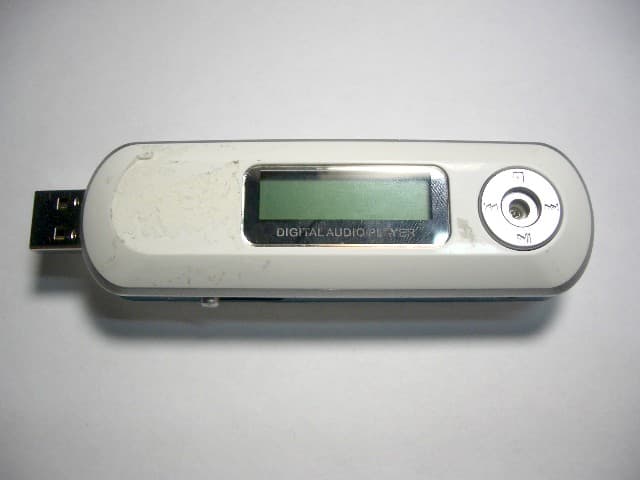
Q93-F034
Apr 11, 2005Digital Audio Player
Equipment Class
JBP - Part 15 Class B Computing Device Peripheral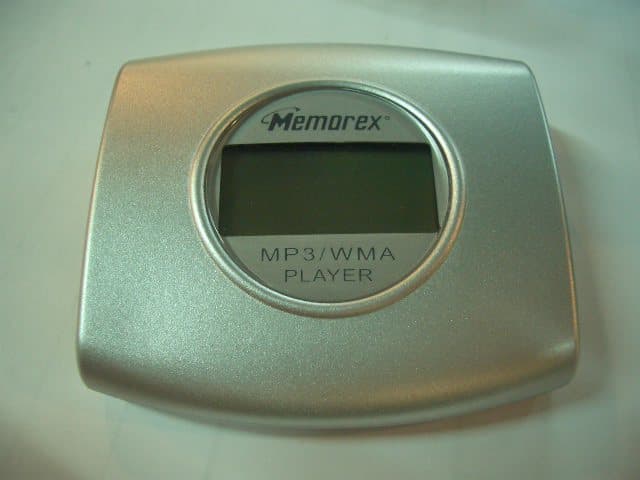
Q93-F027
Apr 04, 2005Digital Audio Player
Equipment Class
JBP - Part 15 Class B Computing Device Peripheral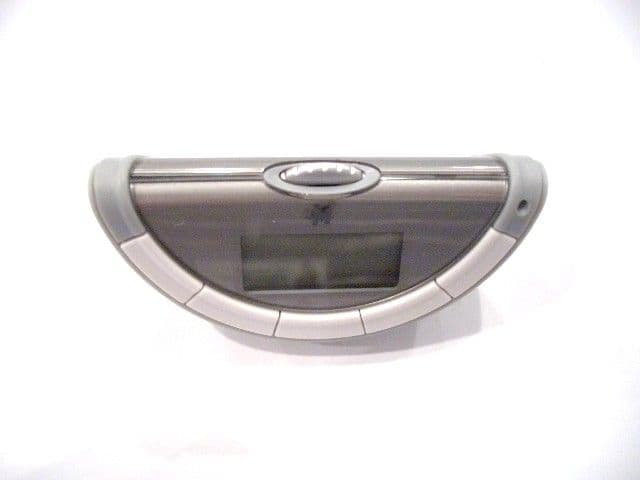
Q93-F029
Mar 29, 2005DIGITAL AUDIO PLAYER
Equipment Class
JBP - Part 15 Class B Computing Device Peripheral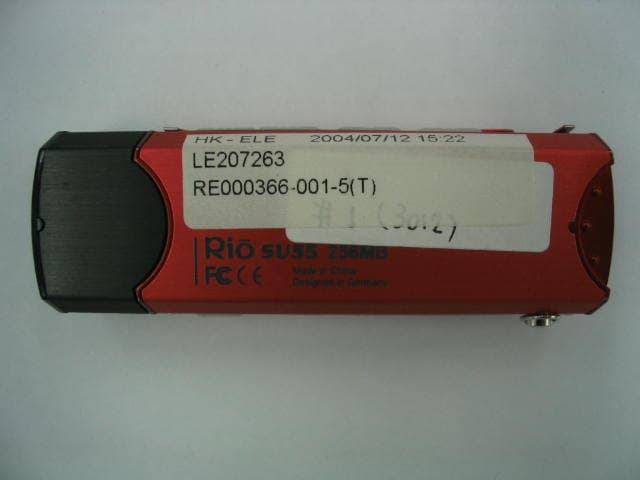
Q93-F023
Jan 24, 2005Digital Audio Player
Equipment Class
JBP - Part 15 Class B Computing Device Peripheral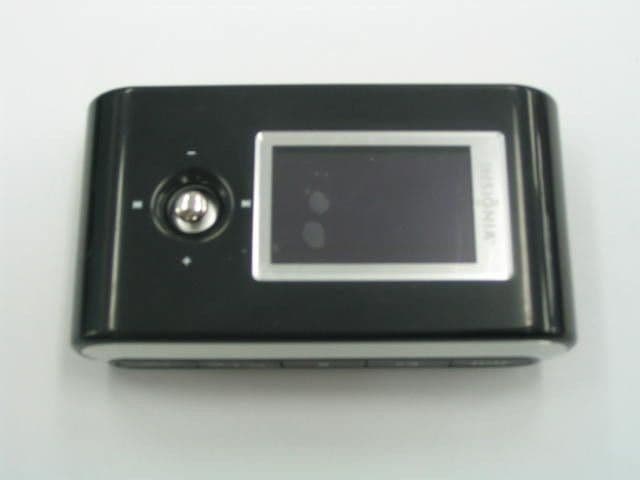
Q93-F022
Oct 28, 2004DIGITAL AUDIO PLAYER
Equipment Class
JBP - Part 15 Class B Computing Device Peripheral