QB3CORECESS3221VDSL Modem
Corecess Inc.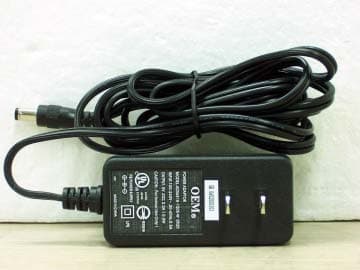
Click to zoom
Application Details
- Equipment Class
- JBP - Part 15 Class B Computing Device Peripheral
- Date of Grant
- Sep 06, 2004
- Application Purpose
- Original Equipment
- Date of Application
- Sep 06, 2004
- Equipment Note
- VDSL Modem
- Company
- Corecess Inc.
- Country
- South Korea
Documents & Files
Document Text
Text extracted from the exhibit documents filed with the FCC. Open a document above to read the original.
Users Manual
| Copyright | Copyrightⓒ Corecess All rights Reserved. No part of this book shall be reproduced, stored in a retrieval system, or transmitted by any means, electronic, mechanical, photocopying, recording, or otherwise, without written permission from the publisher. The specifications and information regarding the products in this manual are subject to changed without notice. | Trademark Credit | Corecess 3221 is registered trademark of Corecess Inc. Windows is registered trademark of Microsoft Corp. Corecess Inc. 500-2, Sangdaewon-dong, Jungwon-ku, Sungnam-city, Kyungki-do, Korea, 462-120 TEL:+82-31-739-6600 FAX: :+82-31-739-6622 http://www.corecess.com Using This Document Thank you for using the product of Corecess. This manual will show you how to set up the Corecess 3221 VDSL modem, and how to customize its configuration to get the most out of your new product. This user manual uses the following conventions: Note: Introduces useful item for the use of product, reference, and its related materials. Caution: Explains possible situations or conditions of improper operation and possibility of losing data and provides suggestions how to deal with those cases. Table of Contents Unpacking the Box ......................................................... 4 Connecting Cables ....................................................... 5 LED Operations ............................................................. 6 Front and Rear Panels ................................................ 7 Front Panel ................................................................. 7 Rear Panel ................................................................. 7 Technical Specifications .............................................. 8 Corecess 3221 Installation Guide 4 Unpacking the Box Check the shipping carton carefully to ensure that the contents include the items you ordered. y Corecess 3221 VDSL modem y Power adapter and power cord y Telephone cable y Ethernet cable (“straight-through” type) y Installation guide (this document) Note: The PC with Ethernet port or adapter is not provided but neccssary to install and configure the Corecess 3221. Before installing the Corecess 3221, prepare a PC. Caution : To reduce the risk of fire, use only No. 26AWG or larger telecommunication line cord. Installation guide Corecess 3221 Power adpater Ethernet cable (straight-through type) Power cord Telephone cable 5 Connecting Cables Caution : Before conneting cables to the Corecess 3221, please check the power switch on the Corecess 3221 is OFF. n Connecting VDSL Line Unplug the telephone line from the telephone and plug the line to the LINE port of the Corecess 3221. o Connecting a Telephone Connect a provided telephone cable to the PHONE port of the Corecess 3221 and a telephone. p Connecting a PC Connect the provided Ethernet cable to the LAN port of the Corecess 3221 and then connect the other end of the cable to Ethernet port on the NIC installed to your PC. q Connecting Power Adapter Connect the provided power supply cable into the 5V DC port of the Corecess 3221. r Connecting Power Cord Connect the provided power cord to the power supply and connect the other end of the cord to an appropriate electrical outlet. Corecess 3221 Installation Guide 6 LED Operations When you have finished cabling, turn on the Corecess 3221 pressing the power switch on the back panel of the Corecess 3221 to the ON position. And then, check the status of the four LEDs on the front panel by the following table: LED Color Status Description PWR ON DC power is being supplied to the Corecess 3221. LINK ON The Corecess 3221 is connected to VDSL network. TEST OFF The loopback test is finished. LAN ON The Corecess 3221 is connected to the PC normally. DATA Green Blink Data is being sent to or received from the Corecess 3221 through the VDSL network. 7 LINELAN DCOFF5VON PHONE Front and Rear Panels Front Panel Label Color Function PWR Green When the Corecess 3221 is powered on, the PWR LED is ON. LINK Green During establishing VDSL link, the LINK LED is blinking. When the VDSL link is established, the LINK LED is solid ON. TEST Green During the loopback test, the TEST LED is ON. When the loopback test is finished, the TEST LED goes off. LAN Green When the Corecess 3221 is connected with your PC, the LAN is ON. DATA Green When data is sending/receiving between the Corecess 3221 and your PC, the DATA LED is blinking. Rear Panel Label Function LINE Connects the device to a telephone jack for VDSL communication. PHONE Connects to a telephone. Earth grounding hole Connects to Frame Ground for earthing. LAN Connects the device to your PC's Ethernet port using the cable provided. 5V DC Connects to the supplied power converter cable. OFF/ON Switches the unit on or off. DATA PWR LINK TEST LAN LINE port PHONE port LAN port Power connector Power switch Earth grounding hole Corecess 3221 Installation Guide 8 Technical Specifications Description Specification VDSL Standard y ETSI VDSL Standard y ITU ITU-T G.993.1 IEEE Standard Standard y IEEE 802.3 10Base-TX y IEEE 802.3u 100Base-TX Ethernet Interface y 10/100Base-TX (IEEE 802.3, Auto-negotiation) y Connector: RJ-45 VDSL Interface Interface y Connector: RJ-11 Modulation Quadrature Amplitude Modulation (QAM) Transmission Full-duplex, Frequency Division Multiplexing (FDD) Data Rate y Symmetrical : 1Mbps~26Mbps y Asymmetrical: 50/30Mbps~1/1Mbps (Downstream/Upstream) Rate & Reach y 300m - Symmetrical: 50/7Mbps over (Downstream/Upstream) - Asymmetrical: 25Mbps over y 1Km - Asymmetrical: 25/3Mbps over (Downstream/Upstream) - Symmetrical: 13Mbps over y Cable : CPEV 0.5 mm Band Plan VDSL y Plan998 supported. 9 (Continued) Description Specification PSD MASK ETSI, ANSI, ITU-T(G.993.1) VDSL Standards Upstream Power-back-off Upstream Power-back-off supported Loopback Local and remote loopback for the network connectivity test. CPE Configuration VDSL Auto configurable: y VDSL line rate y Port parameters (10/100Base-T Auto-Negotiat…
Text truncated - open the document above for the full version.
Users Manual
| Copyright | Copyrightⓒ Corecess All rights Reserved. No part of this book shall be reproduced, stored in a retrieval system, or transmitted by any means, electronic, mechanical, photocopying, recording, or otherwise, without written permission from the publisher. The specifications and information regarding the products in this manual are subject to changed without notice. | Trademark Credit | Corecess 3221 is registered trademark of Corecess Inc. Windows is registered trademark of Microsoft Corp. Corecess Inc. 500-2, Sangdaewon-dong, Jungwon-ku, Sungnam-city, Kyungki-do, Korea, 462-120 TEL:+82-31-739-6600 FAX: :+82-31-739-6622 http://www.corecess.com Using This Document Thank you for using the product of Corecess. This manual will show you how to set up the Corecess 3221 VDSL modem, and how to customize its configuration to get the most out of your new product. This user manual uses the following conventions: Note: Introduces useful item for the use of product, reference, and its related materials. Caution: Explains possible situations or conditions of improper operation and possibility of losing data and provides suggestions how to deal with those cases. Table of Contents Unpacking the Box ......................................................... 4 Connecting Cables ....................................................... 5 LED Operations ............................................................. 6 Front and Rear Panels ................................................ 7 Front Panel ................................................................. 7 Rear Panel ................................................................. 7 Technical Specifications .............................................. 8 Corecess 3221 Installation Guide 4 Unpacking the Box Check the shipping carton carefully to ensure that the contents include the items you ordered. y Corecess 3221 VDSL modem y Power adapter and power cord y Telephone cable y Ethernet cable (“straight-through” type) y Installation guide (this document) Note: The PC with Ethernet port or adapter is not provided but neccssary to install and configure the Corecess 3221. Before installing the Corecess 3221, prepare a PC. Caution : To reduce the risk of fire, use only No. 26AWG or larger telecommunication line cord. Installation guide Corecess 3221 Power adpater Ethernet cable (straight-through type) Power cord Telephone cable 5 Connecting Cables Caution : Before conneting cables to the Corecess 3221, please check the power switch on the Corecess 3221 is OFF. n Connecting VDSL Line Unplug the telephone line from the telephone and plug the line to the LINE port of the Corecess 3221. o Connecting a Telephone Connect a provided telephone cable to the PHONE port of the Corecess 3221 and a telephone. p Connecting a PC Connect the provided Ethernet cable to the LAN port of the Corecess 3221 and then connect the other end of the cable to Ethernet port on the NIC installed to your PC. q Connecting Power Adapter Connect the provided power supply cable into the 5V DC port of the Corecess 3221. r Connecting Power Cord Connect the provided power cord to the power supply and connect the other end of the cord to an appropriate electrical outlet. Corecess 3221 Installation Guide 6 LED Operations When you have finished cabling, turn on the Corecess 3221 pressing the power switch on the back panel of the Corecess 3221 to the ON position. And then, check the status of the four LEDs on the front panel by the following table: LED Color Status Description PWR ON DC power is being supplied to the Corecess 3221. LINK ON The Corecess 3221 is connected to VDSL network. TEST OFF The loopback test is finished. LAN ON The Corecess 3221 is connected to the PC normally. DATA Green Blink Data is being sent to or received from the Corecess 3221 through the VDSL network. 7 LINELAN DCOFF5VON PHONE Front and Rear Panels Front Panel Label Color Function PWR Green When the Corecess 3221 is powered on, the PWR LED is ON. LINK Green During establishing VDSL link, the LINK LED is blinking. When the VDSL link is established, the LINK LED is solid ON. TEST Green During the loopback test, the TEST LED is ON. When the loopback test is finished, the TEST LED goes off. LAN Green When the Corecess 3221 is connected with your PC, the LAN is ON. DATA Green When data is sending/receiving between the Corecess 3221 and your PC, the DATA LED is blinking. Rear Panel Label Function LINE Connects the device to a telephone jack for VDSL communication. PHONE Connects to a telephone. Earth grounding hole Connects to Frame Ground for earthing. LAN Connects the device to your PC's Ethernet port using the cable provided. 5V DC Connects to the supplied power converter cable. OFF/ON Switches the unit on or off. DATA PWR LINK TEST LAN LINE port PHONE port LAN port Power connector Power switch Earth grounding hole Corecess 3221 Installation Guide 8 Technical Specifications Description Specification VDSL Standard y ETSI VDSL Standard y ITU ITU-T G.993.1 IEEE Standard Standard y IEEE 802.3 10Base-TX y IEEE 802.3u 100Base-TX Ethernet Interface y 10/100Base-TX (IEEE 802.3, Auto-negotiation) y Connector: RJ-45 VDSL Interface Interface y Connector: RJ-11 Modulation Quadrature Amplitude Modulation (QAM) Transmission Full-duplex, Frequency Division Multiplexing (FDD) Data Rate y Symmetrical : 1Mbps~26Mbps y Asymmetrical: 50/30Mbps~1/1Mbps (Downstream/Upstream) Rate & Reach y 300m - Symmetrical: 50/7Mbps over (Downstream/Upstream) - Asymmetrical: 25Mbps over y 1Km - Asymmetrical: 25/3Mbps over (Downstream/Upstream) - Symmetrical: 13Mbps over y Cable : CPEV 0.5 mm Band Plan VDSL y Plan998 supported. 9 (Continued) Description Specification PSD MASK ETSI, ANSI, ITU-T(G.993.1) VDSL Standards Upstream Power-back-off Upstream Power-back-off supported Loopback Local and remote loopback for the network connectivity test. CPE Configuration VDSL Auto configurable: y VDSL line rate y Port parameters (10/100Base-T Auto-Negotiat…
Text truncated - open the document above for the full version.
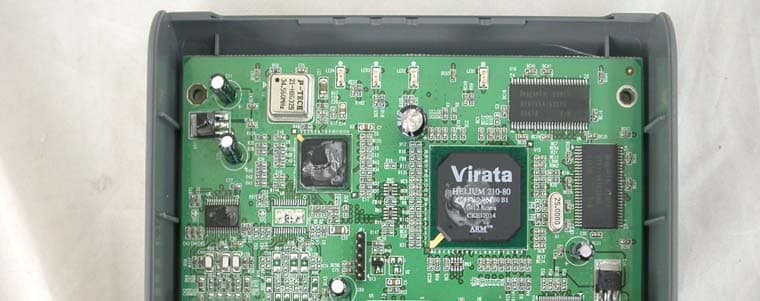
External Photos
CERTiTEK Standards Laboratory Co., Ltd. 386-1, Ho-Dong, Yongin-City, Kyungki-Do, Korea 449-100 Tel: +82-31-339-9970 Fax: +82-31-339-9855 http://www.certitek.com/ CERTiTEK EUT External Photographs Test Report No.: 2004090004 Date: September 2, 2004 Page 1 of 2 This Report shall not be reproduced except in full without the written approval of CERTiTEK Form No.: CTK-FF1.2 CERTiTEK Standards Laboratory Co., Ltd. 386-1, Ho-Dong, Yongin-City, Kyungki-Do, Korea 449-100 Tel: +82-31-339-9970 Fax: +82-31-339-9855 http://www.certitek.com/ CERTiTEK Test Report No.: 2004090004 Date: September 2, 2004 Page 2 of 2 This Report shall not be reproduced except in full without the written approval of CERTiTEK Form No.: CTK-FF1.2
ID Label/Location Info
CERTiTEK Standards Laboratory Co., Ltd. 386-1, Ho-Dong, Yongin-City, Kyungki-Do, Korea 449-100 Tel: +82-31-339-9970 Fax: +82-31-339-9855 http://www.certitek.com/ CERTiTEK Photographs related to Label Test Report No.: 2004090004 Date: September 2, 2004 Page 1 of 1 This Report shall not be reproduced except in full without the written approval of CERTiTEK Form No.: CTK-FF1.2
Internal Photos
CERTiTEK Standards Laboratory Co., Ltd. 386-1, Ho-Dong, Yongin-City, Kyungki-Do, Korea 449-100 Tel: +82-31-339-9970 Fax: +82-31-339-9855 http://www.certitek.com/ CERTiTEK EUT Internal Photographs Test Report No.: 2004090004 Date: September 2, 2004 Page 1 of 3 This Report shall not be reproduced except in full without the written approval of CERTiTEK Form No.: CTK-FF1.2 CERTiTEK Standards Laboratory Co., Ltd. 386-1, Ho-Dong, Yongin-City, Kyungki-Do, Korea 449-100 Tel: +82-31-339-9970 Fax: +82-31-339-9855 http://www.certitek.com/ CERTiTEK PCB Test Report No.: 2004090004 Date: September 2, 2004 Page 2 of 3 This Report shall not be reproduced except in full without the written approval of CERTiTEK Form No.: CTK-FF1.2 CERTiTEK Standards Laboratory Co., Ltd. 386-1, Ho-Dong, Yongin-City, Kyungki-Do, Korea 449-100 Tel: +82-31-339-9970 Fax: +82-31-339-9855 http://www.certitek.com/ CERTiTEK Test Report No.: 2004090004 Date: September 2, 2004 Page 3 of 3 This Report shall not be reproduced except in full without the written approval of CERTiTEK Form No.: CTK-FF1.2
Test Report
CERTiTEK Standards Laboratory Co., Ltd. 386-1, Ho-Dong, Yongin-City, Kyungki-Do, Korea 449-100 Tel: +82-31-339-9970 Fax: +82-31-339-9855 http://www.certitek.com/ CERTiTEK EMC TEST REPORT For FCC Test Report No. : 2004090004 Date of Issue : September 2, 2004 FCC ID : QB3CORECESS3221 Model/Type No. : Corecess 3221 Kind of Product : VDSL Modem Applicant : Corecess Inc. Applicant Address : 500-2, Sangdaewon-Dong, Jungwon-Ku, Sungnam-City, Kyungki-Do, Korea Manufacturer : Corecess Inc. Manufacturer Address : 500-2, Sangdaewon-Dong, Jungwon-Ku, Sungnam-City, Kyungki-Do, Korea Contact Person : Young-Jun, Song Telephone : +82-31-739-6743 Received Date : August 27, 2004 Test period : Start: August 28, 2004 End: August 31, 2004 Test Results : In Compliance Not in Compliance The test results presented in this report relate only to the object tested. CERTiTEK Standards Laboratory Co., Ltd. is accredited by Korea Laboratory Accreditation Scheme (KOLAS) which signed the International Laboratory Accreditation Cooperation (ILAC) Mutual Recognition Arrangement (MRA) for the above test item(s) and test method(s). Tested by Reviewed by Young-Joon, Park EMC Test Engineer James Hong EMC Technical Manager Date: September 2, 2004 Date: September 2, 2004 Test Report No.: 2004090004 Date: September 2, 2004 Page 1 of 14 This Report shall not be reproduced except in full without the written approval of CERTiTEK Form No.: CTK-FF1.2 CERTiTEK Standards Laboratory Co., Ltd. 386-1, Ho-Dong, Yongin-City, Kyungki-Do, Korea 449-100 Tel: +82-31-339-9970 Fax: +82-31-339-9855 http://www.certitek.com/ CERTiTEK REPORT REVISION HISTORY Date Revision Page No September 2, 2004 Issued (2004090004) All This report shall not be reproduced except in full, without the written approval of CERTiTEK Standards Laboratory Co., Ltd. This document may be altered or revised by CERTiTEK Standards Laboratory Co., Ltd. Personnel only, and shall be noted in the revision section of the document. Any alteration of this document not carried out by CERTiTEK Standards Laboratory Co., Ltd. will constitute fraud and shall nullify the document. Test Report No.: 2004090004 Date: September 2, 2004 Page 2 of 14 This Report shall not be reproduced except in full without the written approval of CERTiTEK Form No.: CTK-FF1.2 CERTiTEK Standards Laboratory Co., Ltd. 386-1, Ho-Dong, Yongin-City, Kyungki-Do, Korea 449-100 Tel: +82-31-339-9970 Fax: +82-31-339-9855 http://www.certitek.com/ CERTiTEK TABLE OF CONTENTS 1.0 General Product Description ......................................................................................4 1.1 Model Differences ....................................................................................................4 1.2 Device Modifications .................................................................................................4 1.3 EUT Configuration(s) ................................................................................................5 1.4 Test Software ..........................................................................................................5 1.5 EUT Operating Mode(s).............................................................................................5 1.6 Calibration Details of Equipment Used for Measurement................................................6 1.7 Test Facility .............................................................................................................6 1.8 Measurement Procedure ...........................................................................................6 1.9 Laboratory Accreditations and Listings ........................................................................7 2.0 Emissions Test Regulations........................................................................................8 2.1 Conducted Voltage Emissions ....................................................................................9 2.2 Radiated Electric Field Emissions..............................................................................10 Configurations.............................................................................................................11 APPENDIX A - TEST DATA .............................................................................................12 Conducted Voltage Emissions (Quasi-Peak reading)....................................................12 Radiated Electric Field Emissions (Quasi-Peak reading) ...............................................14 Test Report No.: 2004090004 Date: September 2, 2004 Page 3 of 14 This Report shall not be reproduced except in full without the written approval of CERTiTEK Form No.: CTK-FF1.2 CERTiTEK Standards Laboratory Co., Ltd. 386-1, Ho-Dong, Yongin-City, Kyungki-Do, Korea 449-100 Tel: +82-31-339-9970 Fax: +82-31-339-9855 http://www.certitek.com/ CERTiTEK 1.0 General Product Description 1.0.1 Tested Equipment Unless otherwise indicated, all tests were conducted on Model Corecess 3221. Tests performed on Model were considered to be representative of Model(s) . 1.0.2 Equipment Size, Mobility and Identification Dimensions: 160(L) by 160(W) by 35(H) mm inch Mobility: Hand-Held Table-top Floor-standing Serial No.: Prototype 1.0.3 Electrical Ratings ADSL Modem Input: 5Vdc, 1.0A Output: - Adapter Input: 100-240Vac, 50/60Hz, 0.5A Output: 5Vdc, 2.0A, 10.0W 1.0.4 Test Voltage & Frequency (Using the adaptor) Unless indicated otherwise on the individual data sheet or test results, the test voltage and frequency was as indicated below. Voltage: 120Vac Frequency: 60Hz 1.0.5 Clock & Other Frequencies Utilized 25MHz 1.1 Model Differences Not applicable 1.2 Device Modifications The following modifications were necessary for compliance: Not applicable Test Report No.: 2004090004 Date: September 2, 2004 Page 4 of 14 This Report shall not be reproduced except in full without the written approval of CERTiTEK Form No.: CTK-FF1.2 CERTiTEK Standards Laboratory Co., Ltd. 386-1, Ho-Dong, Yongin-City, Kyungki-Do,…
Text truncated - open the document above for the full version.
Test Setup Photos
CERTiTEK Standards Laboratory Co., Ltd. 386-1, Ho-Dong, Yongin-City, Kyungki-Do, Korea 449-100 Tel: +82-31-339-9970 Fax: +82-31-339-9855 http://www.certitek.com/ CERTiTEK APPENDIX B - Test Setup Photos and Configuration Conducted Voltage Emissions Test Report No.: 2004090004 Date: September 2, 2004 Page 1 of 2 This Report shall not be reproduced except in full without the written approval of CERTiTEK Form No.: CTK-FF1.2 CERTiTEK Standards Laboratory Co., Ltd. 386-1, Ho-Dong, Yongin-City, Kyungki-Do, Korea 449-100 Tel: +82-31-339-9970 Fax: +82-31-339-9855 http://www.certitek.com/ CERTiTEK Radiated Electric Field Emissions Test Report No.: 2004090004 Date: September 2, 2004 Page 2 of 2 This Report shall not be reproduced except in full without the written approval of CERTiTEK Form No.: CTK-FF1.2
Contact Information
Applicant
Ho-joong Kim(Engineer)
Test Firm
CTK Co., Ltd.Jang-Hee Hong
Technical Specifications
| # | Rule Parts | Frequency Range | Power Output |
|---|---|---|---|
| 1 | 15B | - | - |
Other Applications from Corecess Inc.
QB3CORECESS3311N
Jan 23, 2005SHDSL MODEM
Equipment Class
JBP - Part 15 Class B Computing Device Peripheral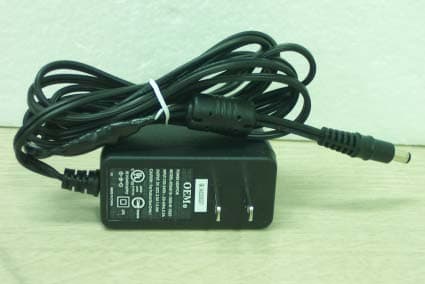
QB3CORECESS3121
Apr 12, 2004ADSL Modem
Equipment Class
JBP - Part 15 Class B Computing Device Peripheral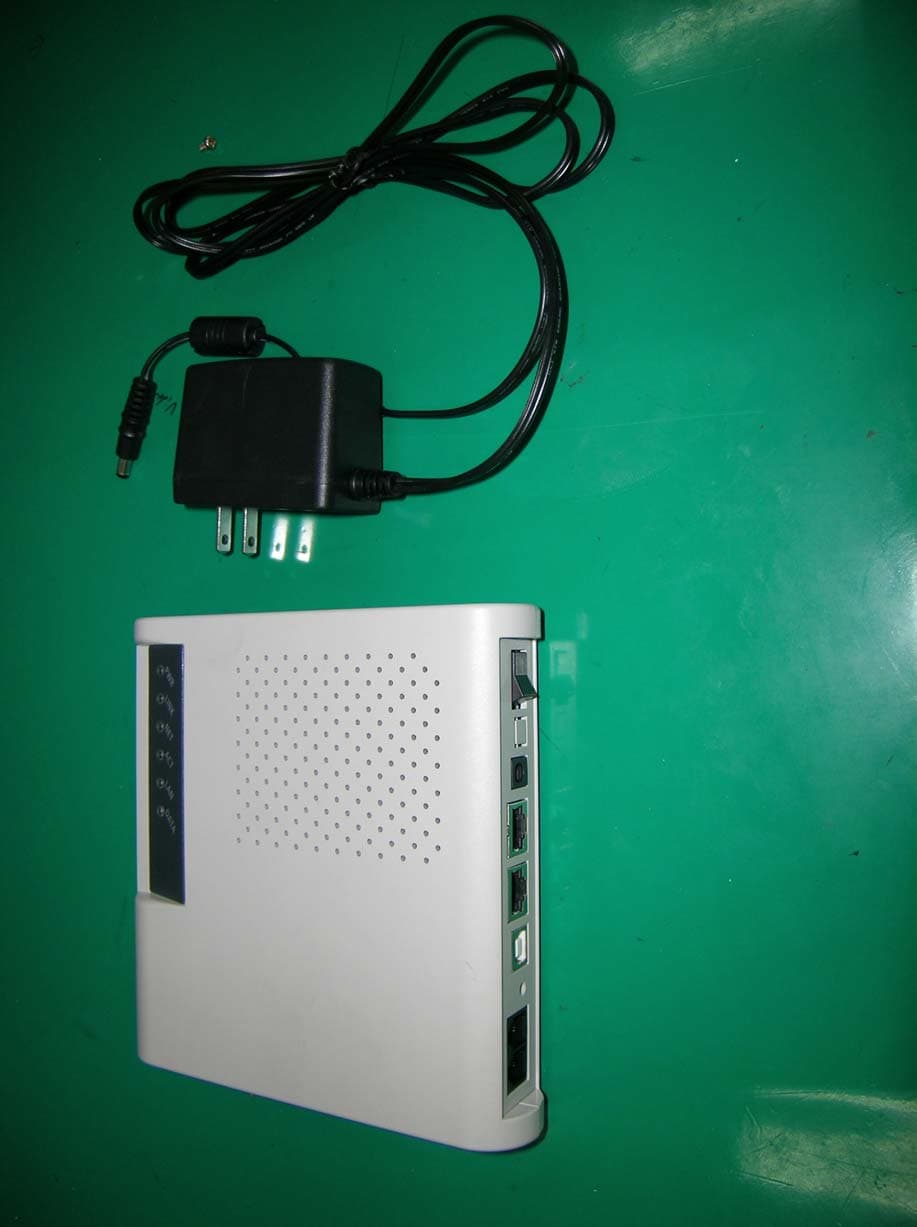
QB3CORECESS3115
Apr 06, 2004ADSL Router
Equipment Class
JBP - Part 15 Class B Computing Device Peripheral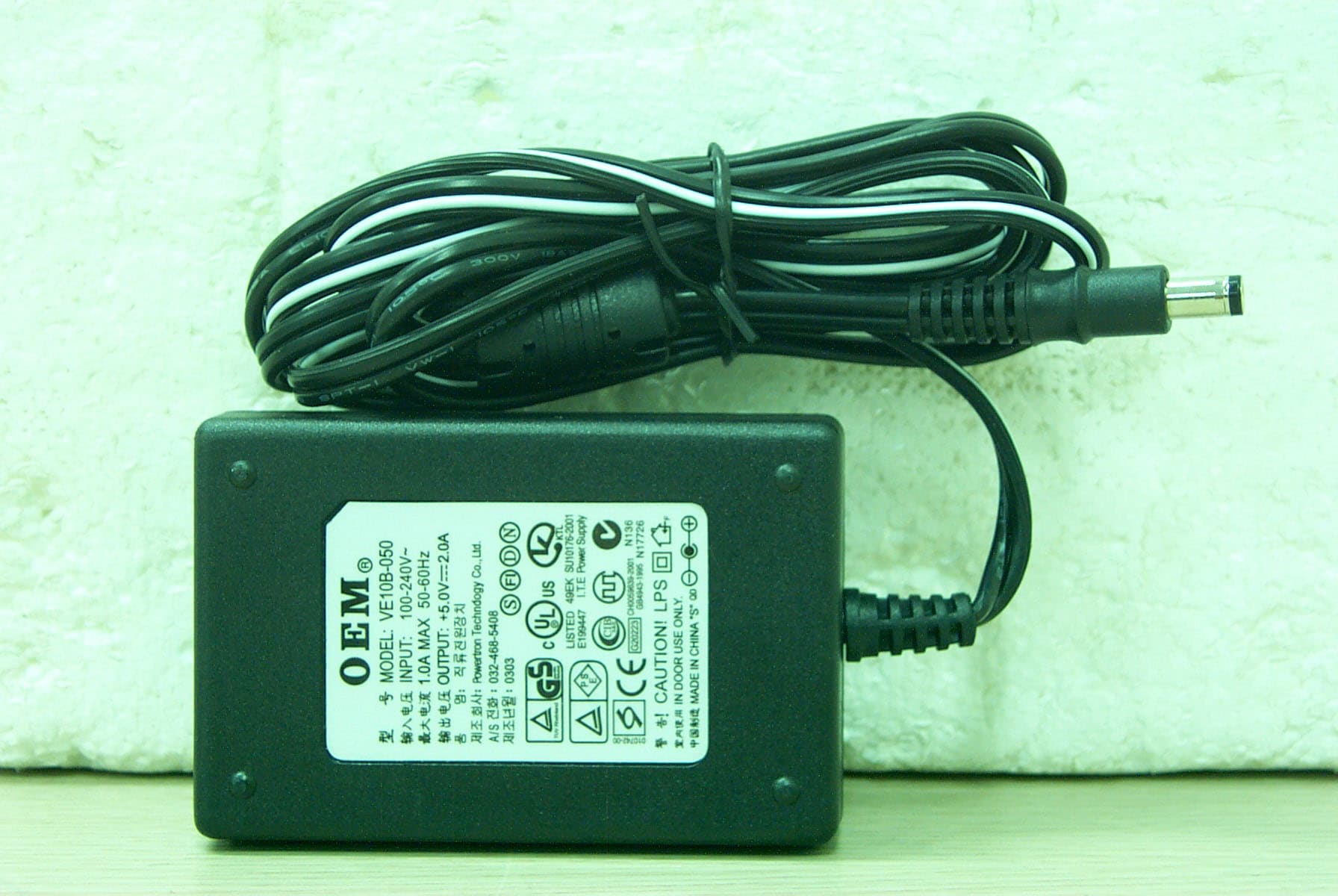
QB3CORECESS3213N
Nov 24, 2003VDSL Modem
Equipment Class
JBP - Part 15 Class B Computing Device Peripheral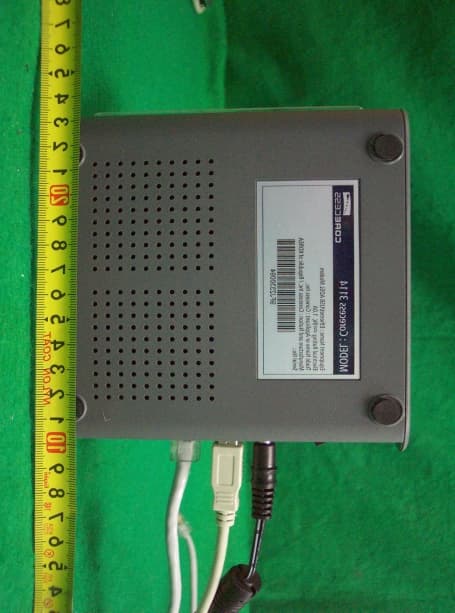
QB3CORECESS3114
Sep 18, 2002ADSL Modem
Equipment Class
JBP - Part 15 Class B Computing Device Peripheral