QD5-DOTH-300SINDUSTRIAL PDA
D.O.Tel Co., Ltd.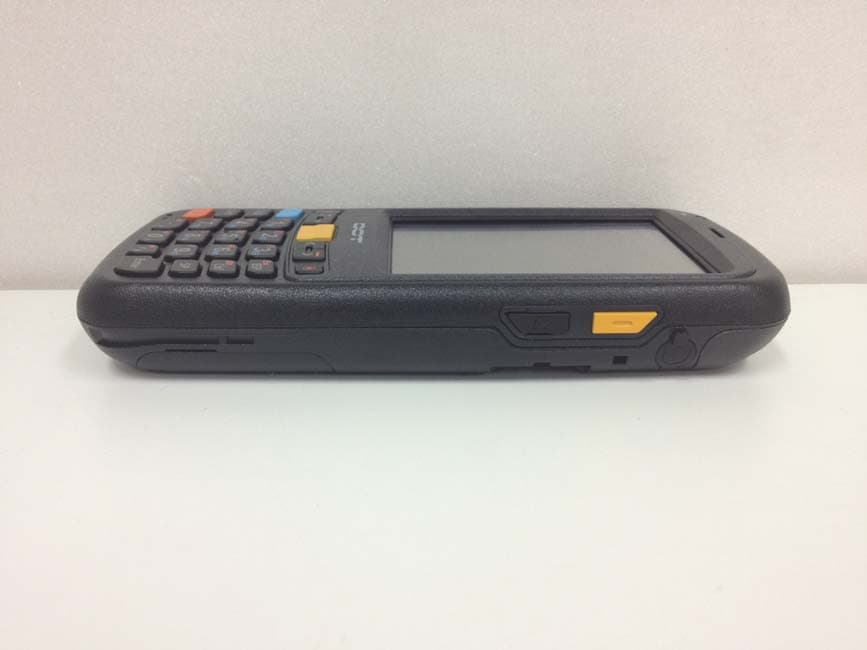
Click to zoom
Application Details
- Equipment Class
- DSS - Part 15 Spread Spectrum Transmitter
- Date of Grant
- Oct 16, 2013
- Application Purpose
- Original Equipment
- Date of Application
- Oct 16, 2013
- Equipment Note
- INDUSTRIAL PDA
- Frequency Range
- 2402.00000000 - 2480.00000000
- Company
- D.O.Tel Co., Ltd.
- Country
- South Korea
Documents & Files
Document Text
Text extracted from the exhibit documents filed with the FCC. Open a document above to read the original.
Users Manual
시작하기 전에... DOTH-300S User’s Manual 시작하기 전에... 1. This user manual may be changed without notice in accordance with improvements to the product or changes in available functions. 2. This user manual has been prepared based on information available at the time of publishing and may have technical or editorial errors or omissions. 3. The screen and shape of the product in this manual may differ from that of the actual product. 4. All the content of this manual is protected by Copyright Law. 5. All the rights for the software installed on this product belong to DOTel Co., Ltd. And are protected by Copyright Law. 6. Among the content specified in this manual, some functions may not be installed in your PDA (Wireless LAN, Bluetooth) Before starting... Consent on Copyright and Use... 1. All the contents in this manual and PDA software are protected by Copyright Law and all the rights belong to DOTel Co., Ltd. 2. No part of this manual may be duplicated, renovated or translated into other languages without a prior written consent. We notify you in advance that act of duplicating, correcting or distributing this manual without permission will be an object of criminal punishment in accordance with Copyright Law. 3. As to instructions for separate business programs not specified in this manual, and questions about and after service for such programs, please contact the software provider. 4. For all other application programs loaded separately onto this product except the basic program, each product provider should specify contact information required to make inquiries or ask for technical support on the product manual or on the packing box, or enclose a separate manual with contact information. 5. DOTel Co., Ltd. Does not provide any warranty for all the software units loaded after PDAs are shipped out of the factory. 6. DOT is a trademark of DOTel Co., Ltd. protected by law. 7. The logos and product names, Microsoft, Windows and Internet Explorer, are trademarks of Microsoft and MS Windows CE software loaded in this product is a product officially licensed by Microsoft. 8. All the product names and program names used in this manual and the product are company names, symbols, trademarks or registered trademarks of each owner. 9. DOTel Co., Ltd. may ask the application program providers to provide their software loaded in this product on request of mobile communication providers or for improvement or verification of the products. Table of Contents 1. Important Notices... 2. Before Using 2.1 Package Components 2.2 Product Description 2.3 To connect with a PC 3. User Interface 3.1 About the Home Screen 3.2 Title Bar Status Icons 4. Using the Phone 4.1 To use the phone function 4.2 To use the text message function 5. Applications 5.1 Data communication Applications 5.2 Bluetooth Applications 6. Others 6.1 Problem solving 6.2 Guidance on customer support and after service 6.3 Product Warranty 6.4 Communication and Product Specification 6.5 System Product Specification 1. Important Notices... !! Do not use the product while driving. Be sure to observe traffic related laws as, otherwise, it may cause a car accident. Be sure to carefully read this user manual as not observing the cautions may cause injury of the user or other persons, or physical losses. The manufacturer and seller do not take any responsibilities for all the accidents occurred due to not observing the cautions specified in this manual. This product should be used only for the established purpose. Do not use the product for other purposes than those specified in the user manual. Be careful not to hurt your hands when handling the product box, manual and component parts. If there is smell of burn or excessive heat from the product while in use, remove the battery and immediately contact the after service center guided in this manual. Be sure to use the product in a bright place to protect your eyesight, as looking into the LCD screen in a dark place for a long period of time may hurt your eyesight. We recommend you to back up important data in this product without fail. The seller and manufacturer do not take any responsibility for data loss. Especially, when you ask for repair of the product, be sure to back up the data. The manufacturer and seller as well as the after service center do not take any responsibility for data loss. Do not place the product near magnets or magnetic fields. It may cause failure of the product. 1. Important Notices... !! Do not handle the product with wet hands as it may cause malfunction of the product and, especially, if the AC adapter is handled with wet hands, there is a risk of electric shock. Use the LCD screen with a stylus pen provided by the manufacturer or a tool not pointed. Otherwise, the LCD may be damaged. The film attached on the LCD is a film used to protect the LCD. If the product is used with the film on, accurate operation may not be achieved. Be sure to use the product after replacing the film with the LCD protection film separately provided. When using USB cable, adapter and snap-on, be careful with the direction of connector insertion. If it is inserted the other way around, it may cause a problem for PDA or PC. Also, do not use extremely bent or pressed by heavy object cable. The product may not properly operate in very cold winter or hot summer. The proper operating temperature is between -10ºC ~ 50ºC. Be especially careful to avoid storing the product in a place too hot or cold, or too moist. This may cause external change or product damage. In following cases, warranty service will not provided or repairing may be impossible: -If the product has been disassembled or remodeled by user’s self; -If the product has fallen into the water or stored in a moist place for a long period of time; -If the product has been dropped from a high place or received excessive external shock. Charge the battery fully for at least 30 minutes or longer before using the product for the first time. The product…
Text truncated - open the document above for the full version.
Users Manual
......................................................................... 3.1 About the Home Screen Getting Started 3. User Interface ‘Getting Started’ You can make a decision whether Getting Stared is shown or not on Hone Screen through Add/remove Getting Started menu. Quick menu will be shown to set up several basic functions. ......................................................................... 3.2 Title Bar Status Icons Icons 3. User Interface The network, phone, volume, battery and time of current device is shown as icons on the status bar. The following is explaining the meaning of each icon. Title Bar Status Icon Descriptions IconsExplanation You have a new notification. You have a new text message. You have a new e-mail message. You have a new instant message. You missed a call. The speakerphone is on. The phone is roaming. An alarm is set. The microphone is on. An internet call is in progress. ......................................................................... 3.2 Title Bar Status Icons Icons 3. User Interface IconsExplantion A bluetooth headset is detected. An ActiveSync connection has been established. There was a problem with the ActiveSync synchronization. An ActiveSync synchronization is in progress over USB. A UMTS network is available. Connecting to a UMTS network. A UMTS connection is active. A 3G+ network is available. An EDGE network is available. Connecting to an EDGE network. An EDGE connection is active. A GPRS network is available. Connecting to a GPRS network. A GPRS connection is active. An HSDPA network is available. Connecting to an HSDPA network. An HSDPA connection is active. ......................................................................... 3.2 Title Bar Status Icons Icons 3. User Interface IconsExplanation Bluetooth is on. Wi-Fi is on but not connected, and no networks are detected. Wi-Fi is not connected to a network, and other networks are detected. Other wireless networks are detected. Connected to a wireless network. Synchronizing through a Wi-Fi connection. Connected to a wireless network, and other networks are detected. Information about a new wireless network is available. A network connection is active. A network connection is inactive. The phone has maximum signal strength. The phone has no signal. The phone capability is off. The phone has no service. The phone is searching for service. Data is being transferred. A voice call is in progress. ......................................................................... 3.2 Title Bar Status Icons Icons 3. User Interface IconsExplanation A voice call in on hold. There is no SIM card present in the computer. The volume is off and the phone is set to vibrate. The volume is on. The volume is off. The battery has a full charge. The battery has a high charge. The battery has a medium charge. The battery has a low charge. The battery has a very low charge. The battery is attached to external power and is charging. No battery is installed in the computer. Call forwarding is on. Voice mail is off. GPS locator is off. GPS locator is on. ......................................................................... 4.1 To use the phone function Start the phone function 4. Using the Phone Add the phone number When you turn on the PDA, the standby screen is shown like the right picture. After that, you can use the phone function by touching Phone on the left bottom. 1. Input phone numbers you want to add on the Phone screen. 2. Touch in the bottom bar then the phone numbers can be added through Save to contacts menu. 3. Save them pressing the OK button after finishing inputting phone number after inputting Family/Sur name through New Contact ......................................................................... 4.1 To use the phone function Designate abbreviated number 4. Using the Phone You can designate abbreviated numbers using Speed Dial key on Phone Screen. It is progressing in the way of adding already saved number by Speed Dial. Call using abbreviated number You can make a call using the abbreviated number saved with a phone number. When you press the number longer, the line is connected. If an abbreviated number is saved in double digit, then press second digit longer than fist number. ......................................................................... 4.2 To use the text message function Text message 4. Using the Phone Text message function can be used by touching Text icon. Received messages can be checked and saved in, replies can be sent and the phone numbers can be saved in the directory. You can write and send a new message by using New button. You can write a message on the left screen. Recipient number is on the top. In the Show menu, you can check sent messages or temporarily saved messages. ......................................................................... 4.2 To use the text message function Text message 4. Using the Phone When you press the sky blue button once in the Text Messages, you can see the sky blue circle in the center of bottom line. It makes change to the former letter right after texting one letter. Text message EX) Enter 7,8,9 The values input in each mode are seen like the right pictures. Sky-Blue and Red are operating as the same function. It is the screen when you press the sky blue key twice. You can see the whole blue circle and that makes you write any letter continually. ......................................................................... 5.1 Applications Windows Media 5. Others Window Media supports the function that runs music and video files. File Explorer File manager supports Cut, Copy and Rename etc., like the functions of PC by File Explorer. It also provides Interface similar PC and is available to approach all files and folders inside and outside memory. ......................................................................... 5.1 Applications Camera 5. Others You can take a picture, shoot a file clip and edit a photo by Pictures & Vi…
Text truncated - open the document above for the full version.
Attestation Statements
D.O.Tel Co., Ltd. 412, Kolon Science Valley II, 811 Guro-dong, Guro-gu, Seoul, Korea 152-878 Date: October 02, 2013 Attestation Letter for FCCID: QD5-DOTH-300S To whom it may concern: We hereby declare that 1. This device uses the granted module for only WCDMA, GPRS and EDGE functions. - FCCID: QIPPH8 - Name of grantee: Cinterion Wireless Modules GmbH 2. For WLAN function this device uses “SDC-SSD40NBT” chip. The Chip supports WLAN(IEEE 802.11 a/b/g/n), Bluetooth (BT) functions but the BT and WLAN 5GHz(IEEE 802.11a/n) functions are disabled by software and cannot be enabled by the user. Therefore only the WLAN 2.4GHz(IEEE 802.11 b/g/n) function of this chip is used in this device. 3. This is not supports ad-hoc mode. 4. For BT function, this device uses “F1C23” chip. But this device does not support EDR mode by software. (Only supports BDR mode) Sincerely, Sang-Woo Shin Assistant Manager
Cover Letter(s)
D.O.Tel Co., Ltd. 412, Kolon Science Valley II, 811 Guro-dong, Guro-gu, Seoul, Korea 152-878 Date: October 02, 2013 Timco Engineering, Inc. 849 N.W. State Road 45 P.O. Box 370 Newberry, Florida 32669 USA LETTER OF AUTHORIZATION We, the undersigned, hereby authorize Harvey Sung of DIGITAL EMC CO., LTD. to act on our behalf in all manners relating to application for equipment authorization for FCC ID: QD5-DOTH-300S including signing of all documents relating to these matters. Any and all acts carried out by Harvey Sung of DIGITAL EMC CO., LTD. on our behalf shall have the same affect as acts of our own. This authorization is valid until further written notice from D.O.Tel Co., Ltd. Sincerely, Sang-Woo Shin Assistant Manager
Cover Letter(s)
D.O.Tel Co., Ltd. 412, Kolon Science Valley II, 811 Guro-dong, Guro-gu, Seoul, Korea 152-878 Date: October 02, 2013 Timco Engineering, Inc. 849 N.W. State Road 45 P.O. Box 370 Newberry, Florida 32669 USA RE: Request of Confidentiality for FCCID: QD5-DOTH-300S To Whom It may Concern: Pursuant to Sections 0.457 and 0.459 of the Commission`s Rules(CFR 47), and Section 552 (b) (4) of the Freedom of Information Act, D.O.Tel Co., Ltd. hereby requests confidentiality and treatment of certain information accompanying this application. The materials contain trade secrets and proprietary information not customarily released to the public. The public disclosure of these matters might be harmful to the Applicant and provide unjustified benefits to its competitors. We are also hereby request Short-Term Confidentiality for 180 days after the grant as outlined in Public Notice DA 04-1705. This provision will give D.O.Tel Co., Ltd. temporary confidentiality of commercially sensitive information prior to product release. The requested permanent and Short-Term Confidential exhibits are listed as follows: PERMANENT & SHORT-TERM CONFIDENTIAL LIST Exhibit Description PERMANENT 1 Block Diagram 2 Operational Description 3 Schematics 4 Part Lists and Tune-Up Procedure SHORT-TERM 5 External Photos 6 Internal Photos 7 Test-Setup Photos 8 Users Manual The Applicant understands that pursuant to Rule 0.457, disclosure of this application and all accompanying documentations, where applicable, will not be public before the date of the Grant for this application. Sincerely, Sang-Woo Shin Assistant Manager
Cover Letter(s)
D.O.Tel Co., Ltd. 412, Kolon Science Valley II, 811 Guro-dong, Guro-gu, Seoul, Korea 152-878 Date: October 02, 2013 Timco Engineering, Inc. 849 N.W. State Road 45 P.O. Box 370 Newberry, Florida 32669 USA DECLARATION FOR ADDITIONAL FREQUENCY HOPPING REQUIREMENTS To whom it may concern: We hereby declare that the Bluetooth of QD5-DOTH-300S meet following FCC requirements of the Section 15.247(a)(1) : 1. The hopping sequence is pseudorandom. 2. All channels are used equally on average. 3. The receiver input bandwidth approximately equal the transmit bandwidth. 4. The receiver hop in sequence with the transmit signal. Sincerely, Sang-Woo Shin Assistant Manager
External Photos
FCCID: QD5-DOTH-300S Copyright Ⓒ 2013, Digital EMC Co., Ltd. View 1 FCCID: QD5-DOTH-300S Copyright Ⓒ 2013, Digital EMC Co., Ltd. View 2 FCCID: QD5-DOTH-300S Copyright Ⓒ 2013, Digital EMC Co., Ltd. View 3
ID Label/Location Info
FCC ID: QD5-DOTH-300S Copyright Ⓒ 2013, Digital EMC Co., Ltd. SAMPLE LABEL & LOCATION LABELLING REQUIREMENTS The Label shown shall be permanently affixed at a conspicuous location on the device and be readily visible to the user at the time of purchase - The FCC label shown is representative of the label that will appear on the radio when in production. Other information may also be included on this label.
Internal Photos
FCCID: QD5-DOTH-300S Copyright Ⓒ 2013, Digital EMC Co., Ltd. Page1 / 13 View 1 FCCID: QD5-DOTH-300S Copyright Ⓒ 2013, Digital EMC Co., Ltd. Page2 / 13 View 2 FCCID: QD5-DOTH-300S Copyright Ⓒ 2013, Digital EMC Co., Ltd. Page3 / 13 View 3 FCCID: QD5-DOTH-300S Copyright Ⓒ 2013, Digital EMC Co., Ltd. Page4 / 13 View 4 FCCID: QD5-DOTH-300S Copyright Ⓒ 2013, Digital EMC Co., Ltd. Page5 / 13 View 5 FCCID: QD5-DOTH-300S Copyright Ⓒ 2013, Digital EMC Co., Ltd. Page6 / 13 View 6 FCCID: QD5-DOTH-300S Copyright Ⓒ 2013, Digital EMC Co., Ltd. Page7 / 13 View 7 FCCID: QD5-DOTH-300S Copyright Ⓒ 2013, Digital EMC Co., Ltd. Page8 / 13 View 8 FCCID: QD5-DOTH-300S Copyright Ⓒ 2013, Digital EMC Co., Ltd. Page9 / 13 View 9 FCCID: QD5-DOTH-300S Copyright Ⓒ 2013, Digital EMC Co., Ltd. Page10 / 13 View 10 FCCID: QD5-DOTH-300S Copyright Ⓒ 2013, Digital EMC Co., Ltd. Page11 / 13 View 11 (Bluetooth ANTENNA) FCCID: QD5-DOTH-300S Copyright Ⓒ 2013, Digital EMC Co., Ltd. Page12 / 13 View 12 (WLAN ANTENNA) FCCID: QD5-DOTH-300S Copyright Ⓒ 2013, Digital EMC Co., Ltd. Page13 / 13 View 13 (GSM/WCDMA ANTENNA)
Test Report
FCCID: QD5-DOTH-300S DEMC1307-02141 Report No.: DRTFCC1310-0936 TRF-RF-212(00)101214 Page2 / 38 Copyright ○ C 2013, Digital EMC Co., Ltd. Test Report Version Test Report No. Date Description DRTFCC1310-0936 Oct. 02, 2013 Initial issue FCCID: QD5-DOTH-300S DEMC1307-02141 Report No.: DRTFCC1310-0936 TRF-RF-212(00)101214 Page3 / 38 Copyright ○ C 2013, Digital EMC Co., Ltd. Table of Contents 1.General Information ................................................................................................................ 5 1.1 Testing Laboratory ......................................................................................... 5 1.2 Details of Applicant ........................................................................................ 5 1.3 Description of EUT ......................................................................................... 5 1.4. Declaration by the manufacturer .................................................................... 5 1.5. Information about the FHSS characteristics: ................................................ 6 1.6. Test Equipment List ........................................................................................ 7 1.7. Summary of Test Results ................................................................................ 8 1.8 Conclusion of worst-case and operation mode .............................................. 9 2. Transmitter Radiated Spurious Emissions and Conducted Spurious Emission .......... 10 2.1. Test Setup ...................................................................................................... 10 2.2. Limit ................................................................................................................ 10 2.3. Test Procedures............................................................................................. 11 2.3.1. Test Procedures for Radiated Spurious Emissions................................ 11 2.3.2. Test Procedures for Conducted Spurious Emissions ............................ 11 2.4. Test Results ................................................................................................... 12 2.4.1. Radiated Emission .................................................................................... 12 2.4.2. Conducted Spurious Emissions .............................................................. 13 3. Carrier Frequency Separation............................................................................................. 18 3.1.Test Setup ..................................................................................................... 18 3.2. Limit ................................................................................................................ 18 4.Number of Hopping Frequencies ........................................................................................ 20 4.1.Test Setup ..................................................................................................... 20 4.2. Limit ................................................................................................................ 20 5. 20dBc BW .............................................................................................................................. 24 5.1. Test Setup ...................................................................................................... 24 5.2. Limit ................................................................................................................ 24 5.3. Test Procedure .............................................................................................. 24 5.4. Test Results ................................................................................................... 24 6. Time of Occupancy (Dwell Time) ........................................................................................ 27 6.1. Test Setup ...................................................................................................... 27 6.2. Limit ................................................................................................................ 27 6.3. Test Procedure .............................................................................................. 27 6.4. Test Results ................................................................................................... 27 7. Maximum Peak Output Power Measurement .................................................................... 29 7.1. Test Setup ...................................................................................................... 29 7.2. Limit ................................................................................................................ 29 7.3. Test Procedure ............................................................................................... 29 7.4. Test Results ................................................................................................... 30 8. Transmitter AC Power Line Conducted Emission ............................................................ 33 FCCID: QD5-DOTH-300S DEMC1307-02141 Report No.: DRTFCC1310-0936 TRF-RF-212(00)101214 Page4 / 38 Copyright ○ C 2013, Digital EMC Co., Ltd. 8.1. Test Setup ...................................................................................................... 33 8.2. Limit ................................................................................................................ 33 8.3. Test Procedures ............................................................................................. 33 8.4. Test Results ................................................................................................... 34 9. Antenna Requirement .......................................................................................................... 36 10. Occupied Bandwidth(99%) ................................................................................................ 37 APPENDIX I ......................…
Text truncated - open the document above for the full version.
Test Setup Photos
FCC ID: QD5-DOTH-300S Copyright Ⓒ 2013, Digital EMC Co., Ltd. Test Setup photographs (DTS & DSS) EUT Position: X-axis EUT Position: Y-axis EUT Position: Z-axis FCC ID: QD5-DOTH-300S Copyright Ⓒ 2013, Digital EMC Co., Ltd. Test Setup Photo of Radiated Measurement (0.009 ~ 30MHz) FCC ID: QD5-DOTH-300S Copyright Ⓒ 2013, Digital EMC Co., Ltd. Test Setup Photo of Radiated Measurement (Below 1000MHz) FCC ID: QD5-DOTH-300S Copyright Ⓒ 2013, Digital EMC Co., Ltd. Test Setup Photo of Radiated Measurement (Above 1GHz) FCC ID: QD5-DOTH-300S Copyright Ⓒ 2013, Digital EMC Co., Ltd. Test Setup Photo of Conducted Emissions
Contact Information
Applicant
Sang-Woo Shin(Assistant Manager)
Test Firm
DT&C Co.,Changho Lee
Technical Specifications
| # | Rule Parts | Frequency Range | Power Output |
|---|---|---|---|
| 1 | 15C | 2.40 GHz - 2.48 GHz | 400.00 µW |
Other Applications from D.O.Tel Co., Ltd.
QD5-DOTH-500
Aug 29, 2012Industrial PDA
Equipment Class
DTS - Digital Transmission System
QD5DOTR-900
Apr 29, 2010Bluetooth UHF RFID Reader
Equipment Class
DSS - Part 15 Spread Spectrum Transmitter
QD5DOTR-221
Apr 09, 2008UHF RFID READER
Equipment Class
DSS - Part 15 Spread Spectrum Transmitter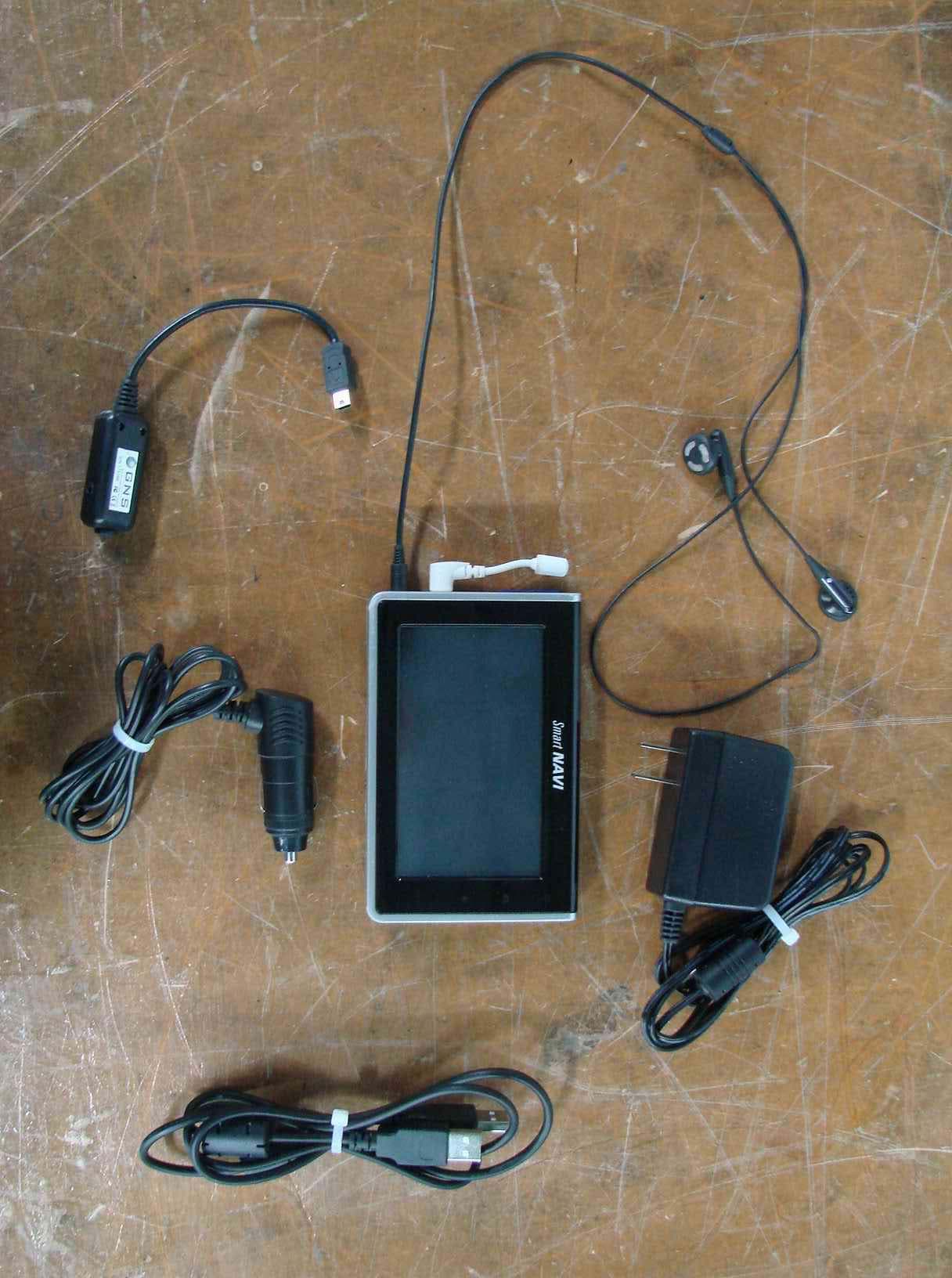
QD5DOTN-430
May 28, 2007Car Navigation Device
Equipment Class
JBP - Part 15 Class B Computing Device Peripheral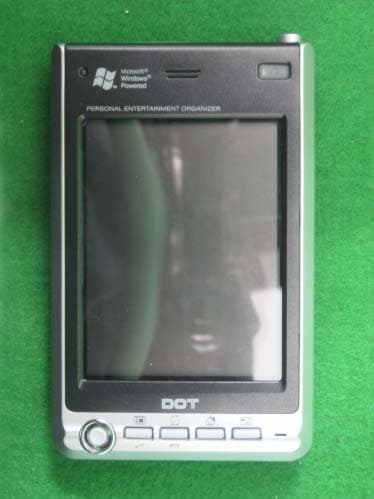
QD5DOT400
Jan 05, 2004PDA
Equipment Class
JBP - Part 15 Class B Computing Device Peripheral