QDMIFP899MP3 PLAYER
DREAMUS COMPANY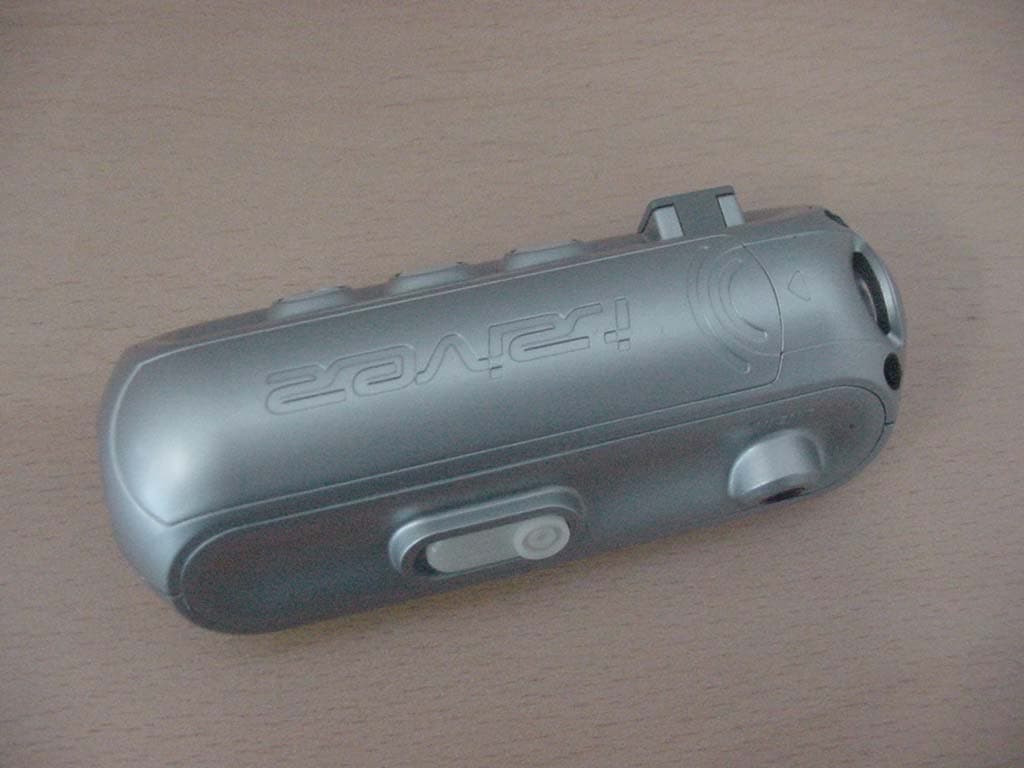
Click to zoom
Application Details
- Equipment Class
- JBP - Part 15 Class B Computing Device Peripheral
- Date of Grant
- Mar 22, 2004
- Application Purpose
- Original Equipment
- Date of Application
- Mar 22, 2004
- Equipment Note
- MP3 PLAYER
- Company
- DREAMUS COMPANY
- Country
- South Korea
Documents & Files
Document Text
Text extracted from the exhibit documents filed with the FCC. Open a document above to read the original.
Users Manual
iFP-800 Series www.iRiver.com Hardware Instruction Manual Thank you for your purchase. Please read this manual carefully before using your new player. www.iRiver.com Digital Audio player/ Recorder/FM Tuner Model iFP-800 Series THIS DEVICE COMPLIES WITH PART 15 OF THE FCC RULES. OPERATION IS SUBJECT TO THE FOLLOWING TWO CONDITIONS: (1) THIS DEVICE MAY NOT CAUSE HARMFUL INTERFERENCE, AND (2) THIS DEVICE MUST ACCEPT ANY INTERFERENCE RECEIVED, INCLUDING INTERFERENCE THAT MAY CAUSE UNDESIRED OPERATION. Note: This equipment has been tested and found to comply with the limits for a Class B digital device, pursuant to part 15 of the FCC Rules. These limits are designed to provide reasonable protection against harmful interference in a residential installation. This equipment generates, uses and can radiate radio frequency energy and, if not installed and used in accordance with the instructions, may cause harmful interference to radio communications. However, there is no guarantee that interference will not occur in a particular installation. If this equipment does cause harmful interference to radio or television reception, which can be determined by turning the equipment off and on, the user is encouraged to try to correct the interference by one or more of the following measures : - Reorient or relocate the receiving antenna. - Increase the separation between the equipment and receiver. - Connect the equipment into an outlet on a circuit different from that to which the receiver is connected. - Consult the dealer or an experienced radio/TV technician for help. NOTE: THE MANUFACTURER IS NOT RESPONSIBLE FOR ANY RADIO OR TV INTERFERENCE CAUSED BY UNAUTHORIZED MODIFICATIONS TO THIS EQUIPMENT. SUCH MODIFICATIONS COULD VOID THE USER'S AUTHORITY TO OPERATE THE EQUIPMENT. 1 GETTING STARTED LOCATING THE CONTROLS PC SOFTWARE INSTALLATION BASIC OPERATION CONVENIENT FUNCTIONS ADDITIONAL INFORMATION 1 2 3 4 5 6 Contents THIS MANUAL COVERS THE INSTALLATION AND USE OF THE PLAYER HARDWARE. FOR DETAILS REGARDING THE SOFTWARE OPERATION INCLUDING TRANSFERRING MUSIC TO THE PLAYER, PLEASE SEE THE SOFTWARE INSTRUCTION MANUAL. NOTE GETTING STARTED CONTENTS 1 INTERNET FEATURES ABOUT POWER SUPPLY 1-1 1-2 1-3 Getting started... THIS MANUAL COVERS THE INSTALLATION AND USE OF THE PLAYER HARDWARE. FOR DETAILS REGARDING THE SOFTWARE OPERATION INCLUDING TRANSFERRING MUSIC TO THE PLAYER, PLEASE SEE THE SOFTWARE INSTRUCTION MANUAL. NOTE Getting started... 1-2 Getting started... 1-1 URL : www.iRiver.com Find information on our company, products, and customer and technical support. Update your player with firmware downloads. Firmware upgrades offer support for new CODECS and deliver new product features. Consult the product FAQ. Register your iRiver product online so that our Customer Service is able to provide support as efficiently as possible. All contents contained in this manual subject to change without notice to improve ability of this player or according to changing of specification. iRiver Limited does not assume any responsibility for errors or omissions in this document or make any commitment to update the information contained herein. iRiver is a registered trademark of iRiver Limited in the Republic of Korea and /or other countries and is used under license. Microsoft Windows Media and the Windows Logo are trademarks or registered trademarks of Microsoft Corporation in the United States and /or other countries. All other brand and product names are trademarks of their respective companies or organization. All other product names may be trademarks of the companies with which they are associated. 1999-2004 iRiver Limited. All rights reserved. INTERNET Multi-Codec Player Supports MP3, WMA, OGG and ASF formats. Firmware Upgrade Provides the latest updated features via firmware upgrade. Graphic LCD supporting Multiple Languages iFP-800 Series comes with graphic LCD which can support multiple languages (40 languages). FM Function You can easily listen to FM stations and set your favorite stations by using Auto Preset and Frequency Memory functions. 6 Preset EQ :Normal, Rock, Jazz, Classic, U Bass, Metal Xtreme EQ and Xtreme 3D Customize your own EQ with Xtreme EQ and enhance bass and surround sound with Xtreme 3D. GUI (Graphic User Interface) Menu System Simple Navigation Simple navigation makes it easy to find any song. Supports 8 levels of subfolders, 500 folders total and up to 1500 files at one time. Create your own playlists. Direct MP3 Encoding 11.025KHz ~44.1KHz, 8Kbps ~ 320Kbps Record FM Radio, Voice, or line-in from another device Voice record level is automatically controlled by AGC function. Convenient neck strap. Supports USB 2.0(iFP-880 Supports USB 1.1 only) FEATURES Open the battery cover. Close the battery cover. Insert the battery. (AA 1.5V type x 1ea) Be sure to match the + and - ends of the battery with the diagram inside the battery compartment. ABOUT POWER SUPPLY Inserting a battery Getting started... 1-3 If the battery is worn out, “Low Battery” is displayed on the LCD. Insert a fresh battery. To avoid corrosion, remove the battery if the player is not to be used for a long time. Remove dead battery immediately to avoid damage from corrosion. When corrosion occurs, wipe the battery compartment immediately with a dry cloth and insert a new battery. NOTE Locating the Controls Locating the Controls Contents 2 Front View Side View LCD Screen 2-1 2-2 2-3 THIS MANUAL COVERS THE INSTALLATION AND USE OF THE PLAYER HARDWARE. FOR DETAILS REGARDING THE SOFTWARE OPERATION INCLUDING TRANSFERRING MUSIC TO THE PLAYER, PLEASE SEE THE SOFTWARE INSTRUCTION MANUAL. NOTE MIC LCD Screen Volume + Volume - I(Previous Track/Fast Reverse) I (Next Track/Fast Forward) NAVI/MENU STEREO Power ON/OFF /(Play/Stop) MEMORY/EQ A-B (Interval repeat) MODE/REC USB Connection Port HOLD LINE IN Battery Locating the Controls 2-2 Locating the Controls 2-1 Locating the Controls Side View Locating the Controls Front View Earphone FILE FORMA…
Text truncated - open the document above for the full version.
Users Manual
Convenient Functions Convenient Functions Contents 5 NAVIGATION (SEARCHING) PLAYBACK MODE PROGRAM MODE EQ MODE MENU Basic Operation General Display Timer Control Mode Name Sound 5-1 5-3 5-5 5-8 5-9 5-10 5-12 5-14 5-17 5-20 5-24 5-26 5-27 ASFWMA OGGMP3 Convenient Functions Navigation (Searching) Navigation 5-2 Navigation (Searching) Convenient Functions Navigation 5-1 Navigate to locate tracks to play. YoucanselectasongbypressingtheNAVI/MENU buttonandusingtheVOL+,VOL-switch. NAVI/MENU button 1 1 2 2 Select the track 4 4 Select folder or scroll to upper folder 3 3 Scroll up Scroll down Select the upper folder Scroll up Select the folder or file Scroll down Scroll up Scroll down Select the track FILE FORMAT IRM (iRiver Rights Management) iRiver Rights Management is a digital music format. Please visit our web site for details about this music format. IRM MODE (Playback Mode) INTRO 5-4 MODE (Playback Mode) MODE (Playback Mode) 5-3 You can set various Repeat and Shuffle options by choosing these selections under Mode. Change the Repeat or Shuffle mode by pressing the MODE button. Please refer to the MODE function controls (page 5-24) for user-defined configuration. When the MODE/REC button is pushed, the icon in the playback mode indicator is changed. Play a single track repeatedly. Play all tracks in the folder and stop. Play all tracks in the folder repeatedly. Play all tracks in the player repeatedly. REPEAT Randomly play all tracks in the player and stop. Play a single track repeatedly. Skip forward will select a new random track to play repeatedly. Randomly play all tracks in the folder and stop. Randomly play all tracks in the folder repeatedly. Randomly play all tracks in the player repeatedly. SHUFFLE Interval Repeat(A-B) Repeat a selected interval. A-B interval will be repeated. Press the button once to select the beginning <A> point. Press the button again to select the ending <B> point. INTRO: Plays the beginning 10 seconds of each track in sequential order. INTRO HIGHLIGHT: Plays 10 seconds from 1 minute into each track in sequential order. You can set this function in the MENU function.(Refer to page 5-25) Convenient Functions Convenient Functions Program Playback Activating Program mode 5-6 Program Playback Activating Program mode 5-5 You can listen to your favorite songs by using Program Mode. Click the MEMORY/EQ button at Stop playback. The program list is displayed. If the player has been programmed already, the current program list will display. 1 1 2 2 To save all files in the folder as the program list After selecting a folder to save, then press the MEMORY/EQ button to save all files in the folder. Sub folders are not added. 3 3 4 4 After programming, pressPLAY/STOP button to play the tracks in sequential order. Program Playback Scroll to PROGRAM mode Music name Click Numbers of program list Click The PROGRAM mode icon appears Push the VOL +, VOL - switch to select the number to be programmed. Press the NAVI/MENU button once and navigate to the desired track. Press the NAVI/MENU button again to save that track to the program list. Press the MEMORY/EQ button to save the program list. Convenient Functions Convenient Functions EQ Mode EQ MODE 5-8 Program Playback To remove files from the program list 5-7 Push the NAVI/MENU button toward VOL - at Stop mode. Program playback is cancelled and normal playback is started. Cancel Program Mode Press the MODE/REC button after selecting the file to be deleted using the MEMORY/EQ button. The program list is automatically changed. Click You can select EQ mode in accordance to the playing music genre. Press and hold the MEMORY/EQ button to display the current EQ setting. Then press the button repeatedly to chose a different EQ. Xtrm EQ and 3D are set in the MENU, refer to page 5-27 through 5-29 for details. To delete all programmed songs, press MEMORY/EQ button for several seconds. Push In Stop Mode You can select your favorite EQ as the set value on the EQ SELECT menu. The set value on the menu is saved but EQ mode is not changed in case of not selecting Xtreme EQ and Xtreme 3D NOTE CAUTION Convenient Functions Convenient Functions MENU Configuration 5-9 Functions are subject to change with different firmware versions. Users can configure their own settings. resume language load default back light lcd contrast visualization scroll speed tag information time battery select sleep Power Off stop Power Off set Time alarm/Record Select set Alarm tuner Rec. Reservation fast skip scan speed voice recording mode voice auto detection tuner recording mode line-in recording mode line-in recording volume line-in auto-sync line-in/ext. mic download activity repeat shuffle intro study name Xtreme EQ Xtreme 3D DBE setting 3D EQ setting sound balance eq limit eq select beep volume fade in GENERALDISPLAY TIMER SOUND CONTROL MODE 5-10 MENU-Basic Operation Basic Operation MAIN MENUSUB MENUWindow for SUB MENU SETTING Press and hold the NAVI/MENU button to display the MENU system. The MENU system is composed of 6 main menus with sub-menus. To select Main Menu From Main Menu to Sub Menu Shift between Menus Push the orswitch to move between main menu and sub menu. Click Push Convenient Functions Convenient Functions MENU-Basic Operation To select Sub Menu 5-12 5-11 You can set, cancel or change Sub Menu by pressing the NAVI/MENU switch toward I,Ior VOL +, VOL -. Click the PLAY/STOP button to exit Main Menu. Click the PLAY/STOP button to return Main MENU at the sub-menu setting. Exit Sub MenuExit Main Menu Enter Sub Menu Click Push MENU-General GENERAL ON: Playback resumes from the previous location in a song when the player is stopped or powered off. OFF: Playback begins from the first track after the player is stopped or powered off. Resume Supports 40 languages Song title and ID3 tag information for the MP3 files is dependent on the version of the PC operating system that was used to create it. (For example, if an MP3 file is created in a English version o…
Text truncated - open the document above for the full version.
Block Diagram
i F P-899 Block Di agram .3V .8 PSEUDO SRAM IPS158 2 HS NAND FLAS H NOR FLAS H LCD 2.7 PNX0101 LINE IN H/P MIC Clock 12MHz System Bus TUNER DC/ D C Bl o c k B a ttery RTC 1 v KEY 3
External Photos
< Front Of EUT > < Rear of EUT >
ID Label/Location Info
Model Name : iFP-899 FCCID:QDMIFP899 iRiver
Internal Photos
< FRONT OF MAINBOARD > < REAR OF MAINBOARD > < FRONT OF I/O BOARD > < REAR OF I/O BOARD >
Test Report
EMI TEST REPORT Emission of electromagnetic disturbance Test Report No. : ERI-FCC04-0016 Equipment : MP3 PLAYER/FM TUNER Name of basic model : iFP-899 Family model : iFP-880, iFP-890, iFP-895 Manufacturer : AV CHASEWAY MFG.FTY. Applicant : ReignCom Limited. Tested date : 2004. 3. 9 – 3. 12 Issued date : 2004. 3. 19 Test results : PASS Test Standards : FCC Part 15 Subpart B (Class B) /Digital devices & peripherals Test Procedure and Items: - AC Power line Conducted emissions measurement : ANSI C63.4-1992 - Radiated emissions measurement : ANSI C63.4-1992 Tested by: GWEON, HUR Approved by: SANG-KYU, LEE The results in this report apply only to the sample tested. This test report shall not be reproduced except in full, without the written approval of ERI Laboratory. EMC RESEARCH INSTITUTE EMC RESEARCH INSTITUTE File No. ERI-FCC04-0016 Page 2 of 11 E R I, 66-6, Jeil-Ri, Yangji-Myun, Yongin-City, Kyunggi-Do, Korea Tel: +82-31-336-1186~7 Fax: +82-31-336-1184 CONTENTS 1. CLIENT INFORMATION 2. LABORATORY INFORMATION 3. EQUIPMENT UNDER TEST INFORMATION(EUT) 3.1 Identification of the EUT 3.2 Additional information about the EUT 3.3 Peripheral equipment 4. CONTINUOUS DISTURBANCE VOLTAGE, MAIN TERMINAL 4.1 Operating environment 4.2 Test set-up and test procedures 4.3 Operation Conditions 4.4 Test instrument 4.5 Test results (Test mode: Up & Download mode) 5. RADIATED DISTURBANCE : 30MHz – 1000MHz 5.1 Operating environment 5.2 Test set-up 5.3 Test conditions 5.4 Test instrument 5.5 Test results (Test mode: Up & Download mode) 5.6 Test results (Test mode: Play mode) 5.7 Test results (Test mode: Recode mode) 5.8 Test results (Test mode : FM Tuner) APPENDIX (None) EMC RESEARCH INSTITUTE File No. ERI-FCC04-0016 Page 3 of 11 E R I, 66-6, Jeil-Ri, Yangji-Myun, Yongin-City, Kyunggi-Do, Korea Tel: +82-31-336-1186~7 Fax: +82-31-336-1184 1. CLIENT INFORMATION The EUT has been tested by request of : Company : ReignCom Limited. Address : 8F Posgen VentureTower, 1586-7 Seocho-dong, Seocho-gu, Seoul, Korea Name of contact : H.J. Mun Telephone : +82-2-3019-1723 Facsimile : +82-2-3019-1746 2. LABORATORY INFORMATION The 10m full-anechoic chamber and/or EMC facilities are used for these testing. These facilities were accredited by KOLAS, EK, MIC of Korea and FCC of USA. Address ELECTROMAGNETIC RESEARCH INSTITUTE. 66-6, JEIL-RI, YANGJI-MYUN, YOUNGIN-CITY, KYUNGGI-DO, KOREA Telephone No. : +82-31-336-1186~7 Facsimile No. : +82-31-336-1184 Registered No. KOLAS : 111 EK : J MIC : KR0030 FCC Filing No. : 302567 3. EQUIPMENT UNDER TEST INFORMATION(EUT) 3.1 Identification of the EUT Type of equipment : MP3 PLAYER/FM TUNER Model name : iFP-899 Brand name : - Manufacturer : AV CHASEWAY MFG.FTY. Address : Langang Village, Chongguang Town, Baoan District, Shenzhen City, Guangdong, China Telephone : +86-755-708-4671 Facsimile : +86-755-708-5490 Country of origin : CHINA Rating : 120V, 60Hz EMC RESEARCH INSTITUTE File No. ERI-FCC04-0016 Page 4 of 11 E R I, 66-6, Jeil-Ri, Yangji-Myun, Yongin-City, Kyunggi-Do, Korea Tel: +82-31-336-1186~7 Fax: +82-31-336-1184 3.2 Additional information about the EUT Class B, Family Models List: Basic Model Variant Model Differential point Memory size iFP-880 Model name and Memory size 128MB iFP-890 Model name and Memory size 256MB iFP-899 (1GB) iFP-895 Model name and Memory size 512MB 3.3 Peripheral equipment Defined as equipment needed for correct operation of the EUT. Description Model No. Serial No. Manufacture AC/DC adaptor SEA60N2-16.0 03502395C SANKEN ELECTRIC CO., LTD. Note PC P5010 464307211682 FUJITSU LIMITED Keyboard SDM4510UH 4M030902 - Earphone - - - EMC RESEARCH INSTITUTE File No. ERI-FCC04-0016 Page 5 of 11 E R I, 66-6, Jeil-Ri, Yangji-Myun, Yongin-City, Kyunggi-Do, Korea Tel: +82-31-336-1186~7 Fax: +82-31-336-1184 4. CONTINUOUS DISTURBANCE VOLTAGE, MAIN TERMINAL : Frequency range 0.15 MHz to 30 MHz 4.1 Operating environment Temperature : 20.0 °C Relative Humidity : 36.0 % 4.2 Test set-up and test procedures The mains terminal disturbance voltage was measured with the equipment under test(EUT) in a shield room. The EUT was connected to an artificial mains network(LISN) placed on the floor. The EUT was placed on non-metallic table 0.4m above the metallic, grounded floor. The distance to other metallic surface was at least 0.8m. Amplitude measurements were performed with a quasi-peak detector and an average detector. 4.3 Operation Conditions Up & download mode, play mode, recording mode, tuner mode 4.4 Test instrument Instrument Model No Serial No. Makers Next cal.date Used Test receiver ESCS30 100020 R&S 2004. 3. 25 x ESH3-Z5 827246/008 R&S 2004. 3. 19 x L.I.S.N. ESH3-Z5 831887/018 R&S 2004. 3. 19 Shield room 8 × 6 × 3.3m/H - - - x AC Main LISN EUT NOTE PC AC/DC adaptor Keyboard Earphone EMC RESEARCH INSTITUTE File No. ERI-FCC04-0016 Page 6 of 11 E R I, 66-6, Jeil-Ri, Yangji-Myun, Yongin-City, Kyunggi-Do, Korea Tel: +82-31-336-1186~7 Fax: +82-31-336-1184 4.5 Test results(Up & download mode) Date of test: Mar 12, 2004. An overview sweep performed with peak detector & average detector are included in the report as test reports. Frequency Tested LISN Meter Range Freq. Reading Limits Margin QP AV QP AV QP AV [MHz] [MHz] [dBuV] [dBuV] [dBuV] 0.189 N 55.2 44.3 64.0 54.0 8.8 9.7 0.252 N 47.6 36.9 61.6 51.6 14.0 14.7 0.15-30 0.318 N 42.5 33.4 59.8 49.8 17.3 16.4 0.444 N 38.8 31.9 57.0 47.0 18.2 15.1 0.759 N 32.8 25.9 56.0 46.0 23.2 20.1 0.864 N 31.2 24.6 56.0 46.0 24.8 21.4 1.473 N 33.2 28.0 56.0 46.0 22.8 18.0 1.539 N 32.7 22.0 56.0 46.0 23.3 24.0 5.930 N 29.1 20.2 60.0 50.0 30.9 29.8 13.560 N 33.7 23.7 60.0 50.0 26.3 26.3 * <5 : mean less than 5dB * Other frequency keep over 20dB margin. EMC RESEARCH INSTITUTE File No. ERI-FCC04-0016 Page 7 of 11 E R I, 66-6, Jeil-Ri, Yangji-Myun, Yongin-City, Kyunggi-Do, Korea Tel: +82-31-336-1186~7 Fax: +82-31-336-1184 [Live line] [Neutral line] EMC RESEARCH INSTITUTE File No. ERI-FCC04-0016 Page 8 of 11 E R I, 66-6, Jeil-Ri, Yangji-Myun, Yongin-City, Kyung…
Text truncated - open the document above for the full version.
Test Setup Photos
<FRONT PHOTO OF RAIDIATED DISTURBANCE > <REAR PHOTO OF RADIATED DISTURBANCE > <FRONT PHOTO OF CONTINUOUS DISTURBANCE VOLTAGE > <SIDE PHOTO OF CONTINUOUS DISTURBANCE VOLTAGE >
Contact Information
Applicant
HONGGYU LEE(Manager)
Test Firm
EMC Compliance LTDMin Seok Chung
Technical Specifications
| # | Rule Parts | Frequency Range | Power Output |
|---|---|---|---|
| 1 | 15B | - | - |
Other Applications from DREAMUS COMPANY
QDMPPF43
Aug 28, 2024SP3000M
Equipment Class
NII - Unlicensed National Information Infrastructure TXQDMPPM45
Oct 17, 2023KANN ULTRA
Equipment Class
NII - Unlicensed National Information Infrastructure TX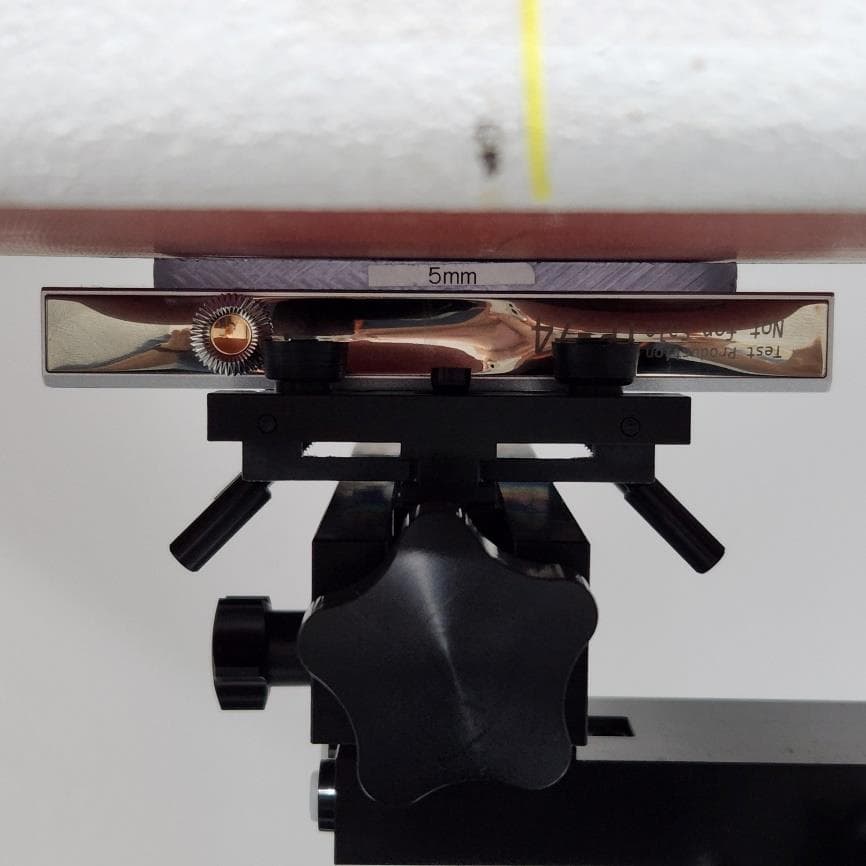
QDMPPR51
May 07, 2023SE300
Equipment Class
NII - Unlicensed National Information Infrastructure TX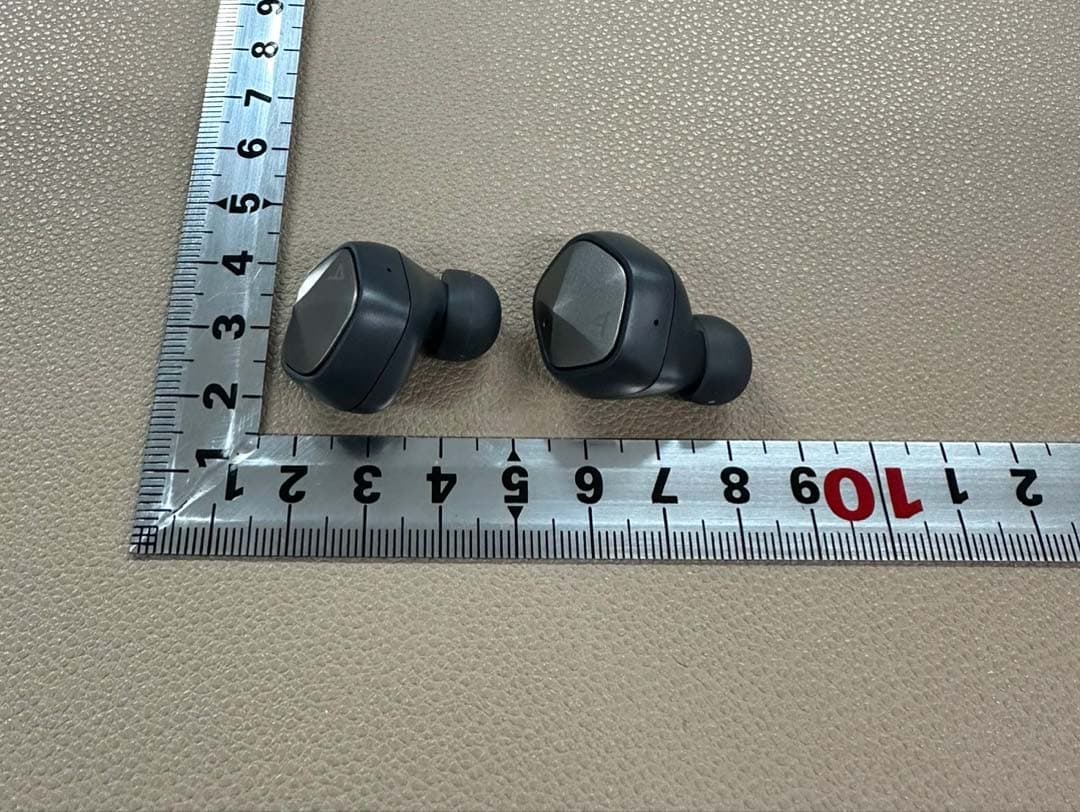
QDMPSP22
May 04, 2023UW100 MK II
Equipment Class
DSS - Part 15 Spread Spectrum Transmitter
QDM-HERO-OLS01
Jan 16, 2023LIM YOUNG WOONG OFFICIAL LIGHT STICK
Equipment Class
DTS - Digital Transmission System