QGYEZ-232Skypower Bluetooth Headset
Skypower Wireless Ltd.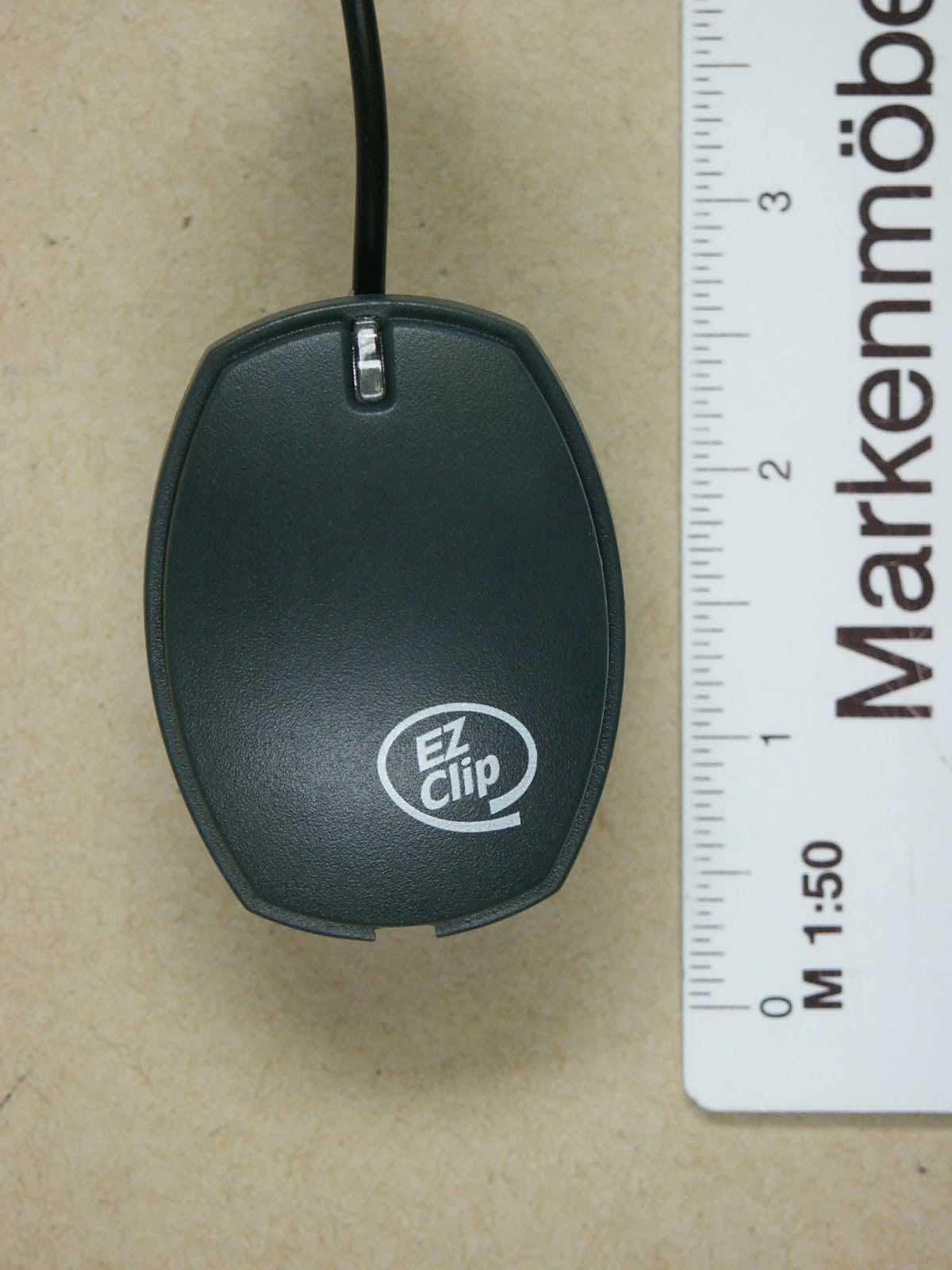
Click to zoom
Application Details
- Equipment Class
- DSS - Part 15 Spread Spectrum Transmitter
- Date of Grant
- Jul 14, 2002
- Application Purpose
- Original Equipment
- Date of Application
- Jul 14, 2002
- Equipment Note
- Skypower Bluetooth Headset
- Frequency Range
- 2402.00000000 - 2480.00000000
- Company
- Skypower Wireless Ltd.
- Country
- Hong Kong
Documents & Files
Document Text
Text extracted from the exhibit documents filed with the FCC. Open a document above to read the original.
Users Manual
Your one stop Bluetooth partner User Guide Skypower Bluetooth Headset (Mobile Phone) - 1 - Headsets UM - 20522.doc; 05231944 A Bluetooth Headset Skypower’s hands-free headset is the first universal, truly certified Bluetooth V1.1 headset. It is the first Bluetooth headset available that links to any mobile phone that is Bluetooth V1.1 compatible , allowing you full flexibility to choose your own preferred Bluetooth mobile phone. If your mobile phone does not support yet Bluetooth – still you can connect Skypower’s headset to your mobile phone, simply by ‘Bluetooth-enabling’ your mobile phone with a proper Bluetooth adaptor (for best results and long-term reliability, purchase the original Bluetooth adaptor from Skypower 1 ). Quick Start Before placing your first call – you must first recharge the battery, and thereafter ‘pair’ your headset with your Bluetooth mobile phone. Details follow below. Recharging the battery A high density Li Polymer battery built-in the headset allows you maximum talk time between recharges. In addition, Skypower’s Bluetooth module is outstanding in its low power consumption even in standby mode, allowing you more hours of usage between recharges. Skypower has also included in the headset the charger. As such you are free to use any standard AC/DC adaptor 2 you may already have at home (and if you don’t have – use Skypower’s AC/DC adaptor). To recharge - simply connect the AC/DC adaptor to the DC socket of the headset. The LED will light RED continuously until the battery is fully charged. When the LED turns GREEN – the battery is fully charged and you may disconnect the charger. Note: If the LED blinks RED or GREEN (rather than being continuous) – it shows you that the headset is ON, and ready to receive a call (even while being recharged). Pairing the Headset with the Bluetooth mobile phone ‘Pairing’ is a Bluetooth common term for the simple setup of matching your headset with your phone, so that your headset will ‘listen’ only to your mobile phone (and not to others), and your mobile phone will ‘talk’ only to your headset (and no one else can listen to your conversation). To pair – proceed as follows: 1. Make sure that the headset is switched OFF. 2. Press and hold button ON for more than 8 sec. At first you see the LED blinking YELLOW (you hear two tones, low and high), but after about 5 sec it changes to blinking RED and GREEN alternatively (you hear 3 high tones). Now you can release the button. The headset is ready for pairing. 3. Activate the Bluetooth on the mobile phone (or the adaptor), initiate the ‘discover’ function and continue the pairing as per the instructions given by your Bluetooth phone /adaptor manufacturer). Note that when you are asked to enter the passkey of the headset – use 0000. 4. If the pairing is successful – you will get such message on your mobile phone, while in parallel the LED on the headset blinks GREEN, indicating that the headset is ready for a call (i.e. in standby). If the pairing is not successful for 3 minutes – the headset shuts down (to save power). To try again to pair – repeat from step 1. 1 Available product. To be purchased separately 2 With at least 200mA, and output of 6.00 VDC. Your one stop Bluetooth partner User Guide Skypower Bluetooth Headset (Mobile Phone) - 2 - Headsets UM - 20522.doc; 05231944 Switch ON Press and hold headset button ON for about 3 sec. until you see the LED blinking YELLOW (you hear two tones, low and high). Then release the button. The headset tries now to link up with the Bluetooth mobile phone. If successful, the LED on the headset blinks GREEN (indicating that the headset is ready for a call (i.e. in standby). If not successful, the LED continues to blink YELLOW. If after 3 minutes the headset is still unsuccessful to link – it automatically shuts down (to save power). Switch OFF Press and hold headset button VOL for about 3 sec. until you hear a short high tone followed by a longer low tone. LED goes off. Low battery indication When the battery is low and requires recharging, the LED flashes RED (rather than GREEN) and a double high tone alerts you every 1 min. Making a call Press shortly twice button ON. You hear a confirmation tone (low tone followed by high tone). Thereafter – − If the mobile phone has the feature of voice dialing – simply ‘voice dial’ as you normally would (but talk to the headset’s microphone rather than the phone’s microphone). Alternatively, − Dial from the mobile phone as you normally would (key-in the number, or dial from phone’s memory). When the other party answers – simply talk. When you finish your call – just ‘hang-up’ by shortly pressing again button ON. Receiving a call When an incoming call arrives you hear 3 short tones (high, low, high). This repeats itself until you take the call by pressing button ON shortly. Thereafter – simply talk. When you finish your call – just ‘hang-up’ by shortly pressing again button ON. Volume control The headset allows volume adjustment by user. To adjust the volume press shortly button VOL. Each time you press the button, volume changes from LOW to MEDIUM to HIGH and back. The volume level set, is indicated by tones (one beep indicating LOW level, two beeps – MED and three beeps – HIGH). Test status – are you ON and linked? While having the headset on you for a while, you may wonder whether your headset is still ON and linked, or perhaps the link was lost (for whatever reason) and you can’t receive any incoming call. Skypower provides a short and simple test for you to verify whether you are linked, and put you at ease. To test (while in standby mode) – press shortly button VOL. If the headset is ON and the Bluetooth link active - you hear a two short beeps. If you hear nothing – it means that the headset is OFF or the link lost. Your one stop Bluetooth partner User Guide Skypower Bluetooth Headset (Mobile Phone) - 3 - Headsets UM - 20522.doc; 05231944 Lost connection – automatic re-link If, for whatever reason, the…
Text truncated - open the document above for the full version.
Cover Letter(s)
July-01-2002 Federal Communications Commission Equipment Authorization Branch 7435 Oakland Mills Road Columbia, MD 21046 Request for Confidentiality SKYPOWER WIRELESS LTD. FCC ID: QGYEZ-232 FCC Part 15 Certification Gentlemen, In accordance with 0.459 of CFR 47, SKYPOWER hereby requests confidentiality of all Block Diagrams, Circuit Diagrams, Parts List, Operational Description attachments for the subject application. These documents contain detailed system and equipment description and related information about the product which Skypower Wireless Ltd considers to be proprietary, confidential and a custom design and otherwise would not release to the general public. Since the design is a basis from which future technological products will evolve, Skypower Wireless Ltd considers that this information would be of benefit to its competitors and that the disclosure of the information in these documents would give competitors an unfair advantage in the market. Sincerely, Signature Name: Cory Vuong Title: Test and Certification Project Manager Skypower Wireless ltd
External Photos
ELECTRONIC TECHNOLOGY SYSTEMS DR.GENZ GMBH Registrationnumber:G0M20206-6709-T-47 ELECTRONIC TECHNOLOGY SYSTEMS DR. GENZ GMBH STORKOWER STR. 38C, D-15526 REICHENWALDE B. BERLIN Appendix Page 1 of 10 Appendix A. Pictures ELECTRONIC TECHNOLOGY SYSTEMS DR.GENZ GMBH Registrationnumber:G0M20206-6709-T-47 ELECTRONIC TECHNOLOGY SYSTEMS DR. GENZ GMBH STORKOWER STR. 38C, D-15526 REICHENWALDE B. BERLIN Appendix Page 2 of 10 ELECTRONIC TECHNOLOGY SYSTEMS DR.GENZ GMBH Registrationnumber:G0M20206-6709-T-47 ELECTRONIC TECHNOLOGY SYSTEMS DR. GENZ GMBH STORKOWER STR. 38C, D-15526 REICHENWALDE B. BERLIN Appendix Page 3 of 10 ELECTRONIC TECHNOLOGY SYSTEMS DR.GENZ GMBH Registrationnumber:G0M20206-6709-T-47 ELECTRONIC TECHNOLOGY SYSTEMS DR. GENZ GMBH STORKOWER STR. 38C, D-15526 REICHENWALDE B. BERLIN Appendix Page 4 of 10
ID Label/Location Info
FCC ID QGYEZ-232 SKYPOWER WIRELESS LTD. MODEL: EZ-232 EZ-CLIP This device complies with part 15 of FCC rules MADE IN CHINA FCC ID QGYEZ-232 SKYPOWER WIRELESS LTD. MODEL: EZ-232 EZ-CLIP This device complies with part 15 of FCC rules MADE IN CHINA
ID Label/Location Info
FCC ID QGYEZ-232 SKYPOWER WIRELESS LTD. MODEL: EZ-232 EZ-CLIP This device complies with part 15 of FCC rules MADE IN CHINA FCC ID QGYEZ-232 SKYPOWER WIRELESS LTD. MODEL: EZ-232 EZ-CLIP This device complies with part 15 of FCC rules MADE IN CHINA
Internal Photos
ELECTRONIC TECHNOLOGY SYSTEMS DR.GENZ GMBH Registrationnumber:G0M20206-6709-T-47 ELECTRONIC TECHNOLOGY SYSTEMS DR. GENZ GMBH STORKOWER STR. 38C, D-15526 REICHENWALDE B. BERLIN Appendix Page 5 of 10 ELECTRONIC TECHNOLOGY SYSTEMS DR.GENZ GMBH Registrationnumber:G0M20206-6709-T-47 ELECTRONIC TECHNOLOGY SYSTEMS DR. GENZ GMBH STORKOWER STR. 38C, D-15526 REICHENWALDE B. BERLIN Appendix Page 6 of 10 ELECTRONIC TECHNOLOGY SYSTEMS DR.GENZ GMBH Registrationnumber:G0M20206-6709-T-47 ELECTRONIC TECHNOLOGY SYSTEMS DR. GENZ GMBH STORKOWER STR. 38C, D-15526 REICHENWALDE B. BERLIN Appendix Page 7 of 10
Test Report
ELECTRONIC TECHNOLOGY SYSTEMS DR. GENZ GMBH TEST - REPORT FCC RULES PART 15 / SUBPART C Test report no.: G0M20206-6709-T-47 FCC ELECTRONIC TECHNOLOGY SYSTEMSSTORKOWER STRASSE 38C, D-15526 REICHENWALDE B. BERLIN DR. GENZ GMBHPHONE +49-33631-888 00 FAX +49-33631-888 66 ETS Dr. Genz GmbH, GermanyRegistration number: G0M20206-6709-T-47Page 1 of 25 ELECTRONIC TECHNOLOGY SYSTEMS DR.GENZ GMBH TABLE OF CONTENTS 1General information 1.1Notes 1.2Testing laboratory 1.3Details of approval holder 1.4Application details 1.5Test item 1.6Test standards 2Technical test 2.1Summary of test results 2.2Test environment 2.3Test equipment utilized 2.4Test Procedure 3Test Results ETS Dr. Genz GmbH, GermanyRegistration number: G0M20206-6709-T-47Page 2 of 25 ELECTRONIC TECHNOLOGY SYSTEMS DR.GENZ GMBH 1General Information 1.1Notes The purpose of conformity testing is to increase the probability of adherence to the essential requirements or conformity specifications, as appropriate. The complexity of the technical specifications, however, means that full and thorough testing is impractical for both technical and economic reasons. Futhermore, there is no guarantee that a test sample which has Passed all the relevant tests conforms to a specification. Neither is there any guarantee that such a test sample will interwork with other genuinely open systems. The existence of the tests nevertheless provides the confidence that the test sample posseses the qualities as maintained and that is performance generally conforms to representative cases of communications equipment. The test results of this test report relate exclusively to the item tested as specified in 1.5. The test report may only be reproduced or published in full. Reproduction or publication of extractes from the report requires the prior written approval of the ELECTRONIC TECHNOLOGY SYSTEMS DR. GENZ GMBH. Tester: 24.06.2002N. Kaspar DateETS-Lab.NameSignature Technical responsibility for area of testing: 24.06.2002Dr. Genz DateETSNameSignature ETS Dr. Genz GmbH, GermanyRegistration number: G0M20206-6709-T-47Page 3 of 25 ELECTRONIC TECHNOLOGY SYSTEMS DR.GENZ GMBH 1.2 Testing laboratory 1.2.1Location ELECTRONIC TECHNOLOGY SYSTEM DR. GENZ GMBH (ETS) Storkower Straße 38c D-15526 Reichenwalde b. Berlin Germany Telefon : +49 33631 888 00 Telefax : +49 33631 888 66 1.2.2Details of accreditation status ACCREDITED TESTING LABORATORY DAR-REGISTRATION NUMBER: TTI-P-G 126/96-30 ACCREDITED COMPETENT BODY DAR-REGISTRATION NUMBER: BPT-ZE-026/96-00 FCC FILED TEST LABORATORY REG. NO. 96970 BLUETOOTH QUALIFICATION TEST FACILITY (BQTF) ACCREDITED BY BLUETOOTH QUALIFICATION REVIEW BOARD INDUSTRY CANADA FILED TEST LABORATORY REG. NO. IC 3470 1.3Details of approval holder Name: Skypower Wireless Ltd. Street: Unit 508, Tower B, New Mandarin Plaza, TST East Town: Kowloon Country: Hong Kong Telephone: +852-2312-2212 Fax: +852-2312-2282 Contact: Mr. Miki Sivan Telephone: +852-2312-2212 ETS Dr. Genz GmbH, GermanyRegistration number: G0M20206-6709-T-47Page 4 of 25 ELECTRONIC TECHNOLOGY SYSTEMS DR.GENZ GMBH 1.4Application details Date of receipt of application: 11.06.2002 Date of receipt of test item: 11.06.2002 Date of test: 11.06.2002 1.5Test item Description of test item: Bluetooth Headset Type identification: EZ-232 Serial number: without Photos: See Appendix A Technical data Frequency band: 2.4GHz – 2.4835GHz Frequency ( ch A): 2.402 GHz Frequency (ch B): 2.441 GHz Frequency (ch C): 2.480 GHz TransmitterUnomUnom Power (ch A): Conducted: -4,06 dBmRadiated: -4,41 dBm Power (ch B): Conducted: -4,03 dBmRadiated: -1,96 dBm Power (ch C): Conducted: -3,56 dBmRadiated: -3,89 dBm Antenna transmitter: integral (internal antenna)Antenna gain: 0 dBi Antenna receiver: integral (internal antenna) Power supply : 3,7 V DC battery Operating mode: duplex Type of modulation: FHSS ETS Dr. Genz GmbH, GermanyRegistration number: G0M20206-6709-T-47Page 5 of 25 ELECTRONIC TECHNOLOGY SYSTEMS DR.GENZ GMBH Manufacturer: (if applicable) Name: Street: Town: Country: Additional information:The test sample is designed as Bluetooth device. Its pseudorandom hopping scheme, authentication, receiver parameters, synchronisation procedure and other parameters are determined by Bluetooth Core Specification. The Bluetooth Headset EZ-232 used the prequalified modul One Chip TM Bluetooth USB/Serial Port MT-0760of the company Microtech. ETS Dr. Genz GmbH, GermanyRegistration number: G0M20206-6709-T-47Page 6 of 25 ELECTRONIC TECHNOLOGY SYSTEMS DR.GENZ GMBH 1.6Test standards Technical standard : FCC RULES PART 15 / SUBPART C § 15.247 2Technical test 2.1Summary of test results No deviations from the technical specification(s) were ascertained in the course ý of the tests performed. or The deviations as specified in 2.5 were ascertained in the course of the tests ̈ performed. 2.2Test environment Temperature: 23 o C Relative humidity content: 20 ...75 % Air pressure: 86 ...103 kPa Details of power supply: 3,7 V battery Extrem conditions parameters:: test voltage - extrememin.: V (Vnom - 15%)battery max: V (Vnom + 15 %)battery ETS Dr. Genz GmbH, GermanyRegistration number: G0M20206-6709-T-47Page 7 of 25 ELECTRONIC TECHNOLOGY SYSTEMS DR.GENZ GMBH 2.3Test equipment utilized No.Measurement device:Type:Manufacturer: ETS 0001Test receiverESHS 10Rohde&Schwarz ETS 0002Test receiverESVPRohde&Schwarz ETS 0003Test receiverESVS 10Rohde&Schwarz ETS 0004Spektrum- and Network-AnalyzerFSMS 26Rohde&Schwarz ETS 0005Test receiverSMV 11MEB ETS 0006Test receiver systemSME 12MEB ETS 0007Spectrum analyzerPSA-65AAvcom ETS 0008AntennaLoop antennaSiemens ETS 0009AntennaLoop antennaMEB ETS 0010AntennaLoop antennaMEB ETS 0011Antennavan Veen/ FrameETS ETS 0012AntennaHK 116Rohde&Schwarz ETS 0013AntennaHL 223Rohde&Schwarz ETS 0014AntennaHL 025Rohde&Schwarz ETS 0015AntennaHL 025Rohde&Schwarz ETS 0016AntennaVHAPSchwarzbeck ETS 0017AntennaVHAPSchwarzbeck ETS 0018AntennaUHAPSchwarzbeck ETS 0019AntennaUHAPSchwarzbeck ETS 0020AntennaDP 21MEB ETS 0021AntennaDP 3MEB …
Text truncated - open the document above for the full version.
Test Setup Photos
ELECTRONIC TECHNOLOGY SYSTEMS DR.GENZ GMBH Registrationnumber:G0M20206-6709-T-47 ELECTRONIC TECHNOLOGY SYSTEMS DR. GENZ GMBH STORKOWER STR. 38C, D-15526 REICHENWALDE B. BERLIN Appendix Page 8 of 10 ELECTRONIC TECHNOLOGY SYSTEMS DR.GENZ GMBH Registrationnumber:G0M20206-6709-T-47 ELECTRONIC TECHNOLOGY SYSTEMS DR. GENZ GMBH STORKOWER STR. 38C, D-15526 REICHENWALDE B. BERLIN Appendix Page 9 of 10 ELECTRONIC TECHNOLOGY SYSTEMS DR.GENZ GMBH Registrationnumber:G0M20206-6709-T-47 ELECTRONIC TECHNOLOGY SYSTEMS DR. GENZ GMBH STORKOWER STR. 38C, D-15526 REICHENWALDE B. BERLIN Appendix Page 10 of 10
Contact Information
Applicant
Miki Sivan(Executive Director)
Test Firm
Eurofins Product Service GmbHRobert Kschiwan-Kaspar
Technical Specifications
| # | Rule Parts | Frequency Range | Power Output |
|---|---|---|---|
| 1 | 15C | 2.40 GHz - 2.48 GHz | 1.00 mW |
Other Applications from Skypower Wireless Ltd.
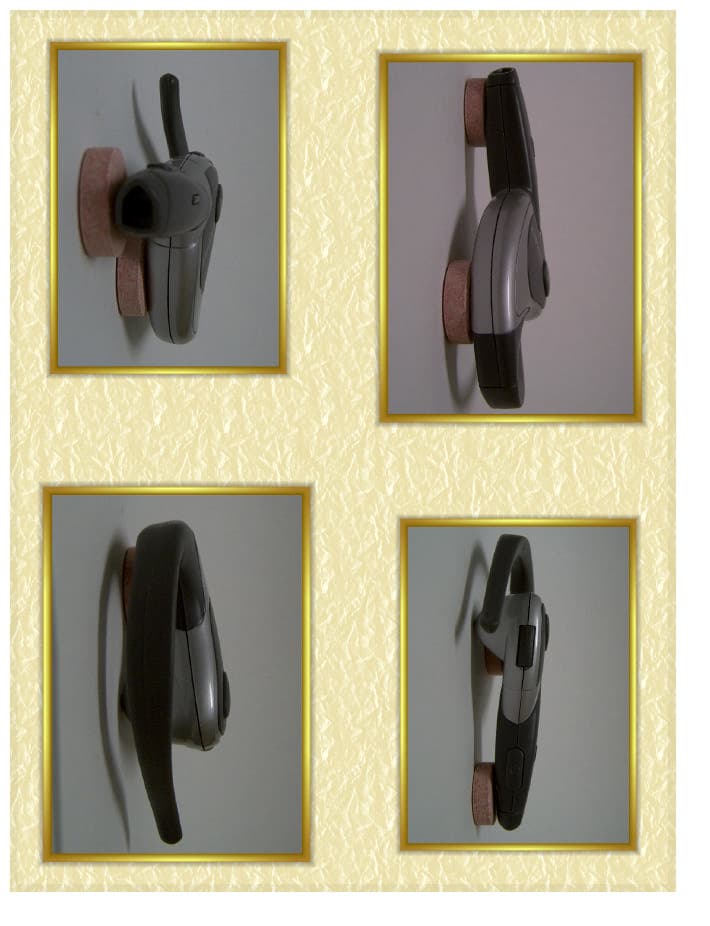
QGYEZ-233
Aug 24, 2003EZtalk Bluetooth Headset
Equipment Class
DSS - Part 15 Spread Spectrum Transmitter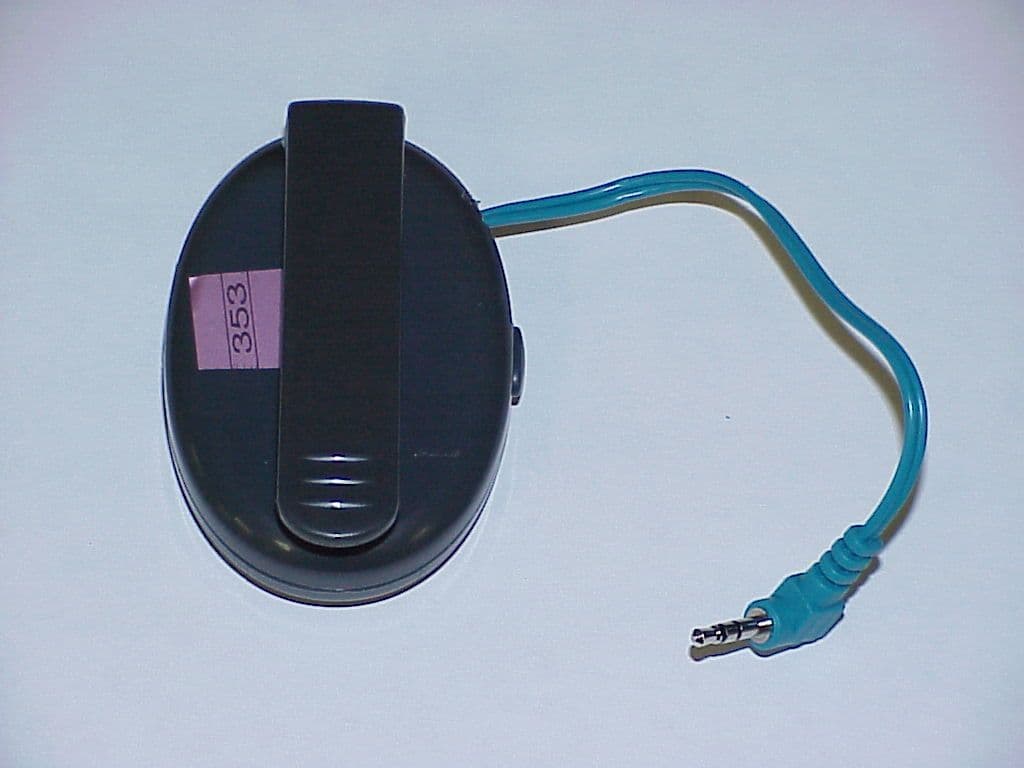
QGY-MBA23011
Sep 29, 2002Bluetooth Cell Phone Adapter
Equipment Class
DSS - Part 15 Spread Spectrum Transmitter